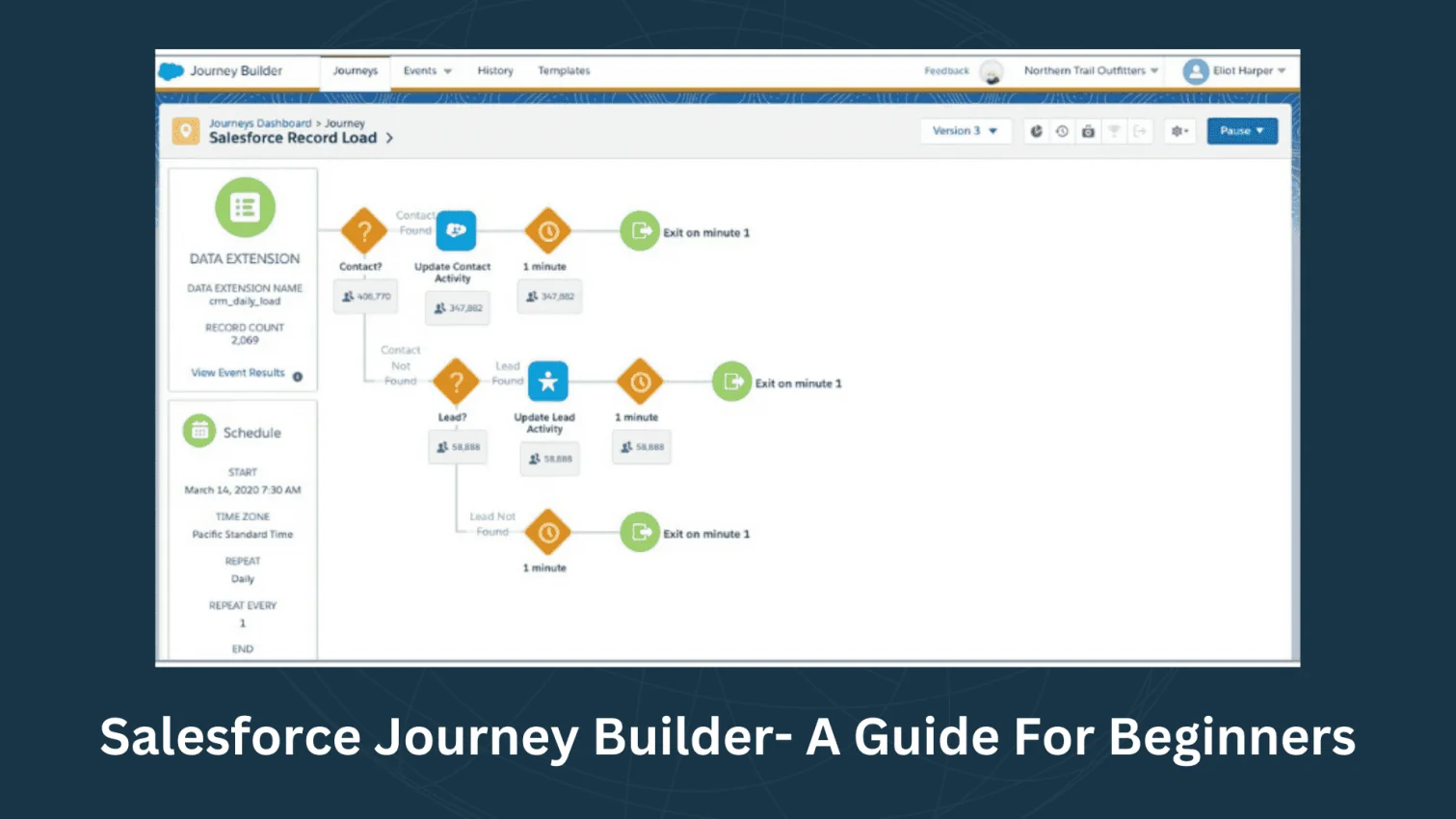
In today's hyper-connected world, customer expectations have never been higher. Consumers in markets like the USA and India, among others, expect seamless, personalized, and relevant interactions with brands across every channel. Generic, one-size-fits-all marketing campaigns simply don't cut it anymore. This is where Salesforce Journey Builder steps in, transforming a static marketing campaign into a dynamic, individualized customer experience.
Part of the powerful Salesforce Marketing Cloud, Journey Builder is not just another automation tool; it's an orchestration engine that empowers marketers to design, automate, and manage personalized customer journeys at scale, ensuring every single touchpoint is meaningful and timely.
TL;DR
Salesforce Journey Builder is a customer journey orchestration tool within Salesforce Marketing Cloud that enables businesses to design, automate, and manage personalized, multi-channel customer experiences through a visual drag-and-drop interface. This article explains how Journey Builder works through Entry Sources, Activities, and Flow Control, its key features, benefits, use cases, differences from Automation Studio, and its future role in AI-driven customer engagement and Data Cloud integration. It also highlights how businesses can create real-time, personalized interactions across email, SMS, social media, and other channels to improve customer engagement and conversions. This topic belongs to the Salesforce Marketing Cloud and Marketing Automation category.
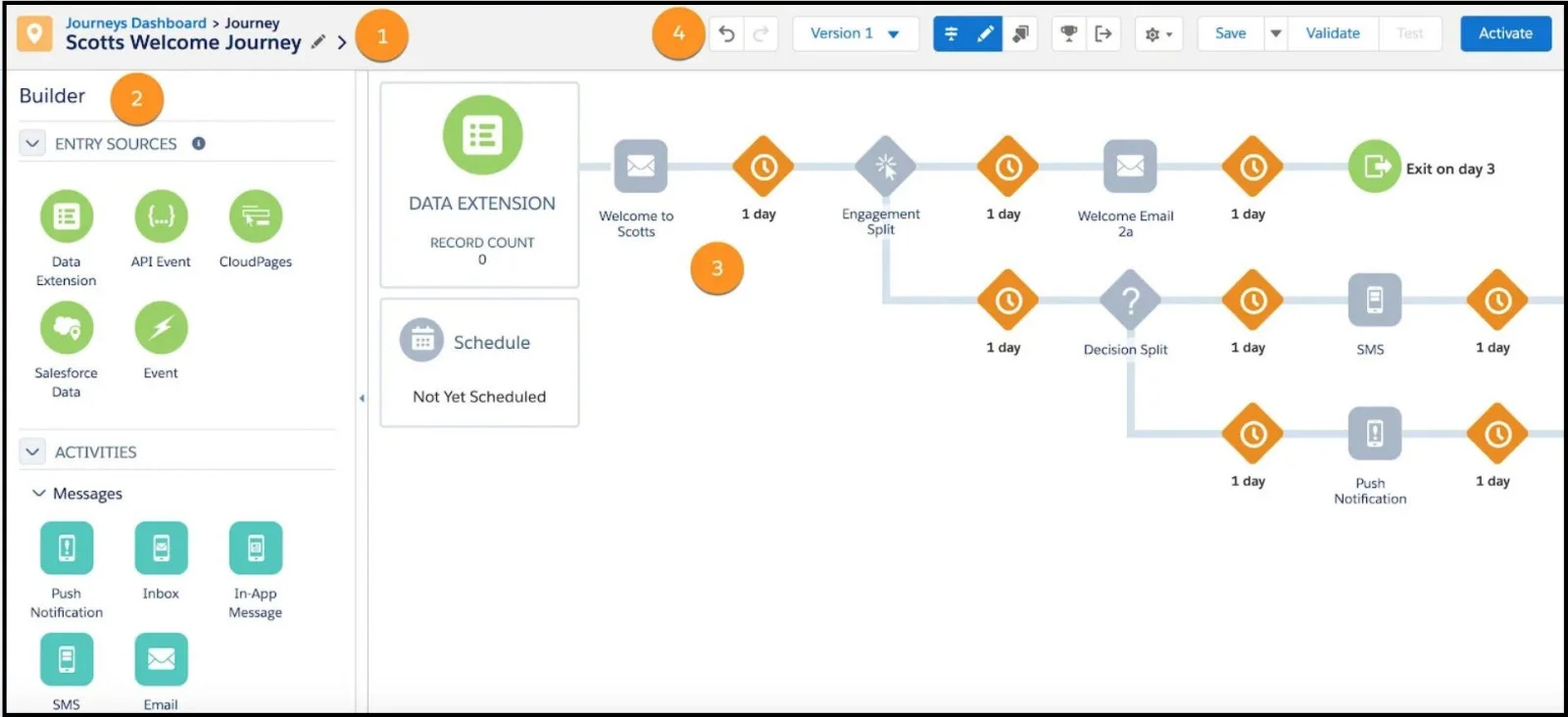
At its core, a journey builder is a platform that allows businesses to visualize, create, and manage multi-step marketing campaigns using a simple, intuitive, drag-and-drop interface. It moves beyond simple email blasts to focus on the holistic customer lifecycle, reacting to individual behaviors, preferences, and data.
A Journey Builder is essentially a visual canvas where marketers can define a series of automated interactions or a "journey" that a customer will follow as they interact with a brand, from initial contact to purchase and beyond. It is fundamentally about crafting a personalized, real-time experience that feels less like a campaign and more like a one-on-one conversation.
The functionality of Salesforce Journey Builder is based on three core pillars: Entry Source, Activities, and Flow Control.
Every journey needs a starting point. The Entry Source defines how a customer or contact is injected into a specific journey. This can be based on a variety of triggers:
Once a contact enters a journey, they move through a series of "Activities." These are the specific actions the journey executes:
Flow Control is the brain of the journey, dictating the path a contact takes based on their behavior, attributes, and time.
By combining these three elements, marketers can design incredibly intricate, yet highly automated, customer experiences that react instantly and intelligently to customer actions.
Read Also- Salesforce Interview Questions and Answers
For businesses targeting diverse and demanding markets like India and the USA, Salesforce Journey Builder provides a critical competitive edge. The value proposition goes far beyond simple automation:
Consumers demand relevance. Journey Builder uses the rich data available in the Salesforce Customer 360 platform to personalize content, timing, and channel for every individual, ensuring messages resonate deeply.
Customers jump between email, mobile apps, social media, and your website. Journey Builder seamlessly orchestrates communications across all these channels, guaranteeing a unified and consistent brand voice, eliminating fragmented experiences.
By ensuring timely, relevant interactions, such as a real-time abandoned cart reminder, businesses can significantly recover lost revenue, nurture leads more effectively, and drive higher conversion rates.
Seamless integration with Sales Cloud and Service Cloud means a marketing journey can trigger an action for a sales rep (like creating a task for follow-up) or for a service agent (like updating a case), fostering a unified approach to the customer relationship.
By automating complex, multi-step campaigns, marketing teams free up significant manual effort, allowing them to focus on high-level strategy, A/B testing, and optimization, rather than simply execution.
Related Article- Skills Required To Become A Salesforce Admin Successfully
Salesforce has packed Journey Builder with features designed to handle the complexity of modern customer relationships:
An intuitive interface that allows non-technical marketers to build sophisticated journeys visually, making campaign design and iteration fast and easy.
The ability to incorporate email, SMS, push notifications, line messaging, and advertising audience activation within a single journey flow.
The power to start, branch, or end a journey the instant a customer performs a key action, such as a product download, a support case closure, or a new purchase.
Marketers can define a success metric for any journey and track the performance of various paths and activities in real-time, enabling continuous optimization based on hard data.
A feature that allows marketers to thoroughly test a journey path with sample data before activating it for live contacts, preventing errors and ensuring a smooth customer experience.
Leveraging Salesforce's Artificial Intelligence, Einstein can enhance journeys with features like Einstein Engagement Split (predicting the optimal path for a contact) and Einstein Content Selection (dynamically selecting the best content for each individual).
Within Salesforce Marketing Cloud, marketers often encounter two primary automation tools: Journey Builder and Automation Studio. While both automate processes, they serve fundamentally different purposes:
| Feature | Salesforce Journey Builder | Salesforce Automation Studio |
| Primary Goal | Personalized, real-time customer journeys and engagement. | Backend data processing, segmentation, and batch operations. |
| Trigger Type | Event-driven (e.g., sign-up, purchase, cart abandonment). | Time-driven (scheduled daily/weekly) or file-drop-driven. |
| Focus | Individual contact level, creating a dynamic, 1-to-1 experience. | Audience/Batch level, handling large volumes of data/sends. |
| Use Case Example | Welcome series, abandoned cart recovery, post-purchase follow-up. | Daily data imports, running complex SQL queries for segmentation, or sending a weekly newsletter to an entire list. |
| Complexity of Flow | Highly dynamic with decision splits and goal tracking. | Linear workflows with a focus on repetitive, scheduled tasks. |
In practice, the most effective strategies often use a hybrid approach: Automation Studio is used for the "heavy lifting" (e.g., preparing clean, segmented data), which then feeds into Journey Builder to initiate the personalized, real-time customer experience.
Related Article- Salesforce Marketing Cloud Email Studio Tutorial
The application of Journey Builder is virtually limitless, spanning the entire customer lifecycle for both B2C and B2B organizations in markets across the globe.
A customer leaves items in their online cart. The journey is triggered immediately, sending an email reminder within the hour, followed by a personalized SMS with a discount code 24 hours later if no purchase is made.
After a product purchase, the journey sends a "Getting Started" email series, and then, based on product usage data, presents a relevant cross-sell or upsell offer at the optimal time.
Customers who haven't purchased in 90 days are automatically entered into a "We Miss You" journey with special offers, while high-value, active customers are placed into a 'VIP' journey for early access to new products.
New Customer Onboarding: Guiding a new bank account holder or university student through the necessary steps (e.g., document submission, app download) with timely, personalized guidance across email and mobile push.
A prospective student or loan applicant receives a personalized journey with relevant content and helpful tips, triggered by their progress through the online application form.
A lead downloads a whitepaper. The journey automatically sends a series of contextually relevant emails over the next two weeks, then notifies a Sales rep to follow up only if the lead has clicked specific links in the emails (Lead Scoring).
After a live or virtual event, attendees receive a personalized thank you and a resource kit, while non-attendees receive a "Sorry We Missed You" message with key takeaways.
Read Also- Salesforce Tutorial
The trajectory of Salesforce Journey Builder is heavily focused on integrating its core functionality with two major trends: Artificial Intelligence (AI) and the unified Customer Data Platform (CDP).
The future will see a shift from predefined, rules-based journeys to AI-optimized journeys. Marketing Cloud Einstein will increasingly automate the "Decision Split" process, deciding in real-time the optimal message, channel, and send time for each customer to maximize the chance of conversion.
With the rise of Salesforce's Data Cloud, Journey Builder will gain access to an even richer, unified view of the customer. This will allow for hyper-segmentation and triggering based on data from any source, Sales Cloud, Service Cloud, external data systems, providing a single, unified brain for all customer interactions.
Journey Builder will evolve to become the central nervous system for all automated flows across the entire Salesforce ecosystem (Customer 360). This will empower a seamless handoff not just from marketing to sales, but across all departments, making the end-to-end customer experience truly cohesive.
Salesforce Journey Builder is an indispensable tool for modern marketers, particularly those operating in competitive, customer-centric environments like India and the USA. It transitions marketing from a campaign-centric mindset to a customer-centric relationship builder. By allowing businesses to design, automate, and optimize personalized, cross-channel experiences in a scalable way, Journey Builder doesn't just automate communication, it orchestrates the perfect, individualized customer story, driving loyalty, increasing engagement, and ultimately, boosting the bottom line.
Read Also: Salesforce Careers
Journey Builder is a core component and feature of Salesforce Marketing Cloud Engagement (formerly Marketing Cloud). It is typically included in the various Marketing Cloud editions.
Absolutely. While often highlighted for B2C e-commerce, Journey Builder is incredibly powerful for B2B lead nurturing, sales enablement, onboarding, and customer advocacy journeys, especially when integrated with Sales Cloud data.
Journeys can be triggered by almost any customer data point within Salesforce, including: a record update in Sales/Service Cloud, an event (like a purchase or form submission), entrance into a specific Data Extension/Audience, or an API call from an external system.
Journey Builder has a built-in goal-setting feature, allowing you to define the desired action (e.g., purchase, email open) and track the percentage of contacts who achieved that goal. Additionally, extensive analytics and reporting are available for each activity within the journey.
A Decision Split evaluates contact data (e.g., Is the contact a VIP? or Is their city 'Mumbai'?). An Engagement Split evaluates a contact's interaction with a message sent in the journey (e.g., Did the contact click Link A in the previous email?).
Course Schedule
| Course Name | Batch Type | Details |
| Salesforce Marketing Cloud Training | Every Weekday | View Details |
| Salesforce Marketing Cloud Training | Every Weekend | View Details |