Microsoft Azure is a cloud computing platform developed by Microsoft that allows businesses and developers to build, deploy, and manage applications using a global network of data centers.
Instead of relying on physical hardware, Azure offers:
Azure supports multiple programming languages, frameworks, and operating systems to make it feasible for different types of projects.
In this Microsoft Azure tutorial, I will explain what Microsoft Azure is, its architecture, Azure services, and more. This tutorial is ideal for those (including both beginners and professionals) who want to build a career in cloud technology.
To learn Microsoft Azure, you don't need a strong technical background, but with some basic knowledge, you can make things easier to understand and apply in your real-time projects. These simple skills help you learn how cloud services work and how to use Azure in real-life situations more comfortably.
Let's get started with the introduction of Microsoft Azure.
Microsoft Azure is a cloud platform by Microsoft that lets you run apps, store data, and build solutions without managing physical servers. It offers online tools and services that help businesses and developers create, deploy, and scale applications quickly. And the most important thing is that It supports modern technologies like AI, analytics, and networking that make it suitable for small projects to large enterprise systems. It allows you to access resources anytime and pay only for what you use.
As mentioned above, Azure provides computing resources online, so there is no need to depend on physical hardware. Now the question is how it works? Basically, Azure runs on a global network of data centers, which is managed by Microsoft, where all processing, storage, and networking take place.
Here's a simple step-by-step explanation of how Azure works:
You, as an Azure subscriber, start by selecting a service, which may be machines, databases, or web apps. Each service works on a different principle and is designed for a specific task, like storing data and hosting applications.
Once you choose a service, Azure assigns the required resources (CPU, memory, storage) from its data centers. These resources are virtualized that means you don't need to see or manage the physical hardware.
You configure settings such as region, operating system, and performance level. Azure then deploys your application or service within minutes.
Your application runs on Azure's infrastructure. Users can access it over the internet from anywhere, just like a website or online app.
Azure can automatically increase or decrease resources based on demand. For example, if your app gets more users, Azure scales up to handle the load.
Azure provides built-in tools to monitor performance, track usage, and manage resources through dashboards and alerts.
You are charged only for the resources you use. This eliminates the need for upfront investment in hardware and reduces costs.
Read Also- What is Azure Databricks?
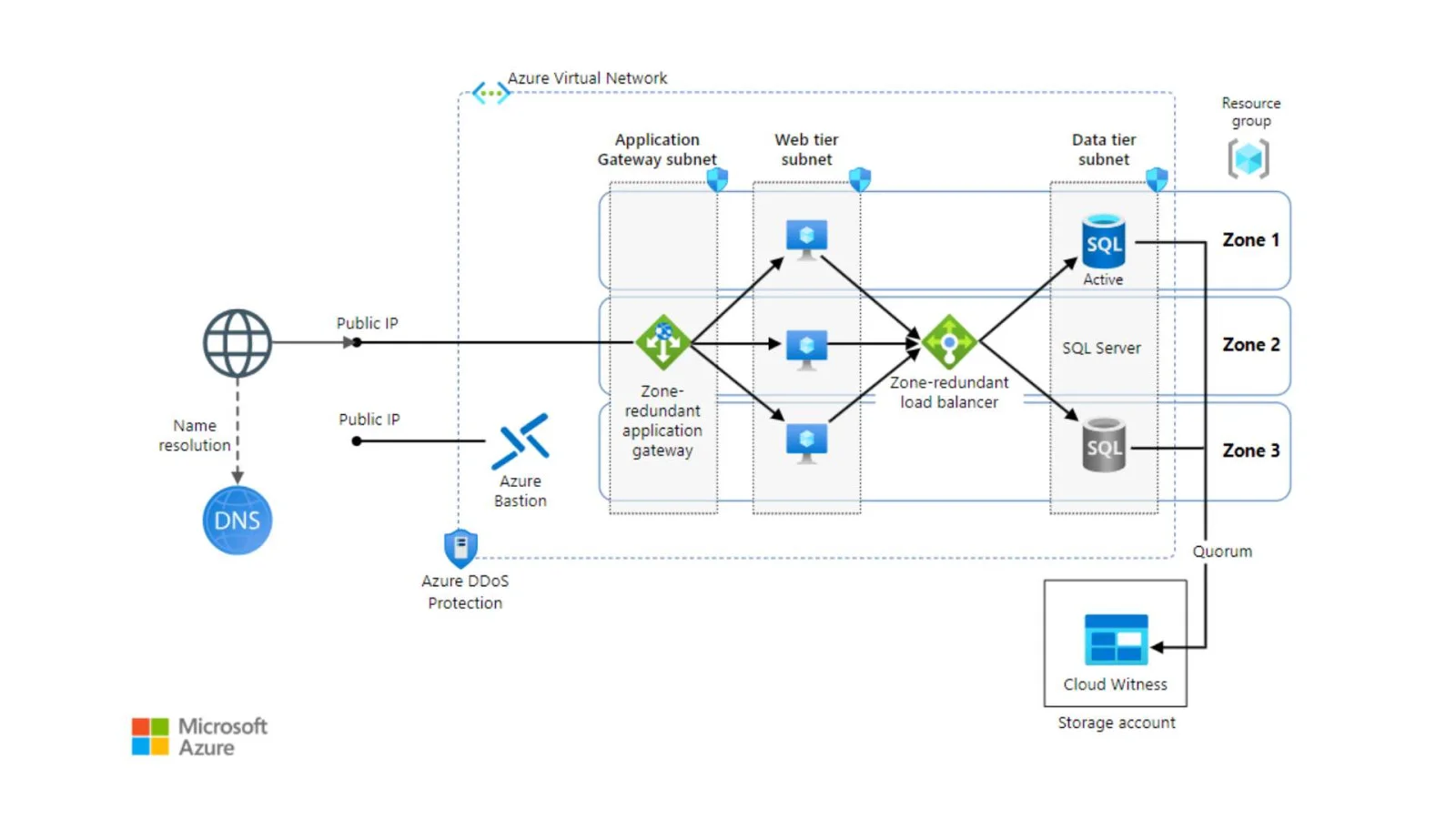
Microsoft Azure infrastructure is the foundation layer of the cloud platform. It includes all the physical hardware, global data centers, and underlying technologies that make Azure services possible. This infrastructure is designed to deliver high performance, scalability, and reliability for applications running in the cloud.
Azure operates through a worldwide network of data centers managed by Microsoft. These data centers are grouped into regions and availability zones to ensure high availability and disaster recovery.
Each data center contains thousands of servers that store data and run applications.
Inside each data center, servers are organized into racks and connected through high-speed networks. These physical machines provide the actual computing power, storage, and memory used by Azure services.
Azure uses Virtualization to maximize resource usage.
A software layer called a:
A hypervisor, which is run on each server, allows multiple virtual machines (VMs) to share the same physical hardware. This is what enables flexibility and efficient resource allocation.
Azure infrastructure provides three core resource types:
Compute: Virtual machines and processing power
Storage: Data storage systems for files, databases, and backups
Networking: Connectivity between resources and users
These resources are pooled and dynamically allocated based on user demand.
Azure includes internal systems that manage and automate the infrastructure:
i) Monitoring server health
ii) Allocating resources
iii) Handling failures and scaling
These systems ensure that services run smoothly without manual intervention.
Read Also- Azure Interview Questions and Answers
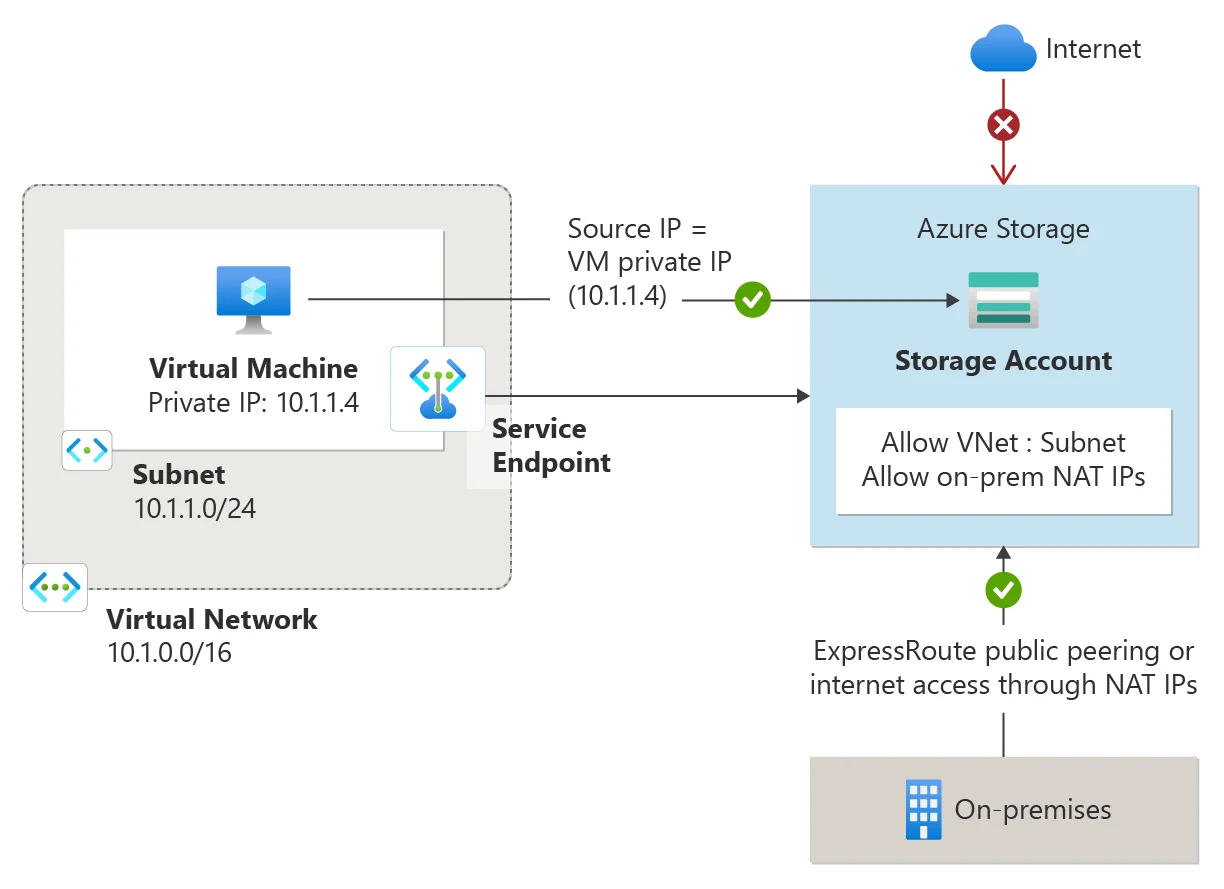
Understanding how resources communicate and stay protected is fundamental to any Azure deployment. These are mandatory topics for any beginner:
A VNet is the fundamental building block for your private network in Azure. It enables many types of Azure resources, such as Azure Virtual Machines, to securely communicate with each other, the internet, and on-premises networks. It defines your private IP address space in the cloud.
NSGs act as a virtual firewall for your VNet, controlling inbound and outbound traffic to network interfaces (VMs) and subnets. They use five-tuple information (source, source port, destination, destination port, and protocol) to allow or deny traffic.
It is a distributed network of servers that efficiently delivers web content to users based on their geographic location. It caches static content (images, scripts) on edge servers closer to users. This significantly improves website loading times and provides a faster, more responsive user experience globally.
This platform provides a variety of services, trained and created to aid in deploying and managing complex applications via a virtual infrastructure. Here is a list containing the top services businesses can pick from, including Compute, Database, and Serverless:
It is a serverless compute service that enables individuals to run code on demand without requiring infrastructure management. This platform automatically scales the resources needed in response to triggers (HTTP requests, queue messages). This serverless approach helps you focus on writing code and pay only for the compute time consumed, making it ideal for event-driven API backends or IoT data processing.
It is an online identity and access management (IAM) service. It helps users sign in and securely access both Microsoft cloud services and other SaaS applications. It provides features such as Single Sign-On (SSO), Multi-Factor Authentication (MFA), and group management, which are crucial for enterprise security.
It is a fully managed NoSQL database service for building modern, scalable applications. It offers global distribution, horizontal scaling, high availability, and multi-model support (document, key-value, graph). Cosmos DB is designed for applications that require low latency and high throughput worldwide.
It is a family of managed, secure, and intelligent SQL cloud database services built on the SQL Server engine. It provides scalability, high availability, and security features. Options include Azure SQL Database (PaaS), Azure SQL Managed Instance, and SQL Server on Virtual Machines (IaaS).
Data Factory is a fully managed, serverless data integration service that enables individuals to orchestrate and automate data transfer and transformation. It is key for building ETL (Extract, Transform, Load) and ELT solutions, allowing you to ingest and transform data from various sources before publishing it to destinations like Azure Synapse Analytics.
Read Also- Azure Databricks Tutorial For Beginners
A key focus for Microsoft is AI, which is now integrated across the platform. Professionals must understand these services:
This is a cloud-based service for accelerating and managing the ML project lifecycle. It allows data scientists and developers to train, deploy, and manage machine learning models at scale.
This is a collection of pre-built AI models that help developers add cognitive capabilities to applications without deep ML knowledge. Examples include Computer Vision, Speech-to-Text, and Text Analytics (e.g., sentiment analysis).
Azure provides direct access to powerful generative models from OpenAI, such as GPT-4, with the security and enterprise-readiness of Azure. This is one of Azure's strongest competitive advantages and is driving rapid adoption.
Here are a few common use cases and examples of how you can use these services:
Use Azure App Service to easily deploy and manage web applications, or Azure Kubernetes Service (AKS) for containerized applications.
Azure Blob Storage provides scalable and secure object storage for various types of data, including images, videos, and documents.
Use Azure SQL for managed relational databases or Cosmos DB for high-performance NoSQL needs.
Leverage Azure Data Factory for ETL and Azure Synapse Analytics to unlock the full potential of big data.
Use Azure Kubernetes Service (AKS) to scale the orchestration and management of containers, which is a key DevOps skill.
Working on this platform requires a deep understanding of its key concepts and terminologies. Given below are some of the common terms one should know about:
Read Also- Top 10 Azure Developer Skills You Must Have
Getting started with this platform primarily involves creating an account rather than a traditional software installation. Here's how one can set up an Azure environment step by step:
Sign in to your account from the official Microsoft Azure website. Select the free account option for beginners; it provides limited services for 12 months and a credit balance to explore the platform.
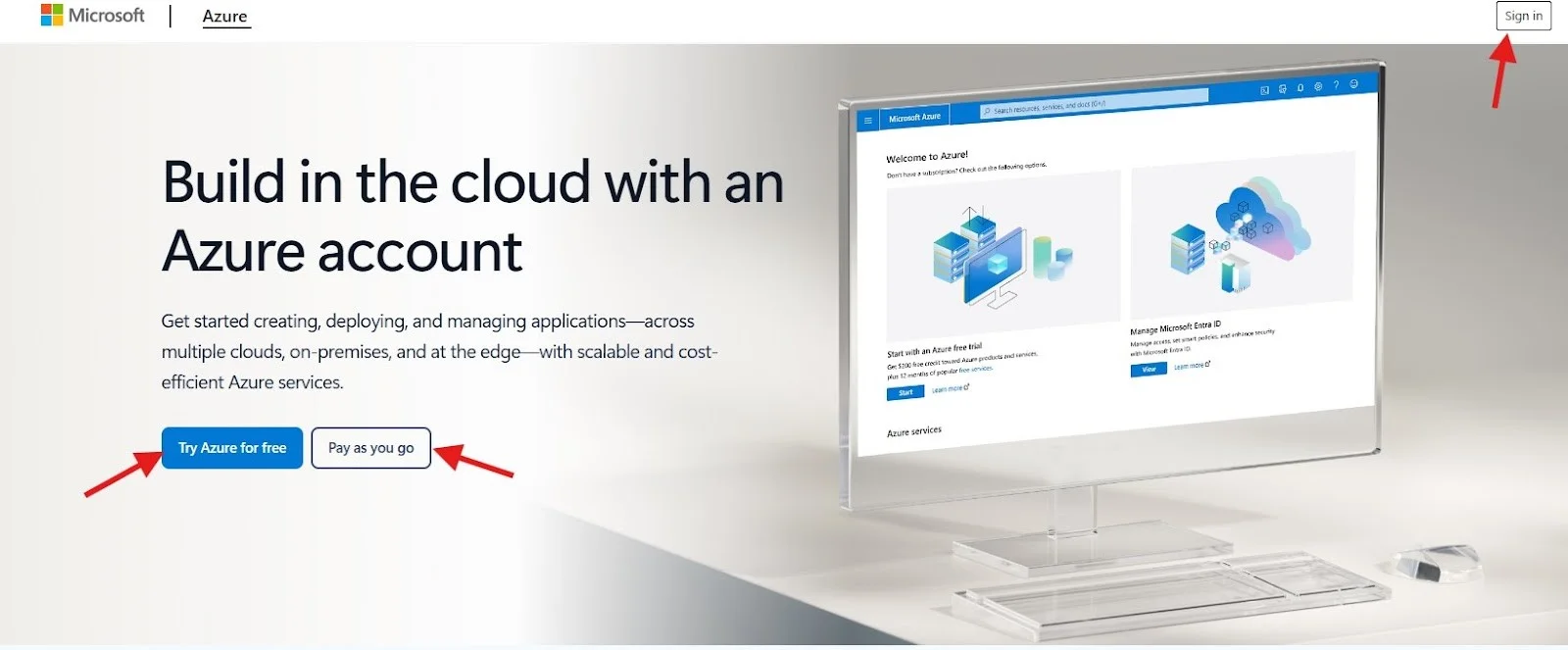
After clicking on the sign-in button, you will have to provide information like an email address, phone number, and billing information (for identity verification). Provide all the necessary information to activate your account.
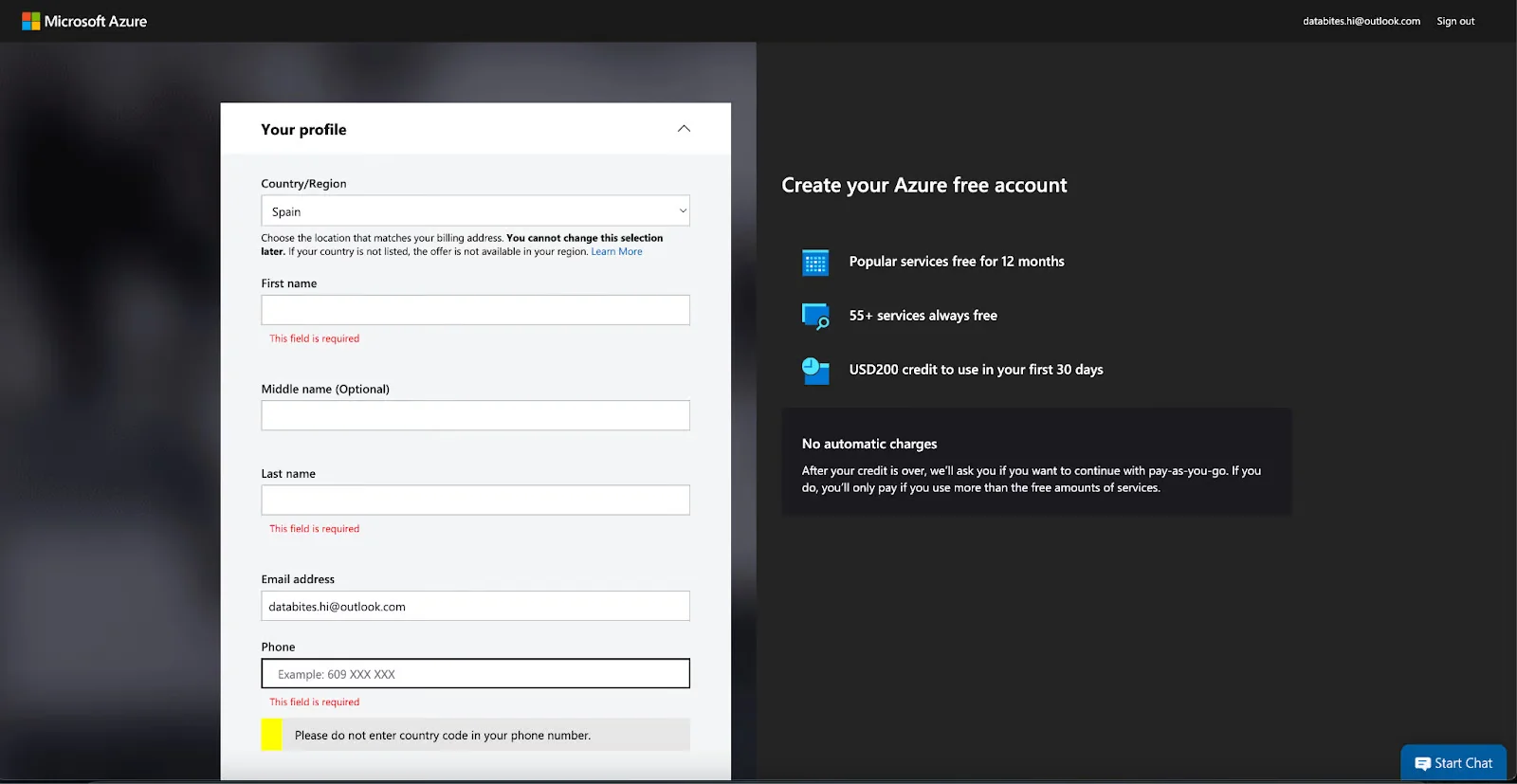
Once the account is created, you will be directed to the Azure Portal, the web interface where you manage all your resources.
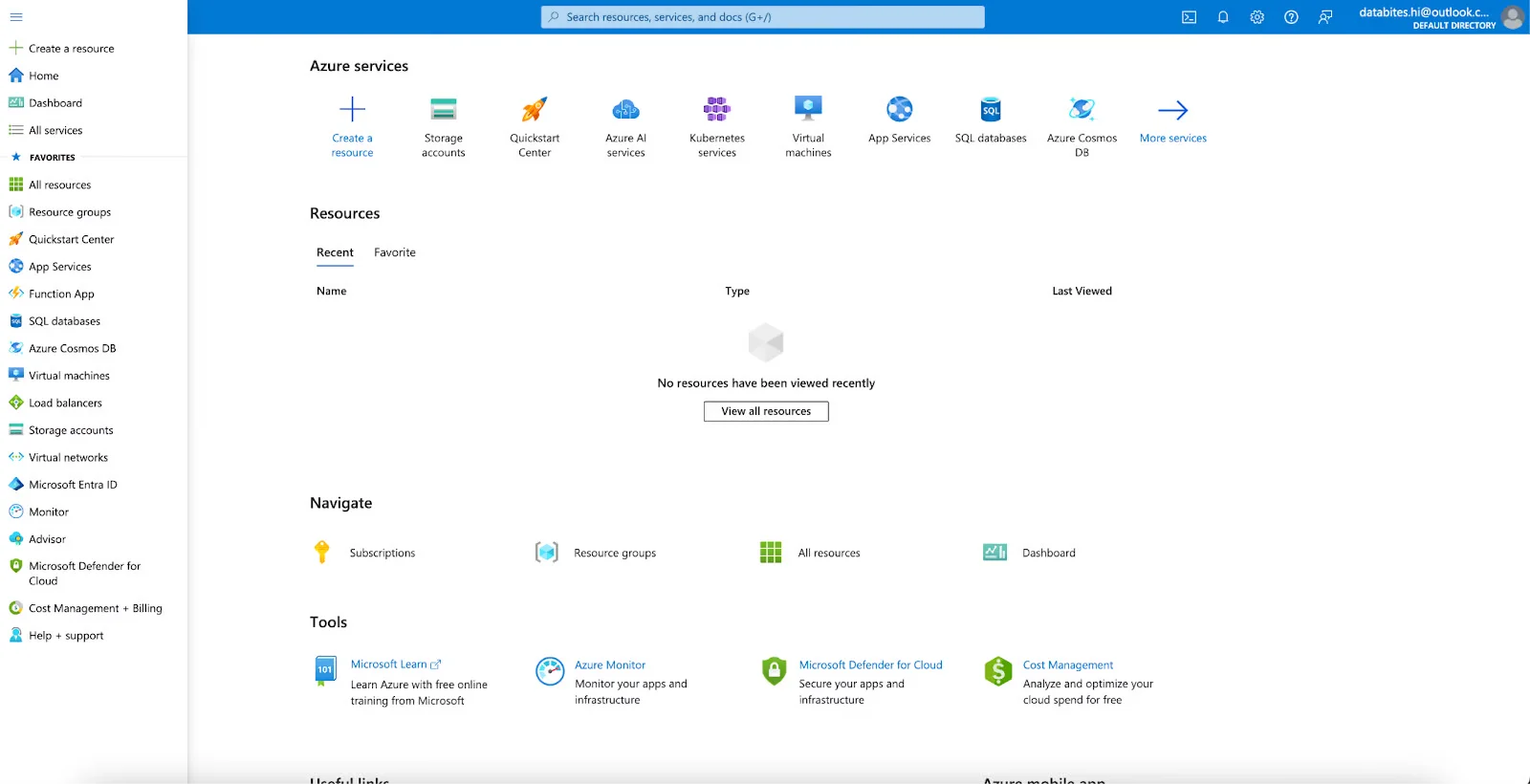
A simple, practical step to get started is creating a resource. Here is a general overview of how you can create a basic resource like a Virtual Machine (VM):
To use Azure efficiently, you must adopt key practices in FinOps (Cloud Financial Operations) and Security.
To control cloud costs, go beyond Pay-As-You-Go. The search data confirms these are critical saving methods:
Organize your resources into logical Resource Groups based on lifecycle, application, or team. Furthermore, apply meaningful Tags (key-value pairs) to resources to categorize them for billing, monitoring, and governance. This significantly improves cost tracking and accountability.
Security is paramount in the cloud. Use the following services to manage robust security measures:
Once you understand the basics, Azure Fundamentals is the starting point for your cloud computing journey. This certification validates your skills and knowledge and is widely recognized across the world.
The exam domains provide an excellent structure for a beginner's learning journey:
| AZ-900 Domain | Approx. Weightage | Key Topics Covered |
|---|---|---|
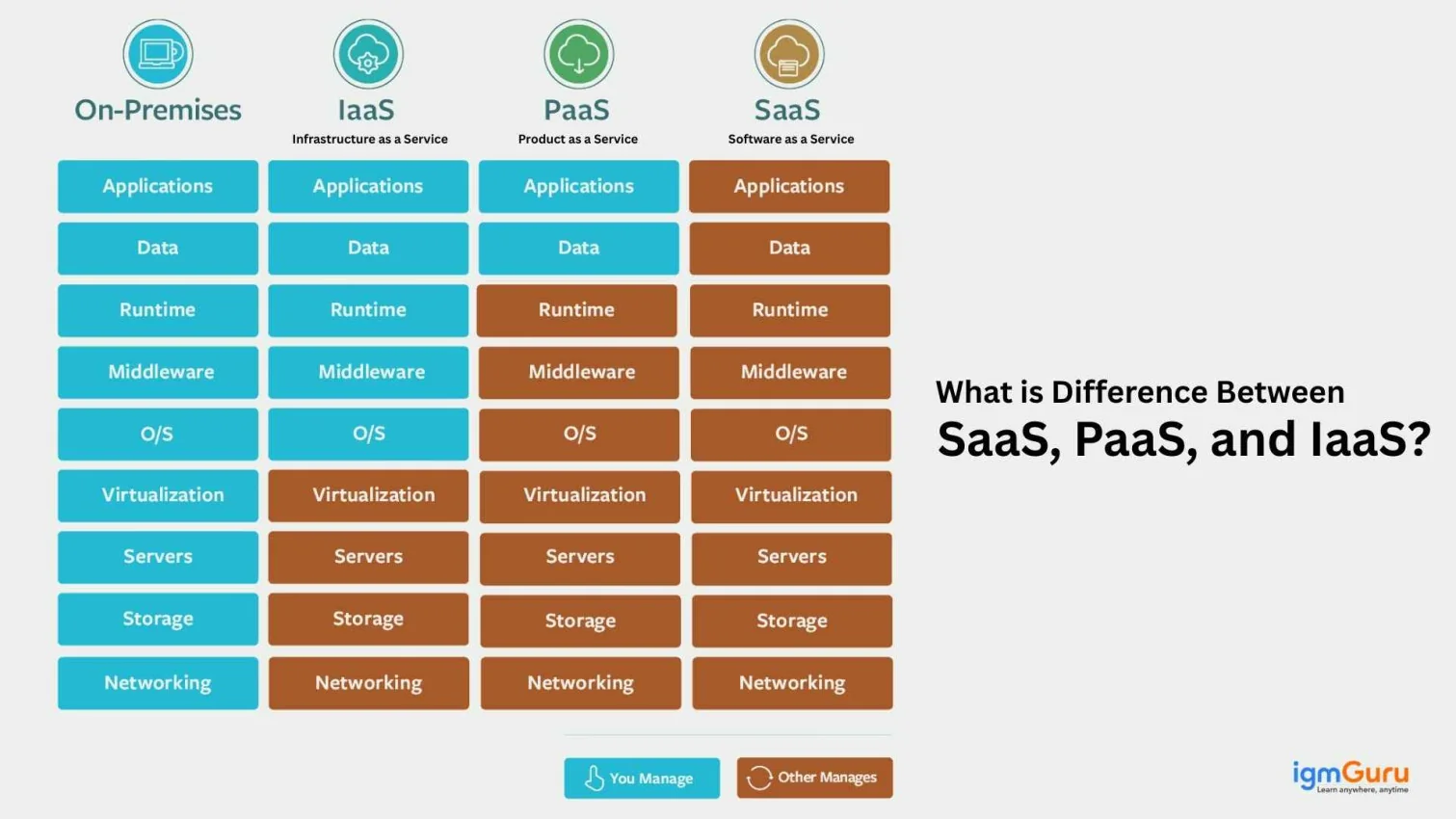
| Describe Cloud Concepts | 25-30% | Cloud deployment models (Public, Private, Hybrid), IaaS, PaaS, and SaaS. |
| Describe Azure Architecture and Services | 35-40% | Core components (Regions, Zones), Compute (VMs, Functions), Storage (Blob, Disk), and Networking (VNet). |
| Describe Azure Management and Governance | 30-35% | Cost Management, Security (Azure AD), Compliance, and Monitoring (Azure Monitor). |
Explore our detailed guide on the top Azure certifications for 2026
Microsoft Azure is the name for the future. It is a constantly expanding platform that has become highly impactful in a short span of time, especially with its leading position in hybrid cloud and AI integration (OpenAI). Today, professionals with expertise in this platform enjoy significant benefits in career opportunities and salaries.
This Microsoft Azure Tutorial is designed to help you understand this platform, including its core concepts, essential services, and best practices. Success in this field will come naturally to those who begin their learning journeys today.
Azure is a great platform for a beginner to learn. Its most basic certification, the AZ-900 (Fundamentals), is specifically designed to teach cloud basics and core Azure services, providing an excellent foundation.
The easiest Azure exam is any of the Azure Fundamentals exams, most notably the AZ-900: Microsoft Azure Fundamentals. It is straightforward as it only measures basic skills and foundational knowledge in cloud concepts and Azure services.
Yes, Azure offers a free account that includes 12 months of popular services, a credit balance to experiment with, and access to all other services for 30 days. After the initial credit is used, it transitions to a pay-as-you-go pricing model, where you are only charged for what you use.
Course Schedule
| Course Name | Batch Type | Details |
| Microsoft Azure Training | Every Weekday | View Details |
| Microsoft Azure Training | Every Weekend | View Details |