Does it ever cross your mind that the way some programs operate is similar to the way humans think? In Python, conditionals are used to make program logic responsive at run time by having multiple "paths" or outcomes based on a specific set of conditions being met. Conditional statements can be used in the "real world" of application development in many ways, including logging into systems, which helps in processing payments, validating data, and more.
With time and practice, developers become adept at leveraging these statements to develop smart and responsive applications that accurately react to user interaction and changing variables. Through my experience with Python, I have used conditional statements to create features such as validation of user login and creating workflows based on user choices.
Let us explore more about this!
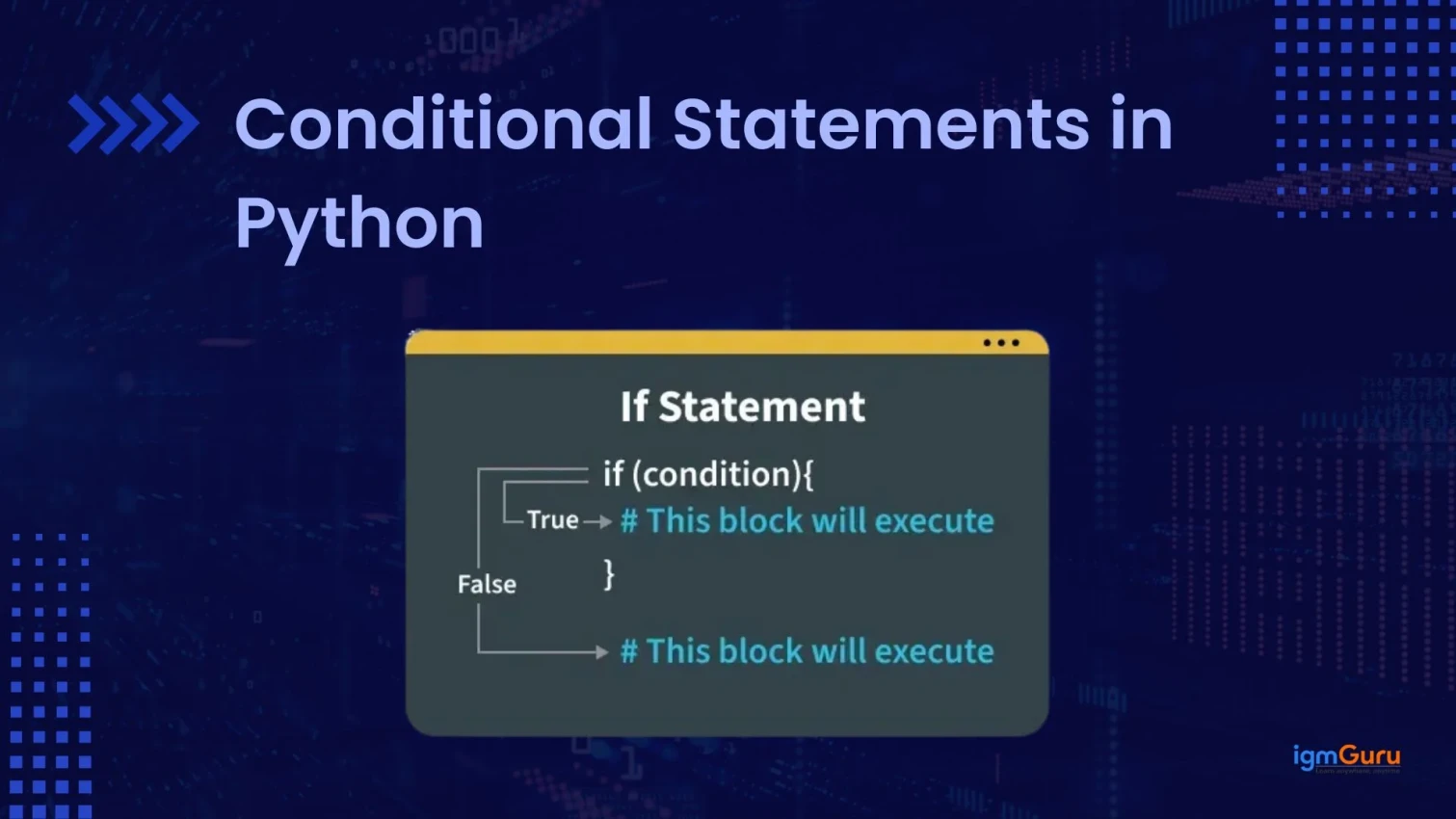
Conditional statements in Python are control flow structures that allow a program to make decisions by executing different blocks of code based on whether a specific condition is True or False.
For example:
|
How it works:
If you write code with conditions, then you can instruct your system to execute specific commands based on whether a particular condition is true or false. By using conditional statements, you will be able to create much more intelligent and versatile programs, which will thereby consistently solve problems efficiently and accurately.
Here are some of its importance:
In Python, booleans are a fundamental data type that represent truth values. They allow decisions, comparisons and the execution of specific code blocks based on conditions.
Boolean values are created when you compare two values. Python checks the condition and returns either True or False.
In conditional statements, these values control the flow of the program, which allows it to run different blocks of code based on the result of a condition.
|

Not only True and False, but Python also treats some values as Boolean:
1. Falsy values (treated as False):
2. Truthy values (treated as True):
Python has operators to combine conditions:
It matters due to the following reasons:
Python provides different types of conditional statements to handle various decision-making situations in a program. These statements allow the execution of specific blocks of code based on given conditions. When you understand them, it will help you in writing clear, efficient and structured programs.
If statement is the simple form of a conditional statement. It executes a block of code if the given condition is true.
For example:
|

How it works:
For example:
|

The if-else statement is used when you want one block of code to run if a condition is true and another block if the condition is false.
For example:
|

How it works:
|

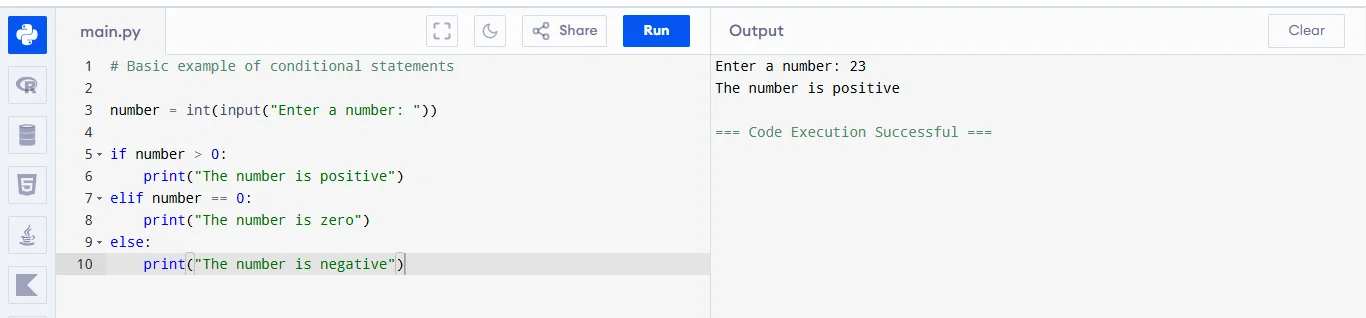
This is used when you have multiple conditions to check. The program checks each condition one by one.
For example:
|
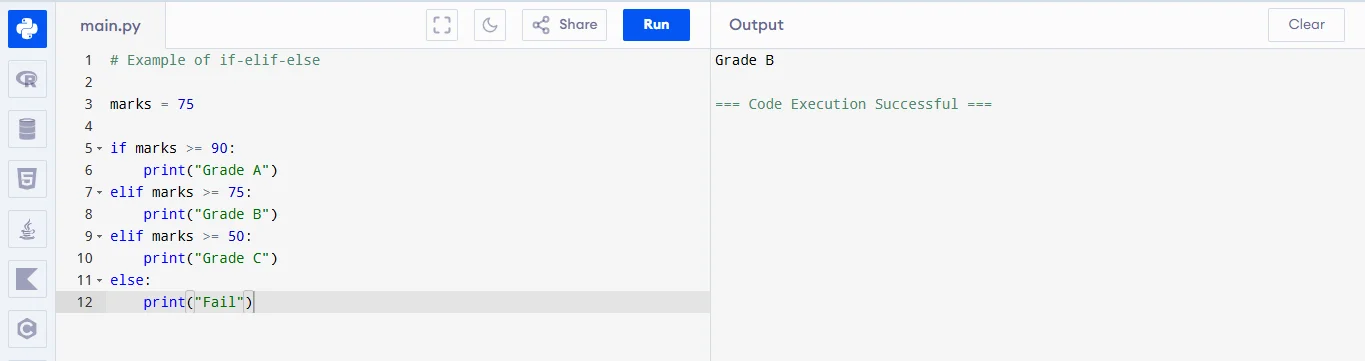
How it works:
A nested conditional means placing one if statement inside another if statement.
For example:
|
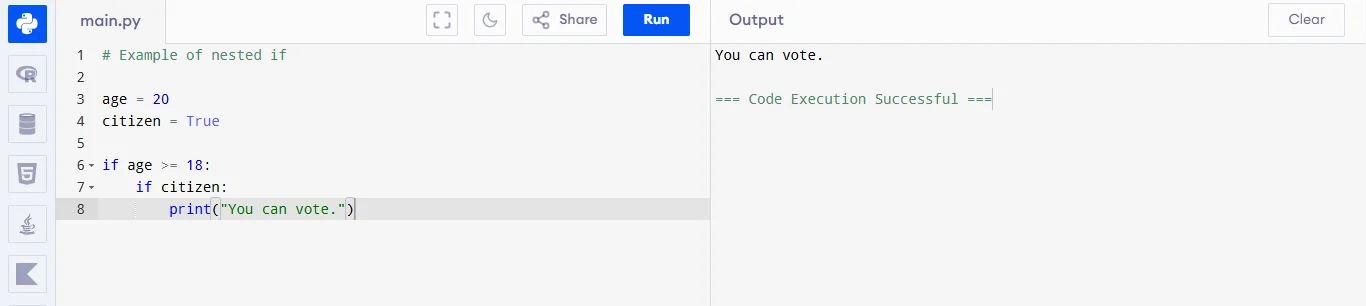
How it works:
A ternary statement is a short way to write an if-else in a single line.
For example:
|

How it works:
You sometimes rely on conditional statements to make decisions based on various circumstances. Conditional statements allow programs to react intelligently based on input provided by the user, the system is provided through values on the data. In all types of applications, from simple validation checks to sophisticated decision engines. Conditional statements are essential to the creation of usable and interactive applications.
Conditional statements check whether the entered username/password is correct. It is mainly used in apps, websites, banking systems, email logins etc.
For example:
|

Conditions help decide discounts based on user behavior or cart value. Companies like Amazon, Flipkart etc. use this logic for offers, coupons and pricing.
For example:
|

Conditions trigger actions based on data (temperature, motion etc.). It is used by smart homes, IoT devices, weather alerts and industrial automation.
Example:
|

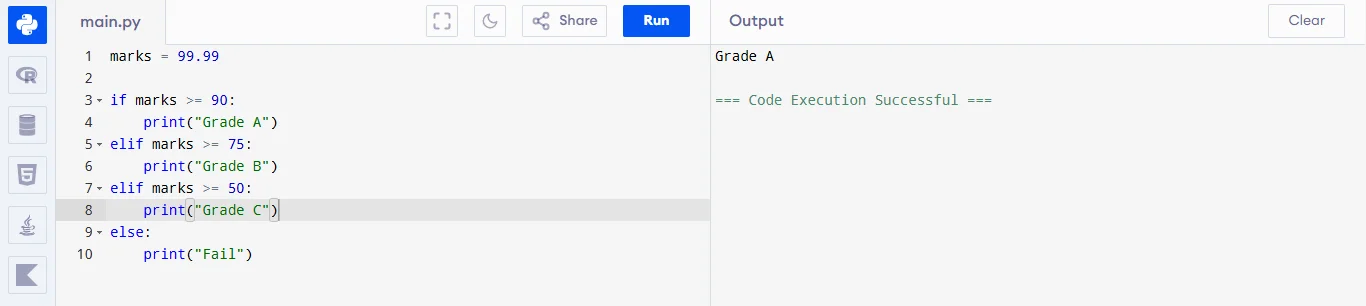
Conditions are used to assign grades based on marks. Schools, colleges and online learning platforms automatically calculate grades.
|
Conditions help identify suspicious transactions. Banks and apps like Paytm or UPI systems use this logic to detect unusual activity and prevent fraud.
|

Conditional statements are essential for decision making in Python, but beginners sometimes make mistakes while using them. These errors can lead to incorrect results or program failure. Understanding these common pitfalls helps in writing accurate and readable code.
1. Confusing Assignment with Comparison: Many beginners mix up assigning a value and comparing values. This leads to errors or unintended behavior.
2. Poor Indentation: Python uses indentation to define blocks of logic. Incorrect spacing can break the program or change its meaning.
3. Forgetting Required Syntax: Conditional statements must follow proper syntax rules. Missing elements like colons can cause immediate errors.
4. Incomplete Logical Conditions: While using logical operators like AND/OR, some people forget to write full conditions on both sides, leading to incorrect logic.
5. Misusing Identity vs Equality: Checking whether two values are equal is different from checking whether they are the same object. Confusing these can cause subtle bugs.
6. Not Covering All Cases: Sometimes, only one condition is handled, and other possibilities are ignored. This can make programs incomplete or unreliable.
7. Wrong Order of Conditions: Conditions are checked from top to bottom. Placing a broader condition first can prevent more specific conditions from ever running.
In Python programming, conditionals are necessary to create an informed decision in each step of the code. When you implement good programming practices, your code will be more readable, easier to understand, maintainable and debug. Using conditions correctly will ensure that your program will run efficiently and logically.
Here are some of them:
1. Keep Conditions Simple and Clear: Write conditions that are easy to understand and avoid unnecessary complexity.
2. Use Proper Indentation and Structure: Maintain consistent indentation and organize conditions neatly for better readability.
3. Handle All Possible Cases: Ensure all scenarios are covered so the program behaves correctly in every situation.
4. Avoid Deep Nesting: Reduce multiple layers of conditions to keep the logic clean and manageable.
5. Use Meaningful and Logical Conditions: Write conditions that clearly represent the intended logic and avoid redundant checks.
Conditional statements make it possible for Python programs to be smart and respond differently based on various conditions. By using if statements and nested conditional statements are a key part of decision-making in programming, allowing you to improve the efficiency of your code while also simulating a real-life scenario, such as logging in to an account, obtaining a grade, etc.
Yes, conditional statements are often used inside loops to make decisions during each iteration, such as filtering data or stopping execution based on a condition.
Yes, you can combine multiple conditions using logical operators like and, or, and not to create complex decision-making logic.
Yes, Python is case sensitive. For example, True is valid, but true will cause an error.