Arrays are fundamental data structures in Java programming language. Java Arrays allow you to store multiple values of the same type in a single variable. It is important to understand them for efficient coding whether you are building a simple or complex application. I have created this guide to help you explore the Java Arrays basics. This includes how to declare, initialize and access them. Let’s get into it.
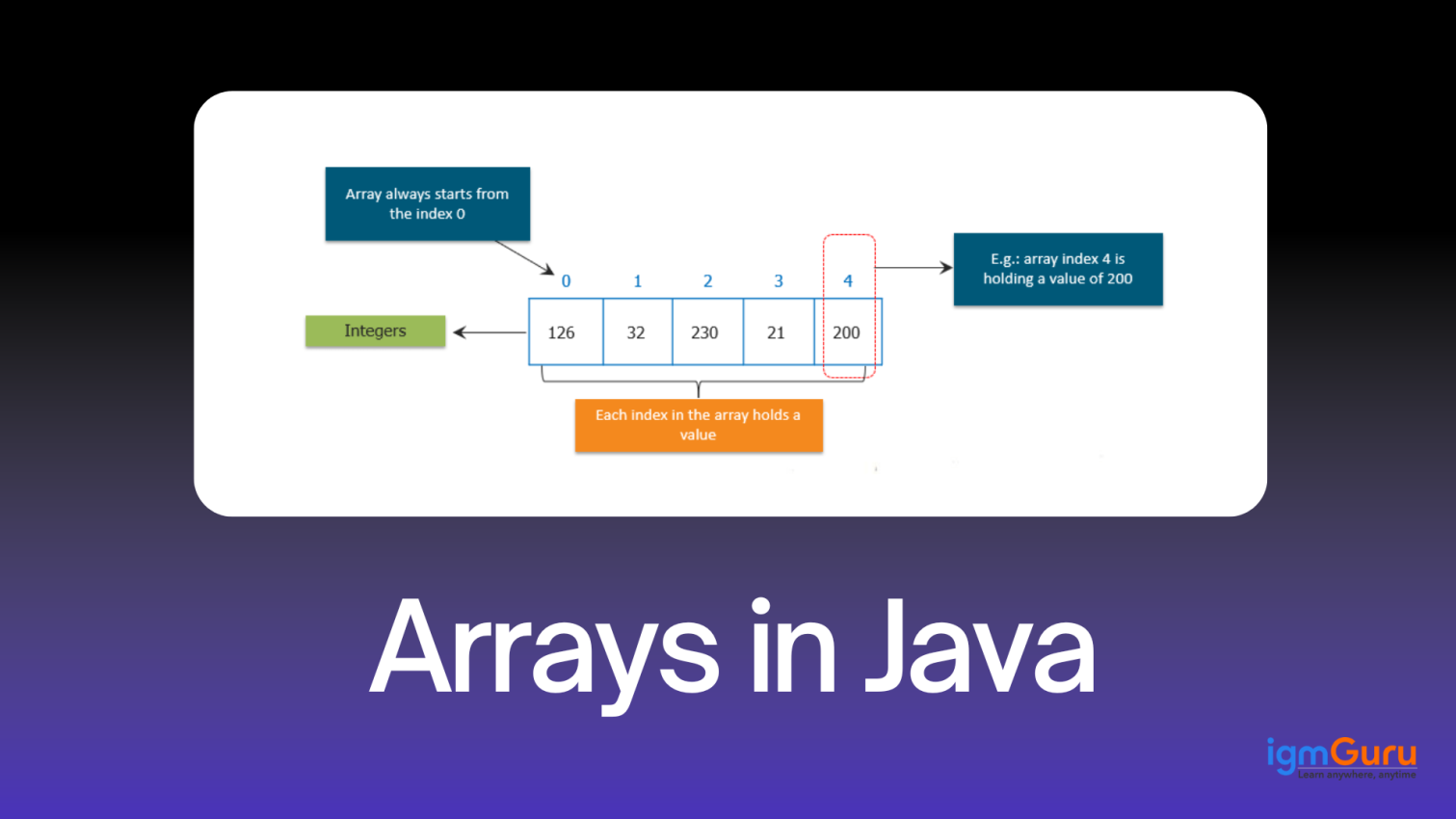
A data structure which has homogeneous elements is called an array. In other words, all the elements in the array are of the same data type. Here is an example -
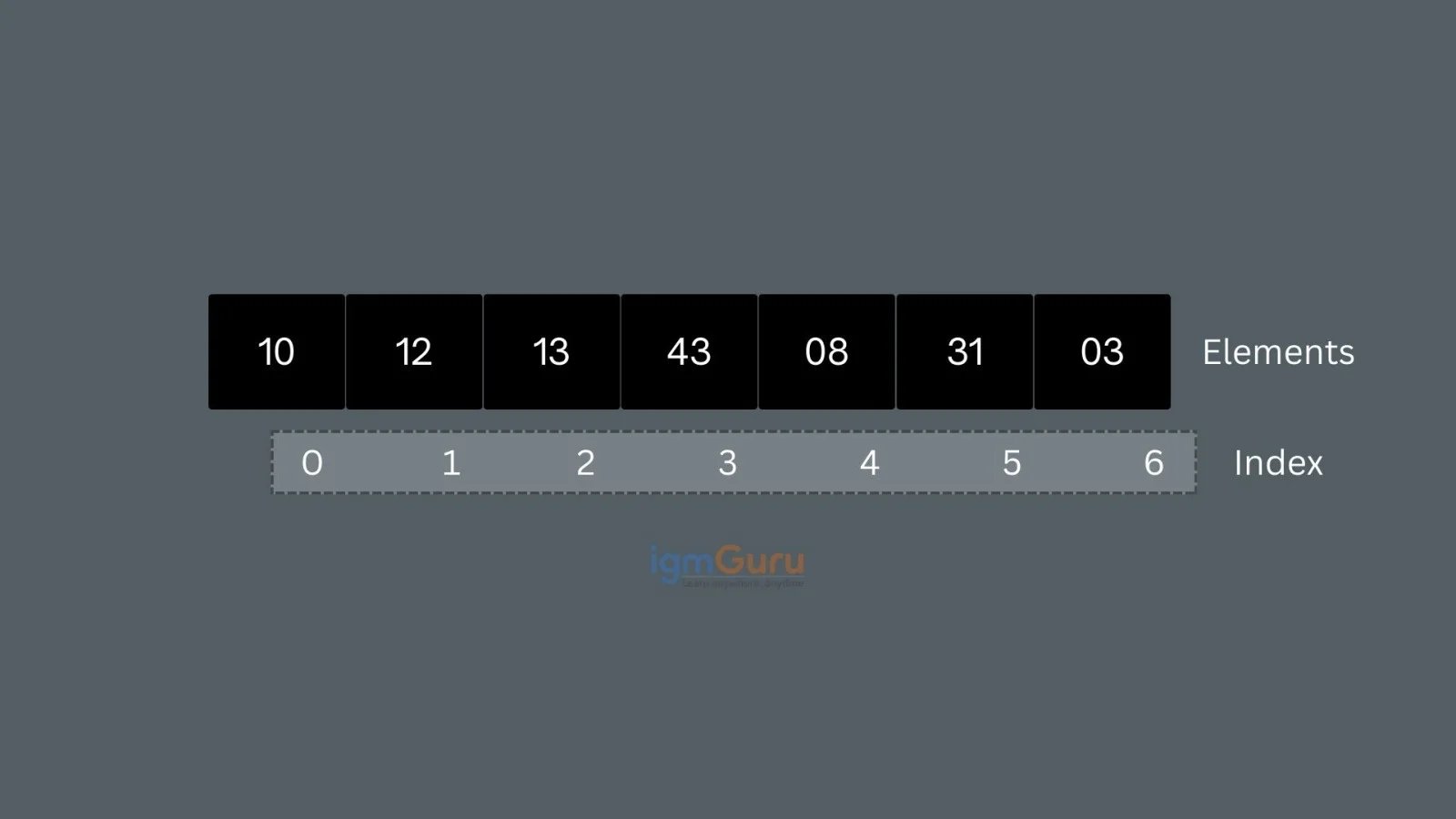
In the given image, array contains seven elements all of which are integers and of the same type. The light grey box beneath the array represents the indices which always start at 0 and go up to n-1. The indices range from 0 to 6 for this array with seven elements.
Here are the key features of Java Arrays -
Also Explore: How to Install Java
I have compiled some important techniques for declaring, initializing, and manipulating arrays in Java in this section.
Here is a standard syntax for declaring an array -
int[] numbers; |
The statement int[] numbers declares an array called numbers. It can store multiple integer values. At this stage, the array exists as a variable, but no memory has been allocated yet for the actual elements. The array must later be initialized with a size or assigned values to use it.
Here is a standard syntax for initializing an array -
int[] numbers = {10, 20, 30, 40, 50}; |
The above declares and initializes an array in a single step. The array numbers are created with five elements, and each position is naturally filled with the given values. The size of the array will depend on the number of elements available inside the curly braces, which is 5 in the above example.
Give a new value to a specific index to change an element. The index starts with 0 and ends at -1 (total array size).
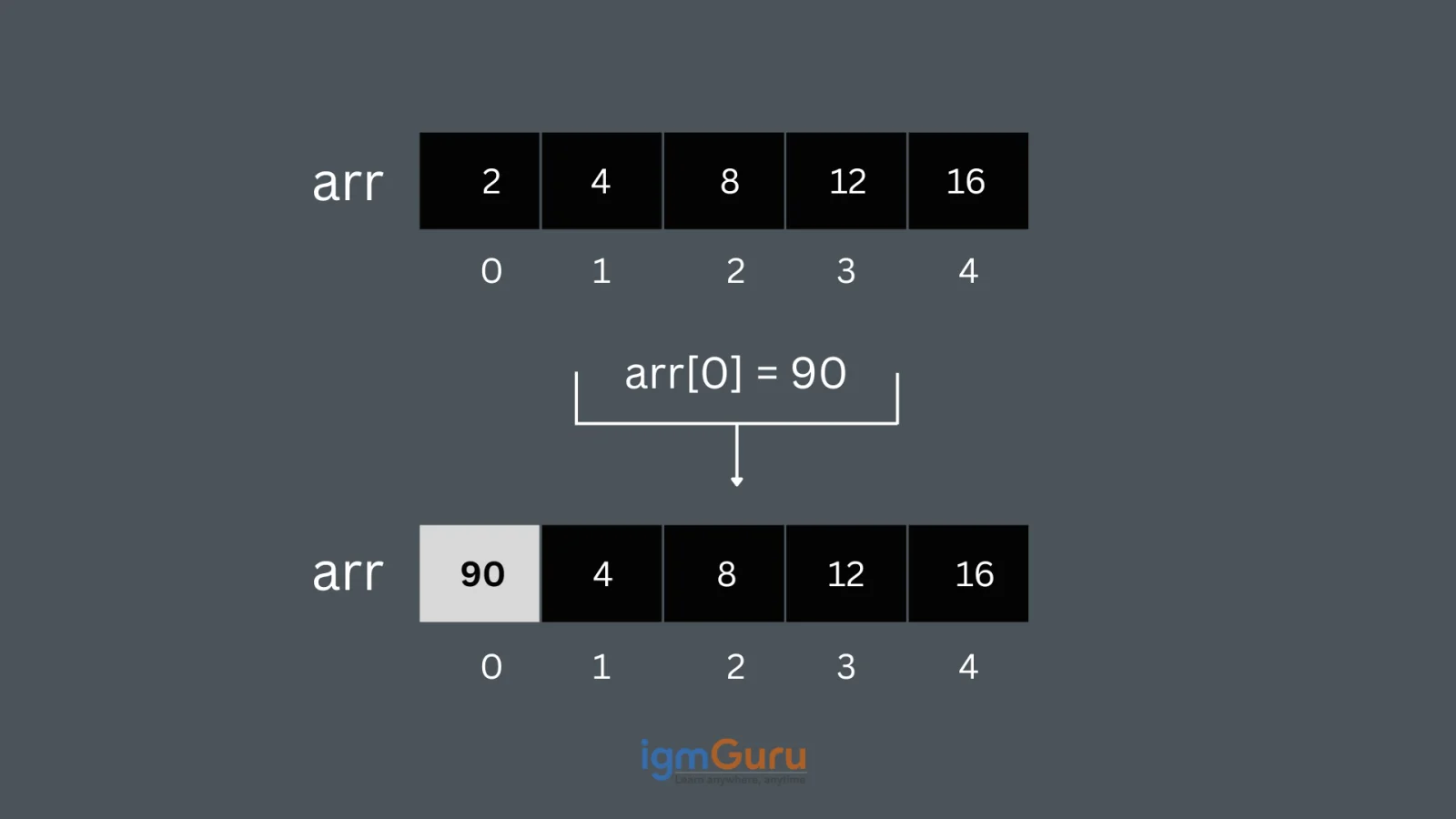
// Changing the first element to 90 |
Here is a standard syntax for array length -
int[] numbers = {5, 10, 15, 20, 25};System.out.println("Length of the array: " + numbers.length); |
The array numbers contain five elements in this example. The property. length is used to find the total number of elements in the array. It prints “Length of the array:5” to the console when the code runs.
All elements of an array can be traversed using a for loop in Java. Each value is accessed by referring to its specific index within the array. Here is a Java program that tells you how to create an integer array, assign values to it and display each element on the console.
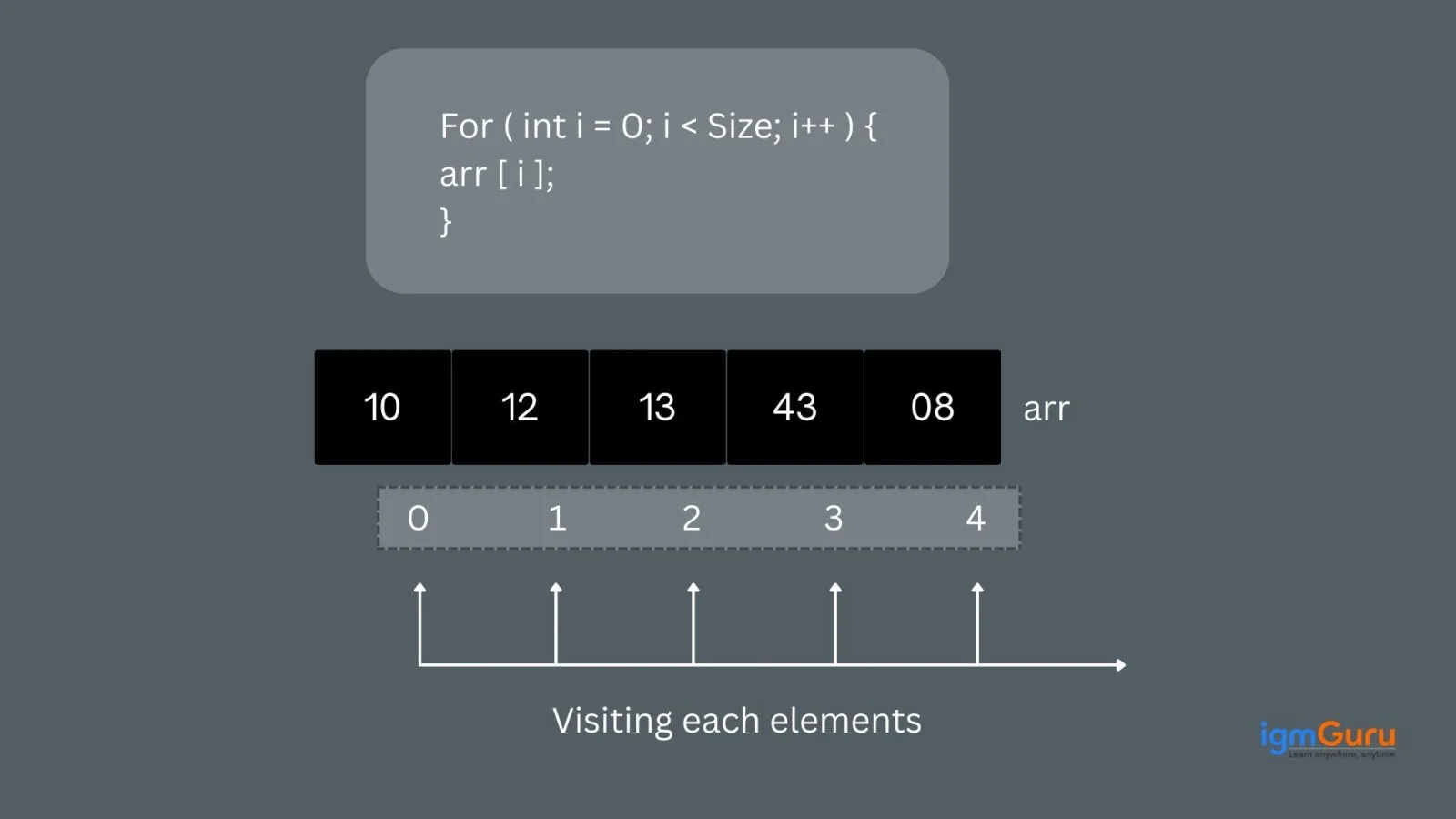
class igmGuru { |
Element at index 0 : 2 |
An array of objects is a structure that holds references to many objects of the same class in Java. Object arrays are different from primitive types that store actual values. Object arrays keep memory addresses that point to the real objects stored in the heap.
Here we are taking a Book class and creating an array of Books with three Book objects in the array. The Book objects have to be instantiated using the constructor of the Book class and their references should be assigned to the array elements.
// Book class |
Title: Java Basics, Author: James Gosling |
Also Explore: How to Learn Java From Scrach
Let’s see what all there is there you can benefit from Java Arrays.
Related Article: Java Interview Questions
Here are some drawbacks of Java Arrays to keep in mind.
It is safe to conclude that Arrays in Java are important building blocks to store and manage multiple values. Understanding how to declare, initialize and manipulate them allows you to handle data in your applications with ease. Mastering arrays is a must for Java developers for working with simple or complicated data structures.
Explore Other Java-Related Articles:
FAQs
No, as arrays in Java have a fixed size once they are formed. You can use classes from the Java collections if you need a resizable array.
Accessing an element by its index in an array takes constant time. This is because arrays in Java are contiguous blocks of memory. This allows direct computation of the memory address of any element using its index.
An array has a fixed size so length cannot be changed after creating. An ArrayList can grow or shrink in size as needed and it also has easy built-in methods to add or remove elements.
You can find the length of an array by using the length property. For eg. array.length shows how many elements are in the array.




Top Advantages And Disadvantages of Artificial Intelligence (AI)
October 16th, 2026
File Handling in Python: Understand Step-by-Step With Examples
October 16th, 2026