Looking for a guide to learn the Java programming language? You have come to the right place. This Java Tutorial is especially designed for individuals like you. It starts with the basics and covers everything step by step, from installation to hands-on programming, OOP concepts, file handling, JDBC, multithreading and real-time examples.
This is the ultimate guide that will help you learn Java from scratch and build a strong foundation. Apart from the technical knowledge, it also guides you with interview and career tips. Then why wait? Let’s begin with the basic introduction tothe Java Programming Language.
Explore our beginner-friendly Java tutorial, covering core concepts with step-by-step examples, code snippets, and installation guide, as well as mini projects.
Java was first introduced in 1991 at Sun Microsystems by a team led by James Gosling, called The Green Team. It was conceived for interactive television only. Later, it was released publicly in 1995 as a platform-independent programming language. Its acquisition went to Oracle Corporation in 2009 when they bought Sun Microsystems. Since then, there were many developments over time, making it a more powerful and popular programming language. You may be wondering what the actual reasons are behind its popularity. This is the question for many before starting to learn this programming language.
Java is an object-oriented programming language used in the development of web, mobile and enterprise applications. It is widely known for its scalability, which allows the execution of the same code on multiple devices. Its syntax is similar to C++ and C#, which makes it an easy language to learn. Further, its robustness, multiple platform support and strong memory capability make it a favorite choice of many developers. The features and capabilities are not the only reasons behind this favoritism.
|
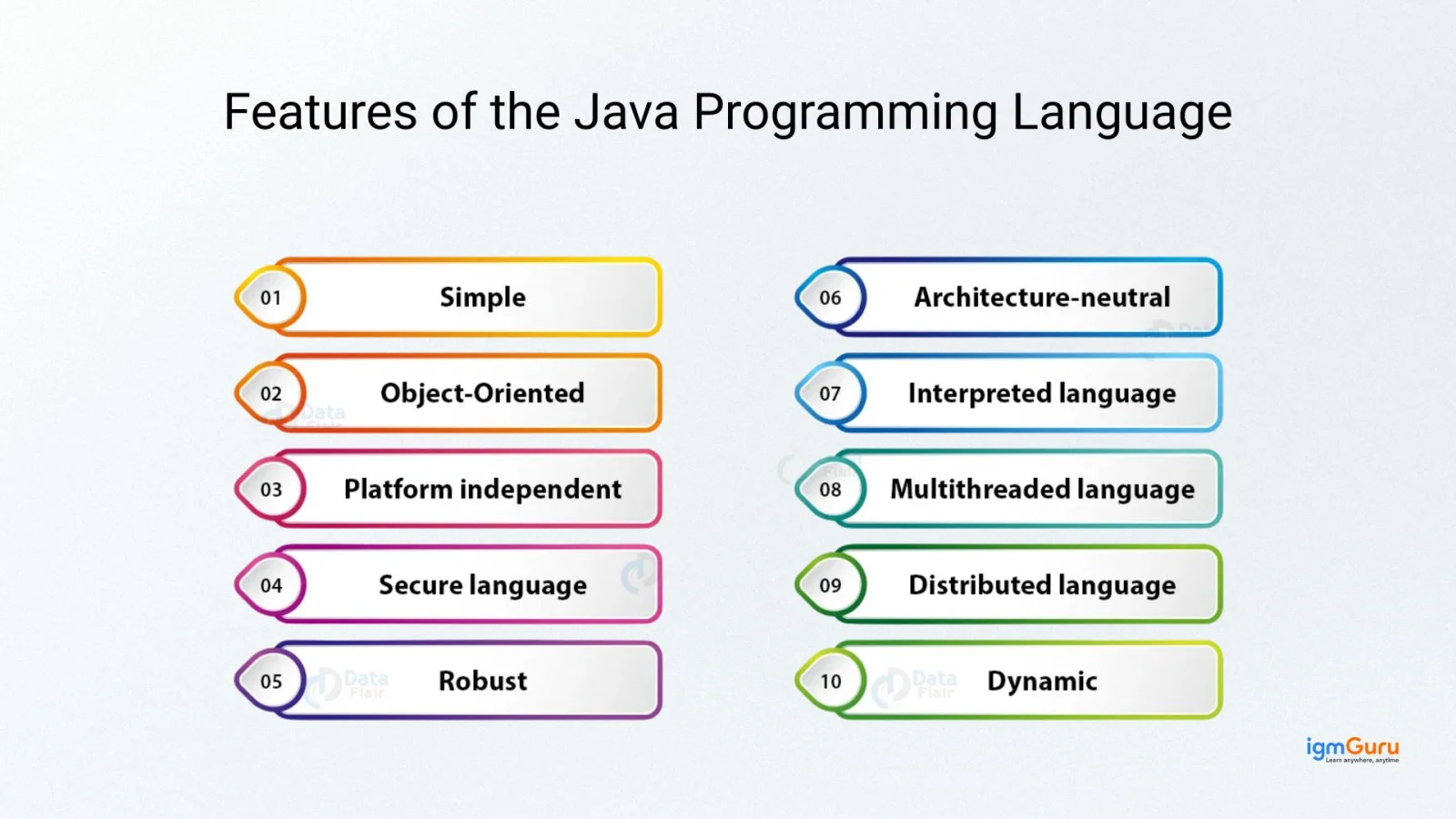
Now we are moving to the most famous question: Why learn Java?
A simple answer to this question is to become a Java developer. But it is not sufficient, as no one wants to do something that is not in their favor or benefit. Am I right? Let’s explore some of the common reasons why one should learn Java programming language:
Aren't these reasons enough to get started now? Then why wait? Let's dive in.
The simplicity of the Java programming language does not require any prerequisites to learn it. Although a basic knowledge of programming and development can be very beneficial in this process. As this Java tutorial is designed for beginners, it has everything one needs to start their learning journey.
Let's start learning Java programming language with modules. Each module is designed by industry experts who will help you understand this programming language better.
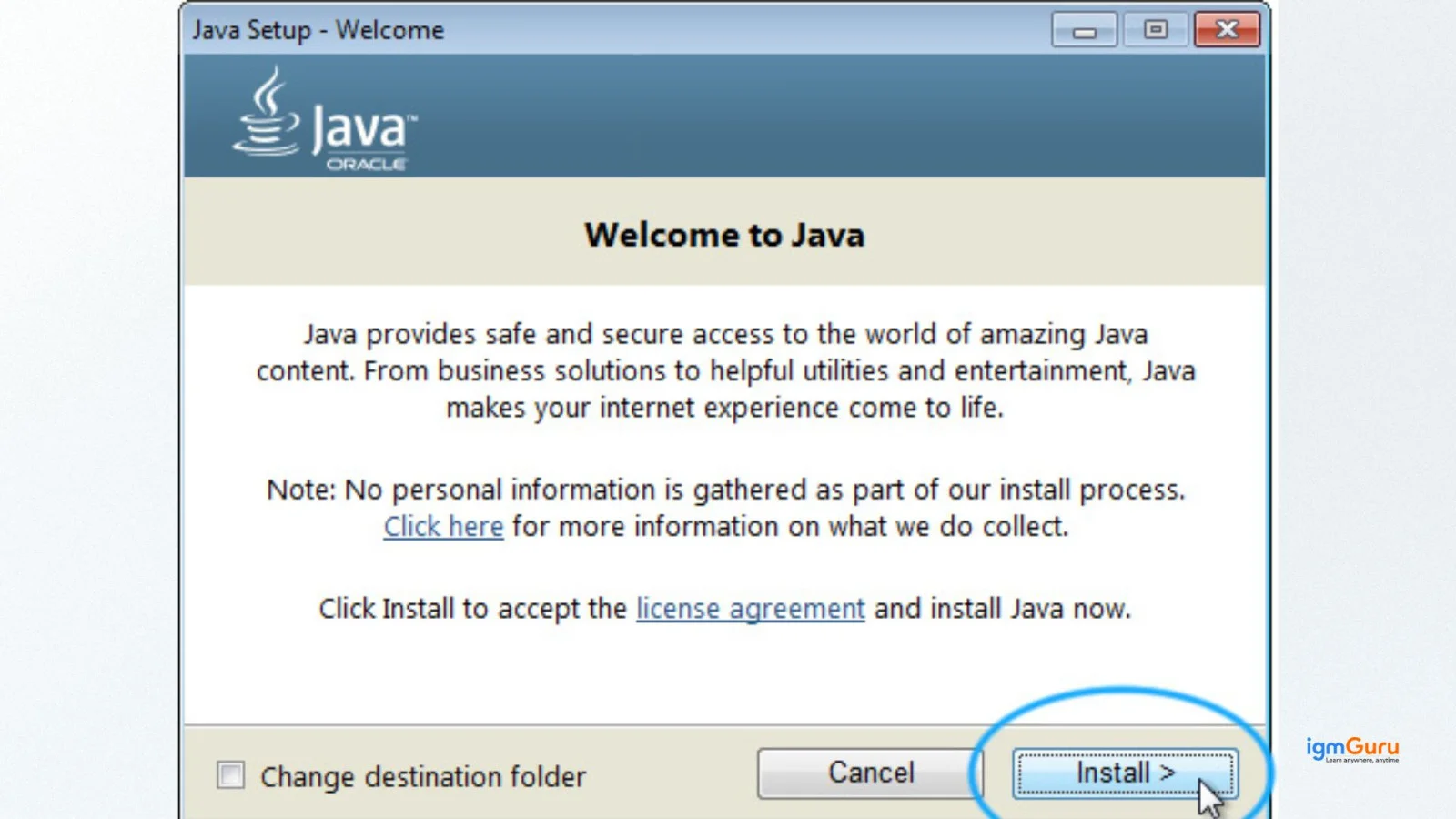
Installing the Java Virtual Machine (JVM) is the first step towards mastering this programming language, as you will need an on-system environment to practice your learnings. It is supported on a variety of operating systems, including Windows, Linux and macOS. We are discussing the entire installation process in this Java tutorial:
Identifiers in Java are names given to different elements of code, such as variables, classes, methods, and objects. They serve as labels that allow programmers to reference and work with these elements. Identifiers are crucial for creating readable, understandable, and maintainable code.
Keywords in Java are reserved words that have a predefined meaning to the compiler. They are fundamental to the language's syntax and cannot be used as identifiers. Keywords help control program flow, define classes, declare variables, handle exceptions and more.
Data types in Java define the type of data a variable can store. They are divided into primitive and non-primitive data types. Primitive types include int, float, double, char and boolean. Non-primitive types include String, Arrays and Classes. Understanding data types is fundamental before writing Java programs.
Operators in Java are special symbols used to perform operations on variables and values. They include arithmetic operators, relational operators, logical operators, assignment operators and bitwise operators. Mastering operators is essential for building strong logical programs.
The static keyword in Java is used for memory management and defining class-level members. Static variables and methods belong to the class rather than objects and allow shared access across all instances.
The final keyword is used to restrict modification. It can be applied to variables, methods and classes. Once declared final, a variable cannot be reassigned and a method cannot be overridden.
Pattern programs in Java help beginners strengthen their logical thinking skills. These programs use loops and nested loops to print stars, numbers and alphabetical patterns and are frequently asked in interviews.
Methods in Java;is a special code blocks dedicated to performing a particular task. It is a fundamental concept in object-oriented programming that allows you to organize and reuse code. The following are of the types of methods used in this programming language:
Java OOP (Object-Oriented Programming) is one of the basic concepts of this programming language that each developer must be aware of. It allows them to write code with objects and classes that makes it reusable, modular and scalable. The core idea behind this concept is to combine the functions and data to prevent unauthorized access. In Java, there is a DRY (Don't Repeat Yourself) Principle that ensures developers only have to write the common logic for once. Then, they can be used further as many times as required.
Basic Example of Encapsulation:
class Student{
    private String name;

    public String getName() {
        return name;
    }
    public void setName(String name) {
        this.name = name;
    }
}
|
Encapsulation in Java is one of the four fundamental OOP principles. It is the process of binding data and methods into a single unit and restricting direct access to some of the object's components. It helps in achieving data hiding and improves code security and maintainability.
Abstraction in Java is the process of hiding implementation details and showing only the essential features of an object. It can be achieved using abstract classes and interfaces. Abstraction improves program structure and reduces complexity.
Classes and objects in Java are the fundamentals of Object Oriented Programming (OOP). These are used to represent real-world entities and concepts. A single class is a representation of a group of objects with the same properties and behavior. It is also known as the blueprint objects. Objects are instances of classes. For instance, in a class of the animal type (i.e. Dog), the name of a particular animal (i.e. Tommy) will be the object. In this Java tutorial, we will explore both classes and objects.
Interfaces in Java are the blueprints of classes. It specifies the methods that a class must implement without defining the implementation details. These help to achieve abstraction and multiple inheritance.
Packages in Java are a way to organize related classes and interfaces into namespaces, similar to folders in a file system. They help in managing large codebases, preventing naming conflicts and controlling access to classes.
Inheritance in Java is a key feature of object-oriented programming that enables a class to inherit properties and behaviors from another class. This promotes code reuse and creates a hierarchical relationship between classes.
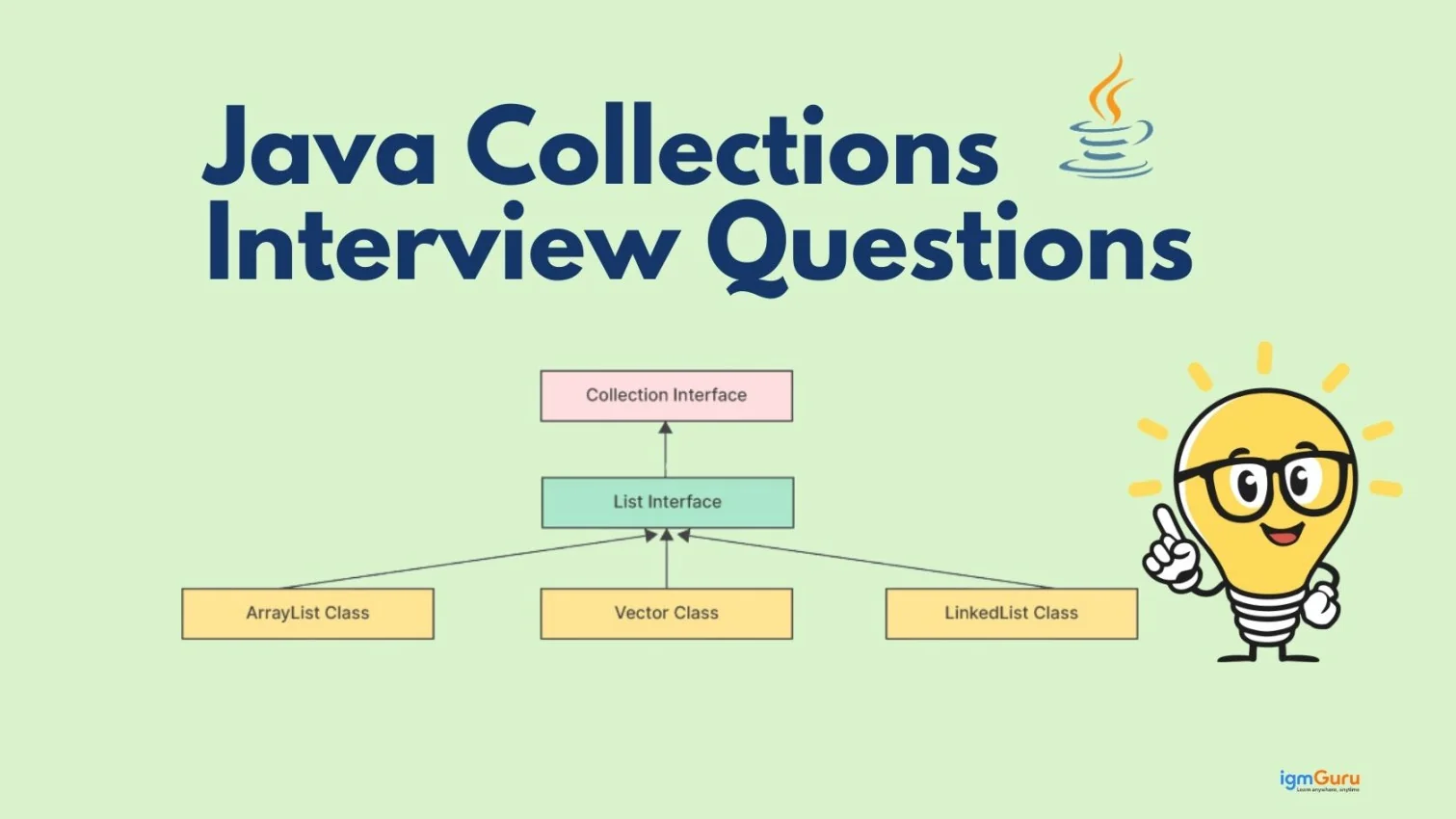
Collections in Java refer to a framework that provides a set of interfaces and classes for representing and manipulating groups of objects. It is a core part of this programming language language, found in the java.util package.
Lambda expressions and the Stream API are powerful features introduced in Java to help you write cleaner, more efficient code, especially when working with collections of data. They make it easier to perform operations like filtering, mapping, and reducing data without writing lengthy loops.
Example:
// Traditional way using an anonymous class
Runnable runnable = new Runnable() {
    public void run() {
        System.out.println("Hello from Runnable!");
    }
};

// Using a lambda expression
Runnable lambdaRunnable = () -> System.out.println("Hello from Lambda Runnable!");
|
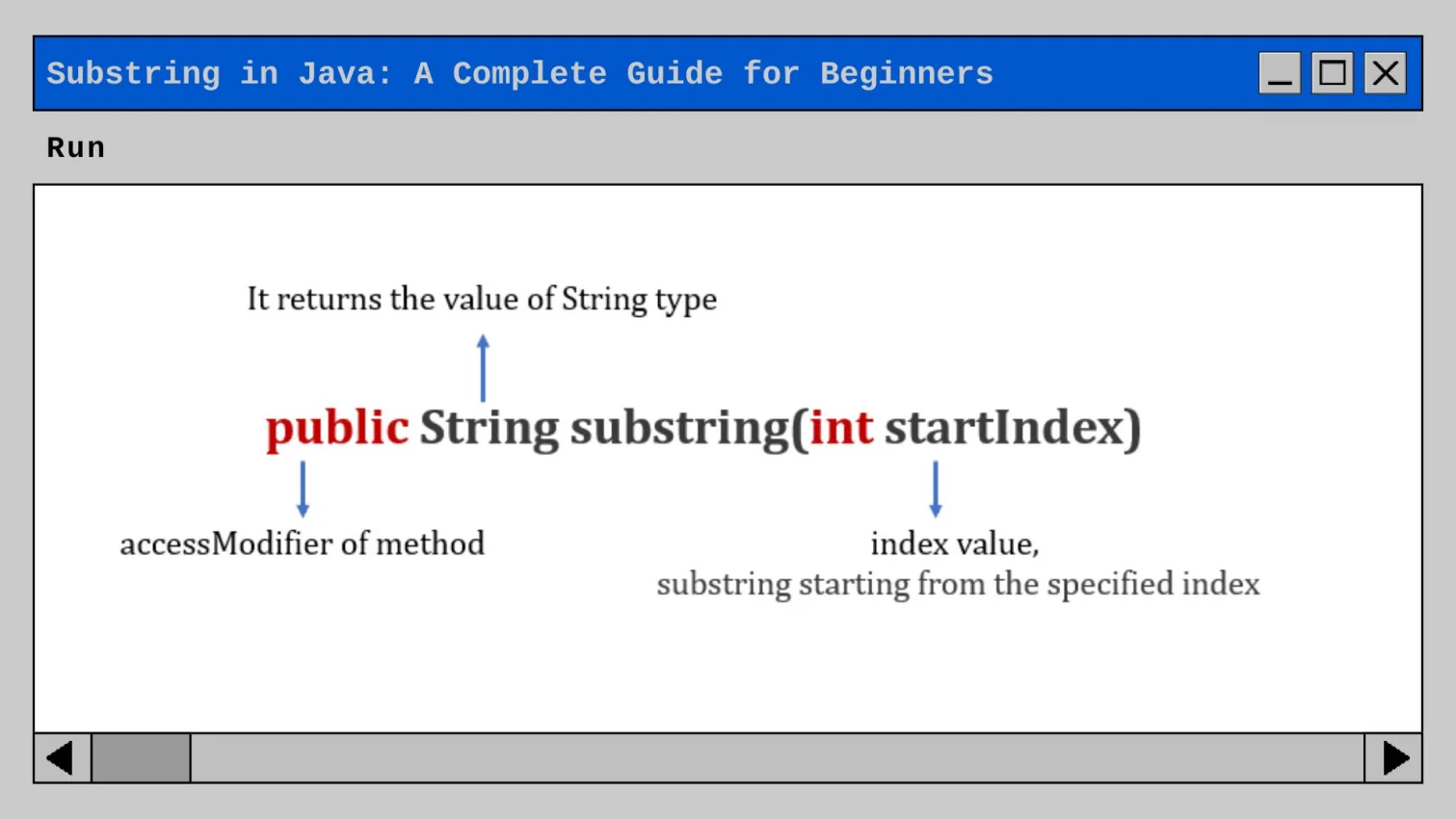
A string in Java is basically a type of object that represents a sequence of characters. It is one of the most fundamental and widely used classes in the java.lang package. It provides a robust and efficient way to handle all forms of text-based information within applications. Java Strings can be created in Java in several ways and we will explore each in this module.
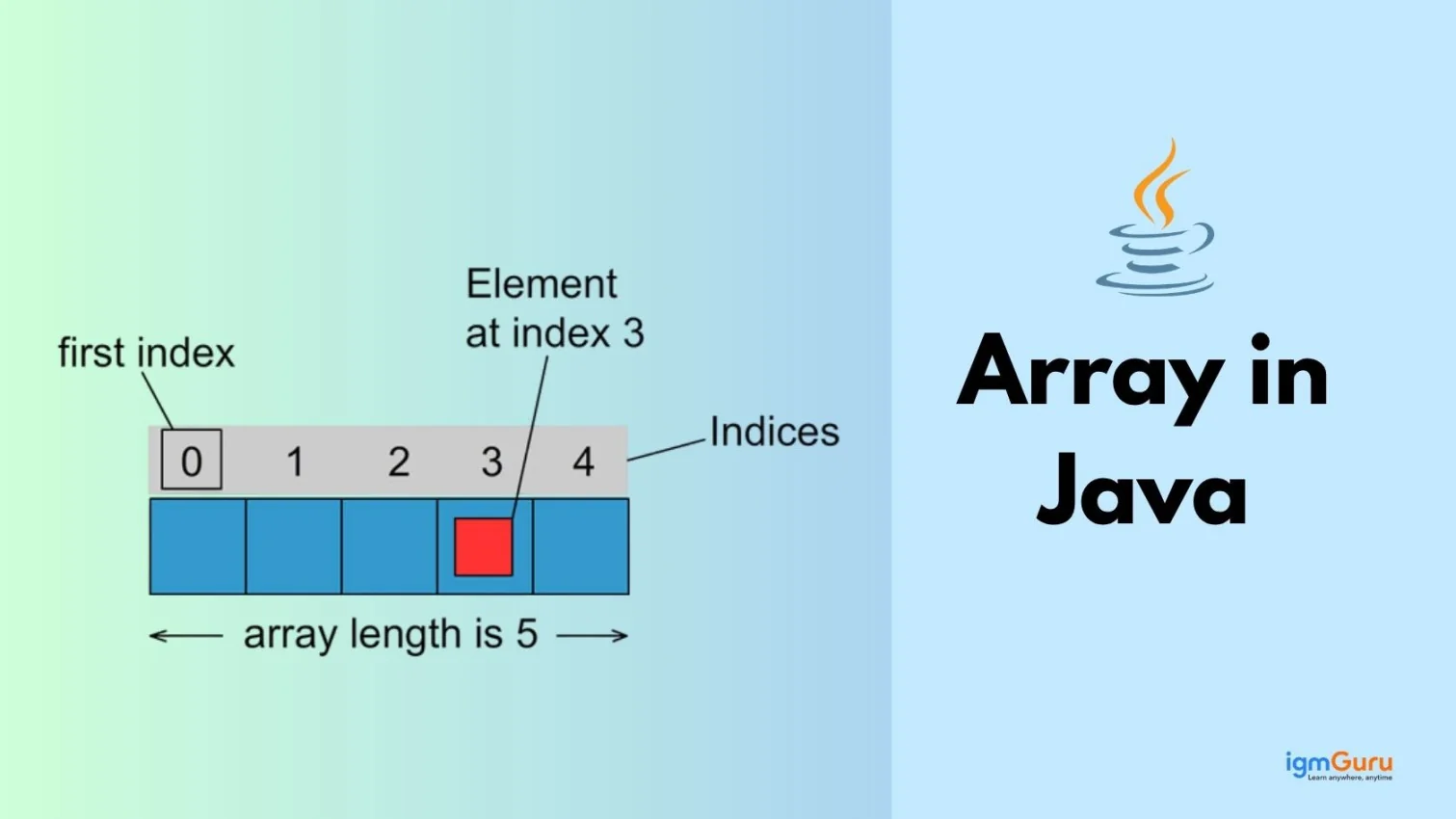
Arrays in Java are fundamental data structures used to store and manage multiple values efficiently. It is also referred to as an ordered collection of elements of the same data type. Learning it is very important to master this programming language and this module will help you do that.
Constructors in Java are special methods used to initialize objects. They are called when an instance of a class is created and have the same name as the class. Constructors do not have a return type, not even void. They are primarily used to set initial values for object attributes.
Modifiers in Java are keywords that define the scope and behavior of classes, methods, variables and constructors. They control access levels and other properties of these elements.
Exception handling in Java is a technique that allows you to manage errors and unexpected events in your programs. It helps your applications run smoothly, even when something goes wrong, by providing ways to catch and handle exceptions without crashing the entire program.
Basic Example: Try-Catch Block
try {
    int result = 10 / 0; // This will cause an ArithmeticException
    System.out.println(result);
} catch (ArithmeticException e) {
    System.out.println("Error: Cannot divide by zero.");
}
|
The super keyword in Java is used to refer to the immediate parent class's objects, methods or constructors. It is commonly used in inheritance to access or invoke parent class members.
Sorting in Java involves arranging elements of a collection or array in a specific order, such as ascending or descending. Java provides several built-in methods and classes to perform sorting efficiently.
Understanding the differences between JDK, JRE, and JVM is crucial for Java developers.
File handling in Java allows programs to read from and write to files. It is essential for persistent data storage and retrieval, handled primarily through classes in the java.io and java.nio packages.
Here is a basic example:
import java.io.File;
public class FileDemo {
    public static void main(String[] args) {
        File myFile = new File("demo.txt");
        if(myFile.exists()){
            System.out.println("File found!");
        } else {
            System.out.println("File not found!");
        }
    }
}
|
Networking in Java enables your programs to communicate with other computers, devices, or servers over a network. Java provides a comprehensive set of APIs in the java.net package that makes it straightforward to build networked applications, such as chat clients, web servers, or file transfer tools.
import java.net.Socket;

public class SimpleClient {
    public static void main(String[] args) {
        try {
            Socket socket = new Socket("localhost", 8080);
            System.out.println("Connected to server!");
            socket.close();
        } catch (Exception e) {
            System.out.println("Connection failed.");
        }
    }
}
|
Multithreading in Java allows multiple threads to run concurrently within a single program, improving performance for tasks like I/O operations or parallel processing. A thread is the smallest unit of execution in a program.
Here is an example of multithreading:
class MyThread extends Thread {
    public void run() {
        System.out.println("Thread is running...");
    }
}
public class Demo {
    public static void main(String[] args) {
        MyThread t = new MyThread();
        t.start();
    }
}
|
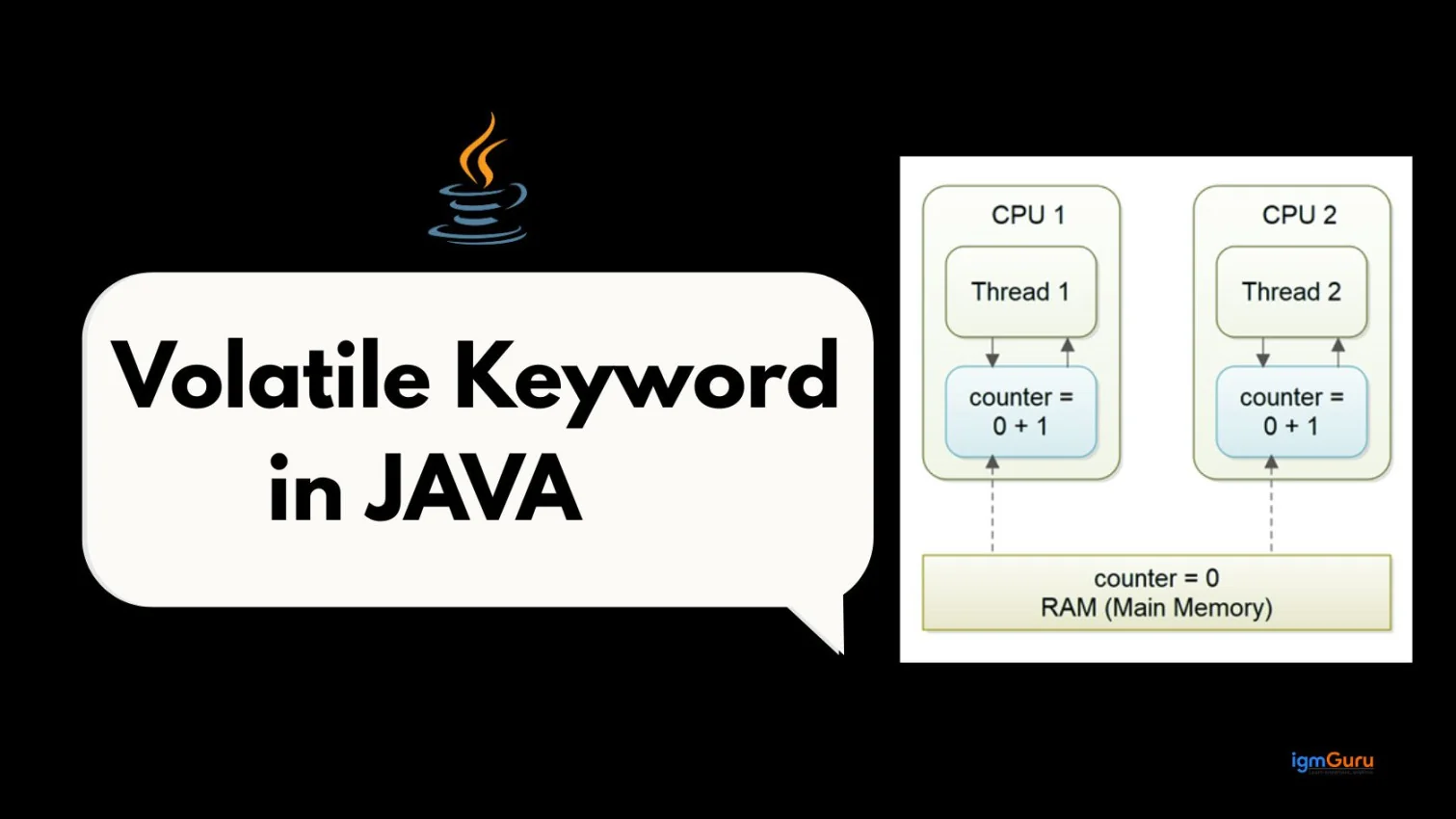
Synchronization in Java is used to control access to shared resources in a multithreaded environment, preventing thread interference and ensuring data consistency.
After understanding the concepts of a programming language, you have to start coding and continue practicing. Here is the most basic instance of creating a Java "Hello World" program.
public class igmGuru { public static void main(String args[]) { System.out.println("Hello World"); } } |
Output:
| Hello World |
Java Database Connectivity (JDBC) is an API that allows programs to interact with databases. It provides a standard way to connect a Java-based application with different database systems, send SQL queries and process the results.
Java 21 introduces performance enhancements, virtual threads, improved pattern matching and modern language improvements. Staying updated with the latest Java version helps developers build more efficient and scalable applications.
Working on real-world Java projects strengthens your practical understanding. Projects like Student Management System, Banking System, Library Management System and E-commerce applications help improve coding and problem-solving skills.
Java is used in Android development, web applications, enterprise systems, cloud computing, big data technologies and financial services. Its versatility makes it one of the most widely adopted programming languages globally.
Learning Java requires structured study, regular coding practice, solving problems, building projects and preparing for interviews. Following a roadmap helps beginners become job-ready developers.
The Java cheat sheet provides quick revision notes covering syntax, loops, OOP concepts, collections and commonly used methods. It is useful for quick revision before interviews.
Once you master this programming language, you can start to prepare for your interview. The first thing you should do is test your skills and proficiency with the Java Quiz. It is also the first round of many developer-related interviews. This Java tutorial also includes a quiz with a comprehensive list of MCQs (multiple choice questions).
Preparing for the Java interview questions is also one of the niche things to do. It helps to identify the core concepts you must be prepared for and helps to stand out in the interview. We have curated a list of 60+ Java interview questions and answers in this tutorial.
Mastering the Java concepts won't be enough to start a rewarding career journey. You will need to consider many things like regular practice, online official resources, additional study materials, etc, to become one. This strategic roadmap provides a step-by-step guide to becoming a Java developer.
Here are some of the best mini-project ideas you can try on your own to strengthen your Java skills.
import java.util.Scanner;

public class StudentMarks {
    public static void main(String[] args) {
        Scanner sc = new Scanner(System.in);

        System.out.print("Enter marks in 3 subjects: ");
        int a = sc.nextInt();
        int b = sc.nextInt();
        int c = sc.nextInt();

        int total = a + b + c;
        double percentage = total / 3.0;

        System.out.println("Total Marks = " + total);
        System.out.println("Percentage = " + percentage);
    }
}
|
import java.util.ArrayList;
public class ShoppingCart {
public static void main(String[] args) {
ArrayList |
The difficulty to learn this programming language depends on the individual's learning skills and prior knowledge. Most beginners generally consider it as one of the relatively accessible and easy to learn compared to others.
Learning it depends on the approach, capability and dedication of the learner. Most individuals take a couple of weeks or months.
You can download and install the JDK from the Oracle website.
The four principles of Java are encapsulation, inheritance, polymorphism and abstraction.
Java continues to be one of the strongest programming languages powering applications worldwide. By understanding syntax, OOP concepts, JDBC, multithreading and file handling, you build a solid foundation for projects, interviews and real-world development. Keep practicing small programs, explore advanced libraries and frameworks, and work on real-time projects to master Java effectively.