Every day, millions of people search on search engines like Google, Microsoft Bing, Yahoo, etc looking for solutions. But have you ever noticed something? Only the first few websites actually get the clicks. Most of the content just stays hidden somewhere on page two or beyond.
The websites that get seen are because of a Digital Marketing strategy known as SEO. Behind every top result, there is a clear reason why it is ranking there. It is not random and it is not about writing anything and hoping it works. Some content gets seen, and some content gets ignored.
If you want your content to actually reach people, then you need to understand what makes search engines pick certain pages over others. In this guide, I will break down everything about SEO, from what is SEO, how it works, to what you need to do to start ranking on search engines. So, let’s begin.
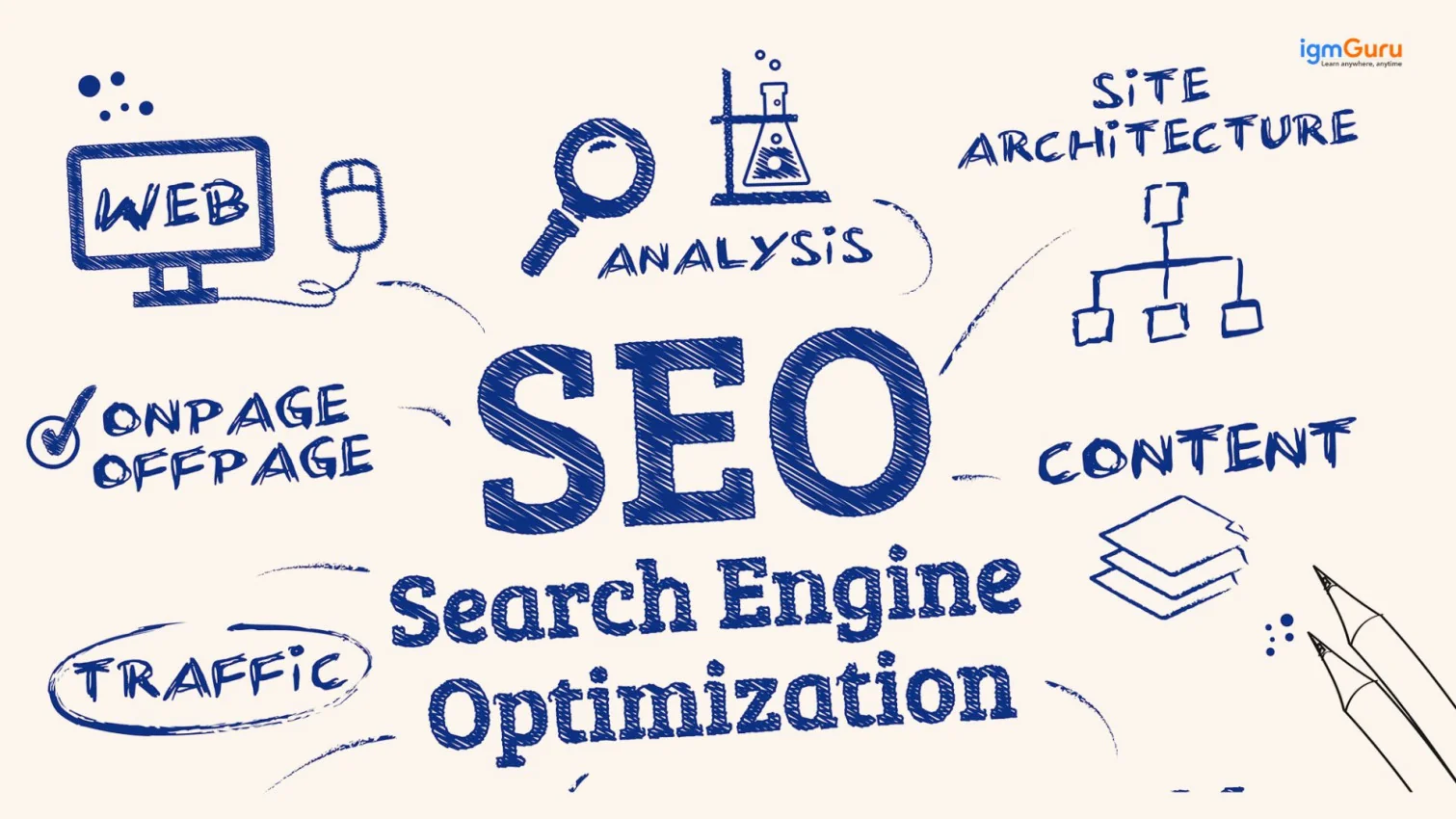
SEO stands for Search Engine Optimization. It is the process of improving your website/content so that it appears higher on search engines like Google, Bing or Yahoo when people search for something. In simple words, SEO helps your content get found and seen.
In my opinion, today SEO matters more than ever because most people start everything with a Google search. Even if someone is trying to find a product, learning a skill or solving a problem, everyone searches first. If your content is ranking, then you will get free traffic again and again without even paying for ads. This is the reason why businesses and creators focus so much on SEO.
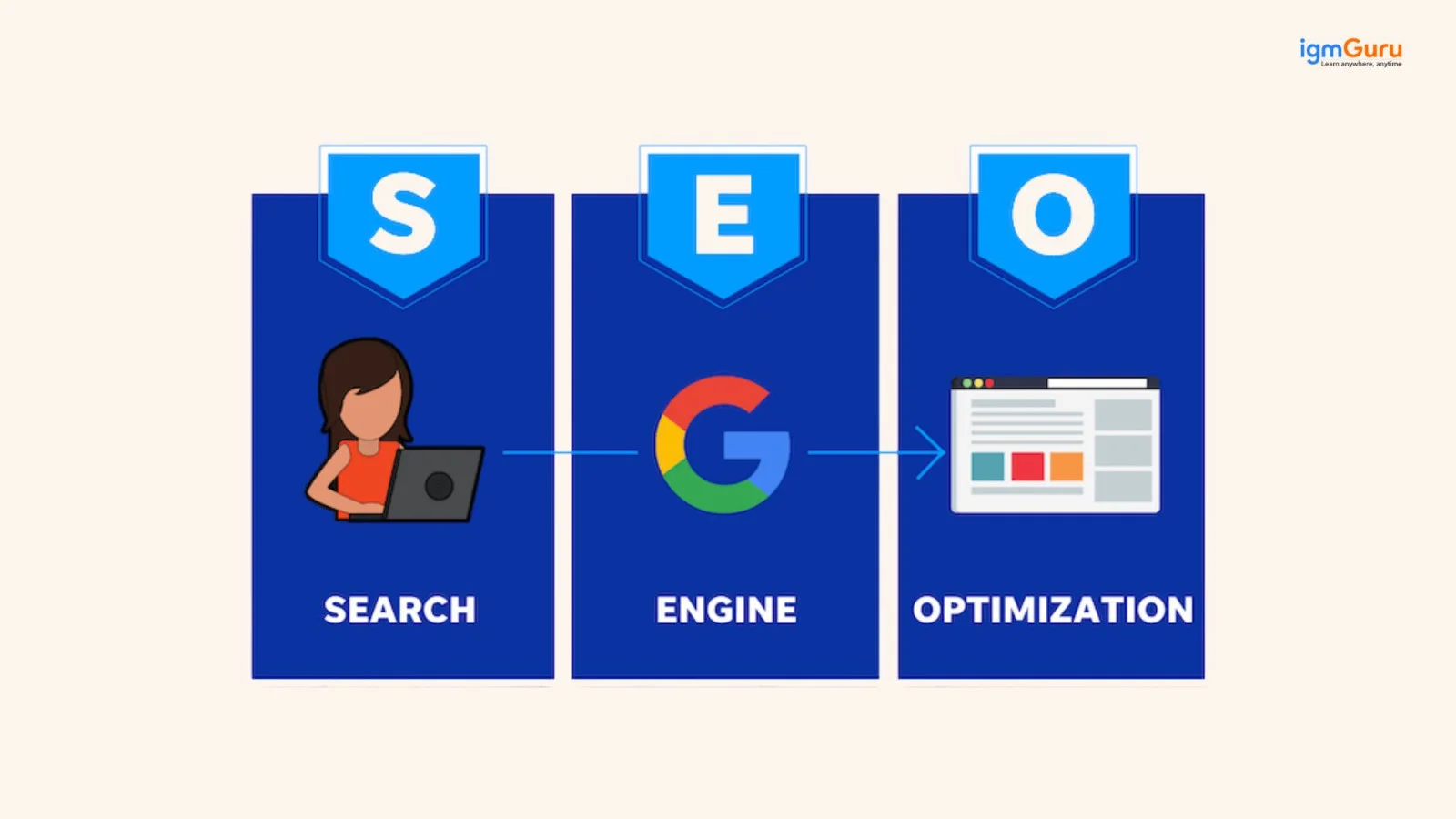
There is also a big difference between publishing content and actually making it rank. You can write a blog and publish it. But if it is not optimized, then it will stay hidden. SEO is what helps your content reach people. For example, if you search for “best SEO tools,” then Google will show you a list of results. You can click on one of the top links, read it, and maybe take the desired action. That entire process is driven by SEO.
And since Google handles the majority of searches worldwide, understanding SEO means understanding how to get visibility where it matters the most.
Related Article: SEO Interview Questions and Answers
Many businesses spend a lot of money on ads. But SEO gives you long-term results without paying for every click. Here are some reasons why SEO is important:
When your website ranks on the first page of Google, people click on it without you spending money on ads. This is called organic traffic. It is free and consistent.
People trust websites that appear on the first page of Google. They think if Google shows it at the top, it must be good. SEO helps you build that trust over time.
SEO helps you reach people who are actively searching for what you offer. These users already have an interest in your product or service, so they are more likely to act.
Unlike paid ads that stop the moment you stop paying, SEO keeps working for you. A well-optimized page can bring traffic for months or even years.
For small businesses, SEO is one of the most affordable digital marketing strategies. You do not need a huge budget to start. You just need the right knowledge and consistent effort.
Good SEO makes your social media, email marketing and paid ads perform better too. When people find you through search first, they already trust you before they see your ads.
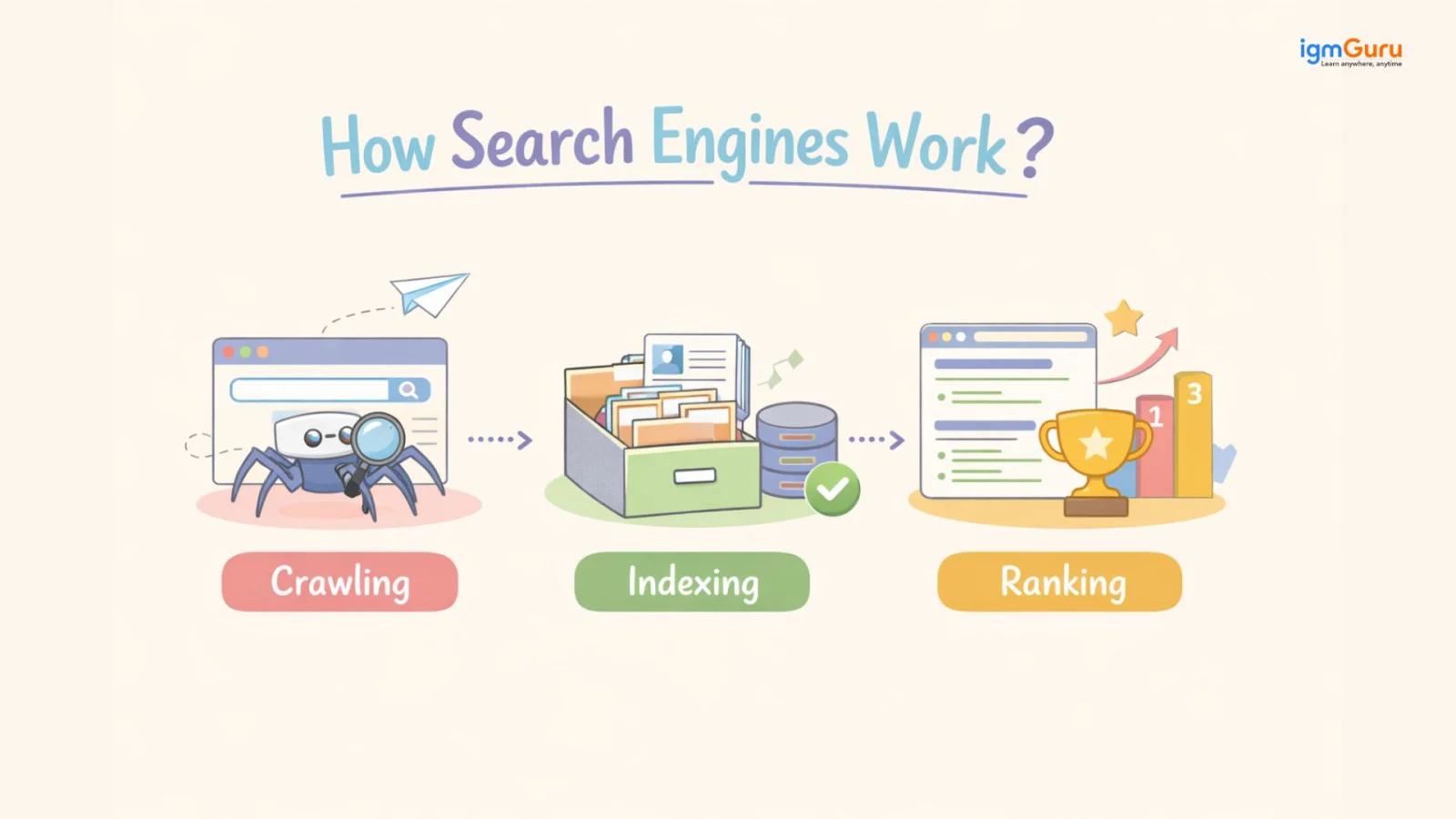
Now, you need to understand how Search Engines work before you directly try to rank on Google. The process for this is very simple. Search engines go through three main steps: They are crawling, indexing and ranking. Once you understand these three, then SEO will start making much more sense to you.
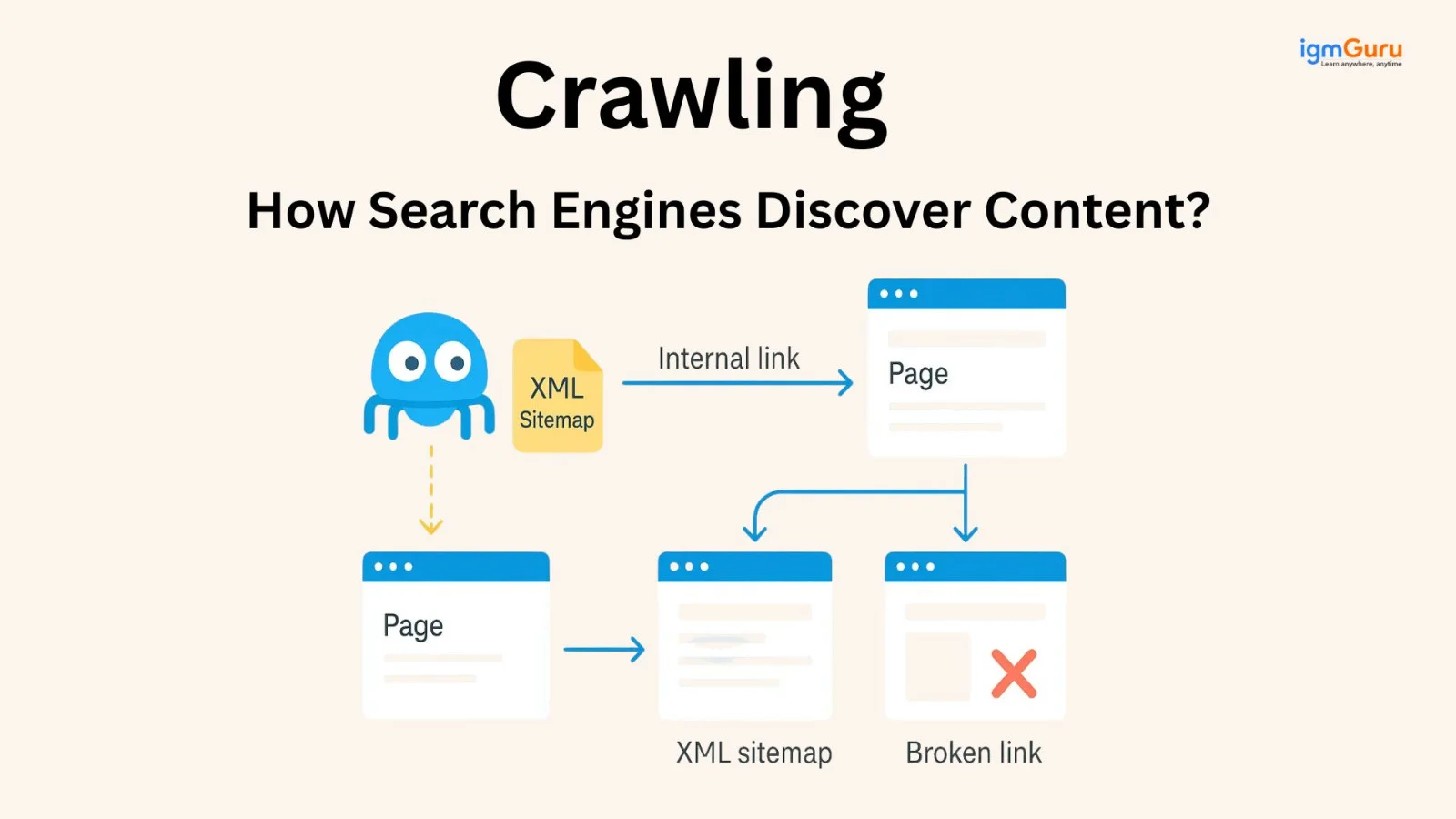
Crawling is the first step. This is where search engines discover your content. Google uses automated programs called crawlers. It is also known as Googlebot. These bots move across the internet and visit different pages. They follow links from one page to another and keep discovering new content.
This is why links also matter so much. When your pages are connected through internal links, it becomes easier for Google to find them. If a page has no links pointing to it, it might stay hidden.
Crawling also includes something called a crawl budget. It means Google does not crawl everything on your website unlimited times. This crawl budget gives limited attention, especially to new or small sites. So your site structure and linking should be clean and clear.
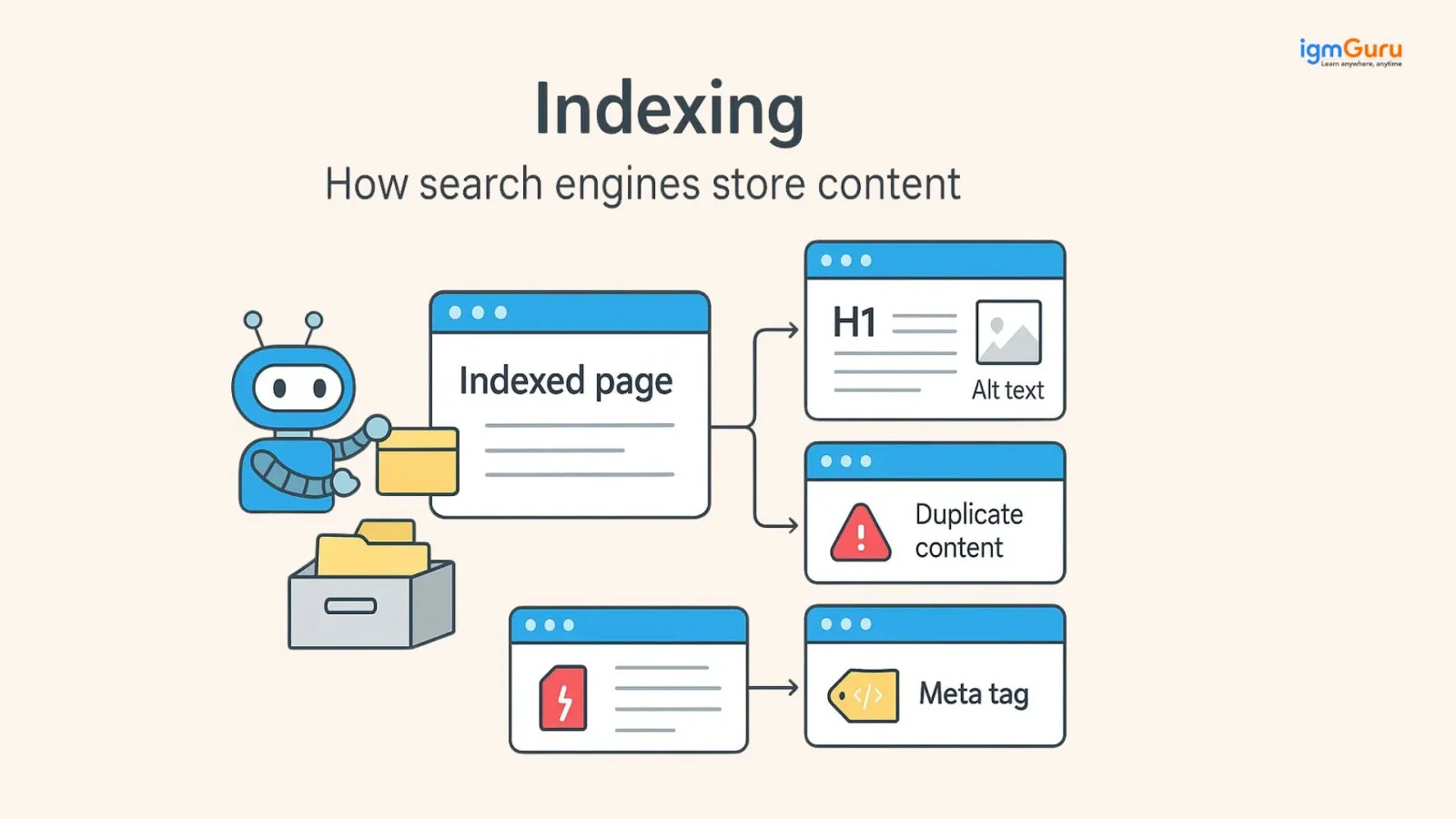
Once your page is discovered, the next step is indexing. Indexing means that Google stores your page in its database so it can show it in the search results. If your page is not indexed, then it will not appear on Google at all.
Sometimes pages do not get indexed because of the following reasons:
If you want to get out of this problem, then a sitemap will help you in this. It is like a guide that tells Google which pages exist on your website and should be considered for indexing.
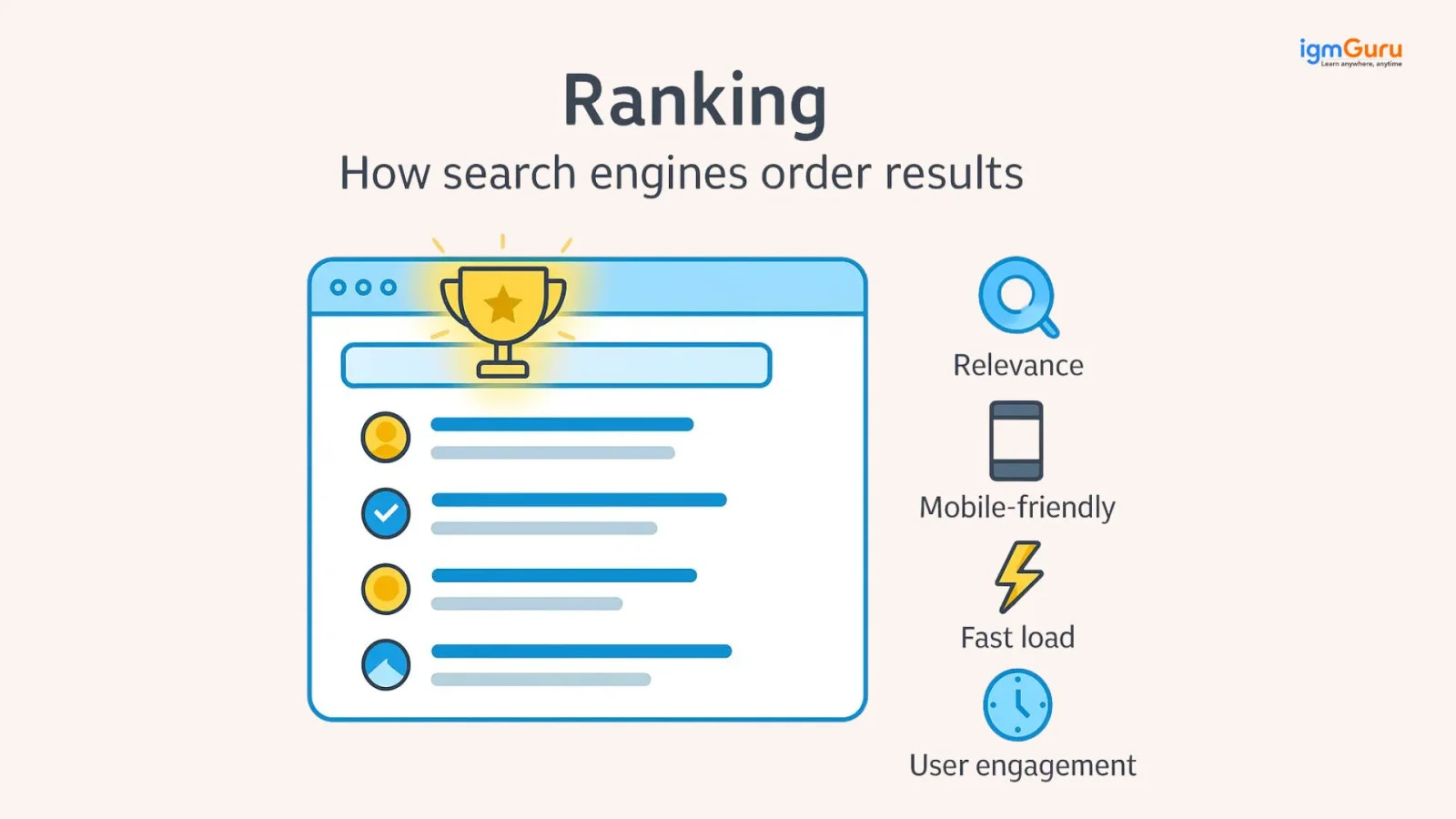
After indexing comes ranking. This is where Google decides which pages should appear first. When someone searches for something, then Google quickly scans its index and shows the most relevant results. This decision is made using complex algorithms.
Google mainly looks at three things and the pages that perform better on these factors are more likely to rank higher:
Once you understand these three steps, then SEO will become much clearer. You are not just creating content. You are helping Google find it, understand it and trust it enough to show it to users.
SEO works by signaling to search engines that your content is the most relevant, trustworthy and helpful answer for a specific search query.
Here is a simple way to understand how SEO works step by step:
1. You research keywords that your target audience is actually searching for.
2. You create content that directly answers those search queries.
3. You optimize your content so Google can understand it clearly.
4. You fix technical issues so your website loads fast and crawls cleanly.
5. You build trust by getting other websites to link back to yours.
6. Google sees your website as helpful and ranks it higher.
7. People searching for that topic find your website and visit it.
SEO is not a one-time job. It is an ongoing process. You have to keep creating good content, updating old pages and building authority over time.
Let me give you a real example so this actually makes sense.
A small bakery in Delhi was getting almost no online visitors. Their website was sitting on page 4 of Google for their main keyword "best bakery in Delhi." Here is what we did:
Within 4 months, their main page moved from page 4 to position 3 on page 1. Their organic traffic grew 180% and monthly inquiries doubled.
That is what SEO looks like in practice. It is not magic. It is a structured process done consistently.
SEO is not just a single element. It is a combination of different parts that all work together to help your content rank. Each of these types focuses on a different area, but all of them are important if you want better visibility on Google. There are 4 types of SEO: On-Page SEO, Off-Page SEO, Technical SEO, and Local SEO. First, we will start with On-Page SEO. This is the part you have full control over because it is everything you do on your own content and website.
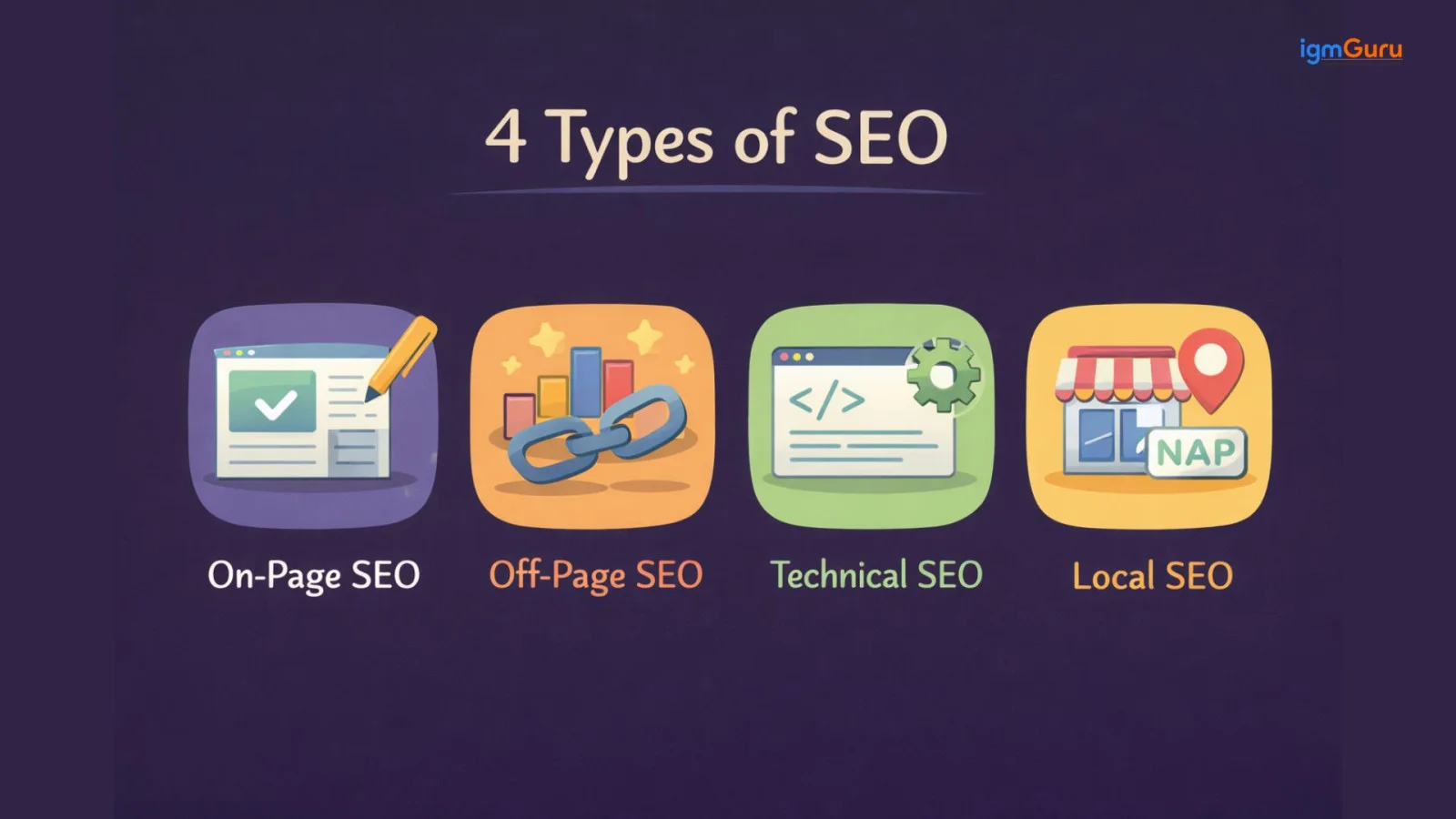
On-Page SEO is about optimizing your content in a way that both users and search engines can understand it easily. It is not just about adding keywords. It is about creating content that is clear, useful and well-structured. When your on-page SEO is strong, Google can understand what your page is about and users can read it without confusion. Let’s break down the key elements of On-Page SEO.
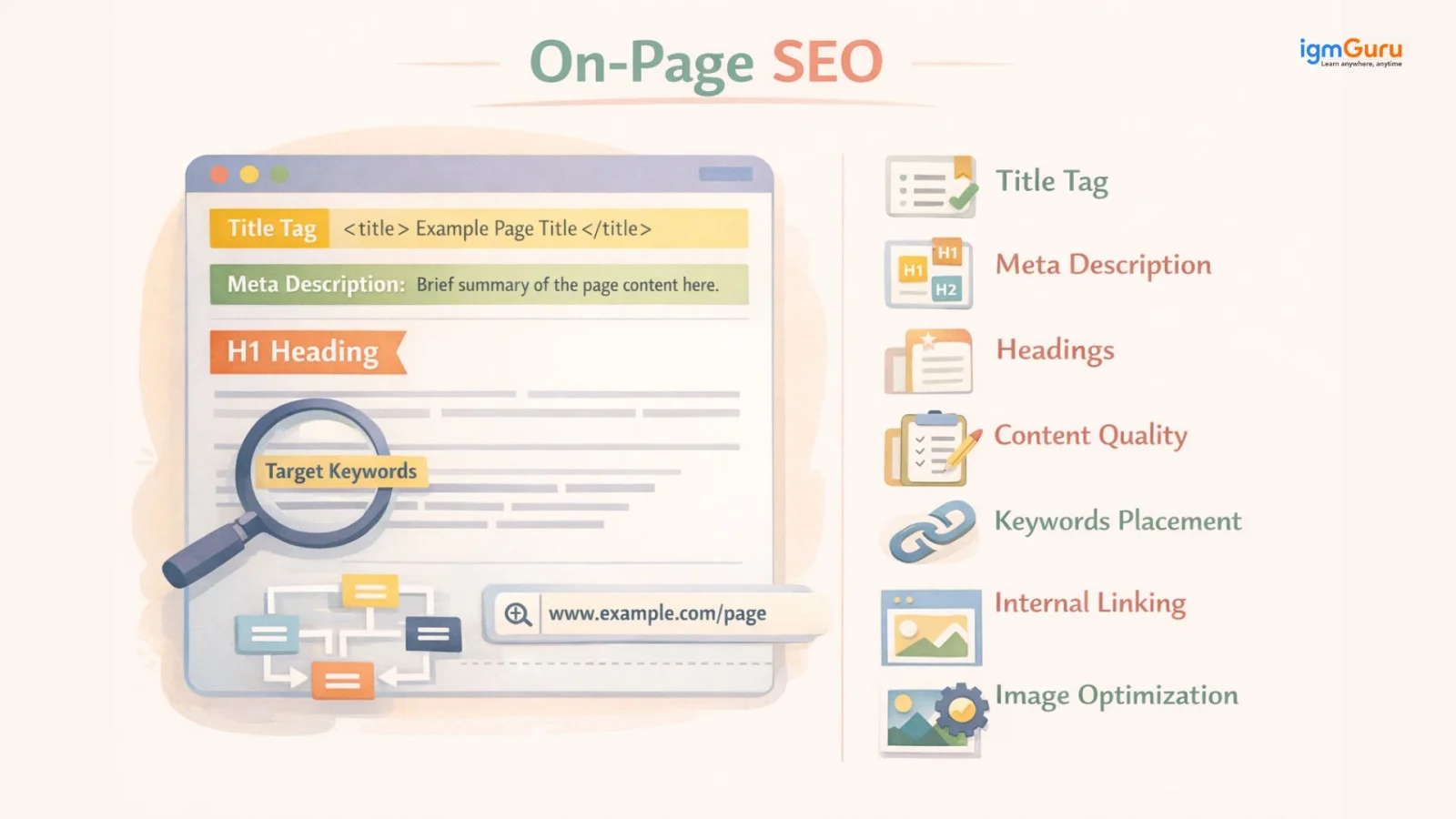
The title tag is the first thing that people see on Google. It plays a big role in both ranking and in getting clicks.
You should place your main keyword in the title so Google can understand your topic. At the same time, your title should be interesting or engaging enough to make people click.
Try to keep it within 50 to 60 characters so it does not get cut off. You can also use power words or numbers to make it more attractive like “Complete Guide” or “Top 10”.
The meta description is the short text that appears below your title on Google. It does not directly affect your ranking, but it strongly affects your click-through rate. A good description makes people want to click your link.
You should include your keyword naturally and add a small emotional trigger like curiosity or benefit. When you keep it clear and simple, then users know what they will get.
Headings help in structuring your content in a very effective way. You must use H1 for the main title, H2 for main sections and H3 for sub-sections. This makes your content easier to read and helps Google understand the hierarchy. You can include keywords in headings, but you need to do it naturally. Do not put them unnecessarily, otherwise it will become keyword-stuffed.
Content quality is one of the most important parts of SEO. Google prefers content that is helpful, clear and written for real users. Low-value or copied content does not perform well.
Your content should go deep into the topic, explain things clearly and avoid unnecessary fluff. You should add your own insights, simple examples and practical value so readers actually learn something.
Keywords tell Google what your page is about, but in this placement matters a lot. You should include your main keyword in:
But you should not repeat it too many times because it will lead to keyword stuffing. It can harm your ranking, so you need to do it naturally.
Internal linking means linking one page of your website to another. This helps users navigate your site and also helps Google discover more pages. It spreads value across your website and improves overall SEO.
You should also pay attention to anchor text, which is the clickable text of the link. It should clearly describe what the linked page is about.
Your URLs should be clean and easy to understand. You should avoid long and messy URLs with random numbers or symbols. Instead, you should use short URLs that include your main keyword.
For example, a clean URL like “/what-is-seo” works much better than a complex one.
Images make your content more engaging, but they also need to be optimized. You should add alt text to describe the image so search engines can understand it. You should also compress images so your page loads faster. Also, use clear file names instead of random ones.
You can also use lazy loading, which means images load only when the user scrolls to them. This improves page speed and overall user experience.
Related Article: How To Become A Content Writer?
Off-Page SEO is everything that happens outside your website but still affects your ranking. While On-Page SEO is about what you create, Off-Page SEO is about how others see and trust your content. The biggest part of off-page SEO is backlinks. These are links from other websites that point to your site. When other websites link to you, it sends a signal to Google that your content is valuable and trustworthy.
You can think of backlinks like recommendations. The more quality recommendations you have, the more reliable your content will appear.
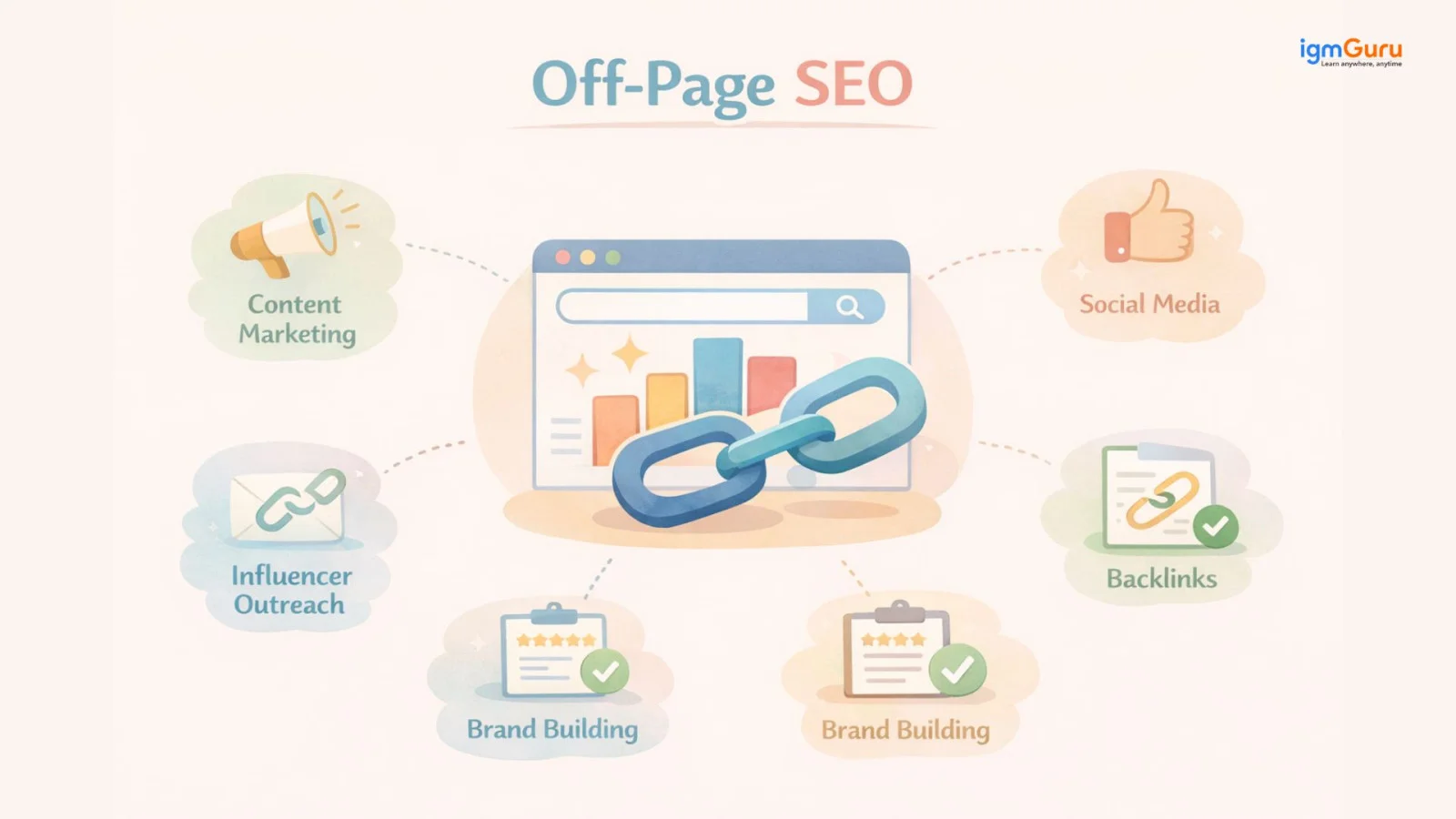
There are different types of backlinks. All backlinks are not the same. Some backlinks increase more value to your website, while others do not directly affect rankings but still have their own importance.
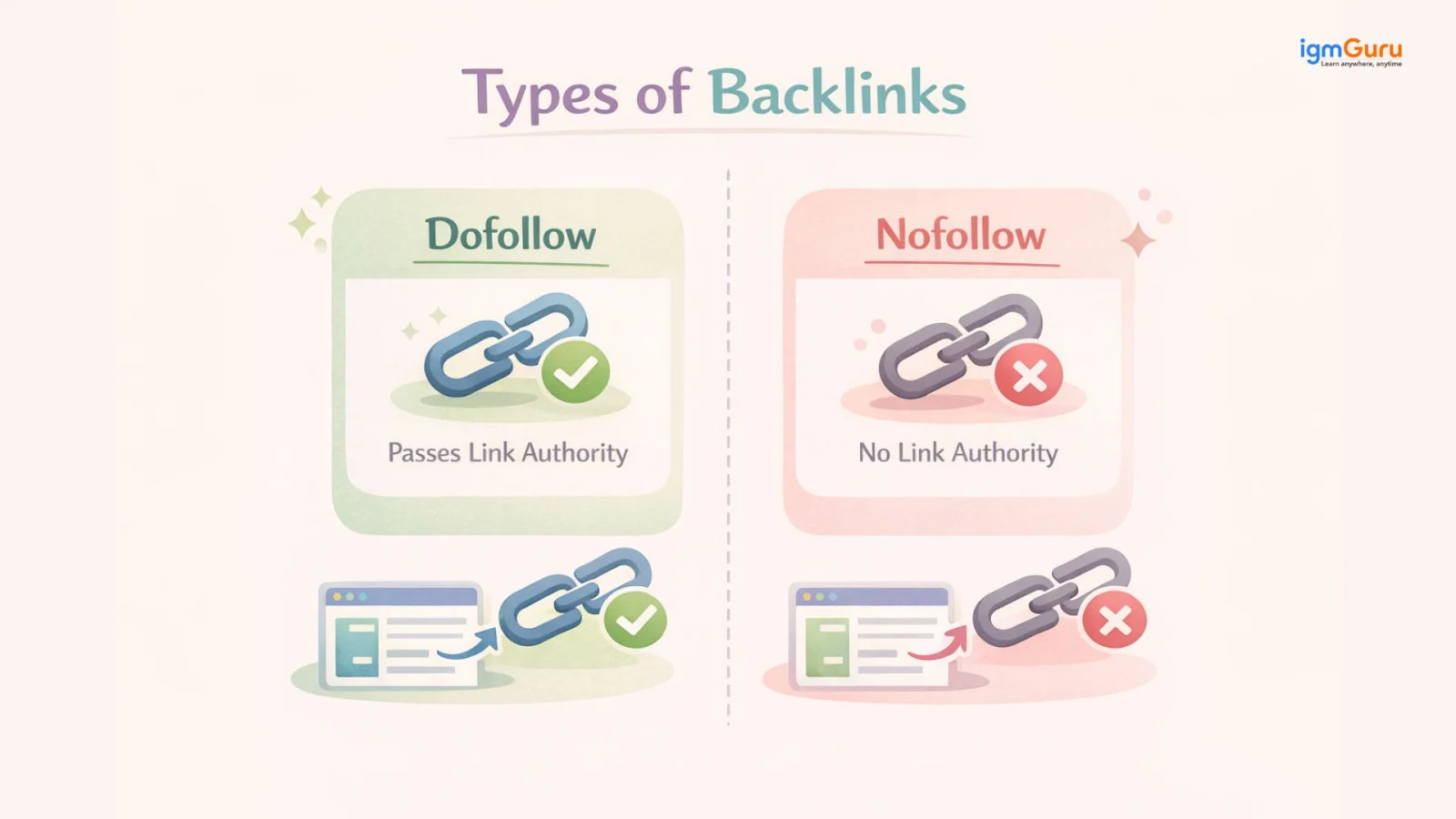
DoFollow backlinks are the ones that pass SEO value. They are also known as link juice. When a website gives you a DoFollow link, it tells Google that it trusts your content. This helps improve your authority and can boost your rankings. These are the most valuable types of backlinks, especially when they come from high-quality and relevant websites.
NoFollow backlinks do not increase direct SEO value. They tell search engines not to transfer authority through the link. But that does not mean they are useless.
NoFollow links can still bring traffic to your website. They also help in creating a natural backlink profile that is important for long-term SEO.
Technical SEO focuses on how your website performs behind the scenes. Sometimes, even if your content is great, it will not rank well if your site is slow, broken or hard for search engines to understand. Technical SEO may feel less visible, but it plays a strong role. This part of SEO makes sure your website is fast, accessible and easy for Google to crawl and index. Let’s look at the key elements of Technical SEO:
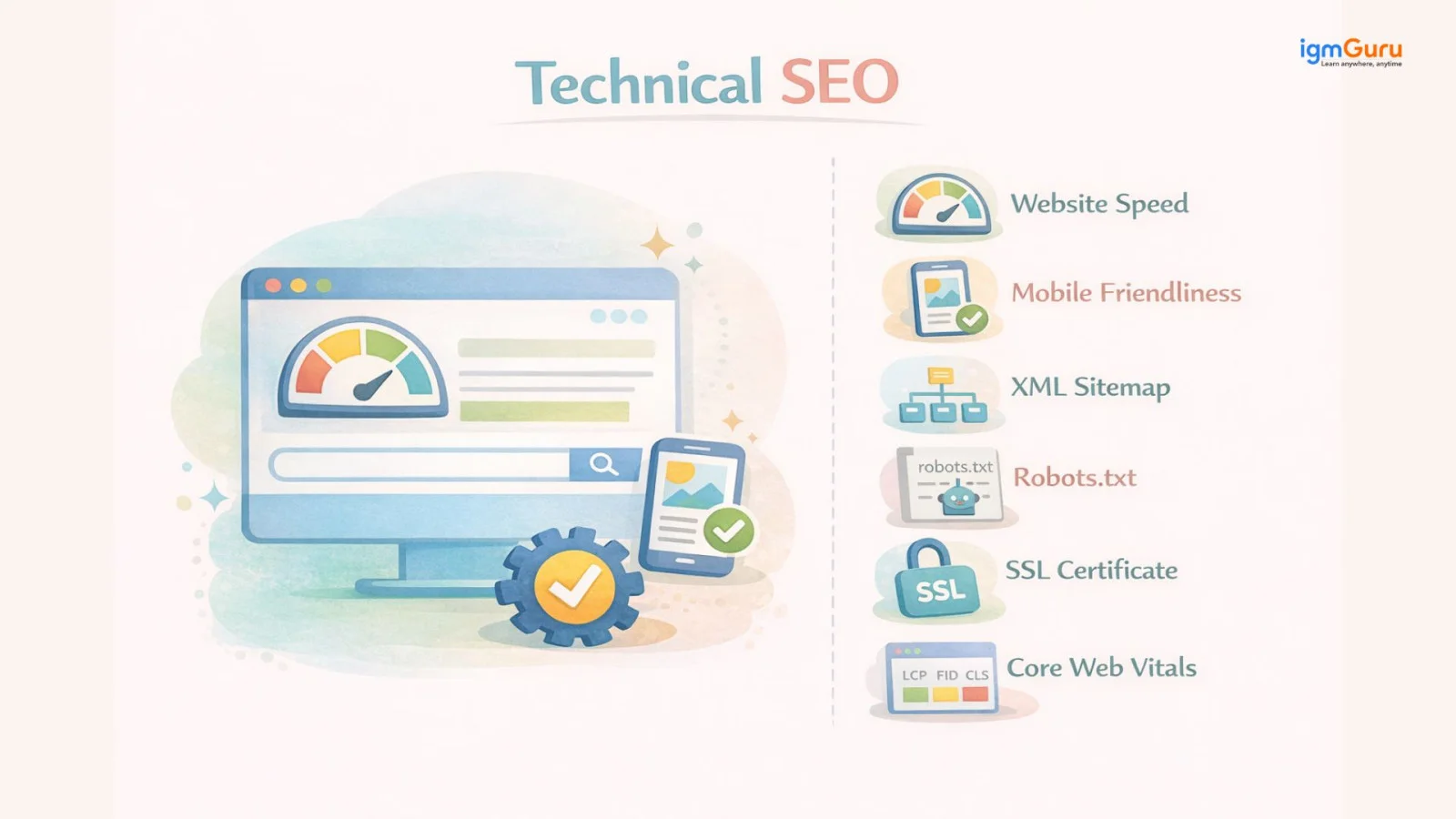
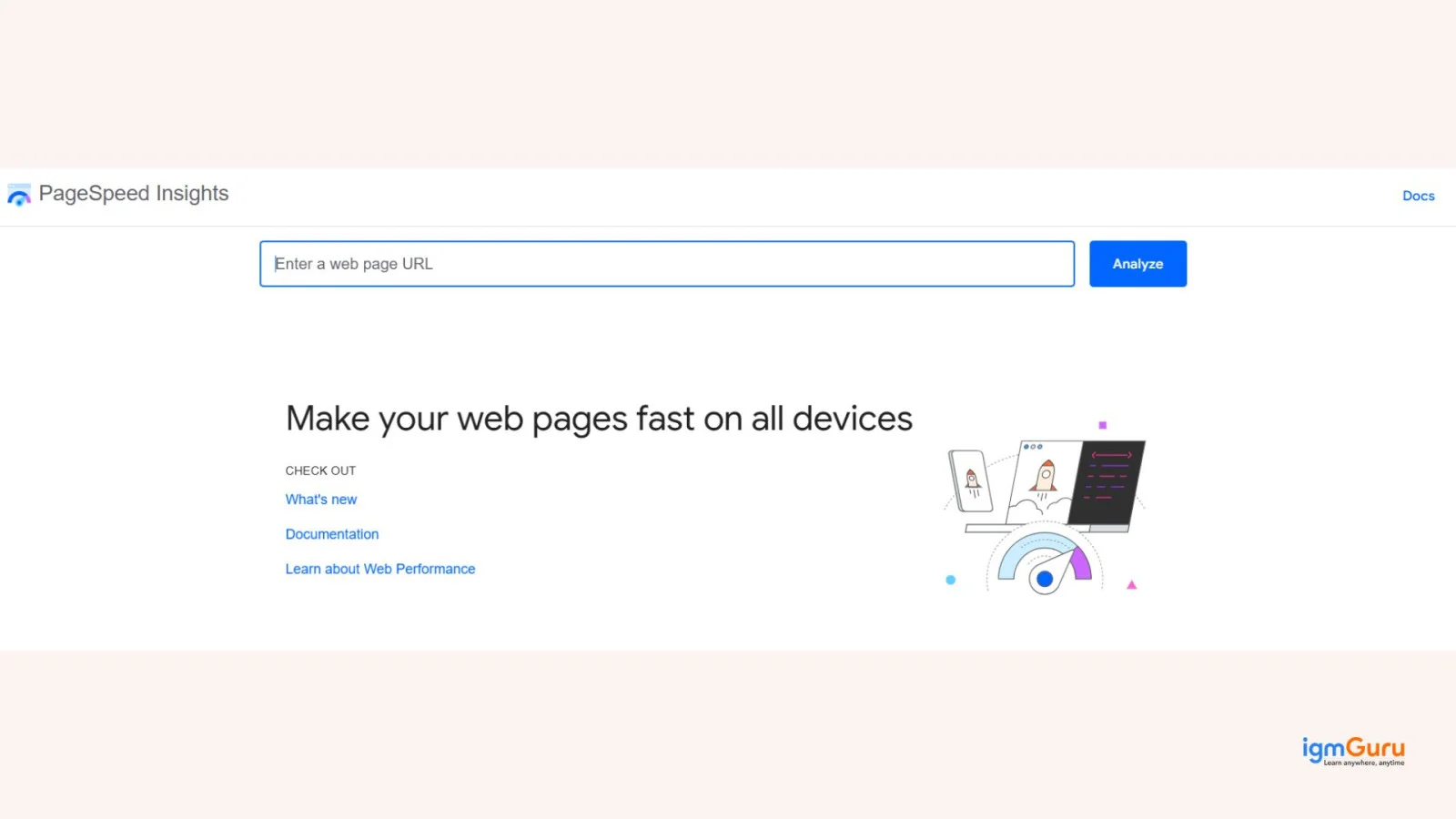
Website speed plays a direct role in rankings. If your site takes too long to load, then users will leave quickly and Google will notice that. A fast website gives a better experience and helps you rank higher. You can check your speed using tools like Google PageSpeed Insights. It shows what is slowing your site down and how you can fix it.
Most people use their phones to search on Google. That is why Google follows mobile-first indexing.
This means Google mainly looks at the mobile version of your site when deciding rankings. If your website does not work properly on mobile, it can affect your SEO.
Your site should be responsive, easy to read and simple to use on smaller screens.
An XML sitemap helps search engines understand your website structure. It lists all the important pages on your site and tells Google what should be crawled and indexed. This makes it easier for new or updated pages to get noticed.
The robots.txt file controls how search engines interact with your website. It tells crawlers which pages they can access and which ones they should ignore. This helps you avoid wasting crawl budgets on unimportant pages.
An SSL certificate makes your website secure by using HTTPS in place of HTTP.
Google prefers secure websites because they protect user data. If your site is not secure, then it can definitely affect both trust and rankings.
Core Web Vitals are metrics that measure user experience on your site.
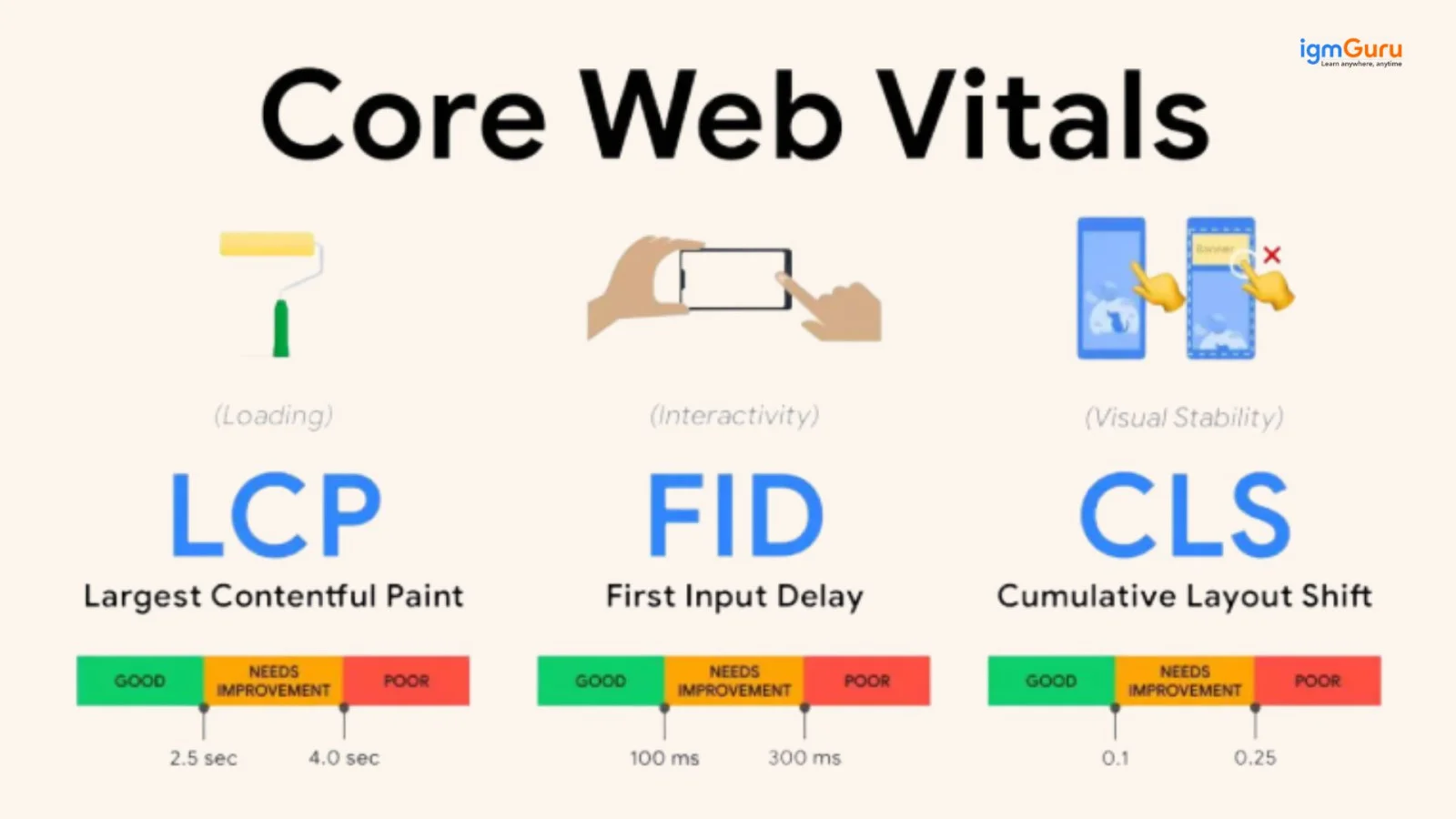
If your site loads quickly, responds fast and does not shift unexpectedly, then it creates a smooth experience. Google considers this while ranking your pages.
Local SEO helps your business appear in search results when people are looking for something that is nearby. For instance, if someone searches for “cafes near me” or “best salon in Jaipur”. Then, Google shows local results based on location. If your business is optimized for local SEO, then you have a better chance of showing up there.
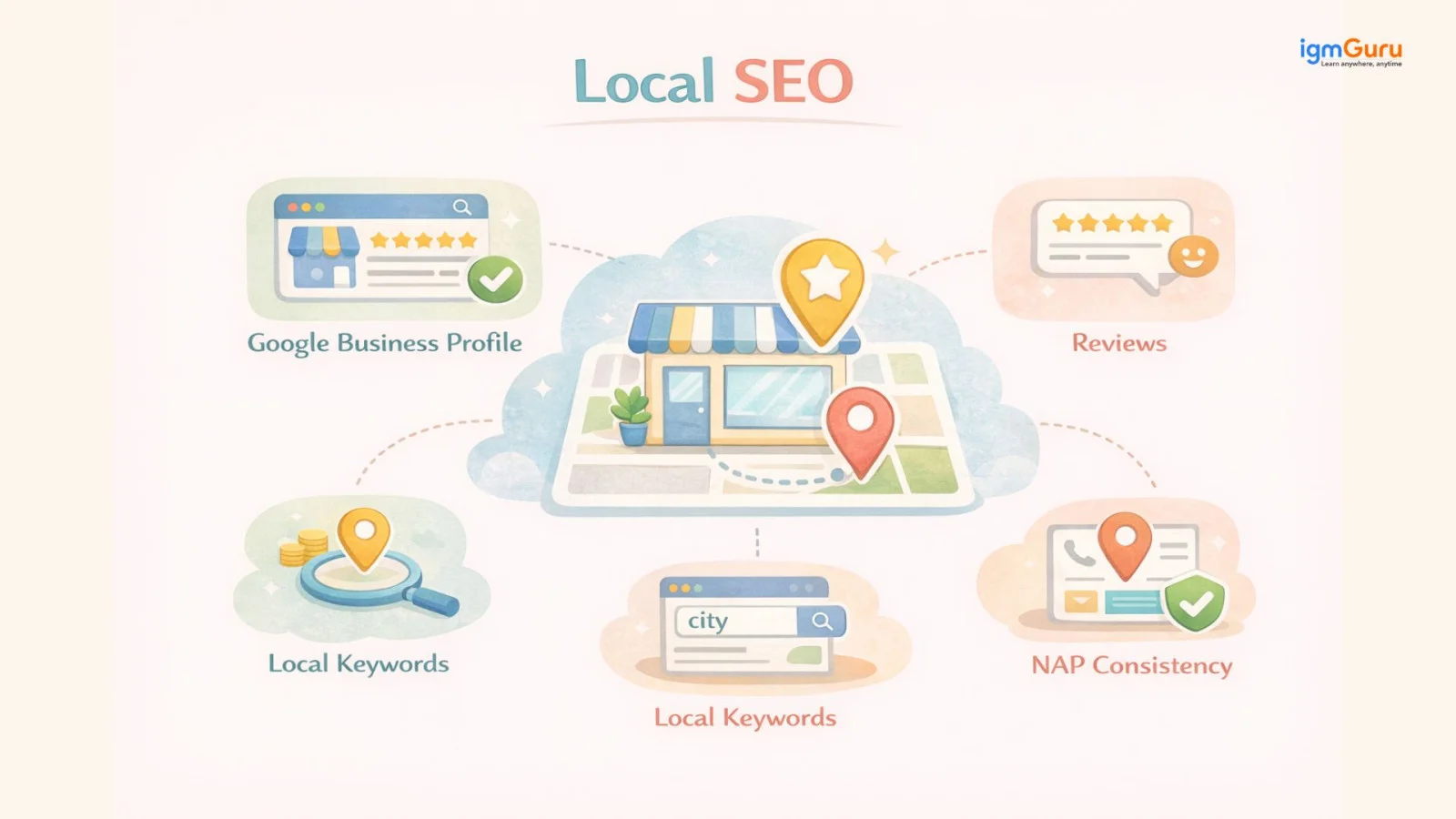
Your Google Business Profile is one of the most important parts of local SEO. It is the listing that appears on Google with your business name, location, photos and contact details. You should create and verify your profile, keep all the information accurate and update it regularly. This helps Google trust your business and show it to more people.
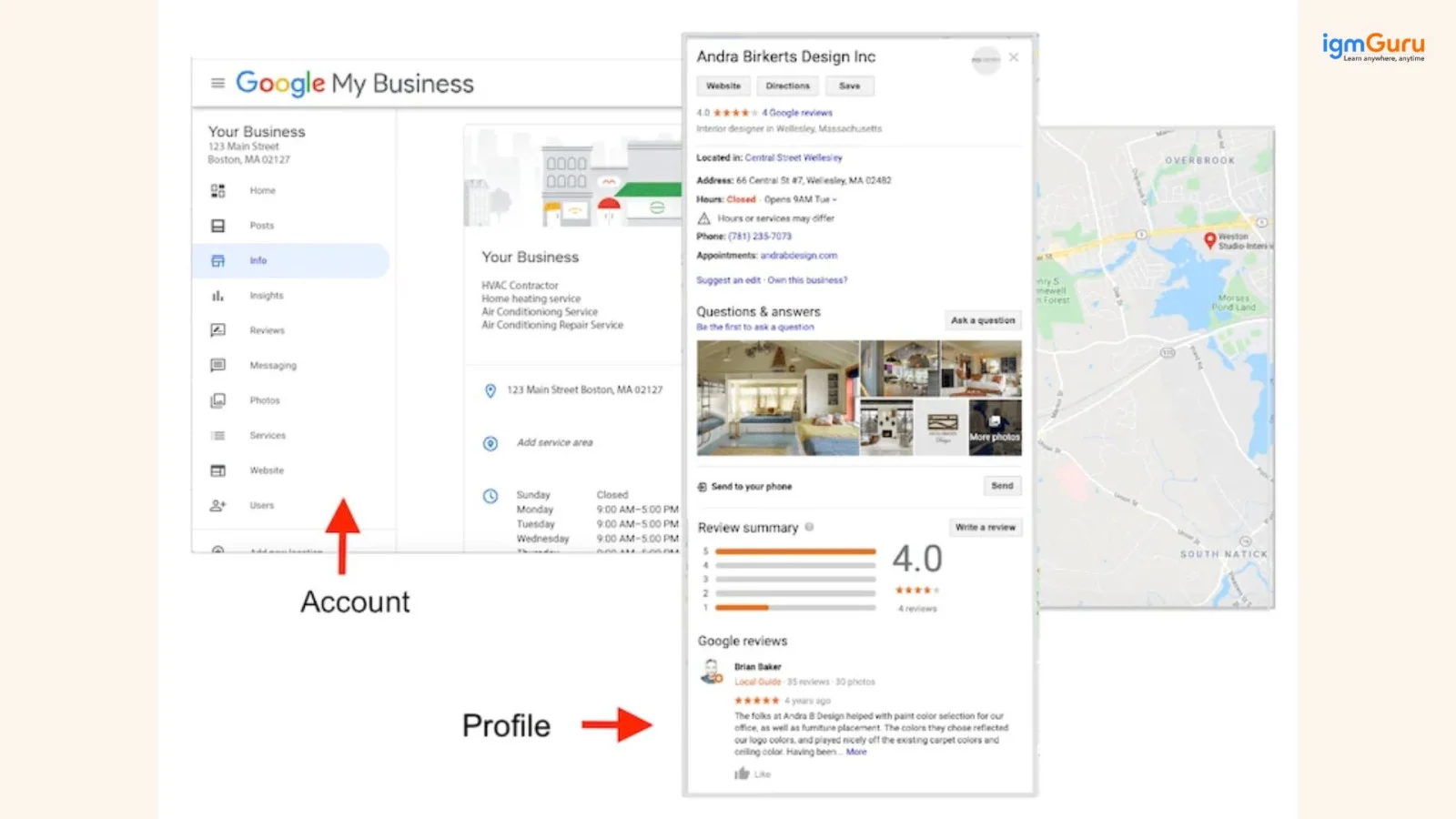
Reviews play a big role in local SEO. When people leave positive reviews, it builds trust and increases your chances of ranking higher in local results. It also influences new customers to choose your business. You should always encourage happy customers to leave reviews and respond to them properly.
Local keywords help you in targeting people in a specific area. So, instead of using general keywords, you should include location-based terms.
For instance, “best bakery in Jaipur” or “digital marketing agency in Delhi.” This helps Google understand where your business operates and who it should show your content to.
NAP consistency means your business name, address, and phone number should be the same everywhere online. If your details are different across websites, it can confuse Google and affect your rankings. Keeping your information consistent builds trust and improves your local SEO performance.
When people start learning SEO, this is one of the first questions they ask. Both on-page and off-page SEO are important. But they work very differently. One focuses on what you do inside your website, the other on what happens outside it.
Think of it this way. On-page SEO is your house. You control how it looks, how it is organized and how clean it is. Off-page SEO is your reputation in the neighborhood. Other people decide that, based on how they talk about you and whether they recommend you to others.
You need both to rank well. A perfectly optimized website with no backlinks will struggle. And a website with hundreds of backlinks but poor content will also struggle. Google looks at both together when deciding who ranks on page one.
Here is a full breakdown of how the two compare:
| Aspect | On-Page SEO | Off-Page SEO |
| Definition | Optimizing elements within a website to improve rankings and user experience. | Activities performed outside a website to improve authority, trust, and rankings. |
| Primary Goal | Make content relevant, accessible, and user-friendly. | Increase website authority and credibility. |
| Control Level | Fully controlled by the website owner. | Partially controlled, depends on external sources. |
| Focus Area | Content quality, keywords, HTML tags, site structure, UX. | Backlinks, brand mentions, social signals, reputation. |
| Keywords | Strategic placement in content, titles, headings, and URLs. | Keywords aren't directly optimized but can influence anchor text in backlinks. |
| Content Quality | High-quality, informative, engaging content. | Content promotion to attract shares and backlinks. |
| Title Tags | Optimized with primary keywords and user intent. | Not applicable directly. |
| Meta Descriptions | Improve click-through rates from search results. | Not applicable directly. |
| URL Structure | Short, descriptive, keyword-rich URLs. | No direct impact. |
| Header Tags (H1-H6) | Organize content and improve readability. | No direct impact. |
| Internal Linking | Helps users and search engines navigate the site. | No direct impact. |
| Image Optimization | Alt text, file size, and descriptive filenames. | No direct impact. |
| Page Speed | Critical ranking factor affecting user experience. | No direct impact, though reputation may influence traffic. |
| Mobile Friendliness | Essential for rankings due to mobile-first indexing. | No direct impact. |
| User Experience (UX) | Navigation, readability, design, and engagement. | Influences whether others link to your site. |
| Backlinks | Not the primary focus. | Core ranking factor; quality backlinks increase authority. |
| Social Media Marketing | Minimal direct impact. | Helps content gain visibility and potential backlinks. |
| Brand Mentions | Not a direct factor. | Improve credibility and online presence. |
| Guest Posting | Rarely involved. | Common strategy for earning backlinks. |
| Influencer Outreach | Not typically included. | Helps generate mentions, shares, and links. |
| Local SEO Citations | NAP consistency on website. | Directory listings and local citations boost local rankings. |
| Trust Signals | SSL certificate, privacy policy, contact details. | Reviews, ratings, and online reputation. |
| Measurement Metrics | Organic traffic, bounce rate, dwell time, CTR, page views. | Domain authority, referring domains, backlinks, brand mentions. |
| Time to See Results | Usually faster (days to weeks). | Often slower (weeks to months). |
| Cost | Mostly content creation and technical improvements. | Often involves outreach, PR, and relationship-building efforts. |
| Examples | Optimizing blog posts, improving page speed, adding internal links. | Building backlinks, digital PR, influencer collaborations. |
SEO has several key components that work together to improve your ranking. Let me walk you through the most important ones.
Keyword research is the starting point of any SEO strategy. It helps you find the exact words and phrases people are typing into search engines. When you target the right keywords, you attract the right audience to your website.
Search intent is the reason behind a user's search. Are they looking for information? Do they want to buy something? Are they comparing options? When your content matches the intent behind a keyword, Google is far more likely to rank it.
There are four types of search intent:
Content is the foundation of SEO. Google ranks websites that provide helpful, accurate and well-written content. If your content answers the user's question better than anyone else, you have a much better chance of ranking higher.
This includes using your primary keyword in the title tag, meta description, URL, headings and throughout your content naturally. It helps Google understand what each page is about.
Google does not just look at single pages anymore. It looks at your entire website. If you have multiple articles covering different aspects of one topic, Google sees you as an authority on that topic. This is called topical authority and it is one of the biggest ranking advantages you can build.
Getting backlinks from other trusted websites is one of the strongest SEO signals. Tell Google that your website is credible and worth showing users.
Google cares how users feel when they visit your website. If your site is fast, easy to navigate and mobile-friendly, users will stay longer. This signals Google that your site is good, which helps with ranking.
Core Web Vitals are a set of specific technical metrics Google uses to measure user experience. They measure how fast your page loads, how quickly it becomes interactive and how stable the layout is as it loads. Poor Core Web Vitals can directly hurt your rankings.
Keywords are the words or phrases that people type into Google when they are searching for something. These keywords help search engines understand what your content is about and when it should be shown.
If your content matches the right keywords, it has a higher chance of appearing in search results. That is why choosing the right keywords is one of the most important parts of SEO.
Not all keywords are the same. Some are very broad, while others are more specific. Let’s understand the two main types.
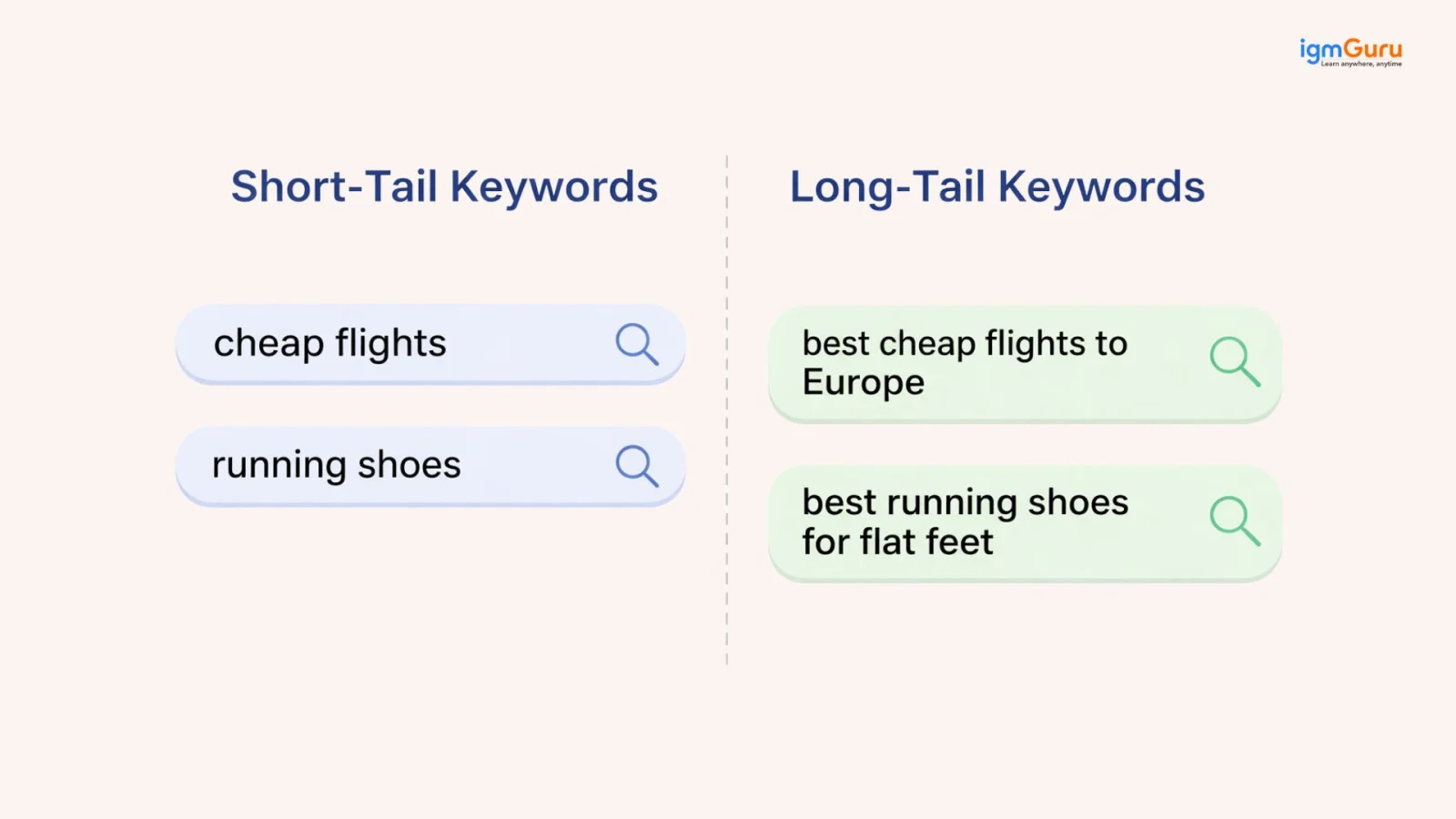
Short-tail keywords are very general and usually contain one or two words. For instance:
“SEO” or “digital marketing”
These keywords have very high competition because many websites are trying to rank for them. They also do not clearly show what the user is looking for, so they are harder to target, especially if your website is new.
Long-tail keywords are more specific and usually contain three or more words. For instance:
“What is SEO for beginners?” or “Best SEO tools for small business.”
These keywords have lower competition, which makes them easier to rank for. They also have higher conversion because they clearly show what the user wants.
If you are just starting with SEO, long-tail keywords are your best option. They are easier to rank for because fewer websites are targeting them. They also bring more relevant traffic because the search intent is clear.
For example, someone searching “SEO” may just be exploring, but someone searching “how to learn SEO step by step” is more likely to read your content carefully and take action.
By targeting long-tail keywords, you can start getting traffic faster and build your authority over time.
Related Article: Best AI Visibility Tools
When you search on Google, you usually see only two types of results. Some are marked as ads and some appear naturally. These are called paid search and organic search.
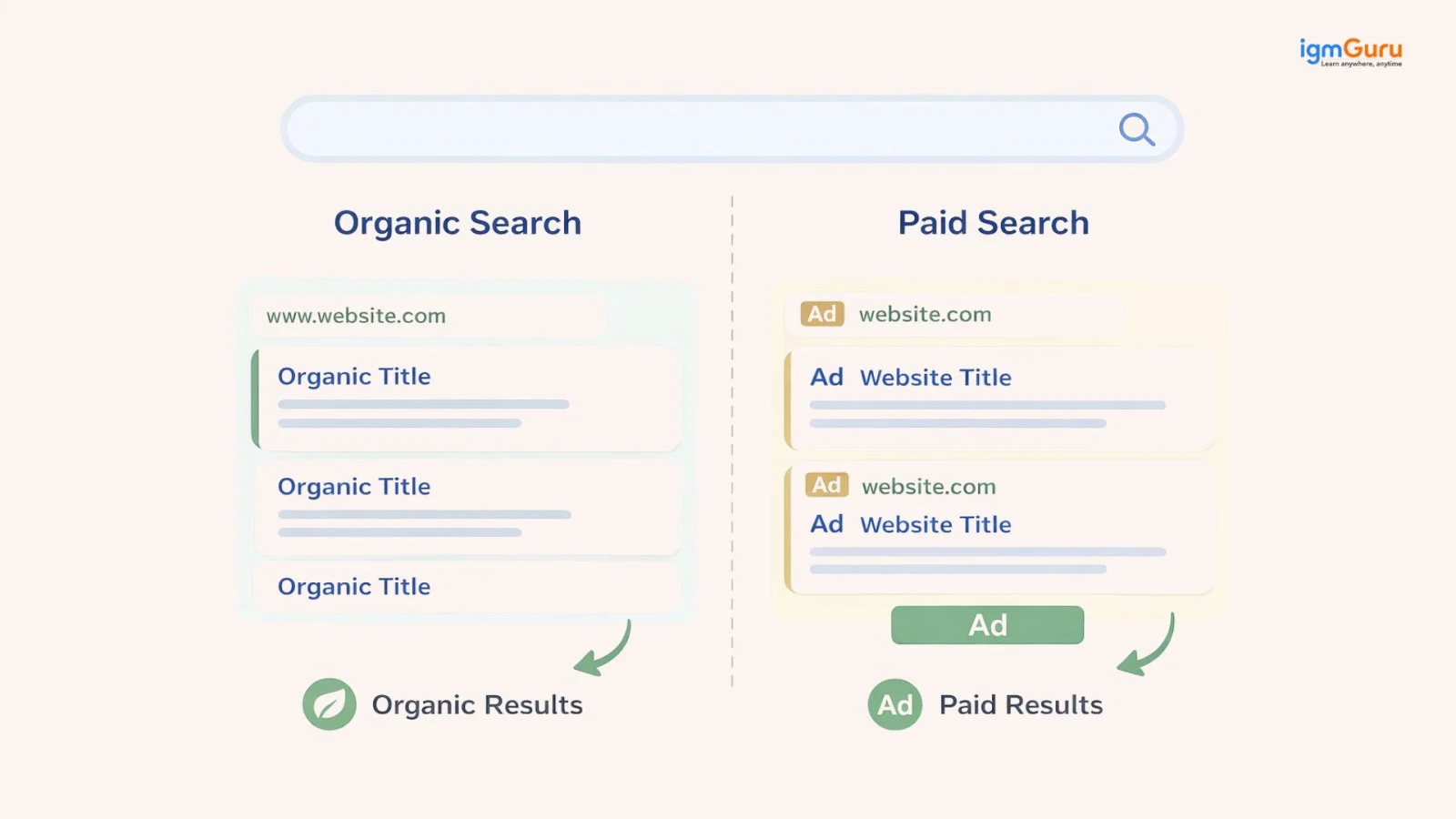
Organic search comes from SEO. You are not required to pay for clicks. You earn your position by creating useful and optimized content. Paid search comes from ads. You pay Google to show your website at the top for certain keywords. Both have their own place, but they work very differently. Let’s break it down:
| Factor | Organic Search (SEO) | Paid Search (Ads) |
|---|---|---|
| Cost | You do not pay for each click. It is free traffic once you rank. | You pay for every click. Costs can increase quickly. |
| Time | It takes time to rank. It is a long-term process. | It gives instant visibility as soon as you run ads. |
| Results Duration | It is long-lasting and can bring traffic for months or years. | It stops immediately when you stop paying. |
| Trust Factor | It creates higher trust and users prefer organic results. | It creates lower trust and many users skip ads. |
| Sustainability | It builds long-term growth and authority. | It works only while you keep spending money. |
| Click-Through Rate | It is often higher for informational searches. | It can be high for transactional searches. |
| Effort | It requires content, SEO strategy and consistency. | It requires a budget and ad management. |
| Control | It has less control over exact rankings. | It has full control over when and where ads appear. |
| Best Use Case | Blogs, guides, and long-term traffic growth. | Quick sales, promotions and campaigns. |
Now, if you want quick results, then paid search will be the best fit for you. But if you want steady, long-term traffic without paying again and again, then organic search is the better choice. Most successful websites use both, but SEO is what builds a strong foundation over time.
Google uses many factors to decide which page should rank higher, but you do not need to worry about all of them. If you focus on the right ones, you can already stay ahead of most people. Let’s go through the most important factors in a simple way.
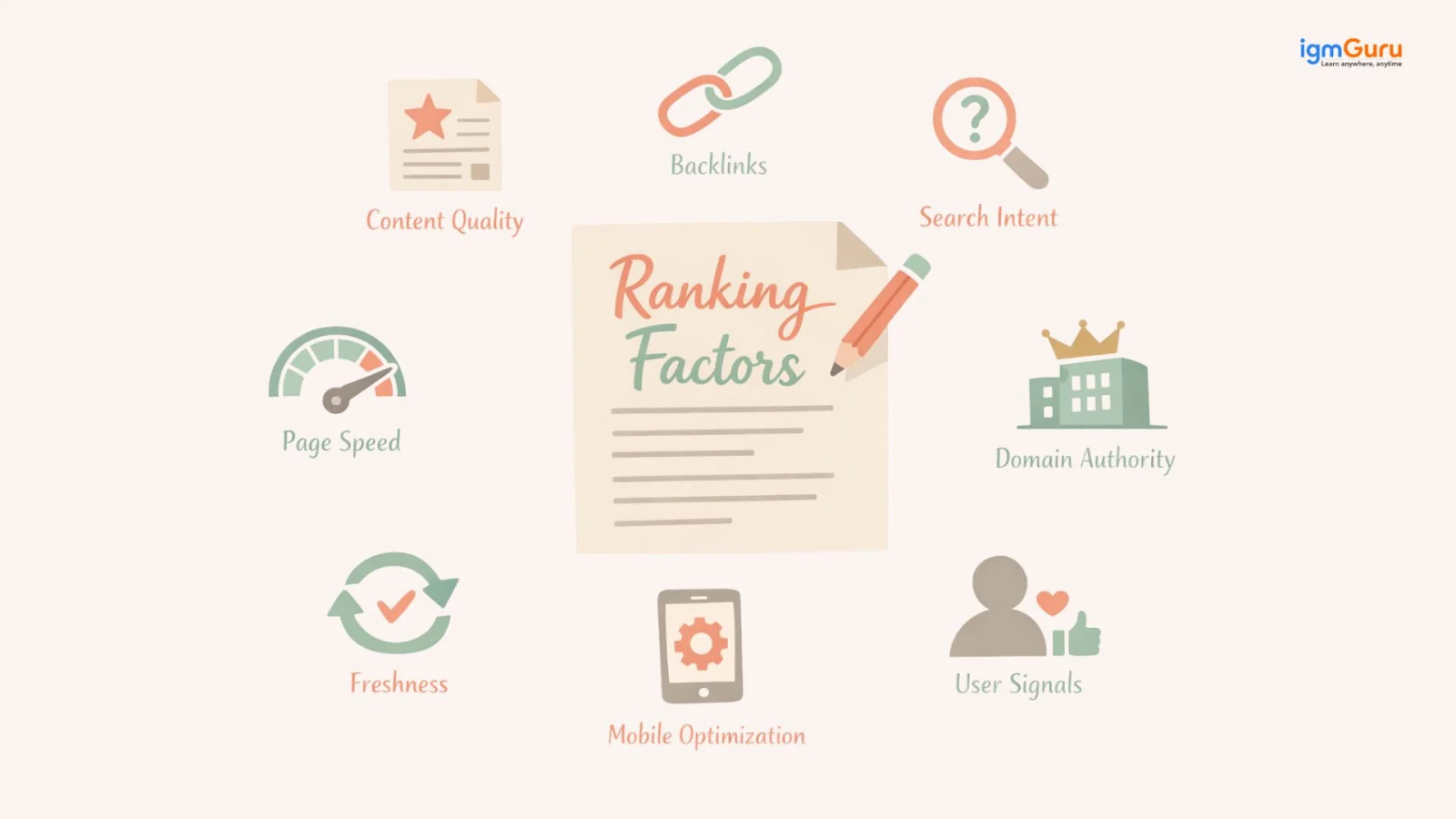
Content quality is the foundation of SEO. Your content should always be helpful, clear and easy to understand. It should answer the user’s question properly. If your content is shallow or copied, then it will not perform well. Good content always focuses on real value, not just filling some random words or doing keyword stuffing.
Backlinks act like trust signals. When other websites link to your content, it shows Google that your page is reliable. The more high-quality and relevant backlinks you have, the stronger your authority becomes. For more information on backlinks, you can check the above sections.
Search intent is about understanding what the user actually wants. For instance, if someone is searching for “what is SEO”. They want an explanation, not a product page. If your content does not match the intent, it will not rank, even if everything else is correct.
Page speed affects both user experience and rankings. If your website loads slowly, then the user leaves quickly. A fast-loading page keeps users engaged and improves your chances of ranking higher.
Most users are on mobile devices. Your website should work smoothly on phones. If your site is hard to use on mobile, it can negatively affect your rankings.
Domain authority reflects the score of how strong and trusted your website is. Websites with higher authority usually rank more easily. This builds over time through good content, domain age, backlinks and consistency. It is used to estimate how likely your site is to rank compared to others.
Google prefers updated content. If your content stays relevant and up to date, then it has a better chance of ranking. Updating old articles, blogs or any form of content of your website can improve performance without creating new ones.
User behavior also matters. If people click your link (CTR) and stay on your page for a longer time (dwell time), it shows Google that your content is useful. If users leave quickly, it can be a negative signal.
If you are just starting with SEO, do not feel overwhelmed. Here are some simple and effective SEO best practices that will help you get started on the right path.
Before you write any content, find out what your target audience is searching for. Use tools like Google Keyword Planner, Ubersuggest or Ahrefs to find keywords with good search volume and low competition. For new websites, start with long-tail keywords. These are longer, more specific phrases that are easier to rank.
For example, instead of targeting "SEO," target "what is SEO for small businesses" or "SEO tips for beginners." These keywords have lower competition and attract a more specific audience.
Do not just write content for writing's sake. Focus on answering the specific questions your audience is asking. When your content is genuinely helpful, people will stay longer on your page and Google will reward you for it.
Your title tag is the main clickable link that appears in search results. Your meta description is the short summary below it. Both should include your primary keyword and give users a clear reason to click on your link. Keep your title under 60 characters and your meta description under 160 characters.
Use H1 for your main title, H2 for main sections and H3 for sub-sections. This makes your content easy to read for both users and search engines. Also, include your primary and secondary keywords in your headings naturally.
Link your pages to each other within your own website. This helps users explore more of your content and helps Google understand your site's structure. It also spreads authority from your stronger pages to your newer ones.
Always add alt text to your images. Alt text is a short description that tells search engines what the image is about. Also compress your images so they do not slow down your website. Use tools like TinyPNG or ShortPixel for compression.
Google favors fresh content. Go back to your old articles and update them with new information, better keywords and updated statistics. In my experience, updating a single old article can sometimes double its traffic within 30 days.
Do not publish random articles. Build a topic cluster. Write one main "pillar" article on a broad topic and then write several supporting articles on related sub-topics. Link them all together. This builds topical authority and helps your entire cluster rank better over time.
SEO is not just about doing things right. It is also about avoiding mistakes that can quietly hurt your rankings. Many people put in effort but still do not see results because of these small but important issues. Let’s go through the most common mistakes you should avoid.
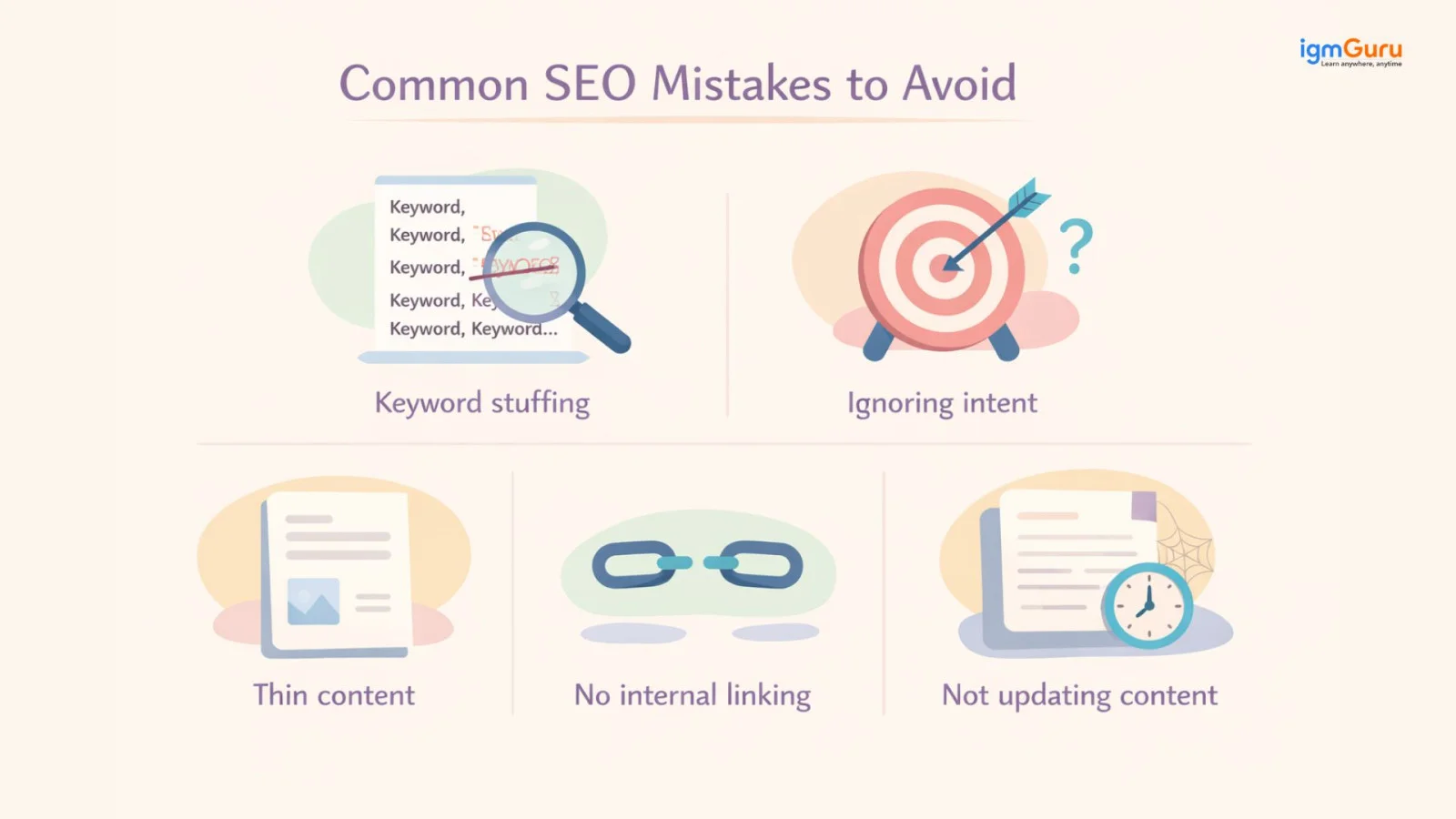
Keyword stuffing means using the same keyword again and again in your content. It might feel like it will help you rank, but it actually does the opposite. Your content starts to feel unnatural and Google can penalize it. You should use keywords naturally and focus more on clarity than repetition.
Search intent is one of the most important parts of SEO. If someone is searching for information and your page is trying to sell something, it will not match what they want. Even if your content is good, it will not rank. You should always understand what the user is looking for and create content accordingly.
Thin content means content that does not provide enough value. If your page has very little information or does not fully answer the topic, then users will leave quickly. Google also prefers detailed and helpful content. You should always try to explain the topic clearly and completely.
Internal linking is sometimes ignored, but it is very important. If your pages are not connected, then Google may find it harder to discover your content. That is why you should link related pages so users can explore more and stay longer.
SEO is never a one-time effort. If your content becomes outdated, it can slowly lose its ranking. Google prefers content that stays fresh and relevant. You should update your content regularly by adding new information or improving existing sections.
There is a lot of bad SEO advice floating around online. Here are some common SEO myths that you should stop believing right now:
Quality beats quantity every time. One well-researched article trumps ten things.
Social media does not directly affect your Google rankings. It can help indirectly by driving traffic and earning backlinks, but it is not a ranking signal.
SEO requires ongoing effort. Algorithms change, competitors update their content and search trends shift constantly.
Google finds your site automatically through crawling. You just need to make sure your site is crawlable.
Running Google Ads has no effect on your organic SEO rankings. They are completely separate systems.
With the rise of AI, new strategies have entered the digital marketing world alongside traditional SEO. Here is a breakdown of all four so you can decide which one fits your goals.
| Parameter | SEO | GEO | AIO | AEO |
| Full Form | Search Engine Optimization | Generative Engine Optimization | AI Optimization | Answer Engine Optimization |
| Main Focus | Ranking on traditional search engines like Google | Getting featured in AI-generated search answers | Optimizing your brand for AI tools like ChatGPT and Claude | Getting your content pulled as direct answers in search |
| Where It Works | Google, Bing, Yahoo | Google SGE, Bing AI, Perplexity | ChatGPT, Claude, Gemini | Google Featured Snippets, People Also Ask, Voice Search |
| Main Goal | Rank higher to get organic traffic | Get cited in AI-generated answers | Make your brand recognized and trusted by AI systems | Get your content used as the direct answer to a query |
| Type of Activity | Keywords, backlinks, technical fixes, content creation | Structured data, authoritative sources, clear answers | Brand mentions, factual accuracy, training data presence | Concise answers, schema markup, FAQ optimization |
| Cost | Mostly free but takes time and effort | Mostly free but requires high authority content | Mostly free with focus on credibility | Mostly free with focus on content structure |
| Speed of Results | Slow but long-lasting | Medium and growing fast | Still emerging | Medium |
Now comes the most practical part. You understand the concepts, but the real question is how do you actually do SEO step by step? You do not need to do everything at once. You just need to follow a clear flow and stay consistent. Let’s break it down in a simple way.
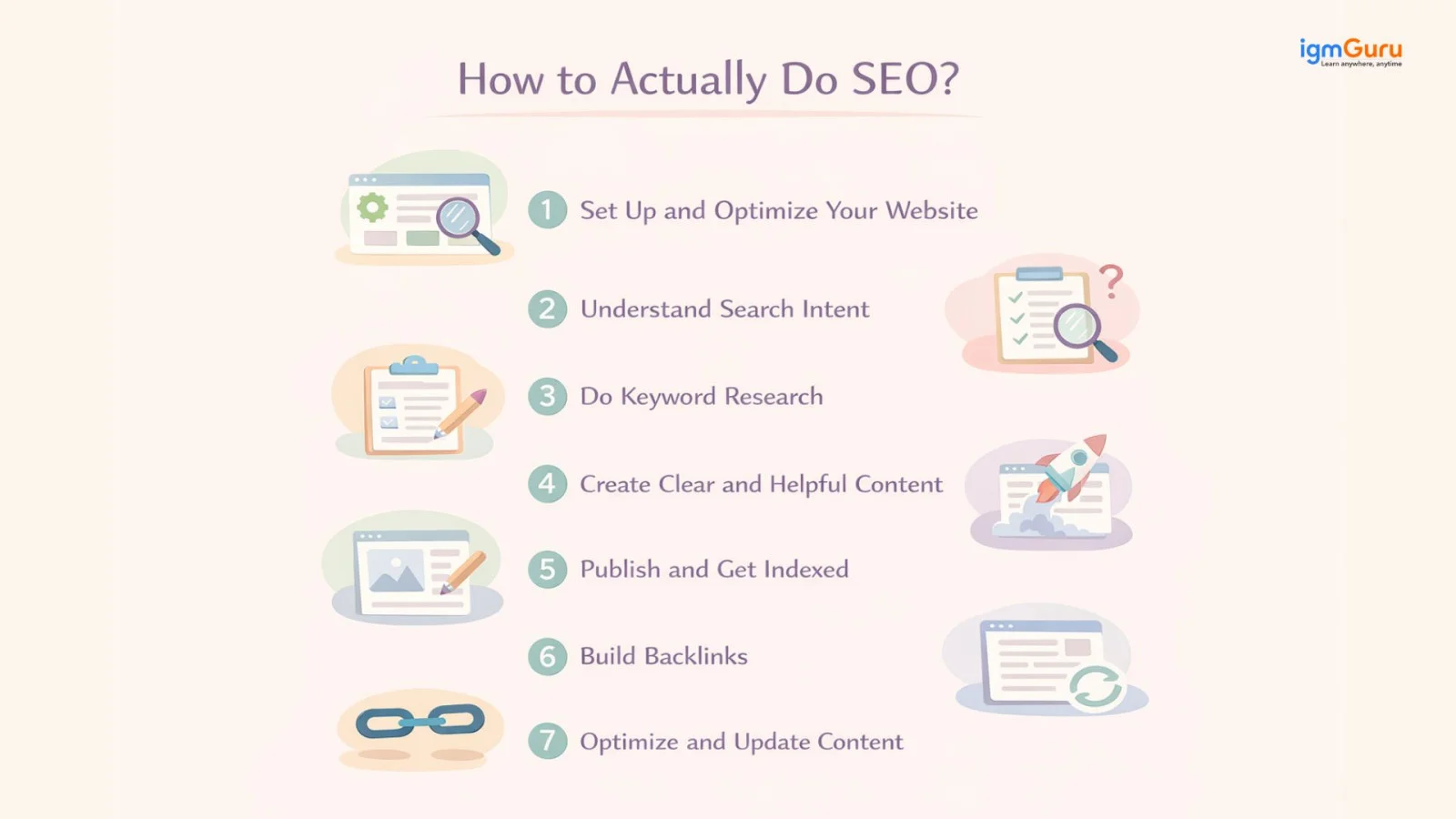
Before anything else, your website should be ready. It should load fast, work properly and be easy to use. You should make sure your site has a clean structure, proper navigation and no technical issues. Your design should be responsive, which means it should work smoothly on mobile as well as desktop. This is important because Google mainly looks at the mobile version of your site.
Before choosing keywords or writing content, you need to understand what the user actually wants. Are they looking for information, a product or a comparison? If your content does not match the intent, it will not rank, no matter how well you optimize it.
Now you find the right keywords. You should look for keywords that people are actually searching for. Focus more on long-tail keywords because they are easier to rank for and bring more relevant traffic. You can use tools like Google Keyword Planner or Ubersuggest to find ideas.
Once you have your keywords, you create content around them. Your content should be simple, clear and helpful. You should explain the topic properly and avoid unnecessary fluff. You should also place your keywords naturally in the title, headings and content without overusing them.
After creating content, you publish it on your website. Then you should make sure Google knows about it. You can submit your page through Google Search Console so it gets indexed faster. If your page is not indexed, it will not appear in search results.
Once your content is live, you should start building backlinks. You can do this through guest posts, sharing your content or reaching out to other websites. Backlinks help build trust and authority. The more quality backlinks you have, the stronger your chances of ranking.
SEO does not end after publishing. You should keep improving your content. You can update old articles, add new information and improve your on-page SEO. This keeps your content fresh and helps maintain or improve your rankings.
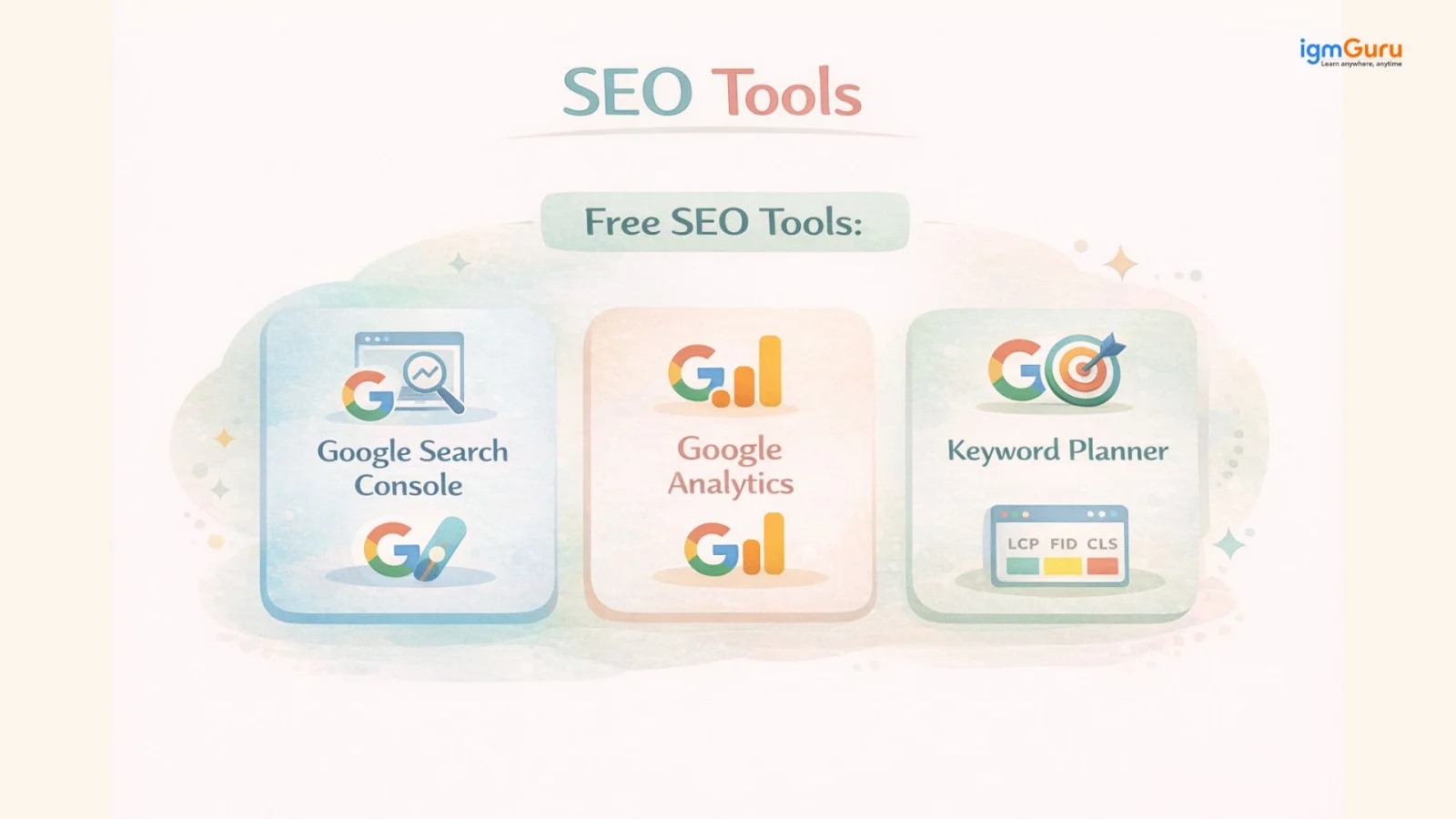
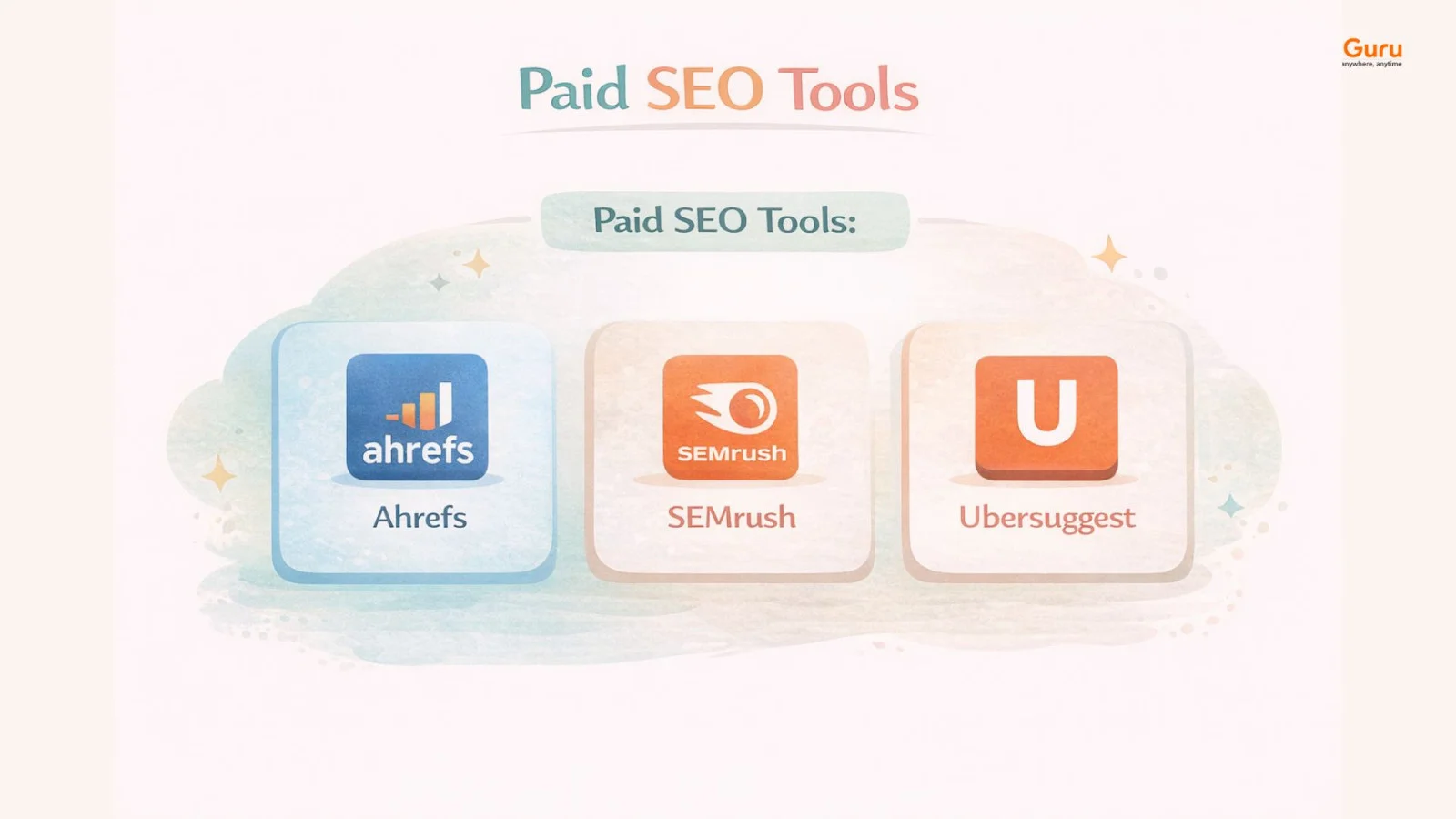
SEO tools help you understand what is working and what needs improvement. They show you data about your website, your traffic and your keywords. Some tools are free and great for beginners, while other tools are paid and offer deeper insights. Let’s have a look at them.
| Tool | What It Does | Why It Is Useful |
|---|---|---|
| Google Search Console | Shows how your website performs on Google search | Helps you track rankings, fix errors and see which keywords bring traffic |
| Google Analytics | Tracks your website visitors and their behavior | Helps you understand who is visiting, how long they stay and what they do |
| Keyword Planner | Helps you find keywords and search volume | Useful for discovering what people are searching for and planning content. |
| Tool | What It Does | Why It Is Useful |
|---|---|---|
| Ahrefs | Provides keyword research, backlink analysis and competitor insights | Helps you find ranking opportunities and analyze strong competitors |
| SEMrush | All-in-one SEO tool for keywords, audits and tracking | Helps you manage SEO strategy and track performance in one place |
| Ubersuggest | Keyword research and basic SEO analysis tool | Good for beginners who want simple insights at a lower cost |
If you are just getting started, use this simple checklist to cover all the basics:
There are some SEO terms that you might have seen again and again. If you understand these terms clearly, everything will eventually become easy for you. Let’s begin.
Page Authority is similar to Domain Authority, but it focuses on a single page instead of the whole website. It is used to measure how strong a specific page is. If a page has good content and strong backlinks, it can definitely rank well even if the overall website is new for the search engines. When Google ranks anything on the top, it looks at page-level signals.
Anchor text is the clickable text of a link. It is used to describe what the linked page is about. When you use clear and relevant anchor text, it helps Google in understanding the topic of the linked page. It also improves user experience because people know what they are clicking on.
SERP stands for Search Engine Results Page. It is the page you see after searching on Google. It is used to display results like websites, ads, featured snippets and more. Your goal in SEO is to appear on the first page of the SERP. The higher you will rank, the more visibility and clicks you will get.
CTR is the percentage of people who click your link after seeing it on Google. It is used to measure how attractive your title and description are. If more people click on your result, it will give signals to Google that your content is relevant. A higher CTR can help improve your ranking over time.
Bounce rate shows how many users leave your page without taking any action. It is used to understand user behavior. If people leave quickly, then it may give a signal that your content is not useful or engaging. This can indirectly affect your SEO performance.
Dwell time is the amount of time a user spends on your page after clicking it. It is used to measure how engaging your content is. If users stay longer, then it shows that your content is helpful. This sends a positive signal to Google.
A canonical tag tells search engines which version of a page is the main one. It is used when you have similar or duplicate content. This helps Google avoid any kind of confusion and it also ensures that the correct page gets ranked instead of splitting ranking signals.
A 301 redirect permanently sends users and search engines from one URL to another. It is used when you move or delete a page. It helps preserve SEO value by transferring authority from the old page to the new one, so you do not lose rankings.
Schema markup is a type of structured data that is added to your website. It is used to help search engines understand your content better. It can improve how your page appears on Google, like showing ratings, FAQs or extra details. This can eventually increase clicks.
Featured snippets are special boxes that appear at the top of Google results. They show direct answers to user queries. Getting featured here increases your visibility and clicks. Google selects content that clearly answers questions in a simple format.
Alt text is a description added to images. It is used to help search engines understand what the image is about. It also improves accessibility and can help your images appear in search results.
Crawl budget is the number of pages Google crawls on your site within a given time. It is used to manage how Google explores your website. If your site has many low-quality or unnecessary pages, it can waste this budget. A clean structure helps important pages get crawled more often.
Index coverage shows which pages of your site are indexed by Google and which are not. It is used to identify issues like errors or excluded pages. If important pages are not indexed, they will not appear in search results. Fixing these issues helps improve your visibility.
SEO is changing faster than ever. With the rise of AI-powered search features, the way people find information online is shifting. Here is what you need to prepare for:
Google's AI Overviews answer many queries directly. This means some searches that used to send traffic to websites will now cause zero clicks. To stay visible, your content needs to be the source Google pulls from, not just a result below it.
More and more people are using voice assistants to search the web. Voice searches are longer and conversational. Optimizing for questions like "how do I" and "what is the best" will become even more important.
Google uses E-E-A-T, which stands for Experience, Expertise, Authoritativeness and Trustworthiness, to evaluate content quality. Websites that show real expertise and genuine experience will rank higher in the future. Add author bios, real examples and first-hand experience to every article.
No matter how much SEO changes, content quality will always remain the most important factor. Google's job is to give users the best answer. If your content is the best answer, you will rank.
The days of ranking with one isolated article are fading. Building a complete content hub around a topic will be the standard approach for any serious SEO strategy going forward.
SEO may look complex to you at first. But once you understand the basics, it will start to feel much simpler and more practical. It is not about tricks or shortcuts. It is about understanding what people are searching for and creating content that truly helps them.
If you focus on clear content, the right keywords, and a good user experience, you are already on the right path. You do not need to be perfect. You just need to stay consistent.
SEO takes time, but the results are worth it. Once your content starts ranking, it can bring traffic again and again without extra cost. And that is exactly what makes SEO so powerful.
SEO usually takes a few weeks to a few months to show results. It depends on your competition, content quality and consistency.
SEO does not require paying for clicks, so the traffic is free. But it does require time, effort and sometimes tools to create and optimize content.
Yes, beginners can definitely do SEO. You just need to understand the basics and apply them step by step. With practice, it becomes easier.
Content quality and search intent are the most important. If your content truly helps users and matches what they are searching for, you have a strong chance to rank.