PostgreSQL has been the #1 open-source relational database management system (RDBMS) for the last two consecutive years. With its reliability, robust features and dynamic performance, it has become a valuable asset for tens of thousands of companies all around the world. Given its widespread adoption, the demand for PostgreSQL experts is surging, especially in open source and enterprise sectors.
This PostgreSQL tutorial for beginners takes a step in educating aspirants about this leading database management system. It begins with an introduction to PostgreSQL and moves on to its installation, basic concepts, writing queries, etc. It's an all-encompassing tutorial for anyone who's inclined towards learning about this database and using it to upgrade their career.
PostgreSQL, also known as Postgres, is an advanced and enterprise-class open-source relational database management system.It is the most reliable relational database software for new businesses. This database (DB) is supported by over 20 years of continuous community development and is highly stable. It's used by developers, data engineers, data analysts, database administrators, infrastructure engineers, etc. They use it to create and manage a relational database instance. It also helps to store, retrieve and manipulate data efficiently.
PostgreSQL provides many features, such as foreign keys, joins, triggers, stored procedures and views, and works with multiple programming languages. It is used to store data for web, analytics, infrastructure, and mobile applications. But to use all these features and functions, you will need to install this RDBMS in your system.
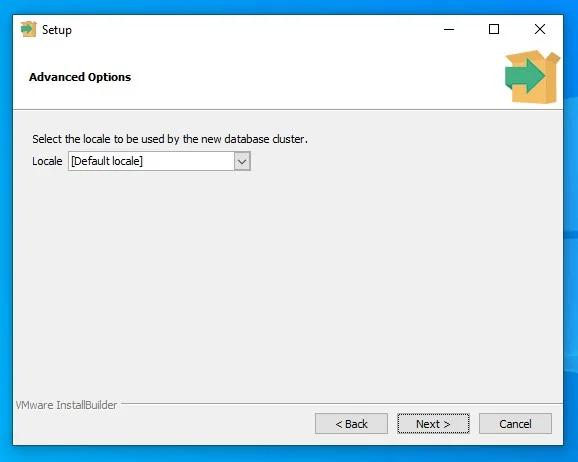
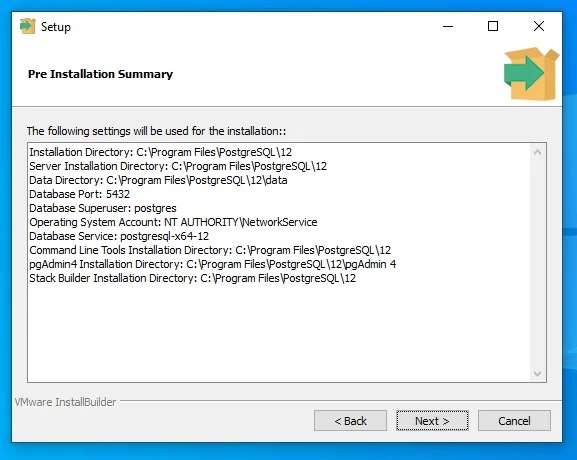
Postgres runs on most major operating systems including Windows, macOS, Linux and various Unix-like systems like FreeBSD and Solaris. We will explore each installation process in this section. But first, download the executable file.
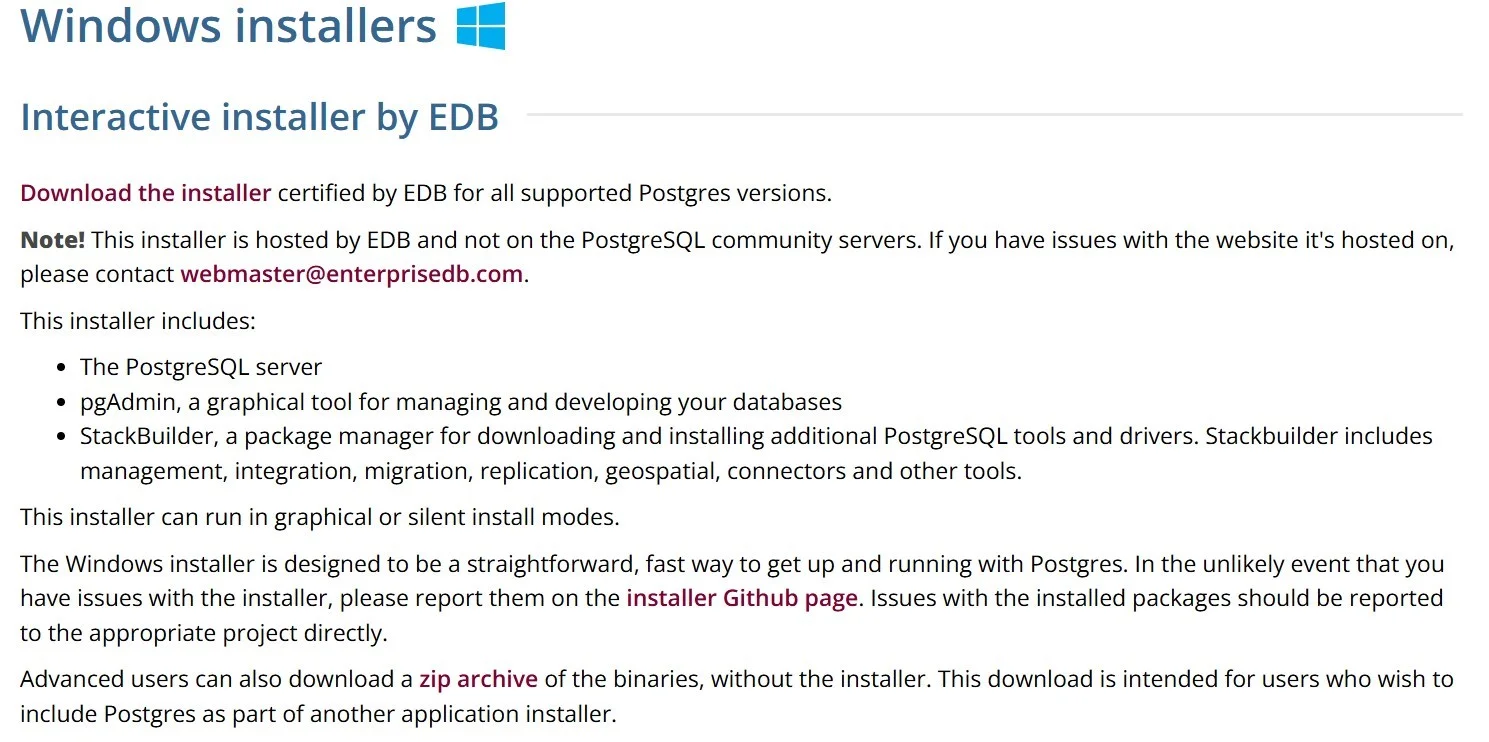
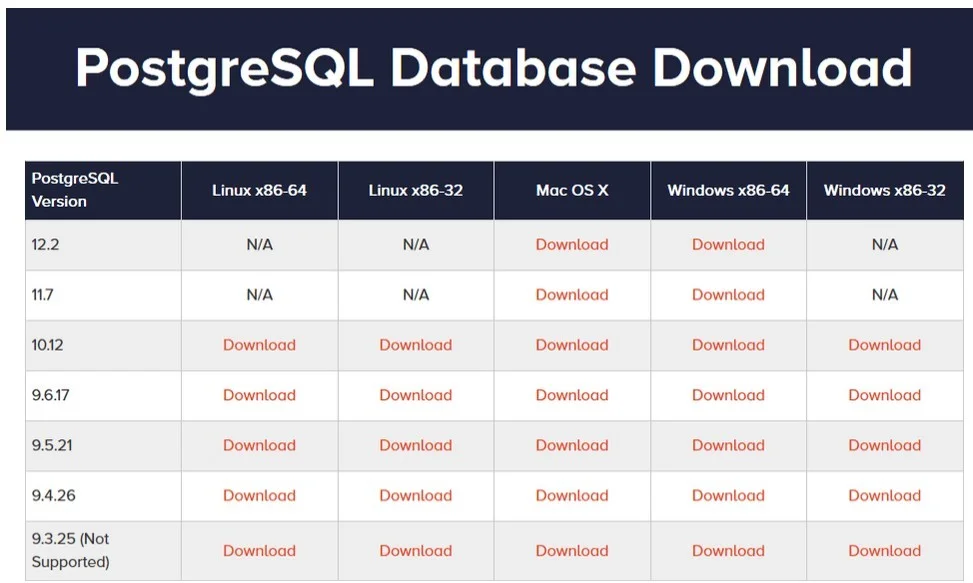
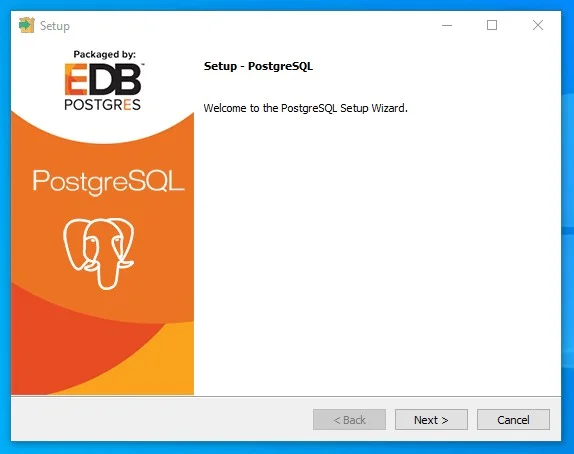
Installing PostgreSQL on Windows and macOS involves very similar steps with slight differences.
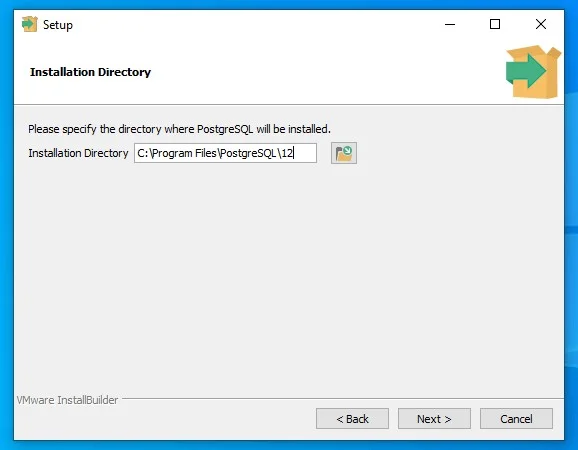
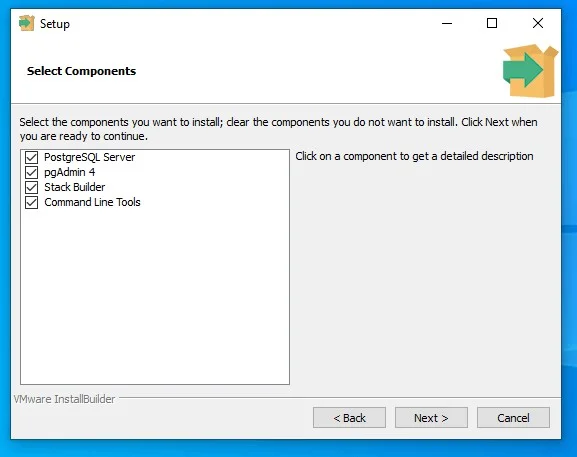
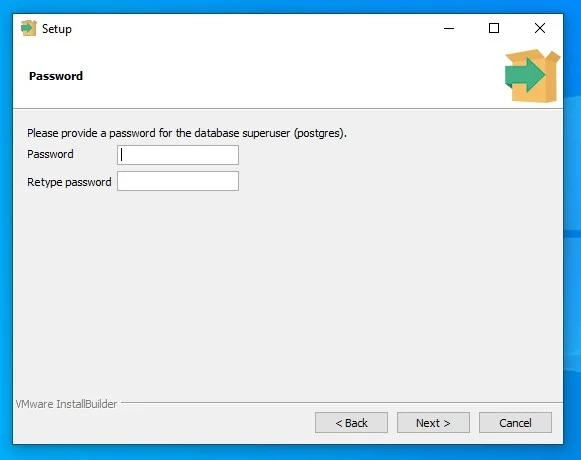
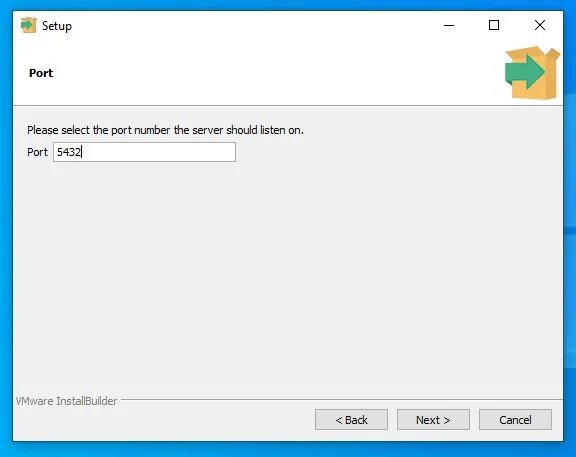
Both Ubuntu and Debian offer different editions of PostgreSQL servers as packages inside their repositories. Using these packages is the easiest way to install this RDBMS. It requires updating the computer's local package with the latest one.
sudo apt update
sudo apt install postgresql
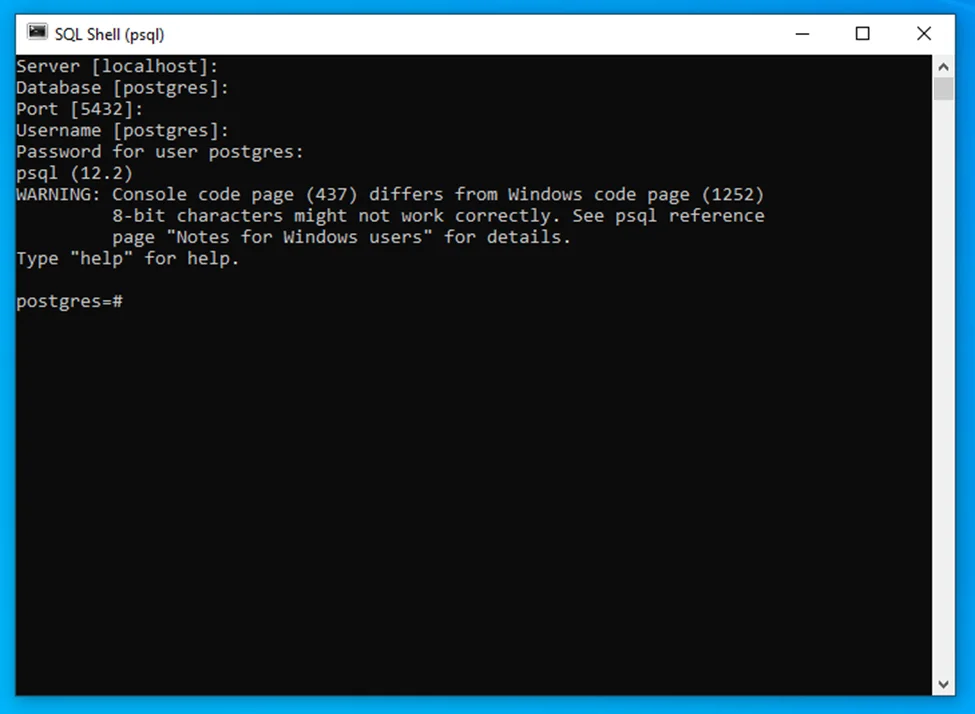
sudo -u postgres psql
\quit
Related Article- Hadoop Tutorial
This section introduces the fundamental concepts and terminologies used in Postgres. It helps you become familiar with the core principles of how this relational database management system works.
A database is a higher-level container that stores all the schemas and encapsulates data. They help to isolate and manage distinct sets of information. A schema is a logical container that groups objects such as tables, views, data types, functions, etc. They also segregate and manage objects in an organized way. This gives better data organization, management and security.
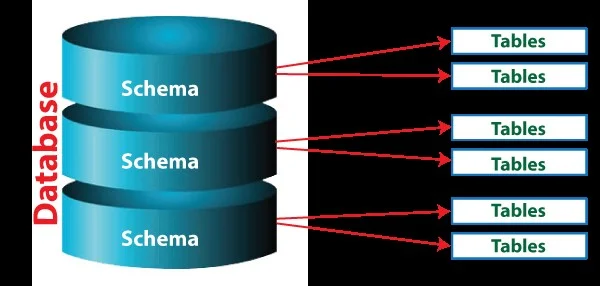
Tables are the main storage structures of Postgres. It involves multiple columns each with a specific data type name such as INTEGER, TEXT, BOOLEAN or TIMESTAMP. These names define the kind of information it can hold. Data type ensures data integrity and consistency within the table.
SQL is a programming language used to manage, query and retrieve information in a relational database. Postgres also uses it to create tables, insert data, query records and perform many other operations.
Constraints allow you to enforce rules on your data to maintain its integrity. For instance, we have a column that contains a product price. It should only accept positive values. This is where constraints come in handy. Some common constraints used in this RDBMS are PRIMARY KEY, FOREIGN KEY, UNIQUE, NOT NULL and CHECK.
Indexes are data structures that speed up data retrieval by providing a quick way to locate specific rows in a table. Think of them as a table of contents for a book that allows the database to efficiently find relevant data without needing to scan the entire table. This database supports various types of indexes including Hash, B-tree and GIN.
ACID compliance ensures that database transactions are reliable and consistent by guaranteeing four key properties. These properties are atomicity, consistency, isolation and durability. This means that transactions are processed in a way that maintains data integrity and prevents corruption, even in the face of errors or failures.
This relational database management system provides a variety of data types each with its own properties, behavior and storage requirements. Understanding them helps in ensuring data integrity, optimizing data storage and improving query performance. Here are common types of data in Postgres with examples:
These are used to define numerical data.
| Type | Size | Range |
| smallint | 2 bytes | -32,768 to 32,767 |
| decimal | Variables | -10^38 +1 to 10^38 -1 |
| integer | 4 bytes | -2,147,483,648 to 2,147,483,647 |
| real | 4 bytes | 1.701411734 × 10^38 to -1.701411734 × 10^38 |
| bigint | 8 bytes | -9,223,372,036,854,775,808 to 9,223,372,036,854,775,807 |
These are used to represent currency values.
| Type | Size | Range |
| money | 8 bytes | -922,337,203,685,477.5808 to +922,337,203,685,477.5807 |
These are used to store textual data.
| Type | Size | Maximum Length |
| char(n) | n + 1 bytes | 1 to 8,000 |
| varchar(n) | 1 byte + actual length | Up to 1GB |
| text | 1 byte + actual length | Up to 1GB |
These are used to store raw binary data.
| Type | Size | Maximum Length |
| bytea | Variable | No limit |
These are used to store date and time information.
| Type | Size | Range |
|---|---|---|
| date | 4 bytes | 4713 BC to 5874897 AD |
| time | 8 bytes | 00:00:00 to 24:00:00 |
| timestamp | 8 bytes | 4713 BC to 5874897 AD |
| timestamptz | 8 bytes | 4713 BC to 5874897 AD |
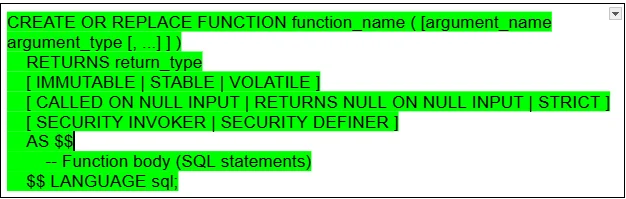
Functions are named blocks of code in this relational database system. They accept arguments, perform a set of operations and return a result. This RDBMS provides two types of functions including:
These are defined using standard SQL and can perform operations like data manipulation, calculations and conditional logic. They are generally simpler to write for straightforward tasks.
These allow you to write functions using various procedural languages, such as PL/pgSQL, Python, Perl and others. These are more powerful and flexible. They allow for complex control structures, error handling and interaction with the operating system.
The basic syntax of creating an SQL function is:
Now that you have a basic understanding of this RDBMS, let's understand how to create a database. It involves using the CREATE DATABASE SQL statement via the createdb command line or in the psql shell.
Creating a database with the help of the psql allows defining specific parameters like tablespace, template and owner. This feature is the result of its syntax:
CREATE DATABASE db_name
OWNER = role_name
TEMPLATE = template
ENCODING = encoding
LC_COLLATE = collate
LC_CTYPE = ctype
TABLESPACE = tablespace_name
CONNECTION LIMIT = max_concurrent_connection
Let's create a database instance with default settings. It requires removing all the optional parameters and use the following query:
CREATE DATABASE my_test_db1;
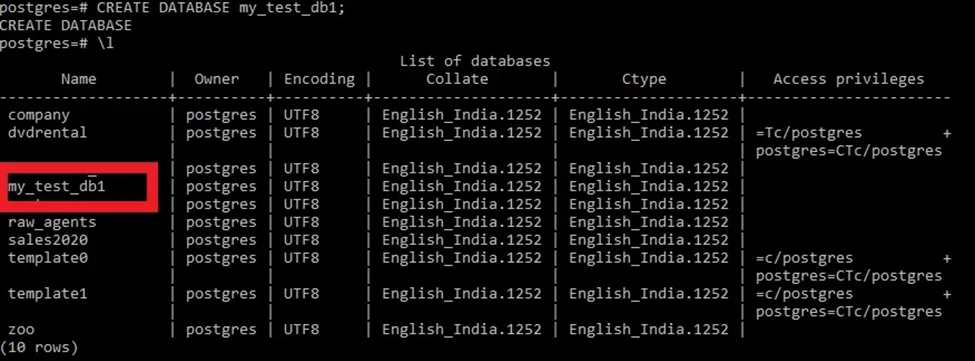
Now connect it with the following command and then you can use it.
\c databaseName
PostgreSQL is highly versatile and full of features that provide various capabilities. Whether you are a developer or a data-related professional, this tutorial has explained everything you need to know to master this RDBMS. It begins with a simple introduction and moves to installations, data types, functions and more. Keep on exploring its additional features to harness the true prowess of this DB for different applications.
Its learning curve is pretty low and thus considered easy to use. Its syntax shares similarities with other SQL variations and is highly flexible too.
MySQL is considered better for information storage engines, internal applications having fewer users and prototyping. The PostgreSQL is more fit for enterprise-level applications that have frequent writes and complicated queries.
Yes, you can learn PostgreSQL using tutorial.
You can find useful online tutorial and other learning resources to learn PostgreSQL
Yes, the PostgreSQL Tutorial includes numerous real-world examples and practice exercises to help you reinforce your learning and apply concepts effectively.
PostgreSQL is used in banking, web applications, data analytics and enterprise systems.
Course Schedule
| Course Name | Batch Type | Details |
| Every Weekday | View Details | |
| Every Weekend | View Details |