Are you preparing for a React-based interview? Let me tell you that React has gone far beyond being a JavaScript library. It is now the backbone of modern web applications. Therefore, companies are not just looking for developers who know React, they are looking for developers who truly understand how it works in real-world scenarios.
They expect from you to explain how to solve problems, optimize performance and build scalable applications. That is exactly what makes preparation a bit challenging and also more interesting. To help you in the preparation, I have collected a Comprehensive list of the most asked React interview questions and answers. It will help you strengthen your understanding and approach interviews with confidence.
Let's take the first step by discussing top React interview questions for beginners.
React is a JavaScript library created by Facebook that helps developers build user interfaces (UIs) for websites and applications. It is like a LEGO for websites which includes building the whole site as one big block. You can create small reusable pieces like buttons, menus, posts and then put them together. This makes websites faster, interactive and easier to manage.
Let's understand the difference between a React Node, React Element and React component through the given table:
| Concept | Definition | Example |
| React Node | Anything React can render, including elements, strings, numbers, fragments, portals, arrays, or null/undefined values. | "Hello", 42, <div />, null |
| React Element |
A plain JavaScript object that describes what the UI should look like.
This is created using JSX or React.createElement().
|
<h1>Hello</h1> |
| React Component | A function or class that returns elements. Reusable building blocks of the UI. |
|
A controlled component derives its value from the component's state and updates it through an event handler. This establishes the state as the definitive source of truth for the input data. An uncontrolled component maintains its own internal state and retrieves its value directly from the DOM (Document Object Model), using React Refs.
Reconciliation is the process by which the library determines how to update the DOM to make the latest state of the application. When a component's state or props change, React compares the new virtual DOM with the previous one to compute the minimal set of changes needed to update the DOM. This comparison is crucial for performance, especially in complicated applications with frequent updates.
I can use HTML, CSS and JavaScript to create a toggle button that changes colour. Here is an example -
import { useState } from "react";

function ToggleButton() {
  const [active, setActive] = useState(false);

  return (
    <button
      onClick={() => setActive(!active)}
      style={{
        backgroundColor: active ? "#f44336" : "#4CAF50",
        color: "white",
        padding: "10px 20px",
        border: "none",
        borderRadius: "5px"
      }}
    >
      Click Me
    </button>
  );
} |
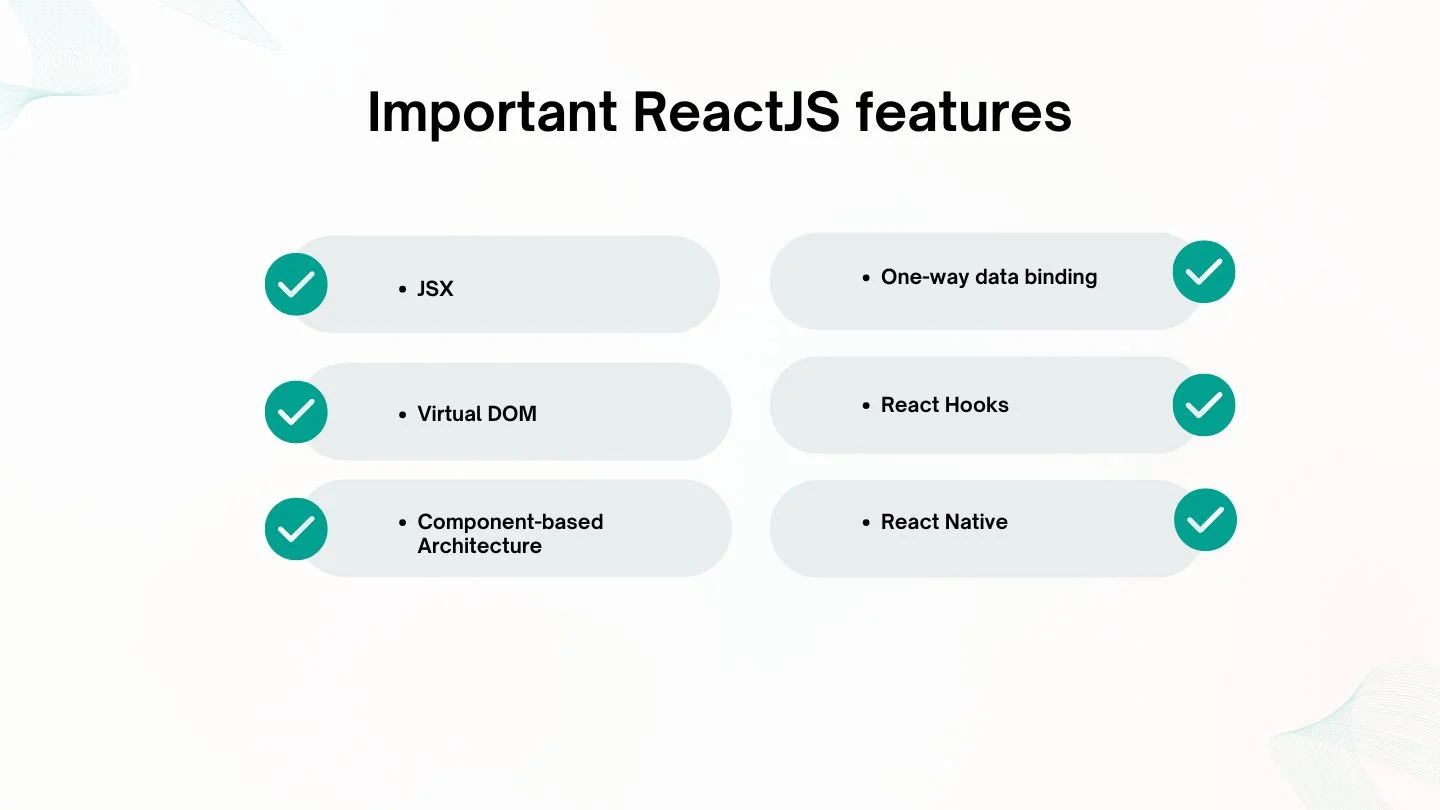
React Hooks stand out as my favourite feature among the others. They are used in functional components to manage state and side effects. This leads to cleaner and more maintainable code. Hooks like useState and useEffect provide a more intuitive approach to building components, which makes React development efficient. Here are some more ReactJS features -
A junior ReactJS developer should be proficient in JavaScript (ES6+), HTML, and CSS with a solid understanding of React fundamentals. This includes React's components, props, state and hooks. Familiarity with JSX and version control systems like GIT is important. Additionally, knowledge of state management tools like Redux or Context API and experience with API integration. React Fiber is the internal reconciliation engine that enables concurrent rendering. It allows React to pause, resume and prioritize rendering work, making applications more responsive and preventing UI blocking.
This is how the real DOM and Virtual DOM differ in structure and behaviour -
| FEATURE | REAL DOM | VIRTUAL DOM |
| Definition | Actual representation of the UI in the browser. | Lightweight, in-memory copy of the real DOM |
| Update Mechanism | Direct updates to the entire DOM tree. | Updates only the changed nodes after comparison |
| Performance | Slower due to full re-renders. | Faster due to minimal updates |
| Memory Usage | Higher as it maintains the entire DOM structure. | Lower as it is optimized for efficiency |
| Manipulation | Direct manipulation affects the UI. | Manipulation occurs in memory, changes are reflected in the real DOM after diffing |
The Model-View-Controller or MVC architecture is a foundational design pattern in software development. It promotes organized and maintainable code by separating an application into three interconnected components. This includes Model, View and Controller which enhances modularity and makes applications easier to manage.
JavaScript XML is a syntax extension for JavaScript that allows developers to write HTML-like code within JavaScript. It allows the creation of React components using a declarative and intuitive approach. This approach blends markup and logic in a single file. Developers prefer JSX over plain JavaScript for the following reasons -
Read Also- Best Programming Languages To Learn
Time for some React interview questions for intermediates.
React ensures UI updates are performed efficiently by leveraging the following strategies for improved performance and user experience -
Error boundaries are special React class components that catch JavaScript errors during rendering in lifecycle methods or within constructors of their child components. They log the error and render a fallback UI instead of crashing the entire app. Here is an example of how error boundaries can be implemented-
class ErrorBoundary extends React.Component {
  state = { hasError: false };

  static getDerivedStateFromError(error) {
    return { hasError: true };
  }

  componentDidCatch(error, info) {
    console.error("Caught by ErrorBoundary:", error, info);
  }

  render() {
    if (this.state.hasError) {
      return <h1>Something went wrong.</h1>;
    }
    return this.props.children;
  }
}

// Usage:
<ErrorBoundary>
  <MyComponent />
</ErrorBoundary>
|
Note: Error boundaries only work with class components. For functional components, developers commonly use libraries like react-error-boundary.
Here is an outline for building and using a useLocalStorage custom hook in React -
import { useState, useEffect } from 'react';

function useLocalStorage(key, defaultValue) {
  const [value, setValue] = useState(() => {
    try {
      const item = localStorage.getItem(key);
      return item !== null ? JSON.parse(item) : defaultValue;
    } catch {
      return defaultValue;
    }
  });

  useEffect(() => {
    localStorage.setItem(key, JSON.stringify(value));
  }, [key, value]);

  return [value, setValue];
}
|
|
Here are the differences between the two -
| Approach | Description | Key Trait |
| Imperative | You explicitly tell the system how to do something step by step | Focus on control flow |
| Declarative | You describe what you want and let the system figure out how to do it | Focus on outcome |
React is considered a declarative library because you define what the user interface should reflect based on your application's state instead of specifying how to update the DOM manually.
Internally, React uses its reconciliation process, powered by the Virtual DOM to handle the actual DOM updates. This allows one to focus on describing the desired UI state.
React splits rendering into an interruptible render/reconciliation phase and a fast commit phase. Fiber architecture is React's rewritten and linked-list based reconciliation system which makes it happen. Updates are processed in small chunks with priorities for a responsive and smoother UI.
Let's understand the difference between Rendering and Painting in React -
| Phase | Responsibility | What's Happening |
| Rendering | React (internal logic) | Computers Virtual DOM, diffing |
| Browser Painting | Browser Engine | Calculates layout, applies styles and paints pixels on the screen |
Components are reusable building blocks of the UI in React. Here are the differences between each -
| Component | Definition and State Management | Lifecycle Support | Typical Use Case |
| Functional | JS Function, uses Hooks for state/effect | Via Hooks | Modern UI, recommended approach |
| Class | ES6 class extending | Full lifecycle methods | Legacy code, edge cases like error boundaries |
| Pure Component | Class component with shallow prop | Optimizes re-rendering | Performance critical UI parts |
| Server Component | Runs on the server, reduces bundle size and is used in frameworks like Next.js App Router | No lifecycle, returns UI directly | SSR contexts |
For detecting a memory leak, I would use tools like Chrome DevTools (heap snapshots or Memory profiler) or React DevTools Profiler to spot growing memory usage or retained objects over time.
For fixing a memory leak, I would clean up side effects like clearing timers, removing event listeners, aborting fetches and unsubscribing from subscriptions.
Also ensure you do not update state on unmounted components and always return a cleanup function inside useEffect.
useEffect is a React Hook that lets functional components handle side effects. This includes fetching data, modifying the DOM, setting up timers or adding event listeners. It effectively replaces class lifecycle methods like componentDidMount, componentDidUpdate and componentWillUnmount in a unified API. Here is an example of how it works-
|
In modern React, developers are encouraged to avoid unnecessary useEffect usage and prefer derived state or event-based logic whenever possible.
Read Also- Top 8 Frontend Languages - A Beginner's Guide
Let's discuss some of the most important React interview questions for advanced.
Portals allow rendering React elements into arbitrary DOM containers. The component logic stays within the same React tree. This ensures context, states, and events work as usual. This makes Portals best for enabling overlay UIs like modals, tooltips and popovers without breaking the architecture. Here is an example usage-
|
Here is a clean implementation of the useWindowSize custom React hook, which tracks the browser's width and height-
import { useState, useEffect } from 'react';

function useWindowSize() {
  const [windowSize, setWindowSize] = useState({
    width: window.innerWidth,
    height: window.innerHeight,
  });

  useEffect(() => {
    const handleResize = () => {
      setWindowSize({
        width: window.innerWidth,
        height: window.innerHeight,
      });
    };

    window.addEventListener('resize', handleResize);
    // Initialize with current size
    handleResize();

    return () => {
      window.removeEventListener('resize', handleResize);
    };
  }, []);

  return windowSize; // { width, height }
}
|
Here is a clean and functional React form with real-time validation for both email and password-
|
Here is a clean React counter component that supports both increment and decrement actions-
|
Immutability is important as it allows fast and reliable change detection. React can simply compare object references to know when states or props have changed rather than performing deep checks. React's reconciliation process can determine what needs to be re-rendered when state updates create new objects instead of mutating existing ones. This improves performance and predictability.
The render phase builds and compares Virtual DOM trees without touching the real DOM. The commit phase applies those changes to the DOM, runs effects and updates the UI synchronously.
When a context value changes, every component consuming that context re-renders, even if they actually use the updated part. This leads to wasted renders across your tree and leads to performance issues. This is how i would mitigate them-
In large-scale applications, libraries like Zustand or Jotai can be used for more efficient and fine-grained state management.
The key strategy is list virtualization or windowing to efficiently render 10,000 list items without crashing the browser. This technique involves the UI to only render the visible items in the viewpoint instead of all items at once. This reduces DOM nodes and memory usage. Here is a clean implementation using react window's FixedSizeList
|
Here is a concise version of global dark mode toggle using React's Context API -
|
I would first create a useDebounce Hook -
|
Also Read: PHP Interview Questions and Answers
The following scenario-based ReactJS interview questions and answers reflect what companies currently ask to evaluate practical expertise in React.
I would consider using React's <Activity /> feature for parts of the application that users are likely to revisit. It helps keep it in a hidden activity state so React can preserve its state and continue preparing work when the application has available resources. This way, there is no need to completely remove a tab from the React tree.
For example, if a user moves from the Analytics tab to the Reports tab, I could keep the Analytics content hidden rather than destroying it completely. This can make returning to previously visited sections faster while preserving UI state such as filters, scroll position, and form values.
I would still profile the application before introducing this approach because the goal is to improve perceived navigation performance without unnecessarily consuming memory or background resources.
I would first check whether the useEffect dependency array contains values that are only needed by an event callback and should not actually cause the effect to restart. In modern React, I can use useEffectEvent for logic that needs access to the latest props or state without making that value a dependency that re-runs the Effect.
For example, the chat connection should normally depend on the roomId, while the notification may need the latest theme. I would separate these responsibilities so that changing the theme updates the notification behavior without unnecessarily reconnecting to the chat server.
This approach also keeps the Effect dependency list accurate instead of simply suppressing the React Hooks lint rule.
I would first identify whether the application uses React Server Components and which versions of the affected server packages are installed. I would then check the official React security advisory and upgrade the affected React Server Components packages to a patched version rather than relying only on hosting-provider mitigations.
I would also check the framework and bundler versions because applications using technologies such as Next.js or RSC-related tooling may inherit affected packages through their dependencies. After upgrading, I would run the application's test suite, review the lockfile and verify the production deployment.
I would treat this as a production security issue rather than simply a dependency-update task because vulnerabilities in Server Components can affect server-side execution and application availability.
I would consider using server rendering and Partial Pre-rendering where the application's framework supports it. The static portion of the page can be pre-rendered and served quickly, while the dynamic portions can continue rendering later.
This approach is useful when a page contains a stable shell such as product information, navigation and static content along with dynamic sections such as personalized recommendations, inventory or account information.
I would combine this with appropriate Suspense boundaries so that slower dynamic sections do not unnecessarily delay the parts of the page that can be displayed immediately.
I would first reproduce the problem and profile the application instead of immediately adding React.memo or other optimizations. I would use React DevTools and Chrome DevTools to identify which components are rendering frequently and how much time React spends rendering them.
With modern React, I would also take advantage of the React performance information available in Chrome DevTools. React 19.2 introduced dedicated Performance Tracks that provide information about React scheduling, component rendering and related work.
After identifying the expensive component, I would check for unnecessary state updates, unstable object or function references, expensive calculations and overly broad context updates. I would then optimize the actual bottleneck and measure the result again.
I would separate the immediate UI update from the slower asynchronous operation. The user's input or action should update the interface immediately, while the request for the AI-generated result can run asynchronously.
For the result state, I could use modern React patterns such as optimistic UI where appropriate, along with Suspense or transitions depending on how the application is structured. The important point is that the interface should clearly communicate the pending state without blocking unrelated interactions.
I would also handle failed requests and allow the user to retry rather than leaving the interface in an indefinite loading state.
I would separate the urgent update from the expensive rendering work. The input value should update immediately so that typing remains responsive, while the expensive filtering or rendering operation can be treated as non-urgent work.
I would consider using useDeferredValue or startTransition depending on the architecture. I would also combine this with list virtualization so that the browser only renders the products currently visible in the viewport.
Finally, I would profile the component to determine whether the bottleneck is filtering, rendering, reconciliation or excessive state updates. For a very large dataset, I would also consider server-side filtering instead of sending the entire dataset to the browser.
If the work is running inside a React Server Component cache lifecycle, I would consider using cacheSignal to obtain an AbortSignal. This allows the application to cancel in-flight work when React's cache lifetime ends, such as when rendering completes, is aborted or fails.
I would pass the signal to APIs such as fetch() so unnecessary server-side work can be cancelled. This is particularly useful for applications performing expensive data fetching or other asynchronous operations during Server Component rendering.
I would make sure to use this only in the appropriate Server Component environment because cacheSignal is specifically designed for React Server Components.
I would first identify which components are actually re-rendering by using React DevTools Profiler. If one large Context contains unrelated values, I would split it into smaller contexts based on responsibility.
For example, authentication state, theme state and notification state could have separate providers. I would also make sure that provider values have stable references where appropriate and use memoization only when profiling shows that it provides a benefit.
If the application requires frequent updates to small pieces of shared state, I would also evaluate whether a fine-grained state management solution is more appropriate than putting everything into a single Context.
I would avoid rewriting the entire application at once. I would first identify the highest-impact areas and migrate them incrementally. I would review existing useEffect calls and determine whether they are actually required or whether some logic can be derived during rendering or moved into event handlers.
Next, I would gradually convert suitable class components to functional components and introduce modern React patterns where they provide a clear benefit. If the application uses a framework that supports Server Components, I would evaluate which components can safely move to the server to reduce unnecessary client-side JavaScript.
I would also add tests and performance measurements throughout the migration. My goal would be to improve maintainability and performance without introducing unnecessary architectural complexity.
It is safe to conclude that we went through a complete journey through some of the most important React interview questions. Remember to not just memorize answers but learn to show how you think through them. Prepare yourself to solve problems and apply concepts in real scenarios with this blog.
You must show a deep understanding of React internals like Fiber and Virtual DOM. It's also important to discuss performance optimizations, explain trade-offs and mention real world practices like error boundaries and debugging.
It is not a requirement in a front-end interview yet a solid understanding of Redux would give you an edge.
It is not mandatory but familiarity with React frameworks will highlight your knowledge. Many React roles prioritize strong proficiency in React and JavaScript fundamentals.
Solve coding challenges and review common React interview questions with hands-on examples.
Yes, React interview questions help beginners understand core concepts and prepare for job opportunities.
Course Schedule
| Course Name | Batch Type | Details |
| ReactJS Course | Every Weekday | View Details |
| ReactJS Course | Every Weekend | View Details |