ChatGPT is the world's most advanced AI chatbot developed by OpenAI. It uses the latest Large Language Models (LLMs) to generate sophisticated, human-like responses. It's now an essential tool for writing, coding, research, and business automation used by millions of students and professionals worldwide.
The global AI chatbot market is projected to grow from USD 5.4 billion in 2023 to over USD 27.4 billion by 2030. Mastering tools like ChatGPT is crucial for career growth, especially in high-growth tech markets like the USA and India.
This comprehensive ChatGPT Tutorial provides a step-by-step guide for beginners, details advanced prompt engineering techniques, and compares the latest models (GPT-4o vs. Gemini). By the end, you'll know exactly how to use ChatGPT for personal and professional advantage in 2026.
ChatGPT is a conversational Artificial Intelligence (AI) chatbot powered by OpenAI's GPT models (currently GPT-4o). It processes user input (prompts) and generates relevant, real-time text-based solutions and answers across virtually any topic, provided the query adheres to safety guidelines.
Enroll in igmGuru's Generative AI Course program to build a ChatGPT-like AI Chatbot.
ChatGPT became the fastest-growing application in internet history, hitting 100 million users in just two months. Its massive popularity, with around 25 million daily visits, stems from three key factors:
Its launch coincided with a surge in mainstream interest in Artificial Intelligence, following the excitement generated by image models like DALL-E and Midjourney. ChatGPT offered a friendly, text-based interface, making powerful AI accessible to everyone.
The core reason for its explosive growth is its usefulness. It is a highly versatile technology applicable across different domains, from helping a US-based student write an essay outline to assisting a developer in India with complex Python code snippets.
It's incredibly easy to access with only a phone number and an email. The availability of a highly capable free version (now leveraging GPT-4o mini) eliminated barriers to entry, unlike many other early AI tools that were expensive or had long waitlists.
Related Article- 10 Skills Required To Become A Prompt Engineer
Understanding the models is crucial for maximizing the tool. The latest free version offers limited access to GPT-4o's capabilities, while paid tiers get full access.
Understanding the evolution of ChatGPT models is crucial for choosing the right capabilities for different tasks. From the conversational GPT-3.5 model that launched ChatGPT to GPT-6 Astra, OpenAI has progressively improved reasoning, multimodal capabilities, coding, research, and autonomous task execution.
| Version | Release Year | Key Features & LLM | Limitations | Best Use Cases |
| ChatGPT 3.5 | 2022 |
- Conversational model that launched ChatGPT - Strong natural-language generation and instruction following - Fast and accessible for general-purpose tasks |
- More hallucinations and factual errors - Limited complex reasoning and multimodal capabilities |
General Q&A, writing, summaries, brainstorming, and casual conversations |
| ChatGPT 4 | 2023 |
- Significant improvement in reasoning and factual accuracy - Better performance on complex instructions and professional tasks - Improved coding, analysis, and problem-solving capabilities |
- Slower and more computationally expensive than earlier models - Primarily focused on text and image understanding |
Advanced problem solving, coding, research, analysis, and professional workflows |
| ChatGPT 4o | 2024 |
- Native multimodal capabilities across text, vision, and audio - Faster responses with GPT-4-level intelligence - More natural real-time voice and visual interactions |
- Still susceptible to hallucinations - Some advanced capabilities were introduced progressively |
Voice conversations, image understanding, coding, content creation, research, and data analysis |
| ChatGPT 5 | 2025 |
- Unified system with built-in reasoning - Stronger coding, mathematics, writing, and visual reasoning - Better instruction following and agentic tool use - Improved accuracy and reliability for complex tasks |
- Higher computational requirements for advanced reasoning - Complex tasks can require more processing time |
Complex research, coding, analysis, professional work, reasoning, and agentic workflows |
| ChatGPT 5.6 | 2026 |
- GPT-5.6 family includes Sol, Terra, and Luna models - Stronger performance across coding, knowledge work, science, and cybersecurity - Improved intelligence and efficiency with better performance per token - Different model tiers balance maximum capability, everyday performance, and cost |
- Advanced capabilities can require higher reasoning effort and resources - Model availability and capabilities vary by ChatGPT plan and product |
Advanced coding, research, knowledge work, science, cybersecurity, and complex professional tasks |
| ChatGPT 6 Astra | 2026 |
- Advanced reasoning, coding, research, and computer-use capabilities - Designed for complex, multi-step professional workflows - Can work with documents, spreadsheets, and presentations while following templates and instructions - Improved ability to adapt when requirements change during a task - Stronger browser and computer-use capabilities for agentic workflows |
- Advanced agentic capabilities require stronger safety monitoring - Initial availability is being rolled out progressively |
End-to-end research, coding, computer use, professional automation, document creation, data analysis, and complex multi-step work |
Also explore: GPT-3.5 vs GPT-4 vs GPT-5 to understand their difference.
The core use of ChatGPT is simple: provide a clear text prompt and get a relevant response. Follow these steps to start your first interaction:
The steps are nearly identical for the web browser and the dedicated desktop/mobile app.
You can refer to our "How To Use ChatGPT" guide to get in-depth knowledge on the use and installation steps.
To reduce repetitive prompting and get highly personalized outputs, you must use the customization features:
Custom Instructions tell ChatGPT about your identity and preferred style for all new chats. This is vital for professionals to maintain a consistent output style.
Custom GPTs are specialized versions of the model that you train for a specific task (e.g., "A GPT for creating social media posts" or "A GPT that analyzes PDF documents").
The choice between the free and paid versions often determines the complexity of tasks you can handle. For serious professional work (especially coding and research), the paid version is highly recommended.
Paid users unlock critical features essential for business and high-level research:
You May Also Read - Career in Generative AI
The "best" AI depends on the task. While ChatGPT (OpenAI's LLMs) is often seen as the market leader, Gemini (Google's LLMs) offers superior real-time integration with the internet and the Google ecosystem.
| Aspect | ChatGPT (GPT-4o) | Google Gemini |
| Underlying LLM | GPT-4, GPT-4o (Trained on diverse data) | Gemini family (Trained on diverse data + mathematical and code datasets) |
| Real-Time Data | Accesses the internet via the Web Browse feature (Paid/Limited Free). | Native, real-time access to Google Search for highly up-to-date and verifiable responses. |
| Programming/Coding | Excellent. Used by many US and global developers for code generation. | Superior, due to its training on specialized source code and mathematical expressions. |
| Ecosystem Integration | Strong with third-party apps, limited native integration. | Seamless integration with Google services (Gmail, Docs, Drive, Maps). |
| Image Generation | DALL-E 3 (Highly creative and accurate). | Imagen 4 (Seamlessly integrated into the chat window). |
For general research, copywriting, and SEO content, ChatGPT often provides more elaborate and creative output. For coding, accessing real-time news, and integrating with Google Workspace, Gemini is the better choice.
Related Article- How To Become A Generative AI Engineer?
Mastering this AI chatbot is a high-demand skill in both the USA and India. Its advanced model (GPT-4o) can move beyond simple Q&A to true business automation. Here are some of the most impactful use cases:
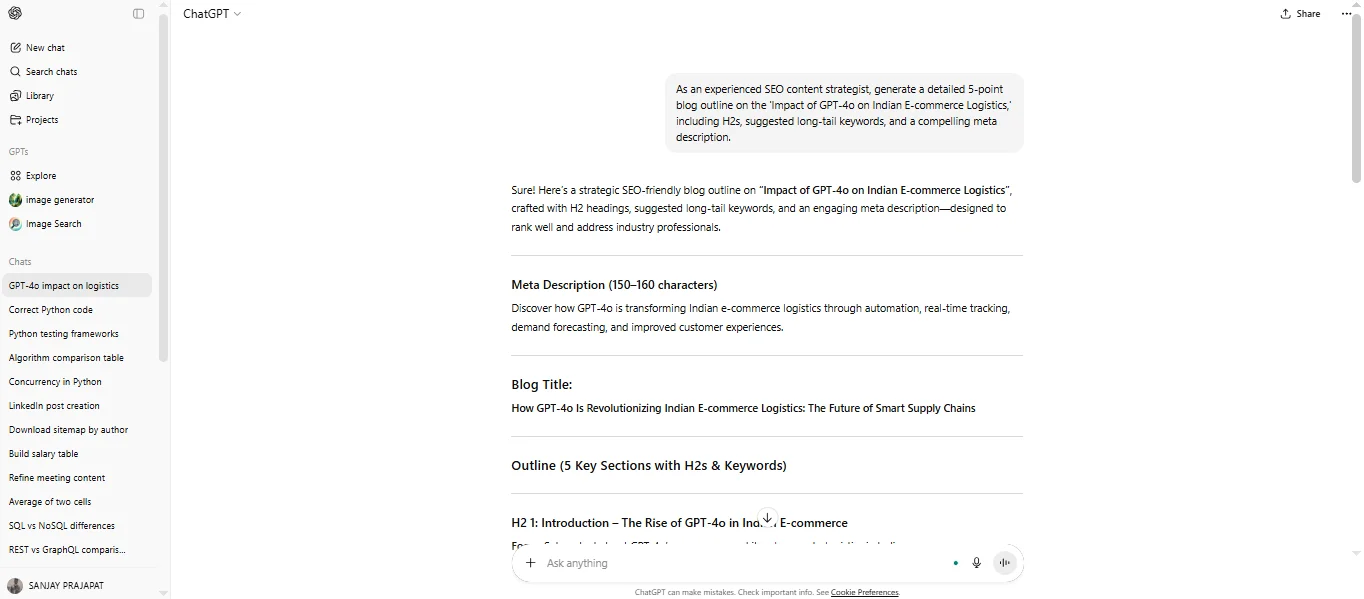
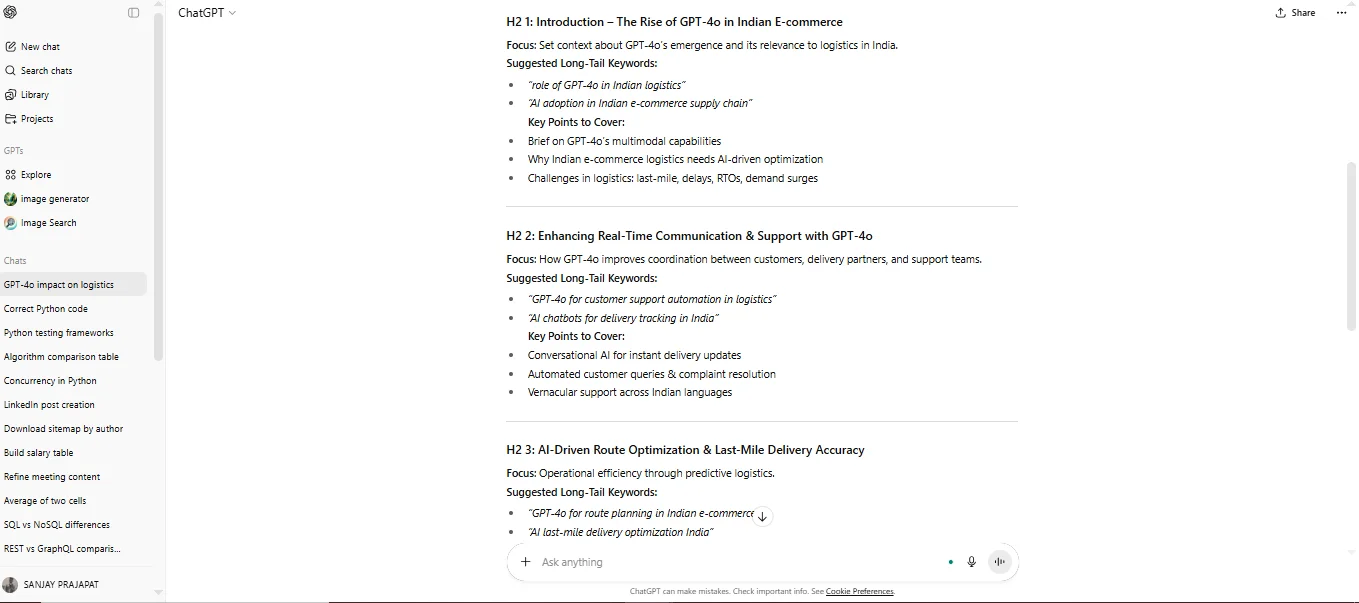
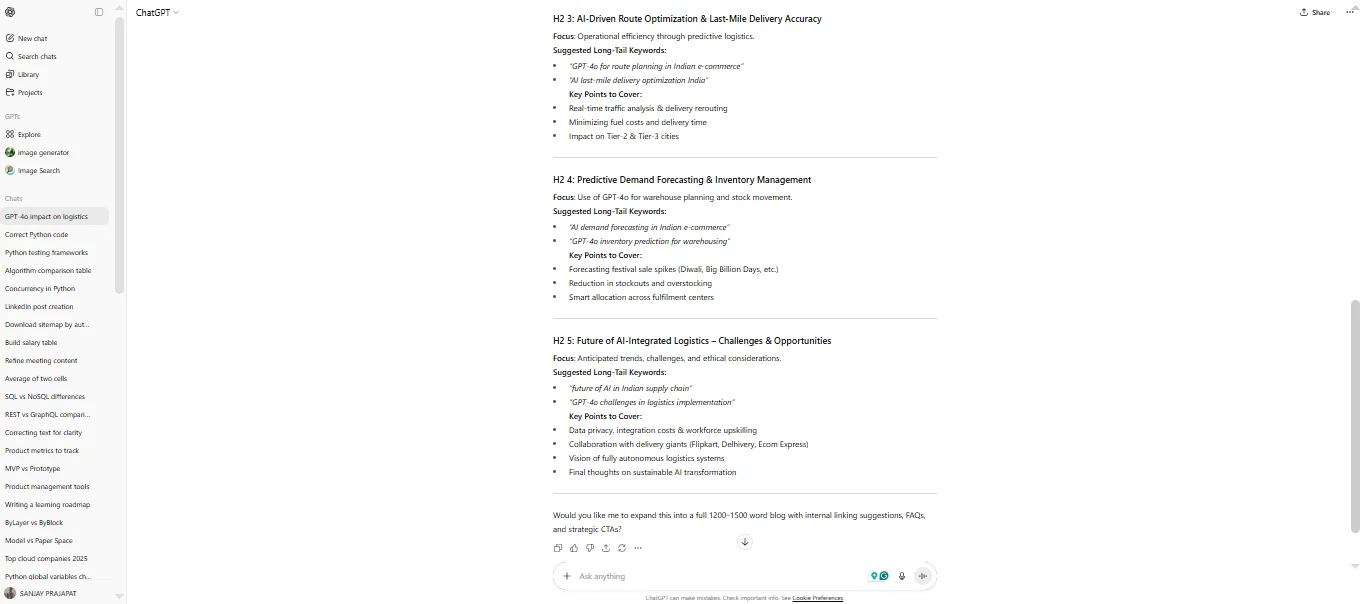
ChatGPT is a great tool for generating high-quality text for various marketing channels to accelerate the time-to-market for campaigns. This includes automating the creation of SEO-optimized materials essential for driving traffic in competitive digital markets.
"As an experienced SEO content strategist, generate a detailed 5-point blog outline on the 'Impact of GPT-4o on Indian E-commerce Logistics,' including H2s, suggested long-tail keywords, and a compelling meta description." |
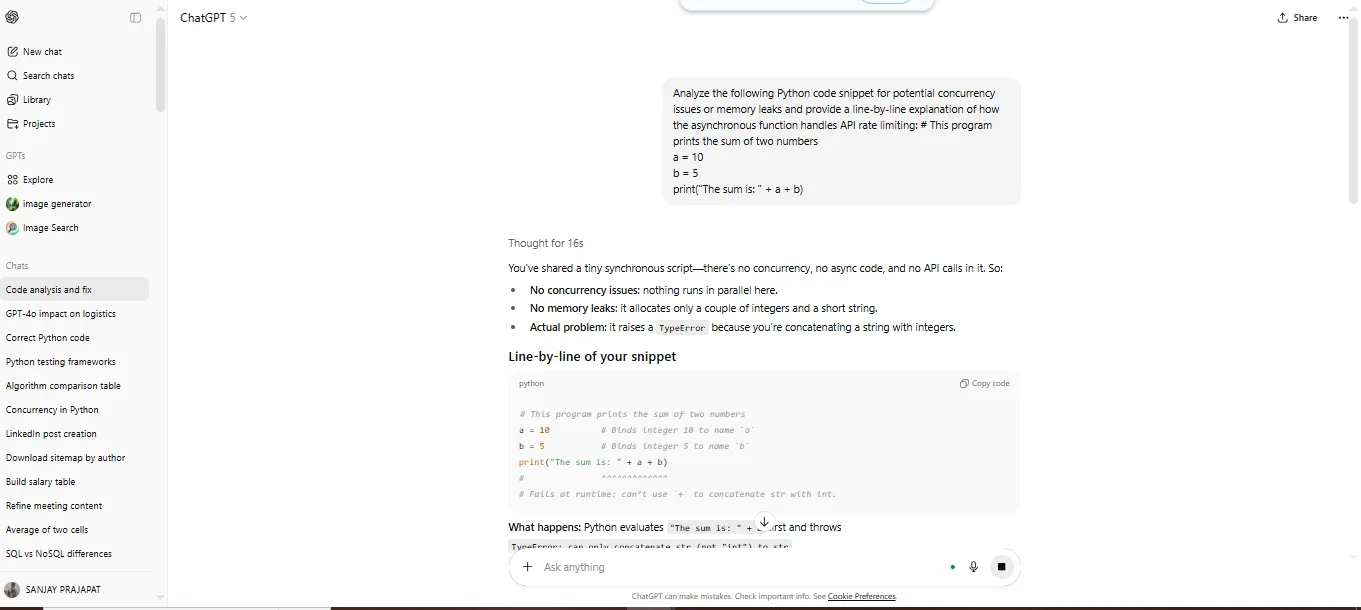
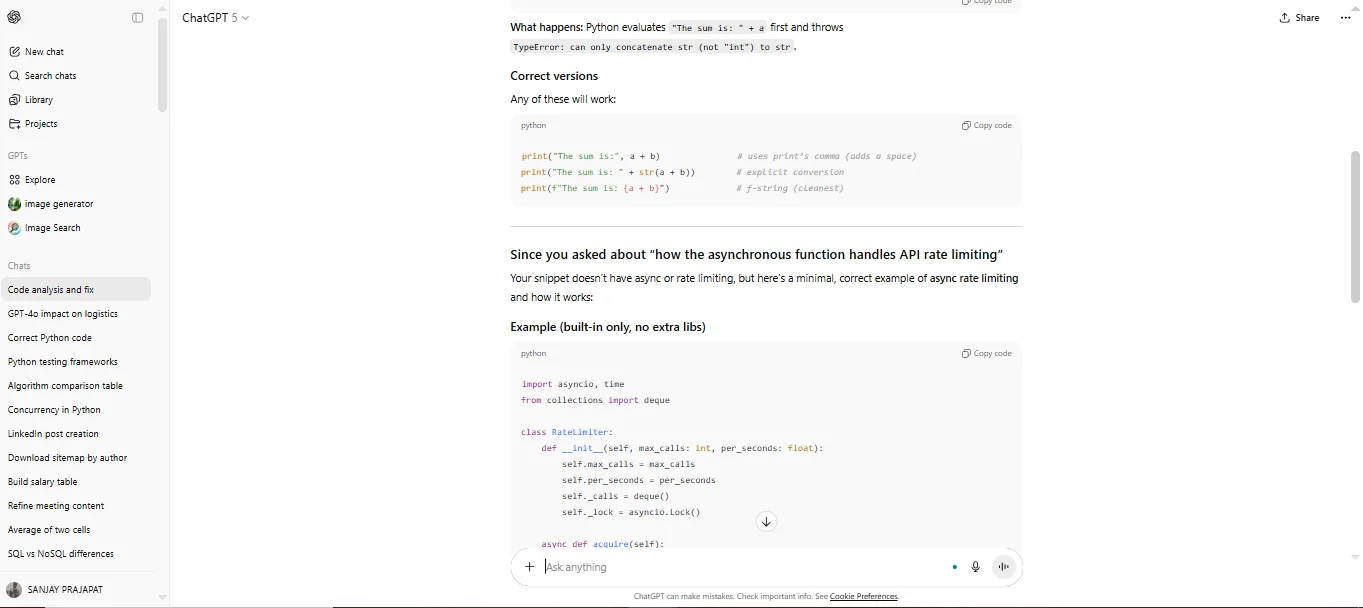
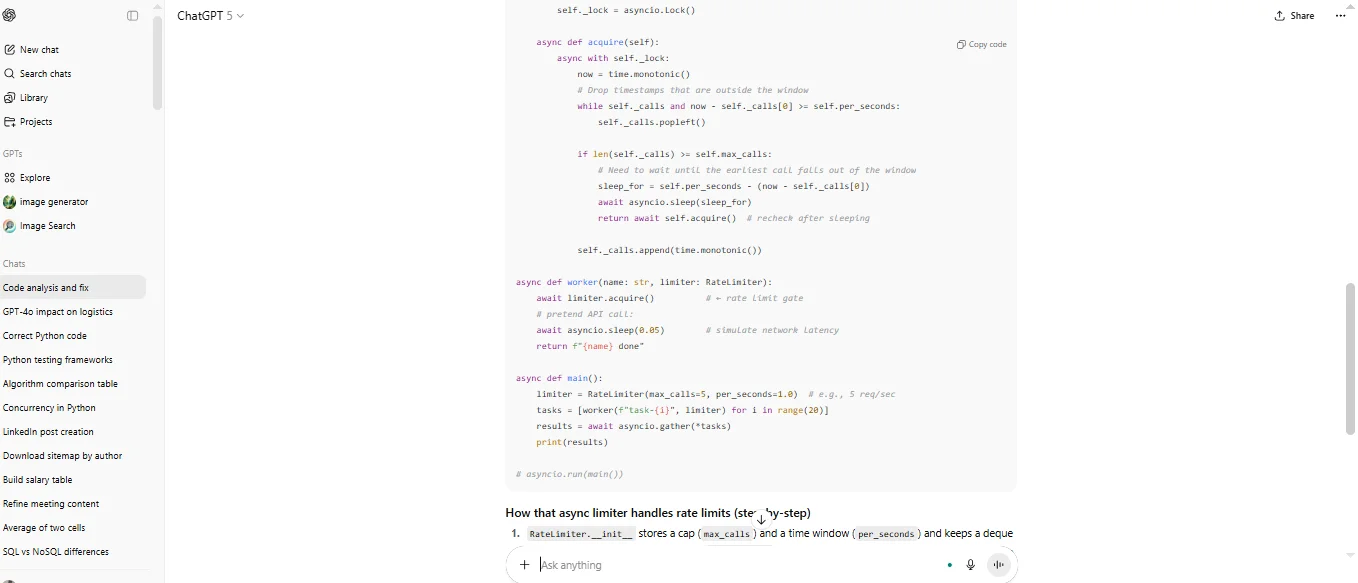
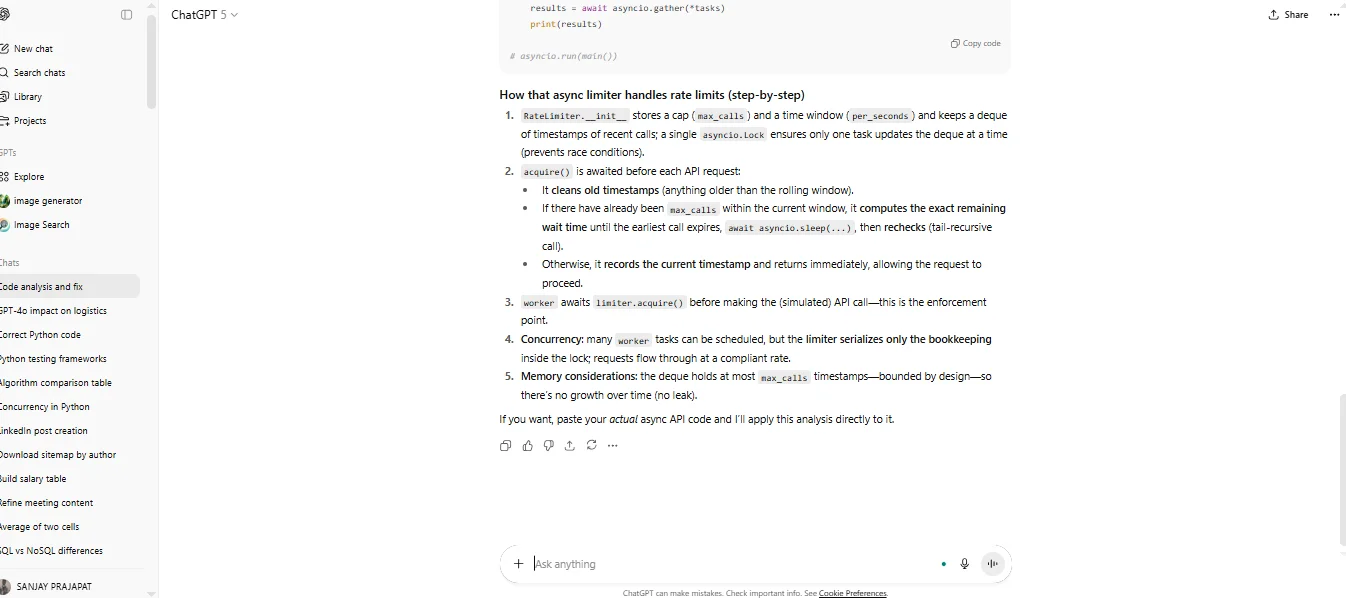
ChatGPT also acts as an advanced pair programmer for developers all over the world. It can quickly handle boilerplate code, complex data structure manipulation and critical quality assurance tasks like debugging and refactoring.
"Analyze the following Python code snippet for potential concurrency issues or memory leaks and provide a line-by-line explanation of how the asynchronous function handles API rate limiting: [Paste Code Snippet]" |
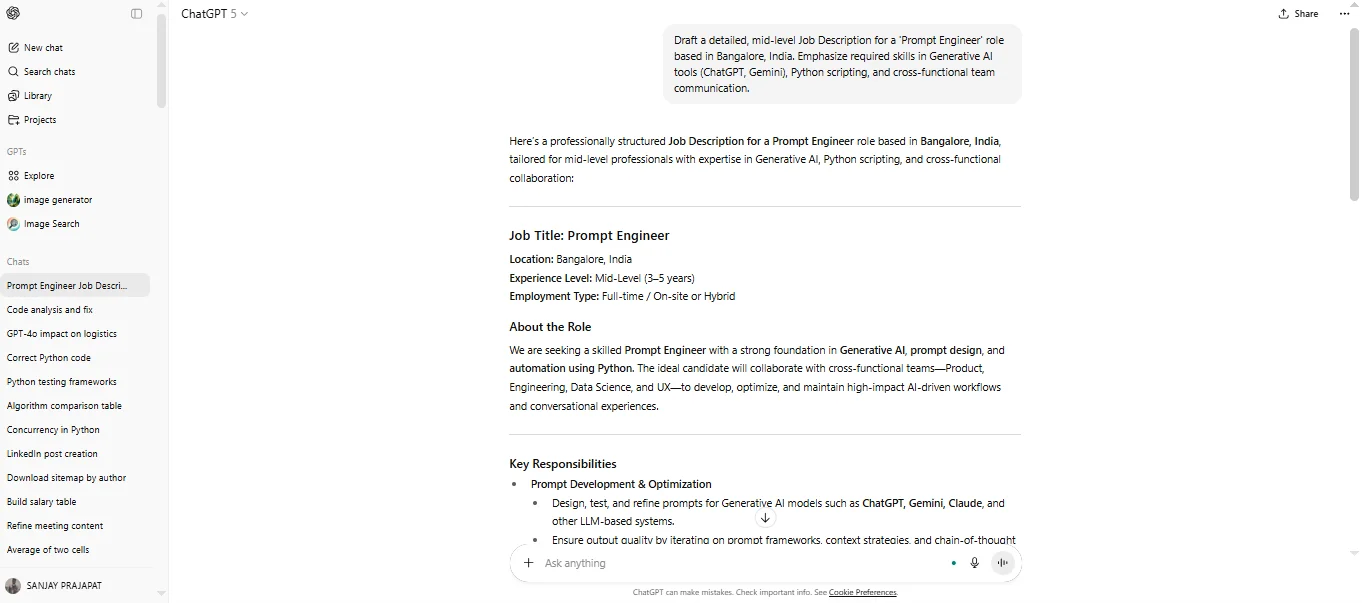
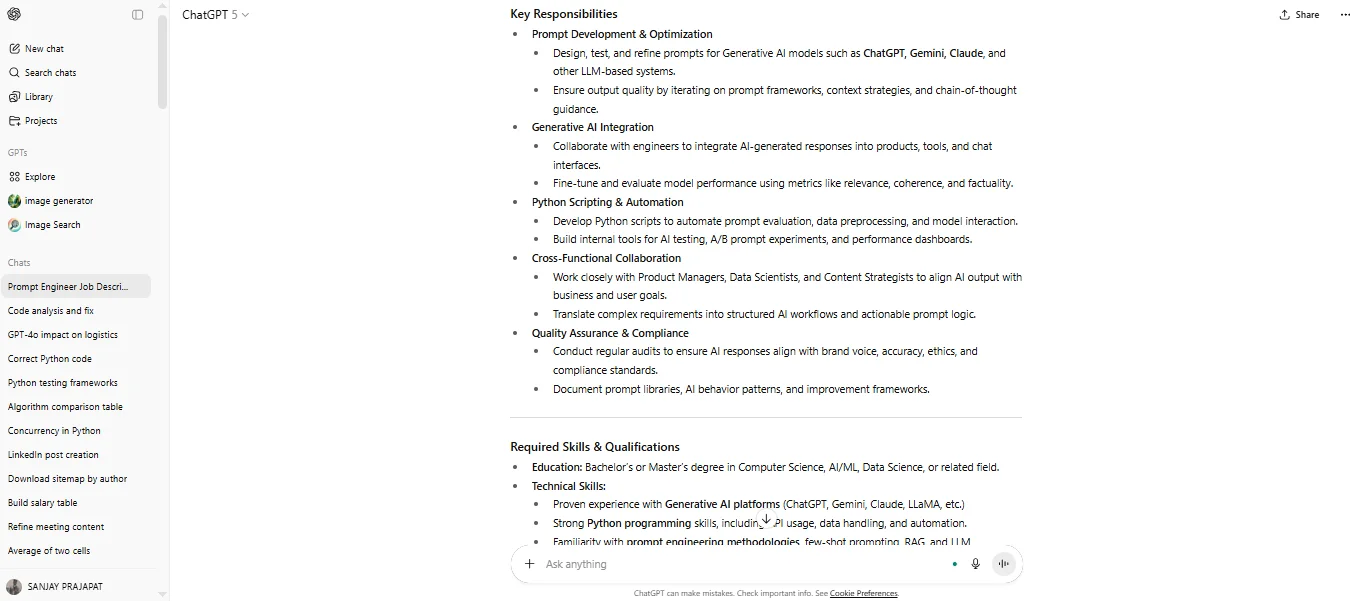
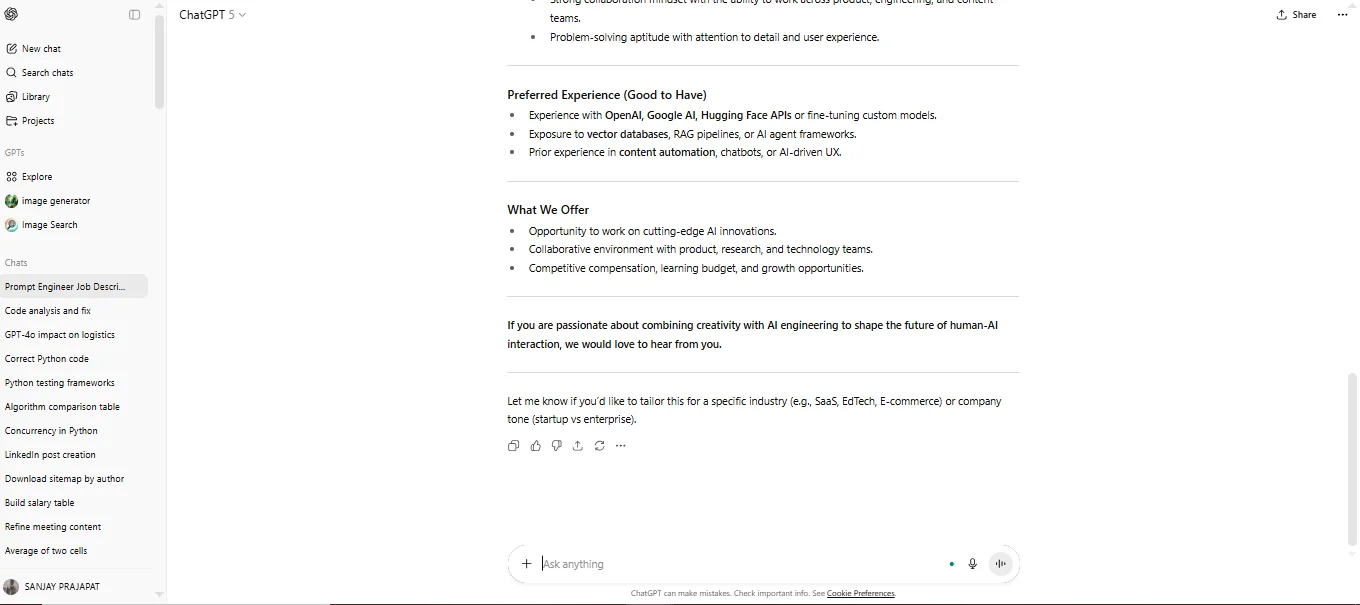
HR professionals can use the AI to standardize, accelerate and de-bias the early stages of the hiring pipeline. It helps them define the role to pre-screen candidate qualifications efficiently.
"Draft a detailed, mid-level Job Description for a 'Prompt Engineer' role based in Bangalore, India. Emphasize required skills in Generative AI tools (ChatGPT, Gemini), Python scripting, and cross-functional team communication." |
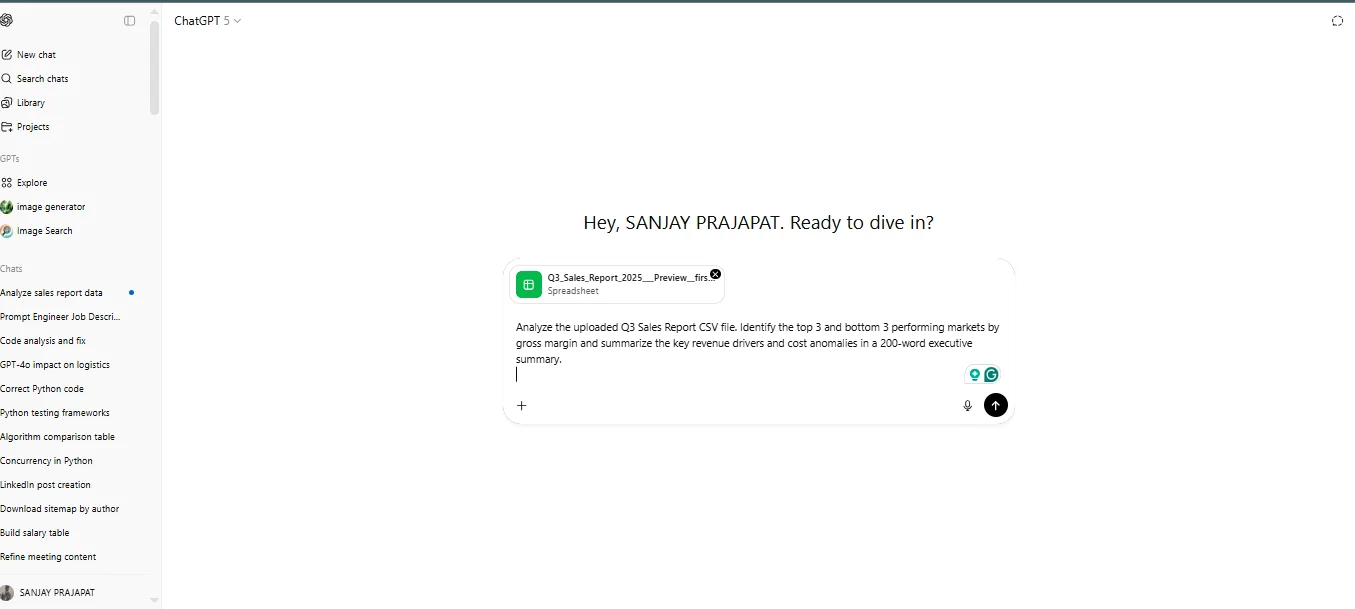
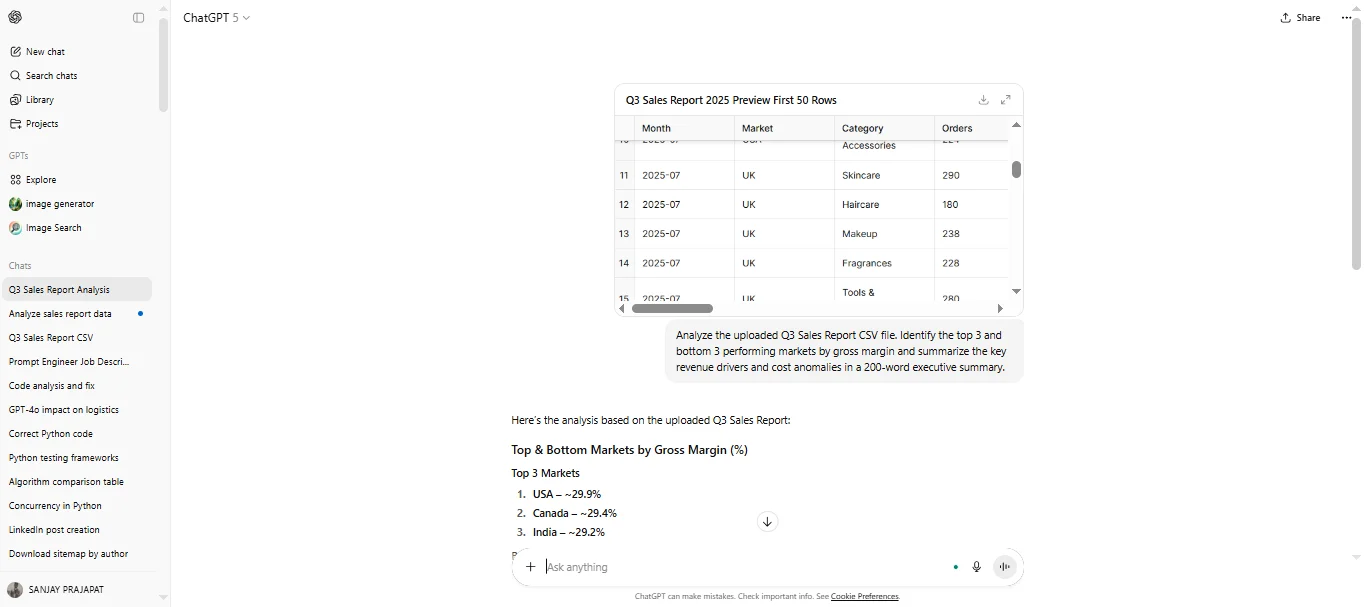
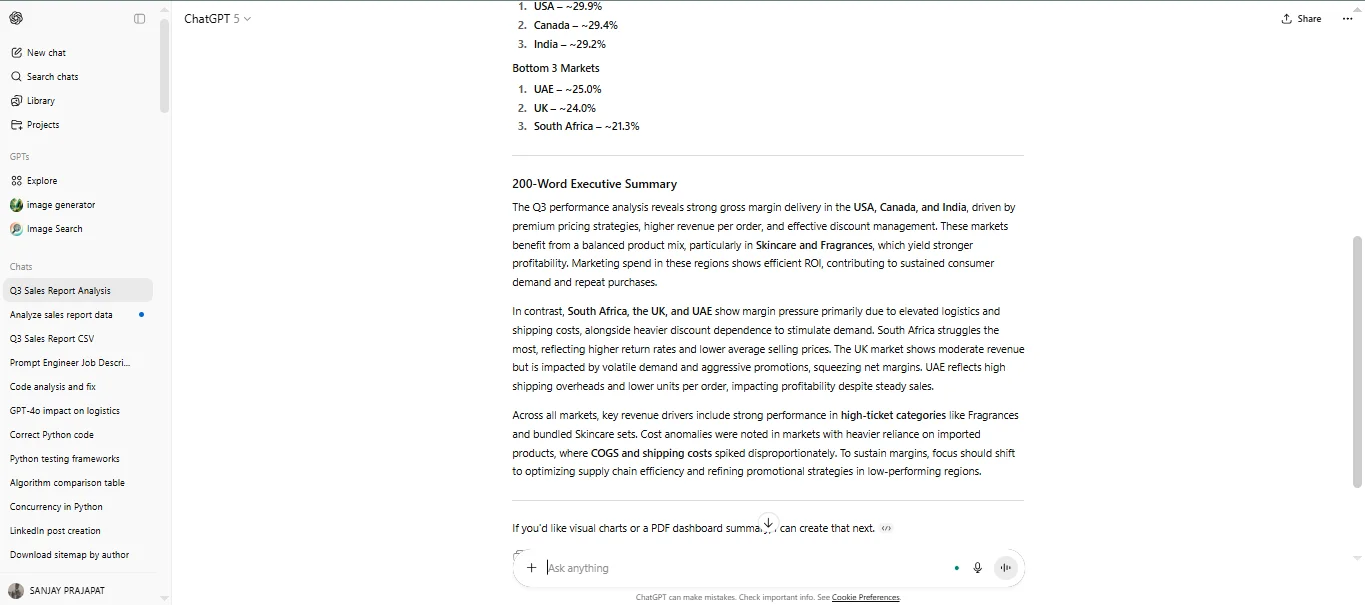
The paid version of this chatbot has the ability to upload and analyze proprietary files, which is transformative for finance. It quickly distills complicated reports and financial statements into actionable summaries for C-suite decision-makers.
"Analyze the uploaded Q3 Sales Report CSV file. Identify the top 3 and bottom 3 performing markets by gross margin and summarize the key revenue drivers and cost anomalies in a 200-word executive summary." |
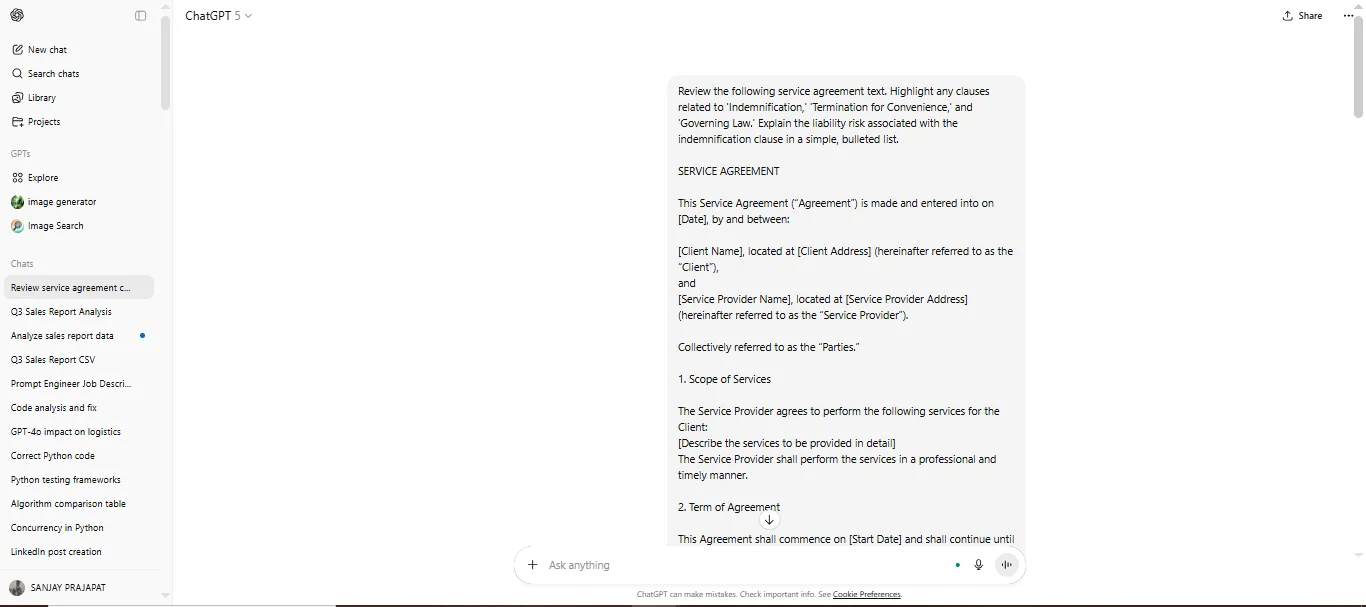
Legal and compliance teams can use it to accelerate tasks that previously required extensive manual review, such as contract review, clause summarization and policy drafting.
Note: AI-generated legal text must always be verified by a licensed professional.
"Review the following service agreement text. Highlight any clauses related to 'Indemnification,' 'Termination for Convenience,' and 'Governing Law.' Explain the liability risk associated with the indemnification clause in a simple, bulleted list." |
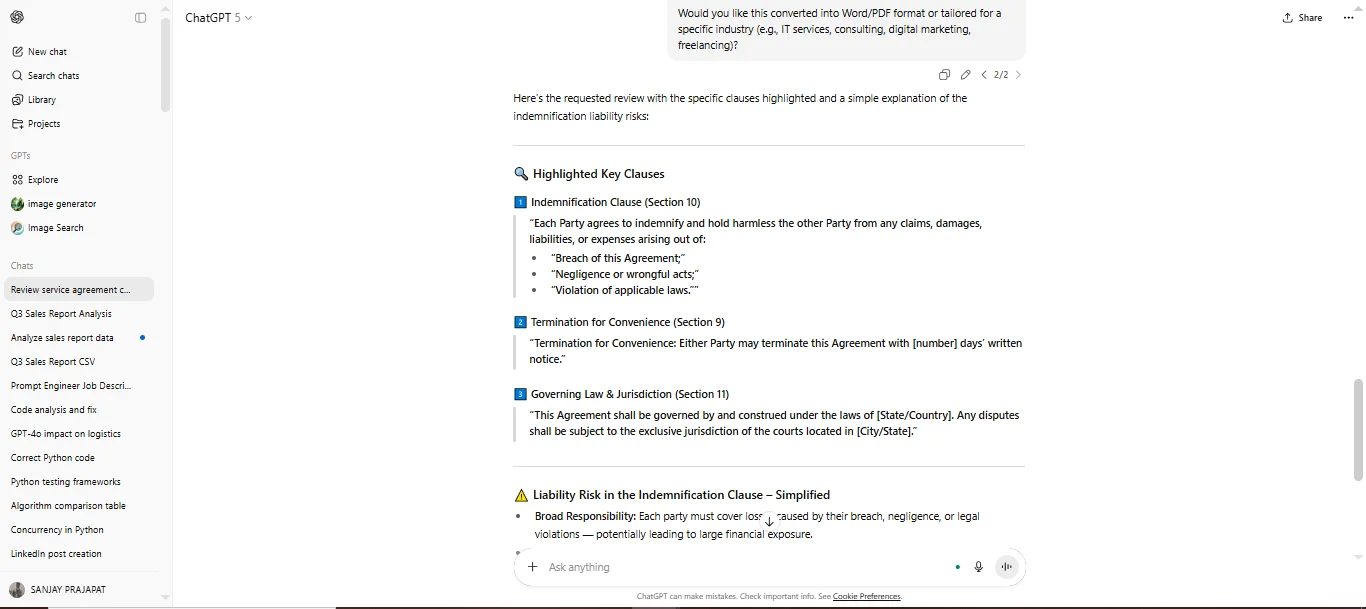
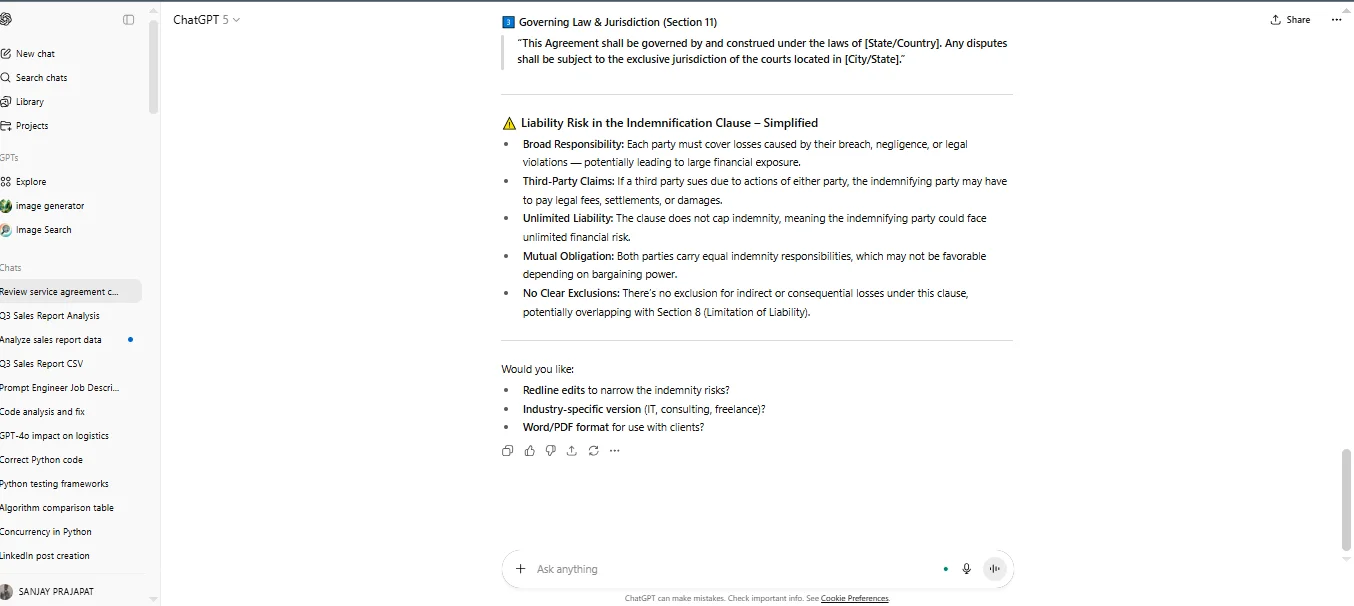
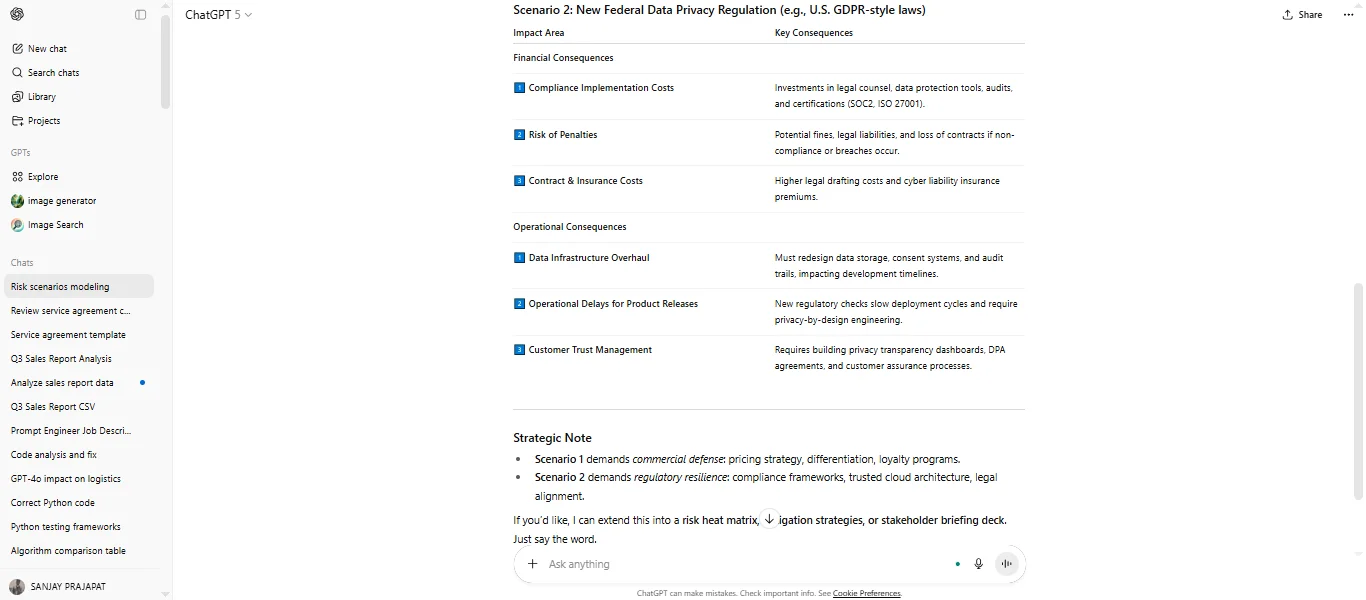
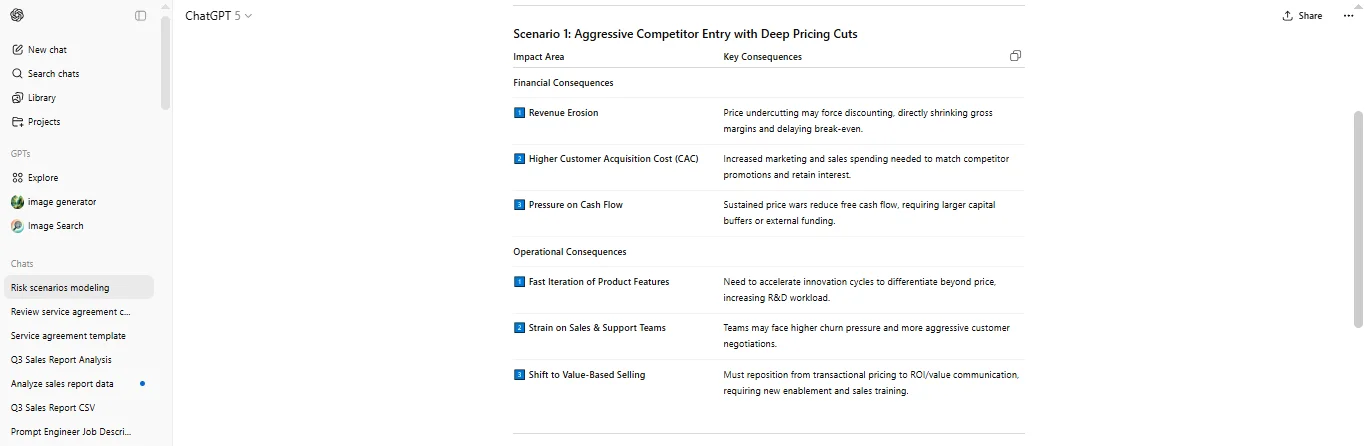
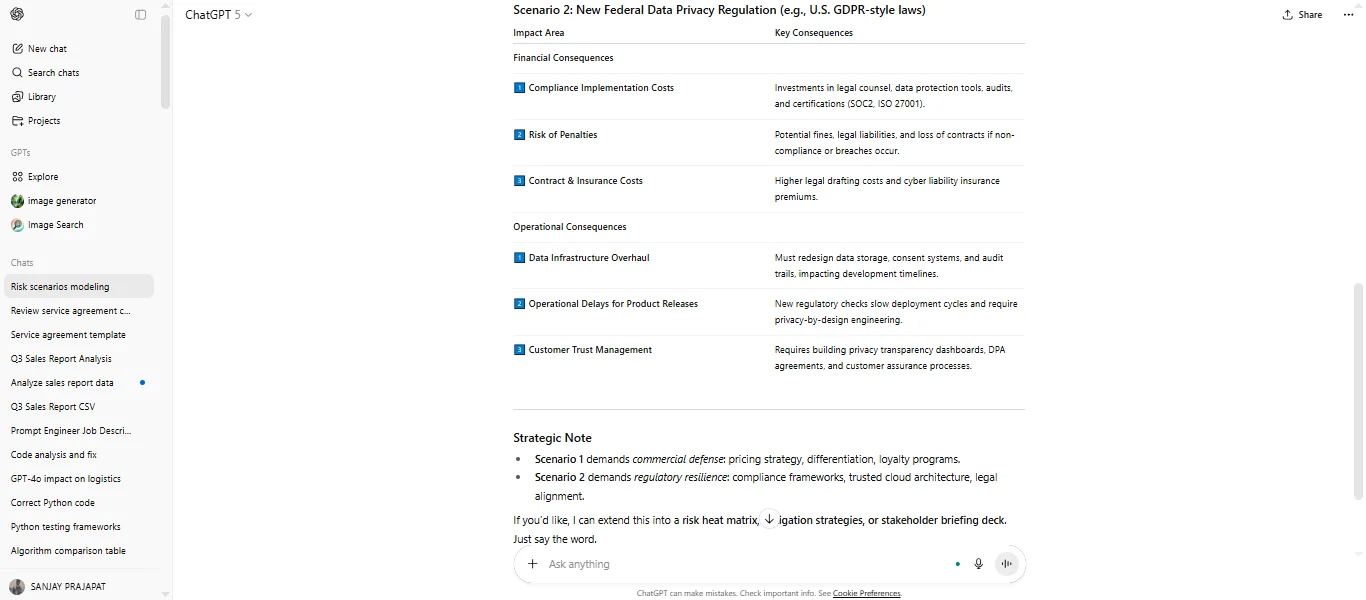
This AI serves as a powerful brainstorming and scenario-testing partner for consultants and senior managers. It can quickly outline the impact of variables like market shifts or regulatory changes on a business strategy.
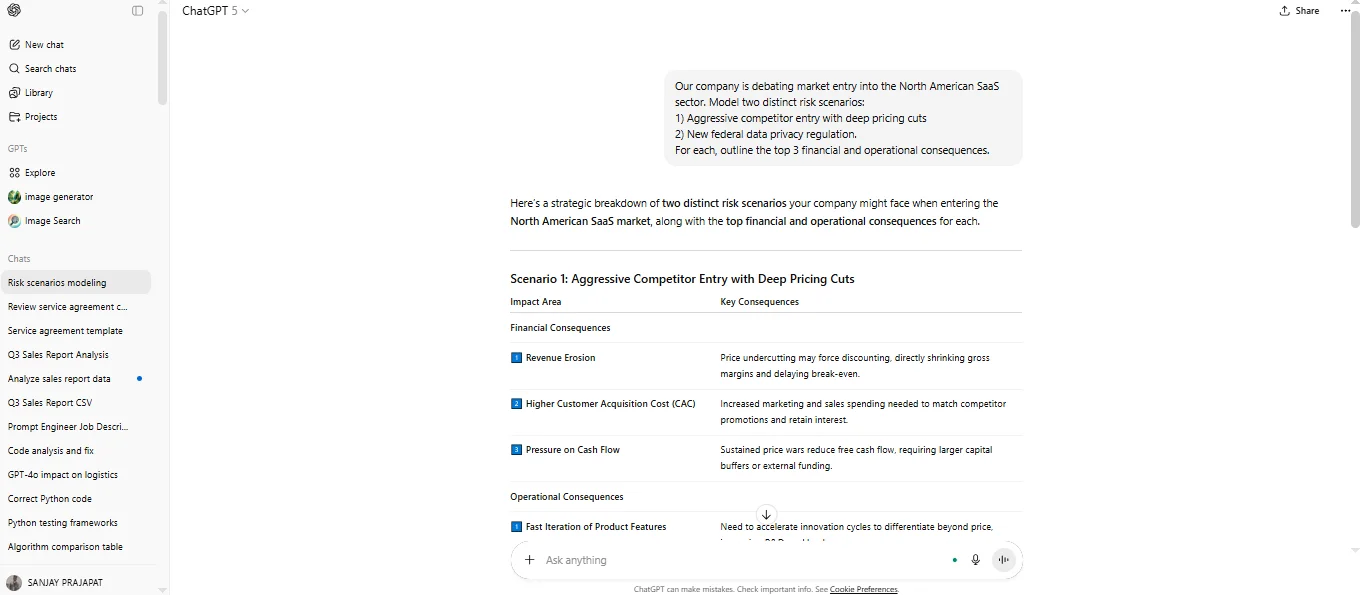
"Our company is debating market entry into the North American SaaS sector. Model two distinct risk scenarios: 1) Aggressive competitor entry with deep pricing cuts, and 2) New federal data privacy regulation. For each, outline the top 3 financial and operational consequences." |
Output:
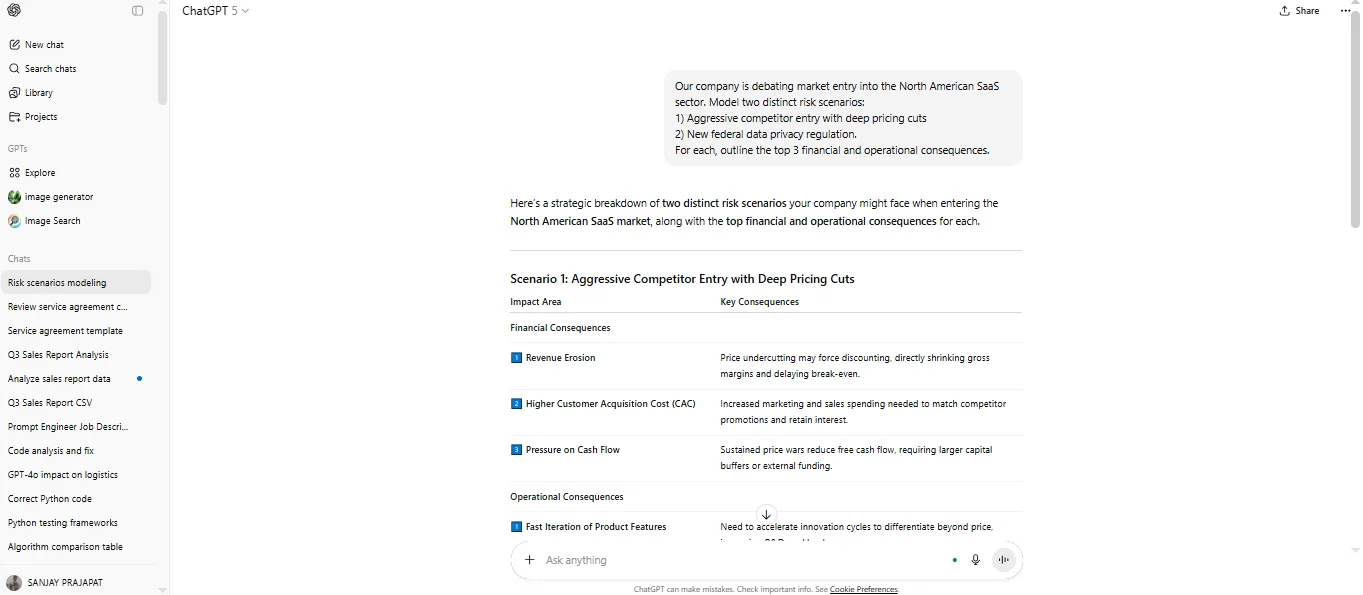
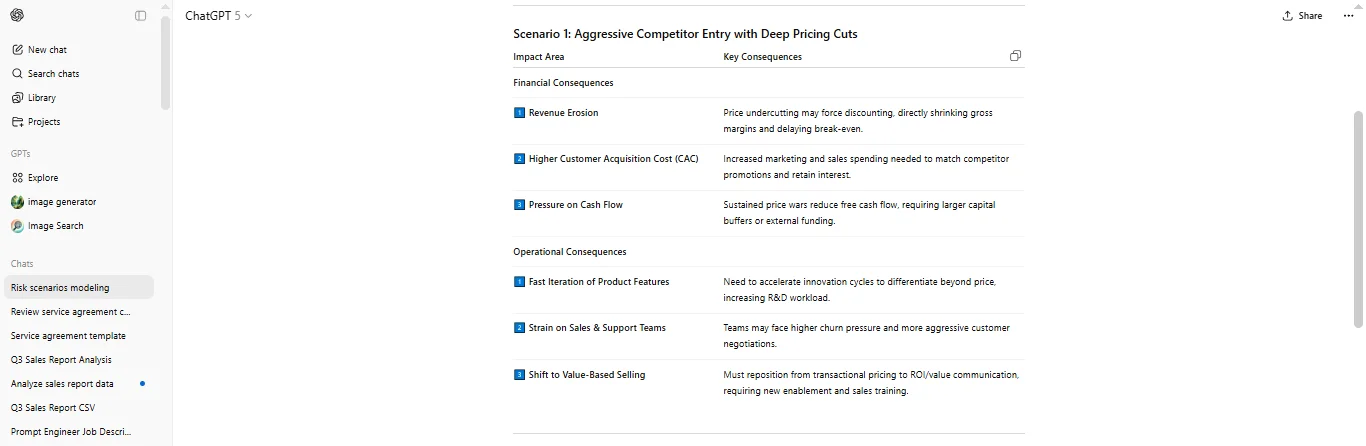
ChatGPT is particularly relevant for global commerce between markets like the US and India in the logistics and operations sector. It is used for complex modeling of logistics routes, inventory levels and demand forecasting based on uploaded or described data.
"Act as a supply chain analyst. Given the list of 10 delivery nodes and their geographical coordinates, generate a prioritized route optimization strategy to minimize fuel consumption while ensuring all time-sensitive deliveries are met. Explain the underlying heuristic." |
This tutorial has covered the essential starting points: what ChatGPT is, why it's popular globally, a step-by-step guide for beginners, its powerful customization options, and a comparison with its main rival, Gemini. The key takeaway is to start with a clear prompt and utilize the free tier's features, especially Custom Instructions, to make the AI work for your specific needs.
Anyone who wants to master AI can benefit, including beginners, students, marketing professionals, software developers, and business owners looking to boost productivity in competitive markets like the USA and India. The instructions are tailored for both casual and professional use.
No, it is not completely free, but it provides a very generous Free Tier. The free version gives you access to the older GPT-3.5 model and limited access to the newer, more powerful GPT-4o mini, along with some core features. You must subscribe to the paid version ($20/month) to access the full capabilities of GPT-4o, Custom GPTs, and advanced data analysis.
Both are excellent, but they have different strengths. ChatGPT is generally seen as the industry standard for creative tasks, general research, and advanced copywriting. Gemini is often better for tasks that require real-time internet access, coding, or deep integration with other Google services (like Gmail and Docs). An advanced tutorial should teach you how to use the strengths of both.
ChatGPT is a tool designed to assist humans, not completely replace them. It helps improve productivity.
Course Schedule
| Course Name | Batch Type | Details |
| ChatGPT Training | Every Weekday | View Details |
| ChatGPT Training | Every Weekend | View Details |