Indexing in MongoDB is one of the easiest ways to make your database faster. A well-planned index can turn a slow query into a fast one. A missing index can slow down your whole application as your data grows.
This blog explains what indexing in MongoDB is, how it works and which index types you can use. You will also learn how to create, view and manage indexes and how to avoid common mistakes.
Also Explore: How to Install MongoDB on Windows?
Indexing in MongoDB uses a specially organized data structure that holds a small, sorted portion of a collection's data which helps queries retrieve information more quickly and efficiently.
It helps MongoDB find the required documents quickly without scanning every document in a collection. This makes database queries faster and more efficient especially when working with large amounts of data.
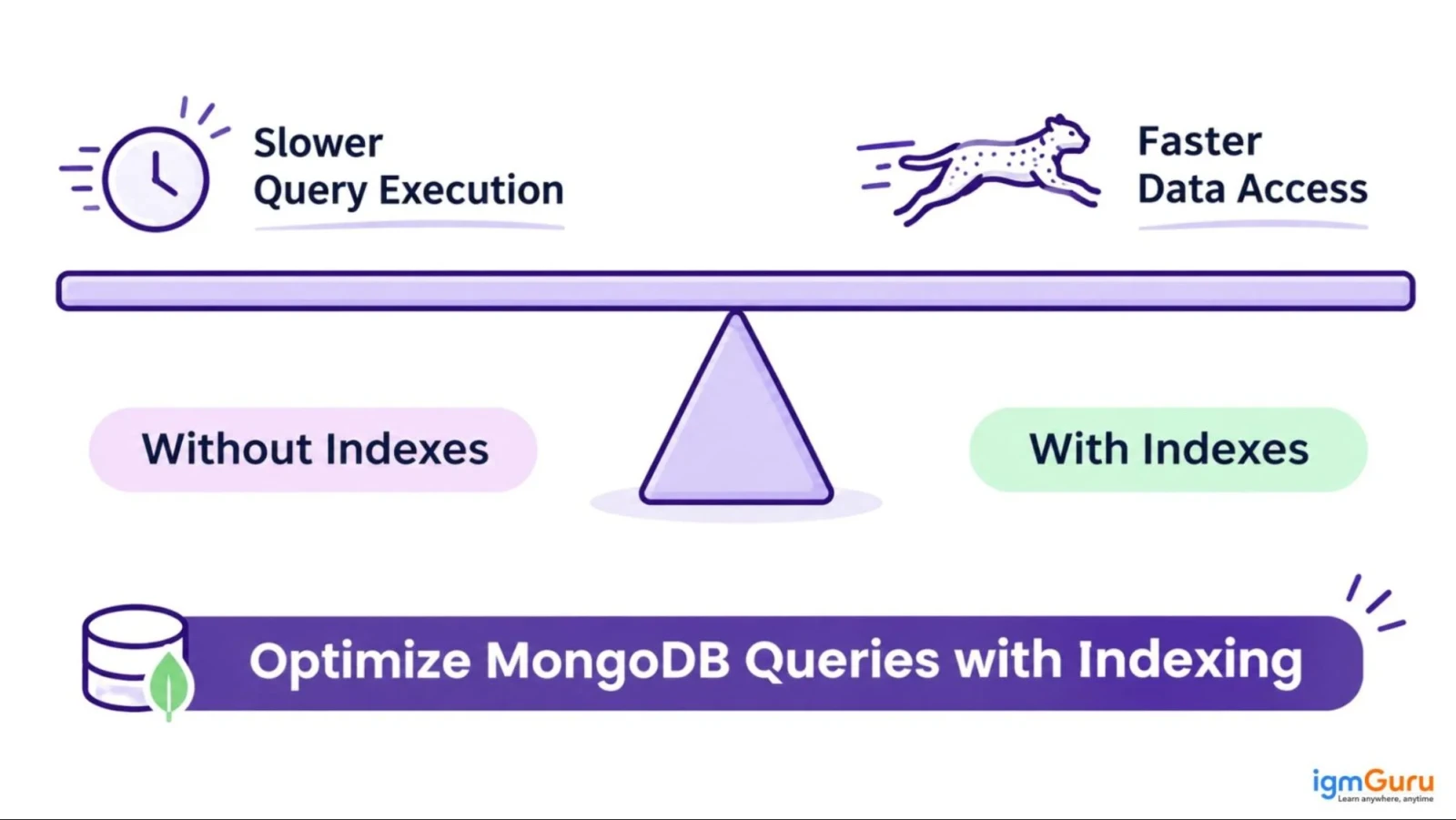
For example: Suppose you have a MongoDB collection containing 10,000 employee records and you want to find an employee using their email address.
Note: Although indexing improves read performance, it requires additional storage space and can slightly slow down write operations because MongoDB must also update the indexes whenever data changes.
Read Also: MongoDB vs PostgreSQL
A MongoDB index does more than speed up one query. It affects how well your whole application performs. Here are some of its importance:
1. Faster data retrieval: MongoDB jumps straight to the matching documents instead of reading the whole collection.
2. Improved query performance: Queries use less CPU, memory and disk input and output.
3. Efficient sorting and filtering: An index stores values in order. MongoDB can return sorted results directly from the index, so it does not need to sort them in memory.
4. Better performance for range queries: Queries that use operators such as $gt and $lt run much faster on indexed fields.
5. Support for scalable database applications: Your collection may grow from thousands to millions of documents. Good indexes help your query times stay steady.
Now that you understand why indexing is important, let's look at how MongoDB uses indexes to retrieve data. Understanding how this process works will help you see why indexed queries are faster than scanning an entire collection.
MongoDB stores indexes as B-tree structures. A B-tree keeps the index keys in sorted order. This allows MongoDB to search for a value quickly, much like you would look up a word in the index at the back of a book.
Here is the basic process:
If no suitable index exists, MongoDB reads every document in the collection. This is the slow path you want to avoid on large collections.
MongoDB also creates a default index on the _id field of every collection. You cannot drop this index. All other indexes are secondary indexes that you create yourself.
Also Read: How to Create a Database in MongoDB?
MongoDB supports several index types. Each one fits a different kind of data and query.
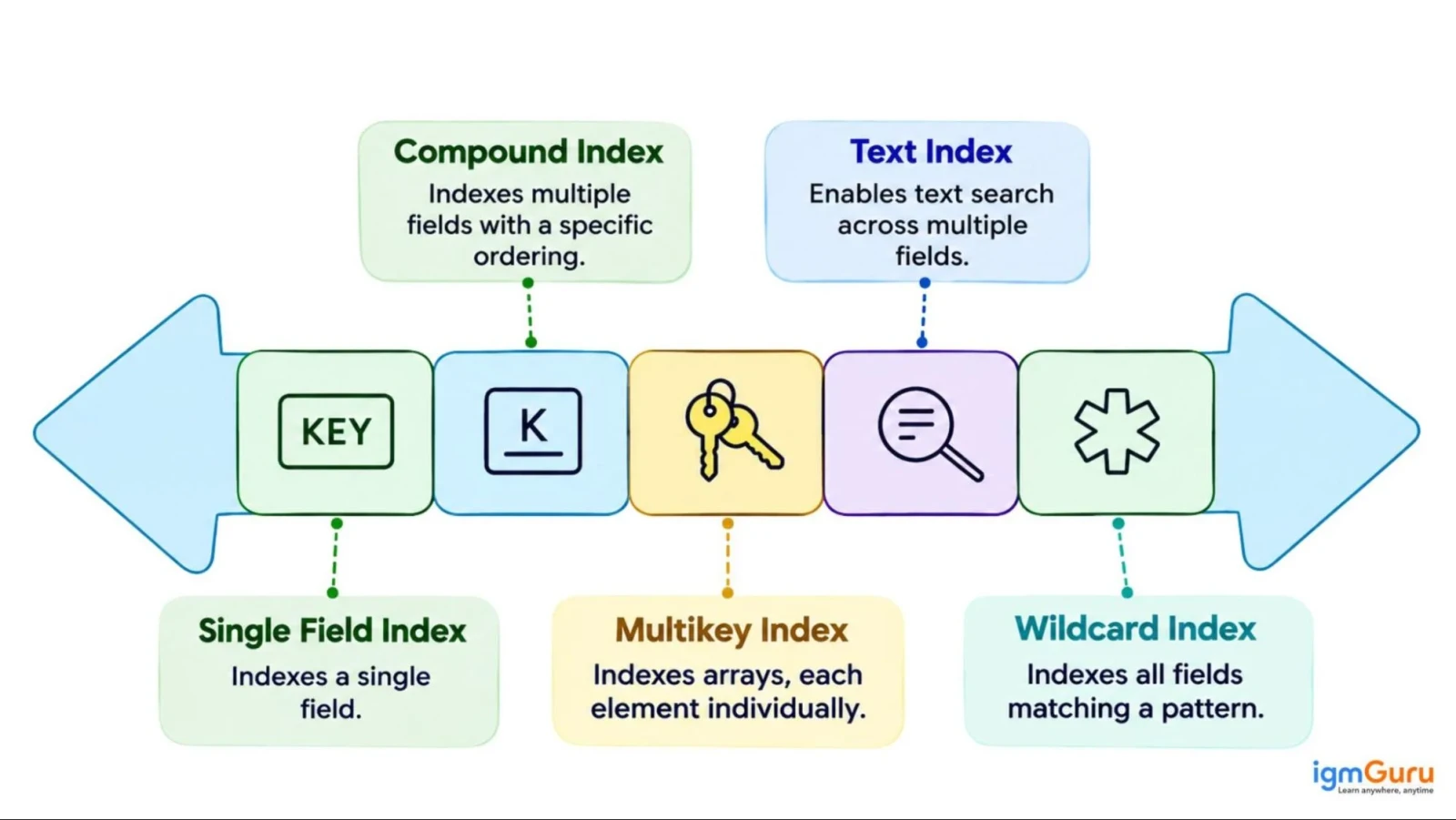
A single field index sorts data on one field. It is the simplest and most common index.
| db.employees.createIndex({ email: 1 }) |
The value 1 sorts the index in ascending order, while -1 sorts it in descending order. For a single field index, the sort order does not matter because MongoDB can read the index in either direction.
Use it when: You are frequently filtering or sorting data using one field, such as email, username, or order ID.
A compound index covers two or more fields. The order of the fields is important.
| db.employees.createIndex({ department: 1, salary: -1 }) |
This index sorts data first by department. Within each department, it sorts salaries in descending order.
A compound index also supports queries on its prefix. For example, this index supports queries on department alone and queries on both department and salary. However, it does not efficiently support queries on salary alone.
Use it when: Your queries filter or sort data using multiple fields together
MongoDB automatically creates a multikey index when you index a field that contains an array. It creates a separate index entry for each element in that array.
| db.students.createIndex({ subjects: 1 }) |
You do not need to declare a multikey index separately. MongoDB detects the array and handles it automatically.
Use it when: You need to search documents using values stored inside an array, such as tags, skills, or categories.
A text index supports keyword searches across string content. A collection can have only one text index, but that index can cover multiple fields.
| db.articles.createIndex({ title: "text", body: "text" }) db.articles.find({ $text: { $search: "mongodb indexing" } }) |
Text indexes can consume significant storage space and slow down insert operations because MongoDB creates an index entry for every unique word. Therefore, use them carefully.
Use it when: You need basic keyword searches across blog posts, product descriptions, or reviews. For advanced search functionality, consider MongoDB Atlas Search.
Geospatial indexes support queries involving location data. The two main types are 2dsphere and 2d.
| db.stores.createIndex({ location: "2dsphere" }) |
The 2dsphere index works with real-world coordinates on a spherical surface, while the 2d index works with flat coordinate pairs and is mainly used by older applications.
Use it when: You are building location-based features such as finding nearby stores or identifying delivery zones.
A wildcard index is useful when you cannot predict which fields need indexing in advance. It works well with documents that have flexible or changing structures. MongoDB introduced this index type in version 4.2.
| db.products.createIndex({ "attributes.$**": 1 }) |
Use it when: Your documents contain dynamic fields and creating a separate index for each field is not practical.
Wildcard indexes do not replace properly planned compound indexes. Use them when your document structure genuinely varies.
A hashed index stores the hash of a field's value instead of its original value. It supports equality queries and is commonly used in hashed sharding.
| db.users.createIndex({ userId: "hashed" }) |
One important limitation is that hashed indexes do not support range queries.
Use it when: You use sharding and want to distribute data more evenly across shards.
You can add properties to most index types to change their behavior.
| // Unique index db.employees.createIndex({ email: 1 }, { unique: true }) // Partial index db.orders.createIndex( { customerId: 1 }, { partialFilterExpression: { status: "active" } } ) // TTL index: remove documents one hour after createdAt db.sessions.createIndex({ createdAt: 1 }, { expireAfterSeconds: 3600 }) |
Also Explore: A Beginner's Guide to Learn MongoDB
Now that you know the different types of indexes and their properties, it is the time to learn how to create them. MongoDB provides the createIndex() method which allows you to create indexes on the fields your queries use frequently.
You create an index in MongoDB with the createIndex() method. The basic syntax looks like this:
| db.collectionName.createIndex({ fieldName: 1 }) |
Here is a practical example:
| db.employees.createIndex({ email: 1 }) |
MongoDB returns the name of the new index. In this case, the name is email_1.
You can also give your index a custom name:
| db.employees.createIndex({ email: 1 }, { name: "idx_employee_email" }) |
If an index with the same specification already exists, MongoDB does not create a duplicate. The command simply succeeds.
A note on index builds: Older articles mention the background option. Since MongoDB 4.2, index builds use an optimized process that does not block reads and writes for most of the build. MongoDB now ignores the background option. Large builds still use resources, so run them during quiet hours when you can.
Creating indexes is only the first step. You also need to review and maintain them regularly to ensure optimal performance
To view all indexes created on a collection, use the getIndexes() method.
| db.employees.getIndexes() |
This command displays all indexes available in the collection, along with their keys and options.
MongoDB provides the $indexStats aggregation stage to check how frequently each index is used.
| db.employees.aggregate([{ $indexStats: {} }]) |
It shows how often each index has been used. If an index has zero or very few uses, you can review whether it is still necessary.
To check how much storage space your indexes occupy, use the following command:
| db.employees.stats().indexSizes |
This helps you monitor index storage as your collection grows.
You can temporarily hide an index from the query planner without deleting it. This allows you to check how queries perform without that index
| db.employees.hideIndex("email_1") |
If query performance remains stable, you can consider dropping the index. However, if queries become slower, you can make the index available again using unhideIndex().
If an index is no longer required, you can remove it using the dropIndex() method.
| db.employees.dropIndex("email_1") |
You can also use dropIndexes() to remove multiple indexes at once. However, MongoDB does not allow you to drop the default _id index.
Key takeaway: Managing indexes does not end with creating them. Regularly monitor their usage, check their storage requirements and remove unnecessary indexes to maintain database performance.
Read Also: How to Create a Collection in MongoDB?
Creating an index is only half of the job. You also need to confirm that MongoDB uses it. The explain() method shows you the query plan.
| db.employees.find({ email: "sam@example.com" }).explain("executionStats") |
Look at these parts of the output:
A healthy query examines a number of documents close to the number it returns. If totalDocsExamined is far higher than nReturned, your index is not selective enough, or it does not match the query.
MongoDB recommends the ESR rule when you order the fields in a compound index:
Example query:
| db.orders.find({ status: "shipped", amount: { $gt: 100 } }).sort({ orderDate: -1 }) |
Matching index:
| db.orders.createIndex({ status: 1, orderDate: -1, amount: 1 }) |
A covered query gets all its data from the index. MongoDB does not need to read the documents at all, so the query runs very fast.
| db.employees.createIndex({ department: 1, name: 1 }) db.employees.find( { department: "Sales" }, { _id: 0, department: 1, name: 1 } ) |
The projection returns only indexed fields and excludes _id, so the index covers the query.
Also Read: MongoDB vs MySQL
Even experienced developers make these mistakes. Check your own project for each one.
1. Creating unnecessary indexes: Creating indexes on every field does not always improve query performance. Unnecessary indexes consume additional storage and increase the time required for insert, update and delete operations. Avoid indexing fields that your application rarely uses in queries.
2. Not creating any indexes beyond _id: This works for small collections, but it causes slow queries as data grows.
3. Using the wrong field order in a compound index: A compound index follows its field order. The wrong order can make the index useless for your query.
4. Indexing low-selectivity fields alone: A field such as gender or isActive has few unique values. An index on it alone rarely helps.
5. Keeping duplicate or overlapping indexes: If you have an index on { a: 1, b: 1 }, a separate index on { a: 1 } is usually redundant.
6. Skipping explain(): Never assume MongoDB uses your index. Always check the query plan.
7. Ignoring index size and memory: Indexes work best when they fit in RAM. Oversized indexes cause disk reads and slow performance.
8. Never remove unused indexes: Review $indexStats regularly and clean up indexes that no query uses.
9. Creating large indexes during peak traffic: Index builds use CPU and disk. Schedule them for off-peak hours.
Use these habits to keep your MongoDB index performance strong.
Also Read: Data Types in MongoDB
Think of indexing in MongoDB as the difference between flipping through every page of a book and jumping straight to the right chapter. Your queries get the same shortcut and your users feel the speed.
You now know what indexes are, how they work and which types fit which jobs. You can also create and manage them, read an explain() plan and spot the mistakes that trip up many developers.
By following this approach and monitoring your indexes regularly, you can keep your MongoDB database efficient and responsive as your application grows