Have you ever wondered how apps and websites keep track of all that information? This is done with the help of a database.
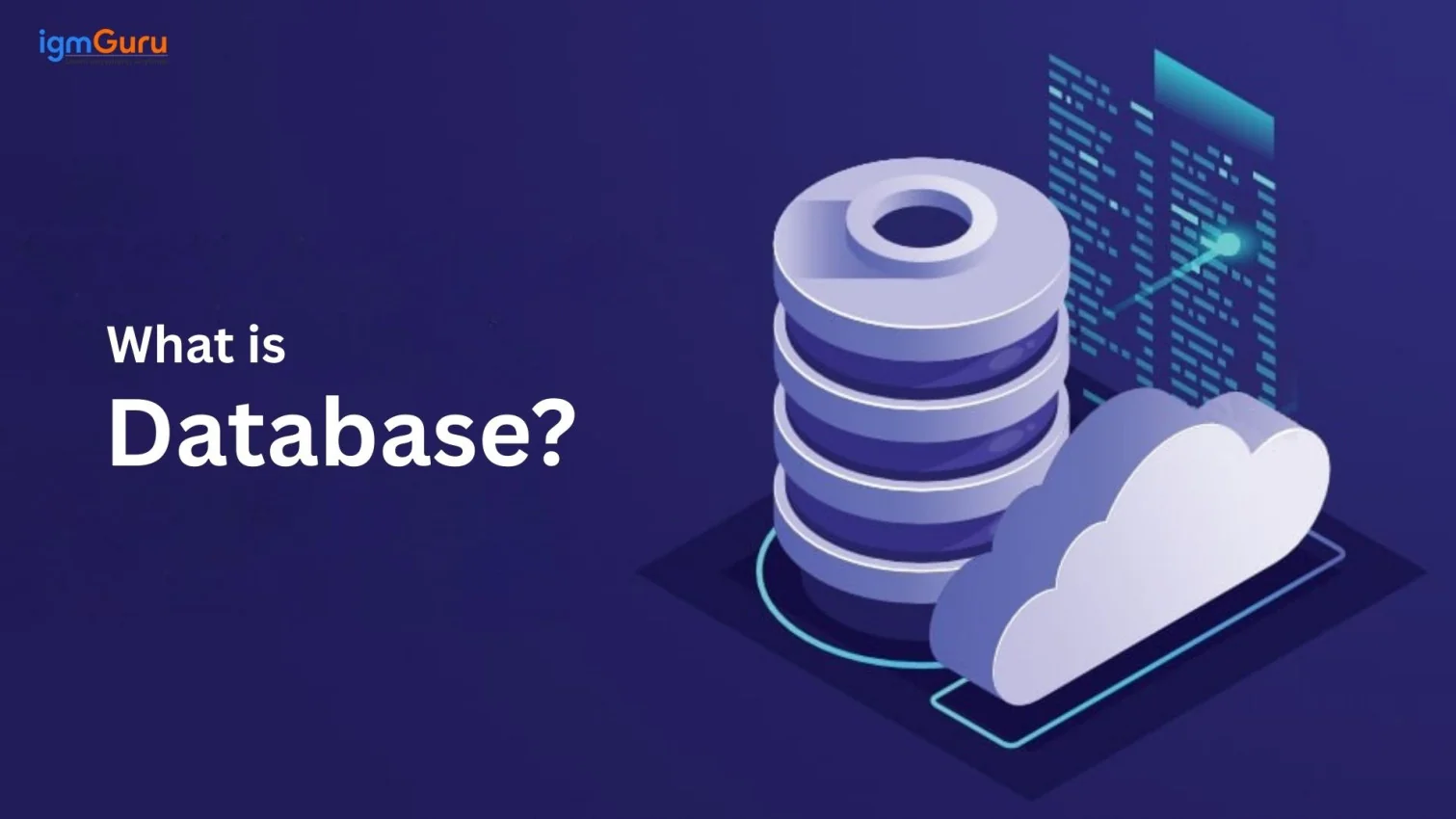
A database is an organized collection of digital data or information. It is stored in a structured way for easy access, management and data retrieval. It is like a database is like a smart storage box for data. It is typically controlled by Database Management System (DBMS). DBMS serves as the interface for users and applicants to interact with data, especially as part of new technology trends shaping the digital world.
This guide explains everything from what is database, its types, how it works, to real examples and many more. Let's begin.
A database is a system to store data in an organized way. It holds information like names, numbers or addresses. Therefore, you can find, use and manage them easily. Businesses, apps and websites use databases to keep data safe and organized. It is sometimes also known as a centralized repository. Databases use tables to group similar data. Each table has rows and columns like a spreadsheet.
For instance, a table for customers might have columns like Name, Email and Phone Number. Each row is one customer's details. This setup makes it easy to search, update or delete data. Databases also use software called a DBMS to control the data.

A DBMS is software that runs a database. It helps you add, change or remove data. Some popular DBMS examples include MySQL, Oracle, and MongoDB. A DBMS makes working with databases simple and efficient. Here are some key features of a DBMS are:
Related Article: How to Set Up and Configure MySQL in Docker?
A database works by storing, retrieving, updating, and managing data through a Database Management System (DBMS). Instead of directly interacting with stored files, users communicate with the database using applications or query languages like SQL. The DBMS processes each request, finds the required information, and returns accurate results while maintaining data security and consistency.
Whenever you search for a product on an e-commerce website, log into a social media platform, or check your bank balance, your request follows a specific sequence. The application sends the request to the DBMS, which retrieves or updates the required information from the database before returning the result to the application. This entire process happens within a few milliseconds.
A database consists of several components that work together to organize, store, and retrieve information efficiently. Understanding these components helps beginners understand how databases are structured and how different pieces of information are connected. These components form the foundation of almost every relational database management system.
| Component | Description | Example |
|---|---|---|
| Table | Stores related data in rows and columns. | Customer Table |
| Row (Record) | Represents one complete entry in a table. | One customer's information |
| Column (Field) | Represents a specific attribute of the data. | Name, Email, Phone Number |
| Primary Key | Uniquely identifies every record in a table. | Customer ID |
| Foreign Key | Creates relationships between two tables. | Customer ID in the Orders table |
| Schema | Defines the overall structure of the database. | Tables, relationships, and constraints |
| Index | Improves the speed of searching and retrieving data. | Index on Email column |
For example, an online shopping application may have separate tables for customers, products, and orders. Primary and foreign keys connect these tables so that the database can quickly identify which customer purchased a particular product.
The Databases come in different types. Each type is built for specific needs. Some handle structured data like tables. Others work with flexible data like images or videos. The types of databases are:
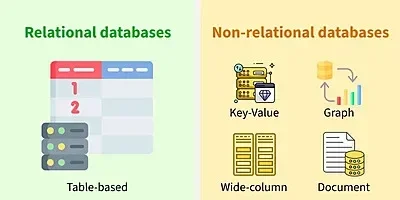
A relational database stores data in tables. Each table has rows and columns. Tables connect through keys. For instance- A customer table might link to an order table by a customer ID. This makes data easy to organize and find.
Relational databases are great for structured data. They use SQL to manage data. SQL is a language to search or update data. Some of its benefits are:
Some examples include MySQL and PostgreSQL. They are used in banking and online stores.
NoSQL databases handle unstructured data. Unstructured data includes things like social media posts or videos. They do not use tables like relational databases. Instead, they use formats like key-value or documents. NoSQL databases are flexible. They handle large amounts of data. They are good for apps with lots of users. Benefits include:
Some of its examples include MongoDB and Cassandra. They are used in social media and real-time apps.
Cloud databases run on the internet. They are stored on cloud servers, not on the local computers. This makes them easy to access from anywhere. They are good for teams working remotely. Cloud databases are scalable. You can add more storage as needed. Its benefits include:
The examples include Amazon RDS and Google Cloud SQL. They are used in apps and websites.
Some databases are for special tasks. Graph databases track relationships. For instance- They show how people connect on social media. Time-series databases store data like stock prices over time. They are fast for time-based data.
Examples include Neo4j for graph databases and InfluxDB for time-series. These are used in analytics and network tracking.
Read Also- MongoDB vs MySQL: Understanding Key Difference
Database languages allow users to create, retrieve, update, and manage data stored inside a database. Different database management systems support different languages depending on their architecture and functionality. Understanding these languages helps developers communicate effectively with databases while building modern applications.
| Language | Purpose | Common Databases |
|---|---|---|
| SQL | Create, retrieve, update, and delete structured data. | MySQL, PostgreSQL, SQL Server |
| PL/SQL | Write stored procedures and business logic. | Oracle Database |
| T-SQL | Extend SQL with procedural programming features. | Microsoft SQL Server |
| PL/pgSQL | Create stored procedures and functions. | PostgreSQL |
| MongoDB Query Language (MQL) | Query and manage document-based databases. | MongoDB |
Among these languages, SQL remains the most popular because it is supported by most relational database management systems. However, document databases such as MongoDB use their own query language to work with flexible and unstructured data.
Every database performs four basic operations known as CRUD operations. CRUD stands for Create, Read, Update, and Delete. These operations allow users and applications to store new data, retrieve existing information, modify records, and remove unwanted data. Almost every website, mobile application, and enterprise software relies on these operations to manage information efficiently.
| Operation | Purpose | Example |
|---|---|---|
| Create | Add new records to the database. | Registering a new customer on an e-commerce website. |
| Read | Retrieve existing information. | Viewing product details or customer records. |
| Update | Modify existing data. | Changing a customer's email address or updating product prices. |
| Delete | Remove unnecessary records. | Deleting an inactive user account or discontinued product. |
For example, when you create an account on a shopping website, the information is stored using the Create operation. When you log in, the website performs a Read operation to verify your details. Updating your profile uses the Update operation, while deleting your account performs the Delete operation.
Database architecture is how a database is built. It shows how data is stored and accessed. Different architectures fit different needs. Some are simple for small apps. Others work for big systems. Understanding architecture helps you know how databases function.
Databases use different setups called tiers. A tier is a layer that handles part of the work. Here are the main types:
| Architecture | Description | Example Use Case |
| One-Tier | Database and user interface on the same system. | Personal desktop database (e.g., MS Access). |
| Two-Tier | Client communicates directly with the database server. | Small business apps with limited users. |
| Three-Tier | Adds an application server between client and database for scalability. | Large enterprise systems, web apps. |
Modern relational databases follow the ACID properties to ensure that every transaction is processed accurately and reliably. ACID is a set of rules that helps databases maintain consistency even when multiple users access data simultaneously or unexpected system failures occur. These properties are especially important in banking, healthcare, and financial applications where data accuracy is critical.
| Property | Description | Example |
|---|---|---|
| Atomicity | Ensures a transaction is completed entirely or not executed at all. | A bank transfer either completes successfully or is completely cancelled. |
| Consistency | Maintains valid data before and after every transaction. | An account balance remains accurate after a money transfer. |
| Isolation | Allows multiple transactions to run independently without affecting each other. | Two customers booking tickets simultaneously do not overwrite each other's data. |
| Durability | Ensures committed data remains saved even after a system failure. | Completed online payment records remain available after a server restart. |
By following the ACID properties, database management systems improve data reliability, reduce inconsistencies, and ensure that critical business transactions remain secure and accurate.
Databases power many apps and websites. They store and manage data for different industries. Knowing real-world examples helps you understand how databases work in action. Here are some popular databases and how they are used.
Some databases are widely used because they are reliable and easy to use. Each database fits different needs. Here are three examples:
Databases are used in many fields. Databases make these industries faster and more organized. They help businesses serve customers better. Here are examples of how they help:
Read Also- How to Create a Database in MongoDB?
Databases are the backbone of modern apps. They store and manage data for websites, mobile apps and games. Without databases, apps like online stores or social media would struggle to work. They make data easy to handle and keep apps running smoothly. Databases make apps faster, safer and easier to manage. They help businesses serve users better and keep data organized for any project.
Here are the main benefits of using databases in today's apps.
Databases keep data neat and structured. They store information like user names or product details in a clear way. For instance, A shopping app uses a database to show product categories or customer orders instantly. This makes it easy to find and use data without confusion.
Databases help apps get data quickly. They use tools like queries to find information in seconds. For instance, when you search for a movie on a streaming app, the database delivers results fast. This speed keeps users happy and apps running well.
Databases protect data from loss or theft. They use passwords and permissions to control who can see or change data. They also save backups to recover data if something goes wrong. For instance, A bank's database keeps your account details safe and secure.
Databases let you add or change data without breaking the app. For example, a blog app can add new posts or update user profiles easily. This helps businesses keep their apps up to date with the latest information.
Databases grow with your app. They can handle more data as your app gets more users. For example, a social media app can store millions of posts without slowing down. This makes databases perfect for apps that need to scale.
Picking up the right database is important for your app or website. The wrong choice can slow down your project or make it hard to manage. Different databases fit different needs. This section helps you choose the best one for your project.
Choosing a database depends on your project's goals. Here are key factors to you can think about:
Also Explore: What is Cloud Computing?
Selecting the right database is only the first step. Before implementing a database in a real-world application, you should also consider several technical and business factors that affect its performance, security, scalability, and long-term maintenance. Evaluating these considerations early helps avoid costly changes as your application grows.
| Consideration | Why It Matters |
|---|---|
| Scalability | Ensures the database can handle increasing amounts of data and users as your application grows. |
| Performance | Improves query execution speed and overall application responsiveness. |
| Security | Protects sensitive information using authentication, authorization, and encryption. |
| Backup and Recovery | Helps restore data quickly in case of accidental deletion, hardware failure, or cyberattacks. |
| Availability | Keeps the database accessible with minimal downtime during maintenance or failures. |
| Cost | Includes licensing, cloud infrastructure, maintenance, and operational expenses. |
| Compatibility | Ensures the database integrates smoothly with your application, programming language, and cloud platform. |
Considering these factors before choosing a database helps organizations build reliable, secure, and high-performing applications. The right database should not only meet your current requirements but also support future business growth and increasing user demands.
Databases are a big part of today's digital world. This blog has covered everything about databases from their types, like relational and NoSQL, how architectures work to real-world uses like e-commerce and healthcare.
Now, what you can do next is. You can start with a simple database like MySQL. It is free and great for small projects like a blog or a to-do app. Just download it, try storing some data and see how it works. As you grow you can experiment with other databases. You can also try MongoDB for apps with lots of flexible data like social media posts. Just keep practicing and soon you will be able to build apps that manage data properly.
SQL databases use tables and a language called SQL for structured data. They are great for organized info like customer records. NoSQL databases handle unstructured data like posts or videos. They are flexible and good for large apps without fixed structures.
Database architecture shows how data is stored and accessed. It includes setups like one-tier, two-tier or three-tier. The right architecture makes your app faster, safer and easier to scale for small or big projects.
Some real-life examples include MySQL for websites like WordPress, MongoDB for social media apps and Oracle for banks. In e-commerce the databases track orders. In healthcare they store patient records. These show how databases help different industries.
First, you need to know about your data type, size, speed needs, budget and skills. For structured data you can try a relational database like MySQL. For big flexible data you can use NoSQL like MongoDB. Test options to see what works best.
Yes, databases are designed to store and manage large volumes of data efficiently and securely.
Data is stored in a database in tables made of rows and columns. Each row represents a record and each column represents a specific information.