Want to know how to create a database in MongoDB? You have come to the right place. There are different methods of creating a database in MongoDB. This article has listed many of them in detail. This knowledge could be very beneficial as many companies are using this tool in their database operations. It is consistently ranked as a popular NoSQL database.
MongoDB is an open-source database management system (DBMS). It is a high-performance platform and does not use any schema. This is why data engineers do not have to specify the structure of the table and data before using it. This removes the complexity, minimizes the efforts and saves time for data engineers.
Explore other igmGuru's Big Data Certification Courses to enhance your skills.
It is important to know when to create a database in MongoDB as there are many types of DBMSs. Each of them are best for different instances. Understanding this will inform you about its application areas and requirements. It is best to use this platform when dealing with rich document models. It is also useful in storing humongous data in the row and column format.
There are many ways to create a database in MongoDB. There is no need to go through each of them to become an excerpt on this platform. We will discuss the three of the most important methods. The following are these methods -
Related Article - MongoDB Tutorial for Beginners
Using Atlas UI is the most straightforward way to create a database in MongoDB. Atlas is basically an online interface for managing cloud databases. It is generally used for building clusters, monitoring users, querying data, managing performance and configuring backups. The following are the steps to create a database in MongoDB using Atlas UI -
Step 1. Start by creating a new account on MongoDB Atlas. You can use your email address for the same. Now build and deploy a cluster on this UI which is free for a new user.
Step 2. Open the cluster page and click on the Browse Collections option.
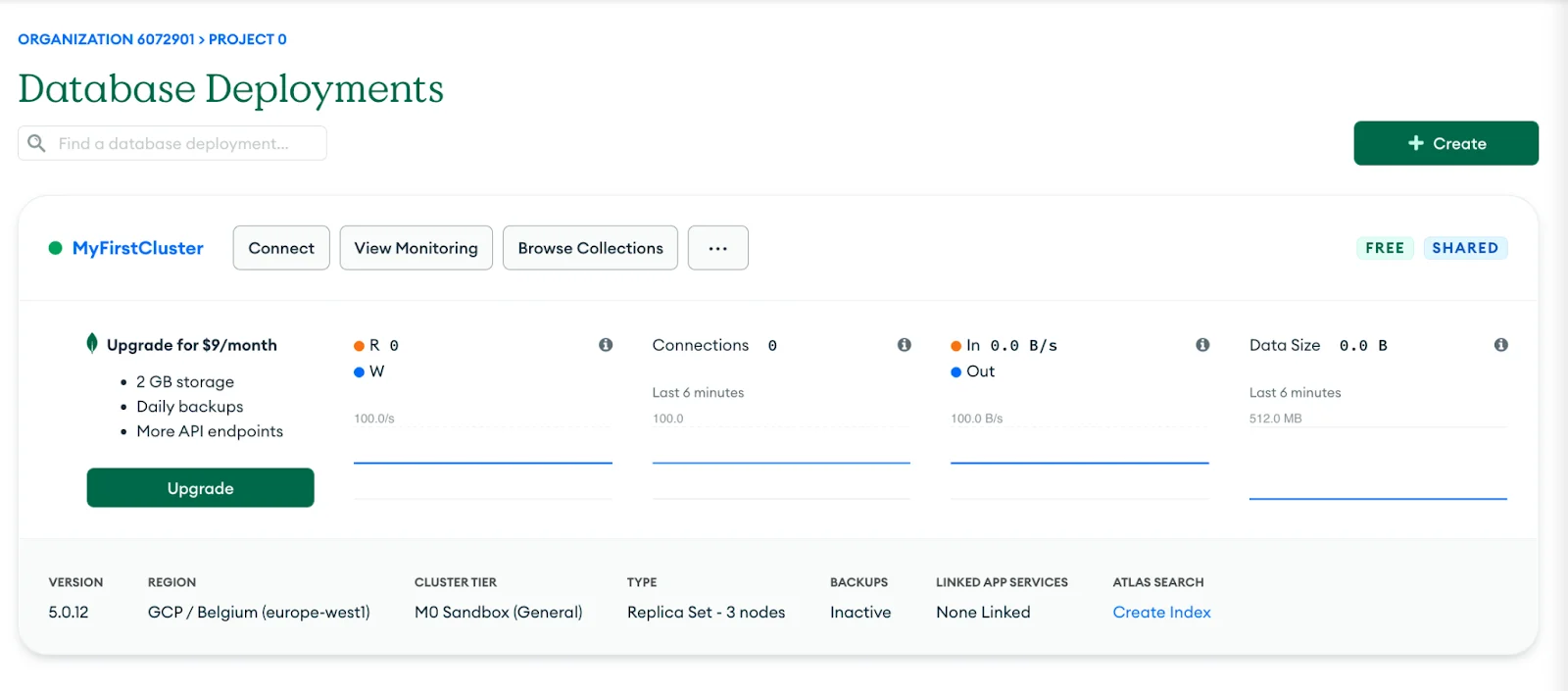
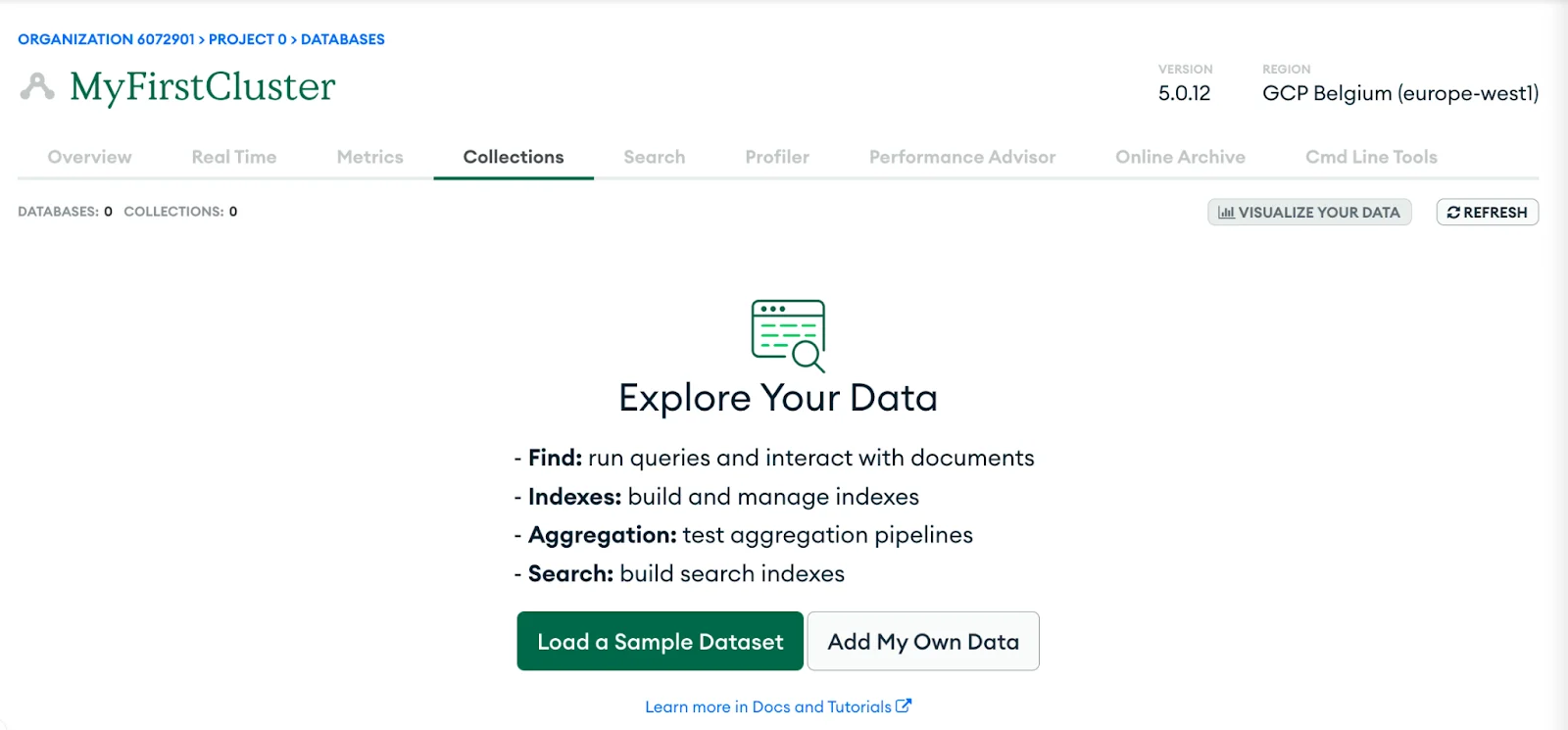
Step 3. Navigate to the collection action and see if there is any database available. This will show an option as Add My Own Data in case it does not have any database. Click on this button to create a new one.
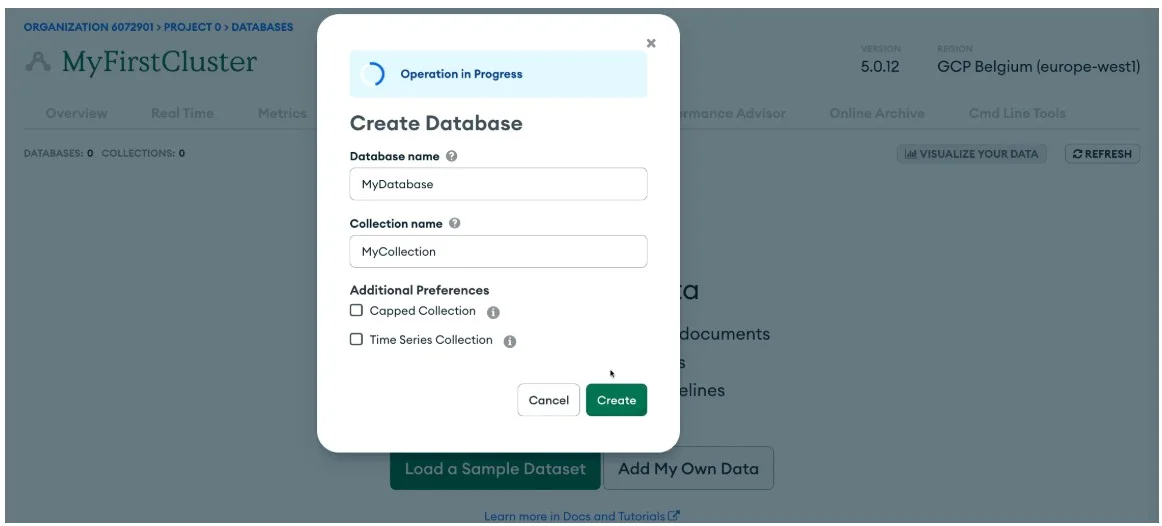
Step 4. This will open a small window asking for the database and collection name. Feel these names and click on the Create button. This will create a new database instantly.
Also Learn How to Install MongoDB on Windows.
Creating a database in MongoDB using Shell is also a simple method. It uses the command line in this instance. A shell is basically a code that enters commands into a software system. Data experts use it for monitoring, managing and running this database management system. The following are the steps to create a database in MongoDB using Shell -
Step 1. Start from getting a shell by adding IP in IP access > making sure there is a database cluster > installing MongoDB shell > running the mongosh command > and logging in to the Atlas cluster.
Step 2. Use the show command to see the databases available in the cluster if you have access to the shell. Create a new one if it does not have any.
> show dbs admin 0.000GB local 0.000GB |
Step 3. MongoDB Shell does not have any command to create a database. Use a context to an absent database by the use command.
> use igmgurudb |
Step 4. This platform will only create a database after storing some information in it. Use the db.collection.insert() for this instance.
> db.user.insert({name: "Ada Lovelace", age: 205}) WriteResult({ "nInserted" : 1 }) |
Step 5. This will change the context. Just check if it is done by using the show dbs command.
> show dbs admin 0.000GB igmgurudb 0.000GB local 0.000GB |
Explore this Complete Comparative Guide on MongoDB vs MySQL
Some data engineers prefer to use a compass (a GUI) for creating and updating their database. The MongoDB Compass gives many additional functionalities like data visualization, performance profiling and CRUD operations. It gives complete access to data, databases and collections. The following are the steps to create a database in MongoDB using Shell -
Step 1. Start from getting a compass by adding IP in IP access > assigning a cluster user > installing MongoDB compass > logging in to the Atlas cluster > and running the cluster.
Step 2. Navigate and open the databases tab in MongoDB Compass. It has an option namely Create Database. Here you have to create a new database and add its first data at the same time. Clicking on the create database option will open a dialog asking for the name of the database and its collection.
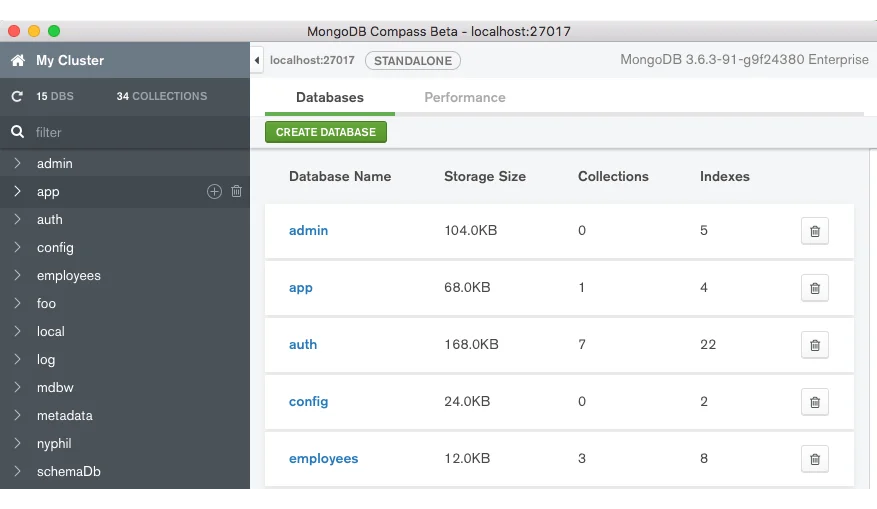
Step 3. Now perform a quick check by clicking on the database name to see collections and clicking on the collection name to see the document tab.
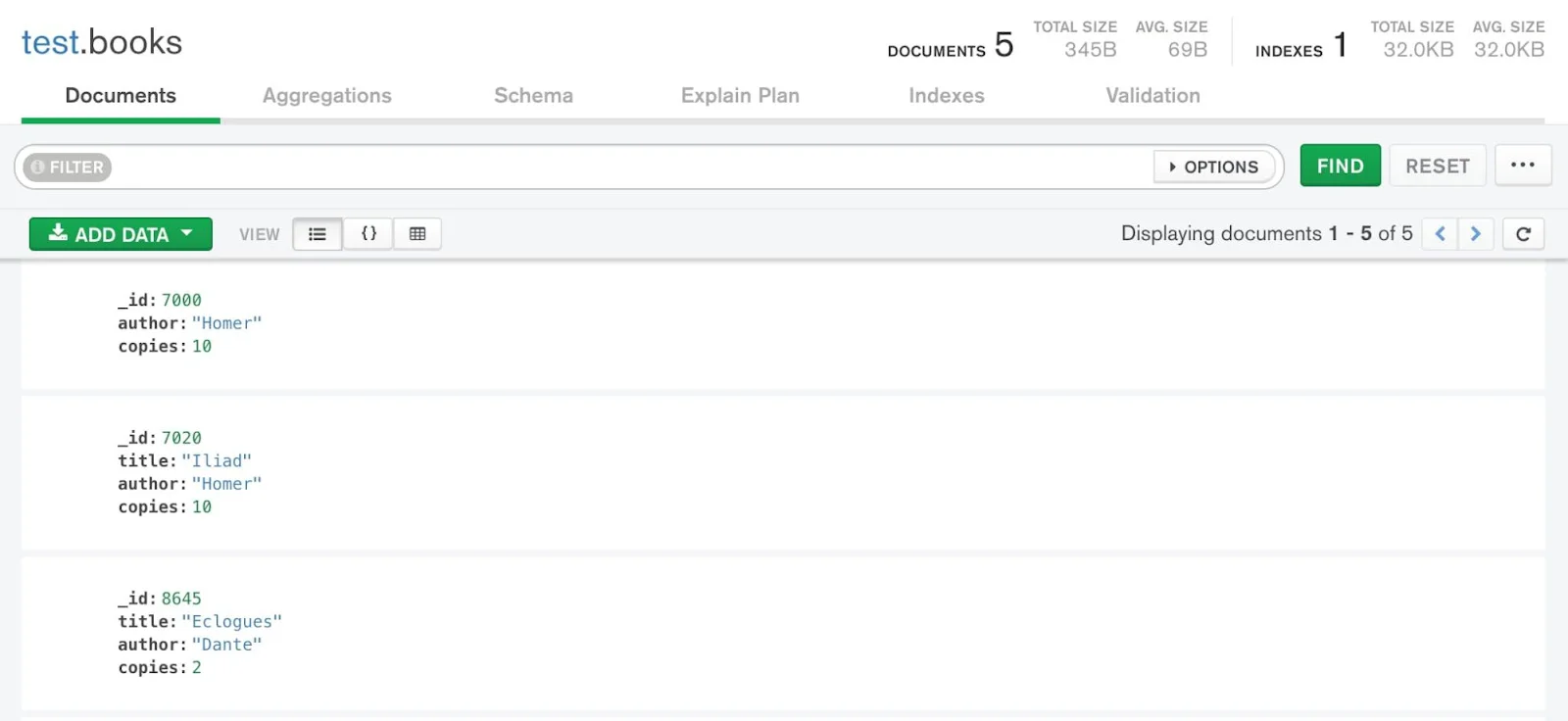
Step 4. Here you will see an Add Data button. Click on it to insert documents into the collection. It will take a single JSON document at a time or multiple ones in an array.
[ { "_id" : 8752, "title" : "Divine Comedy", "author" : "Dante", "copies" : 1 }, { "_id" : 7000, "title" : "The Odyssey", "author" : "Homer", "copies" : 10 }, { "_id" : 7020, "title" : "Iliad", "author" : "Homer", "copies" : 10 }, { "_id" : 8645, "title" : "Eclogues", "author" : "Dante", "copies" : 2 }, { "_id" : 8751, "title" : "The Banquet", "author" : "Dante", "copies" : 2 } ] |
Step 5. Now Click on the Insert button to add documents to the collection. This will create a new database.
Get details on MongoDB certification with this comprehensive article.
This article has explained different methods to create a database in MongoDB. This knowledge is enough for a beginner to install this DBMS in their system. Learning to use this platform will take some time and reliable resources. It is recommended to check out online tutorials, courses and study materials. These resources will give a complete understanding of this platform.
MongoDB stores information in the form of a BSON (Binary JSON) file. This way is faster than using a JSON file itself when dealing with data queries. It also gives better data type assistance and performance for data storage.
MongoDB is a general database system that has many benefits for application development processes. It has great scaling capabilities and flexible schemas. These features are best for deploying future-based applications.
This platform uses primary keys. This works as a unique identifier for every document available on a MongoDB collection. It uses the _id field for the primary key of documents as a default setting.
Course Schedule
| Course Name | Batch Type | Details |
| MongoDB Training | Every Weekday | View Details |
| MongoDB Training | Every Weekend | View Details |