Have you ever found yourself copying the same code over and over in different functions? Do you want to add functionality to your functions without rewriting them? If so, you have come to the right place.
Python decorators are one of the most elegant and powerful features of the Python language. They allow you to enhance your code without cluttering it. Yet, many Python developers avoid decorators because they seem confusing or advanced. The truth is, decorators are easier than you think and they can transform how you write code.
In this comprehensive guide, we will break down Python decorators into simple, understandable concepts. We will walk you through everything you need to know, from the absolute basics to advanced decorator patterns you can use in real-world project.
Read Also: A Comprehensive Guide to Python Web Development
In Python, a decorator is a type of design pattern that allows you to modify or extend the behavior of a function or method without directly changing its source code. It essentially acts as a "wrapper" that executes additional logic before or after the target function runs.
Think of a decorator as an add-on layer for a function. Similar to how a phone case provides extra protection and features without altering the phone itself, a decorator enhances a function by adding new behavior while keeping the original function's core purpose unchanged.
In Python, decorators are functions that take another function as input and return a modified version of that function. This powerful concept helps you keep your code clean, reusable and maintainable.
Example: Basic Python Decorator
Let me show you a simple example of how a Python decorator works:
|
def decorator_function(func): def wrapper(): print("Before the function execution") func() print("After the function execution") return wrapper @decorator_function def greet(): print("Hello, World!") greet() |
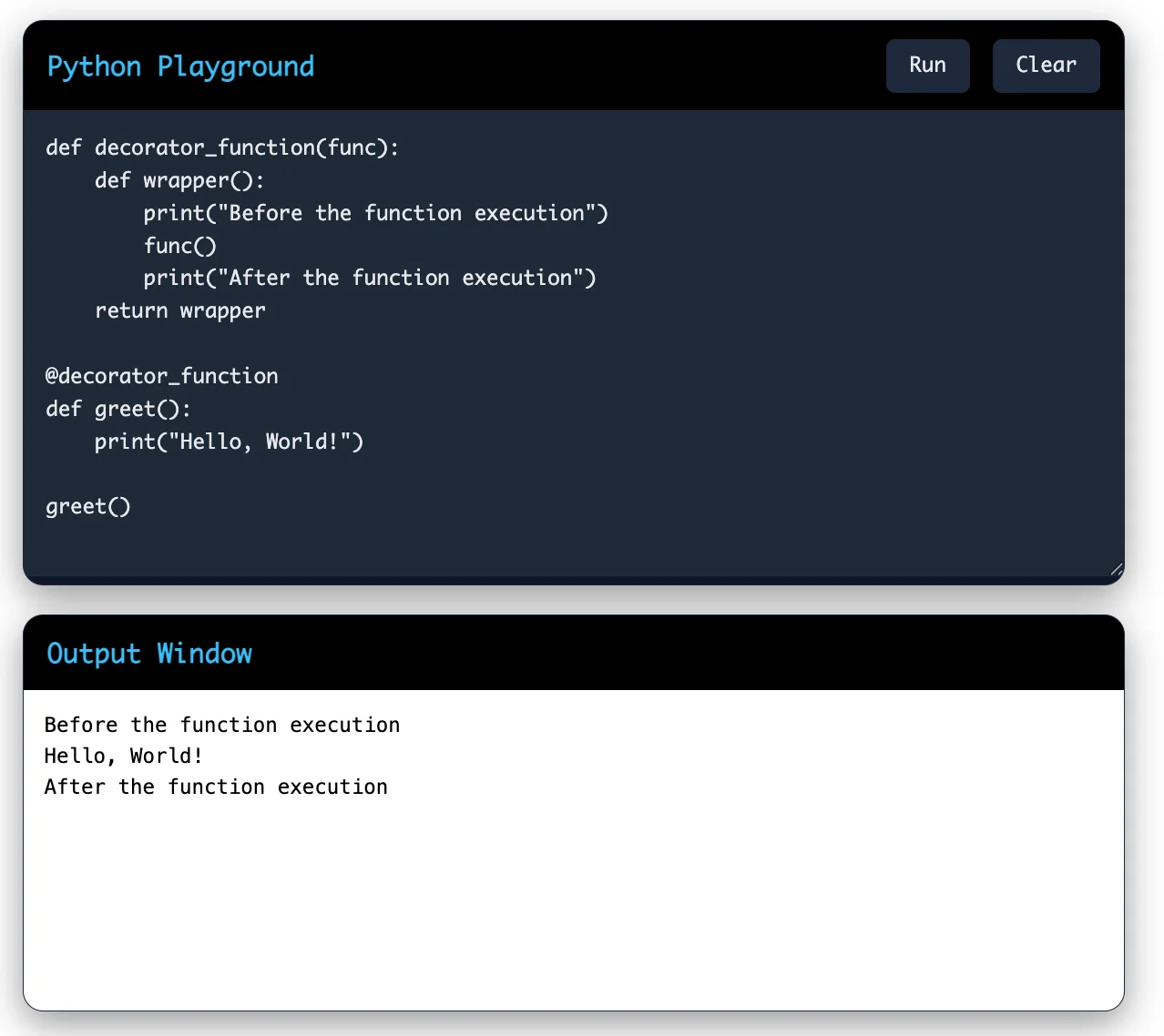
Now you notice how the @decorator_function syntax applies the decorator to the greet() function. The decorator function wraps the original function without changing it.
You might ask yourself that why do I need decorators? The answer is simple. Decorators help you write better, cleaner code. Here are the main reasons you should use Python decorators:
1. Code Reusability: You can apply the same decorator to multiple functions. Instead of writing the same logic repeatedly, you write it once in a decorator and use it everywhere.
2. Separation of Concerns: Decorators help you separate additional functionality from your core business logic. Your functions stay focused on what they do best.
3. Cleaner Code: Decorators reduce code duplication and make your code more readable. Other developers can understand your code faster.
4. Easier Maintenance: When you need to change how certain functions behave, you can modify the decorator in one place. All functions using that decorator will automatically get updated.
5. Improved Testing: Functions decorated with decorators are easier to test because you can test the decorator and the function separately.
6. Better Performance Monitoring: You can use decorators to track function execution time, log function calls and monitor performance without cluttering your function code.
To understand how Python decorators work, you need to know that functions in Python are first-class objects. This means you can pass functions as arguments to other functions and you can return functions from functions.
Here is how the decorator process works:
Step 1: You define a decorator function that takes a function as a parameter.
Step 2: Inside the decorator, you create a wrapper function that adds extra functionality.
Step 3: The decorator returns the wrapper function.
Step 4: You apply the decorator to your original function using the @ symbol or by reassigning the function.
Let me break this down with a detailed example:
|
def my_decorator(func): def wrapper(): print("Decorator is running") result = func() print("Decorator finished") return result return wrapper def my_function(): print("Original function is running") return "Done" # Apply the decorator decorated_func = my_decorator(my_function) decorated_func() |
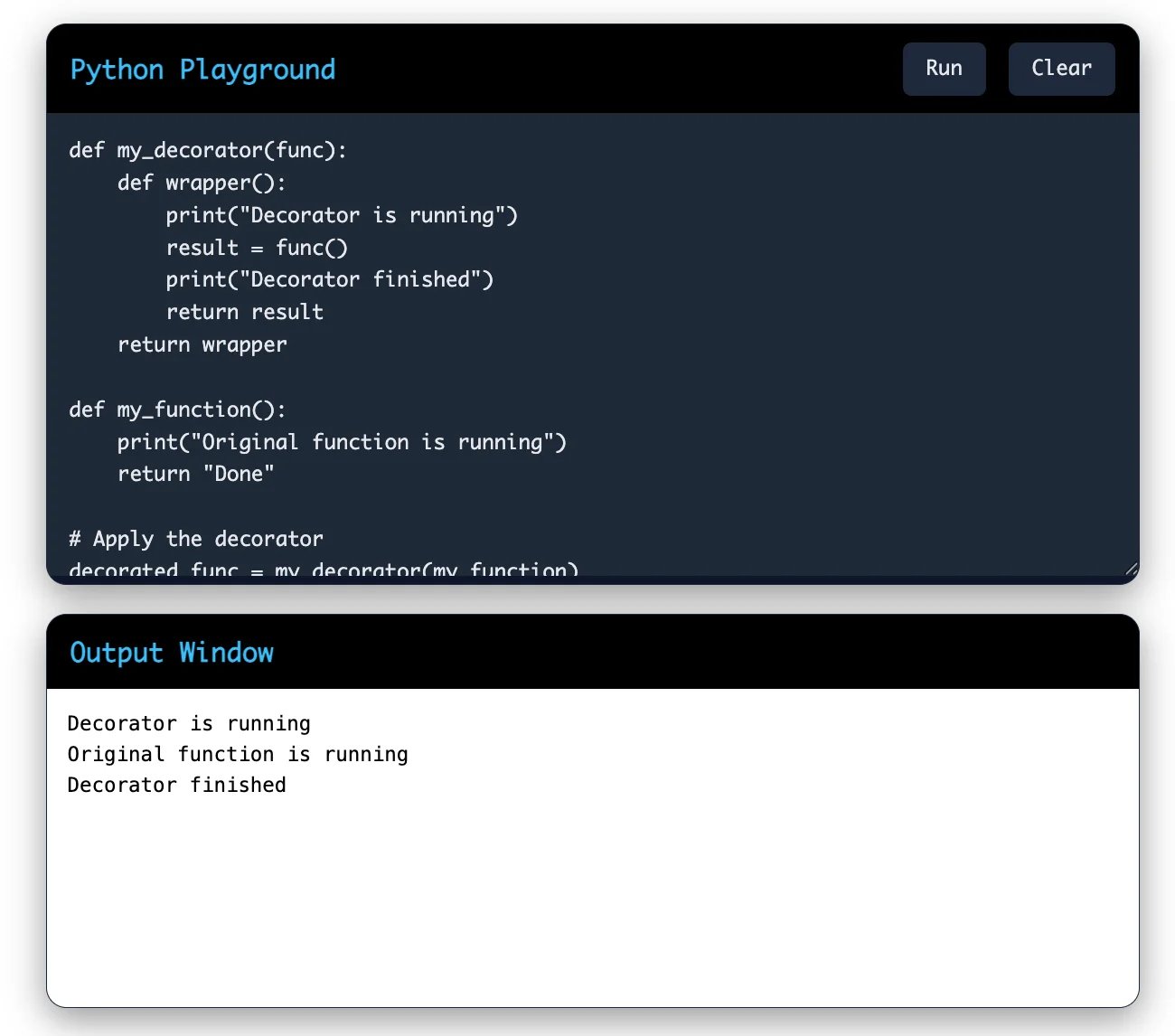
When you call decorated_func(), the wrapper function runs. The wrapper executes the decorator's logic, calls the original function and then executes more logic after the function completes.
What happens behind the scenes: When you use @my_decorator, Python actually does this: my_function = my_decorator(my_function). The original function is replaced with the wrapper function.
Also Read: Bottle Web Framework
Now that you understand how decorators work, let's create your first Python decorator. This decorator will measure how long a function takes to execute.
|
import time def timer_decorator(func): def wrapper(): start_time = time.time() print(f"Function {func.__name__} is starting") result = func() end_time = time.time() execution_time = end_time - start_time print(f"Function {func.__name__} took {execution_time} seconds") return result return wrapper @timer_decorator def slow_function(): time.sleep(2) print("Function executed") return "Complete" slow_function() |
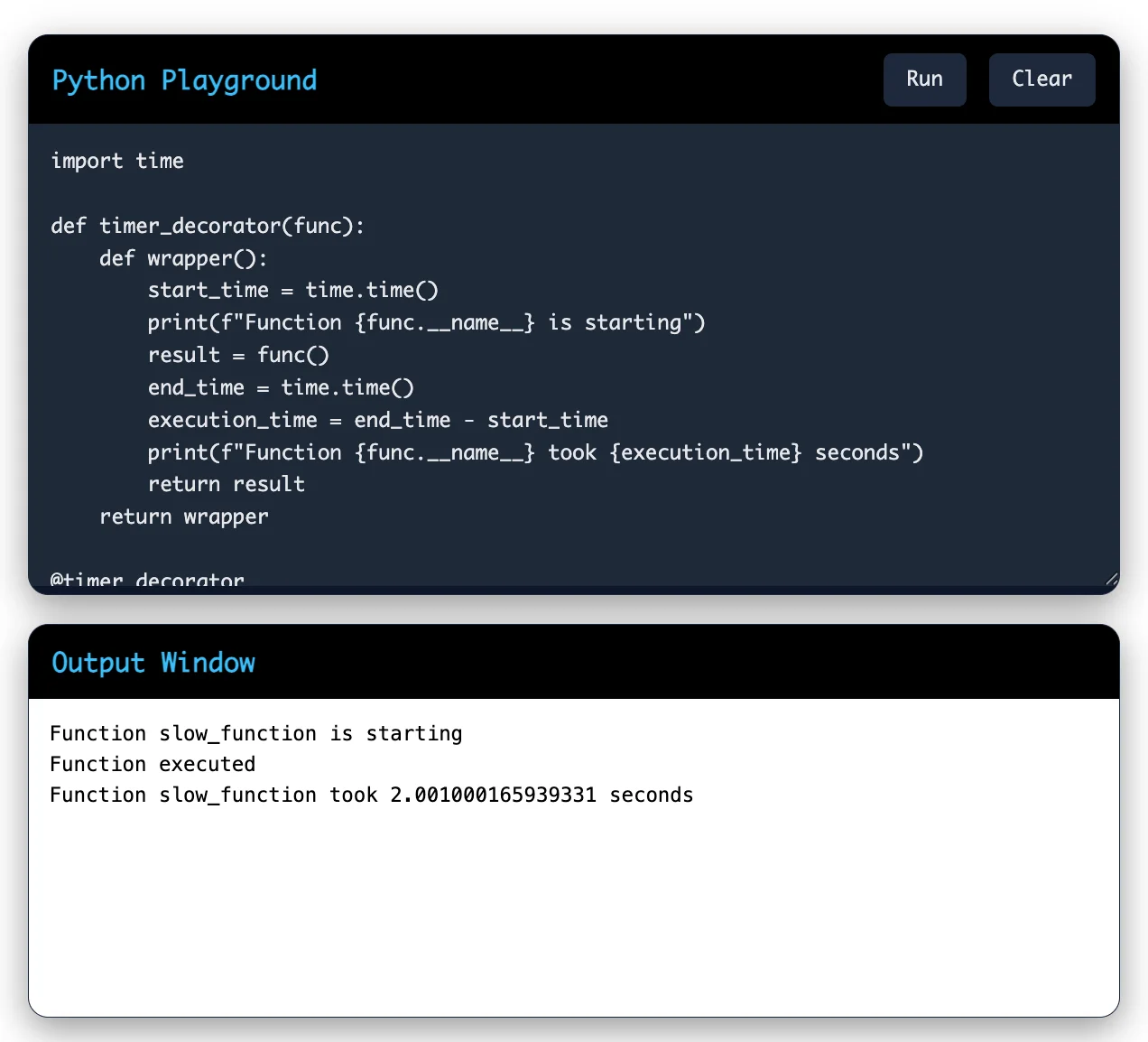
This decorator does three things:
Records the start time before the function runs
Executes the original function
Stores the time when a function finishes running and displays the amount of time required to complete its execution.
You can apply this same decorator to any function you want to measure. This demonstrates the power of decorators in Python.
The @ symbol is Python's syntactic sugar for applying decorators. It makes your code cleaner and easier to read.
When you write:
|
@decorator_function def my_function(): pass |
Python interprets this as:
|
def my_function(): pass my_function = decorator_function(my_function) |
Both approaches do the same thing, but the @ syntax is more readable and is the standard way to apply decorators in Python.
You can also stack multiple decorators on single function:
|
@decorator_one @decorator_two @decorator_three def my_function(): pass |
When you stack decorators, they apply from bottom to top. So decorator_three wraps the function first, then decorator_two wraps that result and finally decorator_one wraps everything.
Also Explore: What is FastAPI?
So far, we have looked at decorators that do not take arguments. But what if you want to pass arguments to a decorated function?
This is where things get interesting. You need to add another layer to your decorator. The wrapper function must capture the arguments that the original function receives.
Here is an example:
|
def decorator_with_args(func): def wrapper(*args, **kwargs): print(f"Function {func.__name__} is being called with args: {args}, kwargs: {kwargs}") result = func(*args, **kwargs) print(f"Function {func.__name__} returned: {result}") return result return wrapper @decorator_with_args def add(a, b): return a + b add(5, 3) |
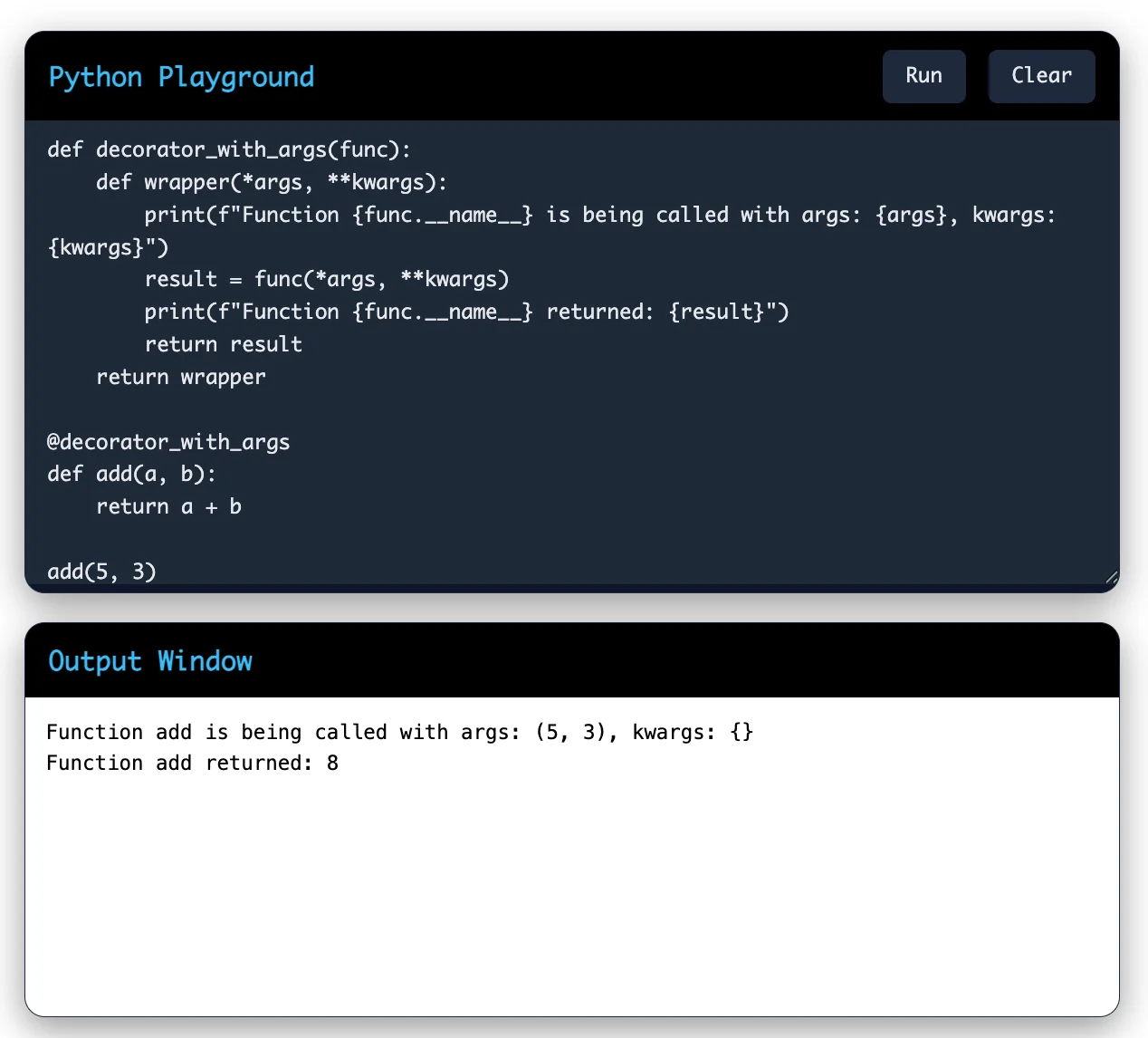
The key here is using *args and **kwargs in the wrapper function. *args captures positional arguments as a tuple and **kwargs captures keyword arguments as a dictionary. The wrapper then passes these to the original function using the same unpacking syntax.
This technique makes your decorators flexible. They can now work with functions that have any number of arguments.
Read Also: Recursion in Python: Concepts, Examples, and Tips
Sometimes you want to create a decorator that has its own arguments. For example, you might want a decorator that can be configured differently for different functions.
This requires creating a decorator factory. A decorator factory is a function that returns a decorator. Here is how it works:
|
def repeat(times): def decorator(func): def wrapper(*args, **kwargs): result = None for i in range(times): print(f"Execution {i + 1}") result = func(*args, **kwargs) return result return wrapper return decorator @repeat(times=3) def greet(name): print(f"Hello, {name}!") return f"Greeted {name}" greet("Alice") |
This decorator factory allows you to specify how many times the decorated function should run. When you use @repeat(times=3), you are actually doing this:
Call repeat(times=3), which returns the decorator function
Apply that decorator function to greet
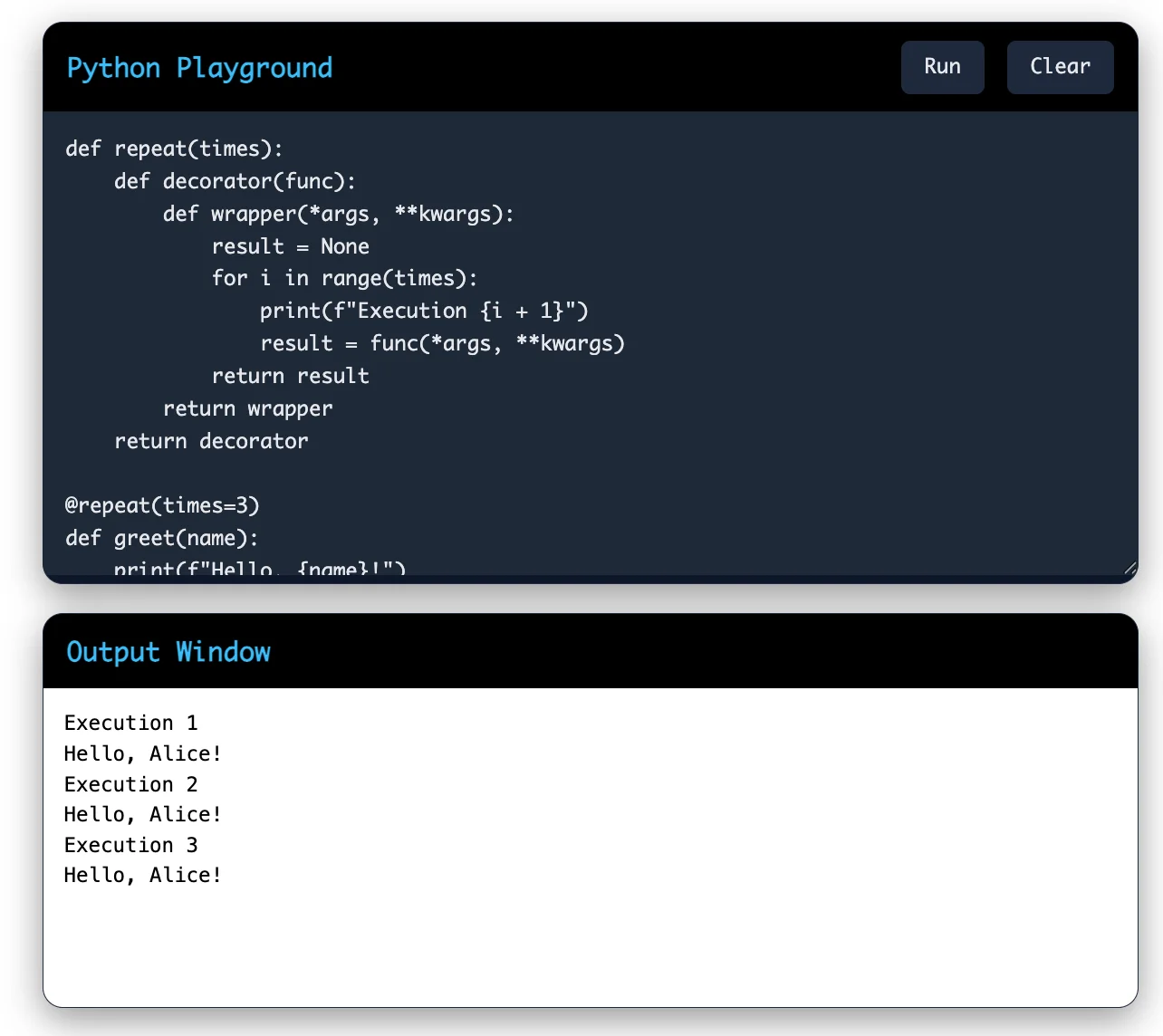
Decorator factories are powerful because they let you create flexible, configurable decorators in Python.
Also Read: Conditional Statements in Python
Python comes with several built-in decorators that you can use right away. Let me introduce you to the most important ones:
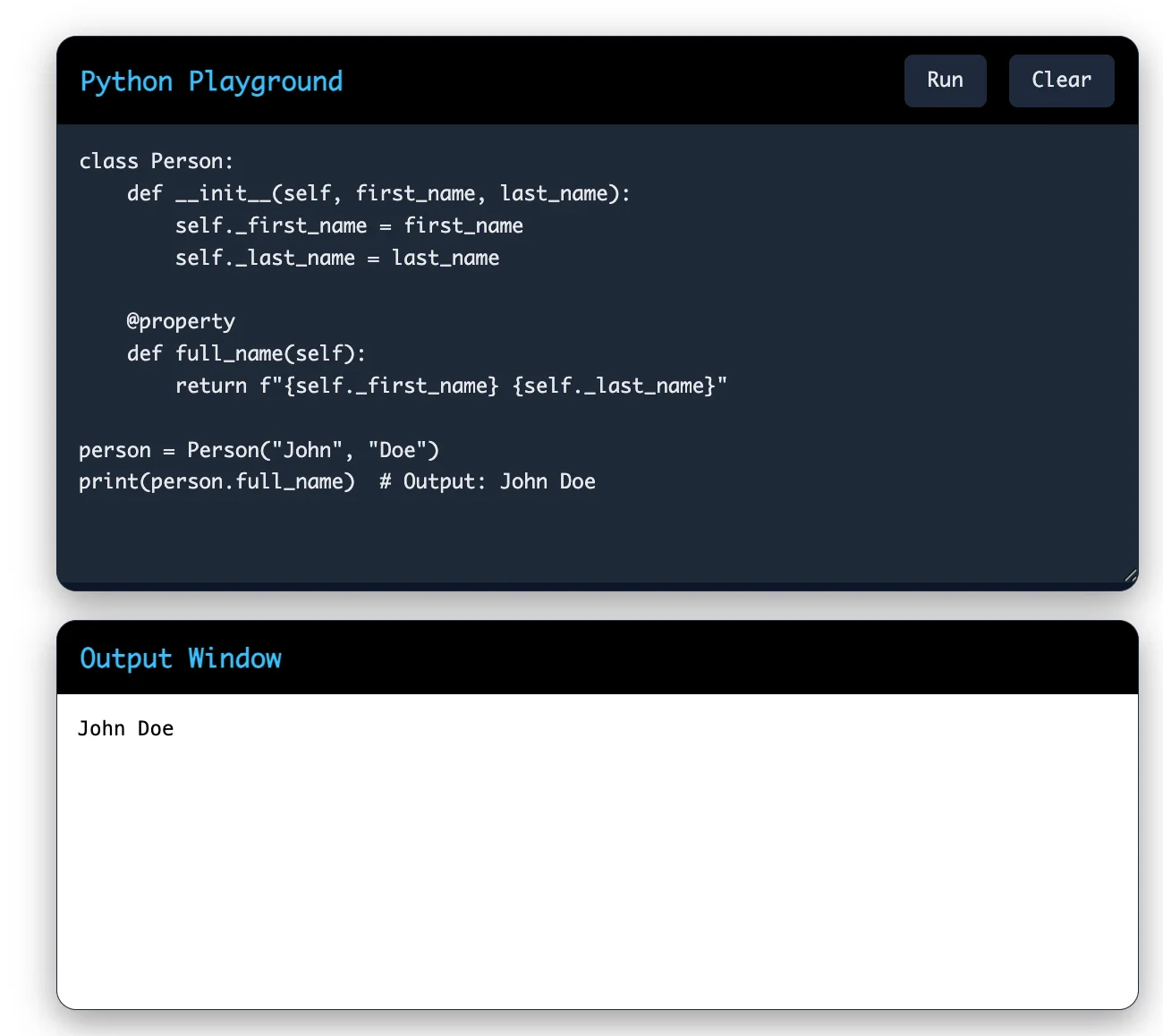
This decorator allows you to define methods that you can access like attributes. Instead of calling obj.get_name(), you can write obj.name.
|
class Person: def __init__(self, first_name, last_name): self._first_name = first_name self._last_name = last_name @property def full_name(self): return f"{self._first_name} {self._last_name}" person = Person("John", "Doe") print(person.full_name) # Output: John Doe |
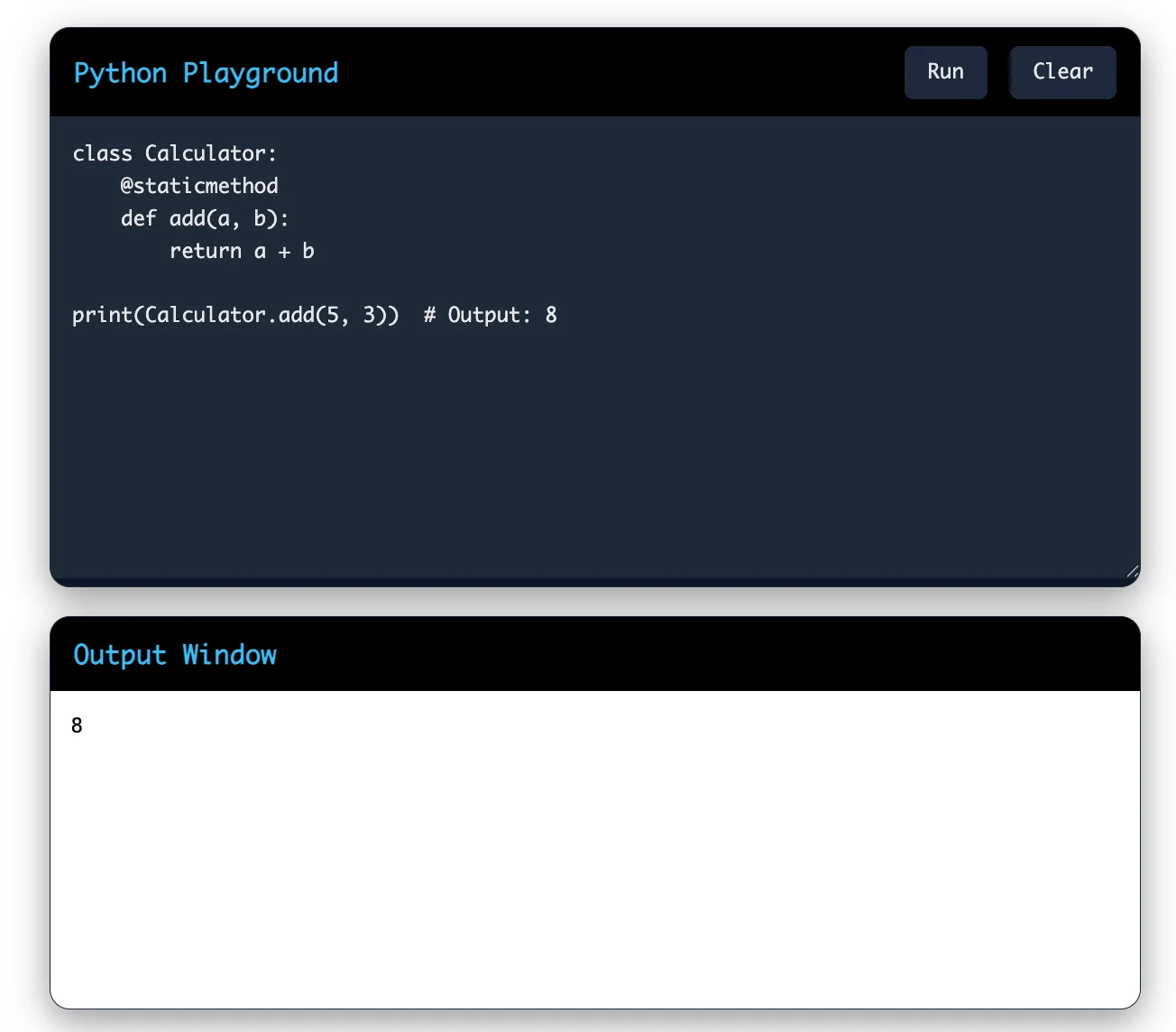
This decorator marks a method as static. Static methods do not receive the instance or class as the first argument. They work like regular functions but are contained within the class.
|
class Calculator: @staticmethod def add(a, b): return a + b print(Calculator.add(5, 3)) # Output: 8 |
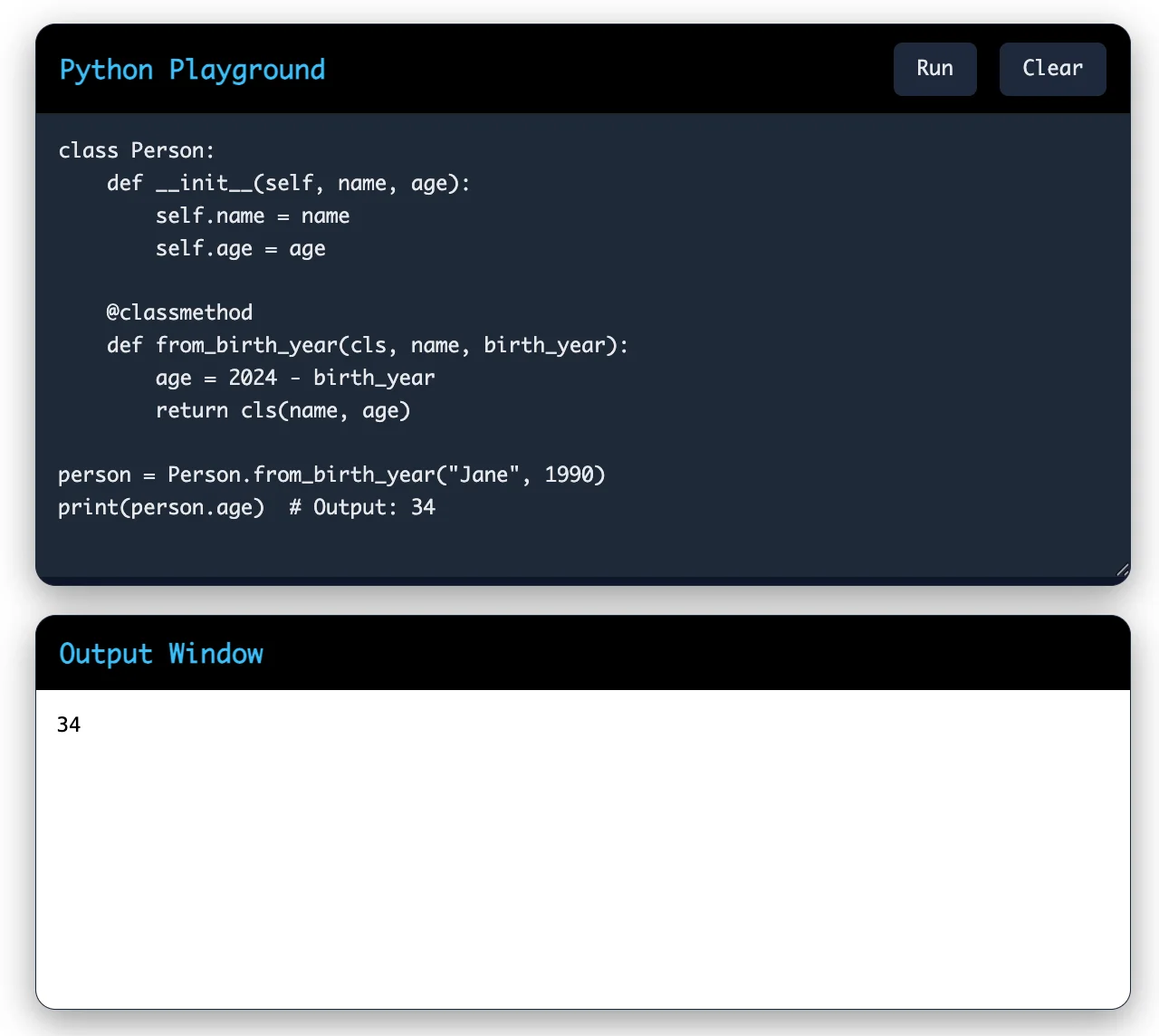
This decorator marks a method as a class method. The first argument is always the class itself, not the instance. This is useful for creating alternative constructors.
|
class Person: def __init__(self, name, age): self.name = name self.age = age @classmethod def from_birth_year(cls, name, birth_year): age = 2024 - birth_year return cls(name, age) person = Person.from_birth_year("Jane", 1990) print(person.age) # Output: 34 |
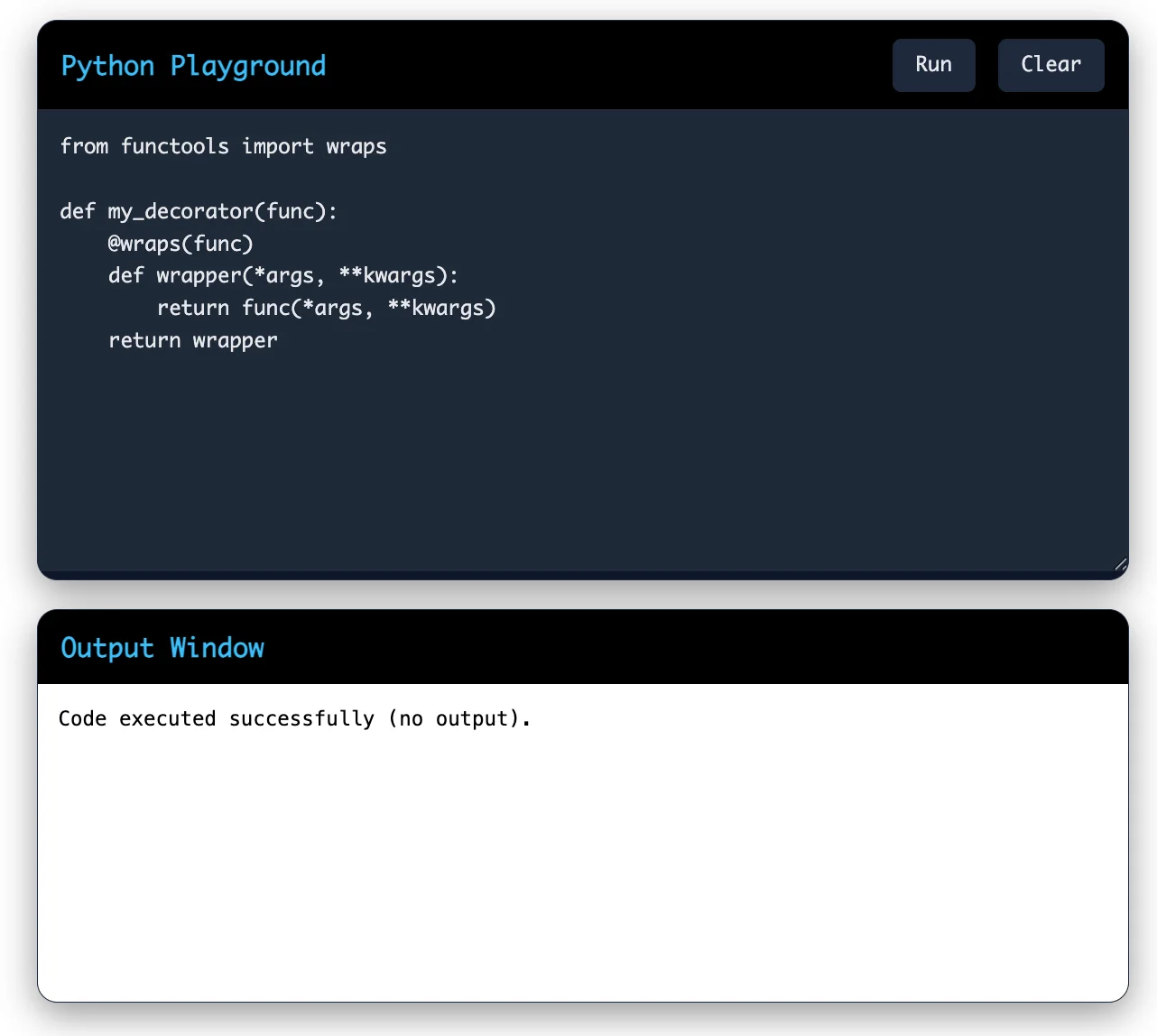
This decorator preserves the metadata of the original function. When you create a decorator, this decorator ensures that the wrapper function keeps the original function's name and docstring.
|
from functools import wraps def my_decorator(func): @wraps(func) def wrapper(*args, **kwargs): return func(*args, **kwargs) return wrapper |
Also Explore: Matplotlib Library in Python
Python decorators are not just theoretical concepts. They are used widely in real-world applications. Here are some practical uses:
Decorators can automatically log when functions are called, what arguments they receive and what they return. This helps you debug code faster.
|
def log_calls(func): @wraps(func) def wrapper(*args, **kwargs): print(f"Calling {func.__name__}") return func(*args, **kwargs) return wrapper |
Web frameworks use decorators to check if users are authenticated before allowing them to access certain functions.
|
def require_login(func): @wraps(func) def wrapper(*args, **kwargs): if not user_is_logged_in(): raise PermissionError("User must be logged in") return func(*args, **kwargs) return wrapper |
Decorators can store the results of function calls so that subsequent calls with the same arguments return the cached result instead of recalculating.
|
def cache_result(func): cached_values = {} @wraps(func) def wrapper(*args, **kwargs): key = (args, tuple(sorted(kwargs.items()))) if key not in cached_values: cached_values[key] = func(*args, **kwargs) return cached_values[key] return wrapper |
You can use decorators to limit how often a function can be called within a certain time period.
Decorators can validate function arguments before the function executes.
Track how long functions take to execute and identify performance bottlenecks in your code.
Read Also: Factorial Program in Python
When you work with Python decorators, you will encounter common pitfalls. Let me help you avoid them.
When you create decorators, always use @functools.wraps on your wrapper function. This decorator preserves the original function's metadata.
|
from functools import wraps # Wrong way def bad_decorator(func): def wrapper(*args, **kwargs): return func(*args, **kwargs) return wrapper # Right way def good_decorator(func): @wraps(func) def wrapper(*args, **kwargs): return func(*args, **kwargs) return wrapper |
Always use *args and **kwargs in your wrapper function unless you have a specific reason not to. This ensures your decorator works with any function.
|
def my_decorator(func): """ This decorator adds logging functionality to the decorated function. Args: func: The function to decorate Returns: The wrapped function with logging """ @wraps(func) def wrapper(*args, **kwargs): print(f"Calling {func.__name__}") return func(*args, **kwargs) return wrapper |
Each decorator should do one thing well. Do not try to pack too much functionality into a single decorator. Create multiple decorators and stack them if needed.
Write clear docstrings for your decorator functions. Explain what the decorator does, what arguments it takes and how to use it.
Write unit tests for your decorators. Test them with different function signatures and argument types.
When you stack multiple decorators, remember that they apply from bottom to top. Test your stacked decorators to ensure they work as expected.
Read Also: Introduction to Sanic Web Framework
Python decorators are one of the most powerful features of the language. They allow you to modify functions and classes without changing their source code. Decorators reduce code duplication, improve readability and make your code more maintainable.
You have learned what Python decorators are and why you should use them. You have seen how decorators work under the hood. You have created simple decorators, decorators with arguments and decorator factories. You have explored built-in Python decorators and seen real-world applications.
The journey does not end here. The more you work with decorators, the more you will discover their potential. Start by creating simple decorators for common tasks in your projects. As you become comfortable, move on to more complex decorator patterns.