Explore this Azure DevOps tutorial and learn how to set up an Azure DevOps environment and build CI/CD pipelines for efficient application development through a real-time project.
Have you ever faced a challenge in deploying software applications in your career? Well, it is one of the most common issues of many professionals. This is where Azure DevOps comes as a prominent solution with different tools to streamline the software development lifecycle (SDLC). It includes planning, developing, testing and deploying the software.
This Azure DevOps tutorial is specially designed to get started with this platform. It starts with a basic introduction and takes you through a comprehensive guide covering setting up the environment, building CI/CD pipelines and working on a real-time project. Let's start with 'what is Azure DevOps?'
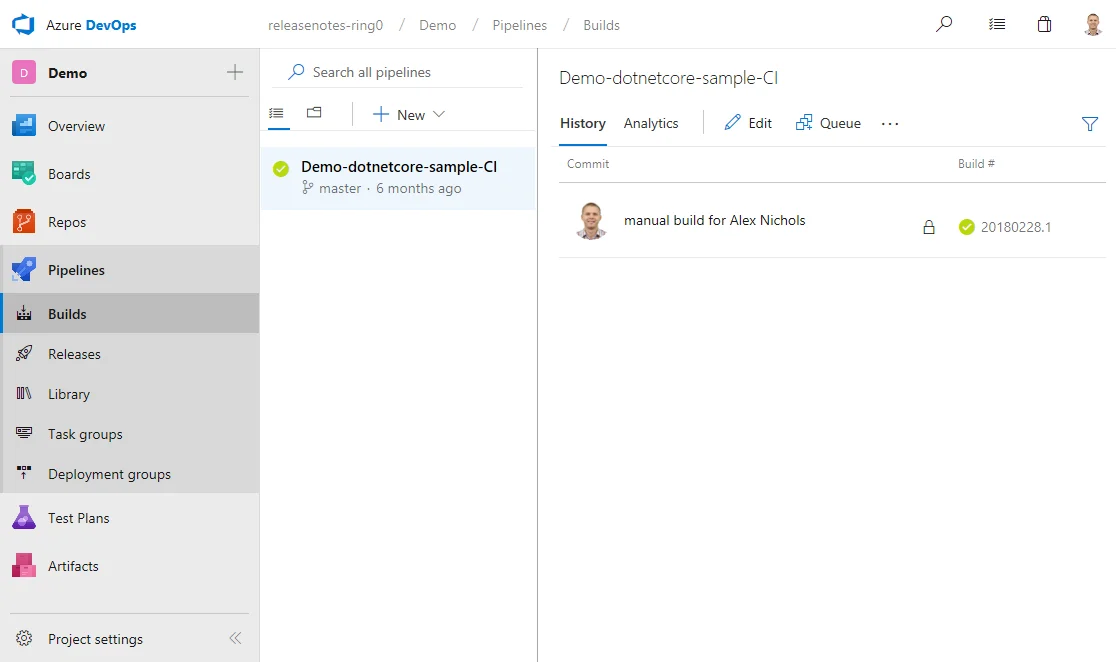
Azure DevOps is a cloud-based solution from Microsoft that provides a suite of tools to streamline development, collaboration and deployment of software applications. It offers CI/CD (Continuous Integration/ Continuous Development) pipeline, version control, work tracking and more. It is widely known for extensive scalability, integration capabilities and team collaboration features.
Azure DevOps is not just for developers, it can help data experts to manage code and automate workflows. Its functionality comes from different services it provides. Let's have a glance at these services.
There is a variety of core services provided by Microsoft Azure DevOps, including:
Azure Boards facilitates robust project management like sprints and backlog monitoring and supports a variety of agile approaches. It offers a customizable platform that can manage work items and track problems, tasks, user stories, etc. Common uses of these Boards are task tracking, bug tracking, feature planning, sprint planning, execution, visualizing workflow, generating project status reports, team collaboration, etc.
Azure Repos provides different version control tools like Git and TFVC. These tools help in managing code, tracking changes and taking snapshots for any project size. This ultimately leads to efficient version control. It is mostly used for collaboration and version control of code, code detection, project documentation, etc.
Azure Pipelines are responsible for automating development, testing and deployments with CI/CD. It can support each major language and project type that enables continuous integration, continuous testing and continuous delivery. This pipeline service uses infrastructure as code deployments, runs automated tests and orchestrates complex deployment workflows across multiple environments.
Azure Test Plans service provides robust tools to streamline manual testing, exploratory testing, user acceptance testing and stakeholder feedback. It also supports test case execution and management. This service ensures software quality through systematic testing and executing manual test cases.
Azure Artifacts service provides the best straightforward approach of managing all dependencies from a particular feed. They work as repositories that store, manage and share packages publicly and within teams. This service is used for sharing code components within a team or organization in a structured way, consuming packages from public registries and ensuring consistent package versions across projects.
Related Article- Steps to Build CI/CD Pipeline with Azure DevOps
After learning the fundamentals, you might want to know why to use Azure DevOps. This platform provides a variety of standout features to streamline the SDLC. Understanding these features will help you to know why and where to use this platform.
Features of Azure DevOps | |
|---|---|
| Feature | Explanation |
| Collaboration | It helps to bring the entire team on the same page with shared repositories, pipelines, and boards. This approach helps teams to work collaboratively on different projects. |
| Version Control | The support of version control tools like Git helps to monitor every change at the teams and individual levels. This way, they can manage to merge requests, track changes, etc. |
| Workflow Automation | Its capability to automate development, testing and deployments helps to ensure quicker and reliable deployments with fewer errors in less time. |
| Scalability | The scalability of this tool can meet the requirements and size of a team. It can be used to accommodate more users and projects, regardless of your team size. |
| Integration | Its integration capabilities enable connection with different tools like Azure, GitHub and other cloud platforms. This provides a smooth workflow with role-based access controls and secure repositories. |
After getting familiar with the fundamentals, the next step is to understand the setup process of the Azure DevOps Environment. This involves the following steps:
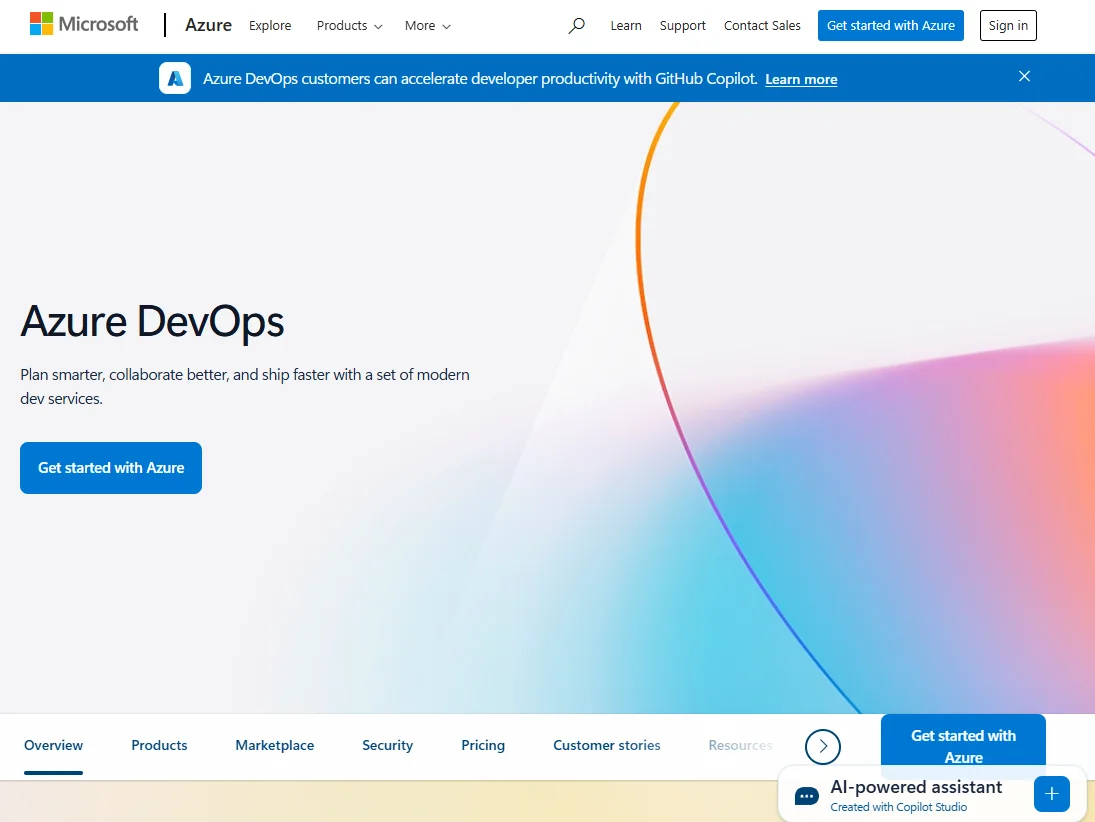
Step 1. You will need an account to use Azure DevOps. Go to the official page, complete the sign-in process and click on the Get started with Azure button.
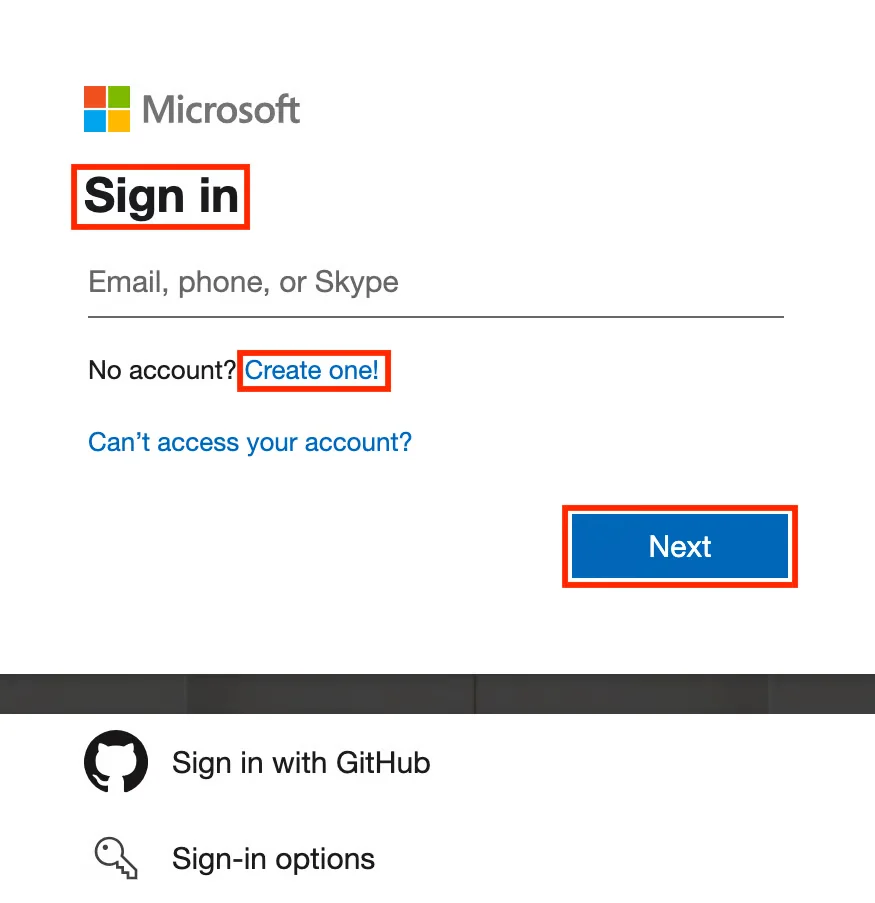
Step 2. Now sign in to your Microsoft account in Outlook, Xbox or Office 365.
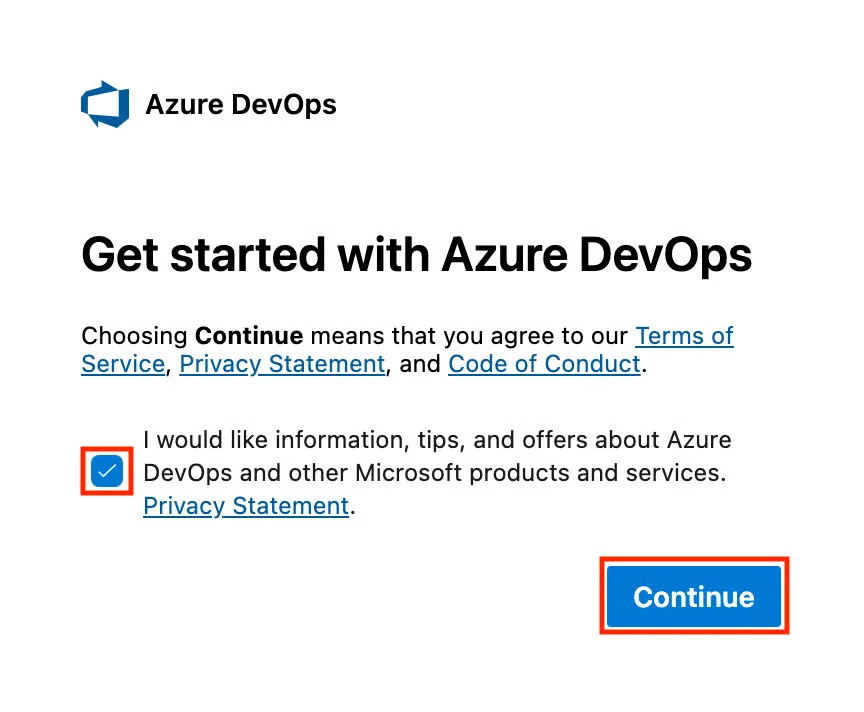
Step 3. This will open a new dialogue on your window as shown below. Check the checkbox and click on the Continue button.
Step 4. The organization is where you store all the repositories of a project and manage all of your permissions, billing and teams.
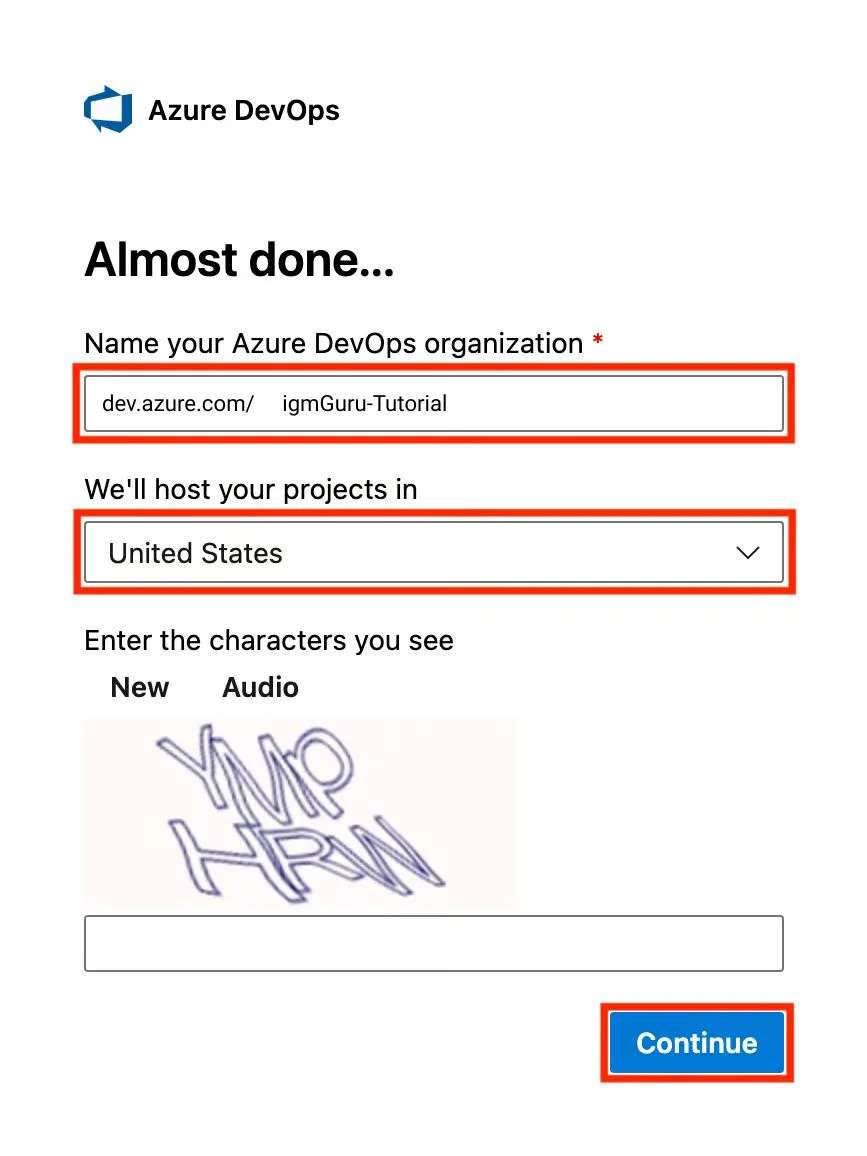
Step 5. Create a unique name for the organization as it will appear in the URL, as shown below.
| https://dev.azure.com/myorganization |
Step 6. Next, you have to select a region to store your data. The default region is definitely a great place for data storage, but you may have to select a different one depending on specific requirements.
Step 7. Once you are done with the details, click on the Continue button. Now the organization will be ready to go.
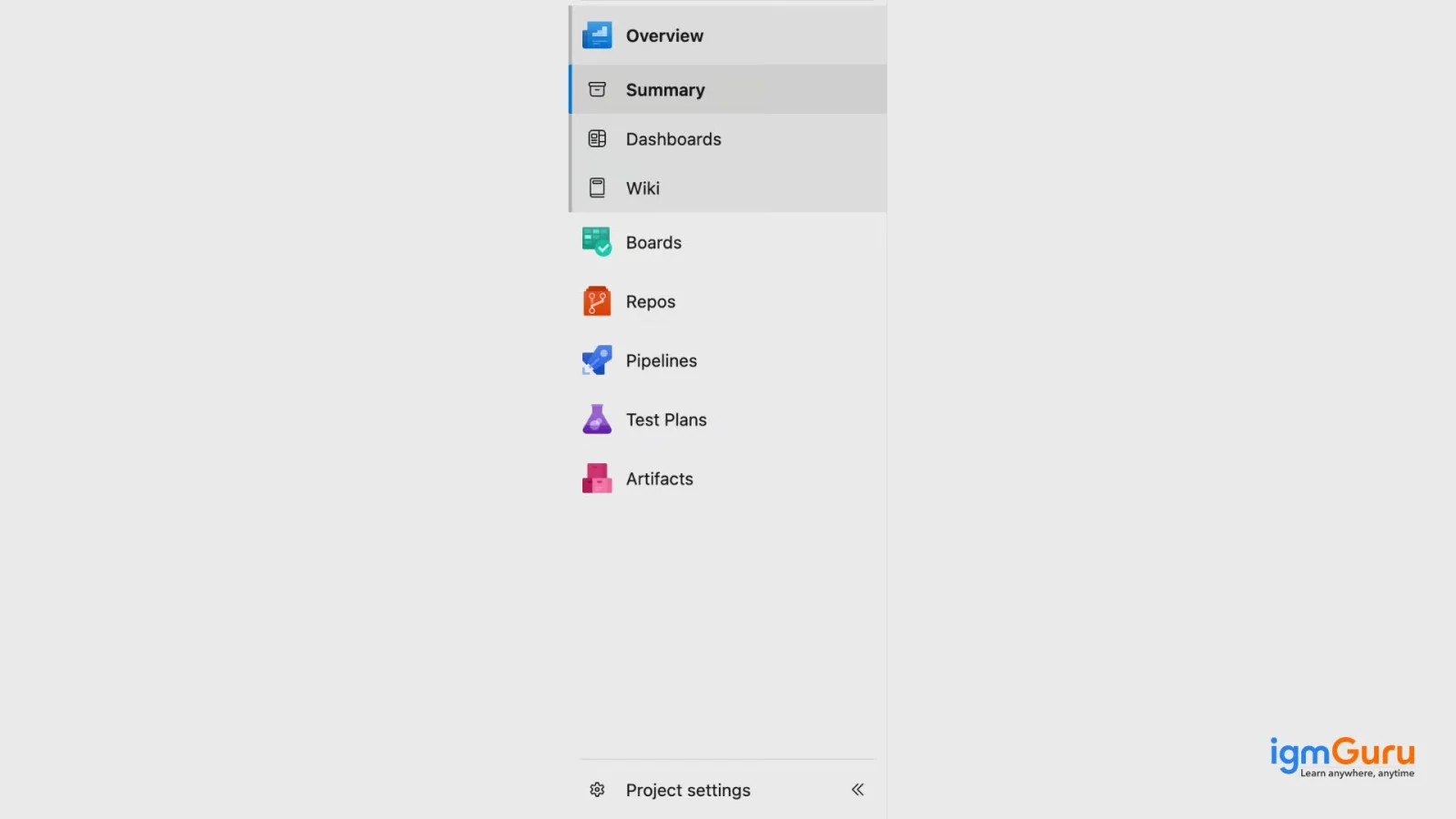
Step 8. Now you will be redirected to the Azure DevOps portal where you will see different services including overview, boards, test plans, repos, pipelines and artifacts.
As of now, you may have created your account with the help of this Azure DevOps tutorial. It is now the time to create a real-time project to understand how it works. Creating a project involves the following steps:
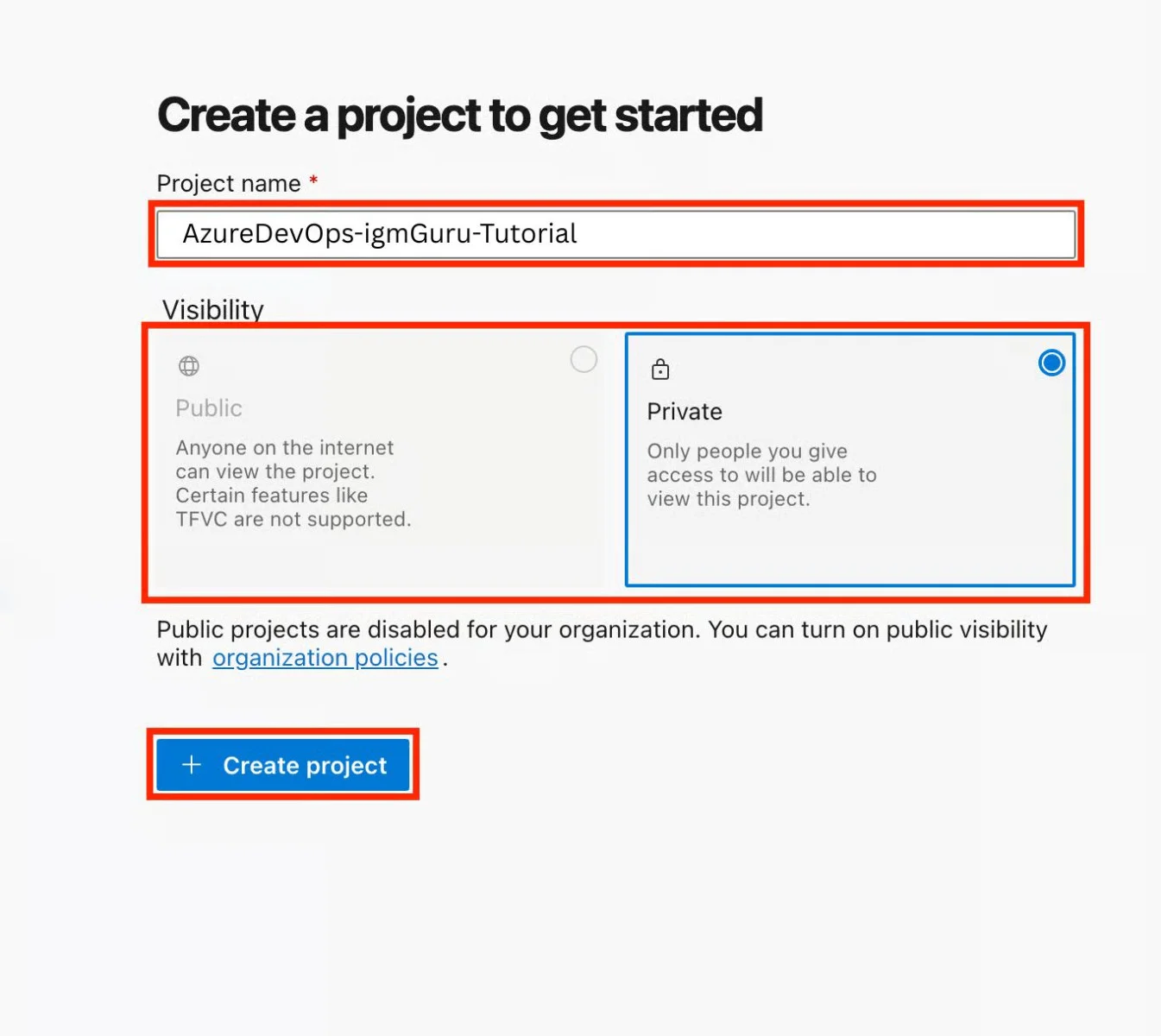
1) Open your Azure DevOps portal and click on the New Project button.
2) This will open a new window asking to fill in the required information. Create a project name, describe the project details and decide your project visibility.
3) After providing all necessary details, select the version control system and click on the Create Project button.
Related Article- Microsoft Azure Tutorial- A Guide For Beginners
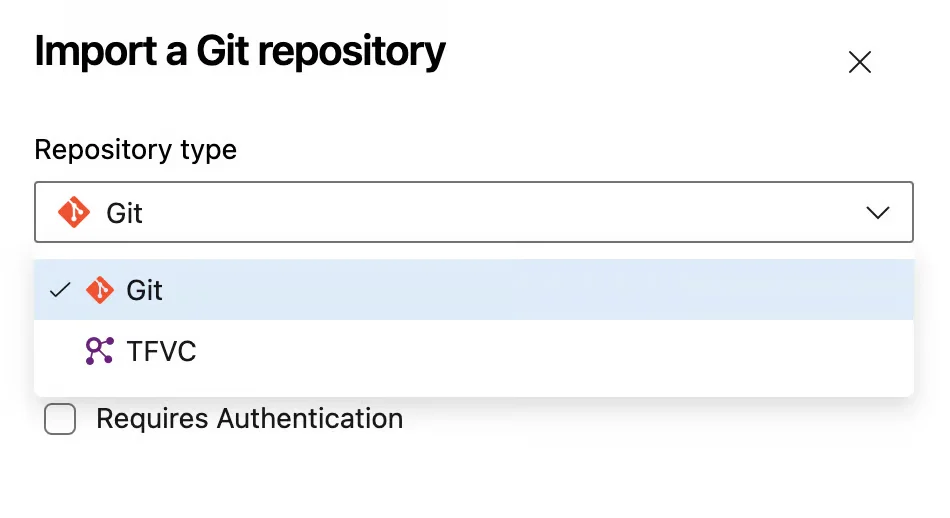
Azure DevOps provides two types of version control systems including Git and TFVC. Git is a distributed version control system, which could be a best choice among developers. TFVC, on the other hand, is a centralized version control system and mostly used in legacy projects. Most of the individuals use the Git version unless they have any special requirement for using TFVC.
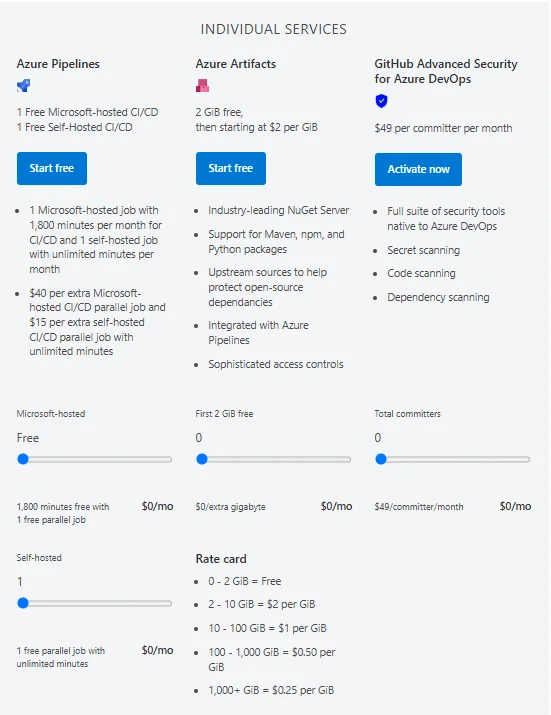
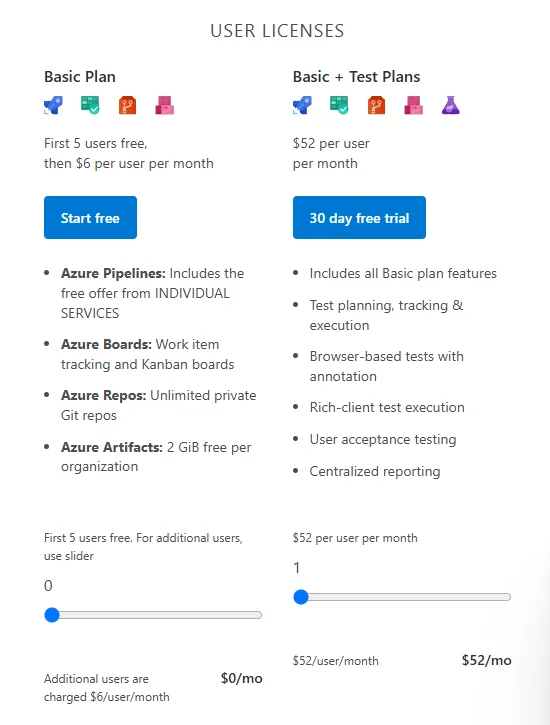
Azure DevOps provides two types of subscription models, including individual services and user licences. The table given below provides a galance at its pricing. You may have subscribe their model from its official page.
Azure Individual Service Pricing Model | ||
|---|---|---|
| Service Name | Pricing Model | Free Tier |
| Azure Virtual Machines | Pay-as-you-go / Reversed | Limited (B1S VM) |
| Azure Blob Storage | Pay-as-you-go | Yes (5 GB) |
| Azure SQL Database | DTU / vCore / Serverless | Yes (250 MB) |
| Azure Functions | Consumption / Premium | Yes (1M executions) |
| Azure App Service | Tier-based | Yes (F1 tier) |
| Azure Synapse Analytics | Pay-per-query / Reserved | No |
| Azure Kubernetes Service | Cluster management free | Yes (infra only) |
Azure User-Based Licensing Model | |
|---|---|
| Product | Monthly Cost (Per user/month) |
| Microsoft 365 Business Basic | ~$6 |
| Microsoft 365 E3 | ~$36 |
| Power BI Pro | ~$10 |
| Power BI Premium (Per User) | ~$20 |
| Azure Active Directory P1 | ~$6 |
| Microsoft Defender for Endpoint | ~$5 |
| Dynamics 365 Sales Professional | ~$65 |
This Azure DevOps tutorial has covered many services and features along with the setup process of this platform. It has also explained how to create a real-time project and gain hands-on experience. This information is enough to get started with Azure DevOps. Furthermore, you should go for an instructor-led training program or an online course to gain comprehensive knowledge.
Despite having a range of tools and services, Azure DevOps is considered to have a steeper learning curve. You just have to use the right resources and path.
It is primarily used for streamlining the software development and deployment. It offers different tools for planning, building, coding, testing and deploying applications.
While Azure DevOps shares some use cases, they are different in many ways. Azure is built for both developers and teams working on a project at the same time. Jira is a project management tool and can only be used by software teams.
No. Most tutorials focus on DevOps processes, CI/CD pipelines, and project management, making them beginner-friendly even without prior coding knowledge.
Yes. Learning Azure DevOps enhances skills in CI/CD, cloud deployments, and project management, making beginners more competitive for DevOps and cloud engineering roles.
Course Schedule
| Course Name | Batch Type | Details |
| Microsoft Certification Courses | Every Weekday | View Details |
| Microsoft Certification Courses | Every Weekend | View Details |