Azure DevOps is a software-as-a-service (SaaS) platform that offers an all-encompassing toolchain for developing and deploying software projects. It brings together different DevOps tools and practices in a highly efficient, one-stop solution for looking after the complete software development life cycle (SDLC). It's a big help in scenarios where standard procedures and processes are to be followed diligently.
This article covers an answer to what is Azure DevOps and other important aspects around it. Let's begin with an introduction and consequently explore its services, advantages, disadvantages, uses and steps to create a project here.
TL;DR
Azure DevOps is a SaaS platform from Microsoft that provides a complete set of tools and services for planning, developing, testing, deploying, and managing software applications throughout the software development lifecycle. This blog, from the DevOps and Cloud Computing category, explains what Azure DevOps is, its core services including Azure Boards, Azure Pipelines, Azure Repos, Azure Test Plans, and Azure Artifacts, who uses the platform, how to create an Azure DevOps project, and its key benefits and drawbacks for software development teams.
Azure DevOps is a globally used SaaS platform that assists development teams by offering imperative tools and services for creating and deploying software. It automates the deployment and testing process of the app while reducing human efforts. With a market share of 21% in the cloud computing industry, it's being used by software programmers, testers and analysts, along with the IT team and project managers.
Formerly called Visual Studio Team Services (VSTS), this set of services and tools helps DevOps teams in provisioning and managing production environments. Teams can also automate, manage and orchestrate app and service delivery. It optimizes source control, test, release and build processes for continuous delivery. It's an end-to-end software development platform with quite an array of capabilities to organize and accelerate app lifecycle development efforts.
Check out our Cloud Computing Certification Courses now to acquire new skills.
After uncovering what is Azure DevOps, it is time to move on to its services. It entails many services and tools that span the entire SDLC. This is not a single program but rather consequently moving tools and services. The five main ones are -
This is a scalable service that tracks the work of the team with Scrum and Agile techniques. It also tracks through Kanban boards, customized reporting and issue tracking, team dashboards, and project backlogs. Many software engineers also use Azure Boards for -
Azure Pipelines can build and test code automatically in most major programming languages. The list includes Python, Node.js, Java, Ruby, C#, PHP, C++, Golang, and others. It works with different project types to bring together continuous testing, continuous integration (CI), and continuous delivery (CD). These all build, test, and deliver code continuously to an intended deployment target.
These Pipelines also have variable substitutions and file transforms. These are accessible for web app files, Extensible Markup Language, and JavaScript Object Notation files.
Azure Repos is an array or a compilation of version control tools that manage and track the changes occurring to the code over time. Version control powerfully saves work and coordinates code changes throughout the team. It also has a private TFVC or Git repository for functionality like advanced file management and collaborative pull requests. Repos connect fluently to different development environments like
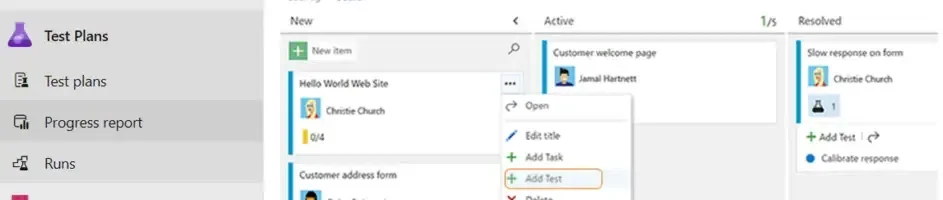
Azure Test Plans have tools so that developers can improve code quality and collaboration better across all development processes. There is browser-based test management for user acceptance testing, planned manual testing, gathering feedback, and exploratory testing. Testing capabilities encompass -
Developers can pack and share code with Azure Artifacts. They publish packages into a feed and even share them within the team, throughout the organization or publicly. Code packages from other feeds or public registries like npmjs.com or NuGet.org are also accessed and used. A few multiple package types supported are -
Also Read- Expert's Tips On How To Become An Azure Developer
Learning about any platform or tool means first understanding its user base. There are a lot of different professionals who use Azure DevOps. Each of them has found a distinct purpose for this, and here is a brief for the same.
Analysts use its services and tools for inputting and documenting work items. One can create and pick the complexity around documentation to create templates that will make the process faster and more consistent. They also record everything in HTML, along with images and other files.
Programmers integrate automated builds, source control and unit testing with it. It is not useful as a development environment, but is still usable along with Microsoft Visual Studio for developing with its tools.
They enter test scripts and control acceptance tests with their tools and services. Software testers also track all the tests done over a period of time with high-level reporting.
Team and project managers in IT can monitor the performance and progress of their teams. Larger projects are segregated into smaller iterations for scheduling work items and tasks. One can also automatically produce reports like Kanban boards, burndown charts and product backlogs.
Here are a few simple steps you should know to create an Azure DevOps project.
Start by setting up an account by clicking on My Azure DevOps Organizations.
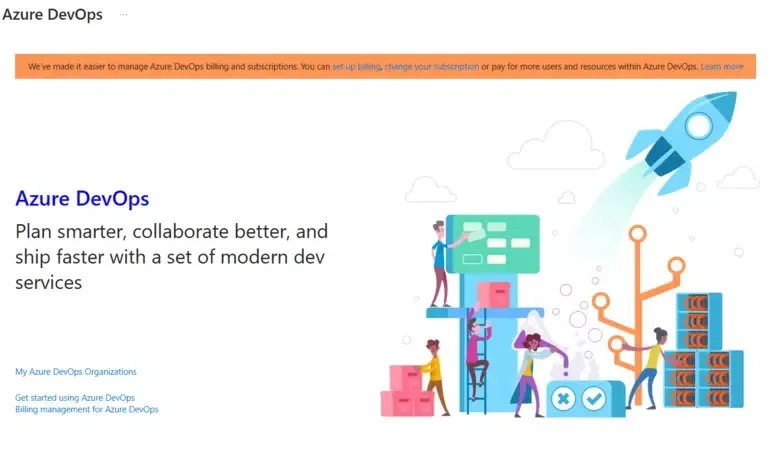
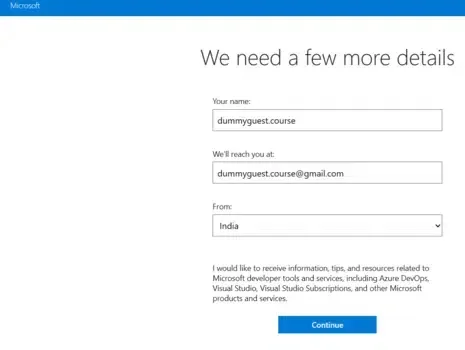
Create an organization with the company's name. Give any name in case it is a personal project. The organization shows the quantity of projects one is going to deal with.
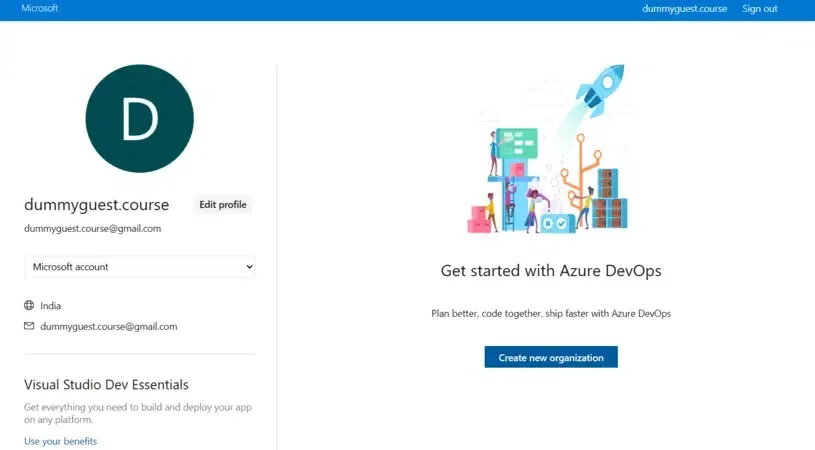
Click on Create a new organization to add the name of the organization.
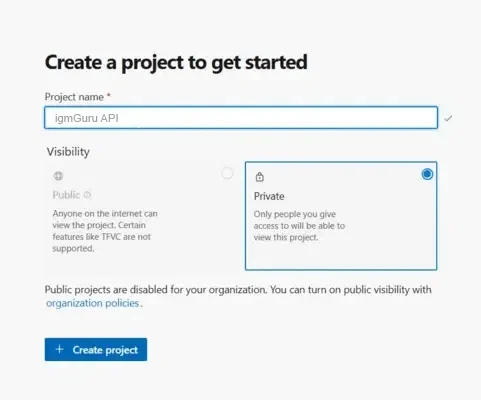
The dashboard will look something like this.
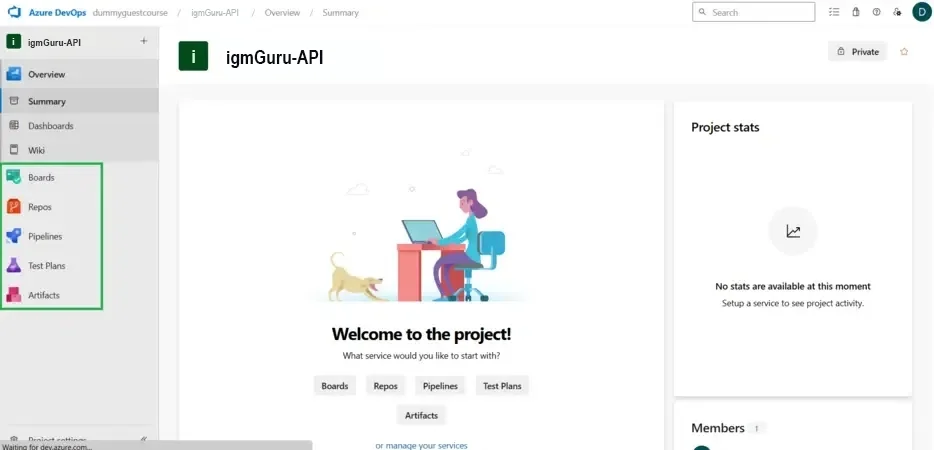
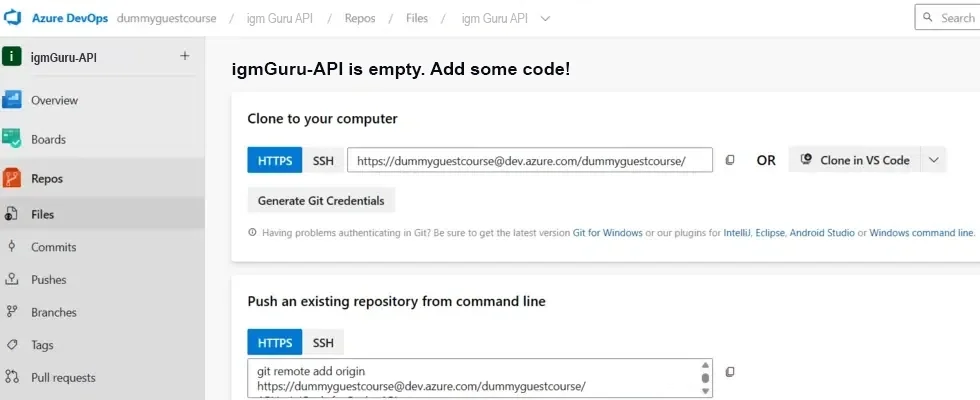
Set up the Azure Repo to push or pull the code according to the needs of the company. GIT is the version control used in Azure Repo and is also the most commonly used Repo.
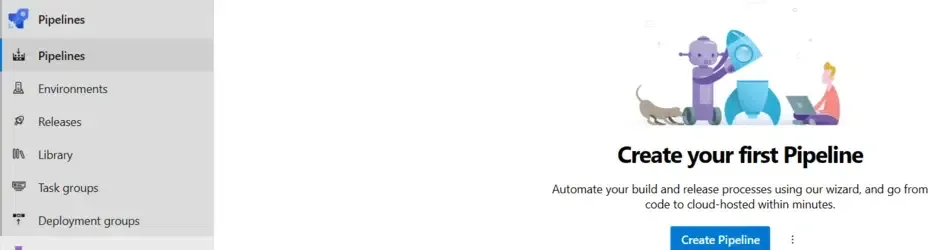
Set up the pipeline so that the continuous integration and continuous deployment (CI/CD) phases are automated by using pipelines. A pipeline is very important for bringing down human efforts. The pipeline is set up by tapping on Create Pipeline.
Set up test plans for performing automatic or manual testing on the source code. You can also integrate a few automation tools with this test plan.
Related Article- Microsoft Azure Tutorial
Teams and individuals work together on this platform for better efficiency when developing and maintaining applications. Thousands of companies are using Microsoft Azure DevOps Server as a version control tool. Here are some of the benefits a company can experience by using this platform.
Adopting this in businesses can lead to better productivity with processes getting in line. Users will get more time during the day for generating and developing better ideas. When a company has more time for innovating and improvising, it generates more opportunities as well.
DevOps brings together different departments for better collaboration and communication to unite the employees. They then gradually develop refined working relationships with each other. Successful implementation of this platform will bring about effective collaboration and higher productivity outcomes.
This is a great environment for teams using Agile and other continuous development paradigms. There are many new build and release features along with quality assurance. This increases the efficiency of all the participating employees by reducing the errors that come with manual performance of processes.
This is a cloud-based platform and thus has lower maintenance costs for ongoing changes. Its users also don't have to think about costs around upgrade cycles or maintaining servers. Only an active subscription is enough to ensure the teams have constant access to the latest version.
DevOps techniques are known for quickly deploying new business systems, apps and processes for a higher productivity level. Results come rapidly upon implementation of this methodology because different teams collaborate on projects.
Building proprietary solutions swiftly can offer quick service to business customers. DevOps, in short, takes up the company's prowess in serving customers. Adoption of DevOps by companies led to a 68% reduction in deployment failures, which improves the overall user experience.
Related Article- Top Azure Interview Questions and Answers
Just like all other tools, platforms and technologies, this one also tags along a few drawbacks or limitations. Some potential points include-
One of the biggest limitations in its growth is the cost attached to it after a certain level of use. This is a drawback because alternative tools like GitHub and Jenkins are open source with no usage cost.
It is open and extensible when it comes to integration with other tools. However, it integrates best with other Microsoft platforms and products only. This is great news for companies that rely heavily on Microsoft, but may be a pondering point for ones that shift integrations.
This is a gigantic offering with a steeper learning curve than most others. The interface is not always as intuitive as the business might want it to be. This can cause problems while navigating the platform.
Related Article- What is MLOps In Azure?
There is a lot more to learn about 'what is Azure DevOps'. This article strives to cover all the basic aspects of the same. This solution is ranking high on the list of the most comprehensive solutions to all the challenging issues around streamlining the software development life cycle. Learning DevOps is a big skill set today with many impeccable opportunities forwarding to knock one's door.
Explore Our Trending Articles:
It has three pricing plans, namely the basic plan, the basic plan for open sources and the basic + test plan.
They are both useful in software development collaboration, but still have many differences.
This collection of services and tools is helpful for developing and managing services and apps on-premises or in the cloud.
Course Schedule
| Course Name | Batch Type | Details |
| Microsoft Azure Training | Every Weekday | View Details |
| Microsoft Azure Training | Every Weekend | View Details |