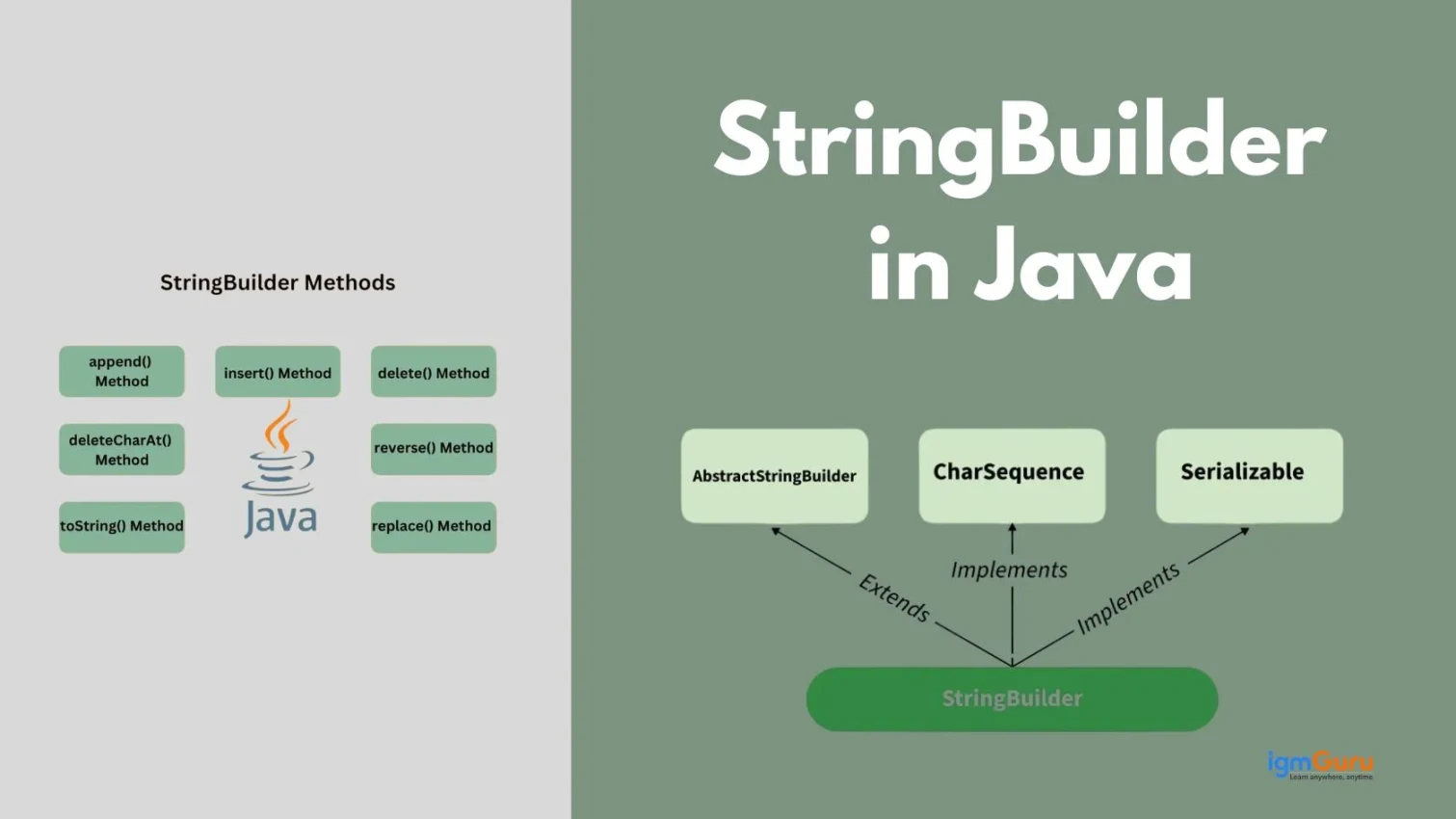
StringBuilder is a useful utility for anyone who wants to build up strings in their applications. It can help create faster applications, use less memory and be easier to scale compared to using standard strings.
I have had over 4+ years of experience developing software with Java and have used StringBuilder in many types of real world situations where I needed to create dynamic messages or process large volumes of log files or other large amounts of text data. With StringBuilder you can quickly modify your data without having to continually create new objects as you would when using standard java strings.
Let’s explore more about this!
A string in Java is an object that represents a sequence of characters. It is implemented using the String class and it is immutable, which means that its value cannot be changed after it is created.
For example:
|
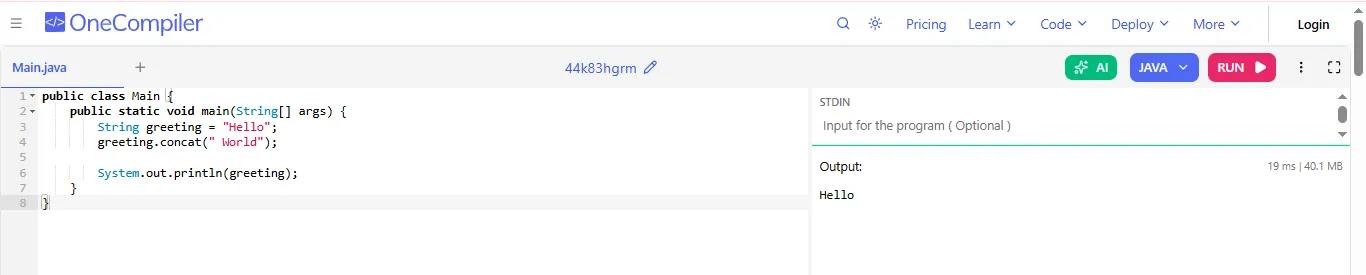
Now that you have seen that Java strings are immutable, you might be wondering what mutable strings are. Let me explain you the difference between mutable and immutable strings.
Read Also: Java Tutorial
When working with strings in Java, you need to understand the difference between mutable and immutable strings. Immutable strings cannot be changed once created, while mutable strings can be modified, which helps in improving performance and flexibility in different programming situations.
| Feature | Mutable Strings | Immutable Strings |
| Definition | Mutable strings can be changed after creation. | Immutable strings cannot be changed after creation. |
| Modification | Changes happen in the same object. | Any change creates a new object. |
| Memory Usage | More memory-efficient for frequent changes. | May use more memory due to new objects. |
| Performance | Faster when many modifications are needed. | Slower for repeated changes. |
| Examples (Languages) | Python (bytearray, list of chars), Java (StringBuilder). | Python (str), Java (String). |
For example:
|
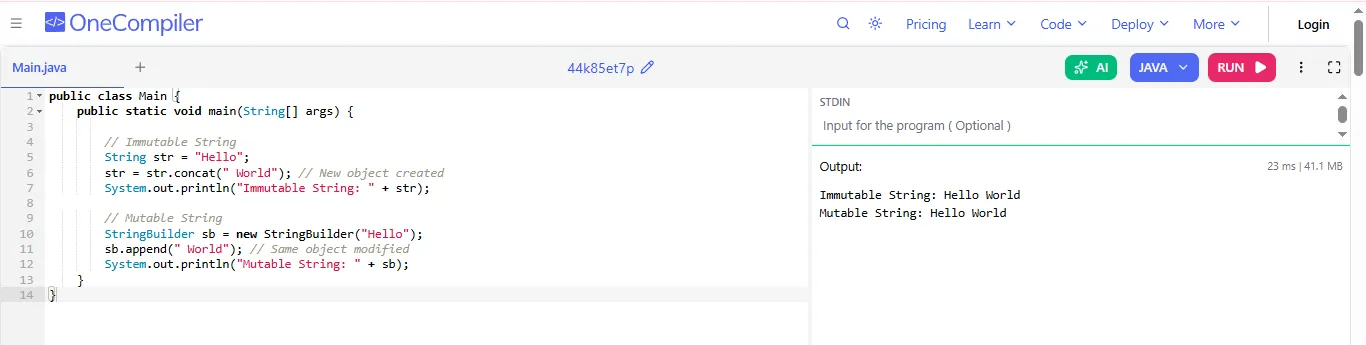
Read Also: Java Interview Questions and Answers
In Java, a StringBuilder is used when you want to work with mutable strings. As compared to normal String objects, you can modify a StringBuilder without creating a new object every time.
Keep in mind that when you create a StringBuilder, it is typically because you will need to modify the String many times. Since each modification of a String would create a new object for every modification, this would reduce the performance of your application because the efficiency would be lower.
The following are some ways by which you can create a StringBuilder object:
You can create a blank StringBuilder with no initial content. This creates an object with a default capacity of 16 characters.
|
You can start with some text already inside it. Now the object contains "Hello" and you can modify it later.
|
You can define how much space it should initially allocate. It is useful when you already know you will store a large string, which improves performance.
|
You can also pass an existing string or character sequence. This copies the content of str into the StringBuilder.
|
Read Also: Java Interface Interview Questions and Answers
The StringBuilder class in Java has various methods to efficiently modify strings without creating new objects. It is ideal for operations like appending, inserting, deleting and replacing, which makes it a faster and more flexible alternative to the String class.
It is used to append the string passed as an input parameter to the string object used for invoking the method. Example: sb1.append("Hello")
It is used to insert a specific string at the specified position. For example, the method call sb1.insert(1, “Hi”) inserts the string "Hi" in the position 1 of the string sb1.
It is used to delete the substring specified by the positions startIndex and endIndex passed as arguments to the method.
For example: the method call sb1.delete(1,3) deletes the three characters in the positions from 1 to 3 in the string sb1.
It is used to the substring specified by the offsets startIndex and endIndex with the string str. For example: the method call sb1.replace(1,2, “Hello”) replaces the characters at positions 1 and 2 of the string sb1 with the string "Hello".
It is used to return the character present at the position specified by index. For example: sb1.charAt(1);
It is used to append a code point passed as an argument to the string. The integer value of the code point is passed as parameter to the method. Example: sb1.appendCodePoint(67);
It returns a character that precedes the given address. The index is passed argument to the method. Example: sb1.codePointBefore(2)
It returns the number of Unicode points in the sub array.
Read Also: Substring in Java
In Java, String, StringBuilder and StringBuffer are used to handle text, but they work differently. String is immutable, while StringBuilder and StringBuffer can change. They also differ in speed and thread safety. That is why they are all suitable for different situations.
| Feature | String | StringBuilder | StringBuffer |
| Can it change? | No, once created it cannot change | Yes, you can change it anytime | Yes, you can change it anytime |
| Speed | Slow (every change creates a new object) | Very fast (changes happen in the same object) | Slower than StringBuilder |
| Thread Safety | Not safe for multiple threads | Not safe for multiple threads | Safe for multiple threads |
| Memory Use | Uses more memory | Uses less memory | Uses a bit more than StringBuilder |
| How we modify it? | We use + to add (but it creates new object) | Use functions like append, insert, delete | Same functions as StringBuilder |
| Synchronization | No | No | Yes (that is why it is thread-safe) |
| When to use | When value should not change (like names, constants) | When you need to change text many times quickly | When many threads are working on the same data |
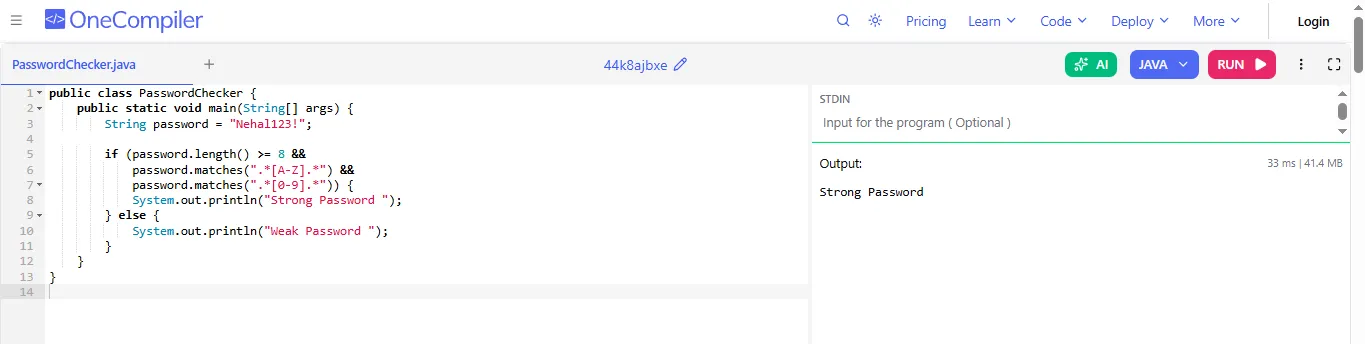
Java Strings are used in many simple and useful tasks in daily programming. They help us check passwords, compare words and change messages. With easy examples like these, you can understand how strings work and how they are used in real-life situations. Here is their brief explanation:
Evaluating the strength of a password is dependent upon the criteria within which you establish a password, which includes the length (which is an essential component) and good character makeup. Various criteria are checked on each password, such as the use of uppercase letters, good numeric usage and sufficient length (doing so will improve your protection). This shows that validating user input through Java Strings will improve basic security in applications.
|
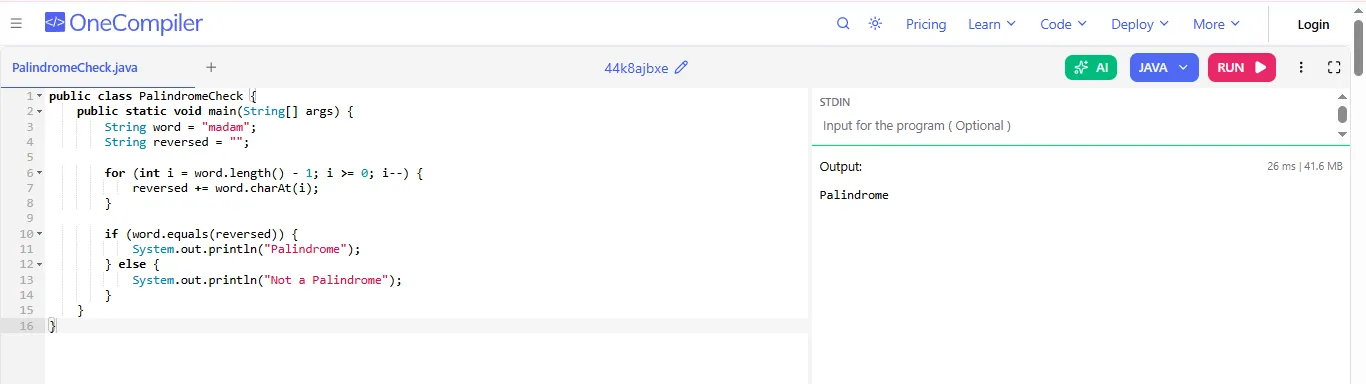
A palindrome verifier will check if a word is spelled the same way from beginning to end as it is from end to beginning by reversing the entered string and comparing it to the original. This example of how we can manipulate Java Strings through character access and looping will give you a great way to understand string processing and string comparison because it is simple and uses basically no coding skills.
|
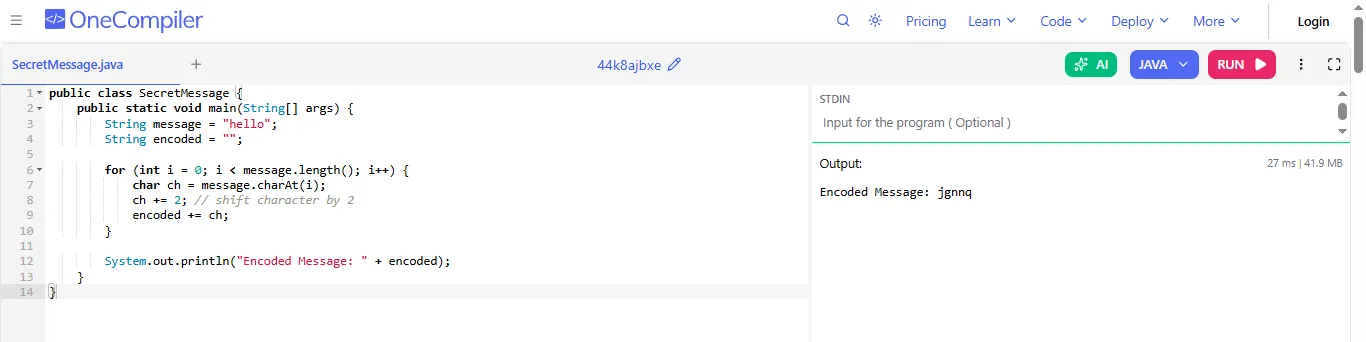
By employing a straightforward form of encoding known as a Caesar Cipher, an encoding technique can shift each letter of the input string by some number of places. This method of transforming plain text into encoded form demonstrates the use of string manipulation in Java as well as presenting an interesting and easy way to learn about basic encryption.
|
Read Also: Convert String to Int in Python
StringBuilder is a useful Java class that allows you to modify strings without creating new objects every time. It improves performance and memory usage, which makes it ideal for tasks that involve frequent string changes.
Although StringBuilder is efficient, it also has some limitations. It is not always the best choice, especially in multi threaded environments or when immutability is required for security and reliability.
When it comes to dealing with string changes, StringBuilder is a powerful object. To achieve maximum performance and readability from your code, you must use this object correctly. By following a few simple guidelines, you can minimize the amount of memory consumed, provide better performance and keep your coding effort in tip-top shape.
In summary, Java includes both strings and the StringBuilder class as primary methods of manipulating text. Although they each offer a different level of abstraction, both strings and StringBuilder make it possible for users to work with text in a clear and effective way.
Strings are straightforward to use because they do not change once created, while StringBuilder provides a mechanism for modifying the contents of a string frequently. Therefore, to create efficient Java applications, developers should familiarize themselves with the distinctions between strings and StringBuilder, their properties and how to use them appropriately.
You should use StringBuilder when performing multiple string modifications, such as in loops or dynamic text generation, to improve performance and reduce memory usage.
No, StringBuilder is not thread safe as it is designed for single threaded environments.
StringBuilder is faster because it modifies the same object instead of creating new ones every time a change is made, which reduces overhead and improves execution speed.