The Java Substring method is a technique that enables programmers to easily and accurately extract specific portions of a string. This technique can be used for a variety of applications, such as extracting a user's name from an email address, converting date strings into a readable form or cleaning up raw data, all of which are common tasks for programmers on a daily basis.
Developers can quickly obtain whatever they require from a string without changing its content simply by using an index-based access approach. Using this index based procedure to retrieve data from a string allows the developer to write more efficiently designed software than if he or she were to use other methods. Using these methods allows developers to build more flexible and manageable methods of processing their text data.
Learn what is substring and how this contiguous sequence of characters within a string (Java Class) is used to extract specific portions of text with this Java tutorial.
In Java, a substring means a contiguous sequence of characters within a given string. It allows developers to extract specific segments of text data based on defined starting and ending indices. The substring functionality enables a wide range of text processing tasks, which include data parsing, pattern matching and text manipulation.
|
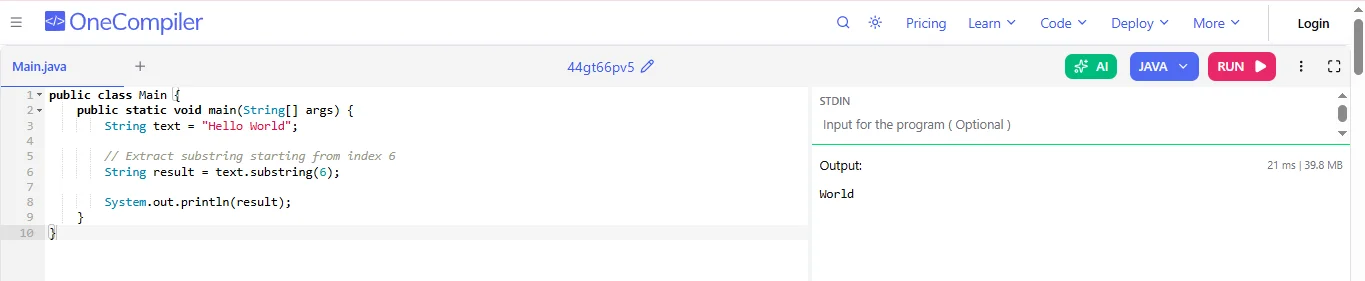
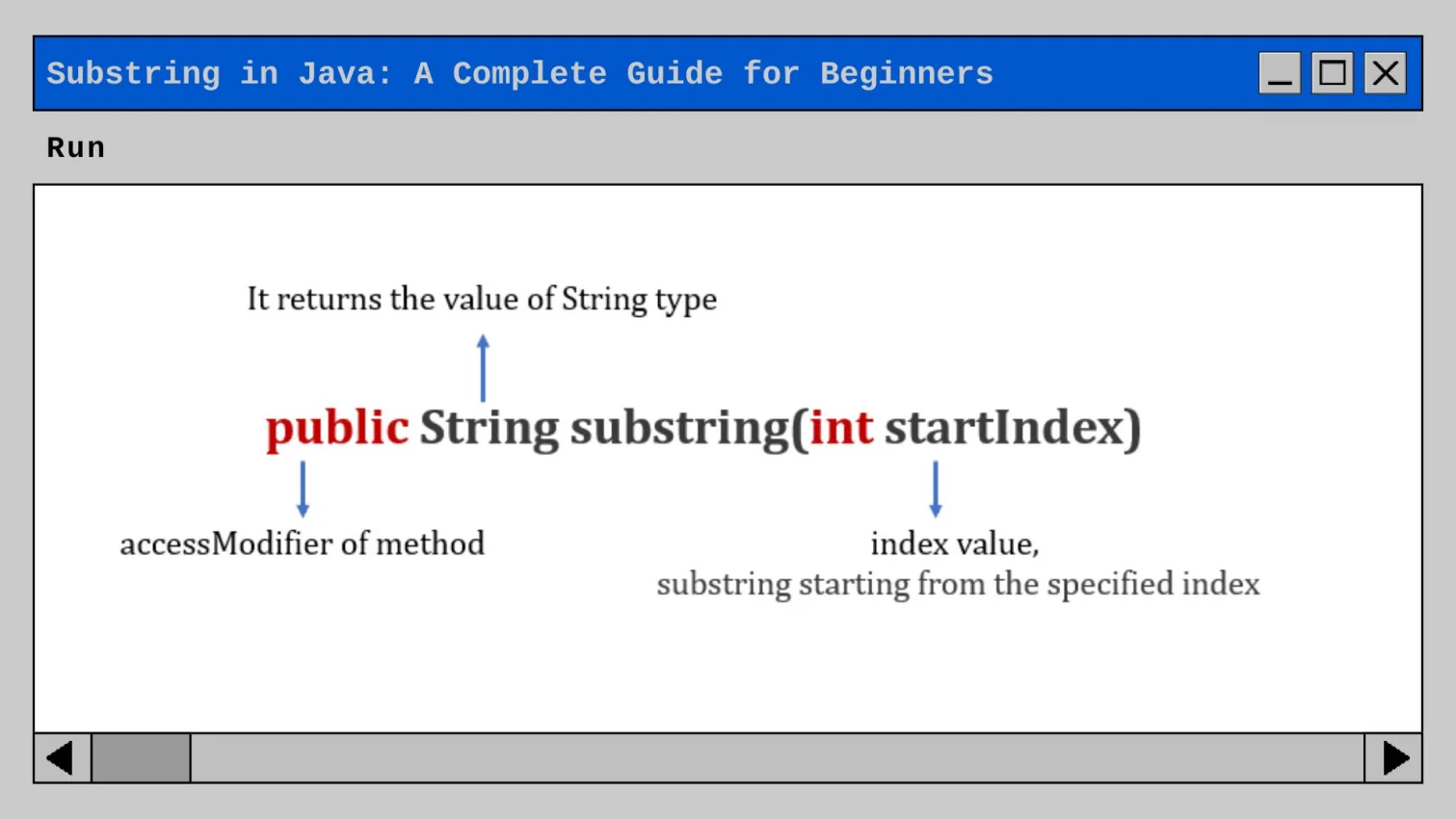
The following are the syntaxes of the substring method in Java, which help in extracting characters from a string in different ways:
|
|
|
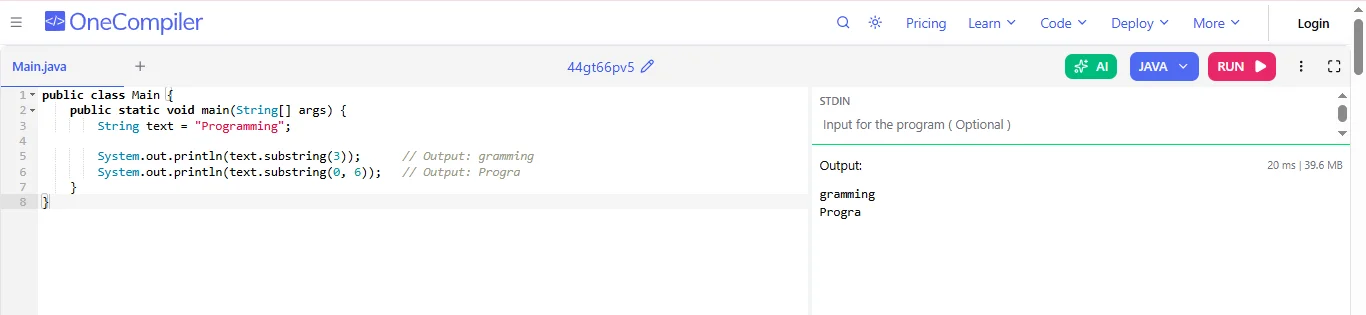
Java provides two types of substring() methods to extract parts of a string using indexes. Understanding these two variations helps in choosing the correct method for different string manipulation needs.
This method returns part of a string starting from the given index to the end. It ignores all characters before the index and keeps everything after it.
|

This method returns part of a string between two indexes. It starts from beginIndex and stops before endIndex, meaning the character at endIndex is not included in result string.
|

Substring is widely used in real-world applications to extract specific parts of text. It helps in tasks like parsing data, formatting strings and processing user input efficiently in Java programs. Following are some of its applications:
Substring is used to extract the username part of an email before the @ symbol. This is helpful in login systems, user identification or personalization features where only the name part is required instead of the full email address.
|

Substring helps separate file names and extensions (like .jpg, .txt). This is useful when organizing files, validating formats or processing uploads in applications where you need to treat file names and extensions differently.
|

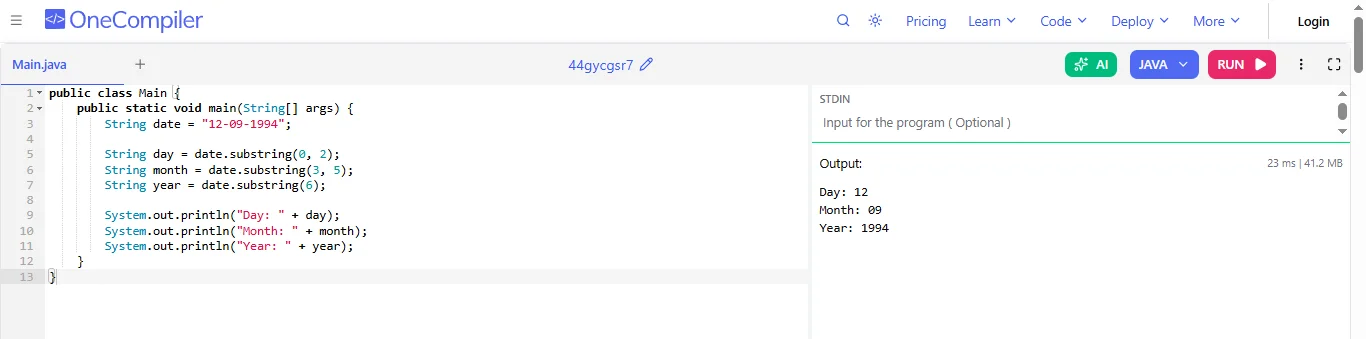
Substring is used to extract parts of a date like day, month and year from a formatted string (e.g., dd-mm-yyyy). This is useful in applications that need to validate, display or convert date formats.
|
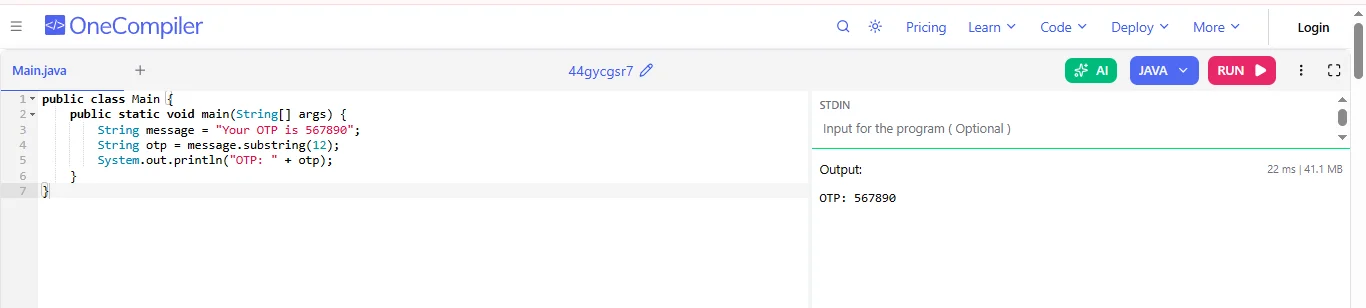
Substring can extract OTPs or verification codes from messages. This is commonly used in authentication systems where only a specific part of a message contains the important numeric code.
|
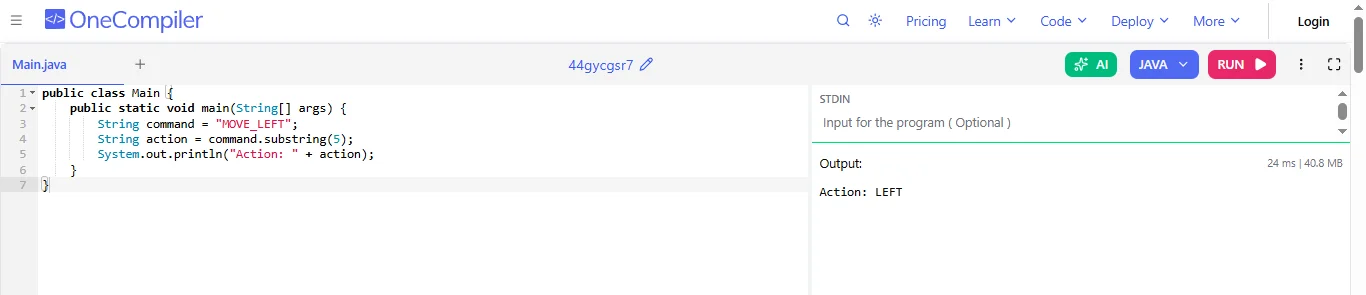
In games, a substring can be used to extract commands, player inputs or codes (like “MOVE_LEFT” → “LEFT”). This helps process user actions or game logic based on string inputs.
|
Substrings and slices both extract parts of a string, but differ in index handling and behavior. Understanding these differences helps avoid errors and ensures correct string manipulation in programs.
| Parameters | substring() | slice() |
|---|---|---|
| Negative Index | Does not support negative values (treats them as 0). | Supports negative values (counts from end). |
| Index Order | Swaps indices if start > end. | Does not swap, returns empty string. |
| Parameters | Uses (start, end). | Uses (start, end). |
| Use Case | Simple substring extraction. | Flexible slicing including from end. |
| Behavior | More forgiving with inputs. | More strict and predictable. |
Here are some common mistakes beginners and even experienced developers make while using substring() in Java:
1. Confusing endIndex as Inclusive: Many think the endIndex is included in the result, but it is exclusive.
|
In this, the character at index 4 is not included.
2. Index Out of Bounds Error: Using invalid indexes causes StringIndexOutOfBoundsException.
|
The string length is 4, so index 10 is invalid.
3. Using Negative Indexes: Java does not allow negative indexes in substring().
|
Indexes must always be 0 or positive.
4. Forgetting String Immutability: substring() does not change the original string.
|
You must store the result:
|
5. Not Checking String Length Before Use: Using dynamic input without checking length can crash your program.
|
|
Following best practices helps ensure your code is safe, efficient and easy to understand. By handling indexes carefully and considering edge cases, you can avoid common mistakes and write more reliable programs:
1. Always Validate Index Values: Before using a substring, make sure the indexes are within the string length. This helps prevent runtime errors like StringIndexOutOfBoundsException, especially when working with user input.
2. Remember, endIndex is Exclusive: The ending index is not included in the result. Keeping this in mind avoids logical mistakes and ensures you extract the correct portion of the string.
3. Store the Result Properly: Strings in Java are immutable, so substring() does not change the original string. Always store the result in a variable if you need to use the extracted part.
4. Use Dynamic Indexing: Instead of hardcoding index values, use methods like indexOf() or length() to find positions. This makes your code more flexible and easier to maintain.
5. Handle Edge Cases Carefully: Always consider cases like empty strings or very short inputs. Adding proper checks makes your program more reliable and prevents unexpected crashes.
In summary, the Java string class provides a number of methods for manipulating strings. Of the many different methods available, the substring() method is one of the most powerful because it allows you to extract particular parts of a string efficiently.
Substrings can be useful when working on actual problems such as parsing email addresses, processing date fields or extracting OTP from a string. To write safe code using substring(), developers should be aware of common mistakes (like using the wrong index start) and best practices (like using dynamic methods and validating index boundaries). By mastering substring(), developers will enhance their overall abilities related to Java programming and string handling.
No, substring() does not modify the original string. It returns a new string because Java strings are immutable, meaning their values cannot be changed once created.
No, the end index is excluded in the substring(beginIndex, endIndex). The method returns characters starting from beginIndex up to one position before the endIndex.
The time complexity of substring() is generally O(n), where n is the length of the resulting substring, as it creates a new string from selected characters.