The basic syntax of the Python programming language is an essential stepping Stone for creating a cleanly structured, high-performance program. Anyone who has used the Python programming language a few times is likely to have a good understanding of just how easy it is to read and write code because the syntax of Python is extremely simple and well-organised.
From my experience writing and reviewing Python programs for a wide range of projects, both at a beginner level as well as at an intermediate level, I have experienced firsthand the benefits of learning these foundational principles that facilitate smooth coding.
This guide on Python basic syntax will help you understand the core principles or fundamental rules that underlie all Python programs in a straightforward, hands-on manner suitable for a novice user. Let’s dive in!
Build Python programming skills through live instructor-led training, practical exercises, and hands-on coding.
Python syntax refers to the set of rules that defines how you can write and organize your Python code so that the Python interpreter can understand and run it correctly. It is known for its clean, simple and readable structure, which is sometimes described as "executable pseudocode”.
Understanding basic Python syntax helps you learn how to write instructions that Python can execute. Python code uses variables to store data, functions to perform tasks, operators to perform calculations, and indentation to organize code blocks. Unlike many other programming languages, Python does not require a semicolon at the end of every statement. This makes the code cleaner and easier to read.
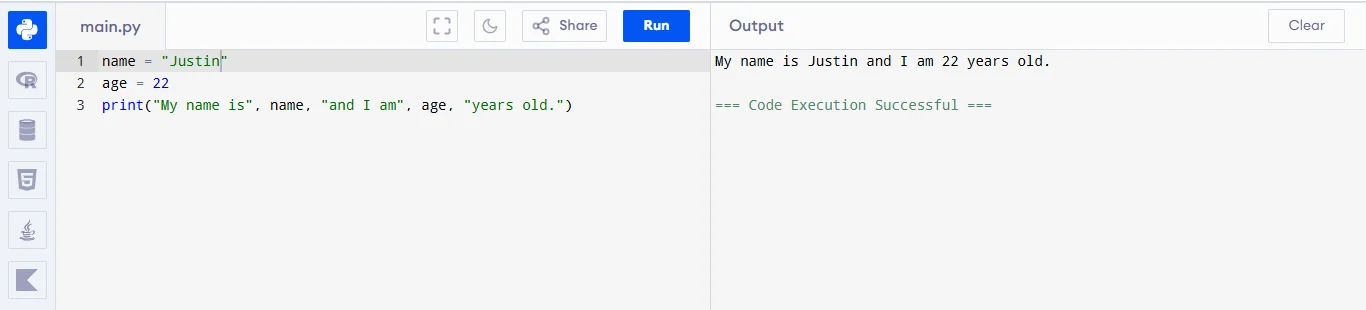
Let's understand the basic elements of Python syntax with a simple example:
|
Explanation of the code:
Now let's understand essential elements of the basic Python syntax in detail.
Indentation in Python refers to the spaces or tabs that are used at the beginning of a line of code to define a block of code. Many other programming languages use curly braces; Python uses indentation to show structure and hierarchy.
|
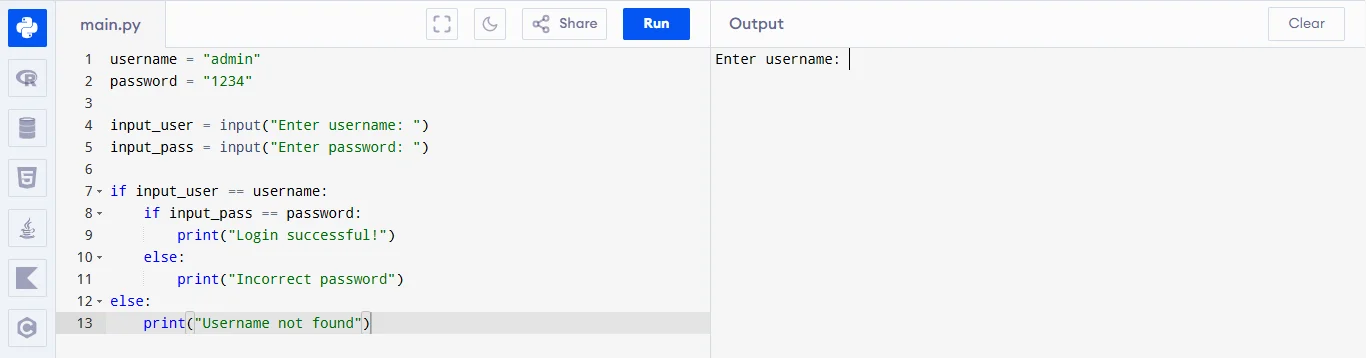
It is very essential due to the following reasons:
The print() function is one of the most basic and commonly used functions in Python. It is used to display output on the screen, making it an essential tool for beginners as well as experienced developers. Whether you want to show a message, display the value of a variable, or check the result of a calculation, print() helps you do it easily.
In simple words, it takes all the information that you have provided, and then it prints it in the console/output screen.
print("your message")
|
Learn Python for data analysis, data visualization, and machine learning through live instructor-led training and practical exercises.
Comments in Python are notes written inside the code that the computer ignores. They are only there to help humans understand what the code is doing. You can think of comments like side notes or explanations for your code.
|
In this, Python ignores the comments and only runs the code.
|
Technically, this is a string and not a real comment. But since it is not stored or used, it works like a comment.
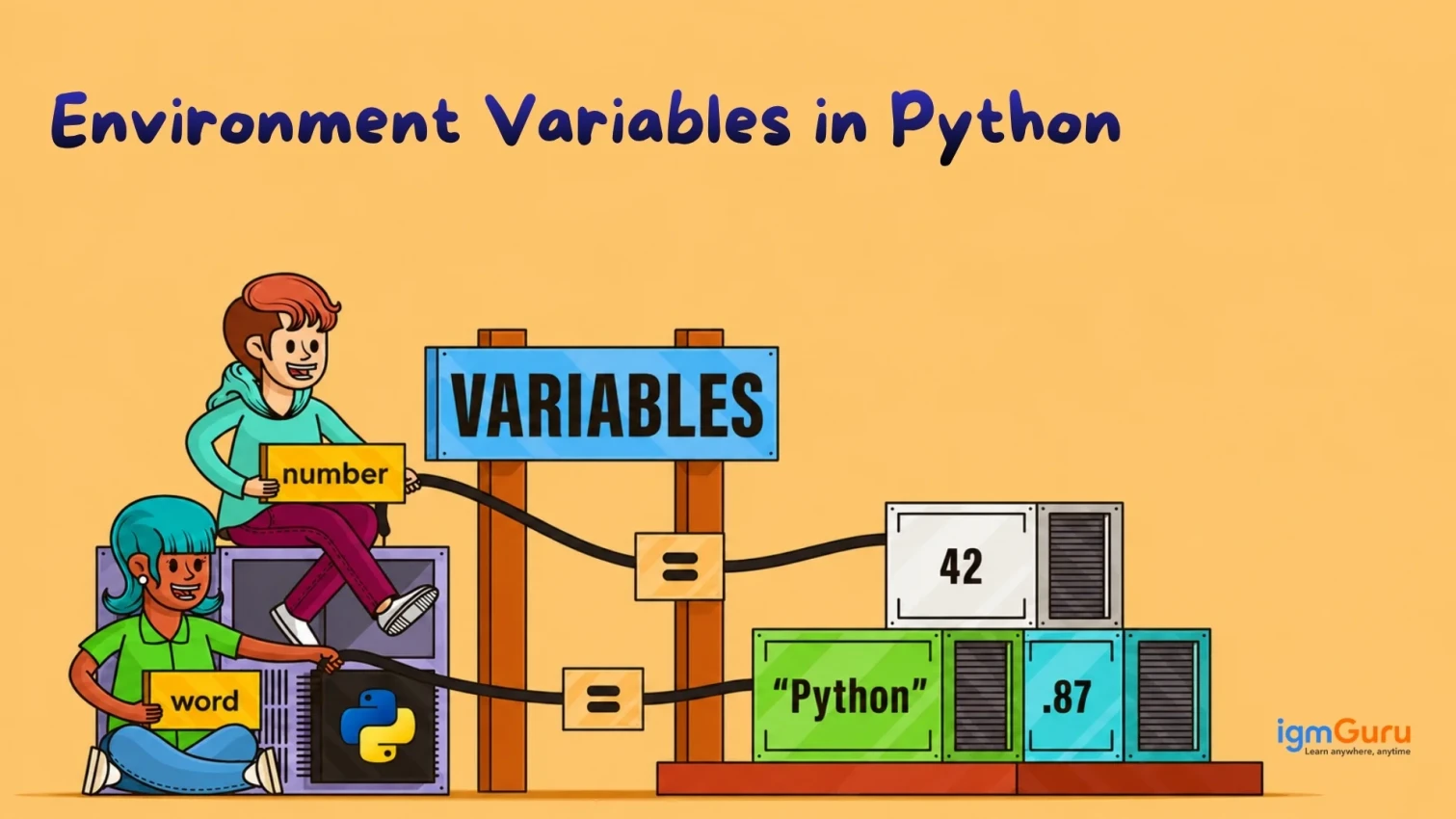
Variables in Python are used to store data that can be used later in a program. You can think of a variable as a container that holds a value such as a number, text or other data type.
In Python, you can create variables by assigning a value to a name using the = operator.
|
In this example:
When you are naming variables in Python, you must follow these rules:
Identifiers are the names we give to variables, functions and other objects. They usually follow specific rules to ensure that our code is valid and easily understood.
In Python, there are certain words that are reserved for specific programming functions and cannot be used as identifiers. These keywords are part of the Python syntax and are reserved for specific programming purposes only.
Here is a list of common Python keywords:
| False | await | else | import |
| None | break | except | is |
| True | class | finally | in |
| and | continue | for | lambda |
| as | def | from | nonlocal |
| assert | del | global | not |
| async | elif | if | or |
Operators in Python are sort of special symbols that are used to perform operations on variables and values. Python supports a wide range of operators based on their functionality.
The following are the types of Python operators:
| Operator Type | Description | Operators |
|---|---|---|
| Arithmetic | Used to perform basic math operations. | +, -, *, /, %, //, ** |
| Assignment | Used to assign values to variables. | =, +=, -=, *=, /=, %= |
| Comparison | Used to compare two values (gives True/False). | ==, !=, >, <, >=, <= |
| Logical | Used to combine conditions. | and, or, not |
| Bitwise | Used to perform operations on binary numbers. | &, ` |
| Membership | Used to check if a value exists in a sequence. | in, not in |
| Identity | Used to check if two variables refer to the same object. | is, is not |
Learn Python programming for artificial intelligence through live instructor-led training, practical exercises, and real-world applications.
A basic Python program usually includes instructions like printing output, taking input, and performing simple calculations. The following are some examples that will help you understand how Python programs work:
This will display a message on the screen.
|

|
What it does:

This example will check whether the number is even or odd using a condition.
|

Type Conversion means changing one data type into another in Python. Python has two types of type conversion:
There are some situations where Python automatically converts one data type to another. This is known as implicit type conversion.
|

Explanation:
In this, users convert the data type of an object to required data type.
|

Explanation: String "10" is converted into the integer 10
In Python, we can collect data from users with the help of the built-in input() function. By default, this function accepts the entered value as a string, which can later be changed into other data types if required.
|
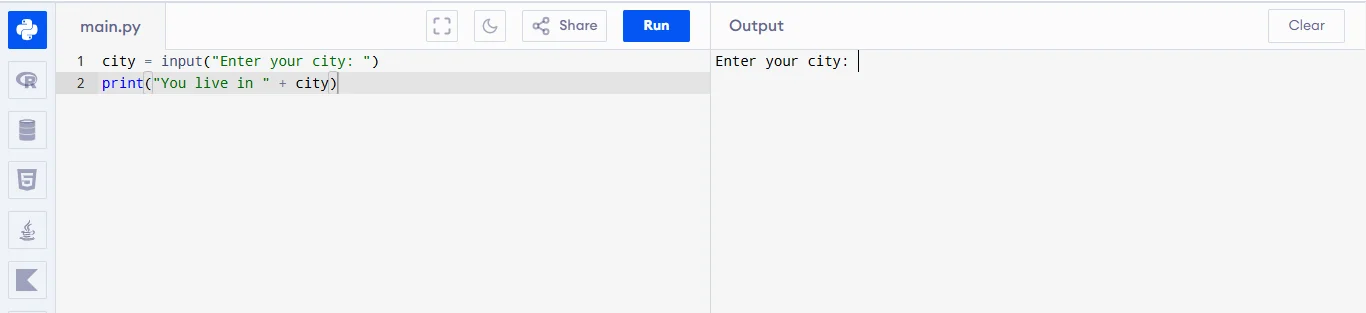
Since the input() function always returns text (string), we often convert it into the needed type, like integer or float, using functions such as int() or float().
|

When beginners start learning Python, they often overlook basic syntax rules, leading to common errors. In this section, I will explain some mistakes, explain why they happen and help you avoid them to write cleaner Python code.
1. Incorrect Indentation: Beginners often forget that Python uses indentation to define code blocks, so missing or inconsistent spacing can lead to errors.
2. Missing Colons: Many beginners forget to add a colon at the end of statements like if, for, or def, which causes syntax errors.
3. Case Sensitivity Issues: Python is case-sensitive, so writing Print() instead of print() or changing variable cases can break the code
4. Forgetting to Convert Input Types: Python is case-sensitive, so writing Print() instead of print() or changing variable cases can break the code
In this guide, I have explained Python basic syntax, which has covered topics like indentation, variables, data types, operators and user input. These topics help you understand how Python code is structured and executed. By learning these fundamentals, you can write clear, readable, and error-free programs. You can also build a strong foundation that makes it easier to understand and work with more advanced Python concepts.
You cannot use Python keywords as variable names because they are reserved words with predefined meanings in the language (like if, for, while).
Yes, Python is considered easier to learn and use than Java
Yes, 101 is an illegal variable name as Python variable names cannot start with a digit, as they must begin with a letter.






How To Start Career As MSBI Developer - A Comprehensive Guide
November 23rd, 2026