When you begin learning about Python, one of your first questions may be if the Python programming language has built-in support for a switch statement, as many other programming languages such as C, Java, and JavaScript all include native switch statements. For many years, Python lacked support for a switch case statement, but that changed in Python 3.10 with the introduction of the new match-case statement.
This blog will explain the use of switch statements in Python, including ways developers traditionally handled the problem of using a switch statement without built-in support for one, the syntax and usage of the match-case construct, real-world code examples of both constructs, and when to use each method based on your needs as either a novice or veteran Python programmer.
Related Article: What is Python Used For? 8 Real-Life Python Uses
A switch case statement is a control flow structure. It lets you check a variable against multiple possible values and run different code for each match. Think of it as a cleaner way to write many if conditions that all check the same variable.
In Python, the native equivalent is the match-case statement, introduced in Python 3.10 through PEP 634. It goes further than a traditional switch case. It supports structural pattern matching, which means you can match values, sequences, objects, and even conditions inside a single match block.
Before Python 3.10, developers used two main workarounds: if-elif-else chains and dictionary mapping. Both are still valid and widely used today. You should know all three methods to write clean, efficient Python code.
Build Python programming skills through practical training.

Python gives you three main approaches to handle switch case logic. Let us look at each one with clear examples.
The if-elif-else chain is the most basic way to replace switch case in Python. You check a variable against one value after another. This works well for simple scenarios and is compatible with every version of Python.
|
day = "Saturday" if day == "Saturday" or day == "Sunday": print(f"{day} is a weekend.") elif day in ["Monday", "Tuesday", "Wednesday", "Thursday", "Friday"]: print(f"{day} is a weekday.") else: print("That is not a valid day.") |
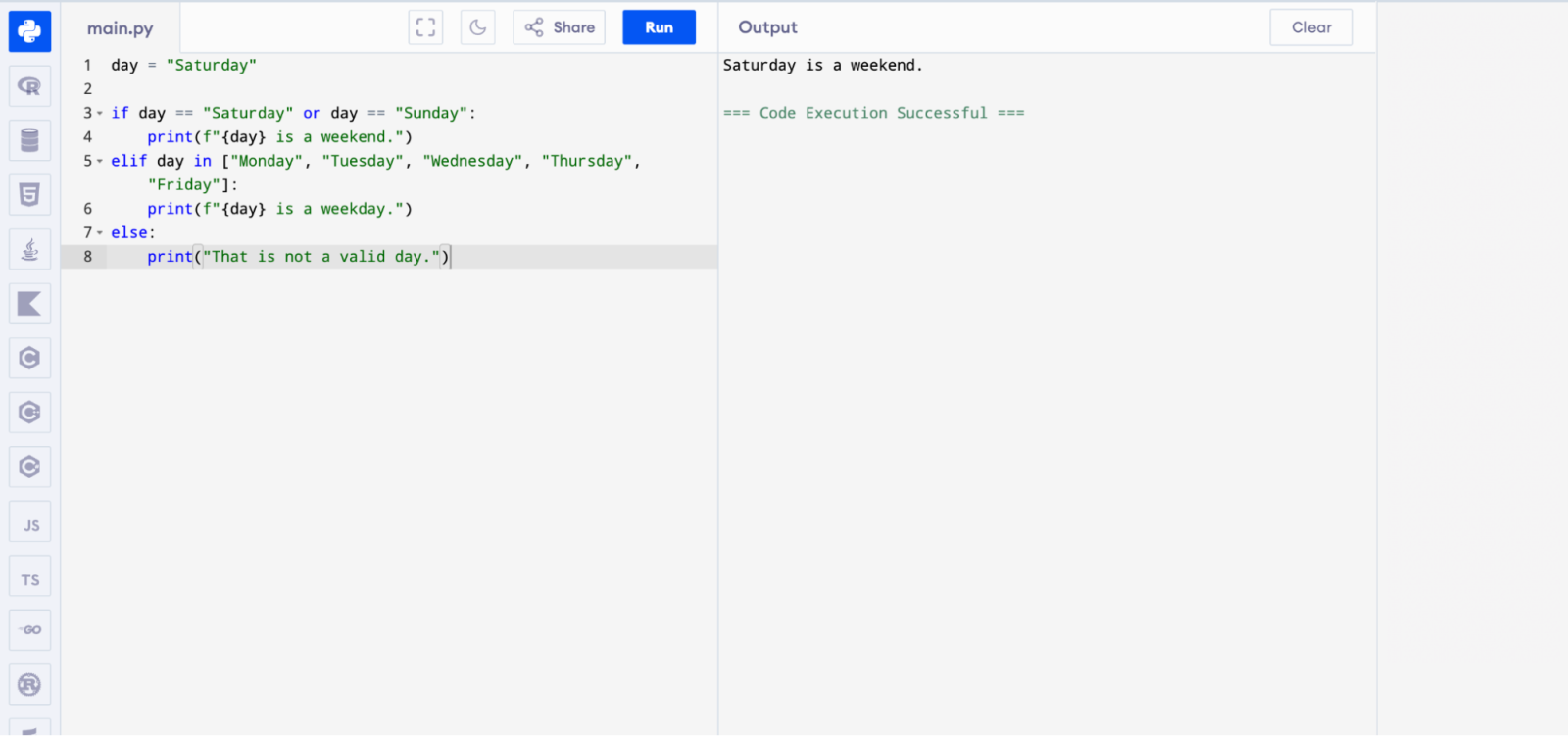
This approach is straightforward. But when you have many conditions, the code gets long and harder to read. That is where the other methods help.
A popular Python trick is to use a dictionary as a switch case. You store each possible value as a key, and the result or function as the value. Then you look up the key and call the result. This is clean, fast, and Pythonic.
|
def handle_monday(): return "Start of the work week!" def handle_friday(): return "Almost the weekend!" def handle_weekend(): return "Enjoy your day off!" day_actions = { "Monday": handle_monday, "Friday": handle_friday, "Saturday": handle_weekend, "Sunday": handle_weekend, } day = "Friday" result = day_actions.get(day, lambda: "Invalid day.")() print(result) |
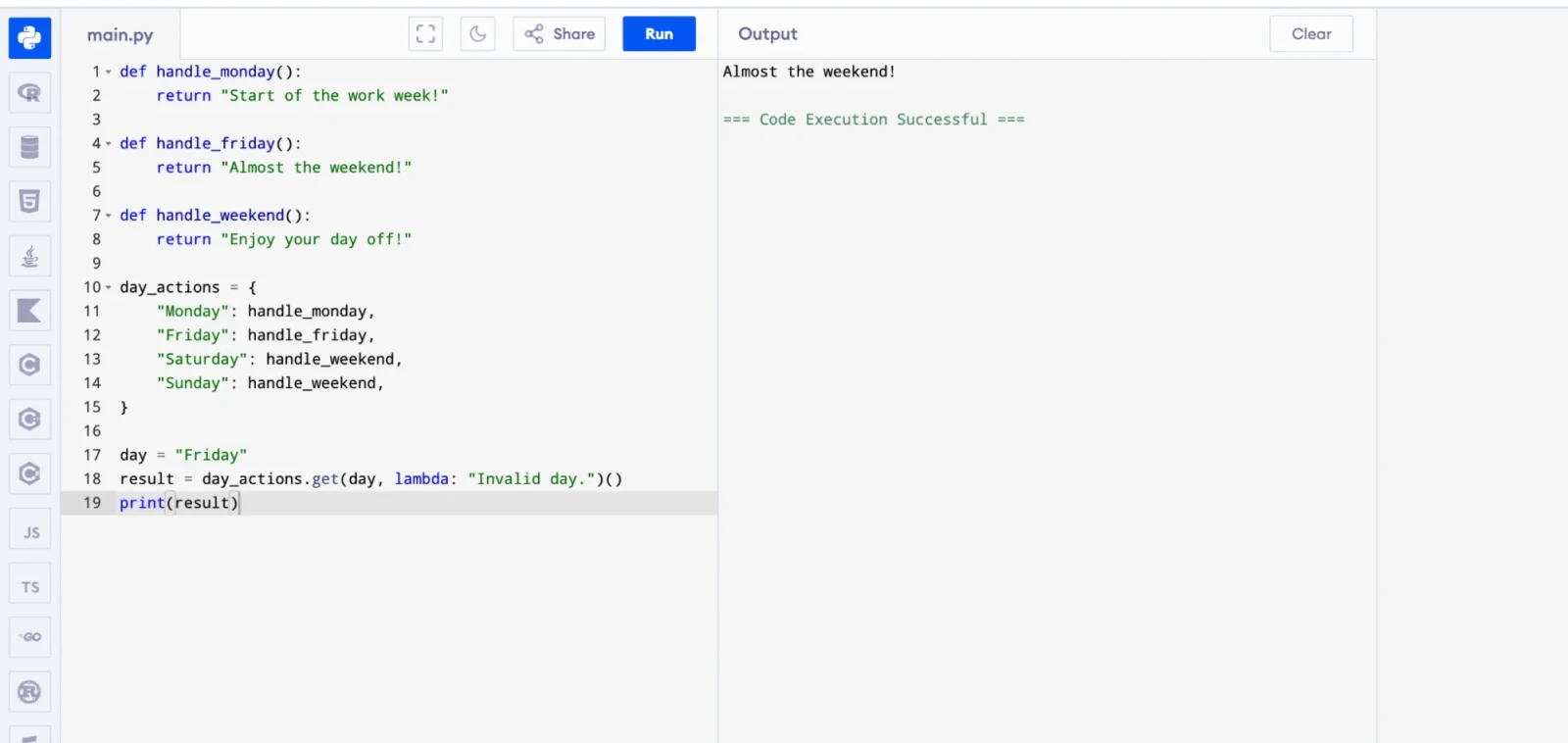
The .get() method handles the default case cleanly. If the key is not in the dictionary, it returns the fallback value. This method is especially useful when each case runs a different function.
Pro Tip: Use the dictionary method when you have many cases and each case maps to a function call. It keeps your code clean and avoids long if-elif chains.
Read Also: What is Data Science in Python?
Python 3.10 introduced the official match-case statement for structural pattern matching. This is Python's answer to the switch case. It is more powerful than a simple value comparison because it can match data structures, sequences, and object types.
Here is the basic syntax of the match-case statement in Python:
|
match variable: case value1: # code to run if variable == value1 case value2: # code to run if variable == value2 case _: # default case (runs if nothing else matches) |
Key points to understand about Python match-case syntax:
The match keyword starts the block and takes a variable or expression to check.
Each case keyword defines a pattern to match against.
The _ (underscore) works as the wildcard or default case. It matches anything that did not match earlier.
Python exits the match block after the first successful match. You do not need a break statement.
The match-case statement is available only in Python 3.10 and above.
Learn data science and analysis using Python.
Let us start with a simple example. We match an HTTP status code and print a meaningful message for each one.
|
def http_status(status): match status: case 200: return "OK — Request was successful." case 201: return "Created — New resource was created." case 400: return "Bad Request — The server could not understand the request." case 401: return "Unauthorized — Authentication is required." case 404: return "Not Found — The resource does not exist." case 500: return "Internal Server Error — Something went wrong on the server." case _: return "Unknown status code." print(http_status(200)) print(http_status(404)) print(http_status(999)) |
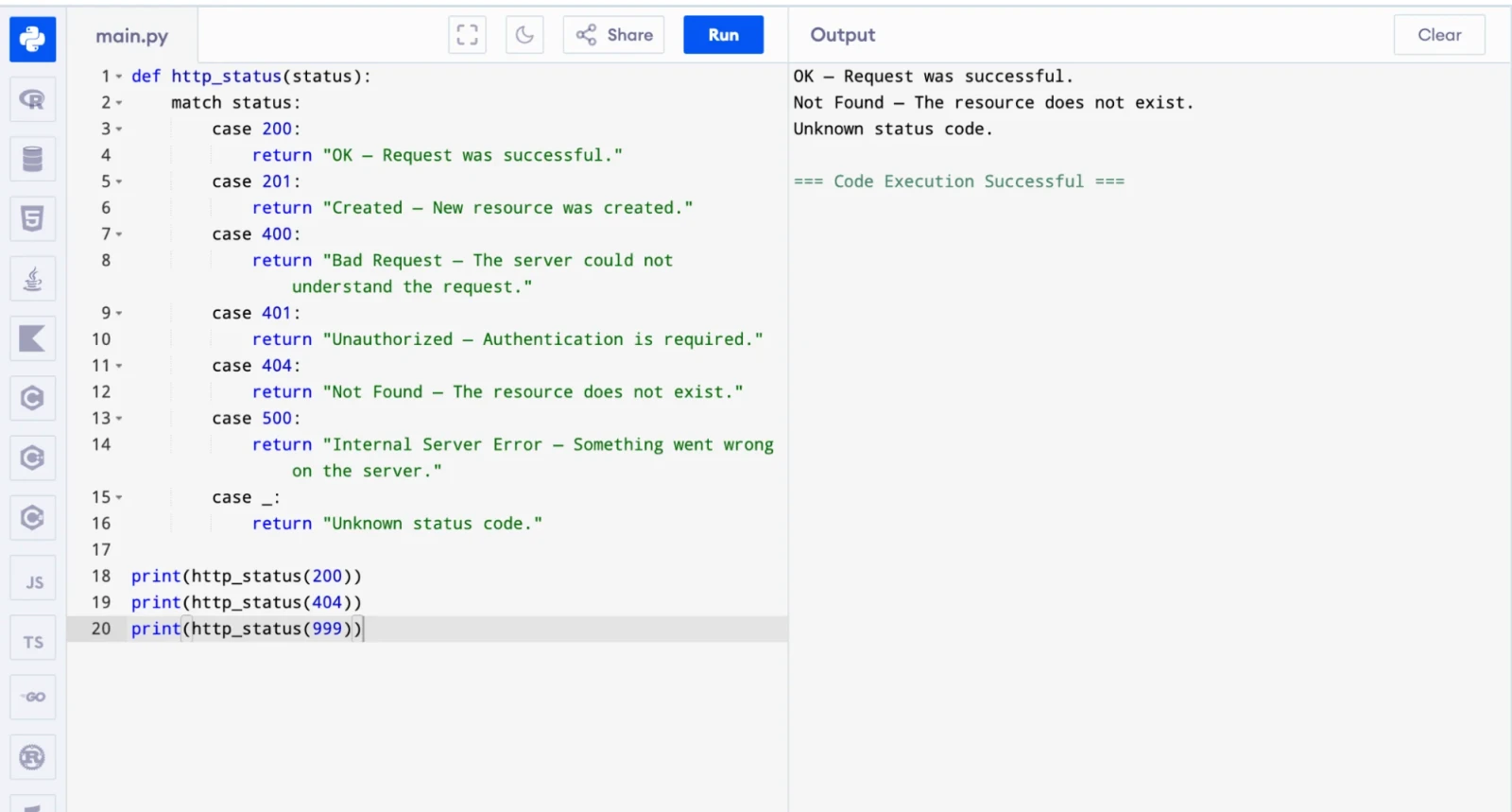
This is clean and easy to read. Every case handles one specific status code, and the _ wildcard handles everything else.
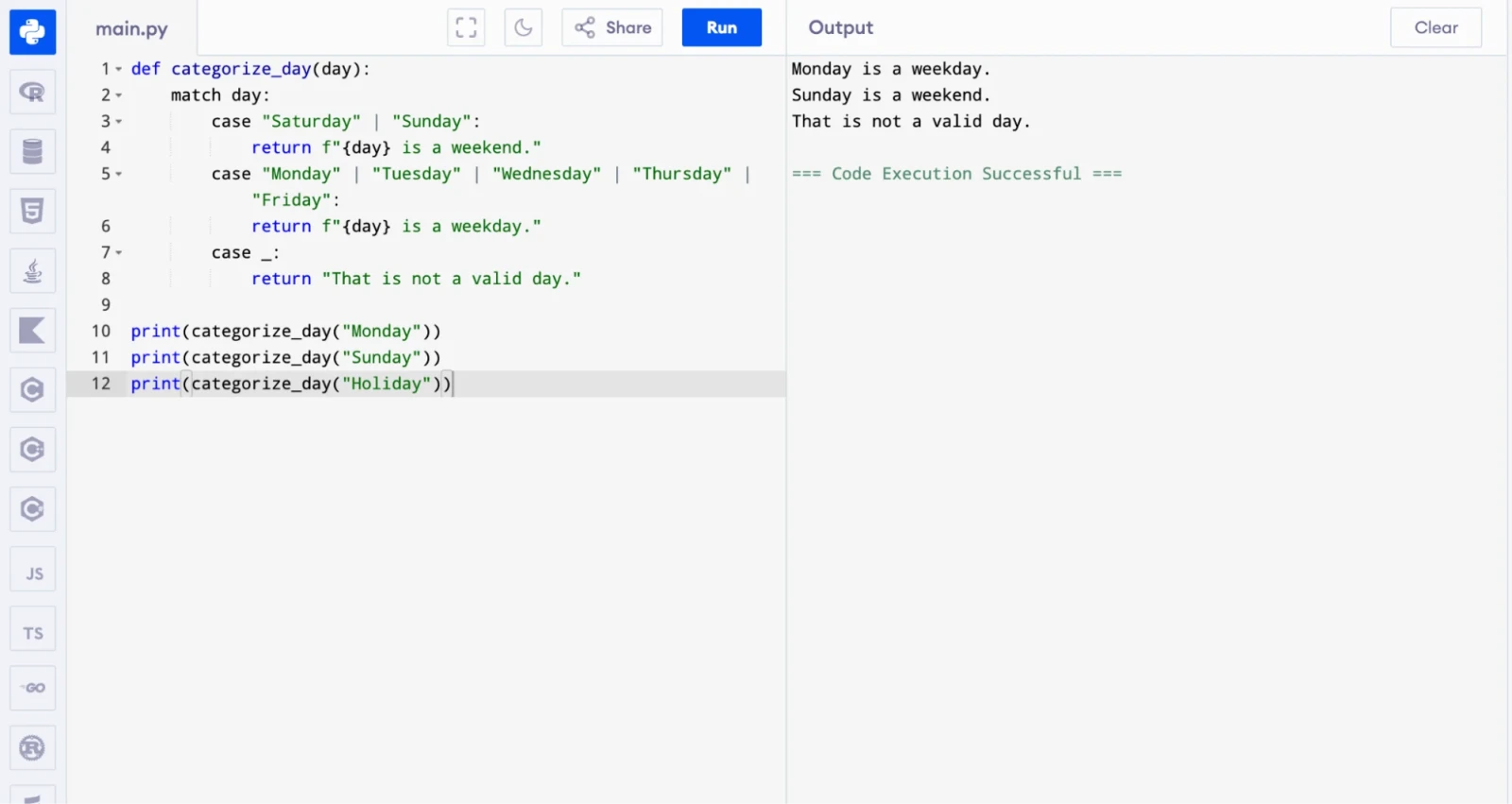
You can use the | operator to match multiple values in a single case block. This is similar to using or in an if statement.
|
def categorize_day(day): match day: case "Saturday" | "Sunday": return f"{day} is a weekend." case "Monday" | "Tuesday" | "Wednesday" | "Thursday" | "Friday": return f"{day} is a weekday." case _: return "That is not a valid day." print(categorize_day("Monday")) print(categorize_day("Sunday")) print(categorize_day("Holiday")) |
Also Read: What is Django?
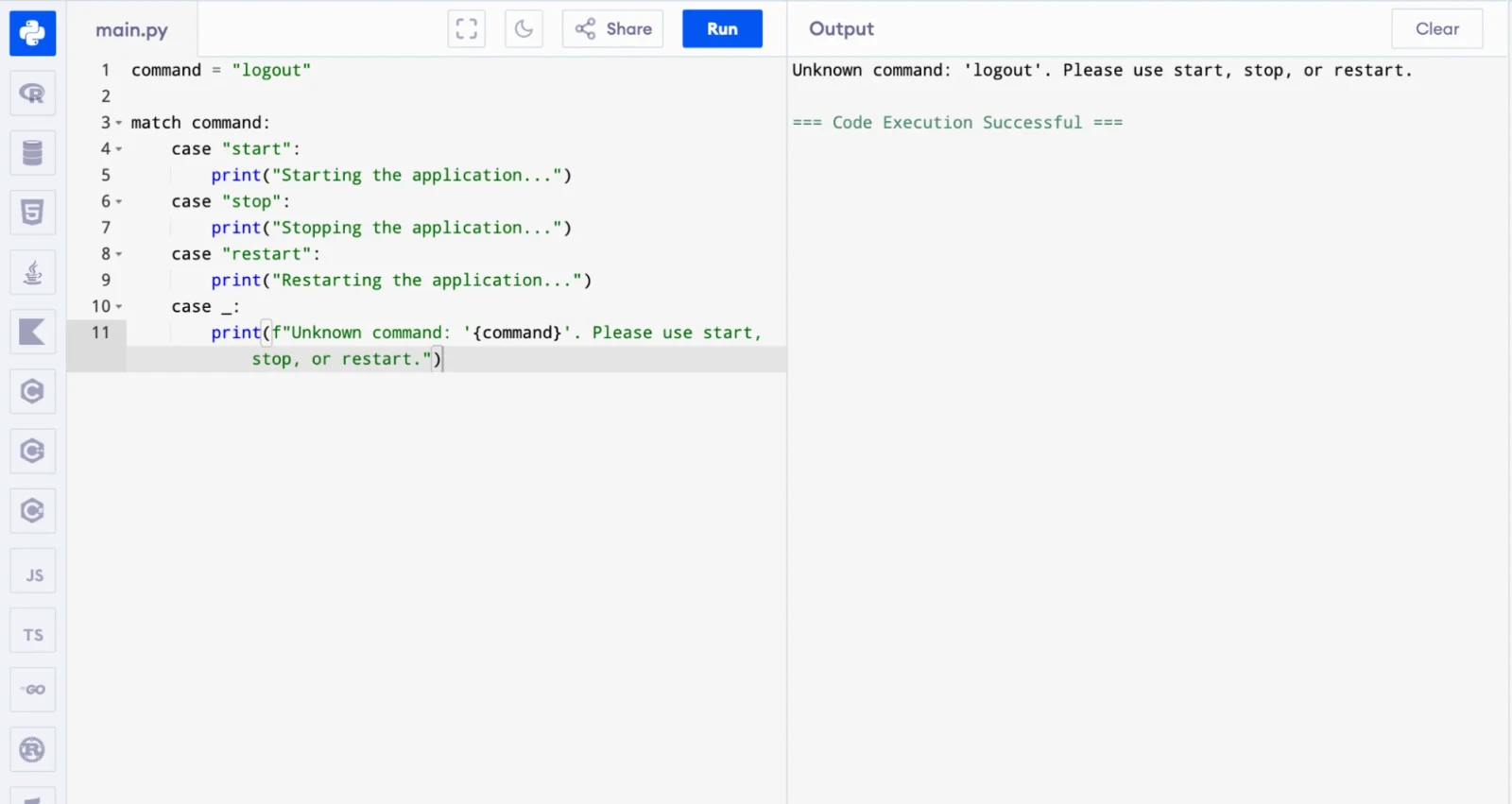
The _ wildcard acts as the default case. Python runs this block when no other case matches. You should always include it to handle unexpected values safely.
|
command = "logout" match command: case "start": print("Starting the application...") case "stop": print("Stopping the application...") case "restart": print("Restarting the application...") case _: print(f"Unknown command: '{command}'. Please use start, stop, or restart.") |
Python match-case supports guard clauses. A guard clause is an extra if condition inside a case block. The case matches only if both the pattern and the guard condition are true.
|
def classify_score(score): match score: case s if s >= 90: return "Grade A — Excellent!" case s if s >= 75: return "Grade B — Good job!" case s if s >= 60: return "Grade C — Passing." case s if s >= 40: return "Grade D — Needs improvement." case _: return "Grade F — Failed." print(classify_score(95)) print(classify_score(72)) print(classify_score(35)) |
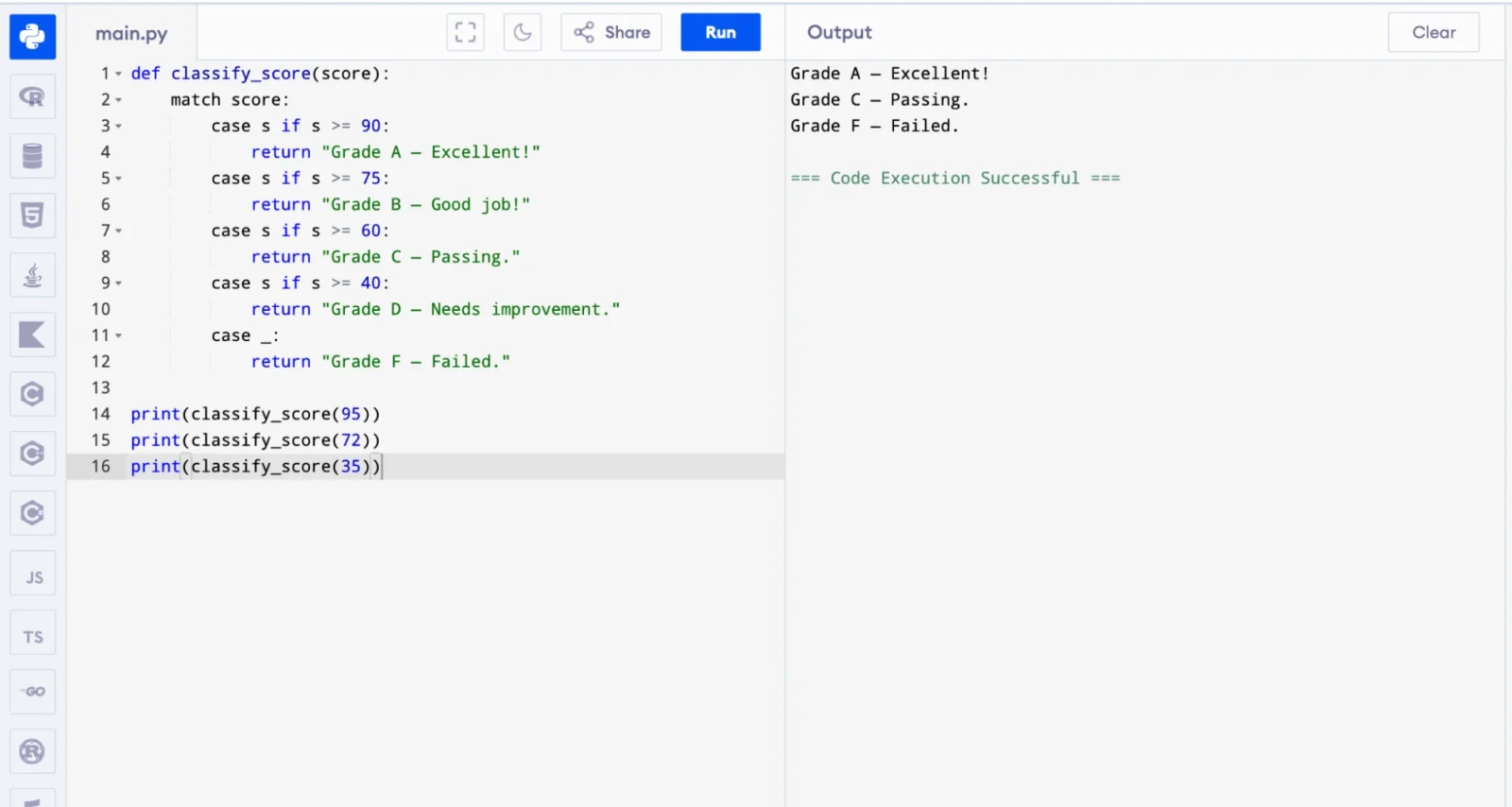
Guard clauses make match-case extremely flexible. You can handle ranges, conditions, and complex logic all inside a clean structure.
This is where Python match-case truly stands out. You can match sequences like lists and tuples based on their structure and length, not just their value.
|
def process_command(command): match command: case ["quit"]: print("Quitting the program.") case ["go", direction]: print(f"Going {direction}.") case ["go", direction, steps]: print(f"Going {direction} for {steps} steps.") case ["pick", item]: print(f"Picking up {item}.") case _: print(f"Unknown command: {command}") process_command(["quit"]) process_command(["go", "north"]) process_command(["go", "east", 5]) process_command(["pick", "sword"]) |
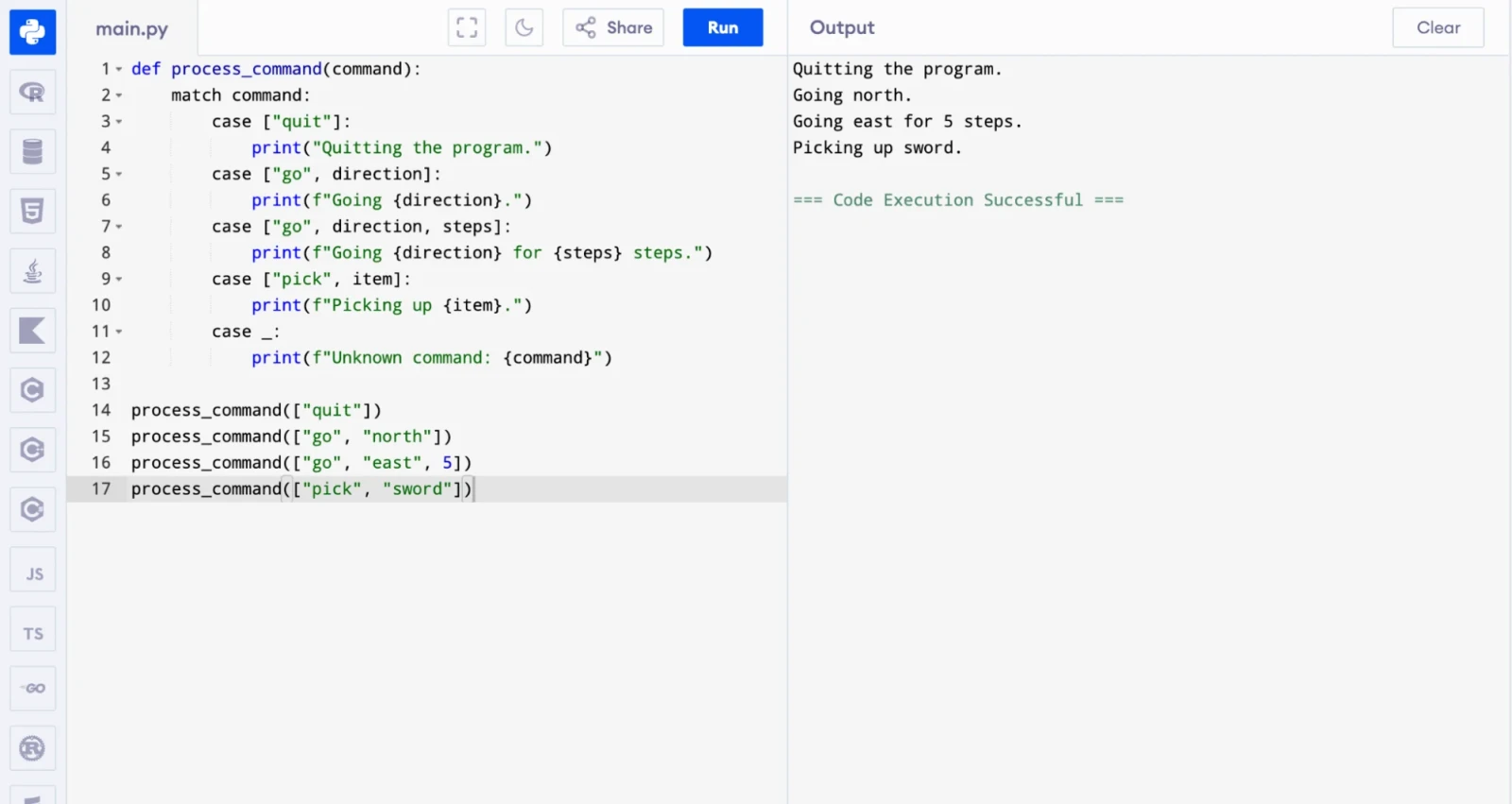
This kind of pattern matching is very useful in command-line tools, parsers, and game engines where commands have variable lengths.
Also Read: Python vs. R: What's the Difference?
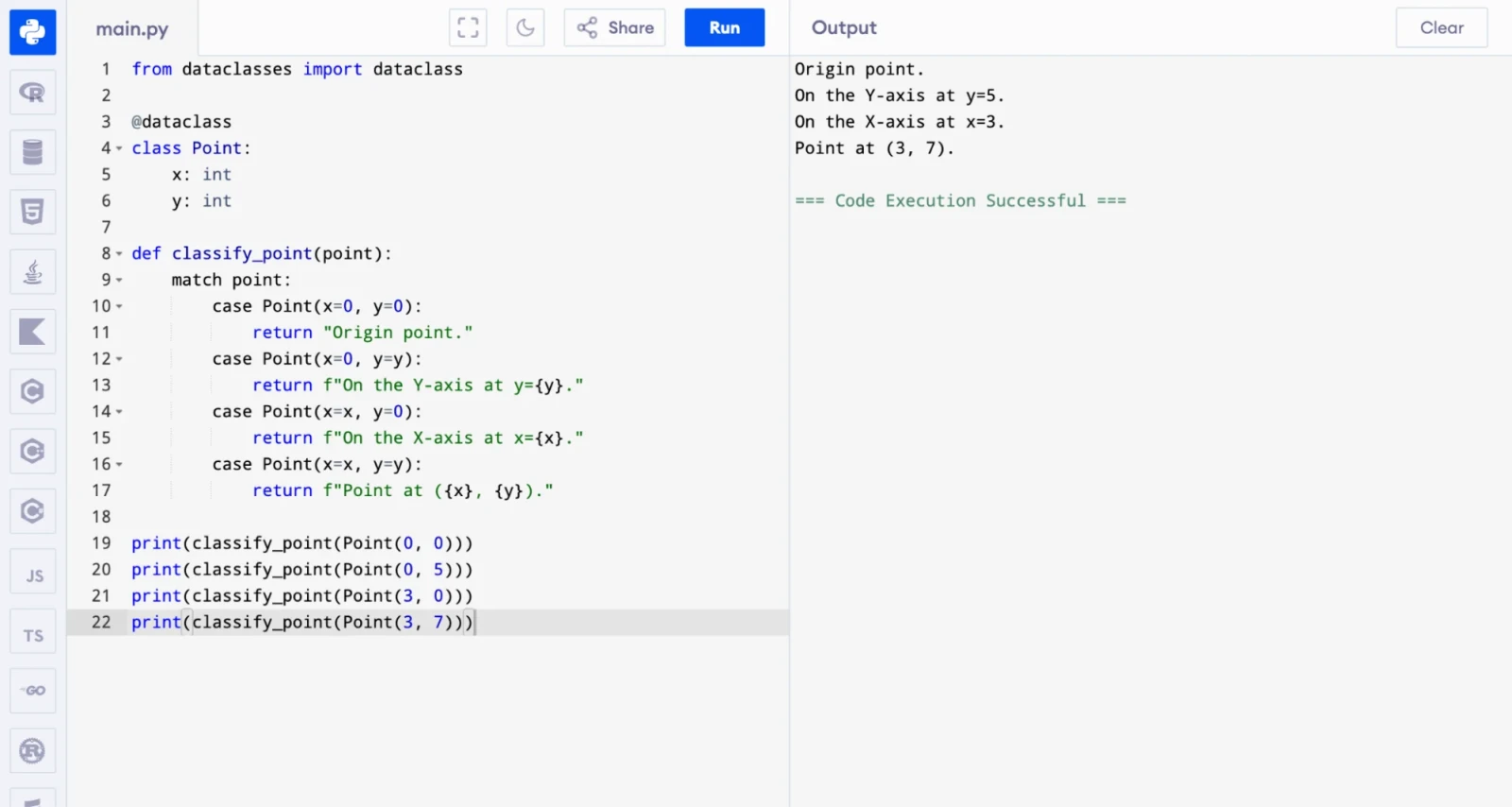
Python match-case can also match class instances and check their attributes. This is powerful for working with data classes and object-oriented code.
|
from dataclasses import dataclass @dataclass class Point: x: int y: int def classify_point(point): match point: case Point(x=0, y=0): return "Origin point." case Point(x=0, y=y): return f"On the Y-axis at y={y}." case Point(x=x, y=0): return f"On the X-axis at x={x}." case Point(x=x, y=y): return f"Point at ({x}, {y})." print(classify_point(Point(0, 0))) print(classify_point(Point(0, 5))) print(classify_point(Point(3, 0))) print(classify_point(Point(3, 7))) |
Learn Python programming for AI development.
You now know all three methods. But how do you decide which one to use? The right choice depends on your Python version, the number of cases, and the complexity of your logic. Here is a clear side-by-side comparison of the three switch case methods in Python:
| Feature | if-elif-else | Dictionary Mapping | match-case |
| Python Version | All versions | All versions | Python 3.10 and above |
| Readability | Moderate (gets messy with many cases) | Good (clean for function dispatch) | Excellent (clean and expressive) |
| Handles Ranges / Conditions | Yes (with logic inside if) | Limited | Yes (with guard clauses) |
| Pattern Matching (sequences, classes) | No | No | Yes |
| Default Case | else | .get(key, default) | case _: |
| Best Used For | Simple, short conditions | Many fixed value-to-function maps | Complex conditional and structural logic |
| Performance | O(n) in worst case | O(1) lookup | Optimized by Python interpreter |
Learning the syntax is only half the job. The other half is knowing where to apply it. Switch case logic shows up in many areas of real Python development. Here are the most common situations where developers reach for it every day.
Switch case logic appears in many real Python projects. Here are some common use cases:
REST API routing: Handling different HTTP methods like GET, POST, PUT, and DELETE.
Command-line tools: Parsing user commands and running the right function for each one.
State machines: Managing application states like idle, running, paused, and stopped.
Data validation: Checking data types and formats and returning the right error message.
Game development: Processing player inputs and triggering the right in-game actions.
Parsers and compilers: Identifying token types and processing each one differently.
Configuration handling: Reading environment names like dev, staging, and production and loading the right settings.
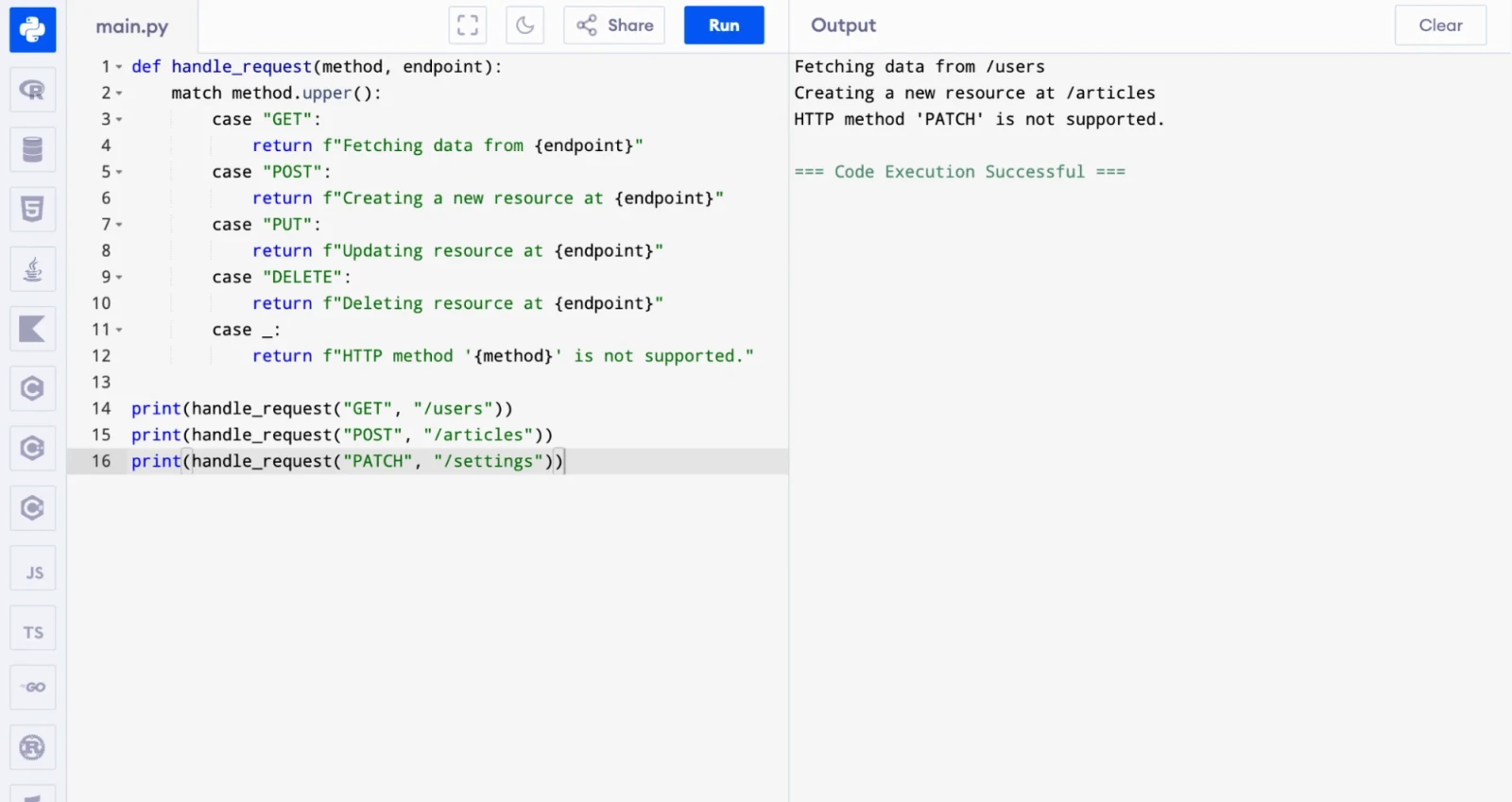
Here is a quick real-world example of a Python match-case used for HTTP method handling in an API:
|
def handle_request(method, endpoint): match method.upper(): case "GET": return f"Fetching data from {endpoint}" case "POST": return f"Creating a new resource at {endpoint}" case "PUT": return f"Updating resource at {endpoint}" case "DELETE": return f"Deleting resource at {endpoint}" case _: return f"HTTP method '{method}' is not supported." print(handle_request("GET", "/users")) print(handle_request("POST", "/articles")) print(handle_request("PATCH", "/settings")) |
Related Article: Python Packages
Even experienced Python developers make mistakes when they first use switch case logic, especially with the match-case statement. Knowing these mistakes ahead of time saves you hours of debugging. Here are the most common ones and how you can avoid them.
This is the most common mistake beginners make. The match-case statement only works on Python 3.10 and above. If you run it on an older version, Python throws a SyntaxError.
|
# This will throw SyntaxError on Python 3.9 or below match status: case 200: print("OK") |
Fix: Check your Python version first. Run python --version in your terminal. If you are below 3.10, upgrade or use if-elif-else instead.
Many developers write a match-case block without a case _: wildcard. When the value does not match any case, Python does nothing and moves on silently. This causes hard-to-find bugs.
|
# Bad — no default case match command: case "start": print("Starting...") case "stop": print("Stopping...") # If command = "restart", nothing happens and no error is raised |
Fix: Always add case _: as the last case in every match block.
|
# Good — default case handles unexpected values match command: case "start": print("Starting...") case "stop": print("Stopping...") case _: print(f"Unknown command: {command}") |
In languages like C and Java, you need a break statement at the end of each case to stop it from falling through to the next one. Python does not work that way. Python exits the match block automatically after the first match. Adding break inside a case block causes a SyntaxError.
|
# Wrong — break is not valid inside match-case match day: case "Monday": print("Start of the week") break # SyntaxError |
Fix: Remove break entirely. Python handles this for you.
Also Read: Python Libraries for Machine Learning
This one trips up many developers. When you write a bare name inside a case, Python treats it as a capture variable, not a value to compare. This means it will always match and capture whatever the input is.
|
status = 404 expected = 200 # Wrong — 'expected' is treated as a capture variable, not the value 200 match status: case expected: print(f"Matched with expected = {expected}") # Always runs |
Fix: Use a literal value, a dotted name, or a guard clause when you need to compare against a variable.
|
# Correct — use a guard clause to compare against a variable match status: case s if s == expected: print("Status matches expected value.") case _: print("Status does not match.") |
The match-case statement is powerful, but it is not always the right tool. Some developers use it for every condition, even simple two-branch checks. This makes the code heavier than it needs to be.
|
# Overkill — match-case for a simple true/false check match is_active: case True: print("User is active.") case False: print("User is inactive.") |
Fix: Use a simple if-else for two-branch logic.
|
# Better — clean and simple if is_active: print("User is active.") else: print("User is inactive.") |
Learn Python for data engineering and pipeline development.
Knowing how to write switch case logic is one thing. Writing it well is another. These best practices help you avoid common mistakes and keep your code clean, readable, and easy to maintain as your project grows.
Follow these best practices when you use switch case logic in your Python code:
1. Use Python 3.10+ for new projects: The match-case statement is the cleanest and most powerful way to handle switch case logic.
2. Always include a default case: Use _ in match-case or else in if-elif chains to handle unexpected values and prevent silent failures.
3. Use dictionary mapping for function dispatch: When you have many cases that all call different functions, a dictionary is faster and cleaner than a long if-elif chain.
4. Keep each case block short: If a case block has many lines of logic, move that logic into a separate function. This keeps your code readable.
5. Use guard clauses sparingly: Guard clauses are powerful, but too many of them can make the code hard to follow. Use them only when the condition is closely tied to the pattern.
6. Do not nest match blocks too deeply: Deep nesting reduces readability. Refactor deep match logic into smaller, named functions.
7. Stick to one method per module or function: Mixing match-case, if-elif, and dictionary in the same function confuses readers. Pick one approach and stay consistent.
In this guide, we covered switch case in Python from every angle. We started with the if-elif-else method, which works in all Python versions. We then explained the dictionary mapping approach, which is fast and clean for function dispatch. Finally, we went deep into the Python match-case statement (Python 3.10+) and showed you basic examples, OR patterns, guard clauses, sequence matching, and class matching.
Python's match-case is not just a switch statement. It is a structural pattern matching tool that is more expressive and more powerful than switch statements in most other languages. If you are on Python 3.10 or above, you should use it. It will make your code cleaner, more readable, and easier to maintain.
Practice the examples in this guide. Try modifying them with your own values and patterns. The more you practice, the more comfortable you will become with Python's control flow tools.
Explore Our Trending Articles:-
Yes, Python 3.10 introduced the match-case statement, which is Python's built-in switch case. It supports structural pattern matching and is more powerful than traditional switch statements. For Python versions below 3.10, developers use if-elif-else chains or dictionary mapping as alternatives.
The if-elif-else chain checks conditions one by one and works in all Python versions. The match-case statement is available in Python 3.10+ and supports structural pattern matching, which means it can match sequences, objects, and conditions, not just simple values. match-case is generally cleaner and more readable when you have many cases.
The match-case statement was introduced in Python 3.10 through PEP 634. You need Python 3.10 or a higher version to use it. If you run a match-case statement on Python 3.9 or below, you will get a SyntaxError.
The underscore _ is the wildcard pattern in Python match-case. It acts as the default case. Python runs the case _: block when no other case matches the value. You should always include it to handle unexpected values and avoid unhandled cases.
Yes, Python's match-case statement works with strings, integers, floats, booleans, lists, tuples, dictionaries, and class instances. It also supports OR patterns (using |), guard clauses (using if), and sequence patterns for matching data structures based on their shape.
It depends on the use case. Dictionary mapping gives you O(1) lookup speed and works well when each case maps to a specific function. match-case is better when you need to match complex patterns, handle ranges with guard clauses, or match data structures. For simple function dispatch with many fixed values, a dictionary is a great choice.