Preparing for a SAP MM interview? Good career choice, I must say. SAP MM (Materials Management) is a core SAP ERP module that manages the entire material flow, from procurement (Procure-to-Pay) to inventory and warehouse management for organizations. Hence, professionals like you are in high demand.
The question is how to crack the interview. The answer is to prepare with the most asked SAP MM interview questions and answers. I have listed a comprehensive list of these questions curated by top experienced professionals in this article. This will be your perfect guide for your SAP MM interview preparation. Let's begin!
We are starting with the most asked SAP MM interview questions and answers for freshers. These are generally asked to beginners who are just starting their careers in this field.
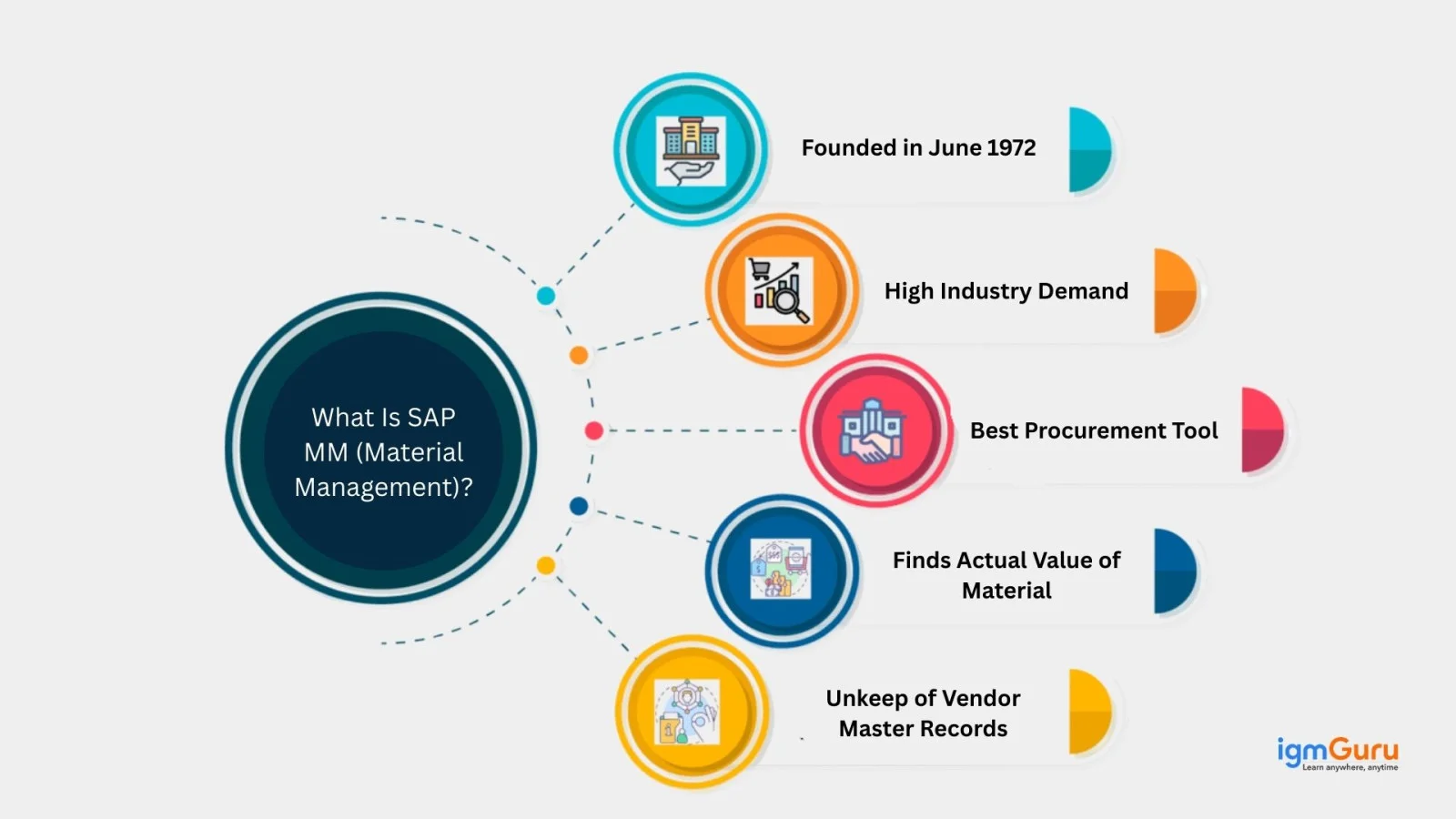
SAP MM, or Materials Management, is a core functional module of the SAP ERP system. It is used to automate and manage an organization's procurement and inventory processes. Think of it as a centralized engine for the "Procure-to-Pay" (P2P) cycle that ensures the right materials are available in the correct quantities at the right time and cost. Its key use cases include:
There are three master files used in SAP MM, including:
| Master File | Purpose of Use |
| Material Master | Stores material-related data |
| Vendor Master | Stores supplier-related data |
| Purchasing Info Record | Stores material–vendor purchasing details |
It is divided into various key components that together manage procurement, inventory and material planning activities. Each component plays a special role in the end-to-end materials lifecycle. Here are some of them:
| Component | Purpose |
| Purchasing | Manages procurement and vendor selection |
| Inventory Management | Tracks stock movements and balances |
| Invoice Verification | Matches invoices with PO and GR |
| MRP | Plans material requirements |
| Vendor Master | Manages supplier data |
| Material Master | Manages material-related data |
| Consumption-Based Planning | Plans materials based on usage |
Goods Receipt (GR) and Post Goods Receipt (PGR) are used to confirm the physical receipt of materials and trigger important inventory and accounting updates. They ensure accuracy, control, and proper accounting. GR is what happens (unloading, inspecting) and PGR is the system's response (inventory increase, accounting entry).
Record types are the categories of Purchase Info Records (PIRs). They classify procurement scenarios like Standard, Consignment, Subcontracting, and Pipeline. Each of them handles different supplier/material relationships for automatic price/terms fetching in purchasing documents. They can also broadly mean different Master Data or even Posting/Financial types.
Internal procurement is a strategic process of organizations used to acquire goods, services, or materials from within its own affiliated entities, departments, or plants. With this method, they do not have to do it from external third-party vendors.
This provides proper recording for each internal company's financials while streamlining operations, cutting costs, and fostering internal collaboration for better overall value. It focuses on using internal resources, improving efficiency and aligning resource flow with company-wide goals. It often involves complicated internal transfers and stock movements recorded as internal sales.
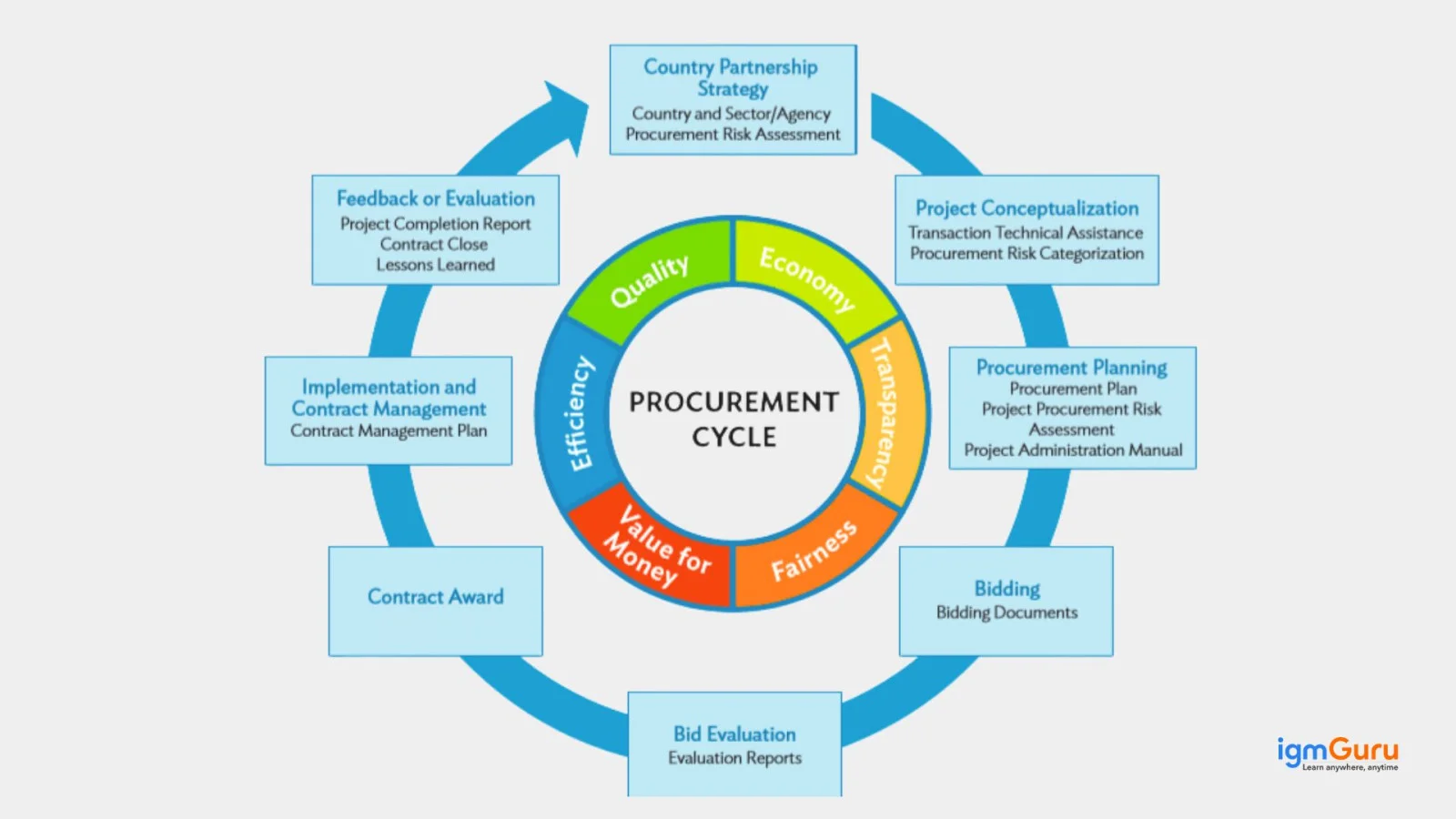
A purchase order is a legal document of confirmation sent by the buyer to the seller. It includes all the requirements like services, detailing quantities, prices, delivery terms, and conditions. This acts as the core of the Procure-to-Pay (P2P) cycle, which bridges the gap from internal need (PR) to vendor fulfillment and final payment. It controls procurement types, item categories and cost allocation.
Stock population is the number of all stock management units (SMUs) defined for the inventory process. They determine which items are included in the counts or simulations. It is useful for accurate inventory valuation and management that separates available stock, inspection stock, blocked stock, and special stocks for financial and operational clarity.
Data Archiving is a process where old, completed, or inactive purchasing/inventory data is transferred from the live database to an external database. These external storages are cost-effective as they use SAP's Archive Development Kit (ADK) and transaction SARA. This improves system performance, reduces database size, ensures legal compliance and keeps historical data accessible for audits/analysis in a read-only format.
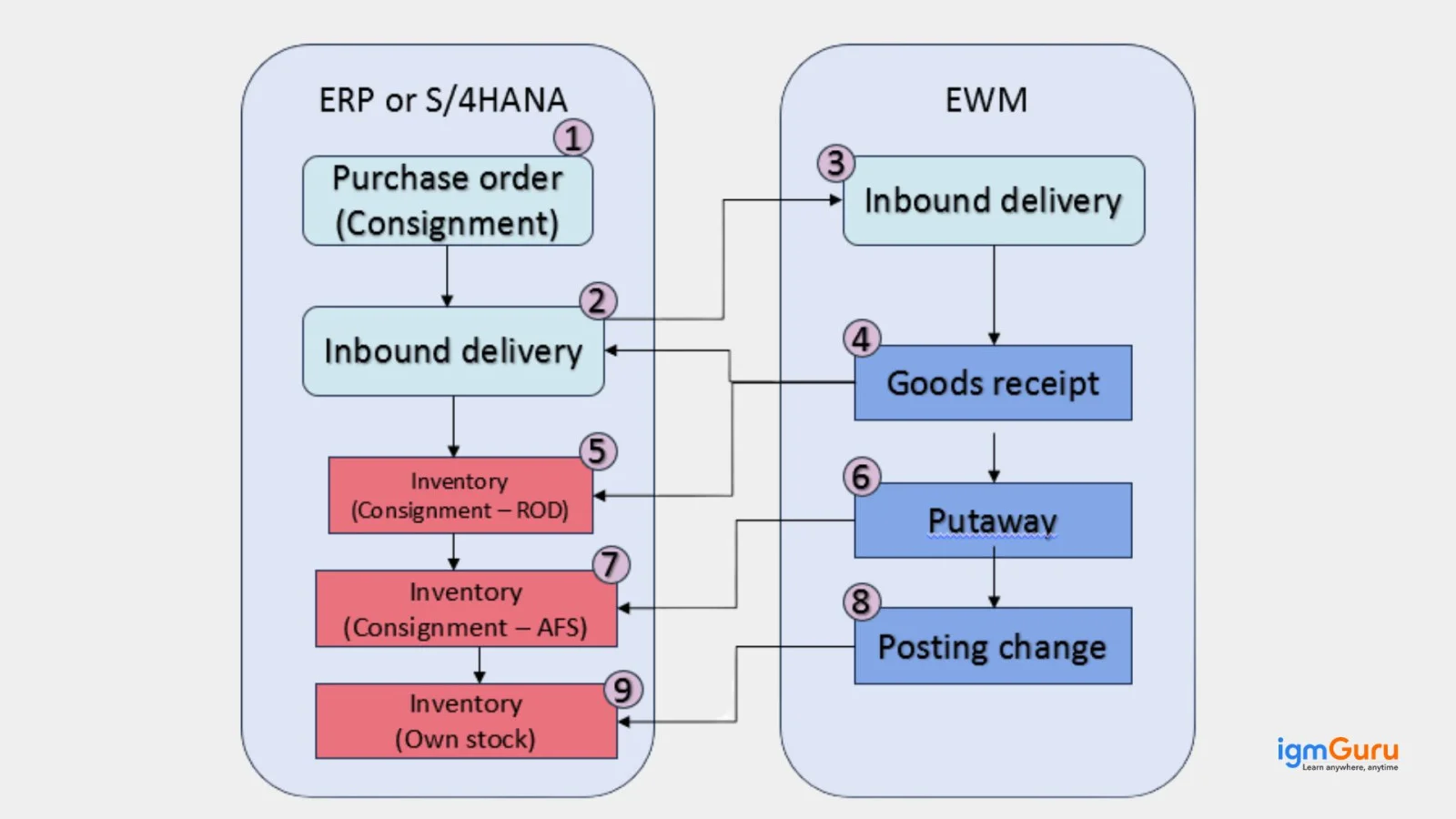
Consignment inventory is a special procurement where a vendor stores materials at your premises, but retains ownership until you withdraw them. This creates a liability and triggers payment. It uses a special stock type 'K' that allows for better cash flow by delaying payment, and is set up via a dummy PO with item category 'K'. It is tracked with T-codes like MMBE, MB54, and processed with movements like 411K and MRKO.

Now we will explore some of the most asked SAP MM interview questions and answers for intermediates. These are generally asked to the candidates with three years of experience.
Calculating prices on this platform is done with a Pricing Procedure, which is a structured system of Condition Types, Access Sequences and Condition Tables. It automatically builds up a final Net Price in Purchase Orders that involves steps from defining these elements in configuration to maintaining records.
SAP MM is a transactional ERP module used to manage procurement and inventory processes, while SAP MDM is a centralized data governance solution that ensures consistent, high-quality master data across systems. There are various differences in both of them. Here is quick look:
| Aspect | SAP MM | SAP MDM |
| Purpose | Operational procurement and inventory management | Central master data governance |
| Nature | Transactional ERP module | Master data management solution |
| Main Focus | Buying, storing, and valuing materials | Creating and harmonizing master data |
| Transactions | Yes (PR, PO, GR, IR) | No business transactions |
| Integration | FI, SD, PP | Multiple SAP and non-SAP systems |
| Data Ownership | Uses master data | Manages and distributes master data |
A Purchase Requisition is an internal document that identifies the requirement for materials or services. A Purchase Order is an external, legally binding document issued to a vendor to procure those materials or services. They both are different in many ways like:
| Aspect | Purchase Requisition (PR) | Purchase Order (PO) |
| Definition | Internal request to procure a material or service | Official document sent to vendor to procure goods/services |
| Purpose | Indicates a need within the organization | Confirms a commitment to buy |
| Nature | Internal document | External, legally binding document |
| Created By | User or MRP run | Purchasing department |
| Vendor Information | Optional or not required | Mandatory |
| Approval | Required based on release strategy | Required before sending to vendor |
| Accounting Impact | No financial posting | Financial commitment created |
| Legal Binding | No | Yes |
| Next Step | Converted into RFQ/PO | Followed by GR and Invoice Verification |
Subcontracting is a type of procurement process that lets you send components to a vendor to assemble or process into a finished product. Here manufacturing takes place externally by integrating with Inventory Management and Finance. This helps you manage the flow of materials and costs within SAP. It involves POs with item category 'L', material staging (Mvt 541), Goods Receipt (Mvt 101/543), and Invoice Verification.
I would evaluate both qualitative and quantitative factors using vendor evaluation and real-world performance indicators. This involves the following steps:
The purchasing process consists of six main stages. These stages cover the complete cycle from identifying a requirement to settling the vendor invoice. Here are the stages of the purchasing process:
| Stage | Description |
| Requirement Determination | The need for materials or services is identified, either manually by users or automatically through MRP. |
| Purchase Requisition (PR) | An internal document is created requesting procurement of the required material or service. |
| Source Determination & Vendor Selection | Potential vendors are identified using info records, contracts, or RFQs. |
| Purchase Order (PO) Creation | A formal and legally binding order is issued to the selected vendor. |
| Goods Receipt (GR) | Materials are received, inspected, and posted into inventory. |
| Invoice Verification & Payment | Vendor invoice is verified against the PO and GR and then posted for payment. |
A Purchasing Info Record is classified as master data in SAP MM. The relationship between material and vendor is stored in the PIR. It consists of details about the procurement like pricing, delivery conditions, planned delivery period, tolerances, and material details specific to the vendor. By using the PIR, it is possible to optimize the procurement activities in the system and use uniform purchasing data throughout all operations.
MRP (Material Requirements Planning) is used for ensuring material availability while optimizing inventory and procurement planning. It calculates what materials are required, in what quantity and at what time, based on demand from sales orders, production plans, or forecasts.
It analyzes current stock levels, open purchase orders, planned orders and lead times. Then it automatically generates procurement proposals such as purchase requisitions or planned orders.
RTP (Reorder Point Planning) is a consumption-based material planning method. It is used to ensure material availability by triggering procurement when stock falls to a predefined level called the reorder point. It continuously monitors stock levels. When the available stock drops below the reorder point, the system automatically generates a purchase requisition or planned order to replenish the material.
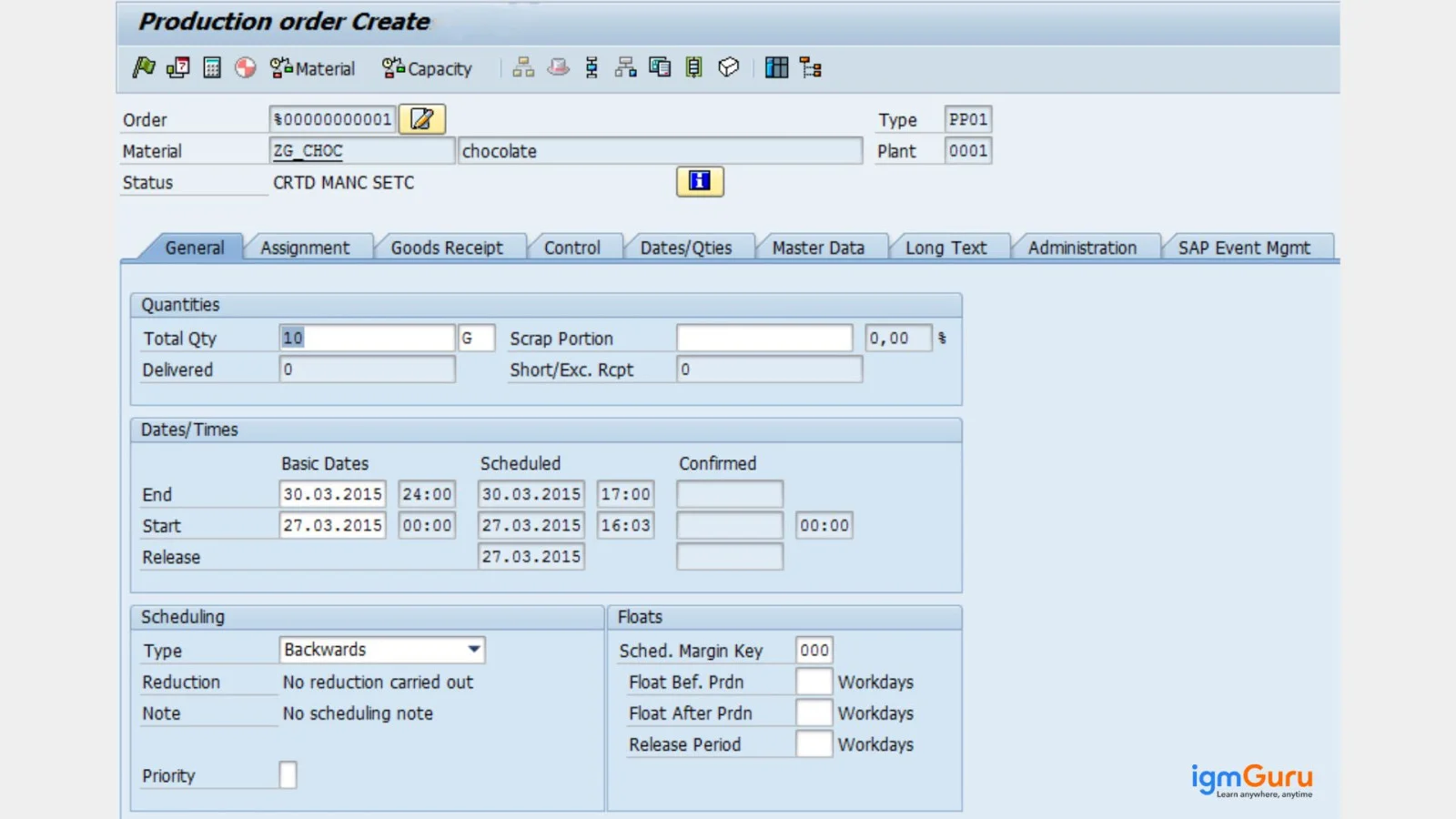
A copy of a SAP MM Production Order contains key manufacturing details including:
Going for an experienced job? Here are some of the most asked SAP MM interview questions and answers best for 5+ years of experience. These will help you land your next job.
This situation requires checking both price control configuration and purchasing document controls. This involves the following steps:
I would troubleshoot it systematically across release strategy, price blocking, and follow-on process checks. This involves the following steps:
This type of situation usually indicates a master data or PO configuration issue, not a system error. I would look at the following root causes:
If GR stock appears in the wrong storage location, I would first check the material document (MB03) to see which storage location was posted and whether it was copied from the PO or defaulted. Then I would verify the PO item storage location and material master defaults.
If an invoice is blocked even though price and quantity match PO and GR, I would perform the following checks:
This one is a complicated task where we need to take care of many things. I would manage it in a controlled and audit-safe way. Here are the steps
● Analyze the balances
● Categorize root causes
● Clear correctly (no manual FI clearing)
● Prevent recurrence
Negative stock can still appear in a live system even when it is not allowed due to timing, configuration or integration gaps. There are various reasons behind it. Some common ones are:
| Cause Area | How Negative Stock Can Appear? |
| Posting sequence timing | Goods Issue is posted before Goods Receipt (same timestamp or backdated). The system temporarily allows the posting, resulting in negative stock until GR is posted. |
| Movement type configuration | Certain movement types permit negative stock at plant or storage-location level, even if the material master disallows negative stock. |
| Plant vs storage location setting | Negative stock may be disallowed at plant level but allowed at storage location level, causing inconsistency in stock figures. |
| Batch or serial stock mismatch | Stock exists at plant level, but not for the specific batch or serial number used during Goods Issue. |
| Backdated postings | GR is posted with a later date, while GI is posted with an earlier posting date, creating historical negative stock. |
| Incorrect storage location usage | Stock exists in one storage location, but Goods Issue is posted from a different storage location with zero stock. |
| Integration issues (WM / EWM) | Delayed or failed stock synchronization between MM and WM/EWM leads to temporary negative stock. |
| Authorization override | Users with special authorization can post stock movements even when stock availability checks should prevent it. |
This situation require verifying the following MM and FI configuration areas:
This case can be caused due to different reasons. Here are the common ones:
I would check the following configuration and master data areas in this situation:
Here are some of the most asked scenario-based SAP MM interview questions and answers, generally asked in senior-level job interviews.
I would first check the PO history in ME23N to verify whether the full Goods Receipt was actually posted. Then I would compare the delivered quantity, GR quantity and any reversal movements like 102 or 122.
I would also verify whether the delivery tolerance limits are configured correctly and check for partial GR postings across multiple storage locations or plants. If the issue is caused by an incorrect GR posting, I would correct it using the proper movement type instead of directly adjusting stock.
I would first identify the movement type and the material document generated during the incorrect GR posting. Then I would reverse the Goods Receipt using movement type 102 to ensure inventory and FI postings are reversed correctly.
After reversal, I would verify stock levels, accounting entries and PO history before posting the correct Goods Receipt against the right PO. I would also review user authorization and process controls to reduce similar mistakes in the future.
I would configure Reorder Point Planning by maintaining the MRP Type as VB in the material master. Then I would define the reorder point, safety stock and lot-sizing procedure based on the business requirement.
After configuration, I would run MRP using MD01 or MD02 and verify whether the system automatically creates Purchase Requisitions when stock falls below the reorder level. I would also validate lead times and procurement settings to ensure accurate planning.
I would first compare the invoice with the Purchase Order and Goods Receipt using MIRO and PO history. Then I would check tolerance limits configured in OMR6 to identify whether the block is caused by price variance, quantity variance or tax differences.
If the vendor pricing is valid, I would coordinate with the purchasing team to determine whether a PO amendment or updated condition record is required. Once validated, I would release the blocked invoice through the proper approval process.
I would first analyze stock availability across plants using MMBE and review current procurement settings. Then I would evaluate whether Stock Transport Orders (STO) or intercompany procurement processes are configured correctly.
If required, I would implement STO-based replenishment so materials can move automatically between plants. I would also review MRP settings, safety stock levels, and lead times to improve overall stock planning and avoid future shortages.
I would first identify whether the issue is related to master data, configuration, or a process change introduced by the S/4HANA migration. I would compare the affected procurement process with the previous ECC setup and review the relevant business process documentation.
I would then check the material master, business partner/vendor data, purchasing documents, account determination and relevant S/4HANA configuration. I would also review the Simplification Items and migration-related changes to determine whether the previous transaction or functionality has been replaced or changed. Finally, I would test the complete Procure-to-Pay process in a controlled environment before applying any correction in production.
I would analyze the supplier's performance using multiple parameters instead of looking only at the purchase price. I would review on-time delivery, quantity accuracy, quality issues, rejected materials, invoice discrepancies and previous purchase order history.
I would compare the supplier's performance with other approved vendors and calculate the overall business impact of delayed deliveries. If the supplier remains strategically important, I would work with the procurement team to define corrective actions and monitor the vendor through regular performance reviews. If the issues continue, I would evaluate alternative sources of supply while considering cost, quality, lead time and business continuity.
I would start by analyzing historical consumption, current stock, safety stock, lead times, open purchase orders and demand patterns for the affected materials. I would then review the MRP type, lot-sizing procedure, reorder point and safety stock maintained in the material master.
For critical materials, I would maintain appropriate safety stock and realistic lead times based on actual supplier performance. For slow-moving materials, I would review lot sizes and procurement frequency to avoid unnecessary stock accumulation. I would also coordinate with the planning and procurement teams to monitor MRP results regularly and adjust planning parameters based on changing demand.
I would first check the source determination data for the material and plant. I would review the Purchasing Info Record, source list, quota arrangement and any relevant contracts or scheduling agreements to determine why the unexpected vendor was selected.
I would then check whether the source list contains a fixed or blocked source and whether a quota arrangement is influencing the source determination. I would also verify the validity dates and purchasing organization or plant assignments in the master data. After correcting the relevant source data, I would create a test purchasing document to confirm that the expected vendor is selected correctly.
I would first identify the material, plant, storage location and stock type where the difference occurs. Then I would compare the stock figures and material movement history in SAP MM with the corresponding warehouse or EWM records to determine where the synchronization issue started.
I would check whether any Goods Receipt, Goods Issue, transfer posting or reversal movements are pending or failed during integration. I would also review interface messages, queues and document statuses to identify failed or delayed transactions. Once the root cause is identified, I would correct the failed transaction through the appropriate process rather than making a direct stock adjustment. Finally, I would perform a reconciliation to ensure that both systems show the correct stock balance.
This guide brings together the most asked SAP MM interview questions and answers across fresher, intermediate, and experienced levels. The answers are based on a strong focus on real-world scenarios and configuration-driven explanations. This guide will build your conceptual clarity and practical confidence. It is basically your structured revision tool to strengthen your preparation and approach your SAP MM interview with clarity and confidence.
Explore Our Trending Articles Related To SAP:
The salary of SAP MM Consultant varies based on the location and experience level. Here is a basic overview of their salary in India and the USA:
| Experience Level | India (Annual Salary) | USA (Annual Salary) |
| Fresher / Entry-Level (0–2 years) | ₹2.4 – ₹7 Lakhs | $80,000 – $125,000 |
| Mid-Level (3–5 years) | ₹6 – ₹15 Lakhs | $125,000 to $150,000 |
| Senior Level (5+ years) | ₹10 – ₹20+ Lakhs | $190,000-$200,000+ |
Learn the platform and prepare with the best SAP MM interview questions and answers. You will easily get your dream job.
It does not require any technical knowledge as SAP Material Management is a functional module focused on business processes.