SAP MM (Materials Management) is a core SAP ERP module used by businesses to manage procurement, inventory, and material flow efficiently. It supports daily operations by ensuring the right materials are available at the right time and at the right cost.
If you are curious about how businesses track materials so efficiently. This article is for you, as I will explain SAP MM, its architecture, working, components, and future scope. Let's Begin:
SAP MM (Materials Management) is a core module within the SAP ERP and SAP S/4HANA systems. It manages procurement, inventory, and material requirements planning to ensure organizations have the right materials in the right quantities at the right time and cost.
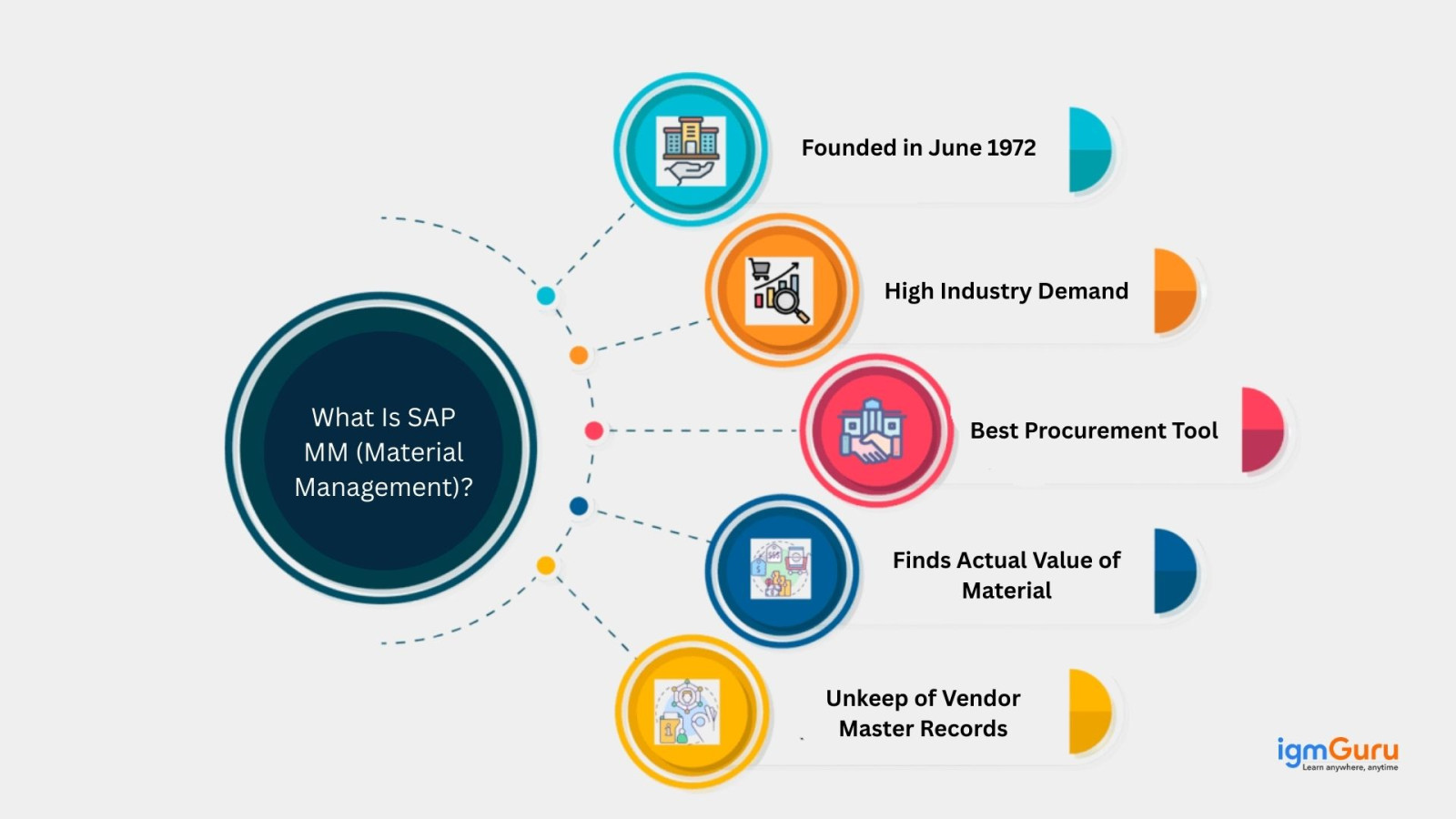
SAP MM was first created in Germany in 1972 by SAP SE. Back then companies used to manage materials by using paper, which took a lot of time and caused mistakes. This module was created to make this work easier and faster using computers.
It helps companies know what to buy, how much to buy and when to buy. Today, many companies use it to manage materials smoothly and avoid waste or shortages. Let’s look at the complete evolution history of SAP MM:
| Version | Year | Description |
| SAP R/1 | 1973 | It was the first SAP system and was mainly used for basic material and financial record keeping. |
| SAP R/2 | 1979 | This version worked on mainframe computers and helped large companies manage materials more efficiently. |
| SAP R/3 | 1992 | The client-server system was introduced and made material management more widely used. |
| SAP R/3 Enterprise | 1999 | It improved internet connectivity and allowed better integration between business functions. |
| SAP ECC 4.6 | 2001 | Made screens easier to use and simplified buying and stock tracking. |
| SAP ECC 5.0 | 2004 | Improved speed and made material processes more reliable. |
| SAP ECC 6.0 | 2006 | This version became the most trusted and widely used SAP system for many years. |
| SAP S/4HANA 1511 | 2015 | Introduced a faster system with real-time data. |
| SAP S/4HANA 1610 | 2016 | This version added better support for logistics and daily material work |
| SAP S/4HANA 1709 | 2017 | They simplified work steps and improved user experience. |
| SAP S/4HANA 1809 | 2018 | In this version, their main focus was on digital supply chains and smarter reports. |
| SAP S/4HANA 1909 | 2019 | Speed and stock handling were improved. |
| SAP S/4HANA 2020 | 2020 | More automation was added with simpler material data. |
| SAP S/4HANA 2021 | 2021 | Improved overall performance and system connection. |
| SAP S/4HANA 2022 | 2022 | Stronger cloud features and smarter purchasing tools. |
| SAP S/4HANA 2023 | 2023 | Security and reporting was improved. |
| SAP S/4HANA 2024 | 2024 | Focused on faster work and readiness for new technology. |
| SAP S/4HANA 2025 | 2025 | Offers smarter, more automated material management features. |
SAP MM works in both SAP ECC and SAP S/4HANA systems, but there are important differences between them. As many companies are moving to S/4HANA, understanding these changes is very important for professionals. Modern SAP S/4HANA deployments also include AI-assisted procurement capabilities through SAP Business AI and Joule, making purchasing decisions faster and reducing manual effort.
Here are the key differences:
| Feature | SAP ECC | SAP S/4HANA |
| Simplified Data Model | Uses separate inventory tables such as MKPF and MSEG. | Uses a single MATDOC table for material documents, simplifying the data structure. |
| Vendor Management | Vendors are managed using traditional vendor master records. | Vendors are managed through the Business Partner concept. |
| User Interface | Uses traditional SAP GUI screens. | Uses modern Fiori Apps with an improved and user-friendly interface. |
| Reporting & Analytics | Reports may require batch processing and separate data handling. | Provides real-time analytics using the in-memory HANA database. |
| System Performance | Standard transaction speed based on traditional database structure. | Faster transaction processing due to HANA technology. |
| Career Scope | Still used in many companies but gradually being replaced. | High market demand with better long-term career opportunities. |
SAP MM provides many useful features that help businesses manage materials and purchasing easily. You should understand these features before actually using the system. Here are some of the common ones:
Read Also: SAP ABAP Interview Questions And Answers
Let me explain how different parts of this module are arranged and how they work together. There are three layers of this architecture. Let’s understand them each:
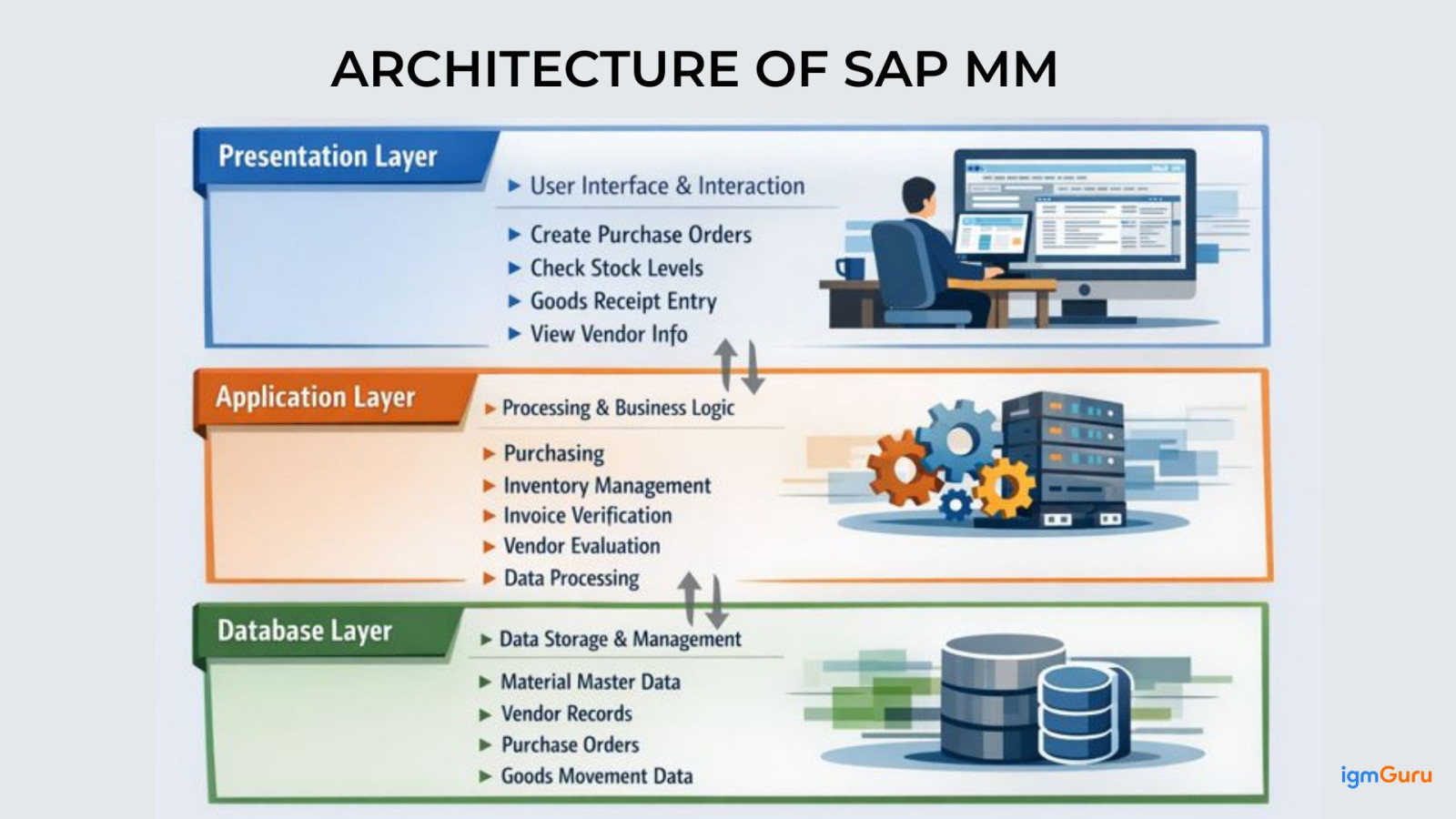
This is the user layer and the front part of the module where employees directly work with the system. Through this layer users perform daily activities such as creating purchase orders, checking stock levels, entering goods received data and viewing vendor-related information.
This layer is what the user sees and uses as it shows menus, forms and reports. Users interact with SAP using a computer through SAP GUI or web access.
It is the brain of this module or the logic layer. It handles all user actions by processing requests, validating entered data, checking system rules & configurations and applying business logic. Whenever activities like purchasing or inventory updates occur, this layer ensures correct processing and smooth communication between the user interface and the database.
The application layer has following functions:
The database layer stores all the info securely. It keeps important data such as material master records, vendor details, purchase orders and goods movement information. The database ensures data safety, consistency & accuracy, allowing the system to retrieve existing data and store new data whenever transactions are completed.
Related Article: What is SAP EWM?
Now you got to know about the three layers of SAP MM. Let me explain you how these layers come together and perform so smoothly with so much efficiency:
Once the process is completed, the final results are shown on the user's screen.
Transaction codes, also known as T-codes, are shortcuts used in SAP to perform specific tasks quickly. Knowing important SAP MM T-codes improves efficiency and interview performance.
Here are some commonly used SAP MM T-codes:
| Process | T-Code |
| Create Purchase Requisition | ME51N |
| Display Purchase Requisition | ME53N |
| Create Purchase Order | ME21N |
| Display Purchase Order | ME23N |
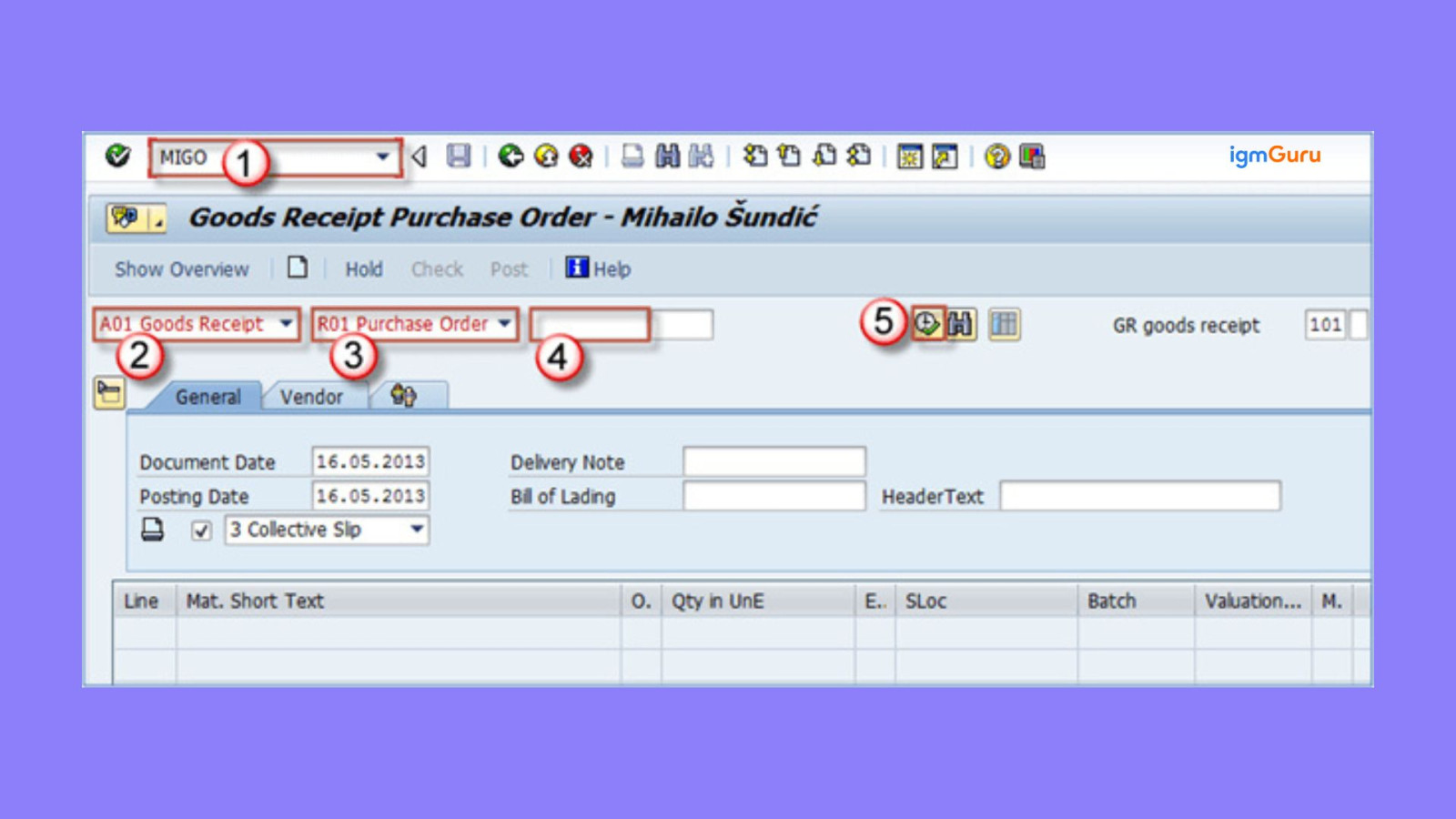
| Goods Receipt | MIGO |
| Invoice Verification | MIRO |
| Display Material Master | MM03 |
| Create Vendor | XK01 |
These codes are frequently asked in SAP MM interviews and used daily in real projects.
You can not use SAP MM alone inside your organization. It is deeply connected with many other SAP modules to ensure smooth business operations. When a material is purchased, stored or consumed, other departments like finance, sales and production are automatically updated through system integration.
The common SAP MM integrations are:
This integration ensures that all departments work using real-time data without manual communication gaps.
Related Article: What is SAP ABAP?
Implementing SAP MM in an organization follows a structured project approach. It is not just about installing software, but about understanding business processes and configuring the system properly.
The basic implementation steps include:
Proper planning ensures successful SAP MM implementation.
The SAP MM module consists of several components that are all integrated with each other. Here are the five components of this module:
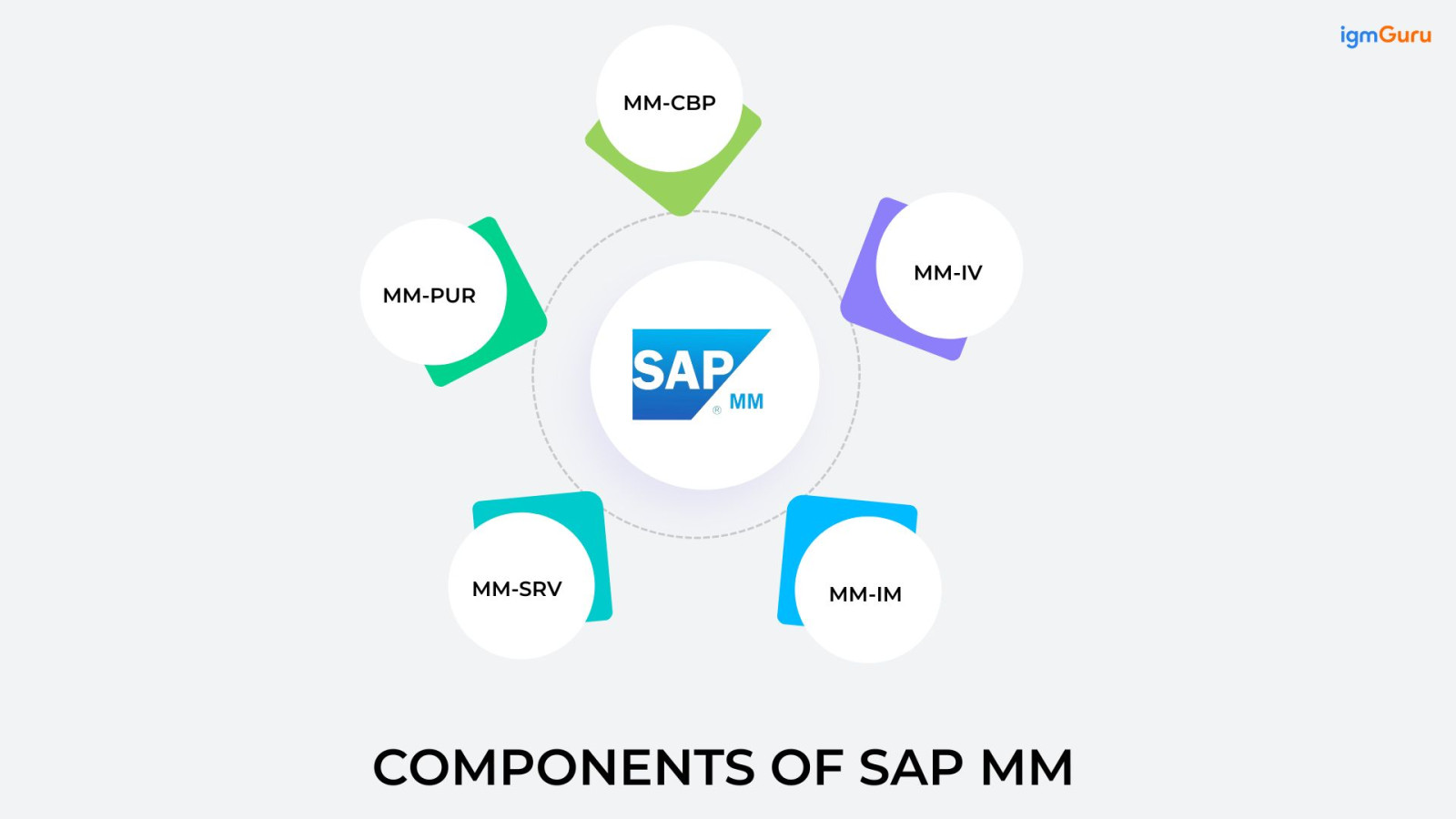
Consumption-based planning helps companies to decide how much stock they require at present by looking at how much was used in the past. The system keeps an eye on stock levels and automatically suggests buying more material when the stock becomes low. It usually happens when the quantity reaches a fixed reorder level or when past usage shows that new material will soon be needed.
The PUR manages everything related to buying materials and services from outside vendors. It makes sure all departments involved in buying work smoothly together. This component includes:
External Services Management is used when a company needs external services instead of physical materials, such as maintenance or repair work. It supports two types of external services:
Inventory Management is a component of SAP MM that focuses on controlling and monitoring material stocks. It tracks stock levels based on quantity and value, maintains physical inventory records & plans, records & documents every movement of goods within the organisation to ensure smooth and accurate material handling.
This component is the final step in the purchasing process. When a vendor sends an invoice, this component checks whether the price, quantity and details match the purchase order and goods received. When the verification is completed, the invoice is forwarded to the finance team for payment to make sure that vendors are paid correctly and on time.
Read Also: What is SAP Fico? Modules, Working and Implementation
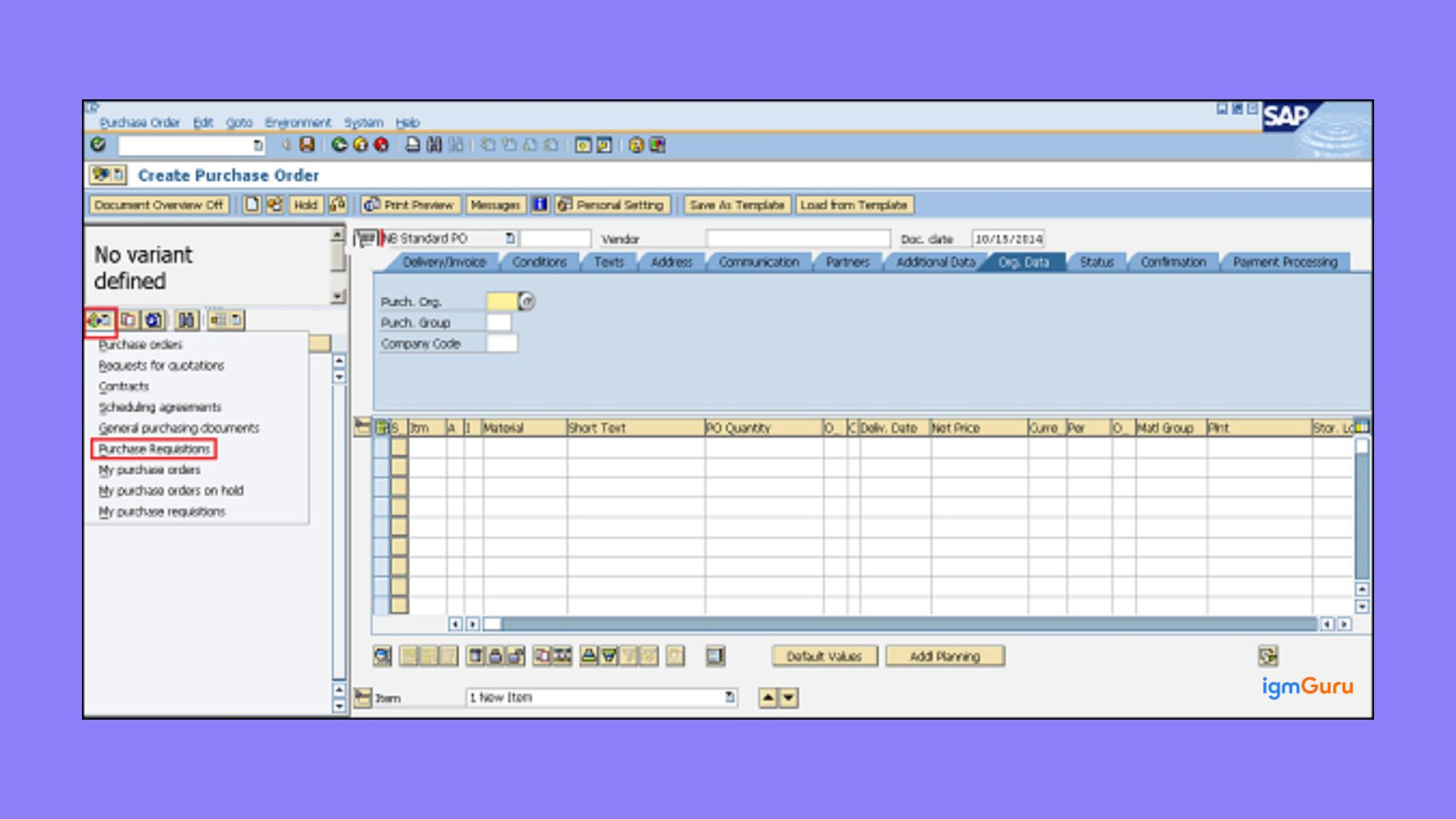
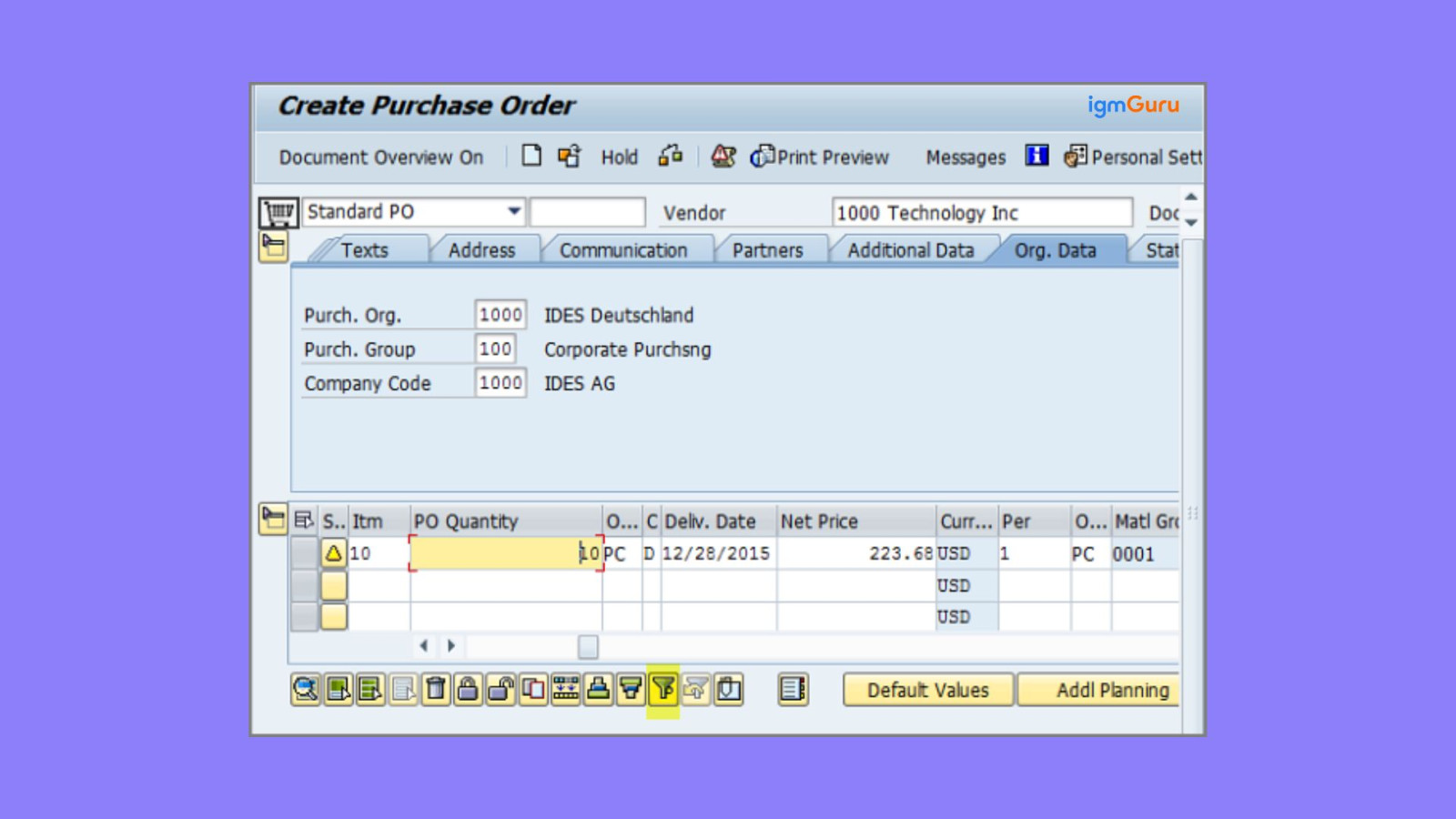
Think of a manufacturing company that produces electrical motors. Their stock of copper wire fell below the minimum level. This has reduced their production speed, but it can not stop due to high demand. This is where they can use SAP MM for better material management. Let’s understand how SAP MM works in real-life, step-by-step:
The production planner checks stock and raises a Purchase Requisition (PR). This PR contains:
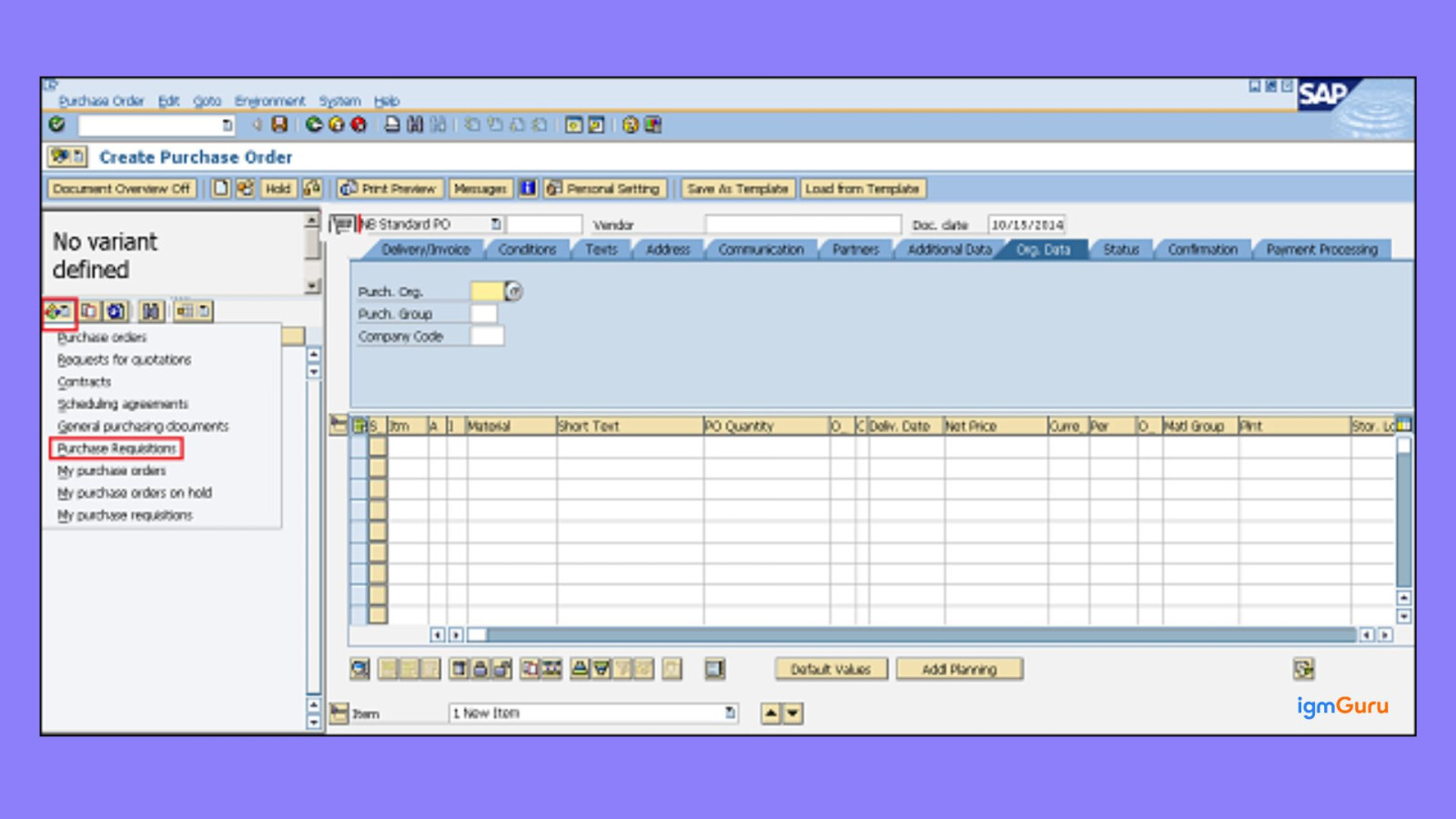
This MM module helps automate material and purchasing activities, making the overall process faster and more efficient. Here are some of the main benefits of SAP MM:
As everything has its own benefits, they also have some limitations as well for you to get deep knowledge about SAP MM. Here are some of its limitations:
Although SAP MM offers many benefits, its implementation can face several challenges. Companies must be prepared to handle these issues to avoid delays or cost overruns.
Some common challenges include:
Careful planning, proper testing and skilled consultants help reduce these risks significantly.
Are you confused about your career in SAP MM and want to know if there will be any scope after a few years? My answer is a YES. As there are so many businesses that are adapting advanced ERP systems and expanding digital supply chains and that is the reason why this module has a solid scope in the upcoming years:
SAP MM offers strong career opportunities for both freshers and experienced professionals. Many organizations prefer certified candidates because certification proves practical knowledge and system understanding.
Common certification path includes:
A beginner can start as an SAP MM Support Consultant, then grow into a Functional Consultant, Senior Consultant and Solution Architect roles.
This article gives a clear idea about SAP MM and how it works. It explains material handling, purchasing, stock management and vendor activities. These processes help businesses avoid shortages, control costs and keep daily operations running smoothly. Your next step should be practicing with real-time examples and hands-on tasks to build better understanding and confidence.
It is used to buy materials, manage stock, handle vendors, track goods, control costs, avoid shortages and support smooth purchasing and inventory processes in a company.
No, this module does not require any coding knowledge, as both engineers and non-engineers can do it.
Prepare with the best SAP MM Interview Questions and answers.
Explore Our Trending Articles-