If you want to build a career in SAP development or learn how enterprise business applications are created and customized, this SAP ABAP tutorial will help you get started step by step. Whether you are a beginner, student, fresher, or working professional, this guide is designed to explain SAP ABAP concepts in a simple and practical way without making the learning process confusing.
SAP ABAP is one of the most widely used programming languages for developing and customizing applications in SAP systems. It is commonly used for creating reports, interfaces, forms, data conversions, and business logic in enterprise environments. Because many organizations rely on SAP for managing business operations, ABAP developers continue to be in high demand across industries.
In this beginner-friendly tutorial, you will learn what SAP ABAP is, how it works, its architecture, important programming concepts, data types, internal tables, modules, reports, and real-world examples. By the end of this article, you will have a solid understanding of SAP ABAP fundamentals and how to start developing applications in the SAP ecosystem.
This tutorial is designed for a wide range of learners interested in SAP ABAP. Whether you are completely new to programming, an IT professional seeking to expand your technical skills, or a business analyst aiming to customize SAP applications, this guide is for you. You do not need prior experience with SAP systems or advanced programming—just a willingness to learn and a basic understanding of programming concepts will help you get started.
By following this tutorial, you will:
Learning SAP ABAP is not something anyone can start. One needs to have some basic knowledge of different areas before diving into it. So, make sure you are aware of the following terms:
ABAP is a SAP-specific advanced programming language introduced in the 1980s. The first versions were mostly focused on the SAP R/2 mainframe platform, supporting the framework. Later in 2000, it was updated with object-oriented features and since then it has also been used for web technologies, real-time data processing and advanced analytics.
Now, it allows developers to create custom reports, improvements and applications for SAP systems. It can build both analytical and transactional applications that enable businesses to manage their data, operations and processes effectively.
Once you have the basic understanding, you can set up the ABAP development environment. This setup requires a Cloud Foundry subaccount to run. You can create the account from the SAP Discovery Center Service Plan. The complete setup involves the following steps:

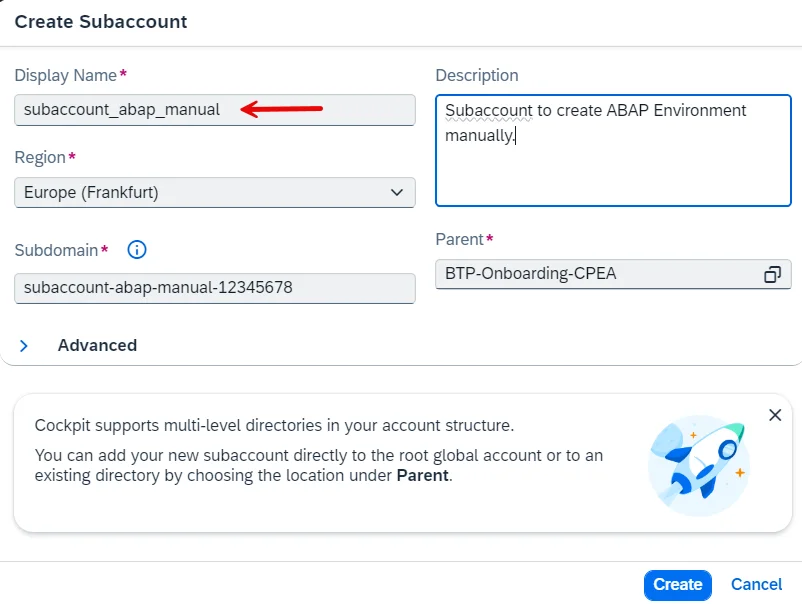
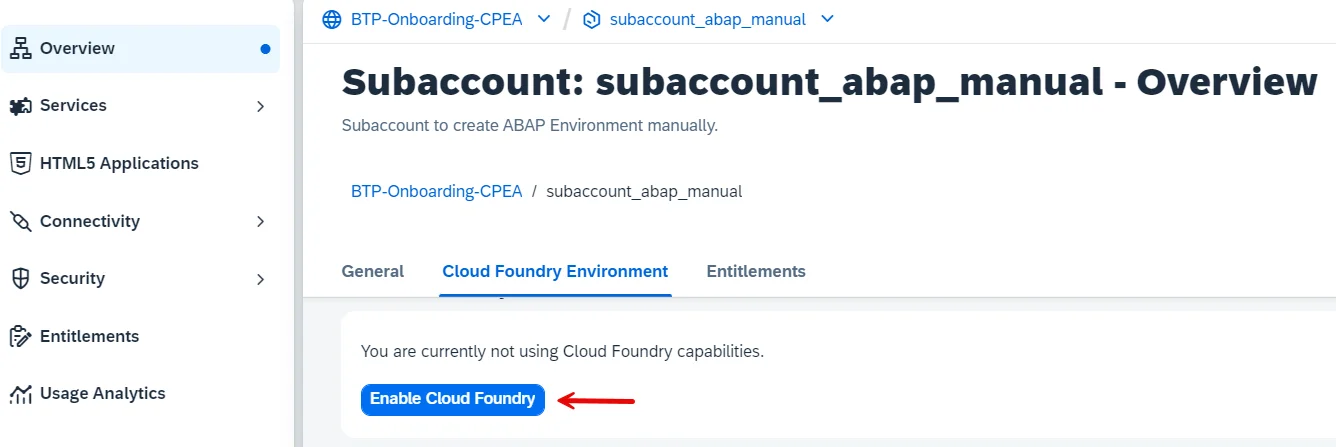
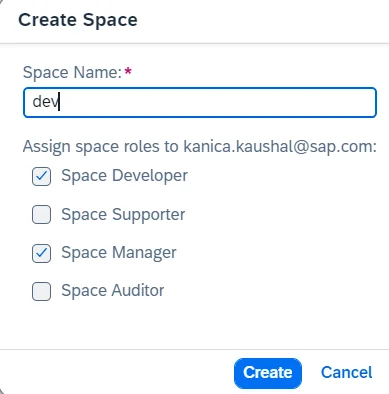
In case you are a working professional and have an enterprise account, create a quote for the services you will use. These services then will be available in the Service Marketplace of the sub account to subscribe.
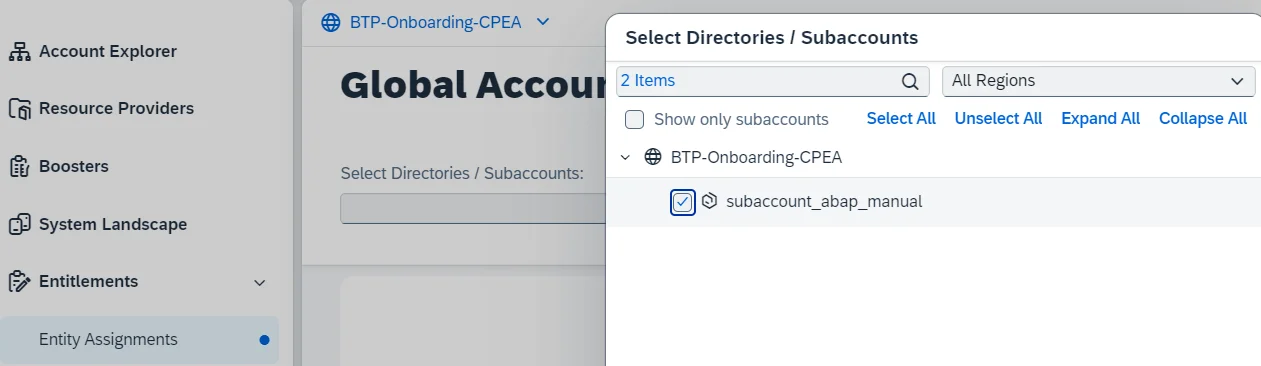
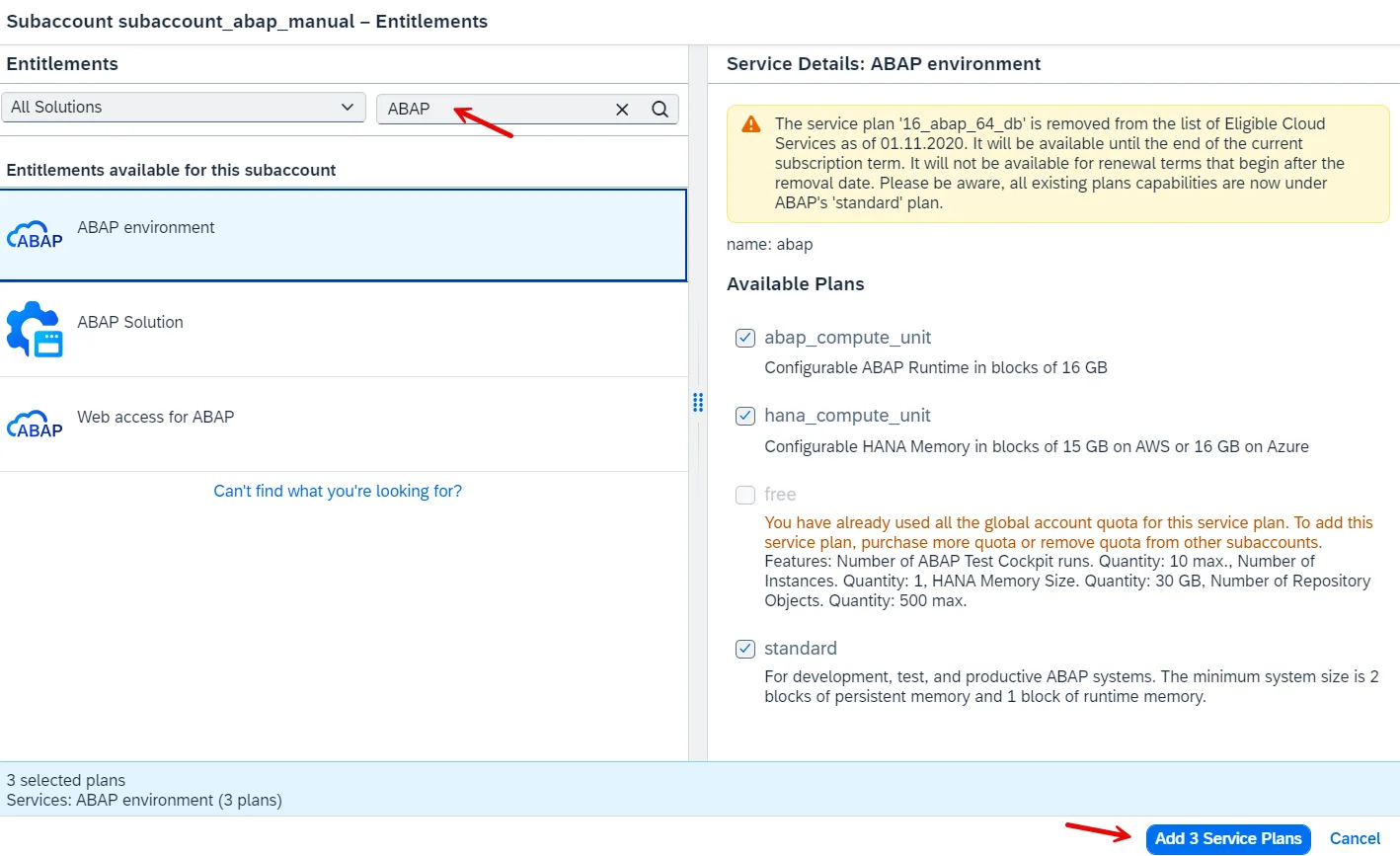
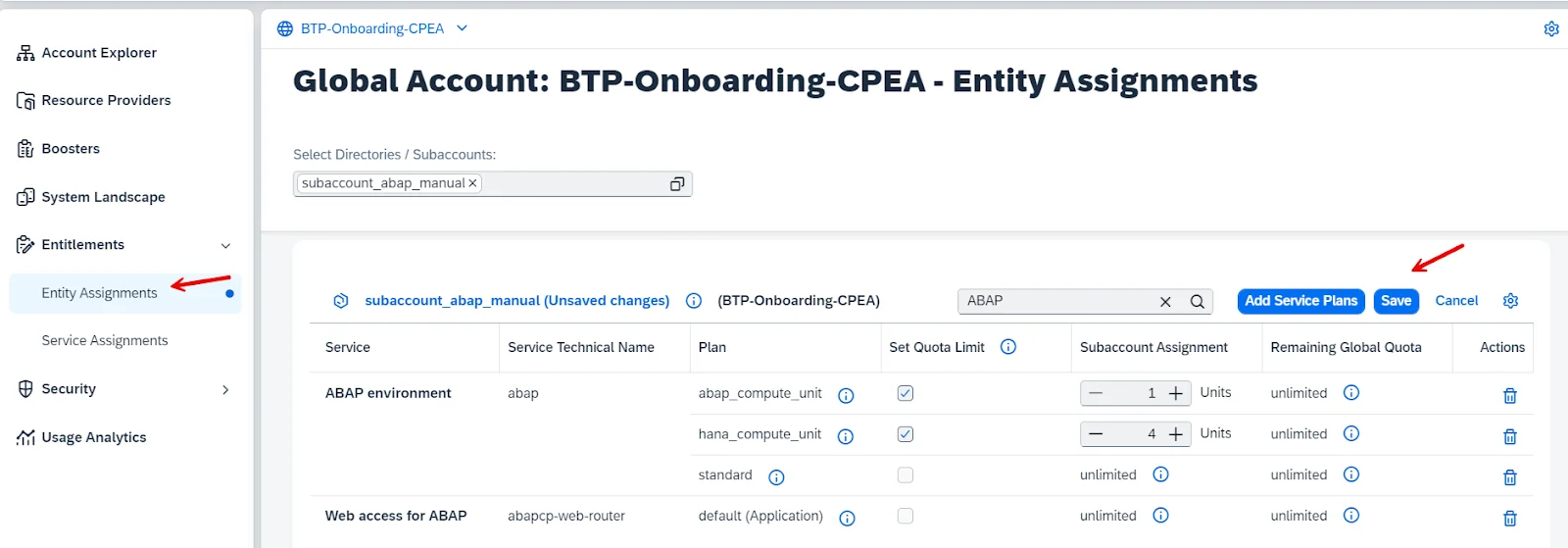
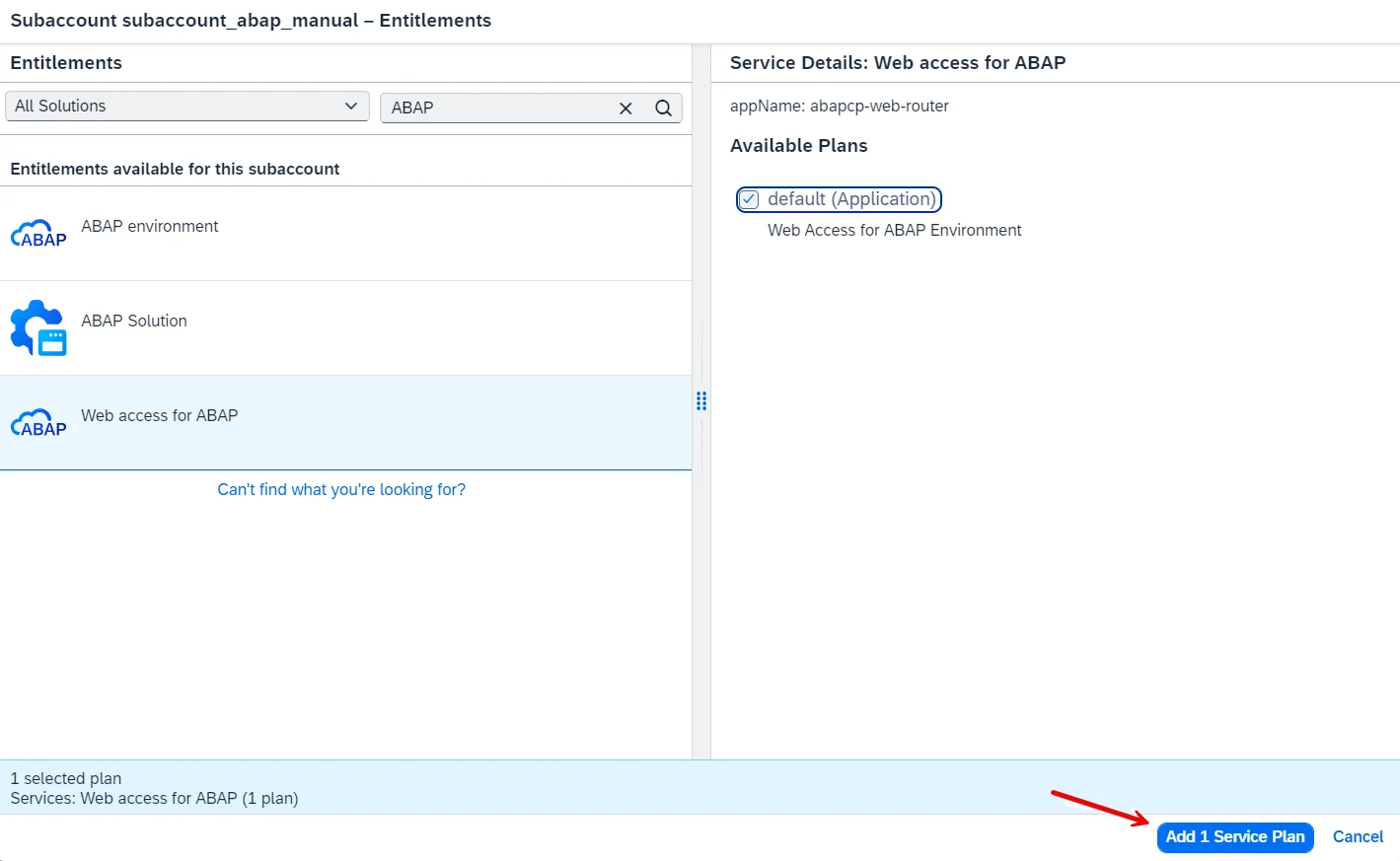
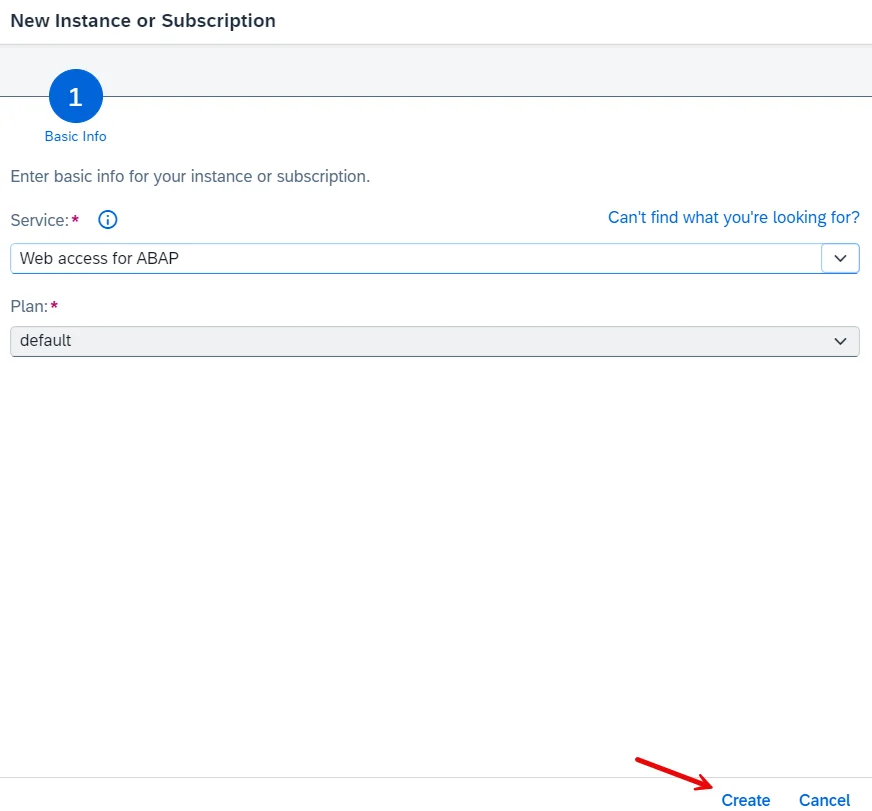
Follow the same process of Step 4 and choose the Add 1 Service Plan button from Web access for ABAP section.
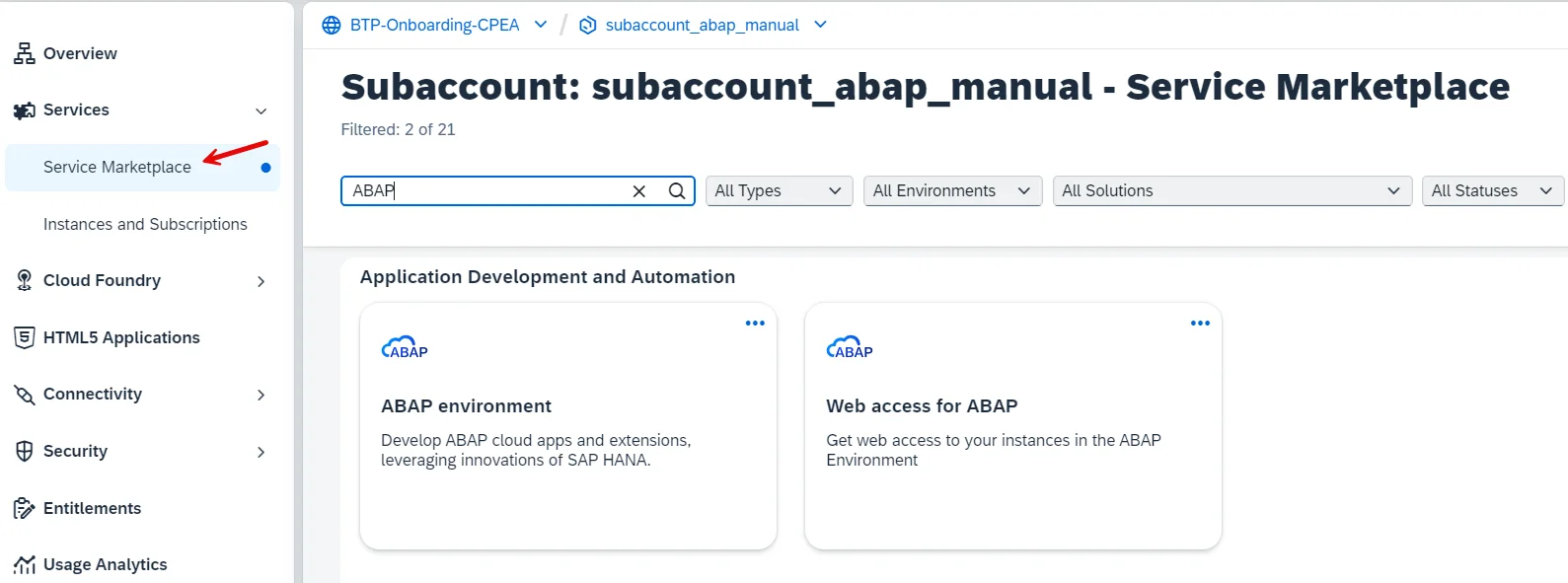
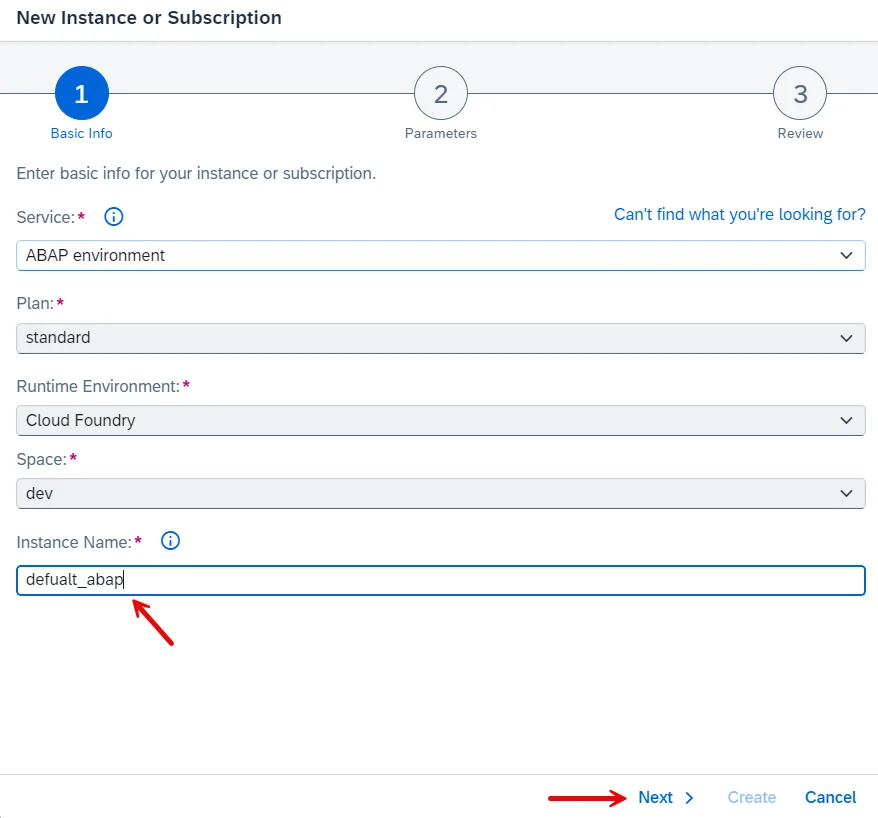
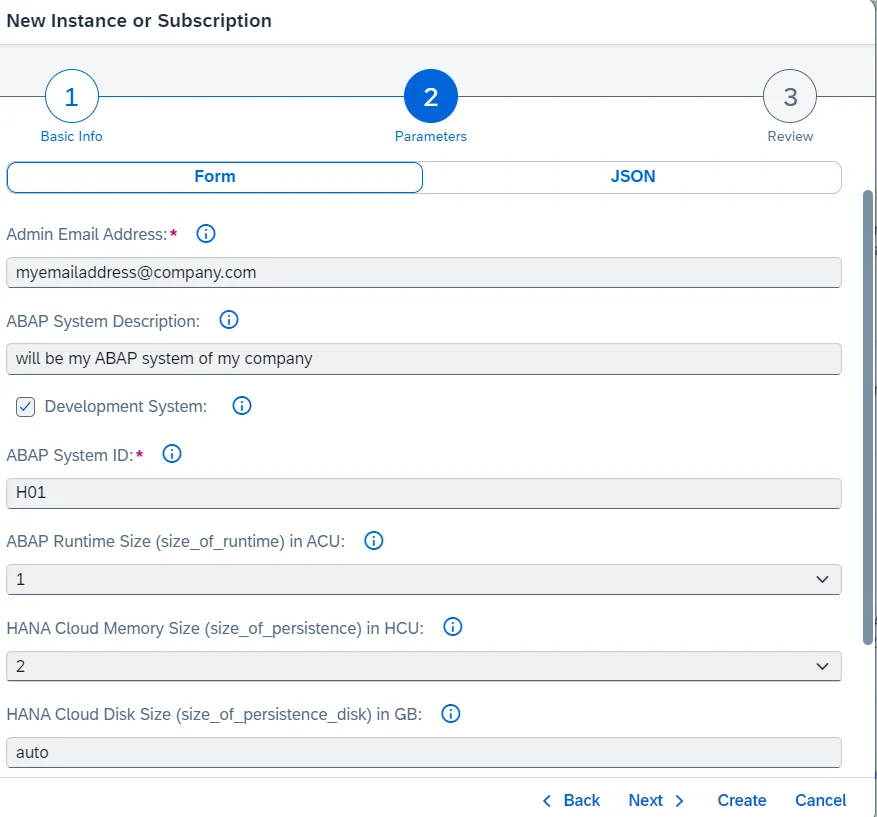
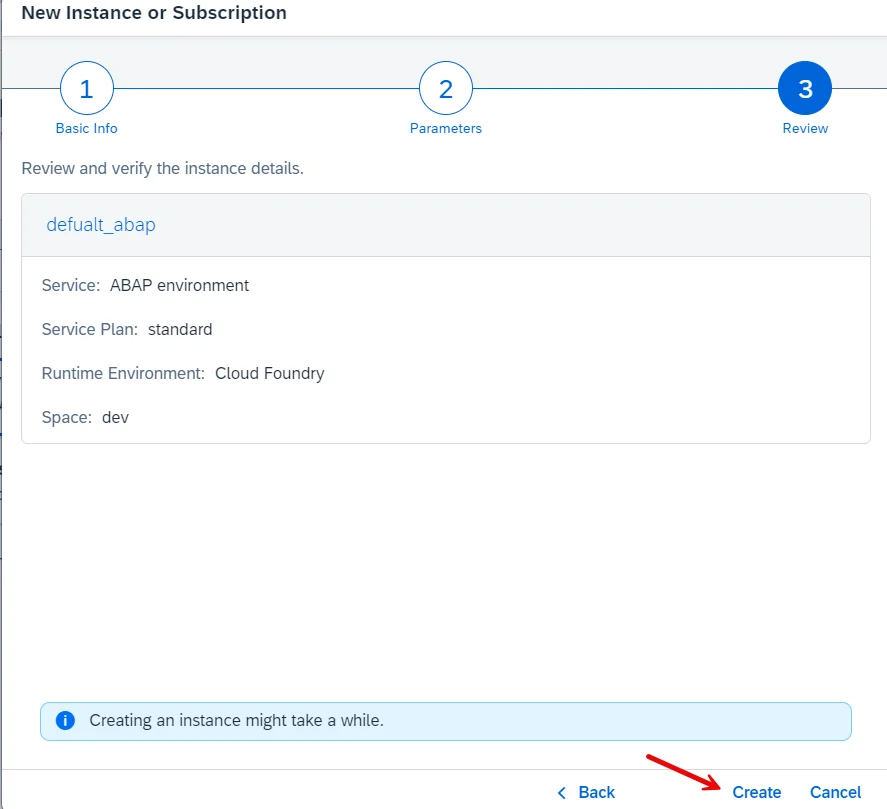
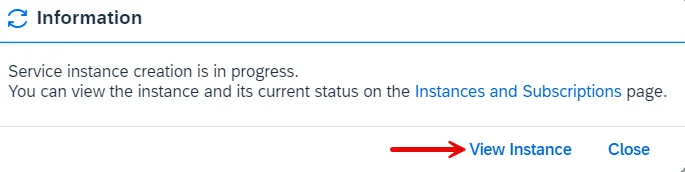
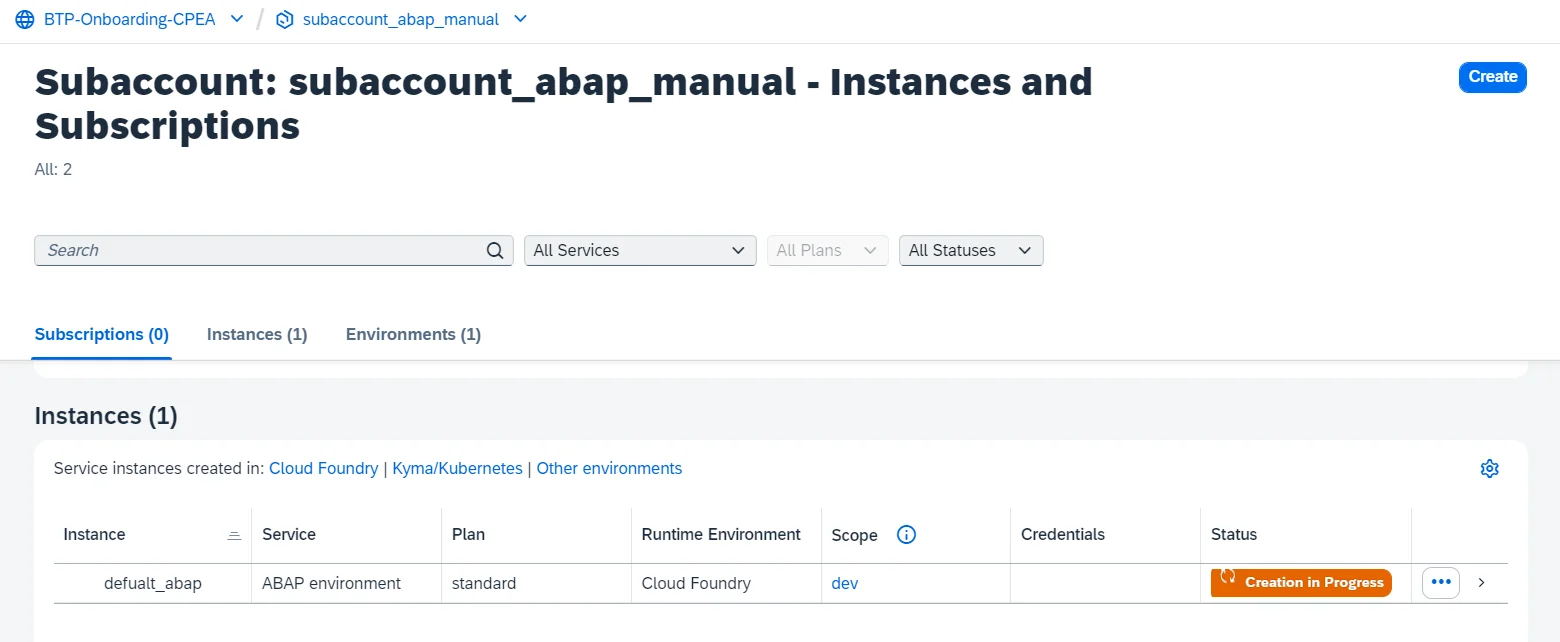
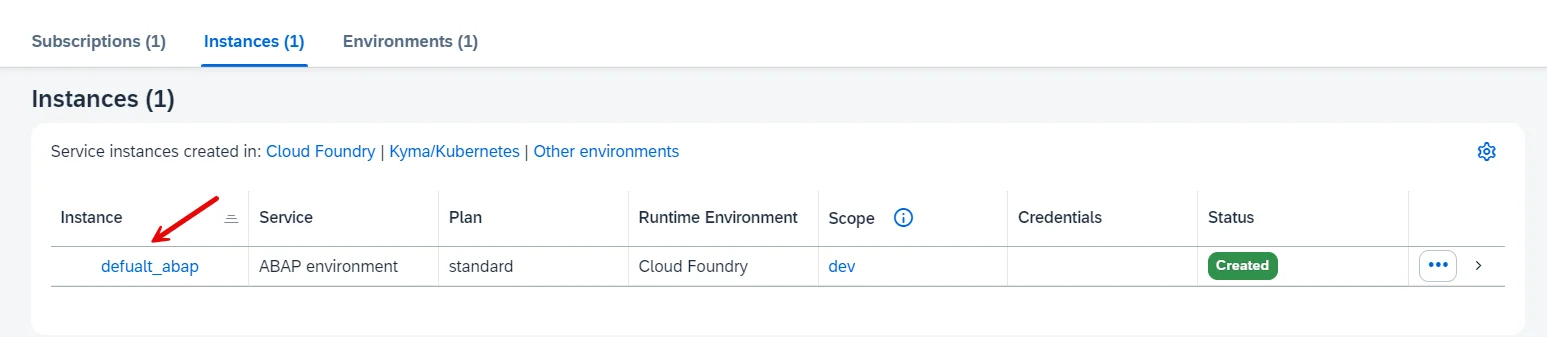
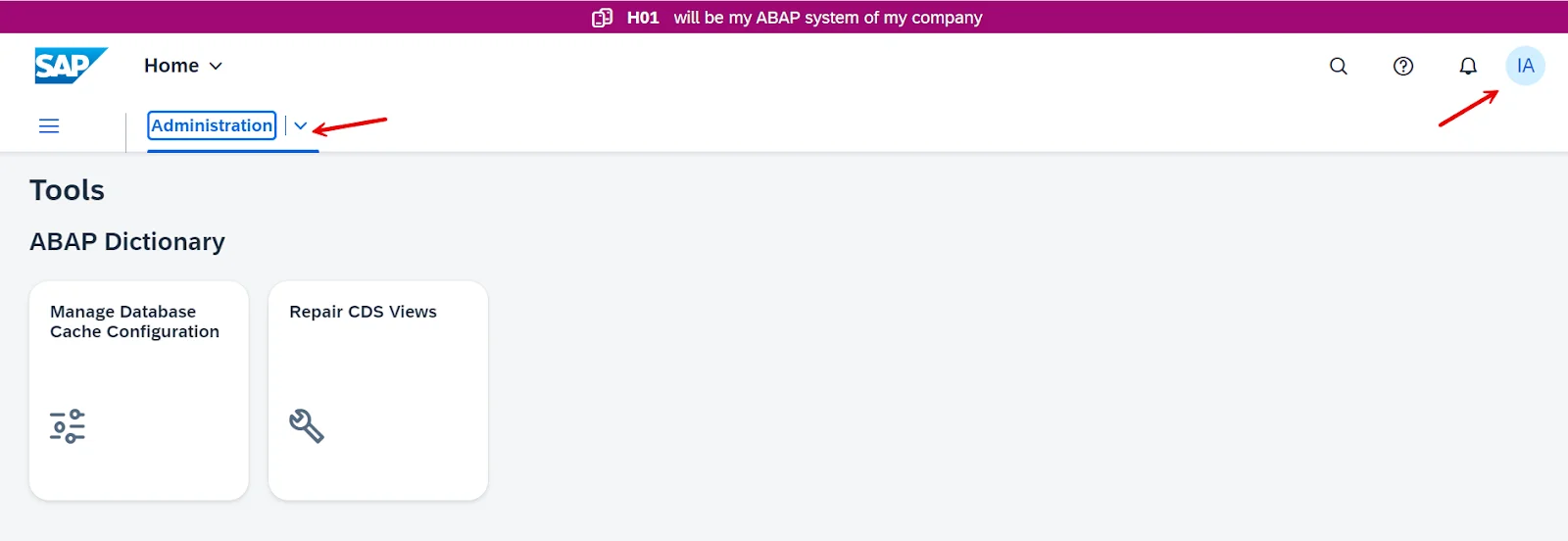
The ABAP administrator launchpad can not be accessed without a subscription. It requires at least one subscription per sub account.

Read Also- SAP ABAP Interview Questions And Answers
This section introduces the core concepts of advanced business application programming language. It will give you a basic familiarity of how this programming language is used in developing enterprise applications.
It is a client-server model also known as R/3 architecture. It consists of three layers including presentation, application and database.
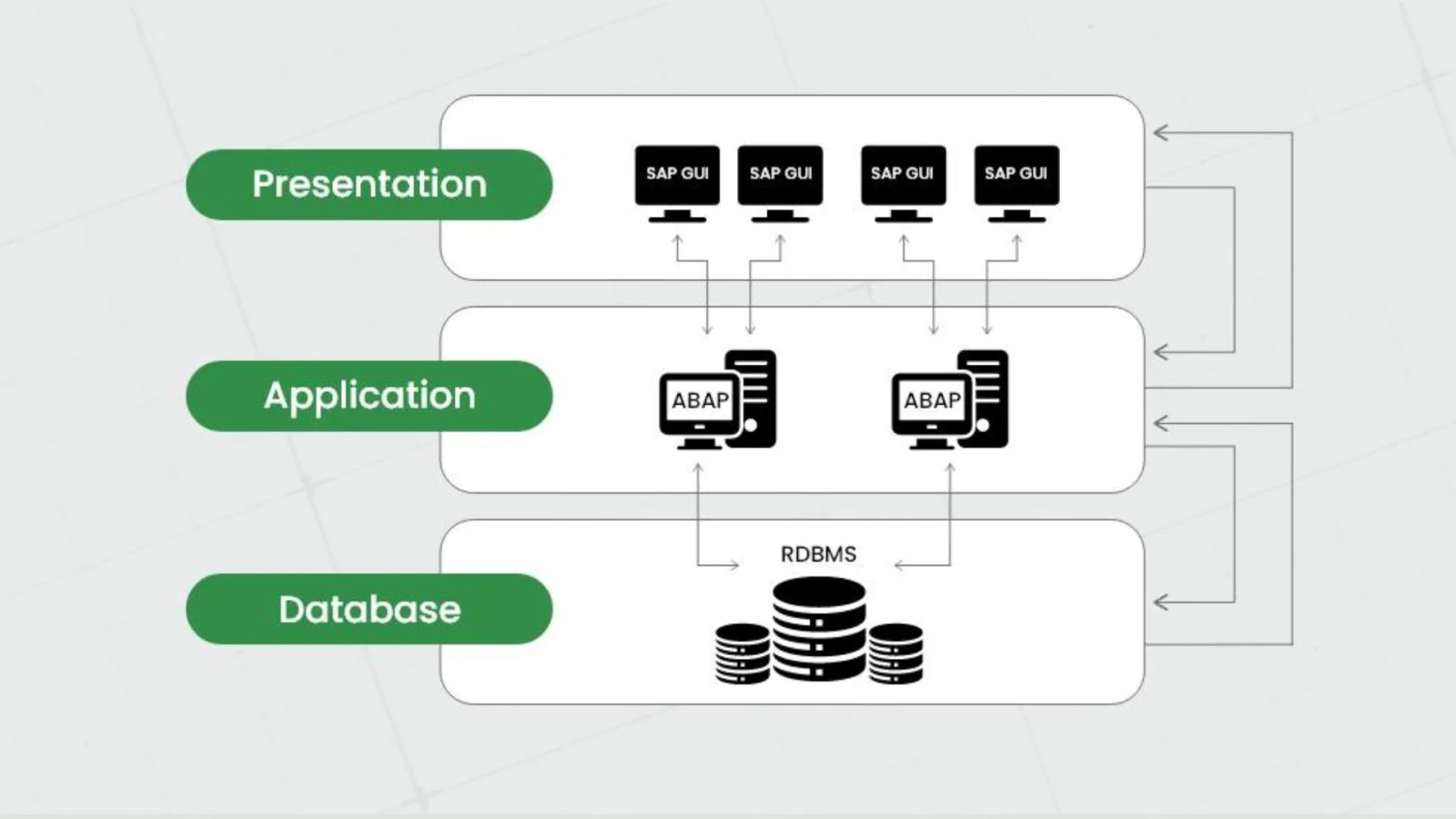
This layer provides two mechanisms named Input and Output. The input mechanism lets individuals communicate with the system. The output mechanism lets the system see the results of human engagement. It also includes SAP GUI, a graphical user interface. The SAP GUI is installed on individual machines.
The application Layer is the central processing hub where business logic and transaction processing occur. It receives requests from the presentation layer, interacts with the database layer for data retrieval and storage and manages the overall flow of user interactions. This layer is built upon the ABAP Application Server (AS ABAP), which provides the runtime and development environment for ABAP programs.
The database Layer is the foundational layer responsible for storing and managing all data related to the SAP system. This data includes master data, transaction data, configuration settings and user information. It is the last player that forms the core of the three-tier architecture.
A repository is a central system of SAP that stores and manages ABAP development objects. These objects can be of many types, including programs, function modules, structures and other custom objects. It is just like a database for the development environment that enables developers to create, modify and track their code.
A repository is also referred to as the key component of the ABAP development lifecycle. It facilitates collaboration and version control through the Change and Transport System (CTS). It provides a structured and effective way to store data in tables and fields.
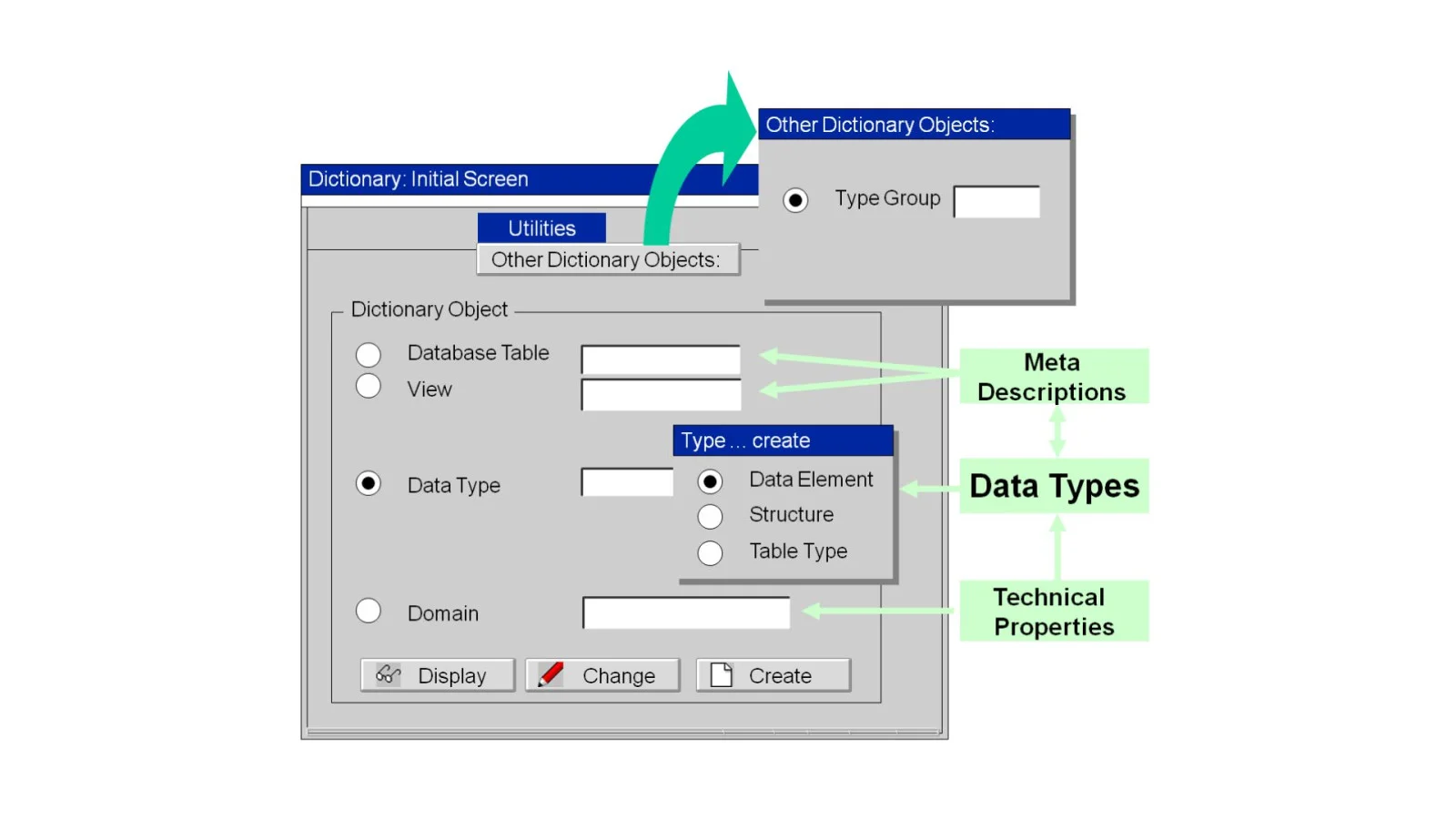
ABAP supports various data types, including numeric, character, date, time, and more. This programming language also lets developers define global data types with the help of the ABAP Dictionary. Another option is to use the TYPE addition of ABAP statements that refer to these data types. Using the Dictionary tool is the traditional way to define a data type in the ABAP Workbench.
Object-oriented programming is one of the robust features of the ABAP programming language. It comes as an extension called object-oriented ABAP (OO ABAP). This extension allows developers to build code using object-oriented principles. With this principle, their code and data are organized into objects in a way that code can easily operate on data. This provides better reusability, modularity and maintainability. It is preferred to use OO ABAP over conventional methods.
Control structures are mechanisms that manage the flow of execution within a program. They allow developers to divide a program's processing block into smaller, manageable sections. This enables conditional execution, repetition and more complex program logic. ABAP provides various control structures for program logic, including:
It is the most common conditional branching statement that involves a pair of keywords, including IF and ENDIF. It implies a condition where the block will only execute if the condition after IF is satisfied.
It is a control structure that provides a way to select and execute different code blocks based on the value of a variable or expression. It offers an efficient alternative to nested IF statements.
It is another control structure used to iterate over data structures like tables. They allow developers to process each element of a table or other structures sequentially.
It is the fundamental control structure of SAP ABAP. It is used for iterating a part of code where the given condition remains satisfied.
The DO control structure is used to create unconditional loops. This means that the block of code within the DO and ENDDO statements will execute repeatedly until an explicit exit condition is met within the loop.
Read Also- SAP Analytics Cloud Tutorial
It is important to consider using the ABAP best practices when writing code in ABAP. Here are some of the most important best practices one should follow:
Also Explore: What is SAP FICO
SAP ABAP is a robust object-oriented programming language that plays a crucial role in developing and customizing SAP applications. It has secured its position as one of the best fourth-generation programming languages since its first introduction as a supporting mainframe. It is now integrated with modern in-memory data stores like SAP HANA, which highlights its evolution for enterprise software solutions.
This SAP ABAP tutorial has already explained some of the most important concepts, best practices and set guide. It is enough to start your journey to build a successful career as a SAP ABAP developer. It is recommended to use some additional materials like online documents, blogs, books, courses or training programs.
SAP ABAP tutorial is considered the best resource to learn this programming language by most individuals. The only difficulty one may find in their learning journey is understanding its architecture and translating business requirements to build technical solutions.
While both of these are types of databases, they have many differences. SQL only uses disk storage, whereas SAP has its in-memory capability. With this capability, it can use server memory that provides better speed and efficiency.
It requires a comprehensive study plan with proper study materials to master this programming language. The study materials include SAP ABAP tutorials, online courses, etc. The online courses are the most recommended ones as they come with a proper study plan.
Yes, beginners with basic programming knowledge can learn SAP ABAP with proper practice and guidance.
SAP ABAP is a programming language used for development, while SAP FICO is a functional module related to financial accounting and controlling.