SAP FICO is an integrated financial management module that records, processes, and analyzes business transactions related to finance and controlling. It helps businesses to manage clear and accurate financial records to grow and stay stable over time. It also helps them report their financial transactions to internal teams and external stakeholders. Isn’t it a great tool?
But the question is what is SAP FICO and why to use it for your business. Well, there are many reasons like the features it provides, the modules it offers and more. I am also one of its users and created this blog to explain you everything starting from its definition and features to modules and complete implementation.
SAP FICO is a core module of SAP Enterprise Resource Planning (ERP) software that helps businesses manage their financial data efficiently. It ensures accurate financial records and supports clear analysis, which makes business planning and decision-making more reliable and effective.
It has two forms: Financial Accounting (FI) and Controlling (CO). Each form contains its own sub-modules, which help the company systematically store and manage complete transactional data. But first, let us understand both of these forms individually:
FI manages all the financial information of a company. It automatically integrates with other SAP modules that keep the financial data accurate and updated. This module has different elements, including:
1. Financial Accounting General Ledger
2. Financial Accounting Accounts Receivable and Payable
3. Financial Accounting Asset Accounting
4. Financial Accounting Bank Accounting
5. Financial Accounting Travel Management
6. Financial Accounting Fund Management
7. Financial Accounting Legal Consolidation
CO and FI both work together to analyse profit and cost, compare planned vs actual data, which helps the management understand where the money is gained or lost, so they can improve profitability. This module includes:
1. Sap Cost Element Accounting
2. Cost Centre Accounting
3. Activity Based Accounting
4. Internal orders
5. Product Cost Controlling
7. Profit Centre Accounting
SAP FICO provides various powerful features that help businesses manage money easily. You should understand them before actually using the platform. Here are the common ones:
1. SAP FI stores and records all the financial data, such as assets, expenses, liabilities and income, all in one place.
2. Organisations understand their current financial status as it gives accurate reports and figures.
3. It makes routine tasks such as managing invoices, preparing financial statements and posting entries easier and faster.
4. Different types of businesses use this module, whether they are in manufacturing, retail or any other sector.
5. It has an automated feature that saves time and reduces manual work for finance teams.
6. Clear financial reports from SAP FI help leaders make better decisions.
7. SAP FI is already linked with modules like Sales & Distribution and Materials Management, so data flows smoothly without repetition.
8. SAP FICO now includes Joule, SAP's generative AI copilot built into S/4HANA Cloud, which lets finance teams query financial and logistics data in plain language, get natural-language explanations for complex postings like fixed asset calculations, and use agents such as the Dispute Resolution Agent to automate root-cause analysis on invoice disputes.
Read Also: SAP FICO Interview Questions and Answers
SAP FI integrates various modules into a single system for a company. This system includes all the features required to manage the financial transactions and accounts of that company. It is also widely used by tax authorities and stakeholders. Some of the common modules are:
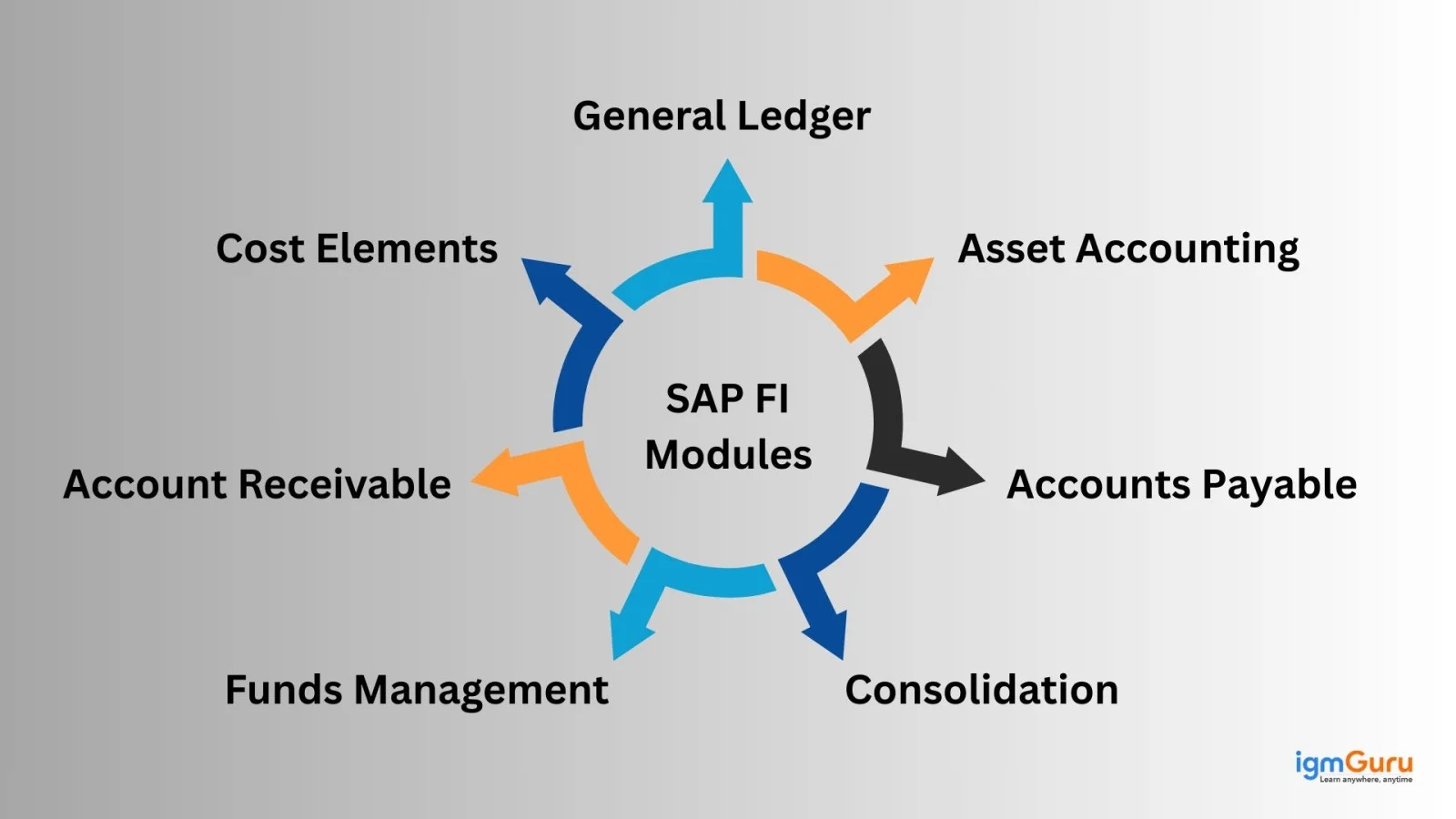
1. General Ledger: This generates reports for internal/external accounting. This contains a company’s transaction data and accounts.
2. Bank Ledger: This records all bank account transactions. It has the capability of combining all transaction data on bank statements.
3. Accounts Receivable: These are used to manage customers’ accounting information. It includes work like recording customer invoices, payments, advance receipts, and invoice postings, and helps track outstanding customer balances.
4. Funds Management: It manages the revenue and expense budget.
5. Consolidation: It is used when a company has more than one unit or subsidiary. This brings all the financial reports from all these units and then combines it to form a single report.
6. Accounts Payable: These records contain vendor accounting information. It also includes vendor transactions and vendor accounts.
7. Asset Accounting: It manages all the assets that are being owned by a company. It records when assets are bought, sold, transferred or revalued and helps maintain their correct value over time.
You may have to configure the SAP FI to use it perfectly. The primary configurations are all made by business managers because it requires a strong understanding of the business’s processes and financial requirements. This involves the following steps:
The first step involves defining the client and company code. The company code represents a legal entity for which financial statements are prepared. It also manages the basic organizational details such as country, currency and language.
The next step is to configure code–specific settings. This includes defining the company currency, fiscal year variant, posting periods and tax-related settings. These configurations ensure that all financial transactions follow the correct accounting rules and financial calendar.
Now create the chart of accounts and assign them to the company code. The chart of accounts contains all general ledger accounts used for recording financial transactions. This ensures consistent and accurate financial postings across the organization.
Right after the chart of accounts is in place, set up posting rules and document controls. This includes defining document types, number ranges and posting keys. This will control how accounting documents are created and processed in SAP FI.
The next step is master data creation and migration. Customer, vendor and asset master data are either created directly in SAP FI or transferred from the legacy system. Clean and accurate master data is important for smooth financial operations.
Now it is time to perform the testing of financial transactions. Sample postings are executed to verify that the configuration works correctly and that financial reports are generated as expected.
Now you can go-live where SAP FI starts recording real business transactions automatically. Once live, organizations can monitor their financial position in real time and generate accurate financial statements at the end of the financial year.
Also Explore: What is SAP MM?
SAP CO modules help organisations in planning, monitoring and controlling internal costs and profitability. It also provides an ultimate feature that helps in managing master data. This module was specially introduced to discuss planning.
Organizations are now using it to analyze variances by comparing planned and actual revenues. It helps them know where each cost originates, such as salaries, rent or utilities and most of this data comes directly from the income statement. Here are the common modules they use:
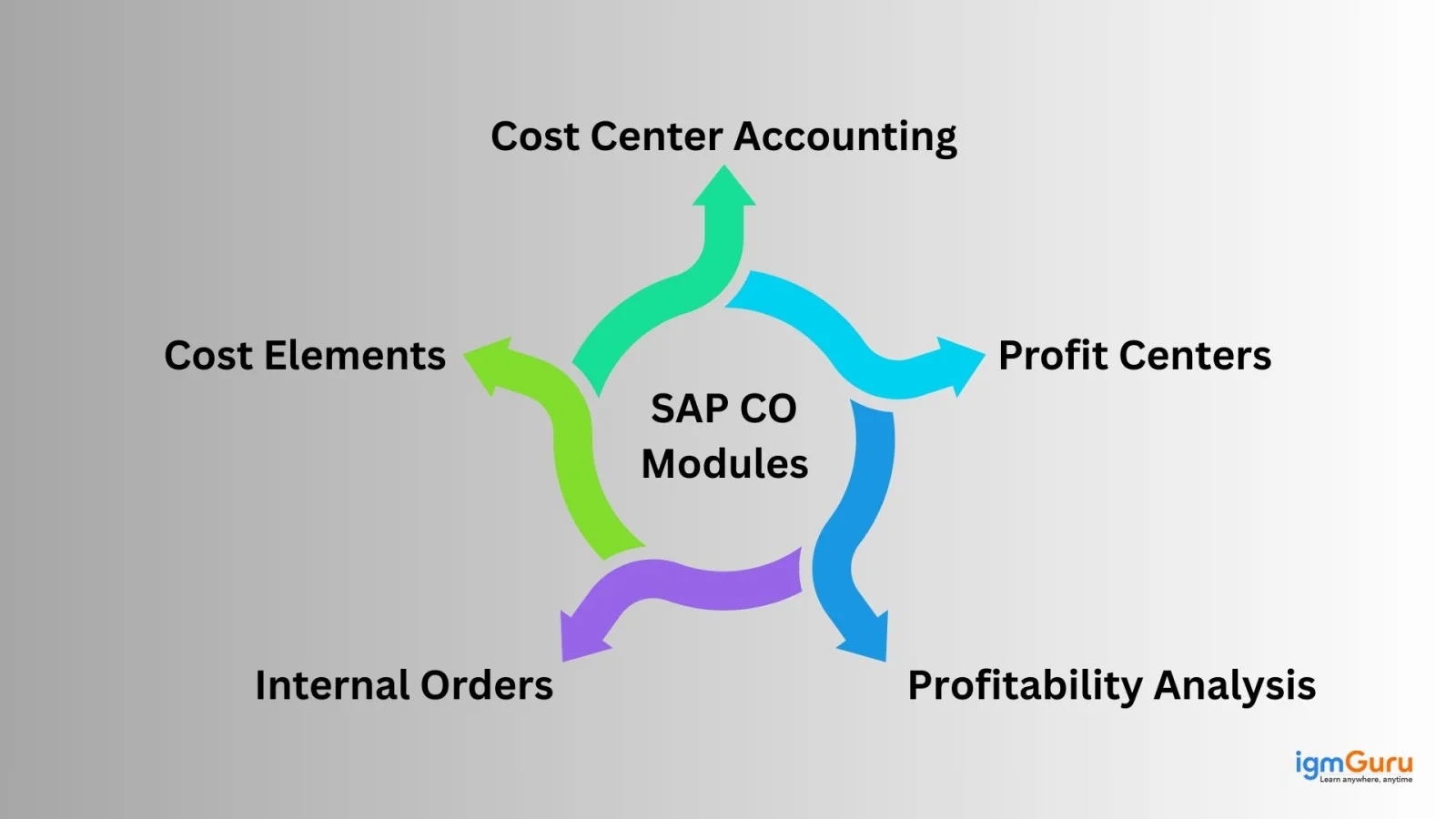
1. Cost Center Accounting: It helps track and control expenses across internal departments like human resources, marketing, production and sales, ensuring that each department is accountable for its spending.
2. Profit Center: It contains all the expense information of a company’s business lines. This is connected with modules and revenues.
3. Internal Orders: It manages all the expenses associated with smaller internal projects/non-fixed assets.
4. Profitability Analysis: It gives an understanding of a company’s profit/loss and then gives a solid platform for decision-making and aids in determining price, market segment and consumer distribution routes.
Also Read: What is SAP GRC?
SAP CO must be properly configured to reflect the organization’s internal cost management and controlling processes to use it perfectly. It is mainly configured with inputs from management and controlling teams, as it requires a clear understanding of internal cost structures, budgeting methods and performance measurement needs. This involves the following steps:
Start from defining a controlling area. The controlling area represents the organizational unit used for internal cost accounting. It can be assigned to one or multiple company codes, which allows costs to be tracked and analyzed across different entities.
The next step is to create the cost elements. These elements act as a bridge between SAP FI and SAP CO, which ensures that expenses and revenues posted in financial accounting are correctly reflected in controlling. These include primary cost elements linked to G/L accounts and secondary cost elements used for internal allocations.
Now you can configure the cost centers and profit centres. Cost centers represent departments or functional areas where costs are incurred, such as production, sales or administration. Profit centers are used to analyze profitability by business unit, product line or location.
The next step is internal order configuration. Internal orders are set up to track costs for specific projects, events or temporary activities. This helps management monitor and control expenses at a more detailed level.
Now define the activity types and allocation cycles. Activity types represent services provided by one cost center to another, while allocation cycles distribute costs internally based on predefined rules. This ensures accurate cost distribution.
Now you can move to configure the planning and budgeting. Planned costs and revenues are entered into the system that allows organizations to compare actual results against budgets and analyze variances effectively.
The next step is to test CO processes. Internal postings, allocations and reporting are tested to ensure that costs flow correctly and reports provide meaningful insights.
Now you can go live where SAP CO begins tracking and analyzing real-time cost and profitability data. This enables management to make informed decisions, control expenses and evaluate business performance accurately.
Related Article: What is SAP EWM?
Now that SAP FICO modules and implementation are clear, let us understand how it works step by step:
Before any transaction starts, the company structure is configured in SAP. This decides how and where financial data is recorded in legal structure and organisational format. It includes:
Permanent data that is reused in daily transactions are called Master Data. It ensures accurate postings, smooth processing, and reliable reporting.
Once the system is ready to go, daily business operations start. This includes work like:
Every business activity has its own financial impact and they are all recorded in the system.
All business transactions are recorded in financial accounting using double-entry accounting. These entries automatically update the general ledger, accounts payable, and accounts receivable, ensuring proper bookkeeping.
Integration is the biggest strength of SAP FICO. When an expense or income is posted in FI, the system automatically sends it to Controlling. No manual effort is required.
The system helps identify what type of cost it is, which department used it, and for which activity. Costs can also be shared between departments when services are provided internally. The following are the tools one can use:
Business checks from where all the profit is coming from. It analyzes profit and loss based on products, customers, regions, or market segments. This information helps management decide pricing, focus on profitable areas, and fix weak spots.
Every month or year-end closing activities are performed. It involves posting adjustments, calculating depreciation, settling costs, and matching FI and CO data.
Once closing is done, SAP FICO generates reports like the balance sheet, profit and loss statement, cost reports, and profitability reports.
Finally, the reports produced by SAP FICO help companies make better business decisions.
They can control costs, plan future strategies, follow tax laws, and improve overall performance.
Read Also: SAP Analytics Cloud Tutorial For Beginners
SAP FICO has numerous benefits. Let us discuss them each:
Everything has its benefits and limitations. As discussed its advantages, let's discuss some of its limitations as well:
Also Explore: What is SAP ABAP?
SAP is one of the best ERP systems used by businesses across various industries. This means there are a lot of career paths you can go for. These are best for professionals with financial and technical expertise.
Professionals in these roles are responsible for implementing, configuring and supporting the SAP FICO module. They help organizations manage financial transactions, reporting and controlling processes efficiently. Its versatility among different industries will drive a continuous demand in the future.
Industries hiring SAP FICO experts:
Common roles in SAP FICO include:
| Job Role / Position | Approx. Annual Salary (INR) |
|---|---|
| SAP FICO Fresher / Entry Level | ₹3 – 7 L |
| SAP FICO Consultant | ₹6 – 15 L (avg ~₹6.8 L) |
| SAP Consultant (Functional FICO) | ₹15 – 44 L (avg ~₹17 L) |
| SAP FICO Senior Consultant | ₹10 – 26 L (avg ~₹13.6 L) |
| SAP FICO Lead / Lead Consultant | ₹16 – 55 L (avg ~~₹21 L) |
| SAP FICO Team Lead | ~₹18 – 19 L (avg ~₹18.5 L) |
| SAP FICO (General Paid Skill Average)* | ~₹16.6 – 50 L (avg ~₹21.8 L) |
A career in SAP FICO is attractive due to competitive salaries, strong job security and abundant opportunities for advancement. With the right combination of accounting knowledge and SAP skills, individuals can build a successful and rewarding career in this field. If you are interested in finance and technology, pursuing SAP FICO training and certification can open doors to roles in leading organizations worldwide.
This article explains everything that you need to know about SAP FICO. It involves managing financial data, accurate reporting, cost control and better decision making by integrating Financial Accounting and Controlling, which helps organisations handle daily accounting smoothly and stay financially stable. To move forward, you should start practicing SAP FICO by working on real-world examples and projects to strengthen your understanding.
Explore Our Trending Articles-
SAP FI looks after a company’s financial reporting, like balance sheets and tax reports. SAP CO helps management control costs and plan budgets for better decisions.
If you know basic accounting, then learning SAP FICO will be very easy for you. But make sure you do regular practice to get your concepts clear.
It is used for businesses to manage their financial data and produce accurate results for analysis. Whilst aiding business planning and financial decision-making.