Seeking a job as an SAP Security professional? Well it has become one of the most prominent careers due to the high adoption of SAP environment into different industries. These professionals manage a company's most critical data, including finance, HR, supply chain and more. They focus on access management, secure configurations, monitoring, and patching to protect confidentiality, integrity and availability.
With the importance and high demand of this career, cracking a SAP Security interview can be a hard nut to crack. I am here with a comprehensive list of the most asked SAP Security interview questions and answers. These are curated for each level of individuals, from beginners to intermediates and experienced professionals.
Let’s begin with the most asked SAP Security interview questions and answers for freshers. These include the basic concepts, definitions and type-based questions.
SAP Security is the practice of protecting SAP systems, data, and business processes by controlling User access. This means it controls who can access what and what actions they are allowed to perform. It ensures that users have only the authorizations required to do their job, while sensitive data and critical transactions remain protected.
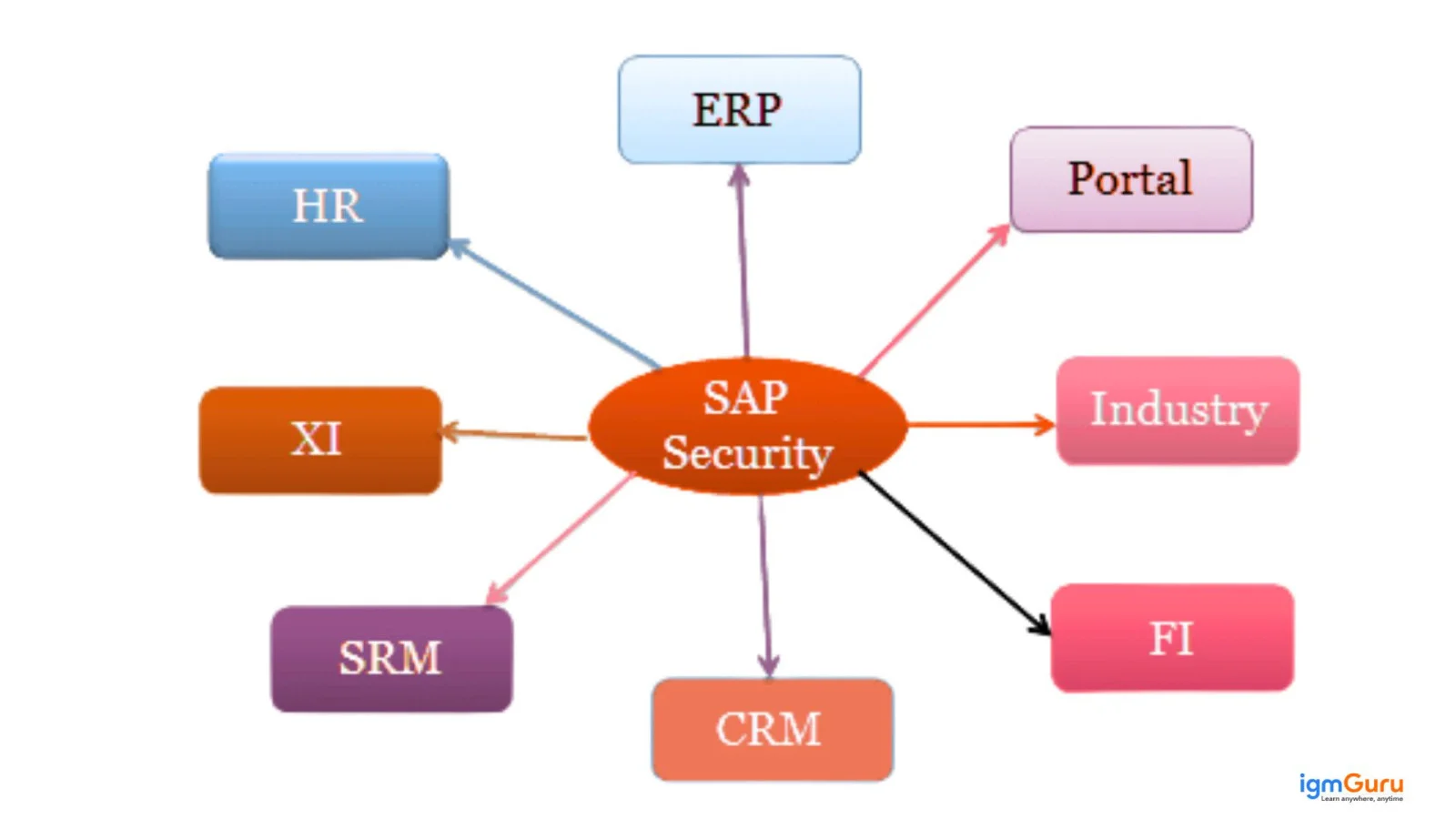
SAP Security focuses on risk reduction, compliance and system integrity. It prevents unauthorized access, supports audits, and helps organizations comply with regulations like SOX, GDPR, and internal control policies. Ensuring it is a shared responsibility across multiple roles including:
| Role | Responsibility |
| SAP Security Consultant | Designs roles, manages authorizations, users, and SoD controls |
| Basis Team | Handles system-level security, transports, and technical access |
| Functional Consultants | Define business requirements and required access |
| Business Process Owners | Approve roles and validate access |
| Audit / Compliance Team | Reviews access, risks, and control violations |
| End Users | Use access responsibly as per assigned roles |
SAP Security T-codes are administrative transactions used to manage users, roles, profiles, authorizations and security analysis. These T-codes are part of daily work in SAP Security consultant profession as they help control access, troubleshoot authorization issues, and support audits. There are many of them including:
| Category | T-Code | Purpose |
| User Administration | SU01 | Create, change, lock, and unlock users |
| User Administration | SU10 | Mass user maintenance |
| User Administration | SU3 | Maintain own user profile |
| User Administration | SU01D | Display user details (read-only) |
| Role Management | PFCG | Create and maintain roles |
| Role Management | SU24 | Maintain authorization defaults |
| Role Management | SU25 | Initial authorization setup after install/upgrade |
| Role Management | AGR_USERS | Display users assigned to roles |
| Role Management | AGR_TCODES | Display transactions in roles |
| Authorization Analysis | SU53 | Analyze last failed authorization check |
| Authorization Analysis | ST01 | Authorization trace |
| Authorization Analysis | STAUTHTRACE | User-specific authorization trace |
| Authorization Analysis | SU56 | Check authorization buffer |
| Reporting & Audit | SUIM | User Information System reports |
| System Security | RZ10 | Maintain system profile parameters |
| System Security | RZ11 | Display profile parameters |
| Audit & Compliance | SM19 | Configure Security Audit Log |
| Audit & Compliance | SM20 | Analyze Security Audit Log |
| Transport Control | SE09 / SE10 | Transport request management |
| Client Security | SCC4 | Maintain client settings |
User types define how a user is allowed to log in and interact with the system. They help control security, licensing and system behavior. Choosing the correct user type is important as it directly affects password rules, login permissions and compliance. There are five standard SAP user types, each designed for a specific purpose.
| User Type | Description | Typical Use Case |
| Dialog (A) | Interactive users who log in using SAP GUI | End users, consultants, business users |
| System (B) | Non-interactive users used for internal system communication | RFC connections between SAP systems |
| Communication (C) | Used for external system communication | Interfaces with third-party systems |
| Service (S) | Shared users with limited authorization and validity | Call center or service desk access |
| Reference (L) | No logon allowed; used only to assign additional authorizations | Role inheritance, HR user linkage |
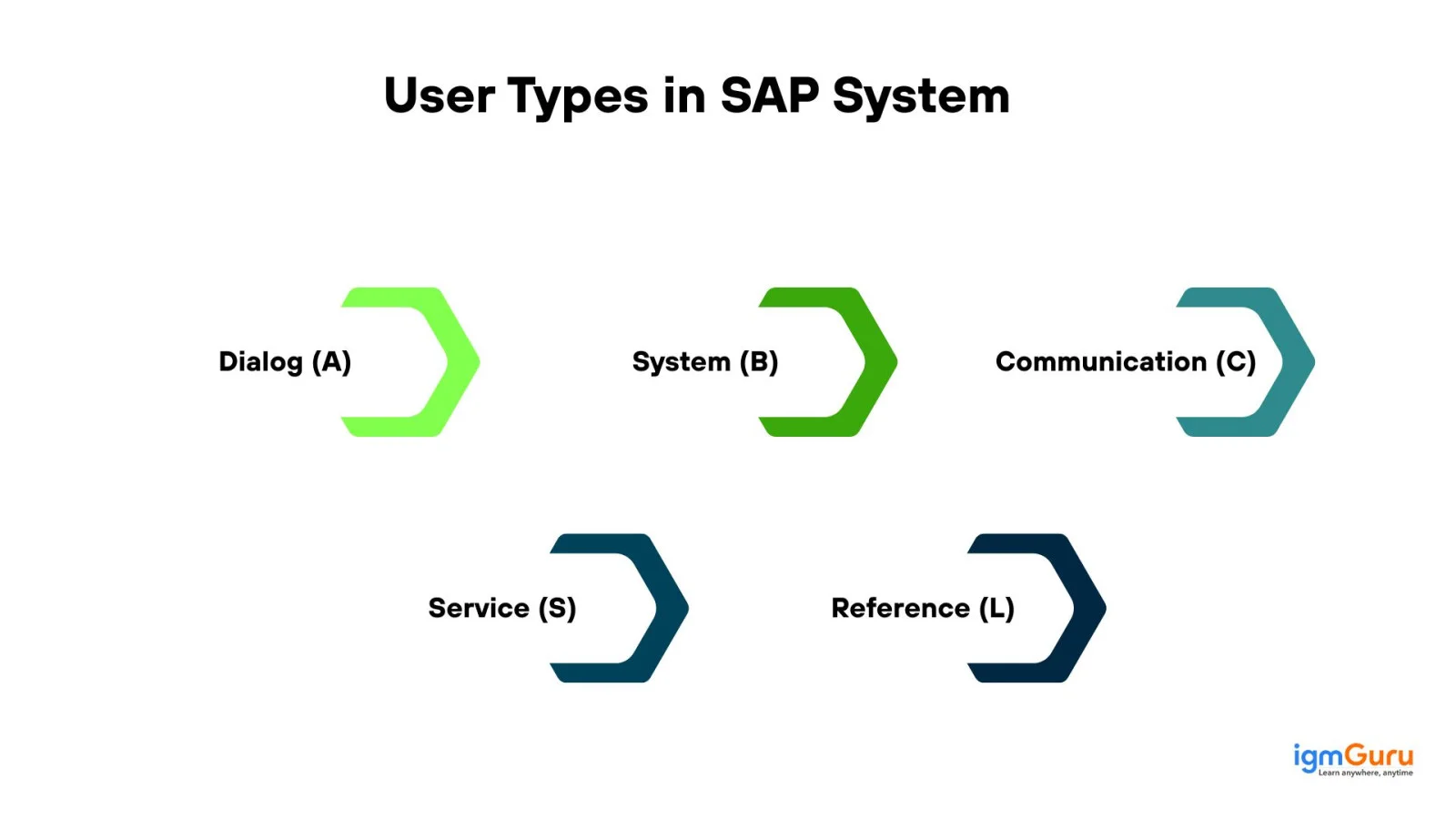
Table logs are used to track changes made to sensitive tables, such as user master data, roles or configuration tables. Table logging is very important as it helps us identify who changed what, when and from where. It works only if the table is configured for logging and the system profile parameter is enabled. Checking them ingles the following steps:
SAP Roles and Authorizations are the core components of access control in an SAP system. They ensure that users can access only the transactions, reports and data required for their job. This approach supports security, compliance and smooth business operations. In simple terms, a role defines what a user can do, and authorizations define how and to what extent they can do it, such as company code, plant, or activity.
Types of SAP Roles:
| Role Type | Description | Example |
| Single Role | Contains menu, authorizations, and profiles | AP Clerk, MM Buyer |
| Composite Role | Collection of multiple single roles | Finance User |
| Derived Role | Inherits authorizations from a master role | Same job across plants |
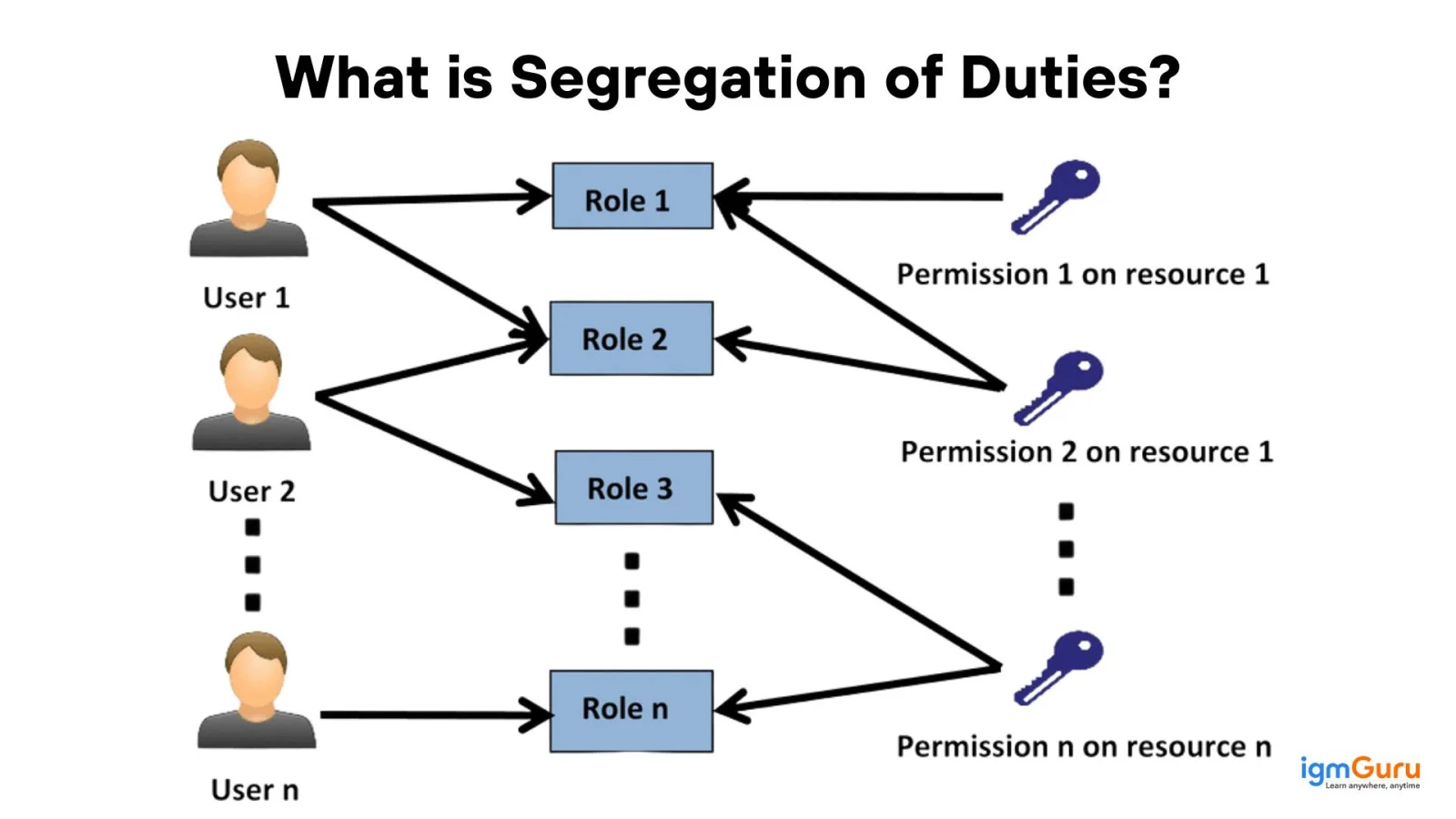
Segregation of Duties is a security and internal control concept used to prevent fraud, errors and misuse of access in SAP systems. The idea is simple: no single user should have end-to-end control over a critical business process. It is implemented by carefully designing roles and authorizations so that conflicting activities are separated across different users or teams.
SAP Security is implemented in multiple layers. They ensure that even if one control fails, others continue to protect the system. This platform follows a defense-in-depth model, covering users, data, applications and infrastructure. There are 5 common layers in SAP security:
| Security Layer | What It Covers | Example |
| Network Security | Protects SAP systems from external access | Firewalls, VPNs, IP restrictions |
| System / Infrastructure Security | Secures OS, database, and SAP kernel | OS users, DB users, system parameters |
| User Authentication Security | Controls who can log in | User IDs, passwords, SSO, MFA |
| Authorization Security | Controls what users can do | Roles, authorization objects, SoD |
| Application & Data Security | Protects business data and processes | Table authorization, field-level access |
Role templates are pre-designed role structures that act as a starting point for creating business roles. This avoids the requirement of building roles from scratch every time that help maintain consistency, standardization, and faster role design across systems and business units. They do not usually get assigned directly to users. They have to be copied and adapted based on business requirements.
User Compare is the process of synchronizing user master records with role authorization data. When a role is changed, assigned, or removed, the user comparison ensures that the updated authorizations are correctly reflected in the user’s profile and authorization buffer. In simple words, role changes do not become effective for users until a user comparison is performed. Here are the types of User Compare:
| Type | Description | When Used |
| Immediate (Automatic) | Runs instantly after role save | Small changes, few users |
| Scheduled (Background) | Runs as a batch job | Large user base |
| Manual User Compare | Triggered by admin | Issue resolution |
Authorization Objects and Authorization Object Classes are closely related, but they serve different purposes in SAP Security. Understanding their difference is important for role design, analysis and troubleshooting. Here is how they differ:
| Aspect | Authorization Object | Authorization Object Class |
| Meaning | Technical entity that checks user permission | Logical grouping of authorization objects |
| Purpose | Controls what actions a user can perform | Helps categorize and manage objects |
| Contains | Authorization fields and values | Multiple authorization objects |
| Used In | Role authorizations, runtime checks | Role maintenance (PFCG), SU21 |
| Business Impact | Directly affects user access | Indirect, for organization only |
Now we will discuss some of the best SAP Security interview questions and answers for intermediate professionals. These include relatively advanced concepts and procedures.
Deleting multiple roles is usually required during role cleanup, system upgrades, mergers or access redesign projects. Sometimes systems accumulate unused or duplicate roles, which increases security risk, audit findings and system complexity.
However, this is also a high-risk activity, especially in Production, as deleting a role incorrectly can immediately block business users. Here are the steps to delete multiple roles safely:
PFCG is the central transaction in SAP Security used to create, maintain and manage roles. It is where business access requirements are converted into menus, authorizations and user assignments. It is basically the place where we design who gets access to what. This plays a critical role in role design, access control and compliance, and is used in both ECC and S/4HANA systems. PFCG contains the following tabs:
| Tab Name | Purpose |
| Description | Define role name, short text, and standards |
| Menu | Assign transactions, reports, or Fiori apps |
| Authorizations | Maintain authorization objects and values |
| User | Assign users and perform user compare |
| MiniApps / Organizational Levels | Maintain org-level values (like company code, plant) |
Creating a user group is usually done to control user administration activities, especially in large landscapes where responsibilities are split between different security administrators. User groups help restrict who can create or maintain which users, rather than grouping users for business access. Here are the steps to create a user group:
Segregation of duties is an important internal control responsible for preventing fraud and errors. This is done by ensuring no single user controls an entire sensitive business process, like creating, approving and paying an invoice. It works by assigning conflicting tasks to different users, requiring checks and balances. It is enforced through role assignments and specialized tools like SAP GRC to monitor and flag violations, ensuring compliance and protecting assets.
Managing SoD conflicts during role creation is important as fixing conflicts later in Production is risky and time-consuming. I would use the following steps:
1) Understand the Business Process: I first understand what the role is supposed to do and where it fits in the overall process. This helps identify potential conflicts early.
2) Design Roles with Least Privilege: I include only required transactions and restrict authorizations at the object and organizational level.
3) Avoid Combining Conflicting Activities: Activities like create, approve, and post are kept in separate roles, even if requested by the same user.
4) Check SoD Conflicts Before User Assignment: I validate the role against existing roles or SoD rules before assigning it to users.
5) Use Mitigation Where Removal Is Not Possible: If a conflict is business-justified, I document it and apply a mitigation control with proper approval.
A Firefighter ID (FFID) is a special, temporary and high-privilege user account in IT systems. It is used for urgent tasks like system fixes or urgent reports when normal access is not enough. It is managed through Emergency Access Management (EAM), and provides a "firefighter" with elevated rights for a limited time. This ensures all actions are logged for security, auditing and accountability, which prevents unauthorized permanent super-user access.
Critical authorizations are permissions that give high-impact or sensitive access and can directly affect financial data, system integrity or user security. If these authorizations are misused or assigned incorrectly, they can lead to fraud, data manipulation or audit violations. I manage them in using following steps:
Securing the SAP Transport Management System is important as transports directly control what reaches Quality and Production systems. If TMS access is not properly secured, anyone could move unauthorized changes. This can lead to system instability, audit issues or security breaches. Securing TMS involves the following steps:
Implementing password security policies help in secure user credentials as they are the first line of defense against unauthorized access. Weak or poorly controlled passwords can lead to security breaches, audit findings and compliance issues. Implementing them involves the following steps:
1) Review Security and Compliance Requirements: I first understand company policies, audit requirements, and regulatory needs.
2) Configure Password Parameters: I define followings using profile parameters
3) Apply and Test in Lower Systems: All changes are first implemented in Development, tested in QA and validated with business users to avoid login issues.
4) Transport and Apply to Production: After approval, the parameters are transported or manually aligned in Production following change management procedures.
5) Monitor and Review: I monitor user lockouts and login issues and periodically review policies to ensure they remain effective and user-friendly.
Authorization objects are the core technical controls that define what actions a user can perform and on which data. Whenever a user executes a transaction, SAP checks the relevant authorization objects in the background to decide whether access should be allowed or denied. In simple terms, roles give access, but authorization objects enforce that access at runtime.
There is no fixed number of these authorization objects. This platform contains more than 1,000 of them and it can go up to 1,500 or more with some versions. Their exact number depends on the version of the system you are using.

Here are some of the most asked SAP Security interview questions and answers for experienced professionals. These are based on the most advanced and relatively new concepts.
S/4HANA is the most essential part of the SAP environment, which requires a keen focus. It would use the following steps:
Complicated SU53 issues would not be solved using SU53 alone. I would troubleshoot many factors step by step:
I would start by analyzing whether the SoD risk is real or false positive. Real risks require role redesign over mitigation. Here are the steps I would follow in this situation:
Complicated tasks like large-scale changes are usually not done manually for efficiency. It should be managed using the following steps:
Technical users are often overlooked but can become major security risks if not controlled. These users usually have broad access and operate without direct supervision. This is why they need to be secured. The Security practices applied are as following:
| ECC Security | S/4HANA Fiori Security |
| Transaction-driven | Service-driven |
| Backend roles only | Frontend + Backend roles |
| No catalogs | Uses catalogs and groups |
Recent SAP GRC Access Control releases are mostly focused on improving performance, usability, and S/4HANA compatibility. These improvements reduce manual effort while strengthening compliance controls. Here are some of the improvements and changes they have made:
Security responsibilities are shared between the cloud provider and the customer whichever SAP systems are hosted on the cloud. The provider manages infrastructure security, while access control, identity governance and authorization management remain the customer’s responsibility.
Here the focus shifts to strong identity integration, controlled access and continuous monitoring. Cloud environments also require tighter alignment with enterprise IAM systems, proper logging, and compliance controls to ensure the same level of security as on-premise systems.
SAP Identity Access Governance (IAG) is SAP’s cloud-based access governance solution designed for modern and hybrid landscapes. It emphasizes real-time access control, easier cloud integration and faster provisioning compared to traditional tools. SAP IAG is positioned as SAP’s long-term governance direction, especially for organizations moving toward cloud and S/4HANA-first strategies.
| Area | SAP GRC | SAP IAG |
| Deployment | Primarily on-premise | Cloud-native |
| Provisioning | Scheduled / batch | Near real-time |
| Cloud readiness | Limited | Strong |
| User experience | Traditional UI | Modern Fiori-based |
Audit preparation in SAP Security is not a one-time activity but a continuous process. The goal is to maintain consistent access control, proper documentation and clear accountability across systems. I would tell the experienced teams to focus on regular access reviews, which helps to monitor emergency access and maintain complete audit trails for role and user changes. I would also use compliance tools like SAP GRC or IAG to help generate evidence quickly, while clean role design and timely user deprovisioning reduce audit findings and risk exposure.
These scenario-based SAP Security interview questions focus on real-world security challenges that professionals may face in modern SAP environments. They test your ability to troubleshoot access issues, manage risks, secure hybrid landscapes, and make practical security decisions.
I would first identify whether the issue is occurring at the frontend or backend level because Fiori security depends on both layers. I would check the user's assigned catalogs, spaces or pages, and confirm that the required business catalog is available.
Next, I would use SU53 to identify the last failed authorization check and use STAUTHTRACE if the issue is not clear. I would also verify the required OData services and backend authorization objects. After identifying the missing authorization, I would update the appropriate role, perform user comparison, and retest the application.
I would not assign unrestricted administrator access simply for convenience because it creates significant security and compliance risks. I would first understand the exact business processes and testing activities that each user needs to perform.
Then, I would create temporary test roles using the principle of least privilege and provide only the required transactions, applications, authorization objects, and organizational values. I would also check for SoD and critical authorization conflicts before assigning the roles. If elevated access is genuinely required for a specific task, I would consider controlled emergency access with proper approval, time limits, and monitoring. After testing is completed, the temporary access should be removed.
I would first map the identity flow across the SAP and cloud environments and identify where users are being created or managed separately. Maintaining independent accounts across multiple systems can create inconsistent access and increase the risk of orphaned or excessive privileges.
I would work toward centralized identity management and integrate the SAP landscape with the organization's enterprise identity provider where appropriate. I would also define consistent role and access governance processes for joiner, mover, and leaver scenarios. For a hybrid landscape, I would evaluate cloud-based identity governance capabilities such as SAP IAG where appropriate, while ensuring access reviews, provisioning, deprovisioning, and audit logging are consistently managed.
I would first identify exactly which interfaces use the RFC user and analyze its actual authorization requirements. I would review usage logs and remove unnecessary permissions so that the account follows the principle of least privilege.
I would also verify that the technical user is configured with an appropriate user type and does not have unnecessary interactive logon capabilities. Where possible, I would separate access between different interfaces instead of using one highly privileged account for multiple purposes. Finally, I would implement regular access reviews, monitor the account for unusual activity, and document the remediation for audit purposes.
I would treat this as an identity lifecycle management issue rather than simply disabling one user account. First, I would immediately disable the departed employee's SAP access and review whether the account had any privileged or sensitive roles.
Then, I would investigate why the deprovisioning process failed or was delayed. I would integrate the HR identity lifecycle with the organization's identity and access management process so that termination events automatically trigger access removal where possible. I would also implement monitoring and periodic reconciliation between HR records, identity systems, and SAP user accounts. Regular user access reviews would help identify dormant or orphaned accounts before they become a security risk.
This preparation guide has listed the most asked SAP Security interview questions and answers from each level of individuals. It is the perfect guide for your next interview preparation. You can also explore our trending articles or blog pages to get more information around SAP systems. Just tackle the interview with the right knowledge and confidence and you will get your dream job.
Explore Our Trending Articles-
Just prepare with the best study material and the most asked SAP security interview questions and answers.
SAP Security Consultant salaries vary significantly from ₹6L to ₹21L per annum in India and $117,000 to $120,000 in the USA.
Many fortunate companies Infosys, TCS, Wipro, Accenture, Capgemini, IBM, and LTIMindtree, as well as specialized consulting firms like Accenture, Deloitte, MSH and large enterprises like PepsiCo, Maruti Suzuki, and Airbus hire these professionals.