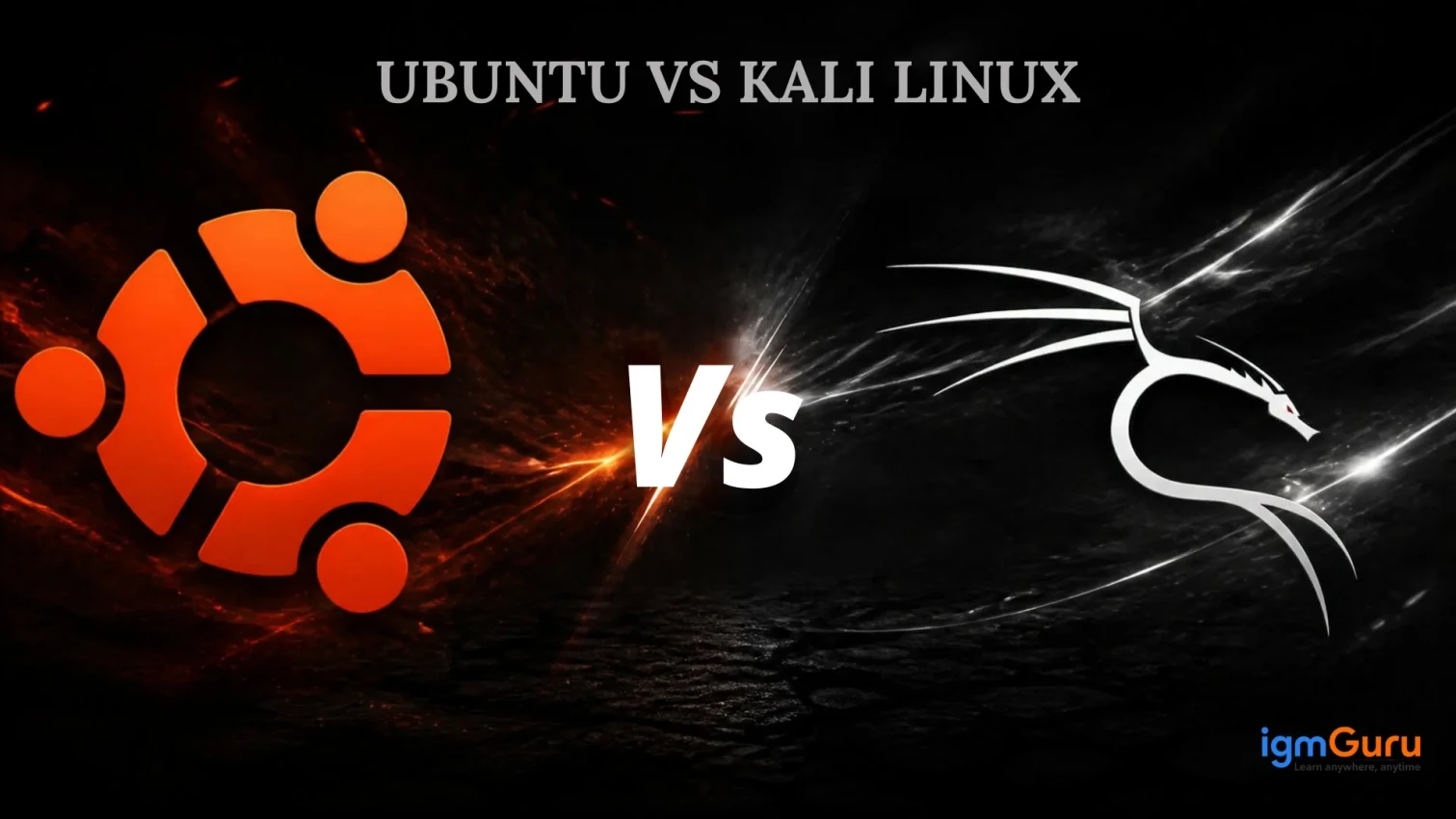
Ubuntu and Kali Linux are two popular Linux distributions that have gained significant attention in recent years. Both are Debian-based, but they serve very different purposes. If you are trying to decide between the two, understanding their differences will help you make the right choice for your needs.
Ubuntu is designed for general-purpose use. It serves beginners, students and professionals who need a user-friendly, stable operating system for everyday tasks. Kali Linux, meanwhile, is built specifically for cybersecurity professionals. It comes with advanced penetration testing tools and ethical hacking capabilities.
In this Ubuntu vs Kali Linux comparison guide, we break down every major difference. We also explain which distribution works best for your goals. Let's get started.
Ubuntu is a free, open-source Linux distribution based on Debian. Canonical Ltd., a UK-based software company developed and maintained it. Ubuntu offers a user-friendly interface combined with powerful functionality that appeals to both beginners and experienced users.
The name Ubuntu comes from an African word meaning "humanity toward others." This philosophy reflects the distribution's mission. Ubuntu prioritizes accessibility, ease of use and community support.
Key Features:
User-Friendly GNOME Desktop: Provides an intuitive and easy-to-use interface, making Ubuntu accessible for both beginners and experienced users.
Long-Term Support (LTS): LTS versions receive security updates and support for five years, ensuring stability for production and enterprise environments.
Extensive Software Repository: Offers thousands of applications that can be installed easily through the Ubuntu Software Center or command-line tools.
Kali Linux is a specialized Linux distribution created by Offensive Security. It was designed specifically for penetration testing, ethical hacking and digital forensics. Security professionals and cybersecurity enthusiasts use Kali Linux to assess network security and test system vulnerabilities.
Kali Linux comes pre-installed with over 600 penetration testing and security auditing tools. These tools cover areas like network analysis, vulnerability scanning, exploitation and password cracking. The distribution is based on Debian but includes a custom kernel and security patches that optimize performance for security testing.
Key Features:
Lightweight XFCE Desktop Environment: Kali Linux uses XFCE by default, providing a fast and efficient user experience, even on older hardware.
Rolling Release Model: Users receive the latest security updates, bug fixes and penetration-testing tools continuously without waiting for major releases.
Comprehensive Security Toolkit: Comes pre-installed with powerful cybersecurity tools such as Metasploit, Nmap, Wireshark, Burp Suite and Aircrack-ng for penetration testing, vulnerability assessment and network analysis.
| Feature | Ubuntu | Kali Linux |
| Primary Purpose | General-purpose operating system | Penetration testing and ethical hacking |
| Target Users | Beginners, professionals, enterprises | Security professionals, ethical hackers |
| Base | Debian | Debian |
| Desktop Environment | GNOME (default) | XFCE (default) |
| Release Model | Fixed releases every 6 months | Rolling release |
| Pre-installed Tools | Standard applications | 600+ penetration testing tools |
| Ease of Use | Highly user-friendly | Requires technical knowledge |
| Learning Curve | Beginner-friendly | Steep learning curve |
| System Resources | Moderate (recommended 4GB RAM) | Lower (runs on 512MB RAM) |
| Security Focus | General security features | Advanced security and penetration testing |
| Community | Large general-purpose community | Specialized security community |
| Installation Process | Straightforward GUI installer | Requires technical setup |
| Updates | Scheduled, stable updates | Frequent rolling updates |
| Best For | Daily use, servers, development | Security testing, vulnerability assessment |
While Ubuntu and Kali Linux share a common Debian foundation, they diverge significantly in design philosophy, target audience and functionality. Understanding these key differences will help you evaluate which distribution aligns with your specific needs and goals. Let's examine the key distinctions between these two popular Linux systems.
Ubuntu was designed as a general-purpose Linux distribution. It handles everything from web browsing to software development. The focus is on usability for people who may not have deep technical knowledge.
Kali Linux was designed for a purpose. It exists solely for penetration testing and ethical hacking. Every tool, feature and decision in Kali Linux supports this mission.
Ubuntu targets everyone from complete beginners to experienced system administrators. Students learning Linux, professionals developing software and organizations running servers use it. Distribution welcomes users of all skill levels.
Kali Linux targets cybersecurity professionals, ethical hackers and security researchers. It assumes the user has strong technical knowledge and understands security concepts. Beginners attempting to use Kali Linux may feel overwhelmed.
Ubuntu comes with essential applications like a web browser, office suite and basic utilities. Users install additional software as needed using the software repository. This keeps the system lightweight and customizable.
Kali Linux comes pre-loaded with over 600 penetration testing and security tools. These include Metasploit for exploitation, Nmap for network scanning, Wireshark for packet analysis and Aircrack-ng for wireless security testing. This comprehensive toolkit eliminates the need to hunt for specialized tools.
Ubuntu uses GNOME as its default desktop environment. GNOME offers a modern, visually appealing interface. It uses significant system resources but provides excellent usability. Users can switch to lighter desktop environments if they prefer.
Kali Linux uses XFCE as its default desktop environment. XFCE is lightweight and responsive, making it ideal for resource-constrained systems. XFCE prioritizes efficiency over visual polish.
Ubuntu follows a time-based release schedule. A new version releases every six months. LTS (Long-Term Support) versions release every two years and receive support for five years. This approach provides stability and predictability.
Kali Linux uses a rolling-release model. Updates push out continuously as new tools become available. Users always have access to the latest security tools and patches. This frequent update cycle means the system always improves but requires more technical maintenance.
Ubuntu requires moderate system resources. Recommended specs include 4GB RAM and 20GB disk space. Ubuntu works well on modern computers and laptops.
Kali Linux operates efficiently on minimal hardware. You can run it on systems with just 512MB of RAM. This makes Kali Linux ideal for older machines or virtual machines with limited resources.
Ubuntu features a straightforward graphical installation wizard. New users can install Ubuntu in minutes following simple on-screen prompts. The installer guides users through each step clearly.
Kali Linux installation requires more technical knowledge. While installation is possible, new users often find the process more complicated than Ubuntu. The focus is on experienced Linux users who understand command-line operations.
Ubuntu has an enormous global community. Thousands of tutorials, forums and documentation exist for nearly every question. The community is extremely welcoming to beginners. Professional support is also available through Canonical.
Kali Linux has a dedicated community for security professionals. The community is knowledgeable but more specialized. Resources target experienced users. Official support exists but is less extensive than Ubuntu.
Ubuntu includes standard security features like a firewall and user account controls. Security is built in but not the primary focus. Distribution balances safety with ease of use.
Kali Linux treats security as the central focus. Every tool, configuration and design decision supports security testing and assessment. The system provides maximum flexibility for security professionals to customize security approaches.
Also Read: Basics of Linux for DevOps: A Complete Guide
Despite their differences, Ubuntu and Kali Linux share important characteristics that make them both valuable Linux distributions.
Ubuntu and Kali Linux inherit from Debian Linux. They share the same package management system (APT). This means software compatibility between the two is high. Users familiar with Debian packages can work with both distributions easily.
Both distributions follow open-source principles. Their source code is publicly available for anyone to view, modify and distribute. This transparency builds trust and encourages community contribution.
Although they offer graphical interfaces, both Ubuntu and Kali Linux provide powerful command-line tools. Advanced users can perform tasks directly through the terminal. The Linux shell is available in both systems.
While Kali Linux specializes in security, Ubuntu also prioritizes security. Both distributions receive regular security updates. Both include firewalls and system hardening options. The difference is emphasis rather than absence.
Both systems access vast software repositories. Users can install thousands of applications and tools easily. The repositories contain everything from development tools to multimedia applications.
Both distributions have active communities. Users can find forums, documentation and tutorials for both systems. Community members actively help others solve problems.
Both distributions are completely free. There is no licensing fee, no mandatory registration and no commercial restrictions. Users can install, use and modify both systems without cost.
Understanding real-world use cases helps clarify which distribution suits your needs best.
1. Personal Desktop Computing: Ubuntu works excellently for everyday computing tasks. Web browsing, email, document editing and media consumption run smoothly. Users enjoy an intuitive interface similar to Windows or macOS.
2. Software Development: Developers use Ubuntu extensively for programming. The system comes with development tools and supports all major programming languages. Version control systems like Git work seamlessly on Ubuntu.
3. Server Deployment: Ubuntu Server is popular for web servers, application servers and database servers. Organizations deploy Ubuntu on cloud platforms like AWS, Azure and Google Cloud. The LTS versions provide long-term stability for production environments.
4. Learning Linux: Ubuntu is ideal for people learning Linux basics. The user-friendly interface allows beginners to focus on Linux concepts without fighting system complexity. Thousands of tutorials cater to Ubuntu learners.
5. Workstations for Professionals: Designers, video editors and content creators use Ubuntu. The system can run professional software and creative applications smoothly.
1. Penetration Testing: Security professionals use Kali Linux to test network security. They simulate attacks to identify vulnerabilities before attackers find them. Organizations hire penetration testers who must master Kali Linux.
2. Cybersecurity Training: Ethical hacking courses and cybersecurity certifications teach Kali Linux. Students learn to identify and exploit vulnerabilities in controlled environments. Training programs like CEH and OSCP recommend Kali Linux.
3. Digital Forensics: Investigators use Kali Linux for digital forensics investigations. The system includes tools for evidence collection, analysis and reporting. Law enforcement and corporate security teams use Kali Linux.
4. Vulnerability Assessment: Security auditors use Kali Linux to assess system vulnerabilities. They scan networks, identify weaknesses and document findings. This information helps organizations fix security issues.
5. Wireless Security Testing: Kali Linux includes advanced wireless testing tools. Security professionals test wireless networks for security problems. Aircrack-ng and similar tools help identify weak encryption and unauthorized access points.
Read Also: How to Install R on Windows, Mac OS X, and Ubuntu?
Choose Ubuntu when you need a reliable, user-friendly Linux distribution for general-purpose computing. Ubuntu serves you well in these situations:
1. You Are New to Linux: Ubuntu offers the gentlest introduction to Linux. The graphical interface reduces the learning curve. Abundant resources and tutorials exist for Ubuntu beginners. You can focus on learning Linux concepts without struggling with system complexity.
2. You Need Stability for Production: Ubuntu LTS versions provide five years of support. Organizations choose Ubuntu for servers because it remains stable and secure. Updates arrive regularly but predictably. This reliability matters in production environments.
3. You Want Maximum Software Availability: Ubuntu's large community means more software support. Many applications specifically list Ubuntu compatibility. The vast repository offers solutions for nearly any computing need.
4. You Require Long-Term Support: Ubuntu's LTS versions receive security updates for extended periods. This matters for systems that must remain stable for years. Businesses and institutions often choose Ubuntu for this stability.
5. You Need Community Help Easily: Ubuntu's massive community means finding help is simple. Nearly any question has been asked and answered. Thousands of tutorials specifically address Ubuntu problems.
6. You Want a Lightweight Desktop Option: Ubuntu offers multiple desktop flavors. Kubuntu uses KDE, Xubuntu uses XFCE and Ubuntu MATE uses MATE. You can choose a lightweight environment if needed.
7. You Are Building Web Applications: Ubuntu is popular for web development. Node.js, Python, Ruby and Java all work excellently on Ubuntu. Developers often choose Ubuntu for application development.
Choose Kali Linux when your primary goal involves security testing and penetration testing. Kali Linux serves you well in these situations:
1. You Work in Cybersecurity: If your job involves testing network security or finding vulnerabilities, Kali Linux is essential. The pre-installed tools eliminate setup time. You focus on security testing rather than tool installation.
2. You Study Ethical Hacking: Cybersecurity certifications like CEH recommend Kali Linux. Training programs use Kali Linux extensively. Learning on Kali Linux prepares you for industry-standard practices.
3. You Perform Penetration Testing: Professional penetration testers rely on Kali Linux. The system brings together all tools needed for comprehensive security assessments. Clients often expect penetration testers to use Kali Linux.
4. You Conduct Digital Forensics: Kali Linux includes tools for digital evidence collection and analysis. Forensic investigators use Kali Linux to examine compromised systems and collect evidence.
5. You Test Wireless Networks: Kali Linux excels at wireless security testing. Aircrack-ng and other wireless tools help identify network weaknesses. Security professionals use Kali Linux for Wi-Fi security assessments.
6. You Have Limited Hardware: If you need to run Linux on older computers or virtual machines with minimal resources, Kali Linux performs better. The lightweight XFCE environment uses fewer resources than Ubuntu's GNOME.
7. You Want Continuous Tool Updates: Kali Linux's rolling-release model means new security tools arrive constantly. If you need the latest hacking and security tools immediately, Kali Linux serves you better than Ubuntu's scheduled releases.
8. You Have Advanced Linux Knowledge: If you already understand Linux deeply, Kali Linux's specialized focus becomes an advantage. You can customize the system for specific security tasks.
Ubuntu and Kali Linux serve different purposes in the Linux ecosystem. They represent two distinct philosophies about how Linux distributions should be designed and what users need them to do.
Ubuntu is the better choice for general-purpose computing, learning Linux and running production servers. It offers a gentle learning curve, vast software availability and enormous community support. Whether you are building a web server, developing software, or simply exploring Linux for the first time, Ubuntu welcomes you with open arms.
Kali Linux is the right choice for cybersecurity professionals and ethical hackers. It provides 600+ pre-installed security tools, frequent updates and a system designed specifically for penetration testing. If your job involves testing security, conducting digital forensics, or assessing system vulnerabilities, Kali Linux is essential.