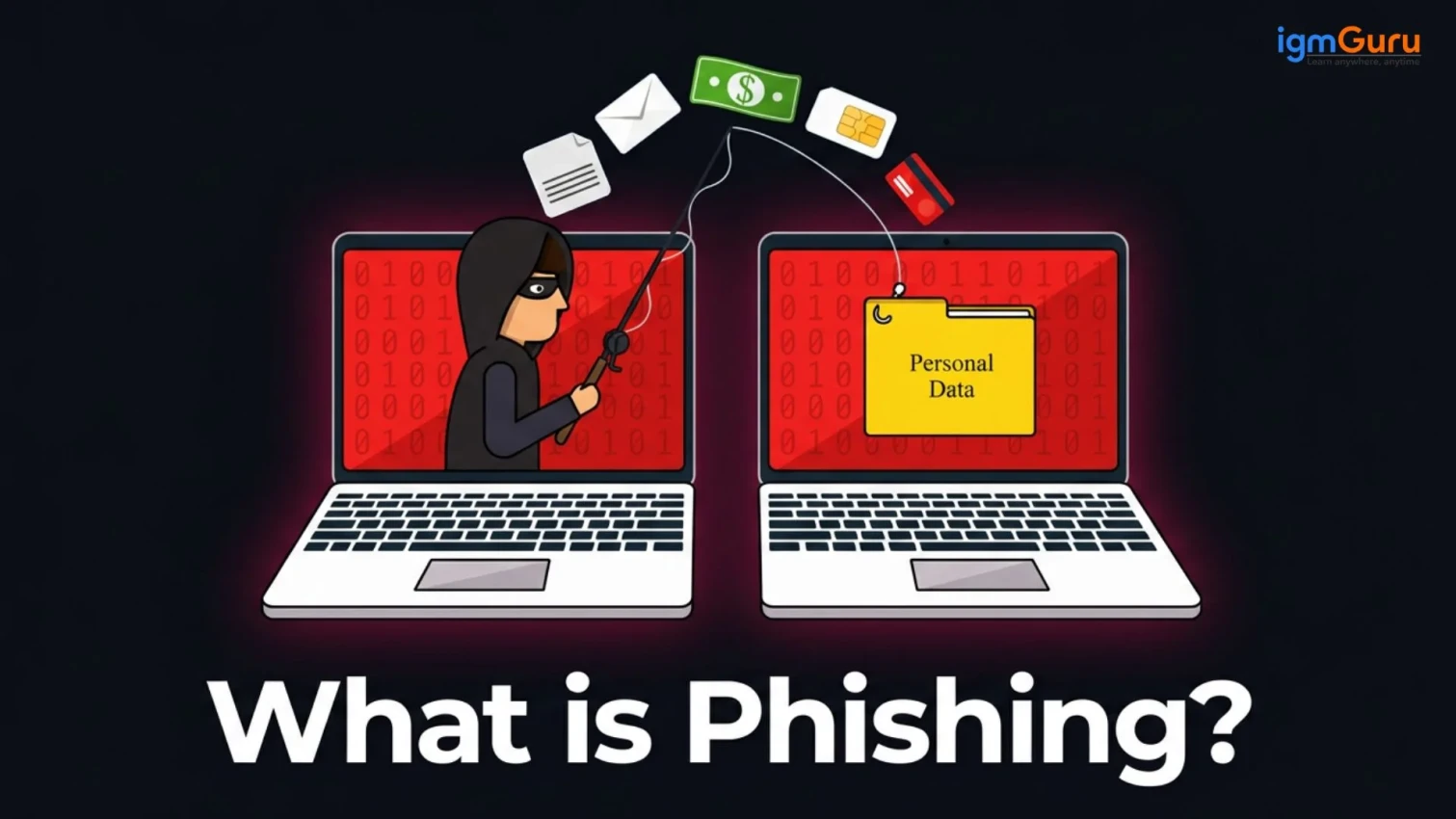
Phishing is a social engineering cyberattack where scammers trick individuals into revealing sensitive information, such as passwords, credit card numbers, or personal data. It is one of the most malicious attacks that can cause severe data loss to both enterprises or individuals. It impersonates a trusted organization or person.
Cybercriminals use it to steal details for identity theft, financial fraud or unauthorized access to accounts. If not dealt in time, the attackers can get all the information and access to harm the victim in many ways. Have you ever heard about it before? This article will explain everything including what is phishing, how to avoid this attack, save your data if you are under attack, and more.
Read Also: What Is Password Salting and How Does It Work?
Phishing is a cyberattack where attackers deceive individuals or organizations into revealing sensitive information or installing malware by masquerading as trusted sources. It is a form of social engineering that can trick you into giving away sensitive data. The data can be anything like passwords, credit card numbers or social security numbers. It relies on manipulation rather than technical hacking.
It is usually done using emails, text messages (smishing), or phone calls (vishing) to reach their targets. They create a false sense of urgency or fear like claiming your account has been locked or an invoice is overdue. This may seem legitimate, but it will be just a bait. They will make you act quickly by clicking a malicious link that directs you to a fake website designed to look identical to a legitimate one.
The best practice to avoid this attack is awareness. You should know what link you should click on, what email you should open, what file you should download. It starts from understanding the types of phishing attacks you may face.
Related Article: What Is Cybersecurity?
Cybercriminals have evolved their tactics over time to manipulate victims in different ways. Obviously, one person can not be fooled again and again using the same techniques. This is why they have several different methods to target their victims. Here are the most common types you should know about:
This is the most common type of phishing attack. It includes sending bulk emails pretending to be from banks, online stores or government agencies. The email contains a malicious link or attachment with a warning that attracts your attention. Once you click on the link, they get you.
It will either take you to a fake website asking for sensitive information or install malware on your device that can take your data. To avoid this type of attack, you should verify the email or website before revealing any information there. These types of email usually have a small difference in spellings.
Spear phishing is a highly researched attack where the attacker first reaches the victim. Once they have enough information about the victim, they send a personalized message. It can include your name, your company or even recent transactions. They usually appear more convincing because of the private information.
They can act like one of your employees asking for money help or the bank asking for your next EMI or anything. I have also encountered this attack, but saved as I know what it was. You can also do the same by just contacting the entity they are pretending to be, like the employee or the bank to confirm if it is legitimate or not.
Whaling is another highly researched attack that aims at high-profile targets like CEOs, CFOs, or senior executives. Attackers here take weeks of time to monitor the activity, news, work, tasks, transaction types of the victim. The stakes are much higher here because attackers are after large financial transfers or access to sensitive corporate data.
The goal is to manipulate the target into revealing highly sensitive corporate data, granting system access or authorizing massive fraudulent wire transfers. The accuracy of this attack is low as the victims are usually smart, but if the attacker succeeds the prize is high.
It is a basic type of cyber attack where the attackers send fraudulent text messages instead of emails. It is done in bulk to manipulate most victims possible. The messages often appear as delivery alerts, bank OTP requests or prize notifications.
These messages include a link to a fake page designed to steal your credentials. Whatever information you submit on that website goes to the attacker. This is why the government and authority also suggest not giving information on websites you don’t know about.
Also Read: Best Cybersecurity Tools in 2026
It is the most basic technique where the attacker does not have too many technical details. They still or buy your personal data through their connection and then call you accordingly. They usually claim to be customer support agents, bank representatives or even government officials. They create urgency over the phone and ask you to share OTPs, card numbers or other personal details.
These are very common attacks nowadays. These attacks mostly target middle class or lower class individuals, as they usually do not have too much technical knowledge. The attackers build a fear in your mind like your account is going to be blocked or your child has committed a crime, etc. Then, they demand your card details as a bank, or bribe as a gov official.
It is a type of email phishing attack where attackers take a legitimate email you previously received and create an almost identical copy of it. The new email usually looks identical but has only minor differences like spelling mistakes. Since it looks like something you already trust, it is much harder to detect.
These emails usually come with a malicious link or attachment files (virus). This is why you should verify the email carefully before clicking on any link. That is the best way to be safe from these kinds of attacks.
Pharming targets the individuals who are smart enough to not click on fraudulent websites. It redirects you from a legitimate website to a fake one without your knowledge. This means you may be clicked on a legitimate website but you will still go to another.
It is done by tampering with DNS settings that redirect users to fraudulent sites even after clicking on real websites. You need a proper security system to be safe from this cyber threat technique.
This is a newer form of phishing that happens on social media. Attackers create fake customer support accounts on platforms like Twitter, Meta or Instagram. When users post complaints, these fake accounts respond and direct them to phishing pages.
It is mostly done on Instagram. You may also see different website advertisements that give great discounts. When you order a product from there you get a discount, pay the price, but the product will not be you ordered. It might be a used product or even you don’t get the product.
Related Article: The Role of Artificial Intelligence (AI) in Cybersecurity
Understanding how phishing works is key to recognizing and stopping it. It gives you the awareness I was talking about. Here is a step-by-step breakdown of how a typical phishing attack unfolds:
The attacker first decides who to target. It could be a random group of people (mass phishing), a specific individual or company (spear phishing). They will gather information from social media, company websites or data leaks.
The attacker then crafts a convincing message. This could be an email that looks like it came from your bank, a text from a delivery service or a call from tech support. They design fake websites, fake login pages, or use realistic-looking email templates to make the bait believable.
Once the bait is ready, the attacker connects you with a fake identity. They can send an email through spoofed addresses, texts through masked numbers and calls using VoIP tools that mask the caller ID.
This is the most creative part. The attacker shows their creativity by creating a sense of urgency like your account is suspended, your payment has failed, you have won a prize, etc. The victim panics and clicks the link or calls back the number without thinking twice.
Read Also: Types of Cybersecurity Threats
Once you click the link, you are taken to a fake website where you are asked to enter login credentials, card details or personal information. The moment you submit it, the data goes directly to the attacker. Now they have the access and authority like you, meaning they can do everything you can do.
The attacker then uses the stolen information for financial fraud, identity theft, unauthorized account access or selling it on the dark web. In some cases, they also install malware on your device during the process for long-term access.
Phishing attacks are designed to look real, but they always leave behind some clues. You may have also heard that there is no such thing as a perfect crime, a criminal always leaves a trail. Knowing what to look for can help you spot them before it is too late.
The first thing to check is the sender's email address. A phishing email may come from an address like support@paypa1.com instead of support@paypal.com. The domain name is slightly altered or misspelled. Most people miss this because they glance at the display name, not the actual address.
Look at how the message is written. Many phishing emails contain grammar mistakes, awkward phrasing, or unusual formatting. This is why legitimate companies usually proofread their communications.
Check the links before clicking. Hover your mouse over any link in the email and look at the URL that appears at the bottom of your browser. If it does not match the official domain or looks suspicious, do not click it.
Watch out for unsolicited attachments. If you received an email you were not expecting with a file attached, be very careful. Common malicious file types include .exe, .zip, .docm, or even PDFs with embedded scripts.
The legitimate organizations rarely demand instant action. So do not make any urgent decisions over email, messages or phone calls. Think 10 times and check 20 times before taking any action.
Related Article: What Is the Future of Cybersecurity?
If you suspect you have already fallen for a phishing attack then you should act quickly. The faster you respond, the more damage you can prevent. Here are some of the common steps you must take:
Also Read: How to Become a Cybersecurity Engineer?
Prevention is always better than cure when it comes to phishing or any cyberattack. Here are the most effective ways to protect yourself:
Read Also: How to Become an Ethical Hacker?
People often confuse spam with phishing, but they are not the same thing. Here is a simple breakdown:
| Feature | Spam | Phishing |
|---|---|---|
| Purpose | Unsolicited commercial promotion | Stealing sensitive information or installing malware |
| Intent | Annoying but usually harmless | Malicious and potentially devastating |
| Content | Ads, offers, newsletters | Fake alerts, urgent requests, malicious links |
| Target | Mass audience | Can be mass or highly targeted |
| Risk Level | Low | High |
| Action Required | Ignore or unsubscribe | Report and take protective action |
Spam is annoying but mostly harmless. Phishing is a calculated cyberattack with a clear criminal intent. You can unsubscribe from spam, but phishing requires active awareness and vigilance.
Phishing is one of the oldest and still most effective cyberattack methods in the world because it exploits human psychology rather than technical flaws. It can happen to anyone including individuals, small businesses or large enterprises. The good news is that it is also one of the most preventable attacks if you stay informed and cautious.
Always double-check before clicking any link, verify the source of any message that asks for your personal details and never let urgency cloud your judgment. Phishing attacks thrive on panic and speed and slowing down and verifying sources is the best prevention.
Related Article: Career in Cyber Security
It is primarily used to steal sensitive information like passwords, credit card numbers, and social security numbers.
Anyone who can fall for it is a target for this attack.
Several platforms help combat phishing, including:
The seven key signs of phishing are:
The 4 P's of phishing are: