Containers changed the way we build, ship, and run applications. And in the world of DevOps, microservices and cloud-native apps, Docker has been a huge driver of that change. But as I've worked on multiple projects (yes, over the years!), I've noticed that Docker isn't always the perfect fit. Whether for licensing, architecture, performance, or security reasons, there are many credible alternatives emerging in 2026.
In this article, I'll walk you through what Docker is (a refresher), where I've found limitations, why we might need alternatives, and then dive into some of the strongest contenders like Podman, containerd (with nerdctl), and LXC. By the end, you'll have enough info to pick what might suit your environment best.
Docker is a platform and toolset that allows developers and operators to package an application and its dependencies into a container- a lightweight, standalone, executable package. With Docker, you can build an image (via a Dockerfile), push it to a registry, pull it, and run it reliably across environments: "it works on my machine" becomes "it works everywhere". Docker takes care of container creation, image management, networking, volumes, etc. Many teams adopted it for faster iteration, consistent environments, and easier deployment.
| Docker Alternative | Rating (out of 5) | Best For | Unique Feature |
| Podman | 5 | Secure, daemonless container management | Rootless containers and Docker-compatible CLI |
| containerd | 4 | Kubernetes and production runtimes | Lightweight runtime powering Docker and Kubernetes |
| LXC (Linux Containers) | 4 | System-level virtualization | Runs multiple processes inside full Linux containers |
| Buildah | 4 | CI/CD image building and automation | Daemonless image creation with full script control |
| CRI-O | 5 | Kubernetes container orchestration | Kubernetes-native runtime with minimal overhead |
| runc | 3 | Custom container frameworks | Direct OCI runtime implementation used by Docker |
| Rancher Desktop | 4 | Local container and Kubernetes development | Open-source GUI alternative to Docker Desktop |
| OrbStack | 4 | macOS developers | Ultra-fast startup with low CPU and memory usage |
| LXD | 4 | System containers and lightweight VMs | Combines container and VM management in one tool |
| Singularity (Apptainer) | 5 | HPC, AI, and research workloads | GPU and MPI support for scientific computing |
| Minikube | 4 | Kubernetes learning and testing | Single-node local Kubernetes cluster |
| Windows Containers / Hyper-V Containers | 3 | Enterprise Windows and .NET apps | Native Windows support with VM-level isolation |
| Vagrant | 4 | Infrastructure testing and VM automation | Reproducible VMs using simple configuration files |
| Virtual Machines (VMs) | 3 | Legacy systems and multi-OS testing | Full OS virtualization with hypervisor-level isolation |
| Heroku (PaaS Alternative) | 4 | Startups and rapid app deployment | Managed PaaS with automatic scaling and zero setup |
Limitations of Docker
Even though I've used Docker across many projects and I continue to advocate containerization, I have documented several limitations, and I believe these are key to explaining why the alternatives are gaining traction:
Over the last few years, Docker (the company) changed its subscription/licensing model, especially for Docker Desktop in commercial settings. This triggered many teams to reconsider "free forever" assumptions.
- Daemon & Architecture Overhead
Docker relies on a daemon (dockerd) that runs in the background, manages containers, and on many platforms introduces additional layers. That extra process can increase resource usage and complexity.
- Root Privileges & Security Concerns
In certain setups, Docker containers require elevated privileges or root-level operations, which raise security concerns for multi-tenant systems or enterprise environments.
While containers are lightweight by design, the orchestration and tooling of Docker sometimes carry additional overhead (especially on developer machines, Windows/Mac host setups), which can slow things down or complicate debugging.
- Ecosystem Lock-in/Modularity
Docker bundles image building, registry integration, orchestration (via Compose or Docker Swarm), etc. But if you want just a slim runtime or you want to swap out parts of the stack (e.g., use Kubernetes, use a different CLI), Docker's high-level abstraction may feel restrictive.
- Compatibility & Future-Proofing
As container standards matured (via the Open Container Initiative - OCI), many runtimes now comply. Some teams are moving away from Docker's monolithic model to more modular, minimal container runtimes.
- Development vs production mismatch
In some cases, Docker-Desktop on a developer's machine behaves differently (resource settings, virtualization overhead) than production Linux servers. That gap can introduce surprises in CI/CD or deployment.
In my experience, these limitations didn't mean "stop using Docker"- far from it. But they prompted me (and teams I've worked with) to explore alternatives that either remove the daemon, reduce privileges, lower overhead, or provide better modularity. In 2026, it makes a lot of sense to evaluate "What's beyond Docker?" rather than assuming Docker is the only viable container engine.
Read Also: Docker Tutorial For Beginners
Why Do We Need Docker Alternatives?
Given the limitations above, why exactly do we need alternatives and in what scenarios? Let me share my perspective:
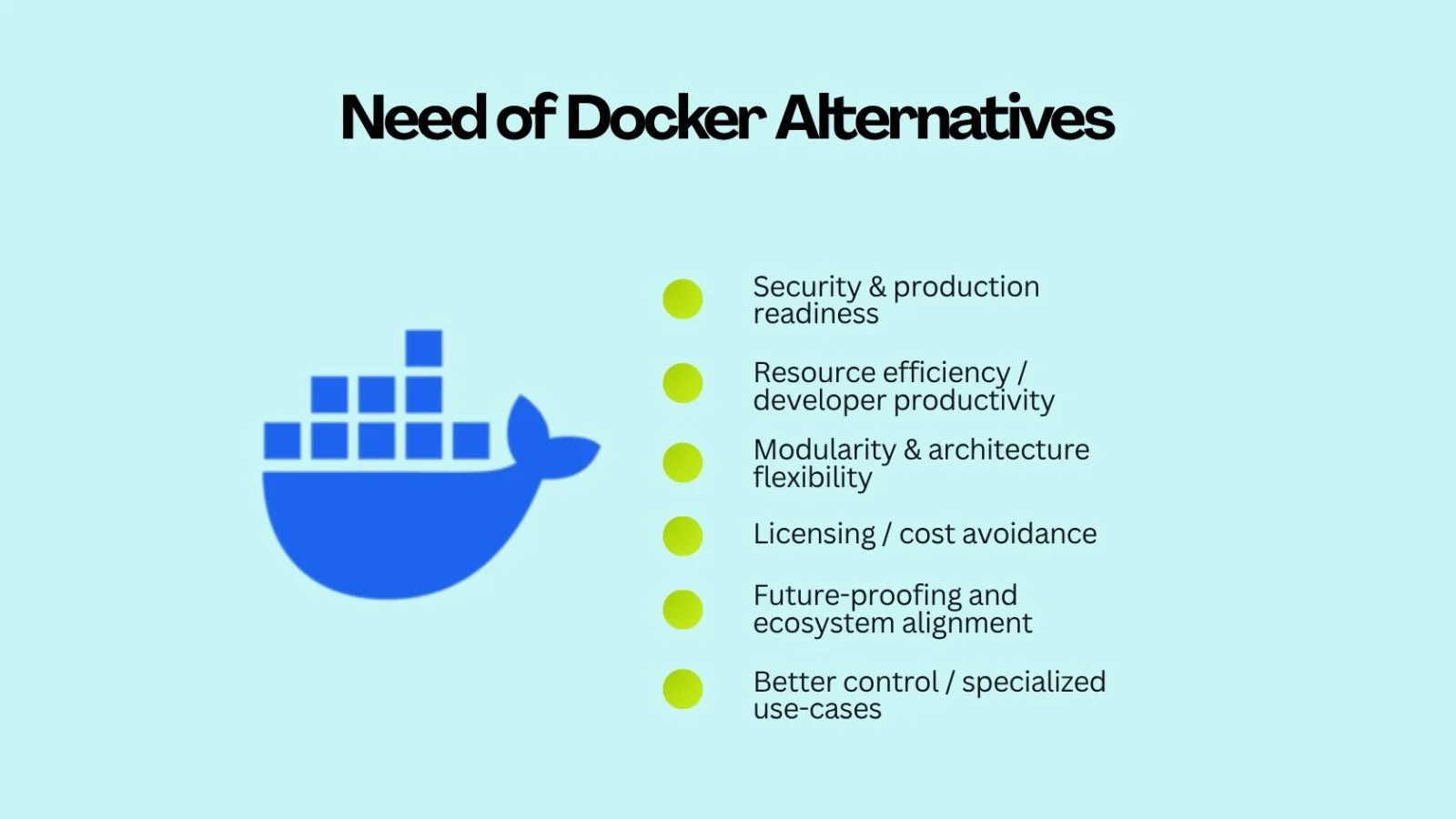
- Security & production readiness:
In enterprise or multi-tenant setups, running containers with minimal privilege is important. Alternatives often support "rootless" containers (i.e., containers run by non-root users) or eliminate the central daemon (reducing attack surface). That improves security posture.
- Resource efficiency/developer productivity:
On developer machines (especially Windows/macOS) or CI runners, you want minimal overhead. If the container engine is lightweight and fast, your build-run-test cycle gets snappier. I have seen developers get frustrated waiting for Docker Desktop to initialize when switching branches. Alternatives help there.
- Modularity & architecture flexibility:
Sometimes you only need a runtime, not the entire Docker ecosystem. Or you want to replace the underlying engine but keep your workflows similar. That gives you a choice: e.g., you might want to integrate with Kubernetes CRI or different orchestration layers without being tied to Docker's stack.
- Licensing/cost avoidance:
When licensing restrictions start creeping in (commercial use, team size, etc.), you want an open-source alternative with fewer constraints. This becomes especially important for small teams, startups, or hobby projects.
- Future-proofing and ecosystem alignment:
Since Kubernetes removed direct Docker support in favor of OCI-compliant runtimes (e.g., containerd, CRI-O), using alternatives can help you align with where the ecosystem has already moved. If you start with an alternative, you may avoid migration later.
- Better control / specialized use-cases:
Some workloads need very fine-grained control, or they need to run "system containers" (not just app containers) or require OS-level virtualization instead of just application containers. Alternatives provide different modes of containerization (e.g., system containers), which Docker might not emphasize.
In short: The goal of these alternatives is not to eliminate Docker unnecessarily, but to adopt technologies that better fit your system architecture, operational priorities, and long-term direction. Since I've worked on containerised applications from small dev machines to large production clusters, I can say: having the right tool (not just the most popular tool) matters.
Now, let's explore some of the top Docker alternatives I've used in my career. For each: a brief intro, features, pros, cons, and use cases. I'll start with the ones I've personally evaluated.
15 Best Docker Alternatives in 2026
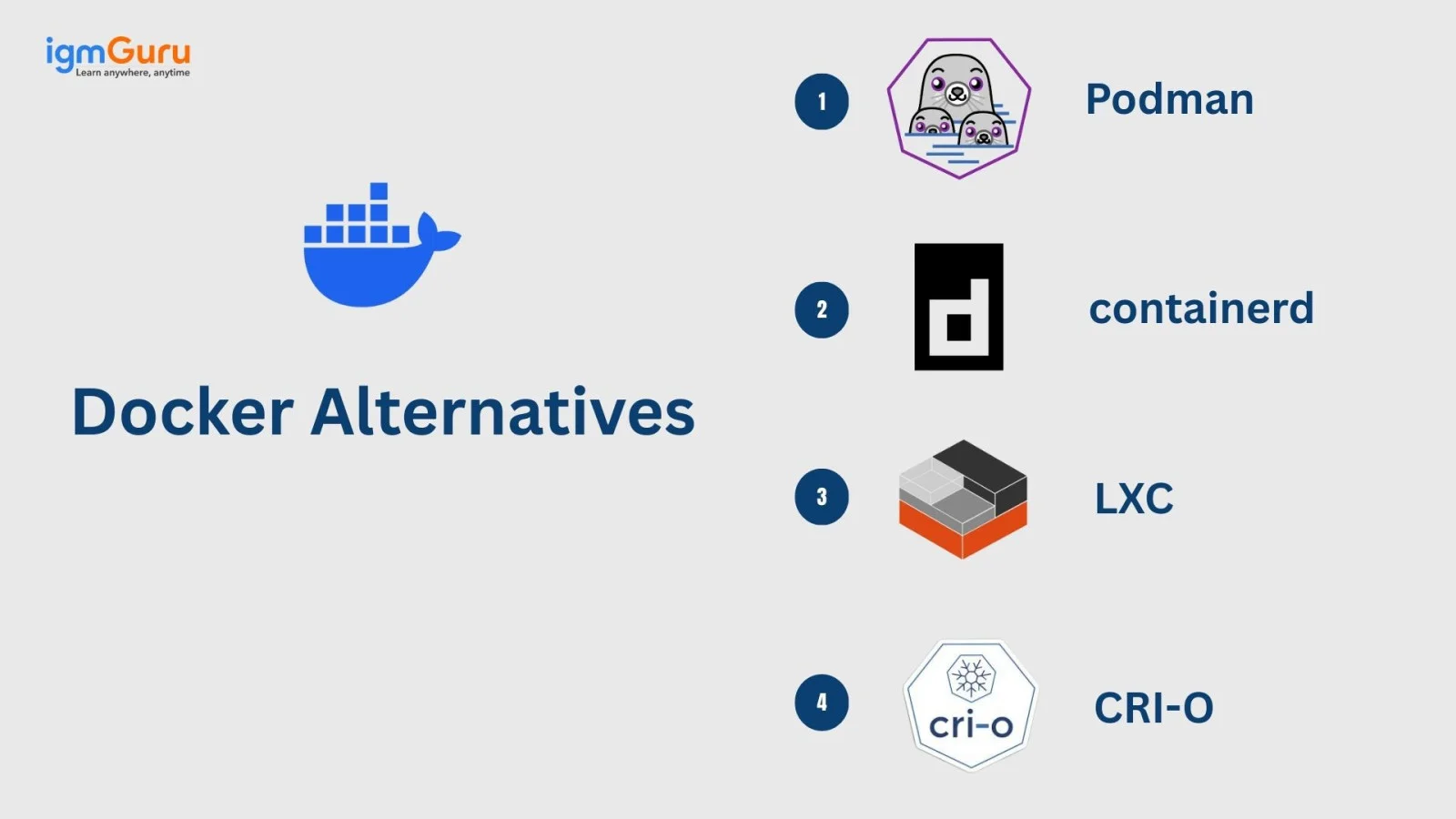
Here are the most popular Docker alternatives that you can choose as per your needs/requirements.
1. Podman- Best Secure Docker Alternative (Rootless Containers)
Podman is an open-source, daemonless container engine that runs OCI-compliant containers. It supports both root and rootless modes, offering enhanced security. With its Docker-compatible CLI, developers can switch easily without workflow changes. Podman is ideal for enterprise-grade environments requiring lightweight, secure, and daemon-free container management.
Features:
- Daemonless architecture- containers run as child processes, not managed by a background daemon.
- Rootless container support- you can run containers without root privileges.
- Docker-compatible CLI- many Docker commands work with Podman (e.g., podman run, podman ps).
- Supports pods (groups of containers sharing resources) and integrates well with Kubernetes workflows.
- Cross-platform support (Linux primarily; macOS/Windows via VM support) and GUI via Podman Desktop.
Pros:
- Enhanced security (daemonless + rootless) makes it a good fit for production/multi-user environments.
- Very similar workflow to Docker, so developers migrate fast.
- Lower overhead in certain contexts (because no central daemon) = faster start-up in my experience.
- Good community support and maturity (Red Hat backed).
- Works well for local development and production alike.
Cons:
- Some tooling or ecosystem integrations (especially Windows/Mac) might still be less polished than Docker's "all-in-one" story.
- For very large, production-oriented orchestration ecosystems (especially where Docker images and workflows are deeply embedded), switching may require adjustments.
- Some third-party tools assume Docker-daemon APIs; while Podman emulates many, not always perfect.
- The GUI (Podman Desktop) may still lag behind Docker Desktop in certain features or polish.
Use Cases:
- Developer machines where you want a Docker-compatible experience but lighter and more secure.
- Production or staging environments where rootless containers and tighter security constraints matter.
- Teams migrating away from Docker due to licensing or architecture concerns but want a minimal learning curve.
- Kubernetes workloads where you want container tools that align with OCI and non-Docker runtimes.
2. containerd
Containerd is a lightweight container runtime originally developed as part of Docker and now maintained by the CNCF. It focuses purely on container lifecycle management- pulling images, starting containers, and managing storage. Used by Kubernetes under the hood, containerd provides exceptional performance and reliability for large-scale production environments.
Features:
- OCI-compliant container runtime that handles image transfer, storage, container lifecycle (create/start/stop/destroy) and networking.
- nerdctl CLI layer provides Docker-like commands (nerdctl run, nerdctl build, etc.).
- Lightweight footprint compared to full Docker platform: you decouple the runtime from higher-level tooling.
- Widely used under the hood in Kubernetes clusters, cloud services, etc.
Pros:
- Very modular and lightweight- if you just need the runtime, it cuts out the "extra" layers.
- Aligns with how many production container orchestration platforms work (Kubernetes, cloud nodes).
- Familiar workflow via nerdctl helps developers transition.
- Good for environments where you want high control, minimal dependencies.
- Strong ecosystem adoption; you're using "industry standard" runtime.
Cons:
- Not as plug-and-play for developers as Docker; may require more setup ( CLI tools, building images, networking).
- Since it's lower level, you may miss some of the higher-level features built into Docker (e.g., native GUI, built-in registry management, integrated Compose).
- Transition may require more dev-ops knowledge (setting up networking, storage, etc.).
- Onboarding developers may require documentation/training if they expect "docker run stuff" abstraction.
Use Cases:
- Production container hosts/nodes where you want minimal runtime overhead and full compatibility with OCI images.
- Kubernetes cluster nodes where runtime is containerd anyway- using it directly aligns with both dev & ops.
- Teams building custom container stacks, CI/CD runners, or edge/embedded environments where full Docker would be overkill.
- When your goal is "runtime only" and you already have build/image/registry tooling in place.
3. LXC (Linux Containers)
LXC offers OS-level virtualization where each container behaves like a separate Linux system. It bridges the gap between virtual machines and application containers, making it perfect for running multiple processes or legacy applications. LXC provides excellent control, performance, and isolation for system-level containerization tasks.
Features:
- OS-level virtualization via Linux kernel features (namespaces, cgroups). Each LXC container can act like its own isolated Linux system (not just one app).
- Good for "system containers" where you run several services inside one container, or you need more control over the OS environment.
- Typically integrates directly with the host kernel (no hypervisor overhead) and shares kernel resources.
Pros:
- More flexible for scenarios where you need a full environment inside a container: e.g., multiple processes, custom OS tweaks, long-running stateful workloads.
- Lower overhead than full VM, but greater environment isolation than purely "single-process" containers.
- Mature project, many distributions support it.
- Useful for legacy or hybrid workloads migrating from VM style to container style.
Cons:
- Not as "developer-friendly" for simple microservice containers- you may need more setup, and you may be "over-engineering" for simple apps.
- Because you're closer to the OS level, resource isolation/security may require more manual configuration.
- Image portability (for typical Docker images) may be less straightforward- Docker images assume a one-process model, whereas LXC may assume a multi-process/OS environment.
- Less "batteries included" ecosystem for app containers compared to Docker/Podman.
Use Cases:
- Hosting several services inside one container (e.g., system container for dev/test).
- Migration of legacy VM workloads to containers, but you still need OS-level control.
- When resource isolation is key and you want something lighter than a full VM but heavier than "app container".
- Embedded/hybrid systems where full control of the container OS matters.
4. Buildah
Buildah is a daemonless tool focused entirely on building OCI-compliant container images. It eliminates the need for Docker's background service, allowing image creation with better security and flexibility. Buildah integrates with Podman and is widely used in CI/CD pipelines for automated, rootless image builds.
Features:
- CLI for building, modifying, and running containers/images without requiring a Dockerfile necessarily.
- Rootless build support and no daemon required, reducing overhead and privilege requirements.
- Interoperable with other container tooling (Podman, Skopeo) and supports OCI image format.
Pros:
- Very flexible for image building workflows; you can script custom steps without being locked into Dockerfile constraints.
- Lower footprint (no background service) and better for automation/CI pipelines.
- Good option if you maintain custom build logic or micro-services with many variants.
Cons:
- It's more specialized (image building) rather than a full container runtime+ecosystem; you'll still need a runtime if you want "run everywhere" functionality.
- Learning curve if you're used to Docker's image build/run integrated workflow.
- Fewer GUI or "all-in-one" conveniences compared to Docker Desktop.
Use Cases:
- CI/CD pipelines focused on building container images with minimal dependencies.
- Build systems where rootless, daemon-free builds are desirable (security-sensitive environments).
- Teams already using runtimes like Podman or containerd but need a flexible image build tool.
5. CRI-O
CRI-O is a lightweight container runtime built specifically for Kubernetes. It provides a direct implementation of Kubernetes' Container Runtime Interface (CRI), supporting OCI-compliant images. CRI-O simplifies Kubernetes clusters by removing unnecessary Docker layers, improving security, and reducing resource consumption in production environments.
Features:
- A lightweight container runtime aiming to support OCI images and Kubernetes CRI-compliant workloads.
- Less dependency on full Docker engine; designed to reduce surface area and overhead inside Kubernetes nodes.
- Supports multiple runtimes underneath (e.g., runc, crun) for performance.
Pros:
- Excellent alignment with Kubernetes, making it a natural fit in production clusters.
- Reduced complexity compared to full Docker engine when only runtime is needed.
- Better security posture in some enterprise settings because fewer components.
Cons:
- Not designed primarily for developer-desktop workflows; more for runtime/cluster layer.
- If you're used to Docker CLI/build workflows, you may still need additional tooling.
- Less "general purpose" for local development; the integration may need more ops effort.
Use Cases:
- Kubernetes node environments where Docker is being deprecated or replaced.
- Production clusters where minimal runtime overhead and strict operational control matter.
- Teams looking for a runtime only (not build/run GUI) and standardizing on OCI/CRI-integration.
6. runC
runC is a low-level container runtime that implements the Open Container Initiative (OCI) runtime specification. It handles the direct execution and lifecycle of containers without additional abstractions. Known for its simplicity and efficiency, runc serves as the underlying engine for tools like Docker, containerd, and CRI-O.
Features:
- CLI tool that implements the OCI runtime spec; it is the low-level container executor used by many higher-level runtimes.
- Exposes direct container lifecycle (create, start, stop) operations without higher-level abstractions.
Pros:
- Very lightweight; minimal layers between you and the kernel.
- Good for embedded, edge or highly optimized scenarios where you control everything.
Cons:
- Not intended for mainstream use as a "Docker replacement" for developers; you lose many conveniences (image building, CLI ergonomics).
- You'll need to build a lot of tooling around it for day-to-day workflows.
Use Cases:
- Custom container platforms or minimal runtime environments (edge, IoT, specialized servers).
- Teams building their own container orchestration stacks and needing the bare runtime.
- Use cases where every bit of overhead must be minimized.
Read Also: Docker Interview Questions and Answers
7. Rancher Desktop
Rancher Desktop is an open-source, cross-platform desktop tool for managing containers and Kubernetes clusters. It serves as a free alternative to Docker Desktop, using containerd under the hood. With its intuitive GUI and integrated Kubernetes support, Rancher Desktop makes local container development and testing simple and accessible.
Features:
- Cross-platform (Windows, macOS, Linux) GUI for managing container engines and optionally Kubernetes.
- Choice of container engine (containerd or Docker engine) under the hood.
- Integrates image scanning, developer tools and GUI dashboards.
Pros:
- Great for developers who still want "click and run" workflows without heavy ops.
- Simplifies onboarding for teams moving away from Docker Desktop.
- Good mix of containers + Kubernetes in one place.
Cons:
- Because it targets simplicity, it may not match the full maturity of large-scale production container engines.
- GUI abstractions may hide details- if you need fine-grained control you might encounter limitations.
Use Cases:
- Developer desktops where Docker Desktop licensing/overhead is a concern.
- Small teams building containerized services and wanting easy local testing.
- Environments where you also want to spin up local Kubernetes clusters easily.
8. OrbStack
OrbStack is a lightweight macOS container engine designed as a faster alternative to Docker Desktop. It runs Linux containers with minimal virtualization overhead, offering instant startup times and lower CPU usage. Ideal for developers on Mac, OrbStack provides a smooth, efficient, and resource-friendly container experience.
Features:
- Runs Linux containers and VMs on macOS with minimal overhead.
- Focus on speed, developer throughput, battery/CPU resource efficiency.
Pros:
- Ideal for macOS developers who find Docker Desktop heavy or slow.
- Quick startup of containers/VMs, improved developer experience.
Cons:
- May not support all advanced container orchestration features or production environments.
- Less mature ecosystem compared to long-standing container tools.
Use Cases:
- macOS personal development machines where you need container support but minimal fuss.
- Small microservice dev workflows where performance and resource footprint matter.
- Developers migrating off Docker Desktop and looking for "just work" replacement.
9. LXD
LXD is a system container and virtual machine manager built on top of LXC. It enables users to run multiple full Linux environments efficiently. With clustering, snapshots, and REST API support, LXD combines the benefits of containers and virtual machines, making it a flexible solution for developers and system admins.
Features:
- Manage system containers (containers behaving like a full OS) and VMs, REST API for programmatic control.
- High performance, image management, snapshots, and clustering support.
Pros:
- Flexible: you can run multiple services inside one container (more like a VM) with container-level efficiency.
- Good for workloads that don't fit the "one microservice per container" paradigm.
Cons:
- More complexity than typical app-container tools; may be overkill if you just need simple micro-services.
- Not as tightly focused on the "build-run" dev workflow of Docker.
Use Cases:
- Migrating legacy VM workloads to container environments.
- Hosting multiple processes/service stacks inside containers in a dev/test environment.
- Environments where you need isolation greater than standard containers, but lighter than full VMs.
10. Singularity (Apptainer)
Singularity, now known as Apptainer, is a container solution designed for scientific computing and HPC environments. It focuses on reproducibility, portability, and security. Singularity can convert Docker images and supports GPU and MPI workloads, making it ideal for AI, ML, and research-based applications that require consistent compute environments.
Features:
- Designed for OS-level virtualization with strong support for scientific computing (InfiniBand, GPUs, etc).
- Allows conversion of Docker images to Singularity format; good portability.
Pros:
- Excellent for HPC, scientific, model training or research labs where containerization needs special hardware support and reproducibility.
- Strong community in academic/research environments.
Cons:
- Not optimized for "general web service micro-containers" in the same way as Docker or Podman.
- Developer workflows (build/run) may differ; learning curve.
Use Cases:
- Research clusters, machine-learning model training environments, and HPC centres.
- Containers that need GPU, high-bandwidth interconnects, or need reproducible environments across compute nodes.
- Teams converting existing Docker images for use in HPC environments.
Read Also- How to Set Up and Configure MySQL in Docker?
11. Minikube
Minikube allows developers to run a local Kubernetes cluster for testing and experimentation. It supports multiple runtimes like Docker, containerd, and CRI-O. Ideal for learning Kubernetes or testing deployments, Minikube simplifies the process of simulating a production cluster directly on a personal machine.
Features:
- Runs single-node Kubernetes clusters locally on macOS, Windows, Linux; supports various container runtimes.
- Supports multiple container runtimes (Docker, containerd, CRI-O) under the hood.
Pros:
- Great for developers learning Kubernetes or running dev/test locally with containers.
- No need for full production orchestration; simple to start.
Cons:
- Not a direct "container engine" replacement for Docker in production; primarily a dev tool.
- Local K8s cluster may not reflect production scale or complexities.
Use Cases:
- Developer machines preparing microservices for Kubernetes deployment.
- Teams that focus on Kubernetes and want a local simulation instead of managing Docker Desktop.
- Test environments for CI/CD where container orchestration and runtime need to be validated.
12. Windows Containers / Hyper-V Containers
Windows Containers enable the containerization of Windows-based applications, while Hyper-V Containers provide an additional layer of isolation using lightweight virtual machines. These technologies integrate tightly with Windows Server, making them essential for organizations running .NET applications or hybrid Windows-Linux workloads in enterprise environments.
Features:
- Windows Containers run on Windows OS, share the Kernel & manage isolation accordingly.
- Hyper-V Containers provide extra isolation by running each container in a highly-isolated (lightweight) virtual machine.
Pros:
- Native support for Windows workloads, .NET applications, and integration with the Windows ecosystem.
- Additional isolation via Hyper-V can boost security for multi-tenant or mixed environments.
Cons:
- Windows container ecosystem still has more constraints and differences compared to Linux containers.
- Less portable across OSes; images built for Windows won't run on Linux.
Use Cases:
- Enterprises running Windows server stacks, .NET apps, legacy Windows services.
- Environments where security/isolation demands separate VM-like containerization (Hyper-V).
- Mixed OS container infrastructure needing Windows support.
13. Vagrant
Vagrant automates the setup and management of reproducible development environments using virtual machines. It's ideal for teams needing full OS control or replicating complex infrastructure setups. While heavier than containers, Vagrant provides consistent, scriptable environments that work across different systems and hypervisors.
Features:
- CLI tool to provision and manage virtual machines across platforms (VirtualBox, VMware, etc.).
- Allows reproducible dev environments defined in Vagrantfiles; supports multiple OSs.
Pros:
- Full VM isolation and OS environment control; appropriate when containers are too limited.
- Good for replicating complex environments (DBs, services, OS settings) exactly across dev/test.
Cons:
- VMs are heavier than containers (longer startup, more resource use).
- Doesn't offer the lightweight, "one-app per container" model that many microservice teams prefer.
Use Cases:
- Projects migrating legacy applications where containers aren't yet feasible.
- Developer environments requiring the full OS stack (multiple services, infrastructure components).
- When isolation and OS fidelity matter more than startup speed or density.
14. Virtual Machines (VMs)
Virtual Machines use hypervisors to emulate full hardware environments, allowing multiple operating systems to run on a single host. Though resource-heavy, VMs provide maximum isolation and compatibility, making them suitable for legacy applications, multi-OS testing, and workloads requiring strict security boundaries.
Features:
- Full guest operating system with its own kernel, memory/CPU resources, isolation via hypervisor.
- Mature ecosystem, many tools and integrations for VM provisioning, orchestration, and snapshotting.
Pros:
- Maximum isolation, full OS environment, compatibility with legacy systems and software.
- Less "container-specific" limitations; you can run anything a VM supports.
Cons:
- Bigger resource footprint, slower startup, less density than containers.
- Developer/deployment workflows may be heavier and slower.
Use Cases:
- Legacy applications that cannot be containerized easily.
- Environments needing multi-kernel support, mixed-OS guests, or strict security/VM isolation.
- When team prefers mature VM toolchains and is less focused on micro-services.
15. Heroku (PaaS Alternative)
Heroku is a managed Platform-as-a-Service (PaaS) that abstracts away container management. Developers simply deploy code, and Heroku handles building, scaling, and monitoring. It's ideal for small teams, startups, and MVPs who want the benefits of containerization without managing infrastructure.
Features:
- Managed platform where you push code/app and the service handles containerization, scaling, routing, etc.
- Developer-friendly UI/CLI, automates builds, deploys, monitors.
Pros:
- Minimal operational overhead; great for getting started quickly.
- Ideal for smaller projects, prototypes, startups where you don't want to manage container engines.
Cons:
- Less control: you give up many low-level details like container engine, specific runtime versions, fine-grained tuning.
- Potential limits on scale or customisation compared to self-managed containers.
Use Cases:
- SaaS startups, MVPs, and prototypes where speed matters more than container-engine control.
- Teams without dedicated container/devops expertise and wanting "just run my code".
- Environments where developer productivity trumps infrastructure control.
Which Docker alternative should you choose?
As per my experience, there is no single Docker alternative that fits every use case. If you want a Docker-like experience with better security and no daemon, Podman is the easiest switch. For Kubernetes-focused production environments, containerd or CRI-O are better choices due to their lightweight and standards-driven design. If you need OS-level containers or are migrating legacy systems, LXC or LXD work well. For local development on macOS or Windows, Rancher Desktop or OrbStack improves performance and startup time. And if you want zero infrastructure management, a PaaS like Heroku may be the simplest option.
Docker Alternatives Comparison
| Docker Alternative |
Best For |
Docker Compatibility |
Security / Isolation |
Resource Efficiency |
Best Use Case |
| Podman |
Secure container management |
High |
Rootless containers |
High |
Docker-like development and production environments |
| containerd |
Production container runtimes |
High |
Strong |
High |
Kubernetes clusters and production workloads |
| LXC |
System containers |
Low |
Strong |
High |
Legacy applications and full Linux environments |
| Buildah |
Container image building |
High |
Rootless support |
High |
CI/CD pipelines and automated image builds |
| CRI-O |
Kubernetes workloads |
High |
Strong |
High |
Kubernetes production environments |
| runc |
Custom container platforms |
Low |
Strong |
Very High |
Low-level container execution and specialized runtimes |
| Rancher Desktop |
Local development |
High |
Strong |
Good |
Container and Kubernetes development on desktops |
| OrbStack |
macOS development |
High |
Strong |
Very High |
Fast, lightweight container development on Mac |
| LXD |
System containers and VMs |
Low |
Strong |
High |
Linux environments requiring container and VM management |
| Apptainer |
HPC and AI workloads |
Moderate |
Strong |
High |
Scientific computing, research, and GPU workloads |
| Minikube |
Kubernetes learning and testing |
High |
Good |
Good |
Local Kubernetes development and testing |
| Windows Containers |
Windows applications |
High |
Hyper-V isolation available |
Moderate |
Windows Server and .NET workloads |
| Vagrant |
VM-based development |
Low |
Very Strong |
Low |
Reproducible development environments requiring full OS control |
| Virtual Machines |
Legacy and multi-OS workloads |
Low |
Very Strong |
Low |
Full OS virtualization and strict isolation |
| Heroku |
Rapid application deployment |
Application-level |
Managed |
Managed |
Startups, prototypes, and teams wanting minimal infrastructure management |
Wrapping Up Docker Alternatives
While Docker remains a leader in containerization, its ecosystem now has many powerful alternatives. Tools like Podman, containerd, and CRI-O offer better performance and security for production. Rancher Desktop and OrbStack are perfect for local development, while LXC, LXD, and Singularity excel in specialized workloads. Choosing the right tool depends on your project's needs - from developer convenience to enterprise scalability.
FAQs: Top Docker Alternatives
You might explore Docker alternatives for better performance, licensing flexibility, easier orchestration, or specific use cases like lightweight containerization or Kubernetes integration.
Podman is one of the best open-source Docker alternatives. It offers similar commands, rootless containers, and strong security features.
Yes, most Docker competitors like containerd, CRI-O, and Podman are fully compatible with Kubernetes and integrate seamlessly for container orchestration.