TensorFlow is a popular software library for computational mathematics to develop Machine Learning and Deep Learning models. It comptes three of the most used libraries and has 38.78% of market share in the data science field. Do you know how beneficial it could be to install it on your system? Explore this how to install TensorFlow article to understand its importance and installation process.
"According to research from the Bureau of Labor Statistics, computer and IT jobs are expected to grow much faster than average from 2023 to 2033, with a projected 356,700 job openings annually."
It has many features for operations performance and is compatible with different Machine Learning and DL processes. You can use it on many types of CPU and GPU. Implementing this library to your work and the system can be beneficial in many ways. It is best for computational framework, mobile development and high performance areas.
Let's come to the main point of discussion- how to install TensorFlow? This library is usable on both Windows and Mac operating systems. It has the best functionalities when used in the Python programming language. We will cover all the installation process in our further discussion. Let's start with how to install TensorFlow in Windows.
Explore our top Machine Learning and AI certification courses to get started with ML today.
Python is one of the best programming languages we can see in the present industry. It uses this library to perform different types of computational operations. The Python application does not come with this library. Individuals have to install it in the system. A Windows user can install this library with the following steps-
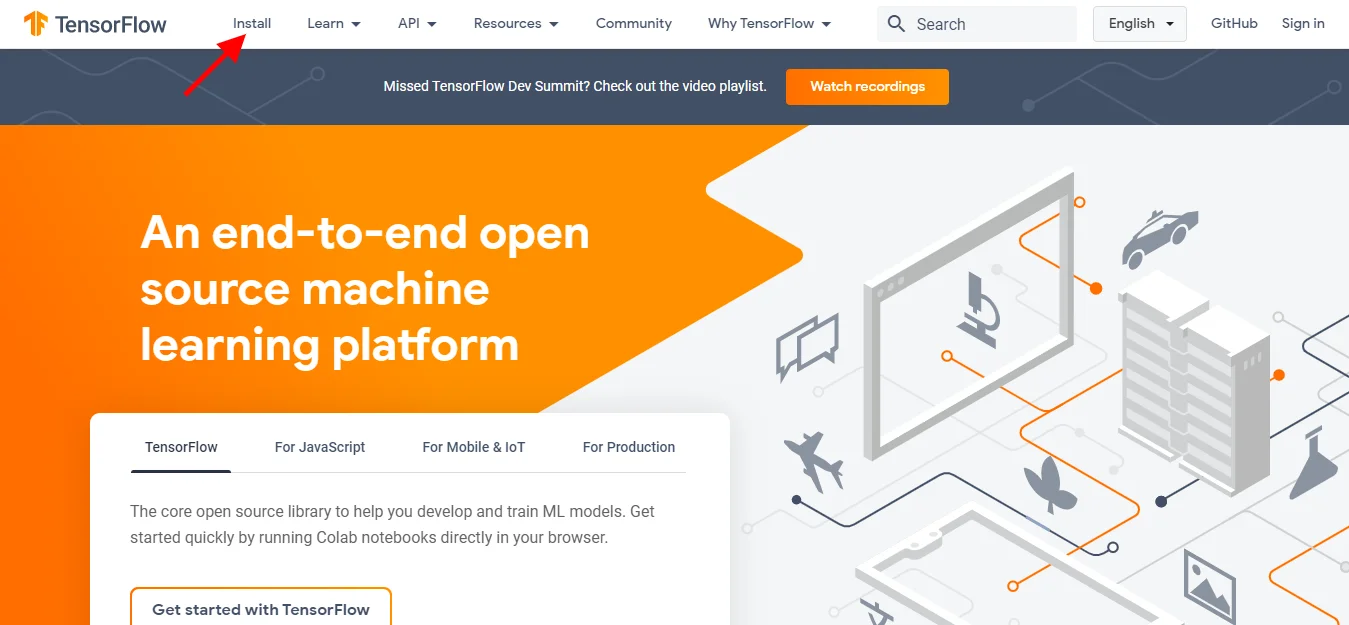
Start from downloading the executable file from its official website. Click on this link tensorflow.org and it will redirect you to the downloading page as shown below. Choose the install option from the top left corner.
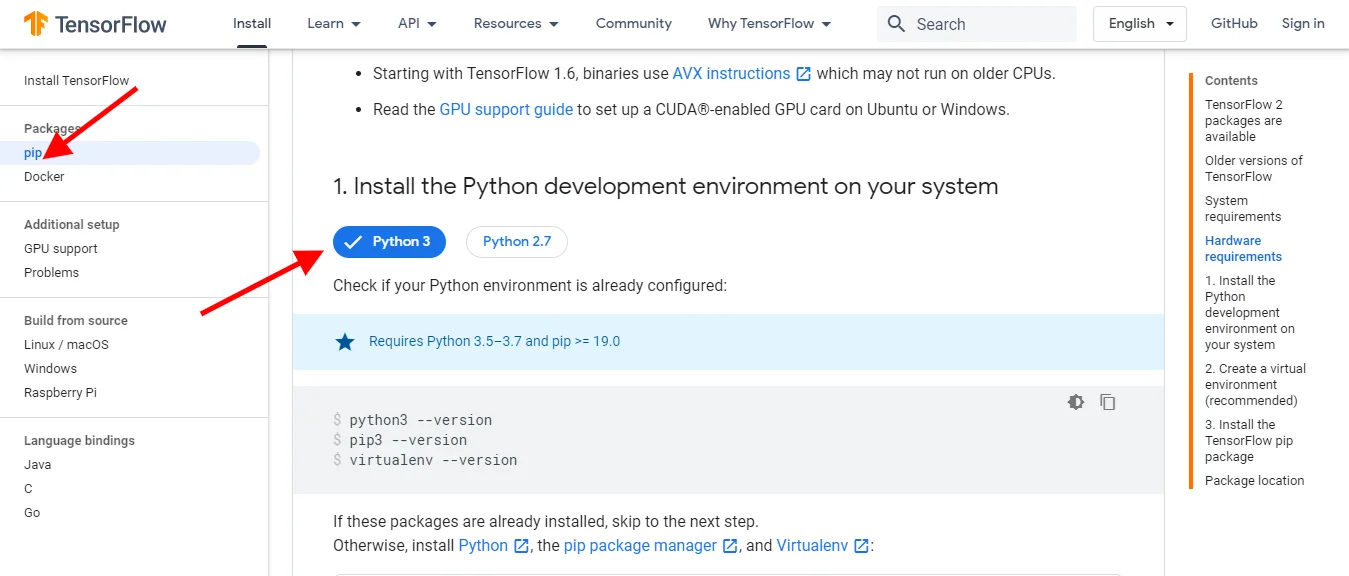
Now you will be on a new page. Before proceeding further we need to install a Python environment to the system. Select pip from the left side and navigate the Python section. You will see different versions there. Choose and download the suitable environment from Python.org.
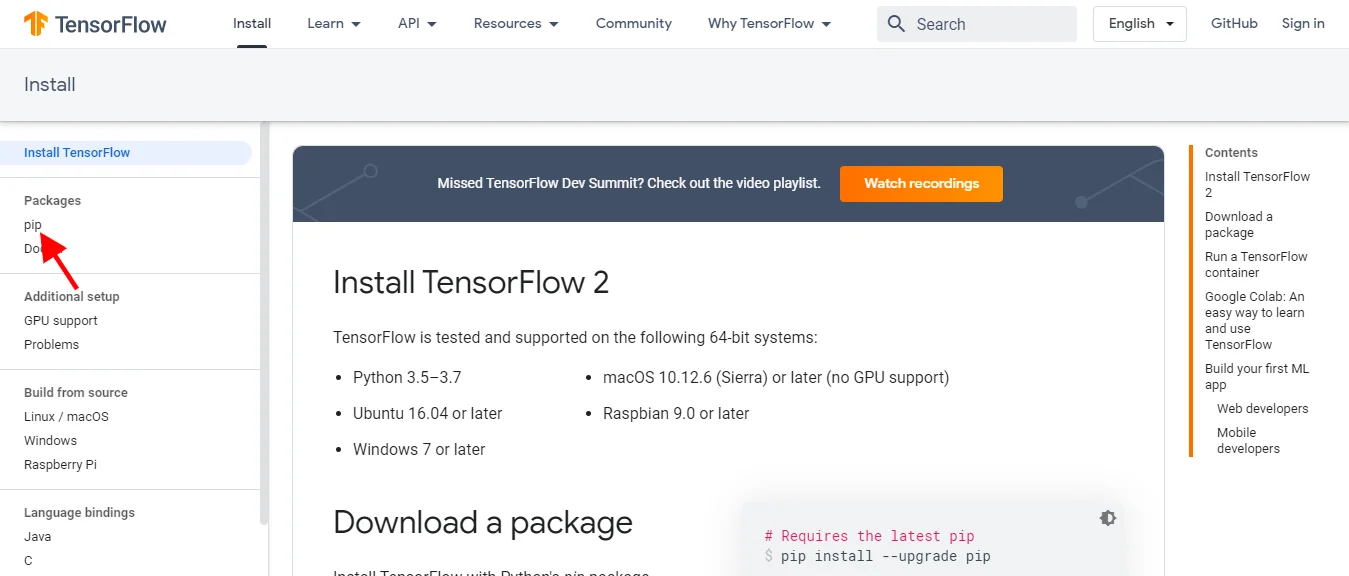
pip for Python is a must for installing TensorFlow. Python version 3 and above usually have this feature. You can see the pip section in the same page as given below. Download this feature from a valid source if you do not have it.
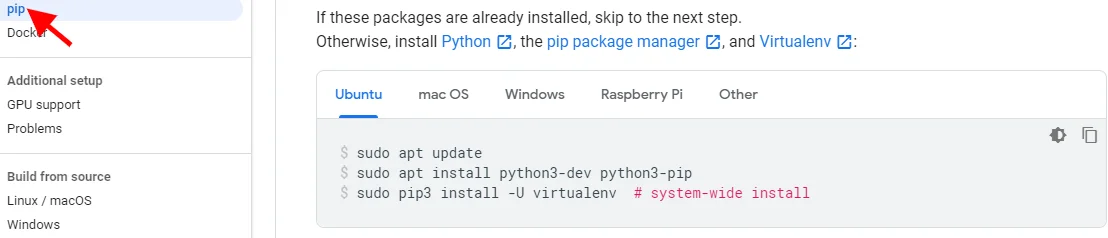
It is time to download TensorFlow. You can see different versions of this library suitable for different operating systems in the download section. Choose one for Windows and download it.
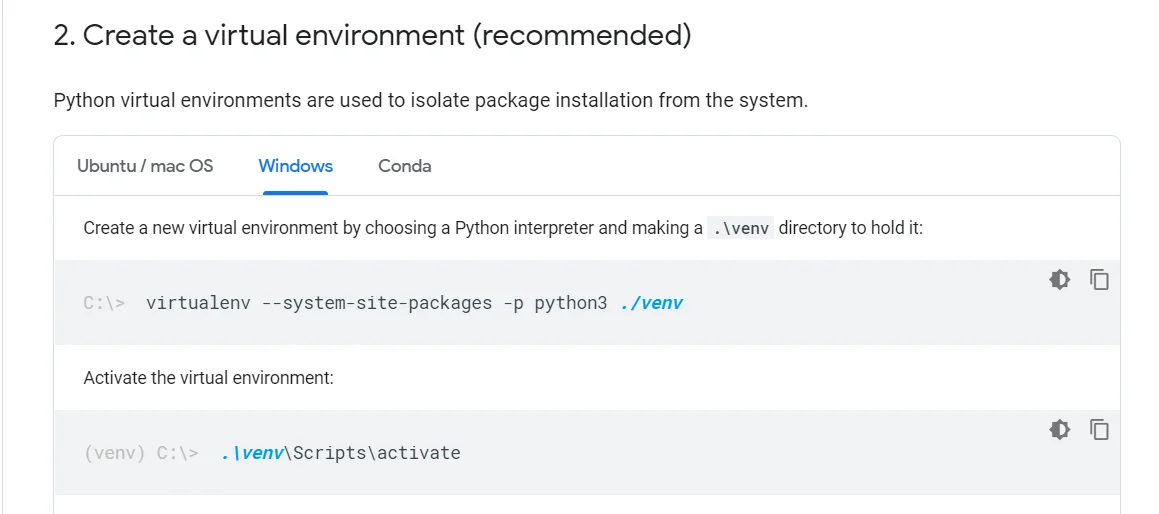
Using pip - It is recommended to create a TensorFlow virtual environment. It is done by the pip install --user virtualenv the following command.
Here is how it is done -
pip install --user virtualenv
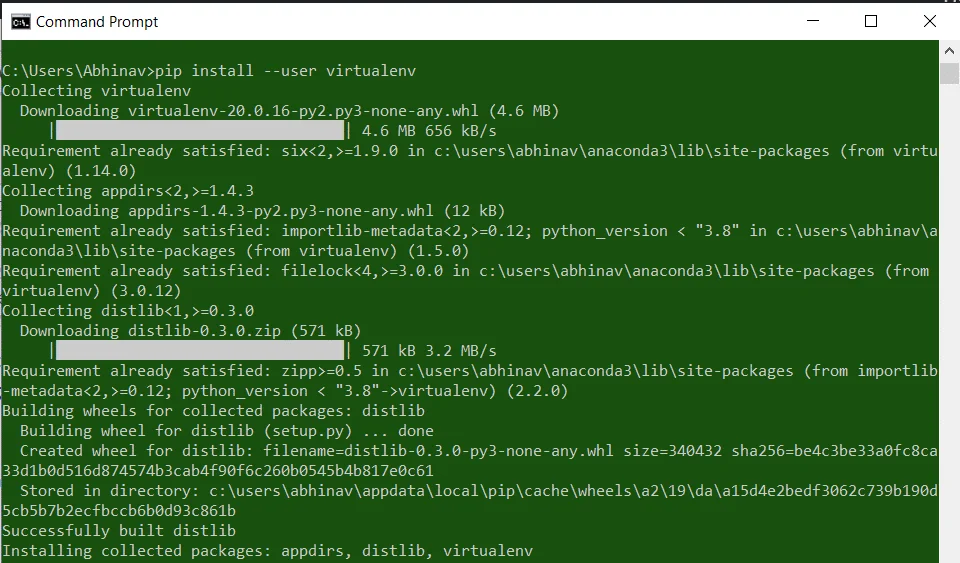
Using conda - You can also build this environment with Anaconda or its lightweight installer Miniconda. Use the following command to build a new virtual environment with conda.
conda create -n virtualenv
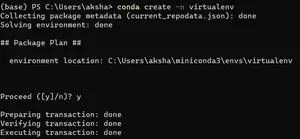
Now activate this environment with the following command -
conda activate virtualenv
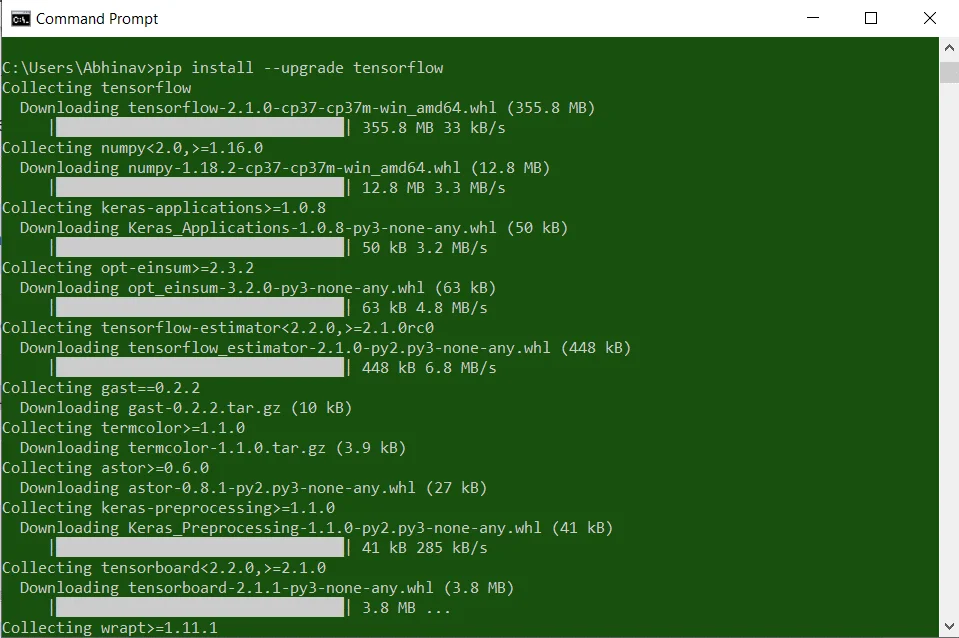
Now it is time to set up the pip package to your system. Use the command given below to install this package. You can then import this library to Python and start to use it.
pip install --upgrade tensorflow
Related Article- Deep Learning With TensorFlow- A Complete Guide
You can also use this library on MacOS by installing it to the system. Do you know how to install TensorFlow on Mac? It requires a complete process like Windows which we have just discussed. Let's go through this process -
You have to first download and install Python to your system before installing this library. Go to the official website python.org and download its executable file. Now navigate this file and install it in your system. Now verify the version to check if it the latest one with the following command -
$ python3 --version
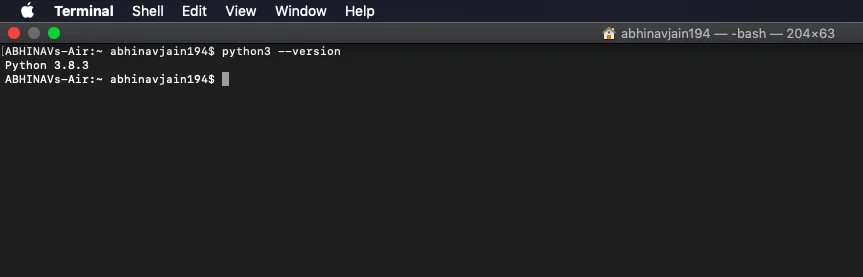
It is required to install brew as well to install this library into MacOS. Just check for this using the command given below. It will be great if it is already installed.
$ brew --version
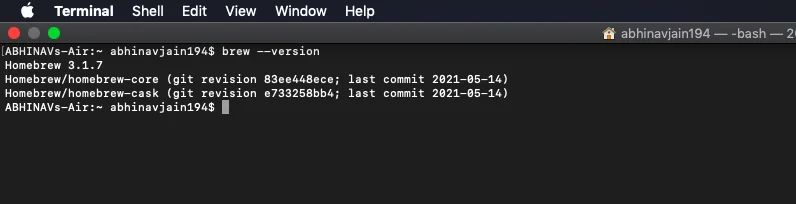
Now you have to build a virtual environment with the virtualenv command. It is premier to install this library. Here is how it is done -
$ brew install virtualenv
Build a ./pythonenv directory to hold the virtual environment. It is created with the following command -
$ virtualenv --system-site-packages -p python3 ./pythonenv
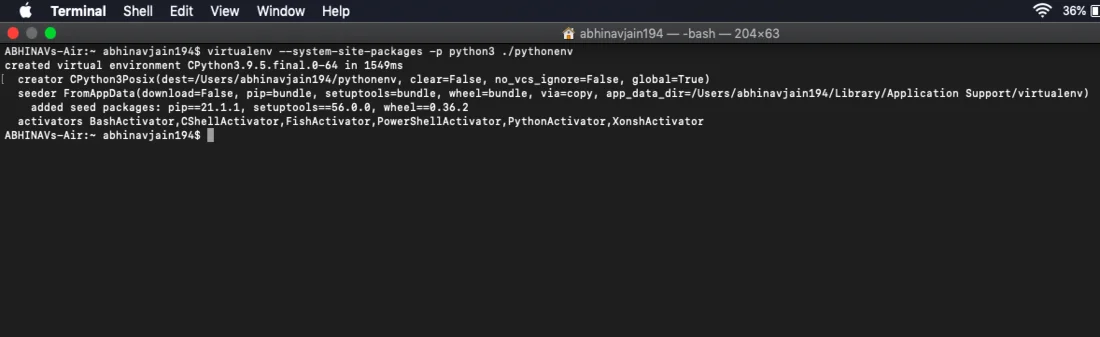
Start the ./pythonenv directory and activate the virtual environment by using the following commands in sequence -
$ cd ./pythonenv
source bin/activate
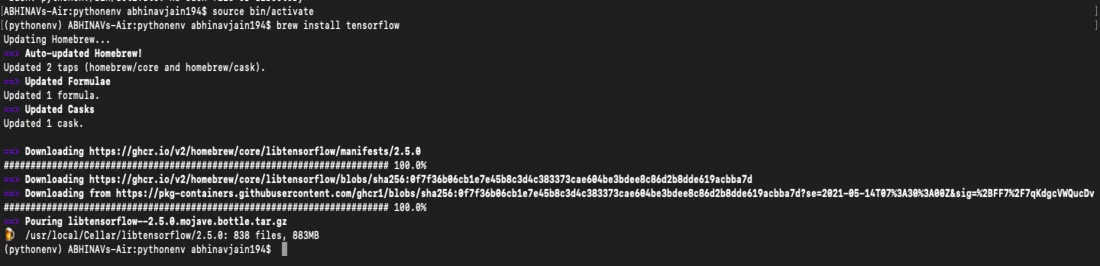
Use the command given below to install TensorFlow in your system. It will take a few minutes to complete this process.
brew install tensorflow
Related Article- Reasons Why Python is Good for AI and Machine Learning
The installation is not enough to use this library into a system. One must have the knowledge of importing it to their Python code. Let's understand how to import TensorFlow in Python. You can easily import it with a simple code if it is installed in their system and then build different Deep Learning and Machine Learning models. The code line is -
import tensorflow as tf
We have discussed how to install Tensorflow in different operating systems through this article. It has also discussed how to import this library in Python. This knowledge could be very beneficial for you as it is one of the top three libraries. This can prove to be an impressive skill to have on your resume in the development field.
TensorFlow is very useful in AI and ML. It has complicated application as it performs humongous artificial intelligence projects in DL and ML. Creating automated email answers, optical character recognition, picture categorization are some of its applications.
TensorFlow is both hard and time consuming to learn. One must have a great programming skill to work with it. The robust features and functionalities can only be achieved by an in depth understanding of programming.
TensorFlow is on the list of the most preferred DL frameworks these days. It is a Google product and used in the popular programming language namely Python. It comes with great documentation and walkthroughs as a guide
Its future appears bright as it introduces new features and functionalities frequently. This results in improved performance and great platform compatibility. This development fuels the industrial adoption of this framework.
Course Schedule
| Course Name | Batch Type | Details |
| TensorFlow Training | Every Weekday | View Details |
| TensorFlow Training | Every Weekend | View Details |