Many people often look into what a programming language does on its own and what is going on behind the scenes within the programming language. I have been working with Python for over three years, using it for projects and resolving issues and figuring out how different areas of the language operate.
As a result of my past experiences, I have developed a good knowledge of how variables, data types and logical structures work in a real world environment.
In this blog, I want to give you some of those answers in a simple way that you can apply today. Let's get started!
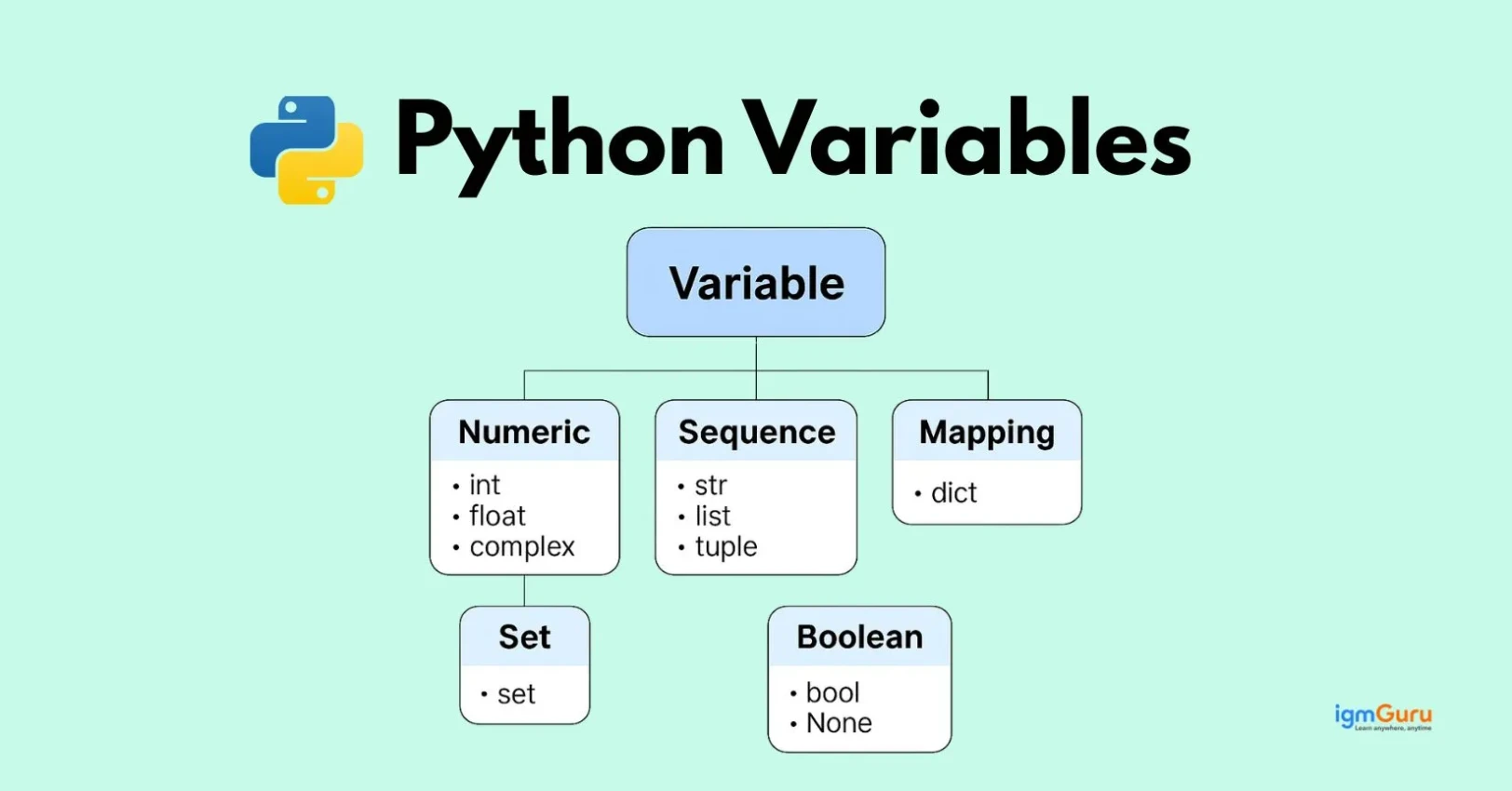
In Python, variables are symbolic names that act as references to objects stored in memory. You can think of them as labeled containers or tags that hold data values, such as numbers or text, so you can easily access and manipulate them throughout your code.
For example:
|
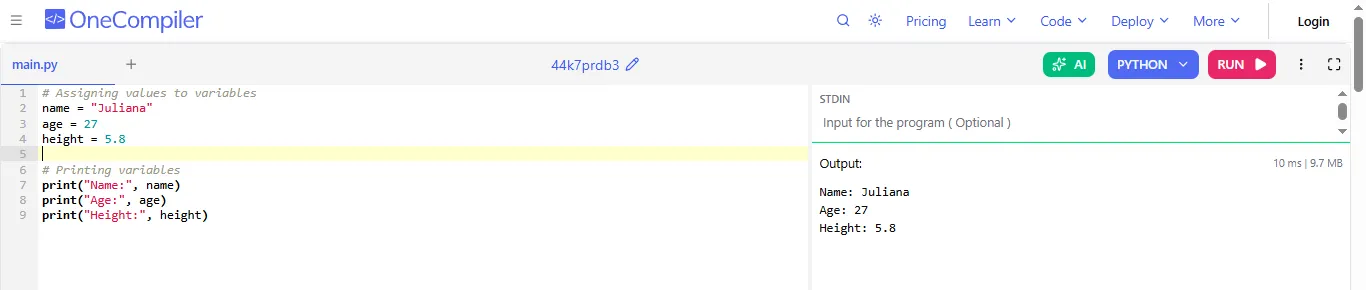
How it works:
Read Also: Python Tutorial for Beginners
When you are writing Python programs, it is very important to choose the right variable name. It will not only avoid errors but also make your code easier to read and understand. Python follows some rules for naming variables that every beginner should know.
By following these rules, you can write clean, clear and professional code that others can easily understand.
1. A variable name should begin with a letter or an underscore and not just a number.
2. Only letters, digits and underscores are allowed in variable names.
3. Variable names are case-sensitive, so value, Value and VALUE are all different.
4. Do not use reserved words such as if, else, for, or while as variable names.
5. Choose names that clearly describe what the variable is storing.
6. Spaces are not allowed in variable names and for that you can use styles like totalMarks or total_marks.
In Python, a variable is like a container storing data. When you assign a value to a variable, it means you are putting some data into that container so you can use it later in your program.
Here are some steps and methods by which you can assign values to variables in Python:
In this method, you have to directly assign the value in Python but in other programming languages like C and C++, you have to first initialize the data type of the variable. In Python, there is no need for explicit declaration of variables as compared to using some other programming languages. You can simply start using the variable right away.
For example:
|

You can also call it the Ternary operators. The Basic Syntax of a Conditional Operator is:
|
The conditional operator is a one line shorthand for an if-else statement. It allows you to evaluate a condition and return one of two values based on whether that condition is true or false.
For example:
|
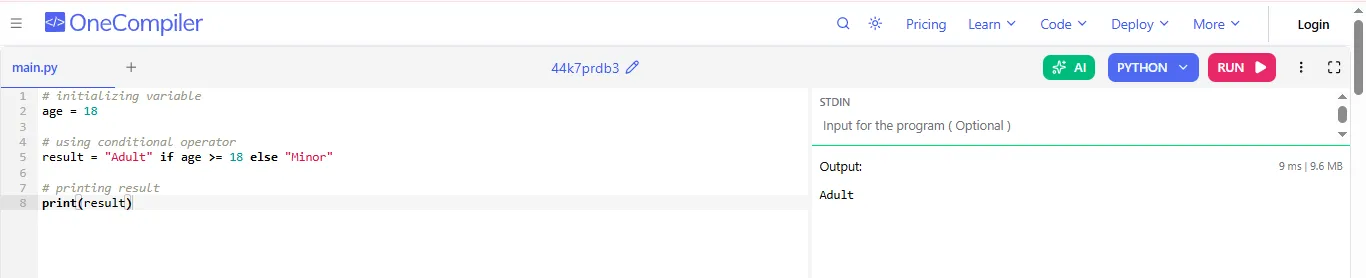
How it works:
Read Also: Python Interview Questions and Answers
In Python, you can also assign values to multiple variables in a line. This makes your code shorter and readable.
You can assign different values to different variables in one line. For example:
|
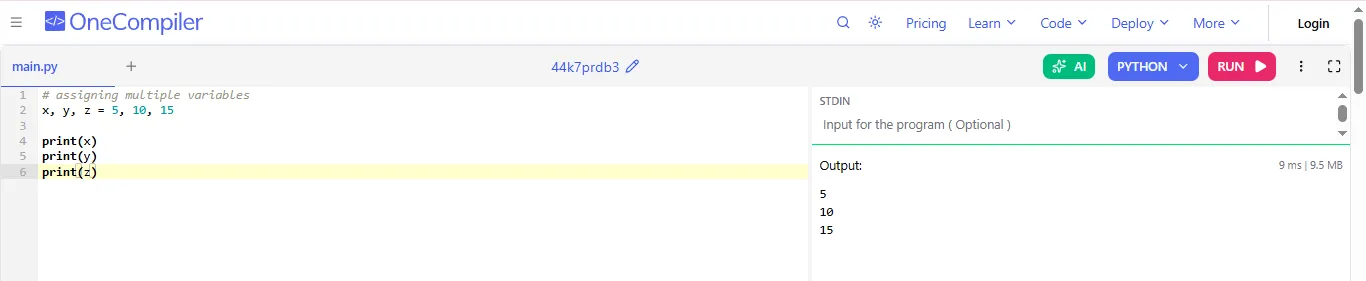
Explanation:
a. x gets 5
b. y gets 10
c. z gets 15
You can also assign the same value to multiple variables. For example:
|
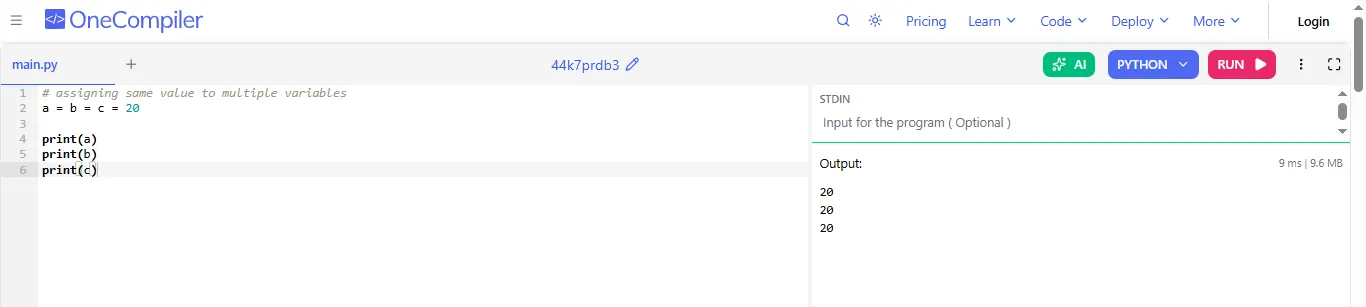
Explanation:
How it works:
Read Also: Python Operators
In Python, type checking allows you to identify a variable's data type, while type casting lets you convert a value from one type to another.
By this, you can check the type of a variable using the built-in type() function.
For example:
|
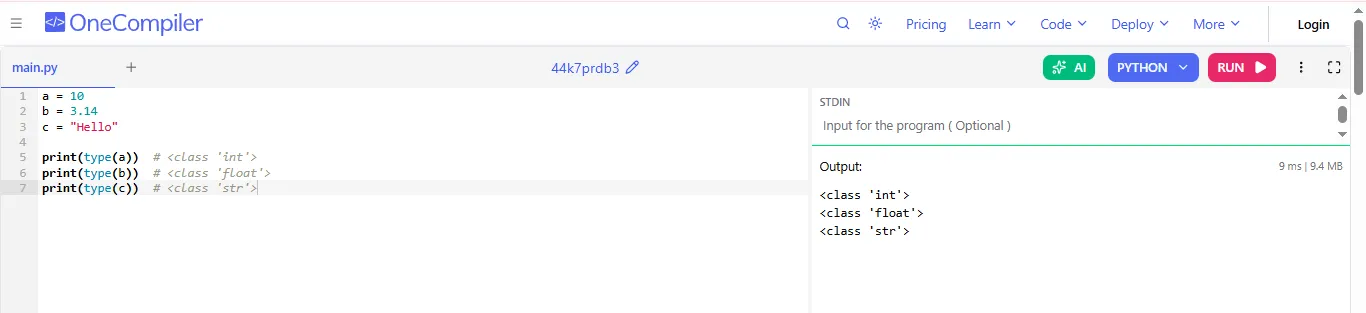
Explanation:
Type casting means changing one data type into another using in built functions. Following are some common type casting functions:
|
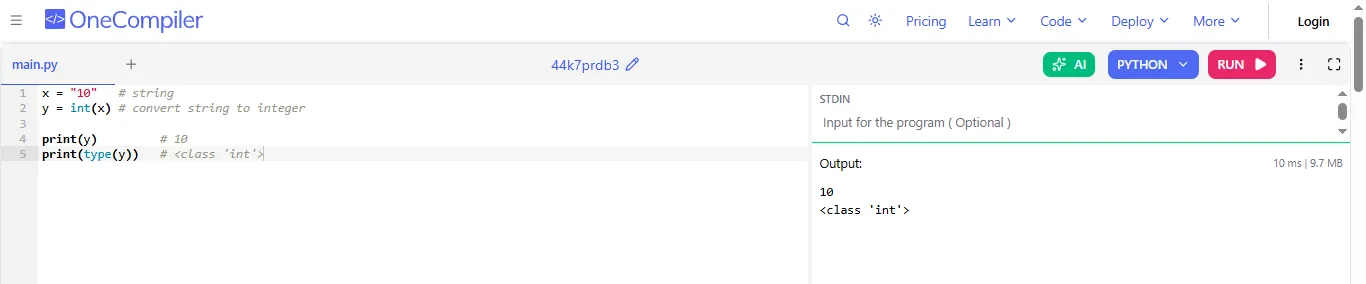
Explanation:
Read Also: Python Data Structures
In Python, variables act as references to objects stored in memory rather than holding data directly. When you understand the object references, it will help you see how data is shared and modified. Not only this, but knowing how to delete variables will ensure better memory management and cleaner code.
An object reference is a pointer or a "label" that points to the memory location where an actual object is stored. Compared to other languages where variables are "buckets" that contain a value, Python variables are names that simply refer to objects.
For example:
|
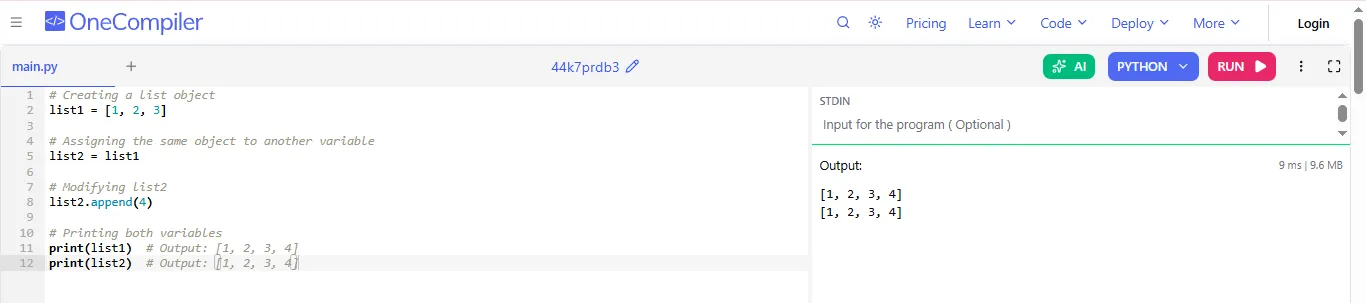
Explanation:
Variable deletion in Python is the process of removing a variable's name from the current namespace, which makes it inaccessible for further use.
Syntax:
|
You can remove a variable using the del keyword. It removes reference to the variable, which will make it no longer accessible in your program.
|
|
The del keyword can be used to remove specific elements or a range of elements from a list:
|
|
When you use del:
Example with multiple references:
|

Explanation:
In Python when you delete a variable, it does not always mean the object is removed from memory. Python only deletes an object when it is no longer being used.
Example: Object NOT Deleted
|
Explanation:
In conclusion, Variables in Python are references to objects, which enables dynamic assignment with no type declarations. Clear variables names help programmers read their code easily. By enabling each line of code to have multiple assigned variables, time is saved by limiting how many times code needs to run. The type checking and type casting features of Python provide tools to manage the data types of your code.
By being familiar with how object references and deletion work in Python, you will be better prepared for correctly handling memory while writing efficient Python programs.
No, you do not have to do this as Python automatically detects the data type when you assign a value, which means that you do not need to declare it manually.
Yes, Python is case sensitive. For example, value, Value and VALUE are treated as different variables.
You can use the type function to check the data type of a variable.