Workday is a leading cloud-based ERP for HR, finance, and payroll management. With companies rapidly shifting to digital solutions, Workday's demand is soaring. The global HCM market is projected to reach $46 billion by 2028. This Workday Tutorial covers its key Architecture, Products, and Studio.
Workday is one of the leading software today for enhancing Payroll and HR compliance, offering impeccable data for decision-making and decreasing risk. This software has etched a place for itself in this rapidly evolving tech sphere. Its popularity can be accredited to its several benefits and features.
This software has become a favorite amongst many organizations on a global level. This is also why it has started to sprout out many amazing job opportunities in the last few years. Professionals looking to build a successful career in the Finance and HR domain must move ahead with this Workday tutorial. It is also an area of knowledge that pays really well.
This cloud-oriented human capital and financial management software is all the rage right now. It is being heavily used as a service model by hundreds of mid and large level organizations throughout the globe. This software has wonderfully grasped the importance of unified functioning and integration of enterprises.
It has been labeled as the leading provider throughout the ERP industry. It offers its users complete and clear visibility to ensure that all the decisions are being made according to the data. Its single system for finance and HR is amongst the biggest reasons for its success today. This Workday overview covers how to use Workday, its architecture, products and more.
Different business processes make the core of this software. Here, business processes pertain to accumulating tasks that are executed in the context of HRM. It helps with increasing the approval claims, escalations, recognitions and much more. Here are certain business process step to offer a clear picture of its working-
Workday architecture understanding is quite important. It offers plenty of services and it is all possible because of its impeccable architecture. Let's discuss it further -
It encompasses NoSQL DB (for the documents) and SQL DB (for the business objects). OMS upgrades them in the DB when things are modified.
It's the very core of the architecture. It comprises services that operate as an in-memory DB. The business logic is implemented to the OMS for its apps.
Different browser and mobile clients are supported. The user interface can be generated automatically for Mobile HTML, Flash/FLEX, iPhone, etc.
Data immigration is supported from the heritage systems into this software. Available customers get support to get more products.
The operations team continuously supervises the health and performance of all its services. Sensu and Prometheus are used for collecting health information and the data is displayed on the Wavefront DBs. Kafka is used for organizing the event logs and storing them into the HDFS.
Also Explore: Workday Modules
Workday products are apt for medium and large enterprise requirements. These products vary in nature and thus suit distinct needs of different business sizes. Here are some popular products by this software-
It presents financial efficiency via command over different functions. These include procurement, projects, reporting, accounting via cloud ERP software. It is possible to make changes to process and reporting without disrupting the business.
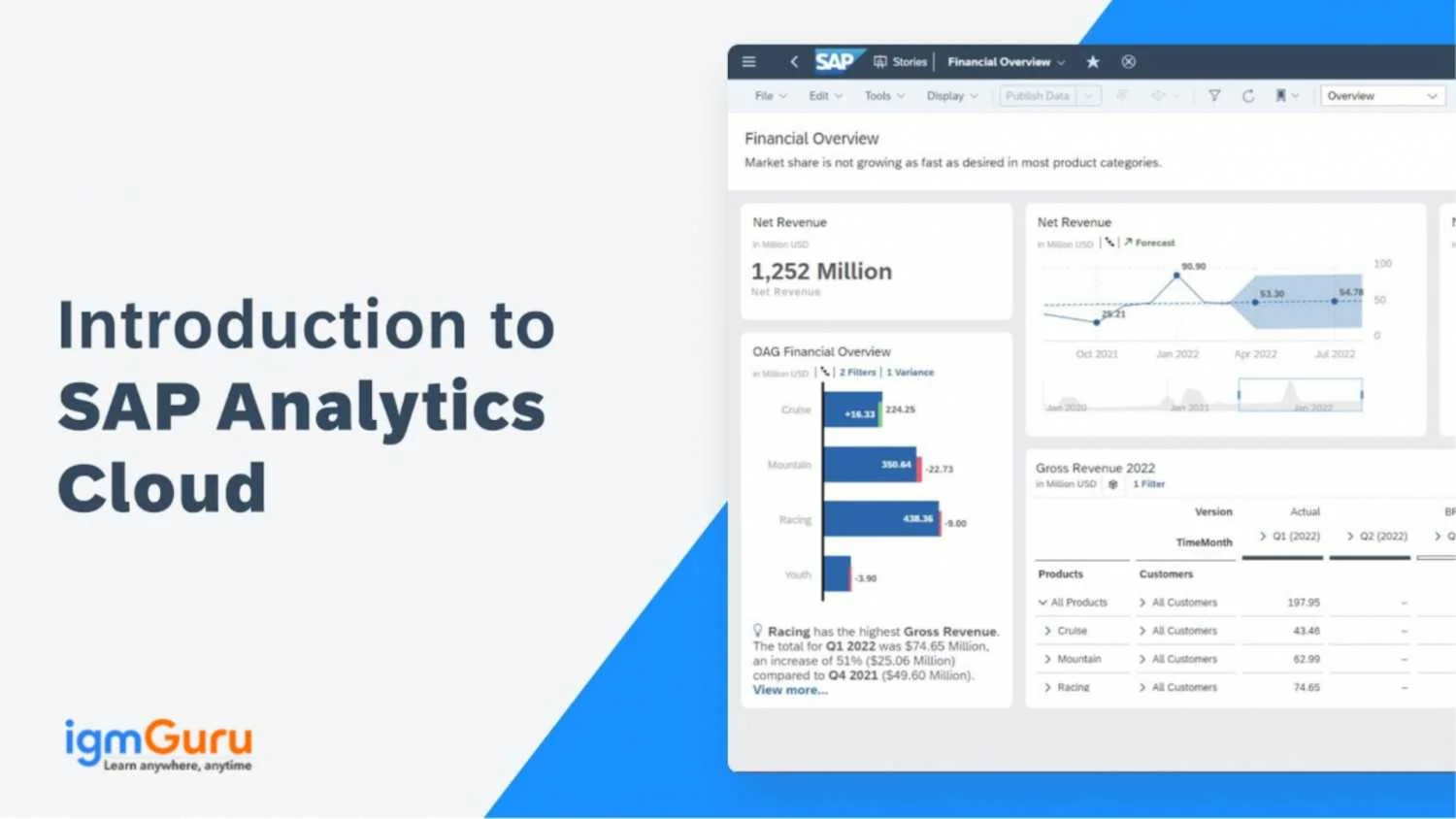
Its analytics solution converts the data into understanding. This is applied to make data-driven decisions. People Analytics and Prism Analytics are top characteristics of Workday Analytics solutions.
This software enables planning, analyzing and executing the process via Workday Adaptive Planning. This elevates the business performance. It depends heavily on the Financial planning, Elastic Hypercube technology and Workforce planning of this ERP.
Its HCM module is used to handle various HR functions. These include planning, providing visibility and recruiting the workforce. It helps in handling workers' lifecycle.
Workday HCM modules cover a wide range of HR functions including recruitment, human resource management, talent management, payroll, time tracking, etc. Understanding these modules can help organizations to manage their human resources on this platform. The following are some common types of these modules
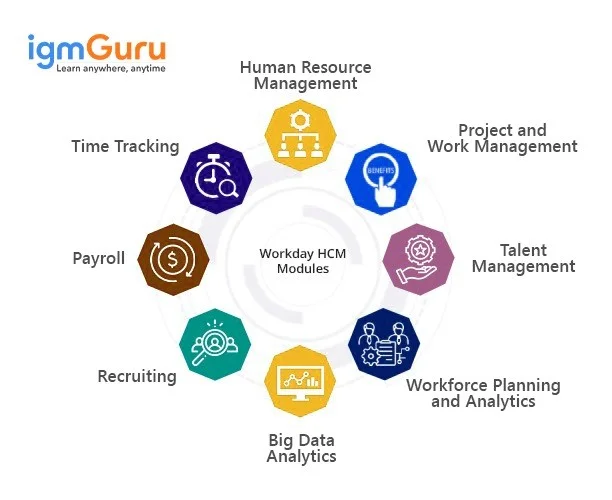
The requirement model of this platform helps organizations create a process for talent acquisition and improve their job management visibility. This assists them in finding the best and most suitable candidate for any particular job vacancy. One more benefit of this module is its adaptive workflow and candidature experiences.
The Human Resource Management module provides intuitive functionalities for staffing, compensation and organizational management. It allows for instant modernization of the organizational structure when modifications occur, such as changes to business roles, reporting priorities or work assignments.
The Talent Management module focuses on developing and retaining talent within the organization. It includes features for performance management, succession planning and career development. This module helps organizations identify high-potential employees, create development plans and ensure a strong leadership pipeline.
The Payroll module automates payroll processing for accurate and timely payments. It supports various pay schedules, tax calculations and compliance requirements. This module streamlines payroll operations and reduces the risk of errors.
The Time Tracking module helps organizations to track employee work hours, manage leave requests and ensure accurate time reporting. It integrates with payroll and other HCM modules to provide a comprehensive view of employee time and attendance.
The Workforce Planning and Analytics module provides insights into workforce trends. This helps organizations make data-driven decisions about staffing, budgeting and resource allocation. It includes tools for forecasting workforce needs and analyzing HR metrics.
The Project and Work Management module integrates project management capabilities with HR functions. This allows organizations to track project progress, manage resources and collaborate on projects. Therefore, they can align project goals with workforce planning and development.
The Big Data Analytics module uses humongous datasets to provide insights into HR trends and patterns. Organizations can use it to identify correlations between HR metrics and business outcomes, which facilitate strategic decision-making and workforce optimization.
Also Explore: Workday Interview Questions and Answers
No Workday tutorial is complete without covering Workday Studio. It's a development tool that enables customers and partners to seamlessly develop integrations from this software. These integrations are deployed and run over integration servers available in the software's data center.
It's an integrated Eclipse-oriented environment. It enables third-party vendors as well as its clients to create, convey, troubleshoot and bolster their certain mixes on the Workday cloud. To better understand this platform, one must know when to use it.
This platform is used if the integration the user intends to build showcases any of these characteristics-
Related Article: How to Learn Workday?
This Workday tutorial covers this SaaS software system that's in headlines for HCM, project management and finance. Its advanced interface helps companies prepare the latest reporting and analytical functionalities to satisfy their client needs. All the fundamental questions about its products, architecture and usage are covered here.
This software is often tagged as easy to use. It removes any complexity to increase productivity and throw in more clarity.
There are many skills related to this software. Some common ones are diversifying the workforce, identifying insights and patterns, and engaging the staff with distinct opportunities.
Yes, tutorial is also a right resource to learn workday.
Learning from a Workday Tutorial equips you with essential skills to manage business processes efficiently, making you a valuable asset in the growing HR and finance tech market.
Workday is an ERP system focused on human capital management and financial management, not a CRM.
Common roles include:

How To Learn DevOps in 2026? Benefits In Finding Remote Jobs
September 28th, 2026