


Postman is a practical platform designed to simplify the process of working with APIs during development and testing. It helps users create requests, analyze responses, and validate API behavior without complex setup. It has been ranked as the #1 API platform in multiple categories, such as API Platform, API Management, API Design, and API Security.
Are you a developer or enthusiatic wondering how you can use this plafrom into your next API development or testing? Don't worry! In this blog, you will explore what is Postman, its architecture, the installation process, and where it fits into real-world projects, explained through the same trial and error approach I used while learning it.
Postman is an easy-to-use tool that lets developers communicate with APIs. Instead of guessing whether something works, you can send a request and quickly see the response right in front of you. It feels like testing a conversation between apps.
With its design, this tool is useful for beginners and professionals. It saves effort, reduces mistakes and makes understanding, testing and building APIs clearer and less stressful for everyday development tasks.
Postman is an Indian origin tool, started in 2012 in Bangalore by Abhinav Asthana, a software engineer working at Yahoo. He created Postman to make API testing simple and easy. The app was first shared for free on the Chrome Web Store in the form of an extension and quickly became popular without any marketing. In 2017, the company shifted its main office to San Francisco. Over the next few years, it expanded its capabilities and later acquired Akita in 2023 and Orbit in 2024.
In March 2026, Postman announced a major platform shift, repositioning itself as an AI-native platform built for the agentic era, with native Git workflows, an API Catalog and automated SDK generation as core capabilities.
I have been using this testing platform for APIs and its core features helped me learn APIs more clearly. The following are some of the common features that will help you understand it better, just like how it helped me:
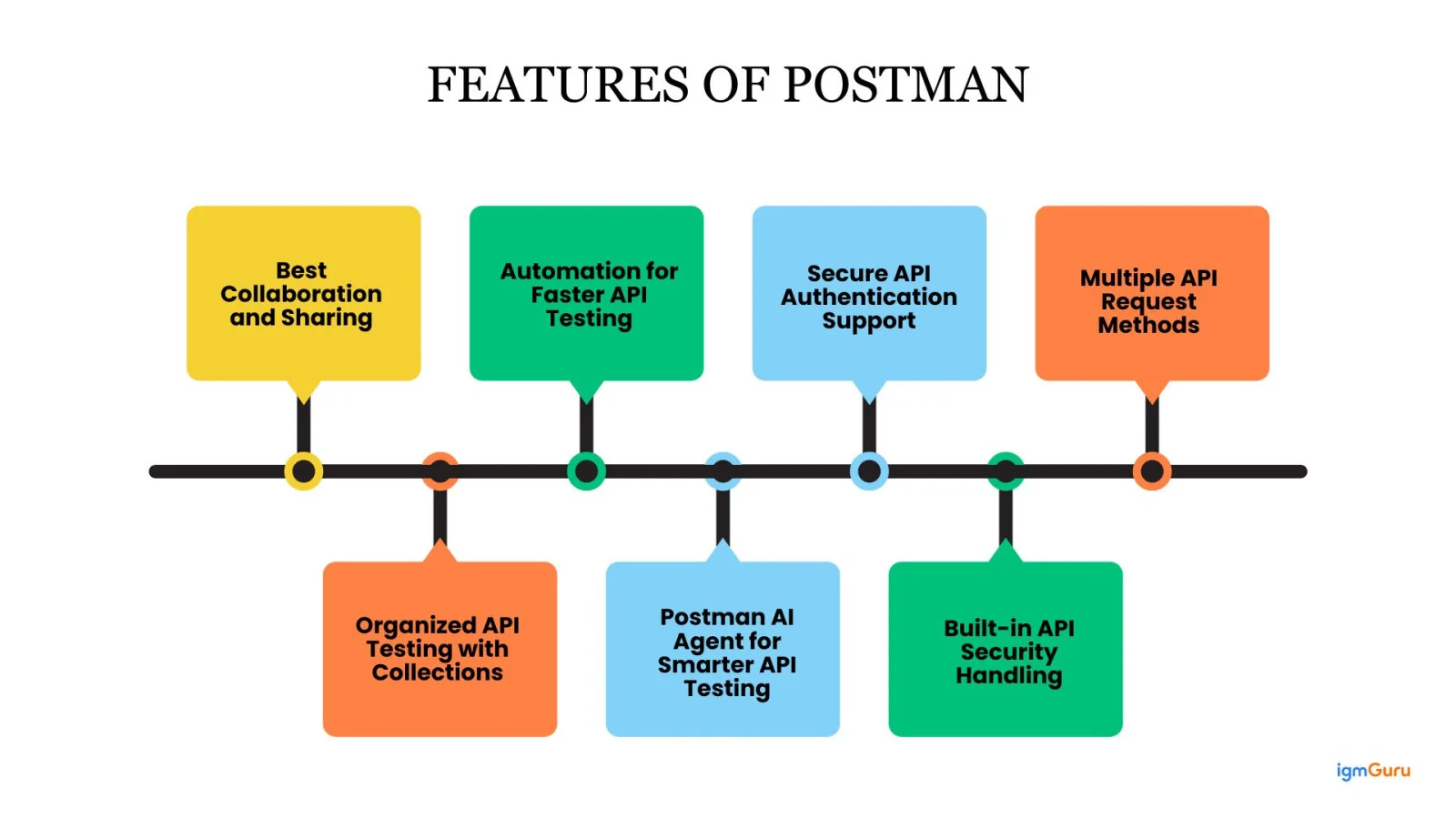
One feature I really like is collaboration and sharing. With this, I can easily share my API collections with my team. It makes teamwork smoother because everyone works on the same APIs and there is no confusion.
The automation feature has actually saved my time and helped me in testing complete workflows. Now I can run many API requests together.
It supports different ways to handle API security, like API keys and tokens. This helps me test secure APIs without doing extra work.
I use it to send different types of API requests like GET, POST, PUT and DELETE. I only enter the API link, add the needed details and send the request to get a response.
I use collections to keep related API requests in one place. This helps me stay organized and makes it easy to test or share APIs with others.
This API tool supports different ways to handle API security like API keys and tokens. It helped me test secure APIs without doing any extra work.
Agent Mode allows you to not only suggest but create Jira and GitHub issues with the context from within Postman. It also allows you to debug failed requests by providing historical context for issues related to those requests, again all without leaving Postman.
Postman has a simple architecture built to help you create, send, test and manage APIs smoothly. Think of it as a system where different parts work together to make the API work easily. Here is a brief view of its architecture:
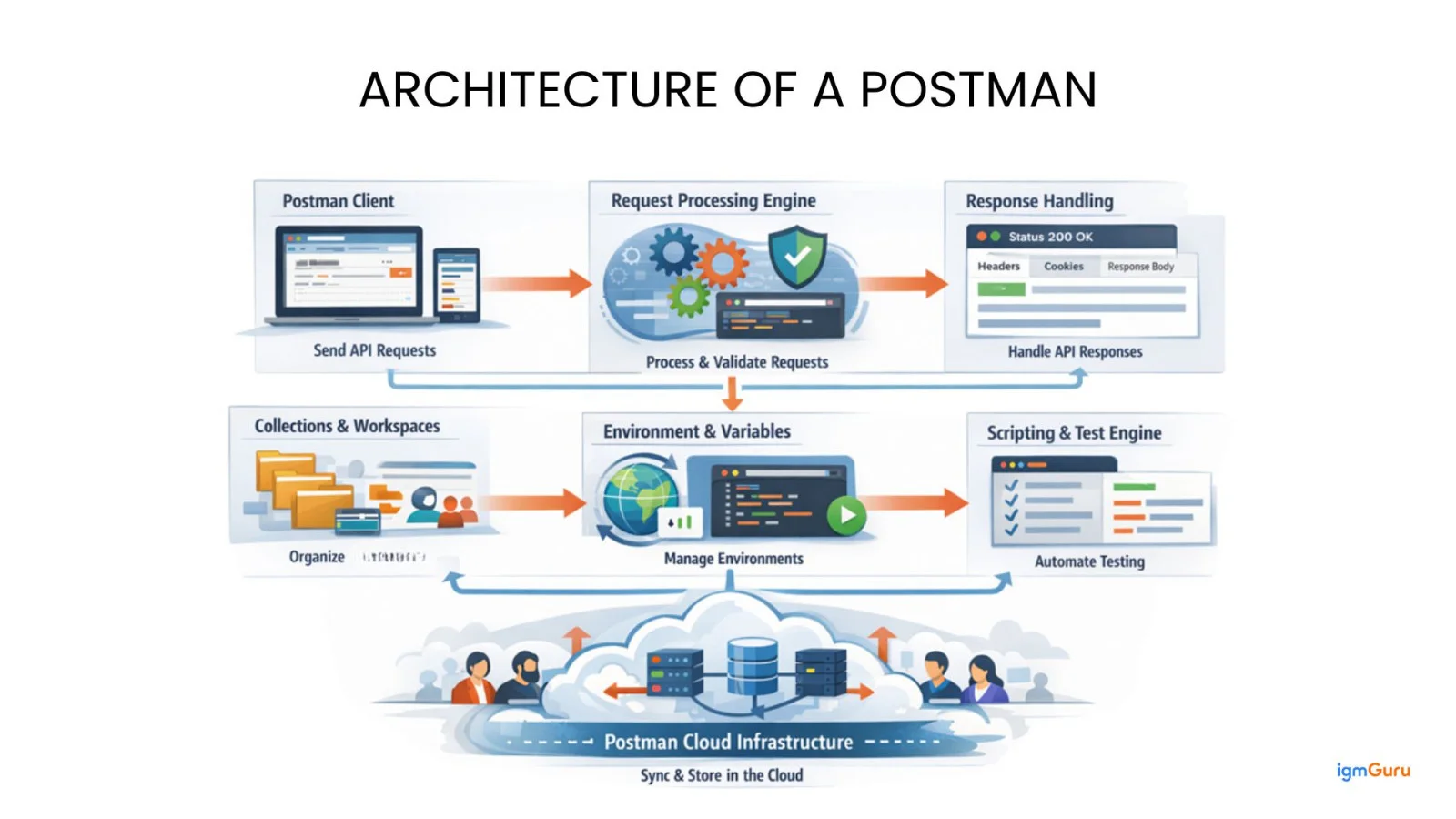
Postman client acts as an API consumer that sends HTTP and HTTPS requests to backend services. It allows users to define request methods, URLs, headers, parameters, authentication and request bodies.
Before a request is sent, it is processed internally by Postman. The request processing engine resolves variables, applies authorization, runs pre-request scripts and formats the final request. This will make sure that everything is valid before the request is sent to the API server.
When the API server sends back a response, you can examine every part of it step by step. You can immediately see the status code, review headers and cookies and check the response data separately. This clarity helps you quickly detect problems like authentication failures, server-side errors or data being returned in the wrong format.
This layer helps organize API requests in a structured way. Requests are grouped into collections that are managed inside workspaces. Workspaces allow teams to collaborate, share APIs and manage work efficiently in one place.
This engine manages global, environment, collection and local variables. Variables are resolved dynamically at runtime, which makes Postman flexible for working with different environments, such as development, testing and production without changing requests.
The scripting and test engine uses JavaScript to automate API testing. Pre-request scripts help generate dynamic values like tokens or timestamps before sending requests. After receiving a response, test scripts automatically verify status codes, response data and basic performance checks.
The automation collection runner is used to execute multiple API requests one after another in a defined order. It supports external data files and helps test complete API workflows. This reduces manual effort and enables repeatable automated testing.
The Postman cloud infrastructure stores collections, environments, APIs and test results online. It enables syncing across devices, sharing with team members and real-time collaboration. This supports team based work and large scale API projects.
Read Also: A Guide To MuleSoft API And Integration
You will need a Postman environment to learn how it works and its usage. Below is a quick guide on how you can do this:
You first open any web browser, such as Chrome, Edge or Firefox and then you type Postman in the address bar so you reach the official website of Postman, which is safe and trusted.
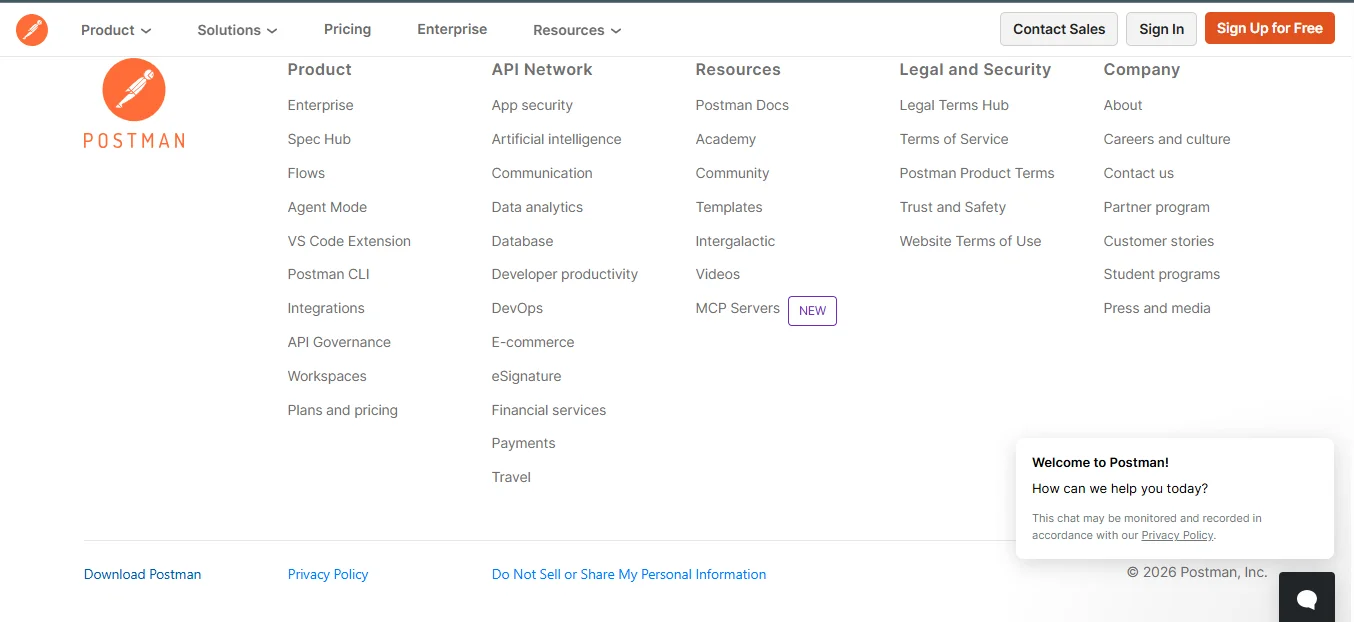
You scroll on the homepage and then click on the Download the App button. It will automatically detect your operating system like Windows, macOS or Linux and prepare the correct installer file.
Now, locate the downloaded setup file in your Downloads folder and then double-click it. This will start the Postman installation process on your system.
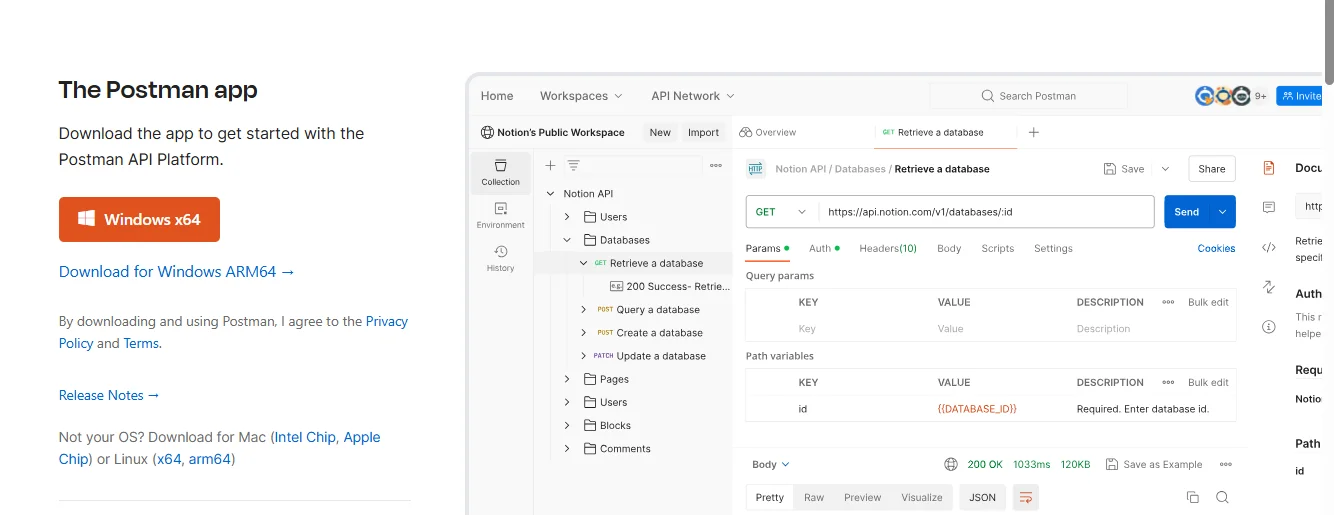
Next, you can open it by using the desktop icon or application menu and then it will load its workspace and may ask you to sign in or continue without an account.
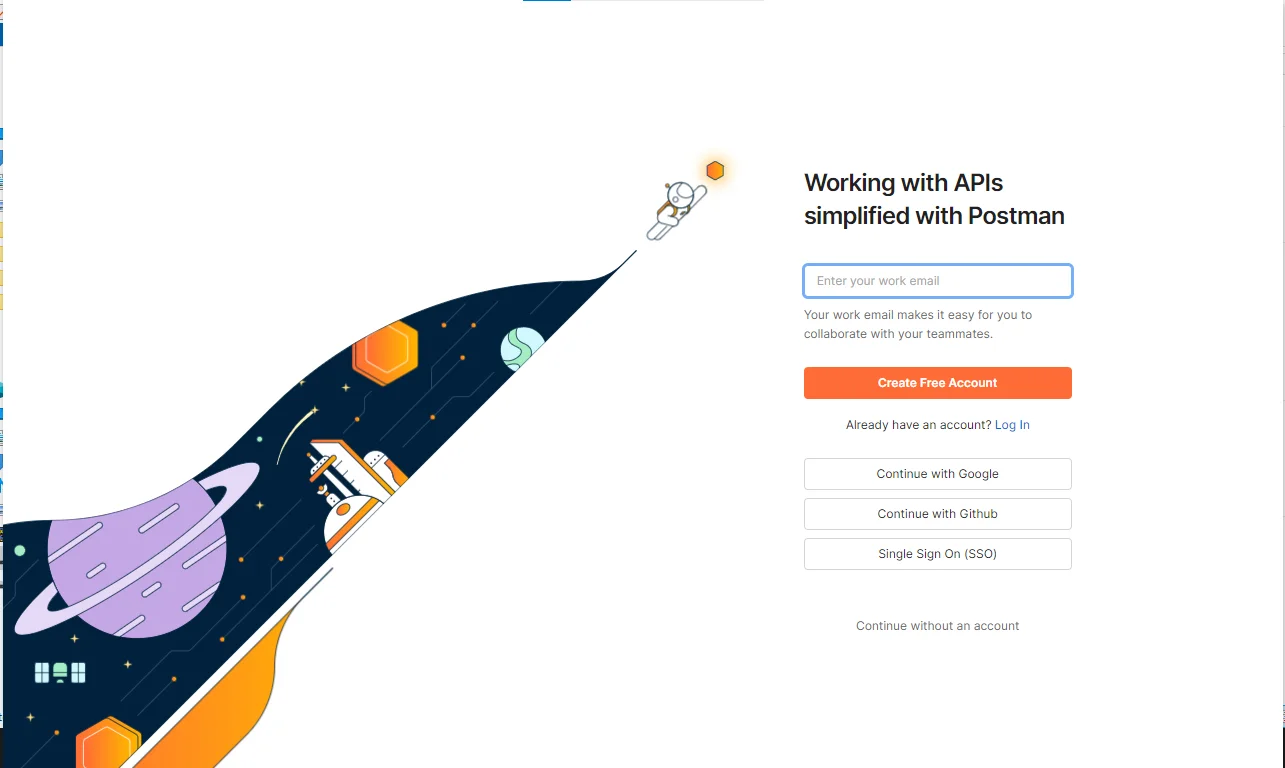
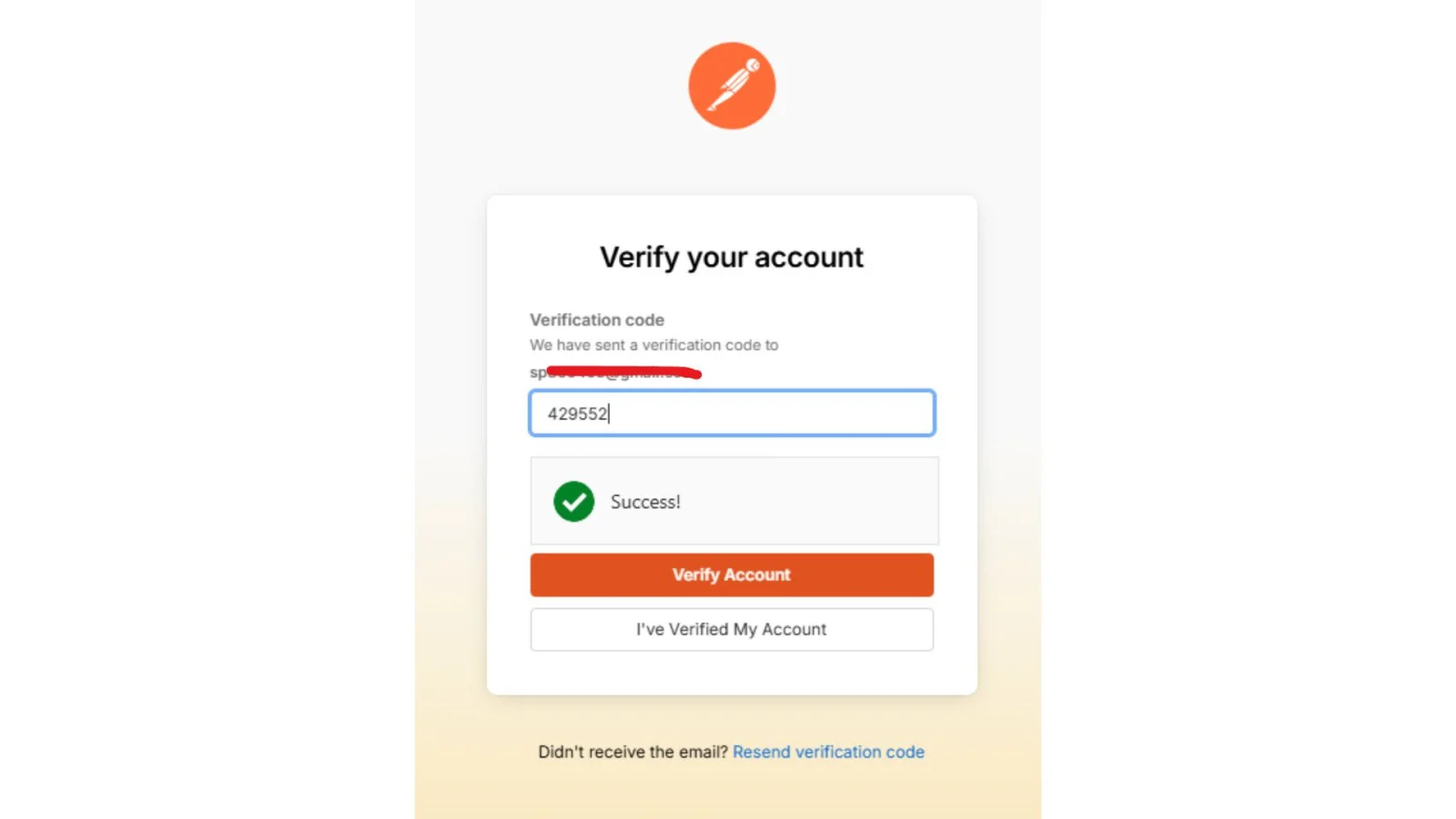
The sign-up is totally free on this platform. You can add your email id and continue with the create free account button button. Next, verify a six-digit code that you will get on your email.
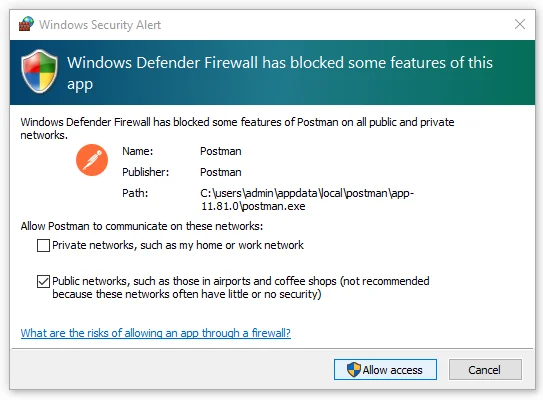
Now, the system will ask you to give permission for access. It might be because of your security firewall. Just click on the Allow Access button.
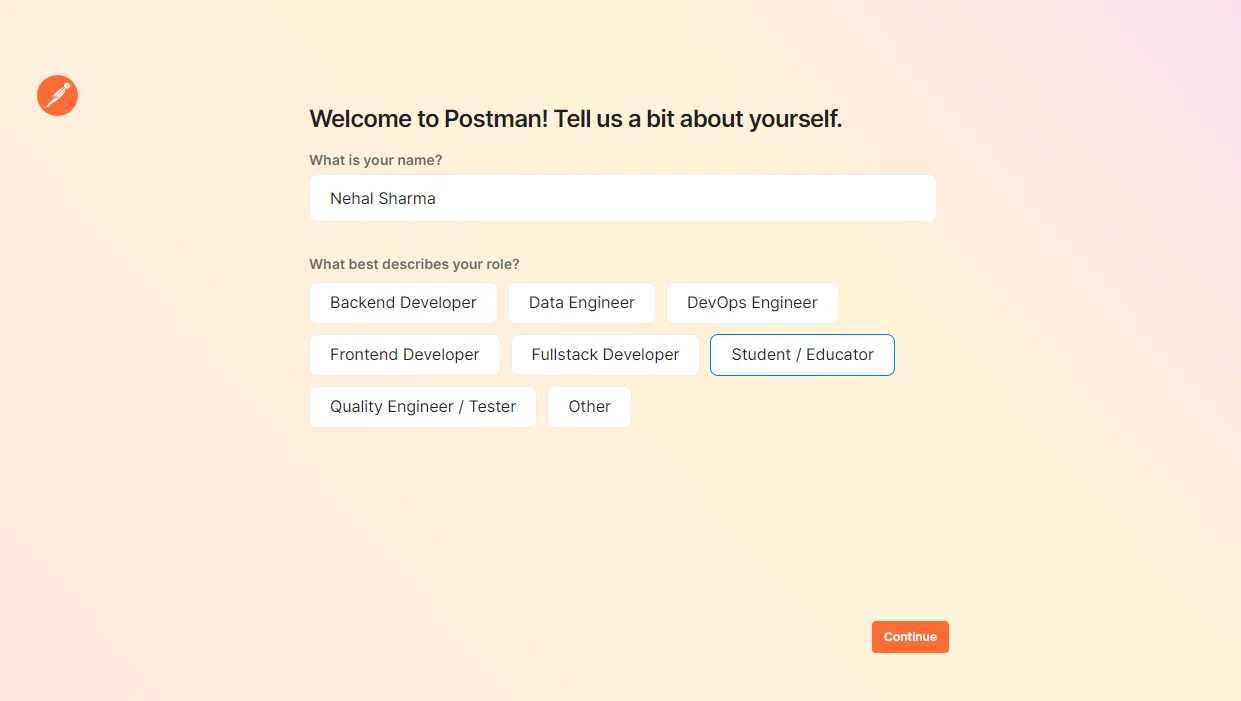
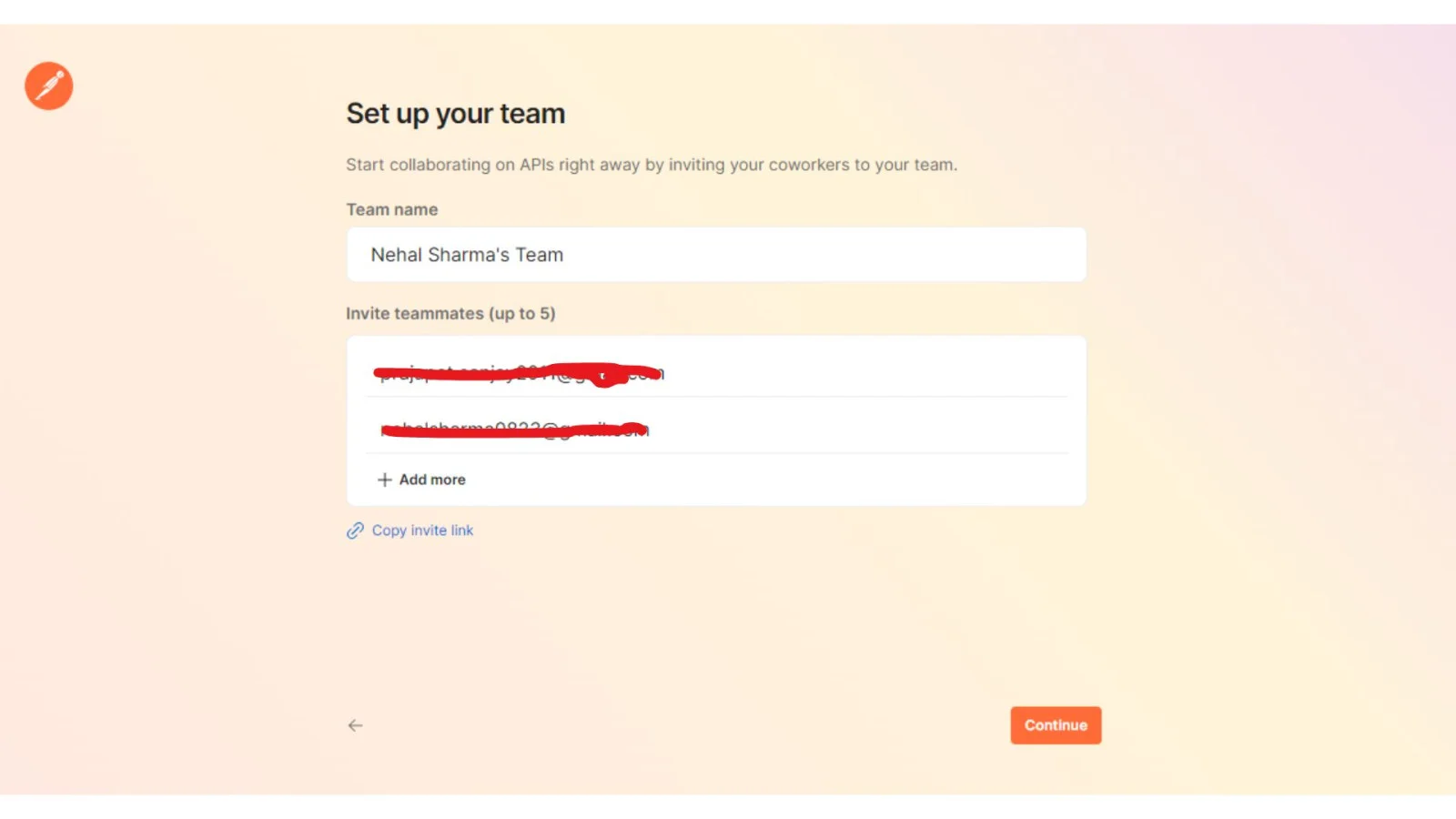
Now it is time to give details about you and select your team members. You can do it through the following pop-ups.
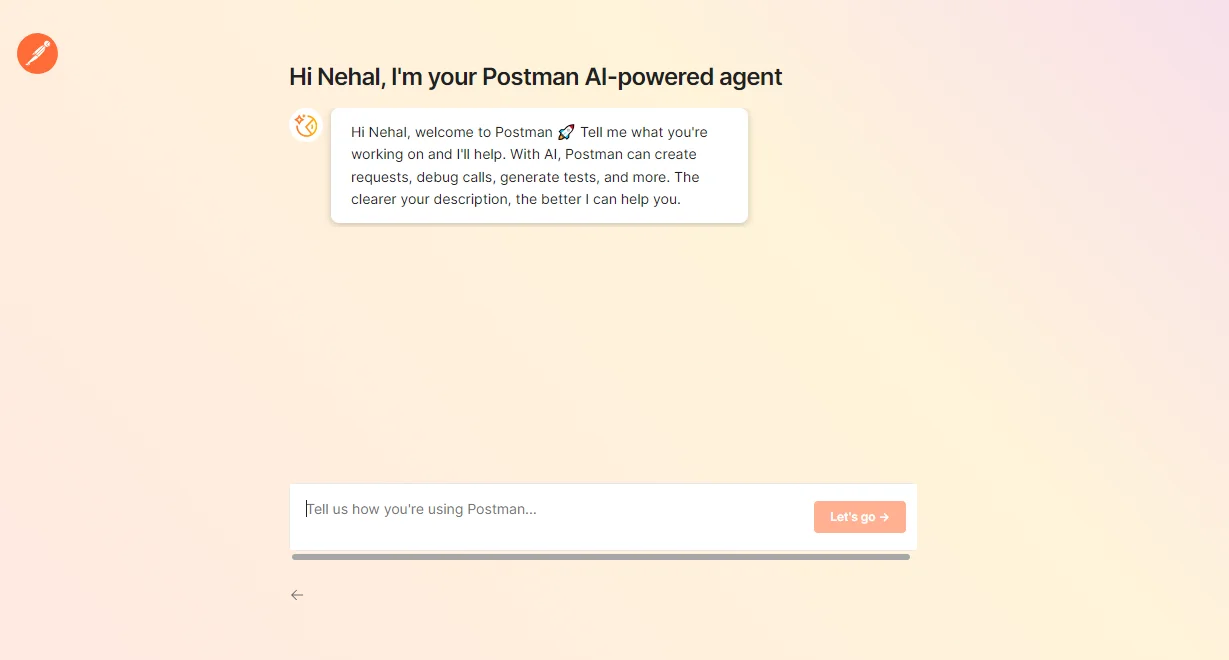
Now you will be seeing the Postman AI-powered Agent. Just give a prompt and click on the Let’s go button and you will be in the Postman Application.
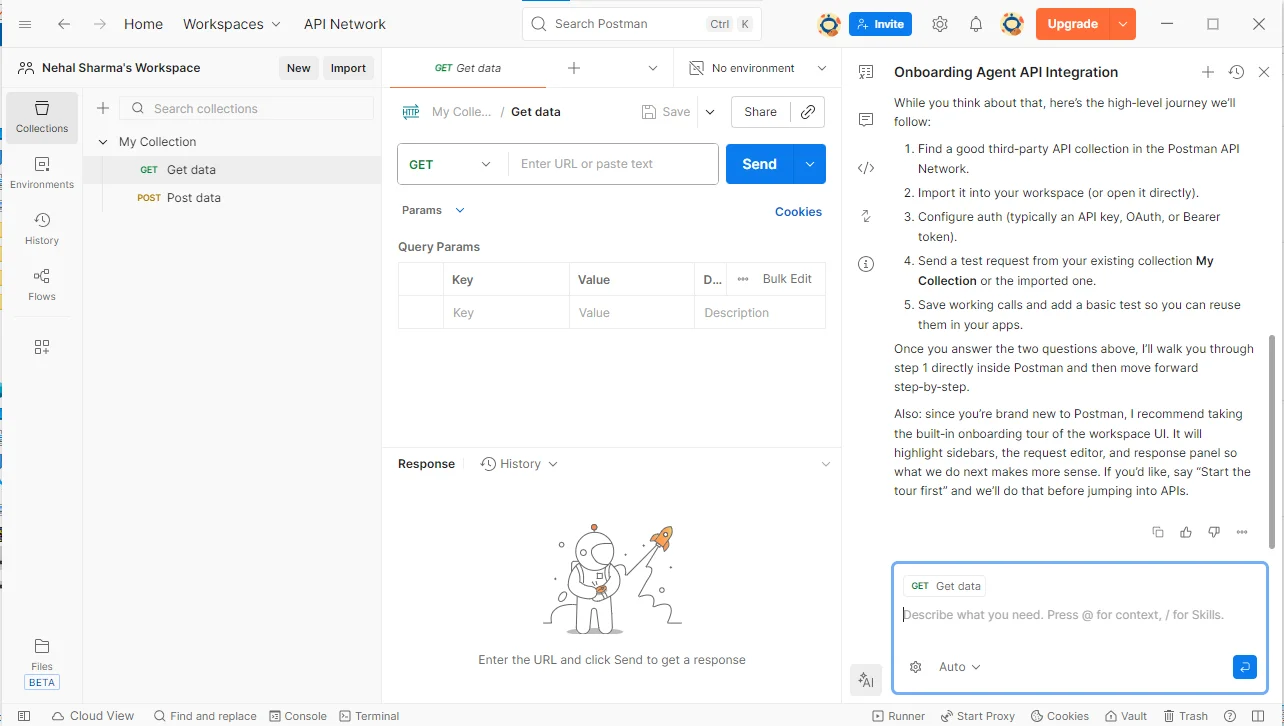
This is the final step and it involves confirming successful installation by checking that Postman opens smoothly. You then create a new GET request and send it to any public API endpoint to confirm that Postman can send requests and receive responses correctly.
Let me explain how API testing works, the same way I naturally learn it through hands-on practice and real testing experience:
You begin by installing an API testing application on your system. This development utility acts as a bridge between your system and the server. You can send requests directly to backend services without writing additional code. This helps you quickly verify whether an API is responding correctly.
Before sending any request, you need to understand that every API request contains four core components:
You can refer to the following example request as it demonstrates how data is fetched from a server:
|
When multiple APIs are involved, managing individual requests becomes difficult. You can use collections to group related endpoints, such as user services or authentication services. Collections help you save requests and reuse them without recreating them each time.
After sending a request, the API testing interface displays the response. You should focus on reviewing the following elements:
You can refer to the following response example:
|
To create new records, you can use POST operations and send data in JSON format.
|
Request Body
|
Most production level APIs are secured. While testing such endpoints, you add headers to pass authentication and content related information. You can refer to the common header values that include:
|
API URLs and access tokens may change across environments. Instead of modifying every request manually, you can use environment variables. You can also check this example variable:
|
Usage in a request:
|
To reduce manual verification, you can add automated checks to validate API responses. These checks confirm whether the response matches expected conditions or not.
|
To execute multiple API calls together, you can use a collection runner. If a request fails, you can debug the issue by reviewing logs and response details.
Let me give a short introduction to what Postman collections are and why they play an important role in organizing and managing API workflows efficiently:
A Postman Collection is a portable, organized grouping of saved API requests and related elements that serves as a foundational component for structured, reusable and collaborative API workflows.
If you think that collections are just a list of requests, then you are totally wrong, as it also contains multiple technical layers:
| Layers | Descriptions |
| Requests | Each request defines the HTTP method, endpoint, headers and body. |
| Variables | Collection variables store dynamic values like base URLs or tokens. |
| Pre-request Scripts | These scripts are run before sending any request. |
| Tests (Assertions) | Tests run after receiving the response. |
The following are the importance of these collections:
1) They reduce duplicate configuration.
2) They ensure consistent API validation.
3) They make testing repeatable and predictable.
Read Also: Java Tutorial for Beginners
Without understanding where Postman fits in the API development process, you can not use it in practice. It is not restricted to sending requests. It also supports multiple stages of API work. The API lifecycle includes following stages:
Postman plays an important role in most of these stages.
Postman may look like a simple request tool at first, but it is built around several core features that work together. Below are the key components explained in simple terms.
| Component | Definition | What You Can Do With It? | Why Does It Matters? |
|---|---|---|---|
| Request Builder | The main interface used to create and send API requests. | Select HTTP method (GET, POST, PUT, DELETE), enter URL, add headers, configure authentication, send request body. | It is the starting point of API testing. It allows you to directly interact with backend services and see real responses. |
| Collections | A structured folder system that groups related API requests. | Store related endpoints together (e.g., User APIs, Auth APIs), organize workflows, run multiple requests in sequence. | Keeps your work organized and makes large API projects manageable. Also supports workflow-based testing. |
| Environments | A variable management system inside Postman. | Store base URLs, API keys, tokens, and other dynamic values. Switch between development, testing, and production servers easily. | Reduces manual edits and prevents configuration errors when working across multiple environments. |
| Workspaces | Shared collaboration areas within Postman. | Share collections, review API requests, manage team access, collaborate in real time. | Makes Postman useful for teams, not just individuals. Improves consistency across projects. |
| Test Scripts | Built-in JavaScript-based validation engine. | Write automated checks for status codes, response fields, data validation, and response time. | Converts manual testing into automated validation, improving reliability and reducing errors. |
| Collection Runner | A tool to execute multiple API requests in sequence. | Run complete workflows such as Login → Fetch Data → Update Data → Delete Data. | Saves time and enables repeatable testing of full application flows. |
You will definitely see the real value of these collections when you apply them to practical projects and everyday API testing workflows. Following are some of its common application:
Use API collections to test real application features, such as login, registration and data retrieval by grouping related requests and running them in a structured flow to verify status codes, response formats and overall API reliability before the application is released. You can refer to the following table to check what tools you can use:
| Tool Used | Description |
| API client | It is used in sending API requests and checks responses like data, status and errors. |
| Test scripts | You can automatically check whether the API response is correct or not. |
| Collection runner | You run multiple APIs together to test a complete application flow. |
You use API collections with environment variables to work across development, testing, and production systems by changing configuration values like base URLs and authentication tokens while keeping the same request structure unchanged. There are a few tools you can use for the same and for that you can refer to the following table:
| Tool Used | Description |
| Variable manager | You use it to store and switch values like URLs, tokens and IDs for different environments easily. |
| API collections | Used in organizing APIs that are related together, so testing across multiple environments stays clean and manageable. |
You use API collections to automate workflows such as order creation, payment confirmation and order validation by passing data between requests and executing them sequentially without manual intervention. Refer to the following table to understand what tools you can use for the same:
| Tool Used | Description |
| Test scripts | It verifies that each API in the workflow returns the correct result and it is all automatic. |
| Collection runner | Used to run all APIs in sequence to test the complete end to end workflow. |
You share organized and documented API requests with developers and testers so everyone follows the same API behavior, understands request intent clearly and collaborates efficiently. You check the following to get the idea of what tools you can use for the same:
| Tool Used | Description |
| API documentation | With the help of this development utility you can explain how APIs work so team members can use them without confusion. |
| Team workspaces | It is used in sharing APIs, tests and collections so the whole team works together smoothly. |
When I started using it, I found numerous benefits of this API tool. Some of the common ones are:
1. When I sign in to my account, all my files are already there, so I can run API tests anytime and from anywhere without worrying about my system.
2. I can easily import and export files, which helps me share APIs and test collections with my team and work together without confusion.
3. I can add checks like verifying response status codes, which helps me make sure the API is working correctly and improves overall test coverage.
4. By using features like the Collection Runner, I can automate API tests that reduce manual effort and speed up testing.
5. I can group related APIs into collections, which makes managing and running test suites more structured and clean.
Postman is not limited to one type of professional. It is used by different roles across the software development process. Here are some of the common ones:
Backend developers use Postman to test APIs as soon as they build them. Instead of waiting for a frontend application, they can directly send requests to the server and check whether the API returns the correct response. They typically use Postman to:
QA engineers use Postman to automate API testing. Instead of manually checking responses every time, they write simple test scripts to verify:
They can also run multiple APIs together using collections, which helps in regression testing.
DevOps professionals use Postman collections in CI/CD pipelines. By running API tests automatically during deployment, they ensure that new code changes do not break existing APIs. This improves reliability and reduces production issues.
API designers use Postman to review endpoints and confirm that APIs behave as expected. They may also use it to share API documentation with teams before full implementation.
Postman is widely used by beginners who are learning about APIs. Because it has a visual interface and does not require complex commands, it is ideal for understanding how HTTP methods, headers, and request bodies work.
Swagger and Insomnia are two of the best alternatives to Postman. Therefore, you should also know about. It can help you decide which one is best for your ongoing task. Let’s go through a technical comparison between them:
| Feature / Capability | Postman | Swagger | Insomnia |
|---|---|---|---|
| Primary Focus | API Testing & Automation | API Design & Documentation | API Request Testing |
| Best For | Testing workflows & validation | Designing API contracts | Quick manual testing |
| Automated Testing | Yes (built-in scripts) | No | Limited |
| Workflow Execution | Yes (Collections) | No | Basic |
| API Documentation | Yes | Yes (strong) | Limited |
| Environment Variables | Yes | Limited | Yes |
| Collaboration | Yes (Workspaces) | Yes | Limited |
| CI/CD Integration | Yes (Newman CLI) | Limited | Yes |
| Beginner Friendly | Yes | Moderate | Yes |
| Git Integration | Yes (Native, 2026) | No | No |
We have already discussed that Postman is no longer just a tool for sending API requests. Do you know why or how this development happened? The recent years have introduced several powerful features that make API development faster, smarter and more collaborative. Below are some of the most important new additions to the platform.
Postman AI has evolved significantly. The latest Agent Mode allows users to:
Generate and run API test scripts automatically
Create Jira and GitHub issues directly from Postman with relevant context auto-filled
Query past issues for a request or workspace to help debug new problems
Convert plain English prompts into API requests
This makes debugging a connected, context-aware workflow rather than a manual process.
Postman now integrates directly with Git-based development. With Git-connected Workspaces, developers can:
Work in feature branches inside Postman
Keep Postman collections aligned with their actual codebase
Collaborate on API changes the same way they collaborate on code
This is one of the most significant updates for developer teams using GitHub or GitLab.
The API Catalog is a brand new addition that acts as a live management layer for your entire API portfolio. It brings together specs, collections, test execution, CI/CD activity, and production observability in one place. For engineering teams, it answers the question: "Which of our APIs are tested, automated, and performing reliably?" — all from a single view.
Postman introduced Spec Hub to manage OpenAPI specifications more effectively. The standout feature is bidirectional sync — update a collection and the spec updates automatically, or change the spec and collections stay in sync. It also supports multi-file specs with cross-file references, preventing merge conflicts in large API projects.
Postman can now auto-generate client SDKs from a collection or spec and publish them directly to a linked GitHub repository. When APIs change — like adding or removing endpoints — Postman automatically triggers a new SDK build and opens a pull request with updated code. TypeScript SDKs can also be distributed via npm.
A practical new scripting feature lets you call any saved request from another request's script using the pm.execution.runRequest function. Instead of duplicating endpoint logic, you reference it directly — keeping collections clean and reducing maintenance overhead.
Postman introduced Flows, a visual, drag-and-drop interface that allows users to create API workflows without writing complex code. With Flows, you can:
This makes automation more accessible, especially for users who are not comfortable writing JavaScript.
Postman Monitors now support additional regions including Asia Pacific (Hong Kong, Seoul), Europe (Ireland, Paris), India (Mumbai), Japan (Osaka, Tokyo), and US East (Ohio). This lets teams run API health checks closer to their actual users and infrastructure.
If you are just getting started, it's worth knowing that Postman restructured its pricings on March 1, 2026. The Free plan is now limited to a single user, team collaboration is no longer available for free. The updated plan lineup is:
If you're setting up Postman for solo learning or personal projects, the Free plan still works well. If you plan to collaborate with a team, budget for at least the Team plan.
I have used this testing platform for regular API work, such as sending requests, changing environments and running collections. It generally responds in a clear way, which makes it easier to understand the output while testing. The testing feature is helpful for checking whether an API is functioning properly and allows issues to be noticed at an early stage during development.
However, the tool offers many benefits. I also learned about its limitations and that is when projects grow large or workflows become complex, managing multiple collections can become challenging without proper organization. It does not fully support advanced performance testing or deep security testing, so other specialized tools are usually required for those purposes.
In this whole blog, you explored Postman from its basic to real world usage in a clear and practical way. You learned what it is, how it works internally, how to install it and how it supports API testing through collections, automation and collaboration. By following this journey, you can confidently start testing APIs, understand responses better and apply these concepts in real projects with clarity and confidence.
No, Postman is also used for building APIs, documenting them and working with teams on the same API project.
An API collection consists of API endpoints with a common access pattern, so that they can be managed together.
Postman is best for simplifying and unifying the entire API lifecycle, excelling at API testing, development, documentation and many more.
Prepare with the best Postman Interview Questions and Answers.
In 2026, the Postman API catalog introduced a centralized management layer that gives teams a single view of all their APIs-specifications, test status, CI/CD activity, and health in production.
Explore Our Trending Articles-





