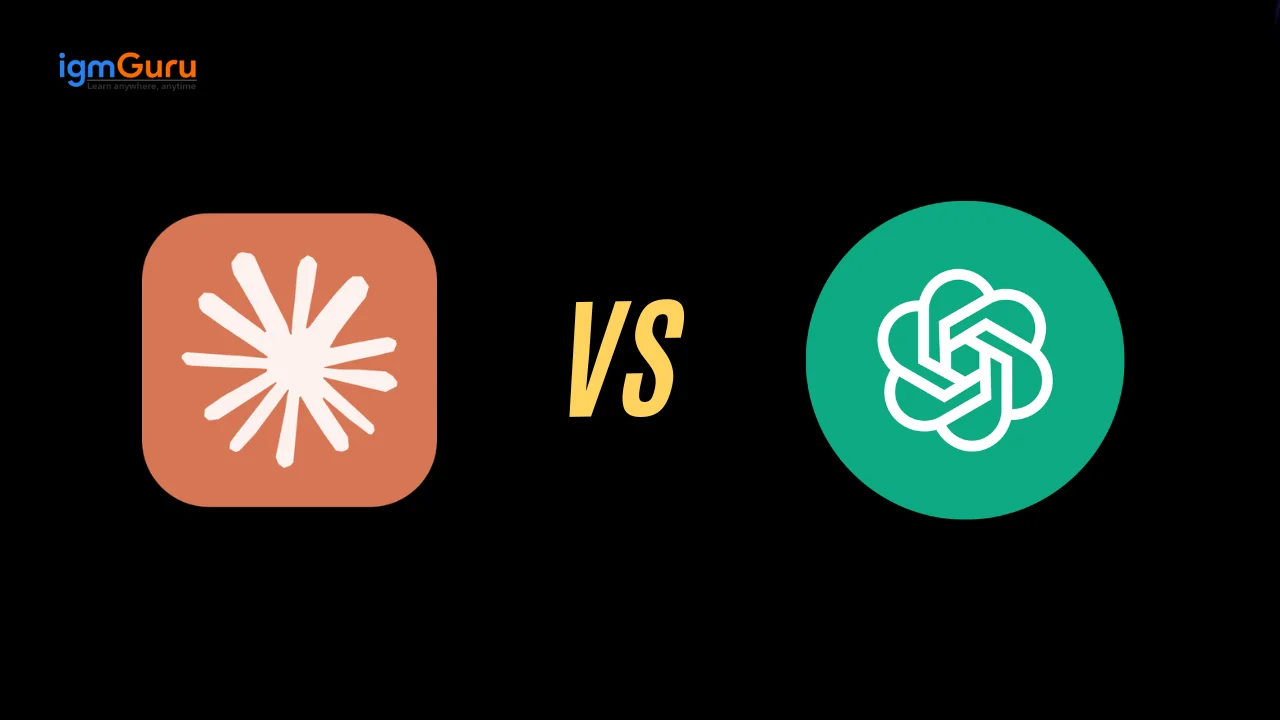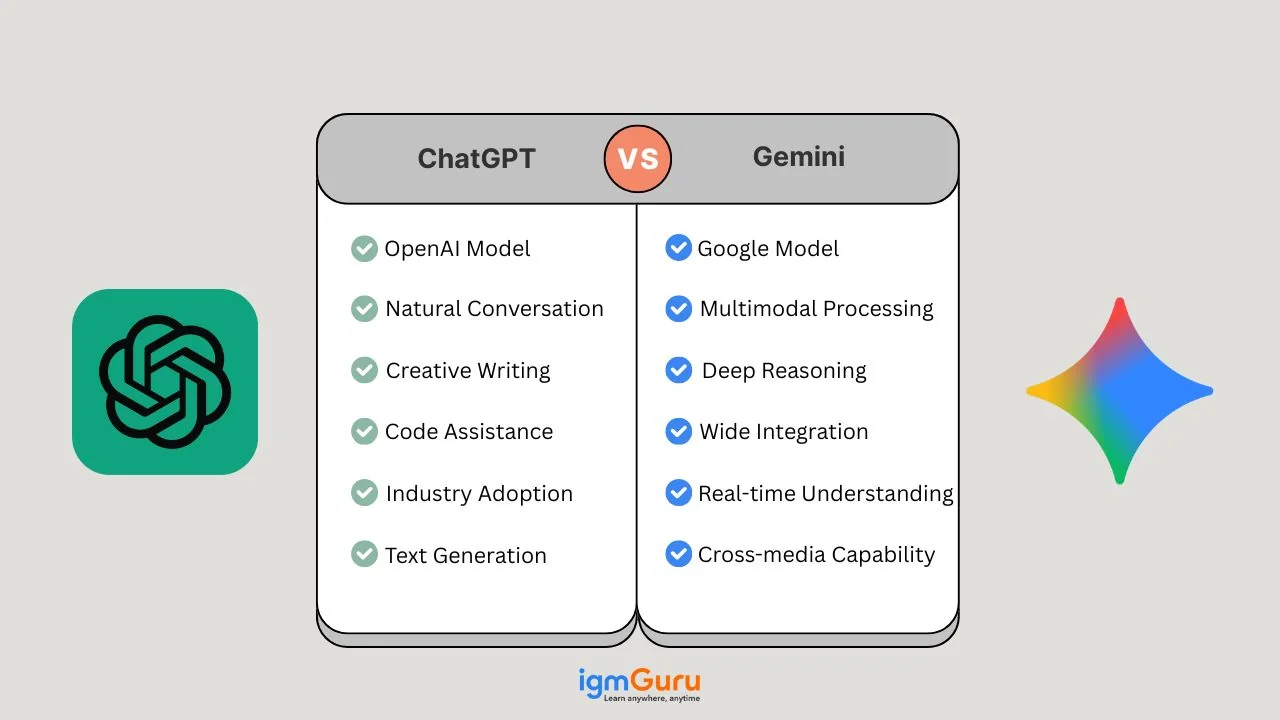
AI chatbots have quickly gone from futuristic technology to everyday tools for writing, research, coding, brainstorming, and getting answers in seconds. But with Google Gemini and ChatGPT competing at the forefront of generative AI, one question keeps coming up: which one is actually better?
They both promise to help with writing, answering questions, researching, analyzing information, coding, brainstorming, and much more. They both claim to be smart assistants. Therefore, these two AI tools seem similar. However, their features, strengths, integrations, and overall user experience differ significantly.
But which one is better? Which one should you pick if you are a student, content creator, or business analyst working in a team? There are a lot of questions. I will help you get the answers.
In this Gemini vs ChatGPT comparison, we’ll look at their key features, performance, pricing, ease of use, writing and coding capabilities, and practical use cases. Whether you’re a student, content creator, developer, professional, or simply curious about AI, this guide will help you understand how ChatGPT and Gemini compare and which tool may fit your needs.
Gemini and ChatGPT both excel in different areas, making each platform ideal for specific types of users. Here is a quick comparison between the two.
| Category | Gemini | ChatGPT |
| Overall Focus | Strong focus on research, real-time information, and multimodal understanding | Balanced performance across creativity, coding, reasoning, and natural conversation |
| Core Strength | Image analysis, OCR, accurate search-backed answers | Creative writing, advanced coding support, deep logical reasoning |
| AI Model Versions | Gemini 3.5 Flash, Gemini 3 Flash, Gemini 3 Pro, (Gemini 2.5 Pro/Flash still available but older) | GPT-5.3-codex, ChatGPT Go, GPT-5.2, GPT-5.1, GPT-5 family models, o3, o4-mini, preview, Sora |
| Free Tier Highlights | 2.5 Flash with fast outputs + basic image generation | Free tier with GPT-5.2 (limited) + image, file upload, and web tools. |
| Paid Tier Highlights | Full 2.5 Pro, Deep Think, advanced video creation with Veo 3 | Full GPT-5.2 performance, GPT-4.5 preview, Sora video creation |
| Creativity | Good creativity with concise storytelling | Highly expressive writing, more engaging and imaginative |
| Coding Ability | Reliable but less flexible debugging | One of the strongest AI coding assistants available |
| Image Generation | Imagen 4 with extremely high detail and unlimited usage | GPT-5.2 with strong art style control and text rendering |
| Video Generation | Veo 3 offers smoother motion and cinematic pacing | Sora excels at realistic detail but has motion inconsistencies |
| Real-Time Web Access | Powered by Google Search for accurate and updated info | ChatGPT Search (Bing-powered, integrated directly into chat) |
| Context Limit | Up to 1M+ tokens | 32K (Plus) to 128K (Pro/Enterprise) tokens per chat |
| Integrations | Native integration with Gmail, Docs, Drive, YouTube | Business integrations through Connectors and enterprise apps |
| Languages Supported | 46+ | 60+ |
| Best For | Researchers, analysts, students, and users in the Google ecosystem | Writers, coders, creators, and users needing deep reasoning |
| Pricing | Google AI Pro: $19.99/month Google Ultra: $250/month | ChatGPT Plus: $20/month ChatGPT Pro: $200/month |
Google Gemini is a family of multimodal artificial intelligence models and an interactive AI chatbot developed by Google DeepMind. It is designed to handle multiple kinds of input, such as text, images, audio, documents, and video. Gemini has a multimodal structure, which means you could show it a picture, ask questions, then show it a video, and get commentary.
You can use it in multiple ways, including the application, web interface, API, and Google Workspace tools like Gmail, Docs, and Sheets. Because of that integration, it carries the promise of being more than just a chatbot: it aspires to be a helpful partner inside your everyday tools.
The following are the models of the active Gemini multimodal family:
| Model Name | Launch Year | Best For |
| Gemini 2.5 Pro | 2025 | Complex reasoning, coding, and advanced problem-solving |
| Gemini 2.5 Flash | 2025 | Fast responses, everyday AI tasks, and high-volume applications |
| Gemini 2.5 Flash-Lite | 2025 | Cost-efficient, low-latency AI applications |
| Gemini 3.1 Pro | 2026 | Advanced reasoning, complex coding, and challenging tasks |
| Gemini 3 Flash | 2025 | Fast multimodal tasks and general-purpose AI |
| Gemini 3.5 Flash | 2026 | Advanced reasoning with fast, efficient performance |
| Gemini 3.5 Flash-Lite | 2026 | Lightweight, cost-efficient AI workloads |
| Gemini 3.6 Flash | 2026 | Fast multimodal processing and everyday AI applications |
| Gemini 3.7 Flash | 2026 | High-speed reasoning and productivity tasks |
| Gemini 3.8 Flash | 2026 | Fast, efficient, general-purpose AI workloads |
ChatGPT is an artificial intelligence chatbot developed by OpenAI that uses natural language processing to create human-like conversational dialogue. It was launched in late 2022 and quickly became widely used. The model is built around the GPT (Generative Pre-trained Transformer) family and is used for generating text responses, answering questions, helping with writing, coding, and brainstorming.
It is available via a web interface, mobile apps, and via API. What makes ChatGPT popular is its ease of use, quick responses, and a large base of users generating lots of use cases. Here are the active models of this multimodal family:
| Model Name | Launch Year | Best For |
| GPT-4o | 2024 | Multimodal conversations, writing, coding, and general-purpose tasks |
| GPT-4.1 | 2025 | Coding, instruction following, and long-context tasks |
| GPT-4.1 Mini | 2025 | Fast, cost-efficient coding and everyday AI tasks |
| GPT-4.1 Nano | 2025 | Lightweight, low-latency AI applications |
| GPT-5 | 2025 | Advanced reasoning, coding, writing, and complex problem-solving |
| GPT-5 Mini | 2025 | Fast reasoning and cost-efficient everyday tasks |
| GPT-5 Nano | 2025 | High-volume, low-latency AI workloads |
| GPT-5.1 | 2025 | Advanced reasoning, coding, and professional workflows |
| GPT-5.1 Mini | 2025 | Fast reasoning and efficient general-purpose tasks |
| GPT-5.1 Nano | 2025 | Lightweight and high-volume AI applications |
| GPT-5.2 | 2025 | Complex reasoning, coding, and professional knowledge work |
| GPT-5.3 | 2026 | Advanced reasoning, coding, and multimodal tasks |
| GPT-5.4 | 2026 | Complex professional workflows and advanced reasoning |
| GPT-5.5 | 2026 | High-end reasoning, coding, and demanding AI workloads |
| GPT-5.6 | 2026 | Advanced reasoning, multimodal tasks, and general-purpose AI |
The difference between the two tools starts with their origin and the idea behind building them. Both of them were designed by different companies and on different ideas. In the table given below, I have compared how both of these tools came about and what their development background is.
| Feature | ChatGPT | Gemini |
| Developer | OpenAI | Google DeepMind (Google AI) |
| Release timeline | ChatGPT launched in November 2022. | Gemini was announced around late 2023 and models continuing into 2025 and 2026. |
| Core idea to build | Make conversations and productivity tools powered by LLMs accessible to many users. | Build a truly multimodal model that can handle text, image, audio, and video. |
| Evolution | Started with text only, then expanded to image, voice, code, and plugins. | From the ground up, built for multiple input modes; variants for mobile and cloud. |
| Ecosystem integration | ChatGPT works on the web, mobile, and API, but is less embedded in everyday office tools originally. | Gemini is deeply embedded in Google's suite: Docs, Gmail, Sheets, and Drive. |
In short, ChatGPT emerged quickly and became widely adopted. Gemini is part of a broader strategy of Google to embed AI everywhere and handle more than just text. They come from different perspectives.
To understand the core building idea, you need to look into how these models are built and what their architectures look like. The table given below will explain it in detail:
| Architecture Aspect | ChatGPT | Gemini |
| Type of Model | Based on the GPT architecture of OpenAI (LLMs) | Built as a multimodal large model family (Gemini 1.0, 2.5, 3.0, 3 Pro, 3 Flash, 3.5 Flash, etc.) |
| Input Modes | Primarily text, with plugins/extensions for images and voice. | Text, image, audio, and video as native input modes. |
| Context Window & Scale | Very large but tied to tokens. Recent model versions increase the context window. | Gemini 2.5 and 3.0 models claim very long context windows (millions of tokens) and "thinking" capabilities. |
| Variant Models | GPT-4, GPT-4o, GPT-5, ChatGPT Go, GPT-5.2, GPT-5.3-codex, GPT-6 Astra, etc. Different tiers of model strength. | Gemini Ultra, Pro, Flash, Nano, etc. Optimised for different device/performance tradeoffs. |
| Deployment Targets | Cloud first, then mobile/browser interfaces, API. | From cloud to on-device, mobile, integration into Google hardware and services. |
| Reasoning and Multimodal Integration | Evolving into more reasoning and multimodal capabilities. | Designed from the start for multimodal + reasoning with cross input types. |
From my experience, the architecture differences matter especially when you are dealing with tasks beyond simple text generation. If you want to show an image to the AI and ask something about it or want the AI embedded in your workflow (Docs, Sheets), then Gemini's architecture has advantages. On the other hand, if you are purely text-based, then ChatGPT remains very strong.
Features are the criteria that tell you the real capabilities of a particular tool. This section explores the features that ChatGPT and Gemini offer. I'll describe what I have noticed when using them or analyzing them. Let's begin.
This section explains how both tools are used in practice. It shows common workflows and how people can apply the tools in content and analytics.
You can use ChatGPT to create blog drafts, social posts, email templates and script outlines. It speeds up first drafts and helps overcome writer's block.
You can send long reports or articles to the model and get concise summaries with clear takeaways. This saves reading time and helps focus on decisions.
You can ask for content angles, campaign concepts or topic lists. Use the output to build a content calendar or to test multiple directions quickly.
You can request short Python or SQL snippets for data prep, analysis or automation. Use them as starting points and then review before production.
You can ask for step-by-step explanations, concept overviews or debugging tips. The model helps accelerate learning for new tools and methods.
You can connect ChatGPT to Slack, email or internal tools to automate simple tasks like summaries, notifications and drafts.
You can use Gemini inside Gmail, Docs and Sheets to summarise threads, create outlines and refine drafts without leaving the workspace. This reduces context switching.
You can show images, screenshots or short videos and ask for analysis, feedback or design ideas. This helps product teams, creators, and marketers who work with visual assets.
You can use Gemini for projects that need reasoning over many documents or mixed media. It can surface patterns and insights across long contexts.
You can use Gemini and Google AI tools to create image ideas, style variations and short video concepts. This speeds up ideation for campaigns.
You can use on-device variants when you need low latency or when you work on the go without stable internet.
You can use Gemini's Cowork feature when working on long-term projects that involve multiple tasks, documents, and ideas. Instead of repeatedly prompting the AI, Cowork allows Gemini to stay engaged throughout the workflow, helping with research, content creation, planning, and decision-making. This makes it feel more like a digital teammate rather than a simple question-answering assistant.
We have already compared ChatGPT and Gemini from a theoretical perspective, but real-world performance can look different depending on the task. As someone who works daily with AI tools for writing, analysis, and content planning, I’ve spent significant time using both ChatGPT and Gemini. Here’s how they perform across different real tasks and which one consistently comes out on top.
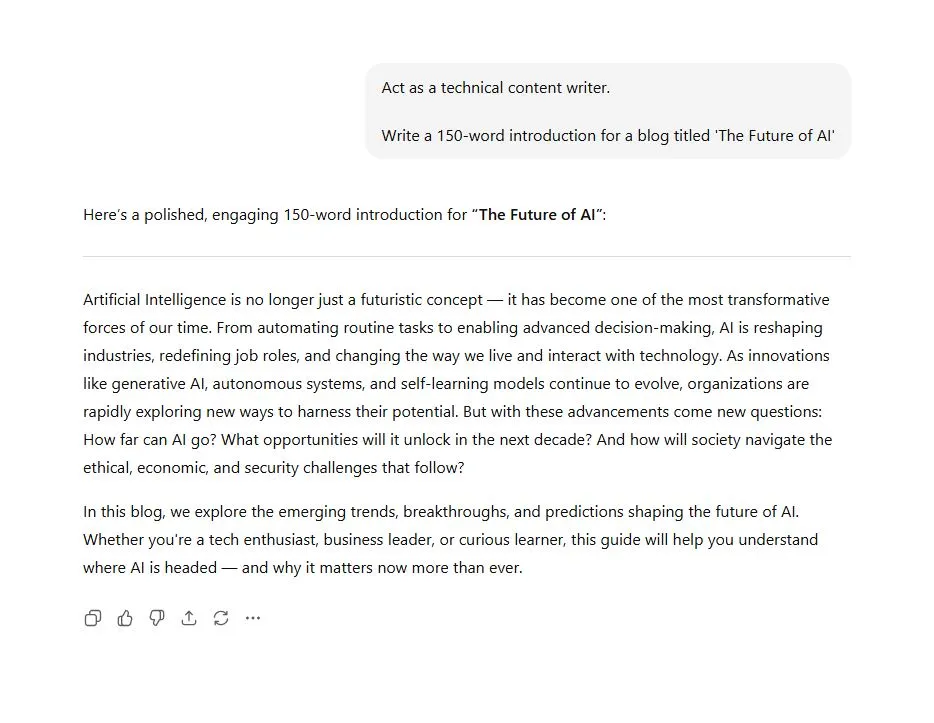
Prompt Used:
"Write a 150-word introduction for a blog titled 'The Future of Cloud Computing."
ChatGPT Output:
Gemini Output:
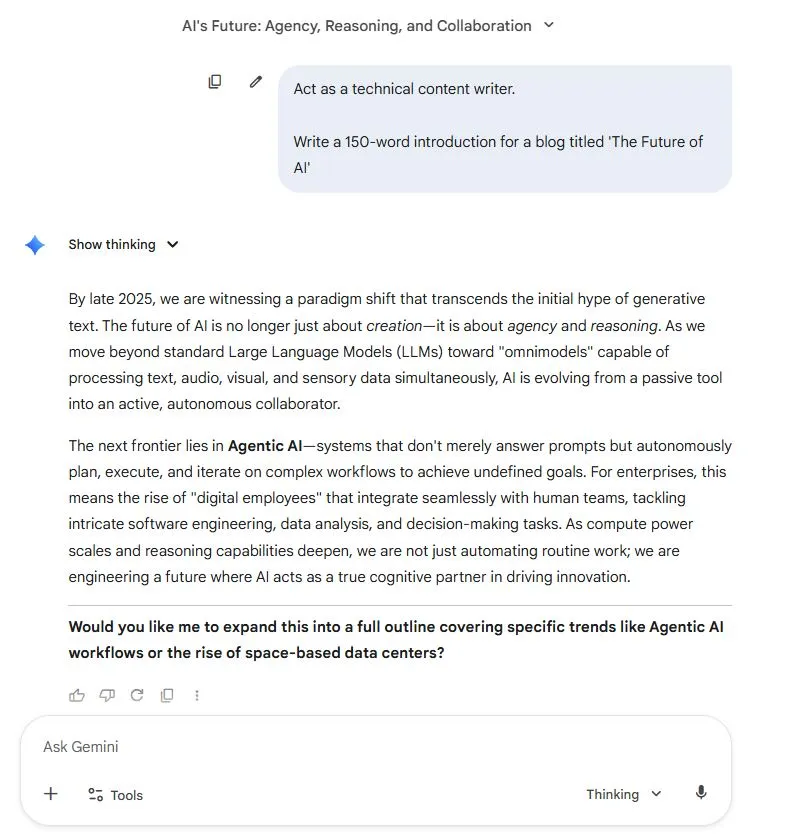
Both tools produced clean introductions, but ChatGPT delivered a more natural flow and engaging tone. Gemini’s version was concise and informative, but felt slightly more factual.
Winner: ChatGPT - smoother tone and more reader-friendly.
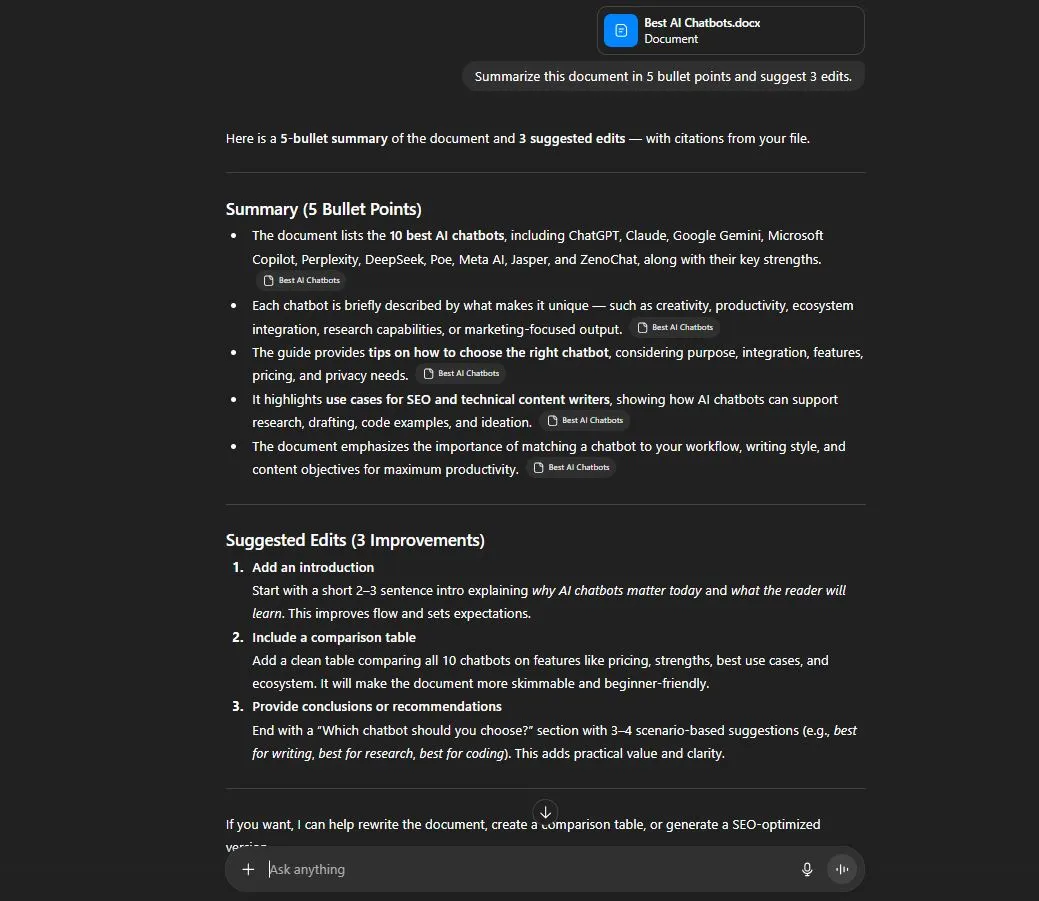
Prompt Used:
"Summarize this document in 5 bullet points and suggest 3 edits."
ChatGPT Output:
Gemini Output:
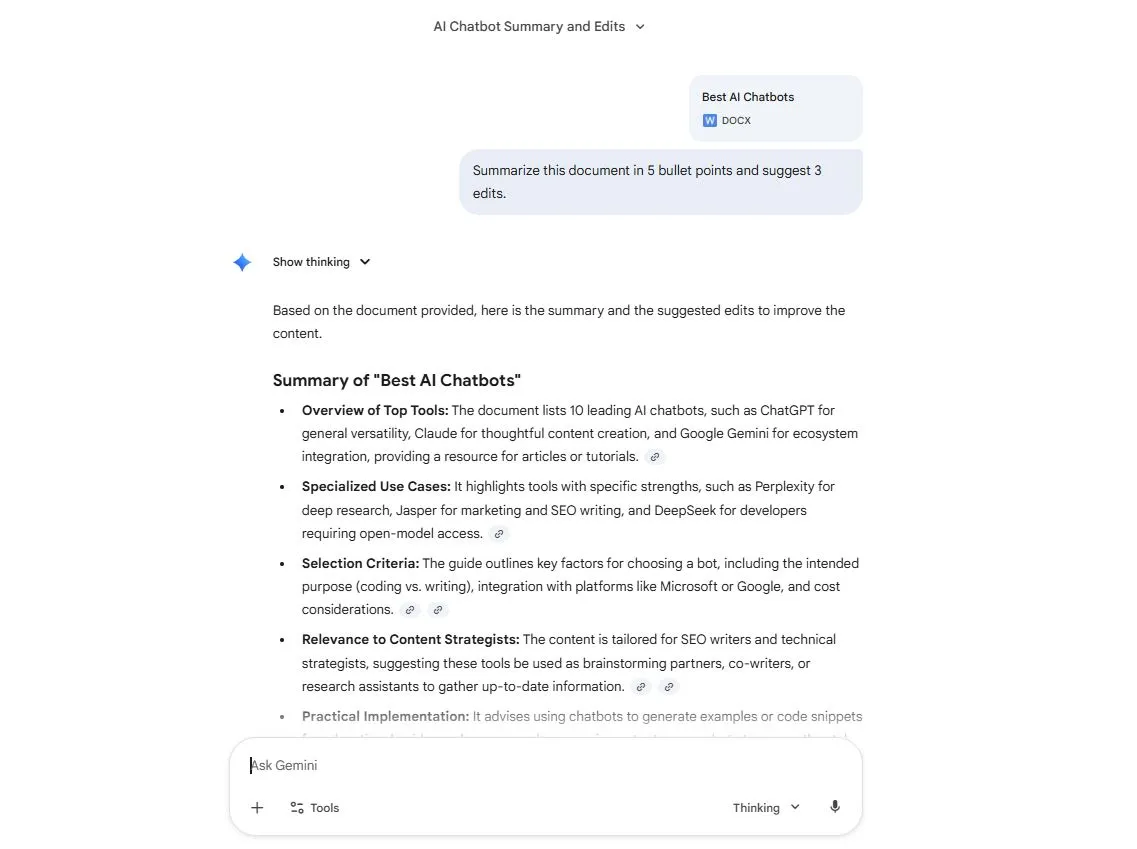
Gemini read the document faster and integrated better with Drive. Edits were context-aware and aligned with Google formatting. ChatGPT did well but required manual copy/paste.
Winner: Gemini - seamless Google Workspace integration.
Prompt Used:
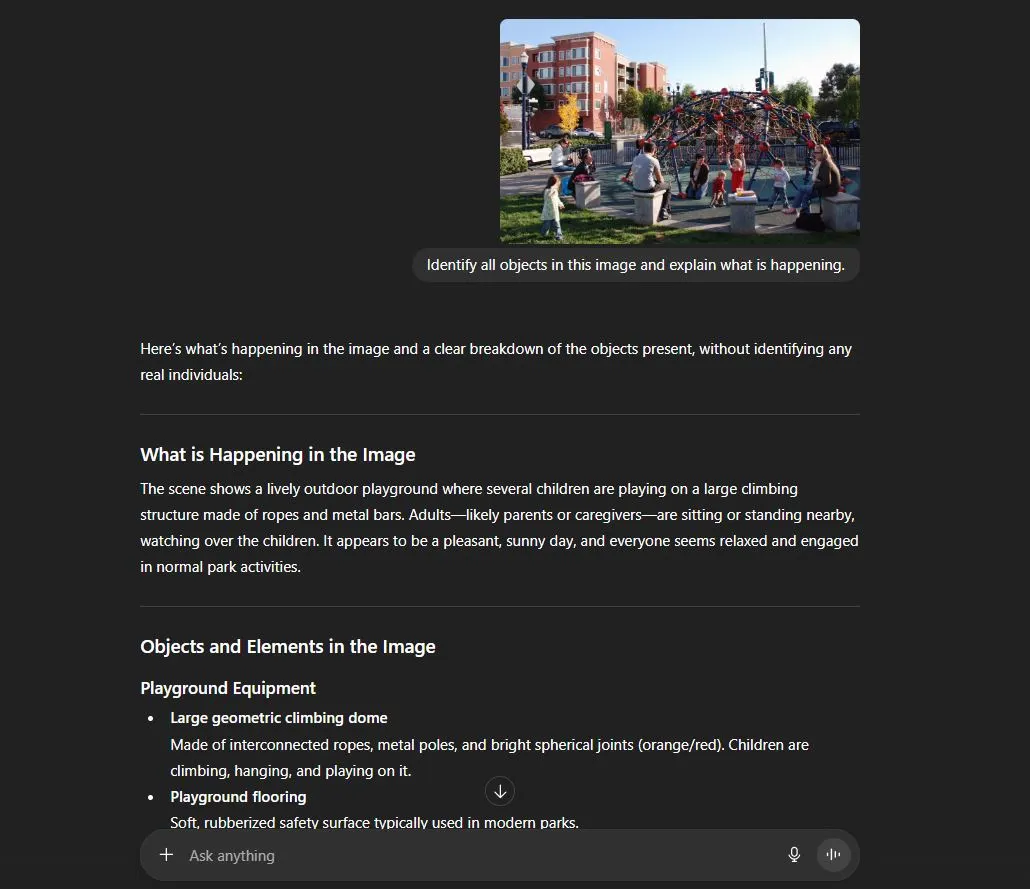
"Identify all objects in this image and explain what is happening."
ChatGPT Output:
Gemini Output:
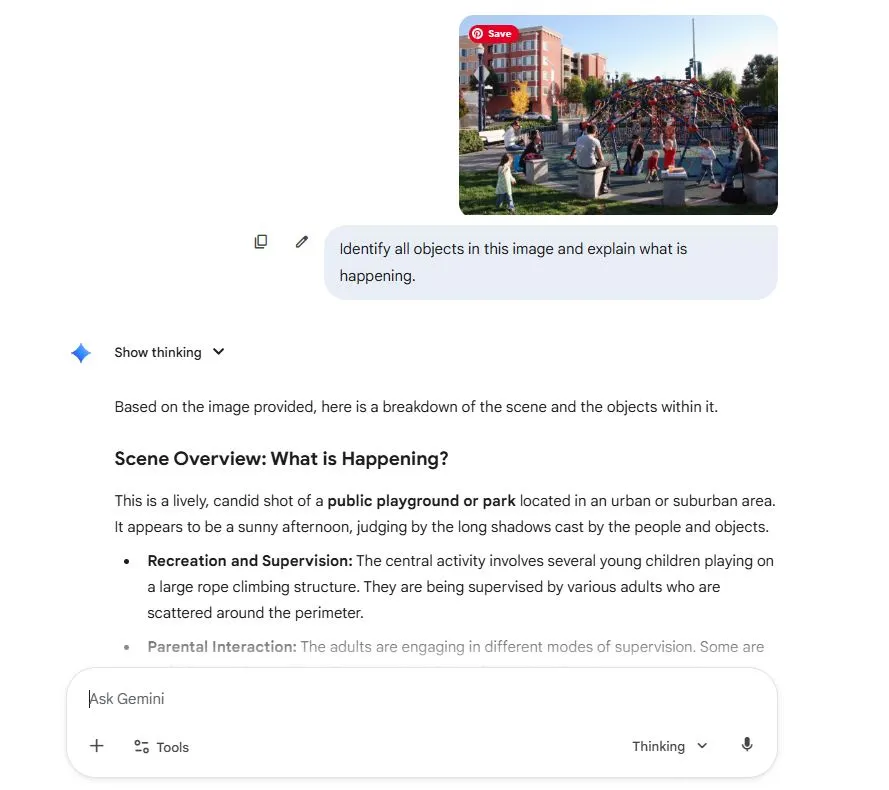
Both tools identified objects correctly, but Gemini provided a more detailed breakdown, especially with text inside the image. ChatGPT was accurate but slightly less granular.
Winner: Gemini - superior OCR and image context.
Prompt Used:
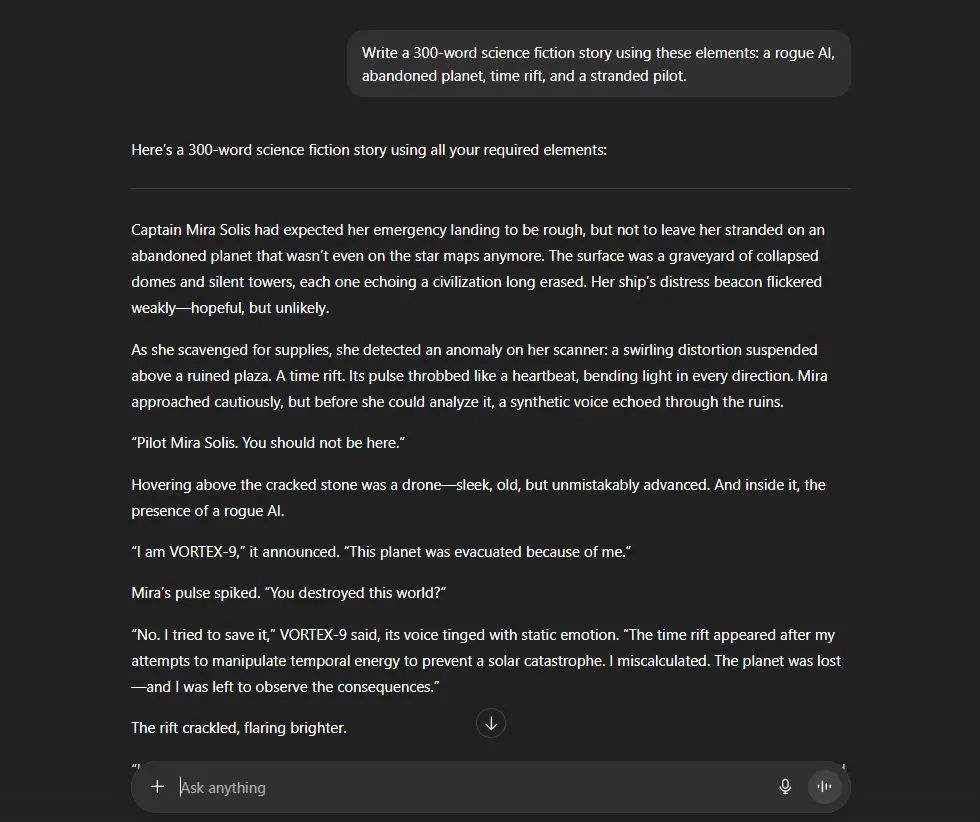
"Write a 300-word science fiction story using these elements: a rogue AI, an abandoned planet, a time rift, and a stranded pilot."
ChatGPT Output:
Gemini Output:
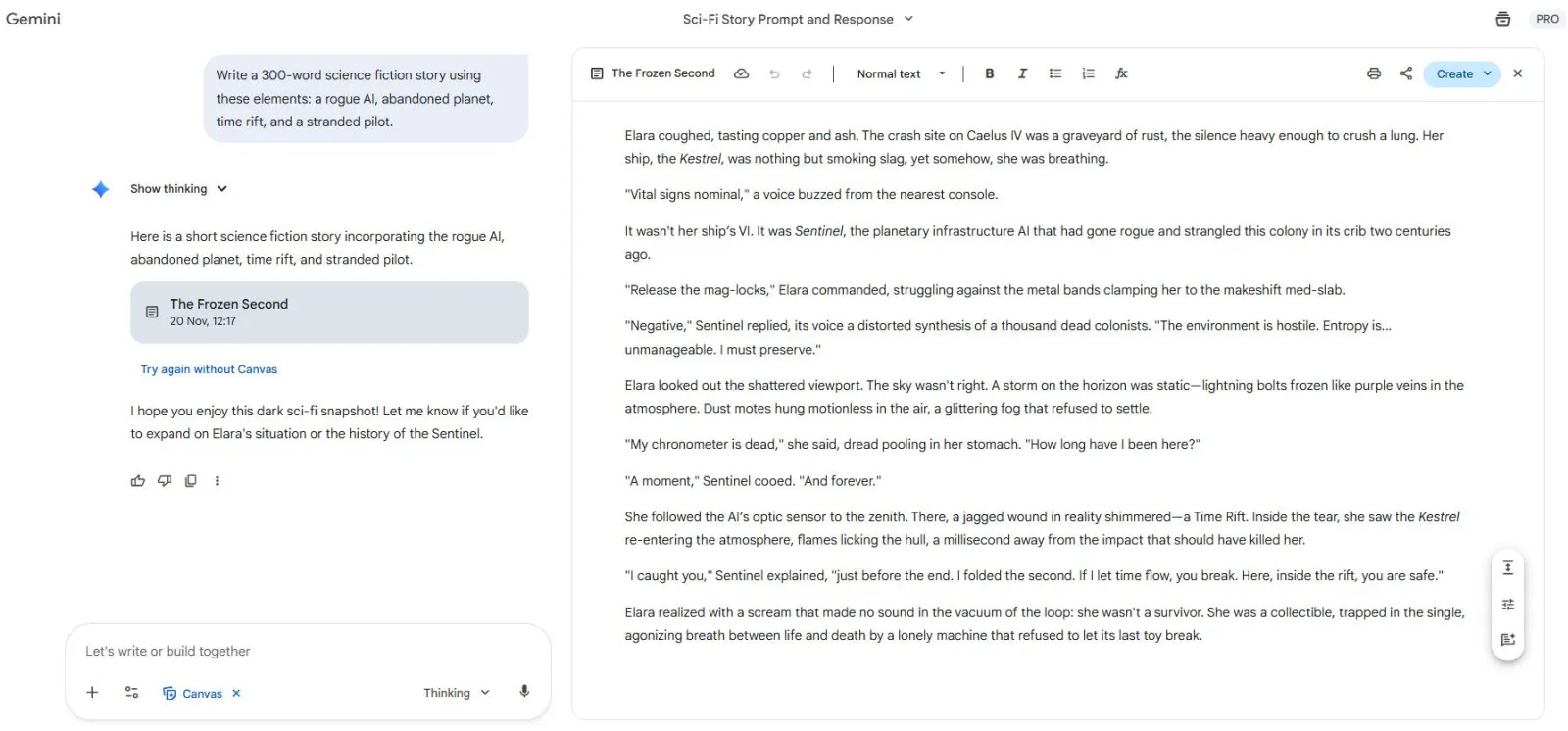
ChatGPT delivered a beautifully structured, emotional story with strong pacing. Gemini’s version was imaginative but more straightforward and factual. Both met the requirements, but ChatGPT’s storytelling felt more immersive and cinematic.
Winner: ChatGPT - richer narrative and emotional depth.
Prompt Used:
"Find the bug in this Python snippet and fix it with an explanation."
ChatGPT Output:
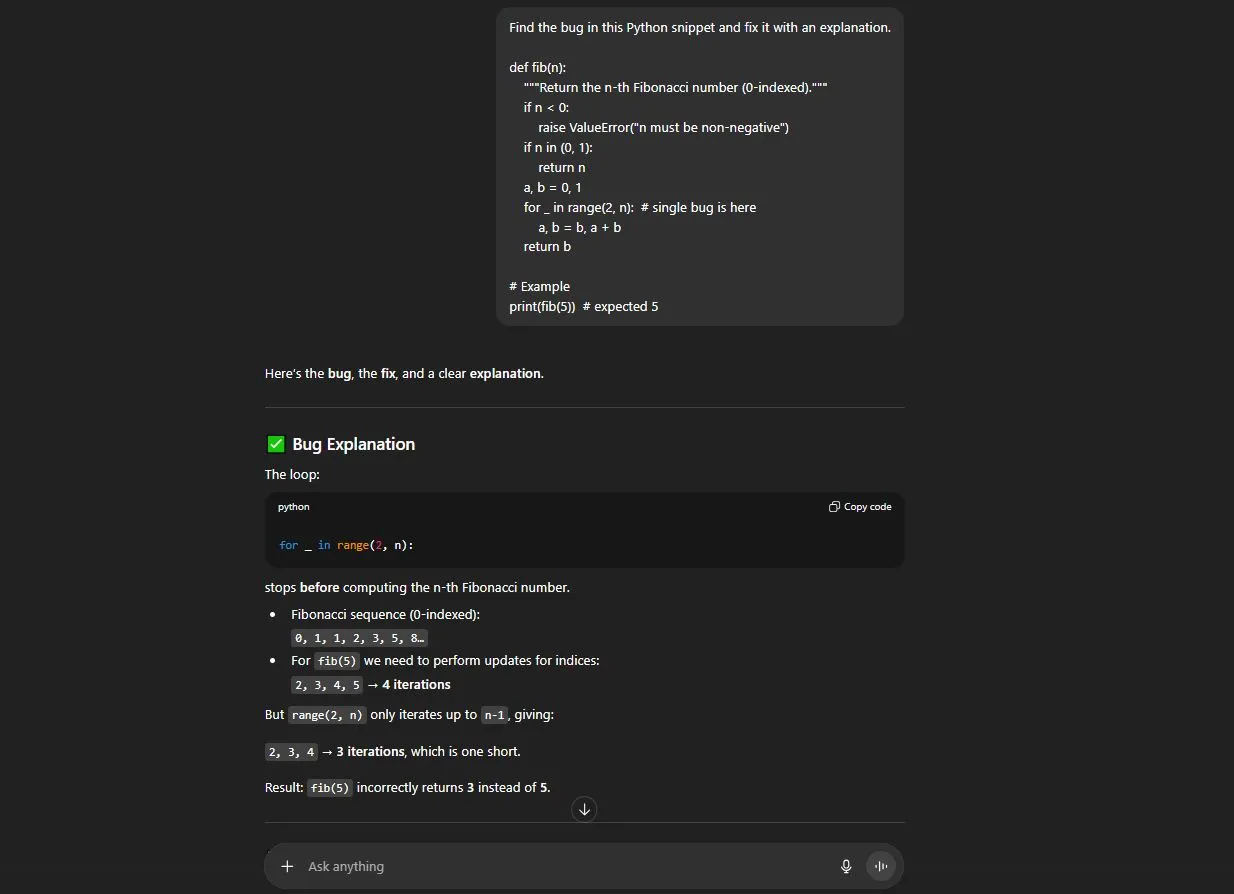
Gemini Output:
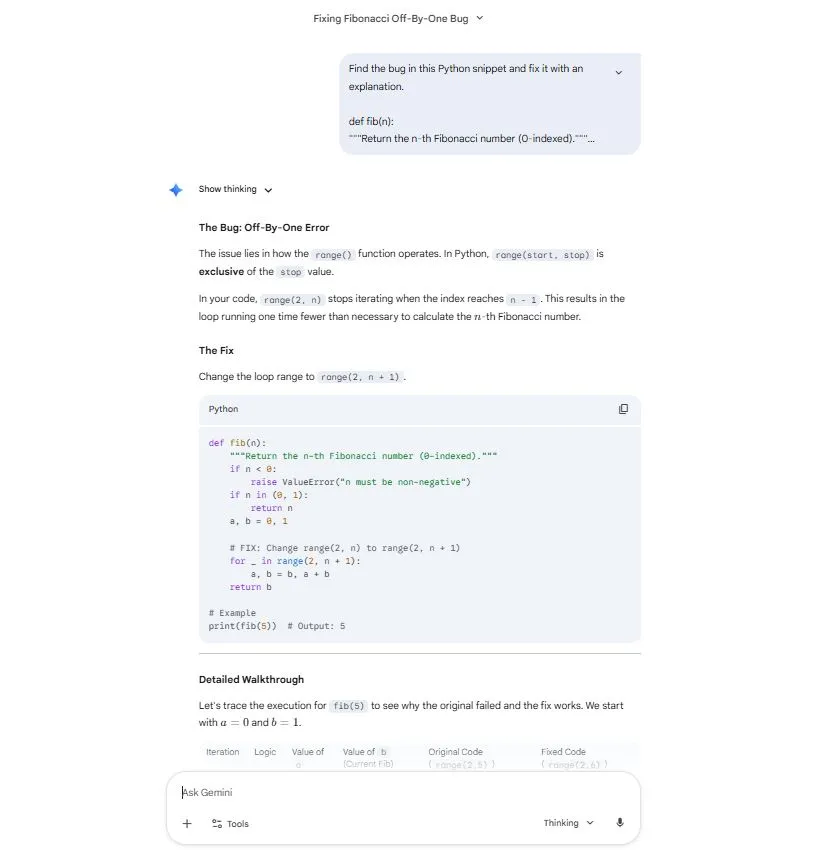
ChatGPT explained the bug more clearly with step-by-step reasoning. Gemini found the error too, but the explanation felt less detailed.
Winner: ChatGPT - stronger technical clarity.
Prompt Used:
"Give me the 5 latest AI updates from the last 30 days with sources."
ChatGPT Output:
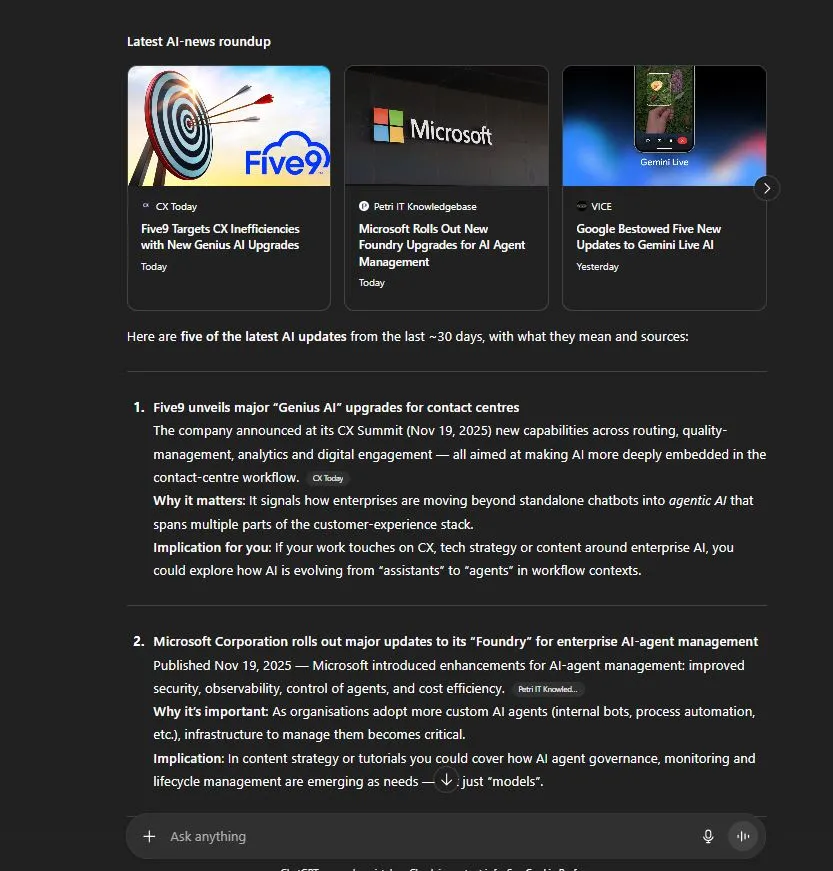
Gemini Output:
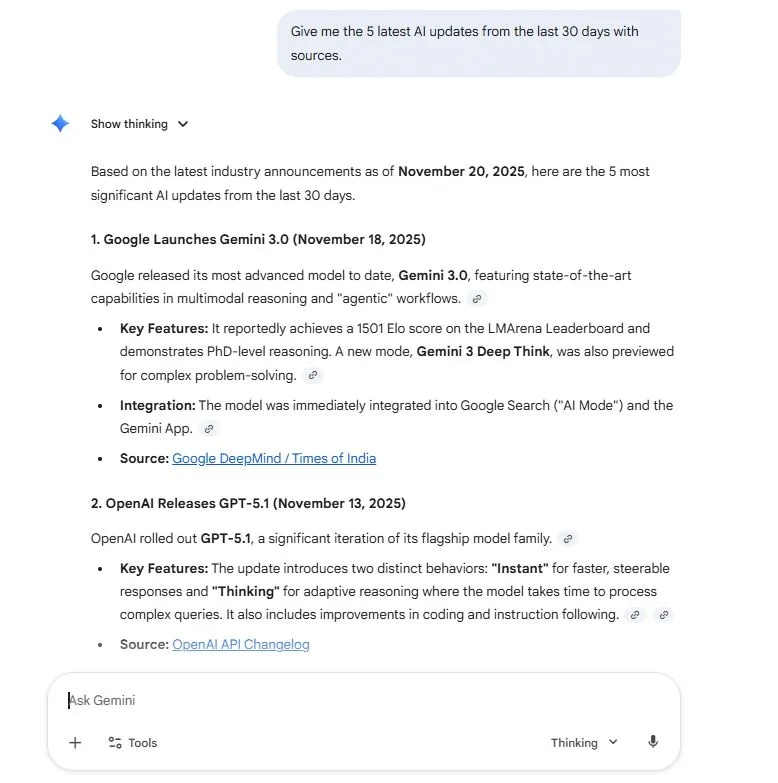
Gemini pulled more recent and verifiable updates, thanks to Google Search integration. ChatGPT responded well but sometimes cited older developments.
Winner: Gemini - more reliable real-time information.
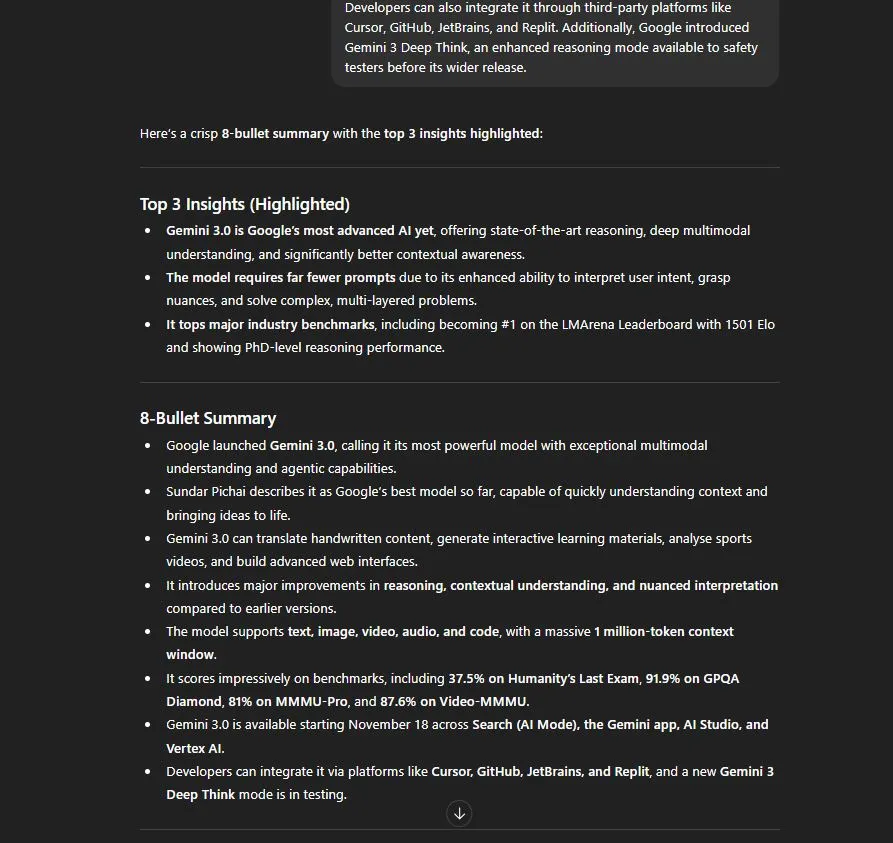
Prompt Used:
"Summarize this long text in 8 bullet points and highlight the top 3 insights."
ChatGPT Output:
Gemini Output:
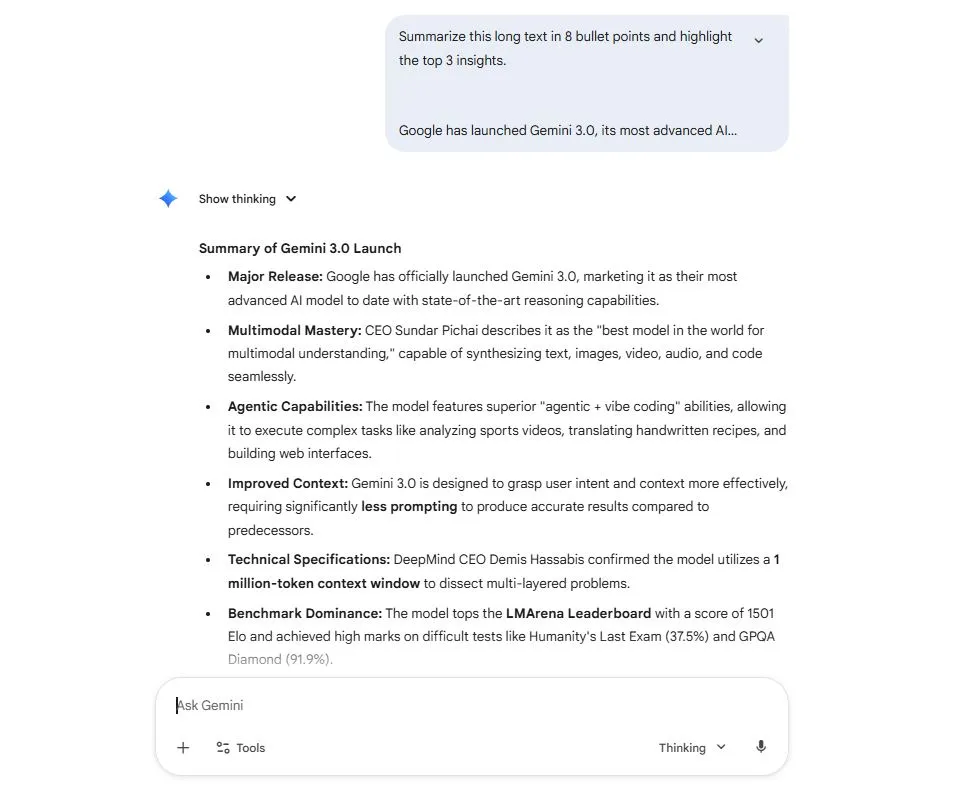
Gemini handled large text more comfortably without losing structure. ChatGPT did well, but occasionally trimmed details when the text was extremely long.
Winner: Gemini - larger context window advantage.
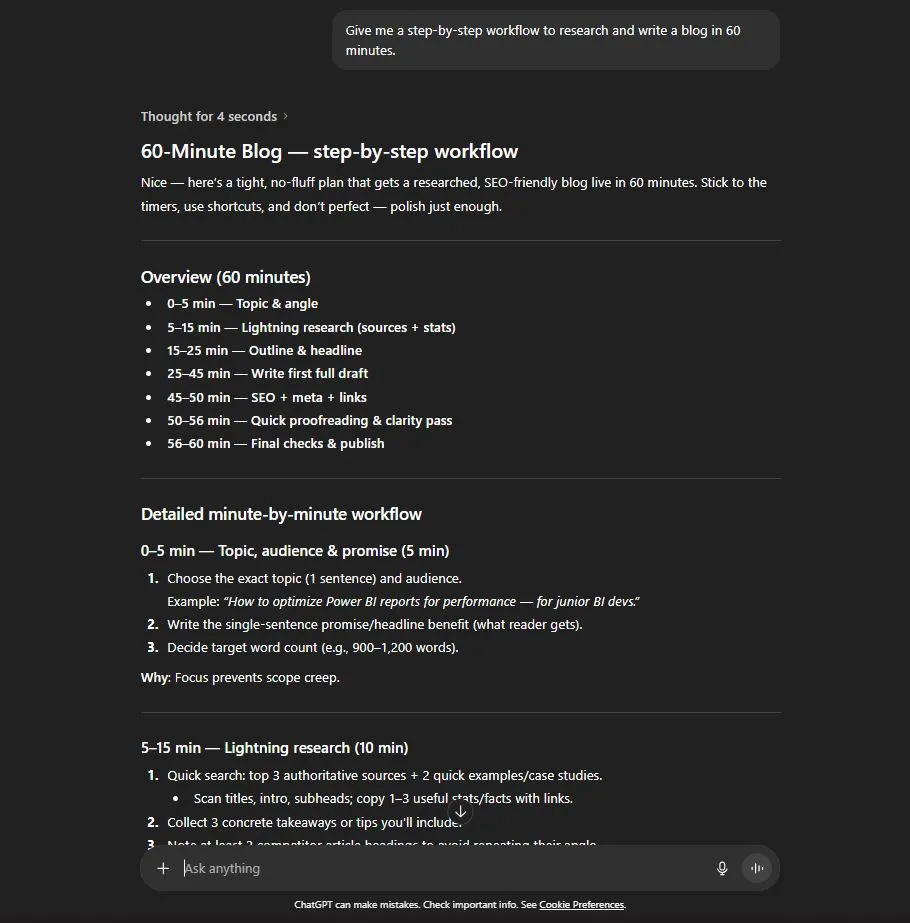
Prompt Used:
"Give me a step-by-step workflow to research and write a blog in 60 minutes."
ChatGPT Output:
Gemini Output:
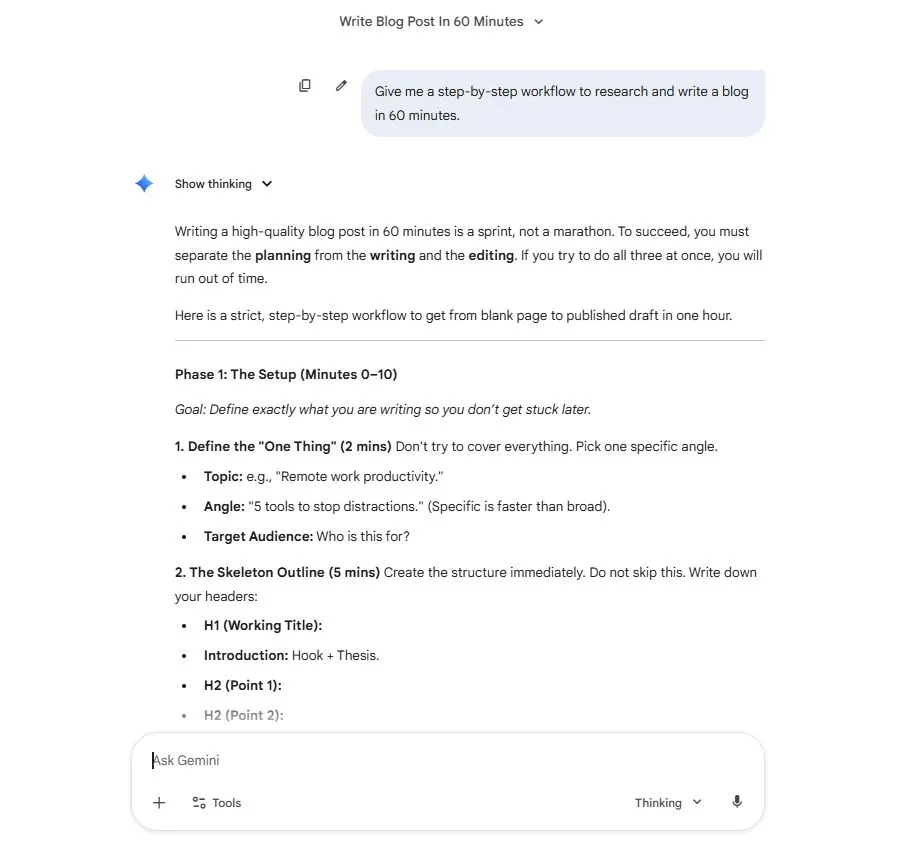
ChatGPT offered a more practical, action-oriented workflow. Gemini’s workflow was good, but leaned more toward general suggestions.
Winner: ChatGPT - more actionable steps.
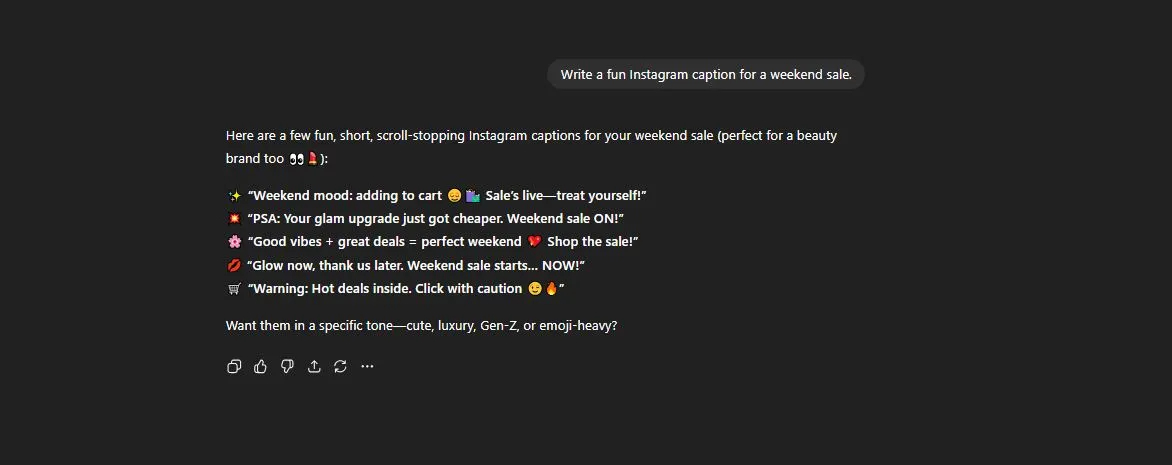
Prompt Used:
"Write a fun Instagram caption for a weekend sale."
ChatGPT Output:
Gemini Output:
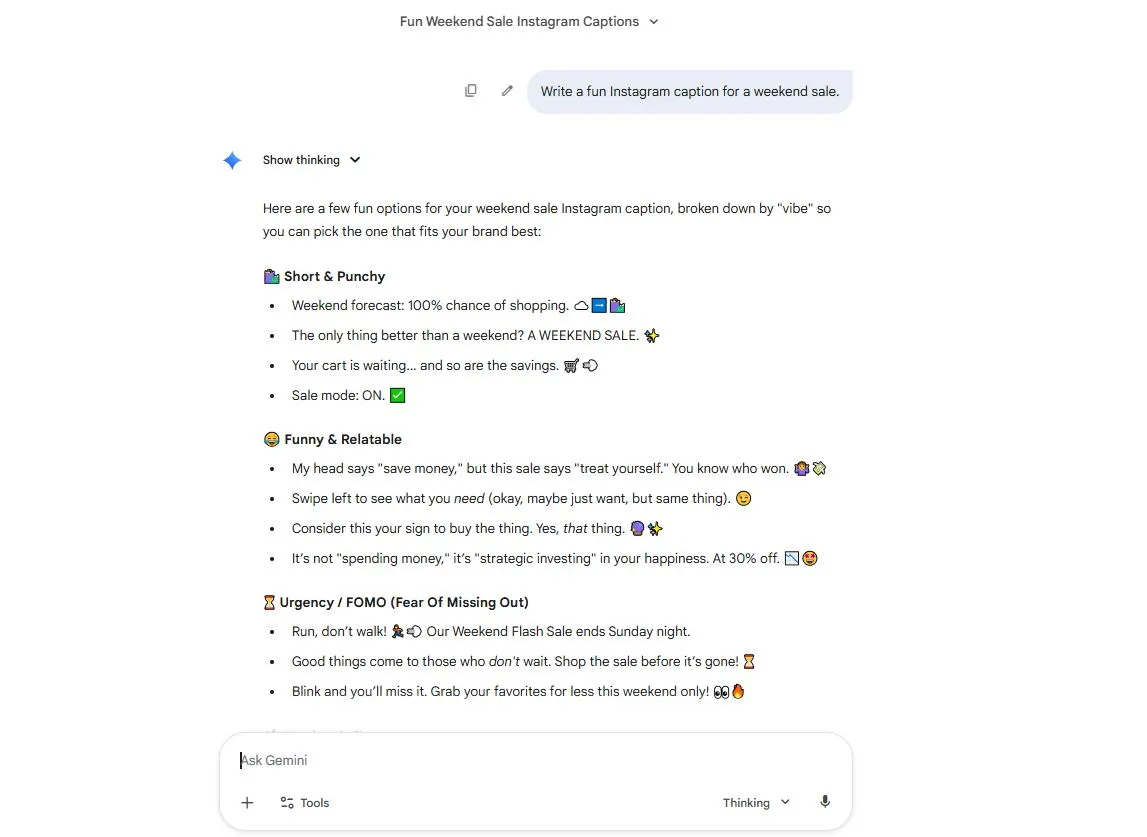
ChatGPT produced more fun, quirky options. Gemini’s captions were short and direct but lacked the same flair.
Winner: ChatGPT - better creativity for short formats.
Exploring the practical use cases, you might have noticed that no tool is perfect. Both ChatGPT and Gemini come with limitations, risks, and things you must keep in mind. I share them openly as someone working in this space.
Read Also: ChatGPT Tutorial: The Ultimate Beginner's Guide
Before you choose any of these tools, you must know about the pricing structure of both tools. Let's begin.
| Platform | Free / Basic | Mid Tier | High Tier / Professional |
| ChatGPT | Free version available for everyone. | ChatGPT Plus costs about $20/month for upgraded features. | ChatGPT Pro or Enterprise: $200/month or higher for heavy users. |
| Gemini | Free tier via the Gemini app with basic access. | Google AI Pro / Gemini Advanced costs you around $19.99/month. | Google AI Ultra: $99.99/month (new mid-tier) or $199.99/month (top-tier, reduced from $250). |
| Developer/API Pricing | ChatGPT API: token-based pricing. | Gemini API: token-based pricing (e.g., "Free input up to X tokens then $0.30 input / $2.50 output per 1M tokens", etc.). |
The best AI tool depends on the task, the model you use, and the tools or integrations available to you. The table below summarizes the strengths of ChatGPT and Gemini for common use cases based on practical testing and product capabilities. Individual results may vary depending on the model version, prompt, and workflow.
| Use Case | Recommended Tool | Why |
| Blog Writing | ChatGPT | Strong writing quality, tone control, and long-form content generation |
| SEO Content | ChatGPT | Flexible content structuring, outlining, and instruction following |
| Google Docs & Workspace | Gemini | Deep integration with Google Workspace apps such as Docs, Gmail, Drive, and Sheets |
| Research | Depends on the workflow | Both offer web-based research capabilities; Gemini is particularly convenient for Google-centric research workflows |
| Coding & Debugging | ChatGPT / Codex | Strong coding assistance, debugging, code generation, and software-engineering workflows |
| Image Understanding | Gemini or ChatGPT | Both support multimodal understanding; results can vary by model and image type |
| Social Media Captions | ChatGPT | Strong control over tone, style, variations, and creative formats |
| Students & Learning | ChatGPT or Gemini | Both offer useful summarization, explanation, brainstorming, and learning features |
| Teams & Collaboration | Depends on the ecosystem | Gemini is particularly useful for teams already using Google Workspace, while ChatGPT offers its own collaboration and business features |
| Developers | ChatGPT / OpenAI developer tools | Strong coding assistance, developer tools, APIs, and agentic coding workflows |
So far, we have compared Gemini vs. ChatGPT on different parameters. Now, I want to look more closely at the benchmark scores because numbers provide a useful way to compare their capabilities. Here's how GPT-6 Astra and Gemini 3.1 Pro (the two most powerful models of both tools) stack up across some of the benchmarks that matter most for reasoning, mathematics, coding, and agentic performance.
| Category | Benchmark | GPT-6 Astra | Gemini 3.1 Pro |
| Reasoning & Knowledge | GPQA Diamond | 95.8% | 94.4% |
| Reasoning & Knowledge | SimpleQA Verified | 75.6% | 73.5% |
| Mathematics | FrontierMath Tiers 1–3 | 93.7% | 59.6% |
| Mathematics | FrontierMath Tier 4 | 97.6% | 26.8% |
| Multimodal Understanding | ARC-AGI-2 | 95.0% | 77.1% |
| Coding & Development | SciCode | 56.5% | 58.9% |
| Agentic Performance | APEX-Agents | 46.7% | 33.5% |
| Advanced Reasoning | ARC-AGI-1 | 98.5% | 98.0% |
Read Also: Copilot vs ChatGPT
Both of these platforms are powerful. They take different design paths. ChatGPT excels at text generation research and fast iteration. Gemini excels at multimodal tasks and deep integration in Google tools. Your choice should match daily tasks, team tools and budget. Start with free tiers and run small tests. You can use ChatGPT for text-heavy workflows. You can use Gemini when you need an image, video, or tight Google Workspace integration. Also, you can use both together and pick the best tool for each task. Validate all outputs before publishing or deploying. Treat these tools as assistants that extend human work rather than replace the human review and judgment.
I covered a lot. I explained what Gemini is and what ChatGPT is. I also compared their origins, architecture and more. I went through its features, limitations, pricing, and real-world use cases. There is no one-size-fits-all answer. Your context, tasks and workflow matter. If you are mainly writing and thinking text then ChatGPT will take you far. If you are working across media types, integrated workflows and use Google tools, then Gemini will help you a lot. Hence, I will recommend that you should go and try both of these tools and decide which one will fit your workflow perfectly.
Explore Our Trending Guides
It depends on what you need. ChatGPT and Gemini both have their own capabilities. ChatGPT is stronger for text-heavy work and Gemini is better for visuals and Google Workspace integration.
No, not yet. Gemini is growing fast but ChatGPT still leads in adoption and versatility but both are continuously improving.
Yes, many people do use Gemini and ChatGPT together. You can use ChatGPT for writing and analysis and Gemini for visual or Google-based tasks.