An array in Java is a fundamental data structure used to store multiple values of the same data type in a single variable. Instead of creating many variables, arrays allow developers to organize related data efficiently.
When I first started learning Java, arrays made my programs much easier to manage. I used them to store numbers, marks and names while practicing small coding exercises. I also used arrays in larger programs where handling many values and repeating tasks became common.
In this blog, you will learn what an array is in Java, the syntax and declaration of arrays and different methods to initialize Java arrays. Let’s get started!
Learn about arrays in Java to understand how this container object stores multiple values in a single variable, making it easier to manage sets of data.
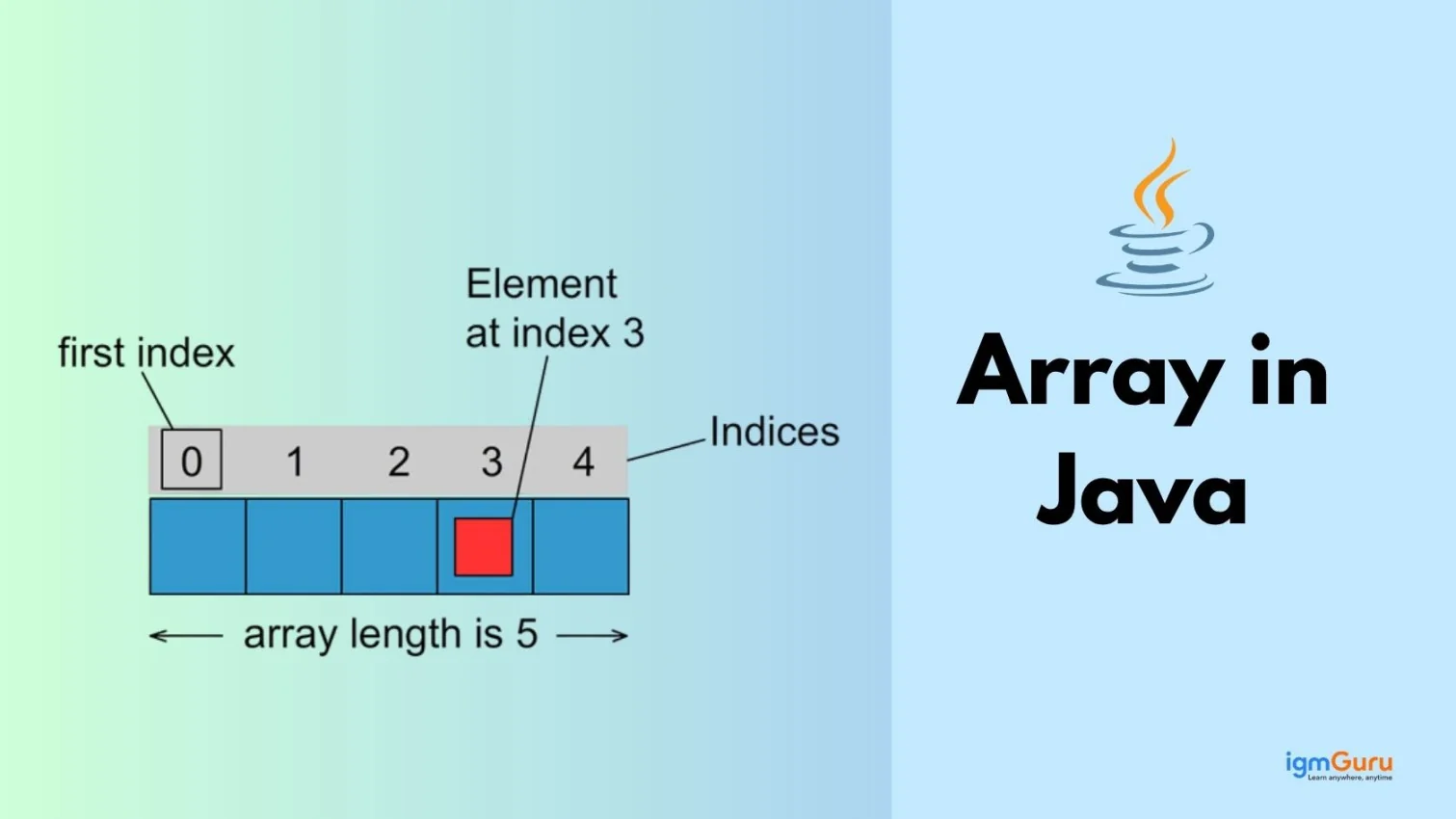
An array in Java is a container object that holds a fixed number of values of a single specific data type. It is a non primitive data structure used to store multiple elements efficiently in contiguous memory locations.
Example of how values are stored:
|
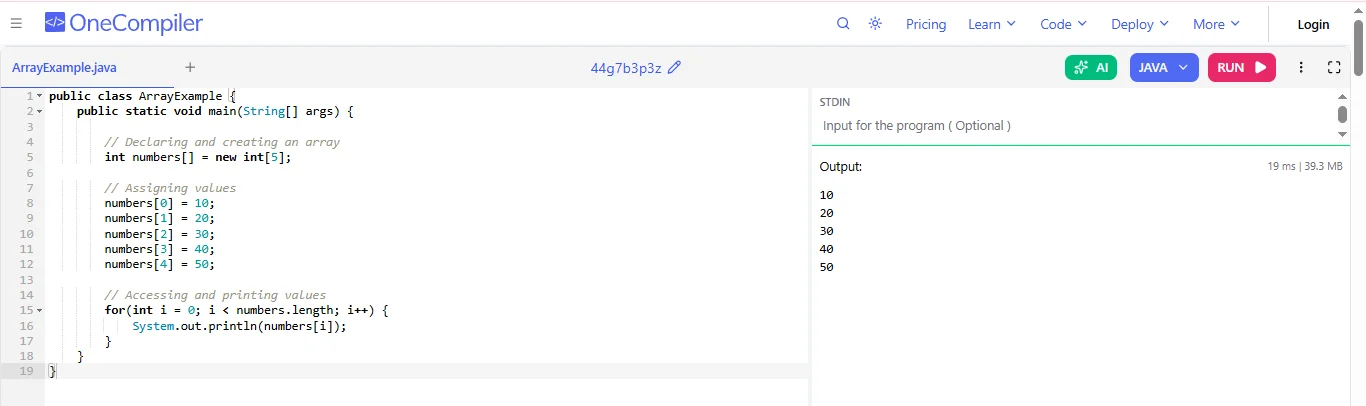
For example: Creating and Using an Array
|
You use it as you have to store and manage many values of the same type. When you use separate variables for each value can make the code long and difficult to manage. Arrays solve this problem by allowing you to store multiple related values in one variable. Following are some of the common uses of array:
When you need to store many values of the same data type, arrays help you keep them in one variable instead of creating many separate variables.
Example: if you want to store marks of students
|
When you use arrays, you can easily process all values using a loop. This helps you avoid writing repetitive code.
Example: calculating the total marks.
|
Arrays help you organize related data together. Instead of scattering values across many variables, you keep them in one place.
For example:
|
This way, you can easily access any employee ID using its index.
Read Also: Java Tutorial for Beginners
In Java, an array is declared by specifying the data type followed by square brackets and the array name. Writing separate variables for each value quickly became messy and difficult to manage.
In Java, an array is declared by specifying the data type, followed by square brackets and then the array name.
General Syntax:
|
Example:
|
Explanation:
When you want to actually use the array, you also need to create it with a specific size.
Syntax:
|
Example:
|
Explanation:
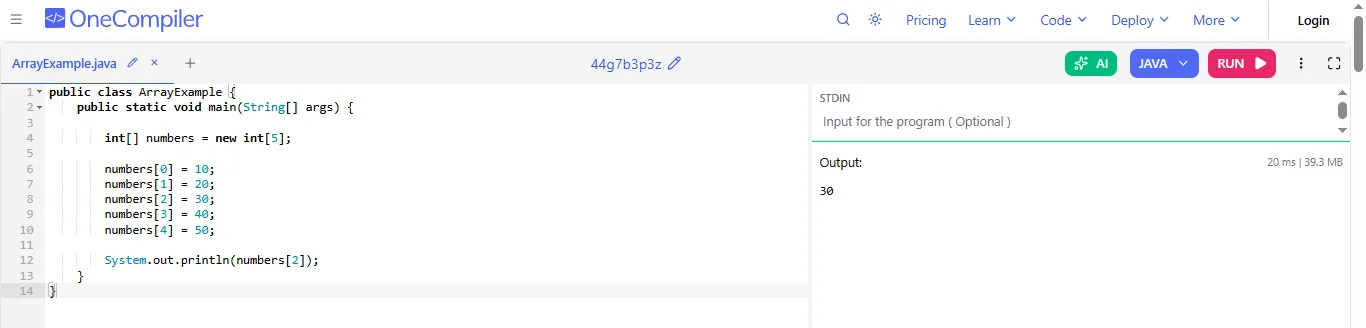
Let me explain this with an example program:
|
After creating an array, the next step is to assign values to it. This process is called initialization. Java provides several ways to initialize arrays depending on when and how you want to add values. Each method is useful in different situations. In this section, we will look at the most common ways to initialize arrays with simple examples.
In this method, you create the array and give values to it at the same time.
This is the simplest way when you already know the values you want to store in the array.
Example:
|
Explanation:
When you should use it:
You should use this method when you already know the values that will go into the array. It keeps your code short and easy to read.
In this method, you first create the array using the new keyword and define its size. After that, you can add values to it.
Example:
|
Explanation:
When you should use it:
You should use this method when you know the size of the array, but the values will be added later in the program.
A multi dimensional array is an array of arrays. The most common type is a 2D array, which works like a table with rows and columns.
Example:
|
Explanation:
Here the array looks like a table:
|
When you should use it:
The first index represents the row and the second index represents the column.
You should use multi-dimensional arrays when you want to store data in rows and columns, such as:
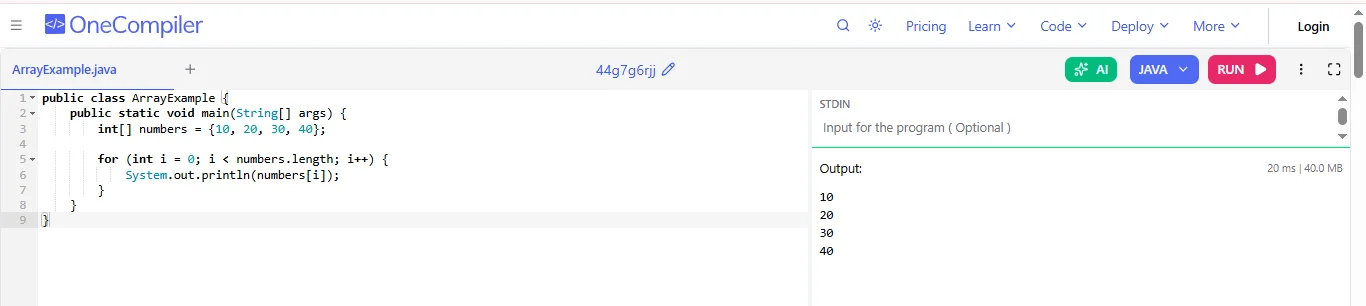
When working with arrays, you need to access every value stored inside them. This process is called iterating through an array. Iteration allows you to read, print or perform operations on each element in the array. Java provides different types of loops to do this easily.
When you use a for loop, you go through the array using the index or you can also call it as position of each element.
You start from the first position of the array, which is usually index 0 and move forward until you reach the last element.
Example:
|
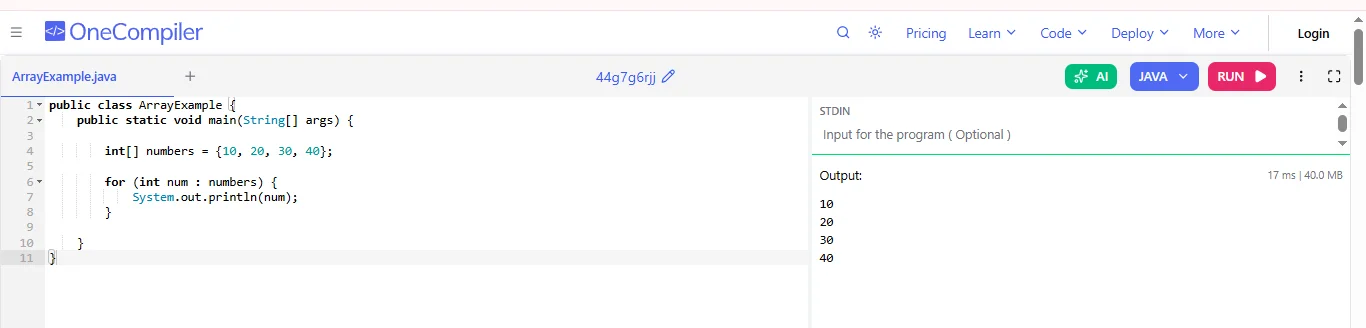
Each loop is a simpler way to go through an array. Instead of using indexes, you directly work with the values stored in the array.
Example:
|
Arrays and ArrayLists are both used in Java to store multiple values in a single variable. They work in different ways. When you learn Java, when you understand the difference it will help you decide which one to use for storing and managing data more efficiently.
| Features | Array | ArrayList |
| Definition | An Array is a fixed-size data structure used to store multiple elements of the same data type. | An ArrayList is a dynamic class in Java that stores elements and can change its size when needed. |
| Size | The sizes are fixed once the array is created. | The size can grow or shrink automatically. |
| Data Types | Arrays can store both primitive types (int, char, double) and objects. | ArrayLists store objects only, not primitive data types directly. |
| Package | Arrays are part of the core Java language and do not require importing a package. | ArrayList belongs to the Java Collections Framework (java.util package). |
| Accessing Elements | Elements are accessed using index notation like array[0]. | Elements are accessed using methods like get() and set(). |
| Adding/Removing Elements | Arrays do not support direct methods to add or remove elements. | ArrayList provides methods like add() and remove(). |
| Performance | Arrays are generally faster because their size is fixed. | ArrayLists can be slightly slower due to resizing and additional methods. |
Arrays are an essential data structure used to store multiple values in a single variable. They make data management easier, improve program organization and allow quick access to elements. The following are some of its advantages:
1. Easy to Store Multiple Values: it can store many values in a single variable, which makes programs easier to manage.
2. Fast Access Using Index: Each element has a position, so you can quickly access any value using its index number.
3. Saves Memory: Arrays store elements in continuous memory locations, which uses memory more efficiently.
4. Easy to Process Data: It is easier to perform operations like sorting, searching and looping through many values.
Arrays are useful for storing multiple values, but they also have some drawbacks. These limitations can reduce flexibility and efficiency when working with large or frequently changing data in programs. Here are some of them:
1. Fixed Size: The size of an array must be decided when it is created and it usually cannot be changed later.
2. Same Data Type Only: It can store only one type of data.
3. Insertion and deletion are difficult: Adding or removing elements in the middle requires shifting other elements, which takes extra time.
Read Also: Java Interview Questions and Answers
In this blog, I have explained what an array in Java is and how it is used to store multiple values of the same data type in one variable. I also covered the syntax and declaration of arrays, different methods to initialize them and how to iterate through arrays using loops. I also explained the difference between arrays and ArrayLists. After reading this, you should try writing small programs using arrays to practice and understand them better.
The three common types of arrays in Java are one-dimensional arrays, two-dimensional arrays and multidimensional arrays.
The four basic array operations are traversal, insertion, deletion and searching. These operations help you go through elements, add new values, remove values and find specific elements in an array.
You can find the type of an array in Java by checking the data type used when it is declared, such as int, double or String. This tells you what kind of values the array stores.
Explore Our Trending Articles-