Have you ever thought about how your computer acknowledges the difference between numbers and words when writing Java codes? To understand it you need to know about data types in Java programming language. These types tell the program what kind of value a variable can store like a number, a letter or true and false. They also help the system decide how much space is needed to save that value.
Understanding them seems quite complicated first, but trust me it is not. You just have to start from the very basics and this guide here will help you do that. It explains what data types are in Java, their classification, importance, and best practices when you deal with them. Let’s begin!
Data types in Java are classifications that specify the type of value a variable can store. It acts as a blueprint that tells the compiler or interpreter what type of value it can store in a particular variable. This ensures that the operations performed on the data type are safe and efficient.
It is very important for you to understand data types in Java programming. They are at the core of everything you do as a developer. Understanding them helps you know which data types should be used when. Choosing the right data type gives you various benefits, including:
1. Memory Allocation: Different data types need different amounts of memory. For example, a small number needs less memory than a big number or a long text. Choosing the correct data type helps use memory wisely.
2. Code Optimization: When we use the right data type, the program runs faster and more smoothly. It avoids wasting system resources.
3. Avoiding Runtime Errors: If we use the wrong data type, the program may crash or show errors while running. Understanding data types helps prevent these problems.
4. Readability and Maintainability: Proper data types make the code clear and easy to understand. It also becomes easier to update or fix the code later.
5. Data Integrity: Using the correct data type keeps the data accurate and safe. It prevents storing wrong or invalid values.
Read Also: Java Tutorial for Beginners
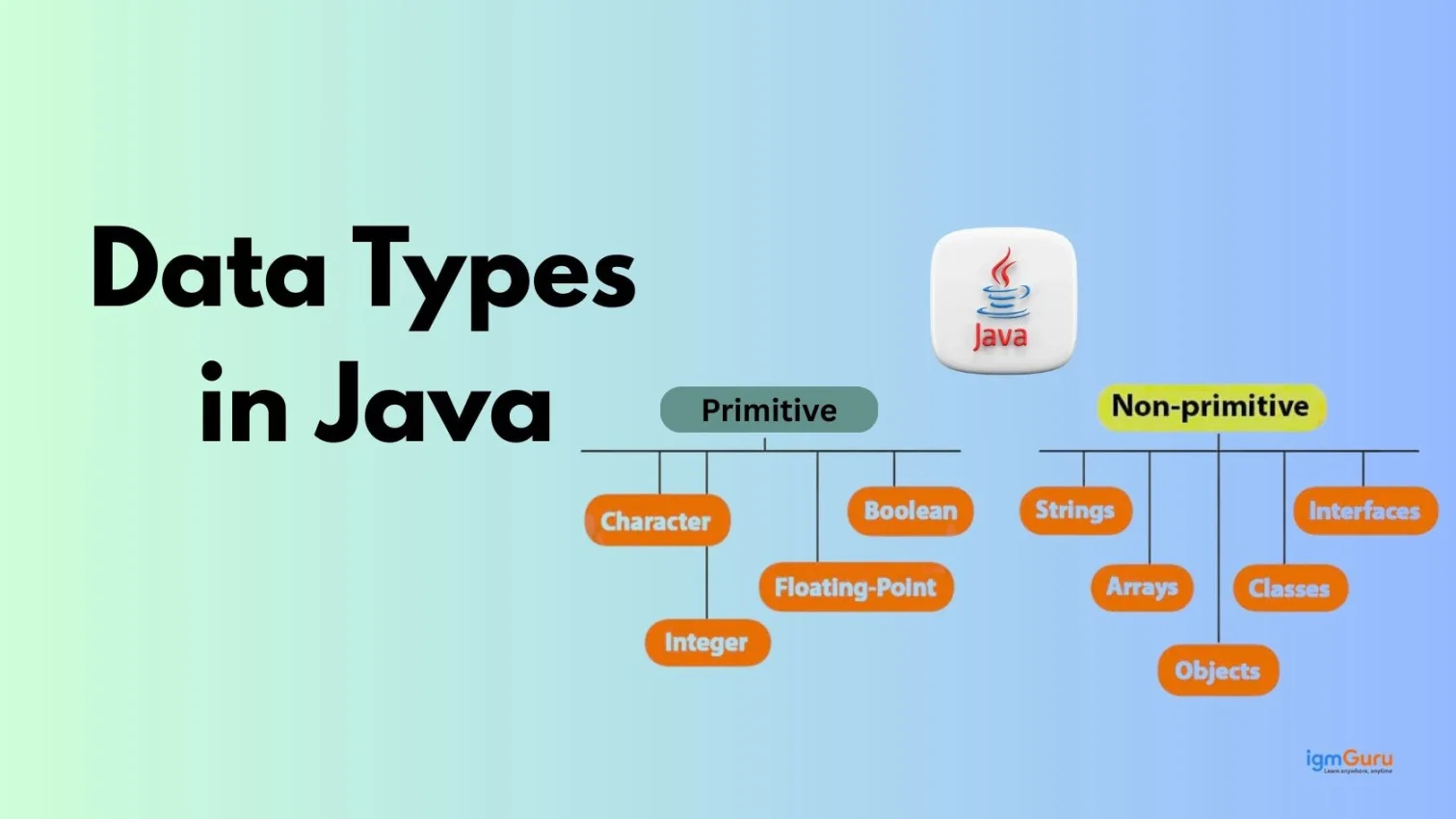
There are primarily two categories of data types in Java. Let explore them in-depth with examples:
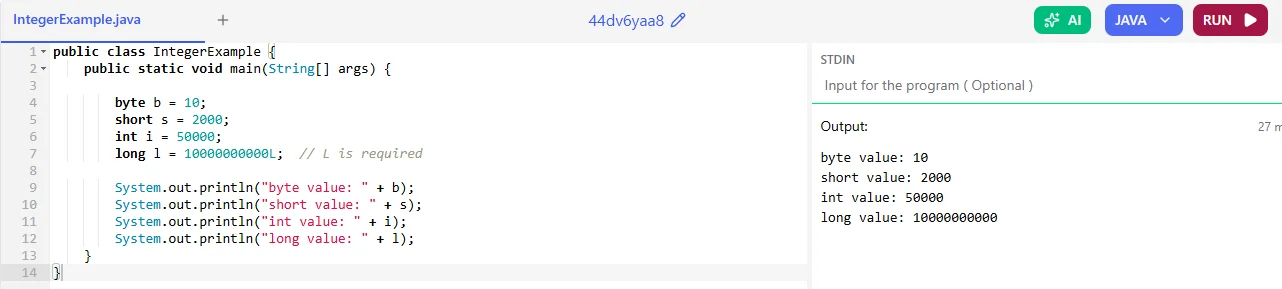
Primitive data types are those data types provided by Java. They store basic values directly in memory. There are various primitive data types in Java based on their size and uses. Let’s explore them one by one:
| Data Type | Size | Example |
| byte | 1 byte | -128 to 127 |
| short | 2 byte | Small integers |
| int | 4 byte | Most commonly used |
| long | 8 byte | Large integers |
|
| Data Type | Size | Precision |
| float | 4 bytes | 6–7 digits |
| double | 8 bytes | 15 digits |
|

It only stores a single character.
| Data Type | Size | Example |
| char | 2 bytes | 'A', '1', '@' |
|

It stores true or false.
| Data Type | Size | Example |
| boolean | 1 bit | true / false |
|

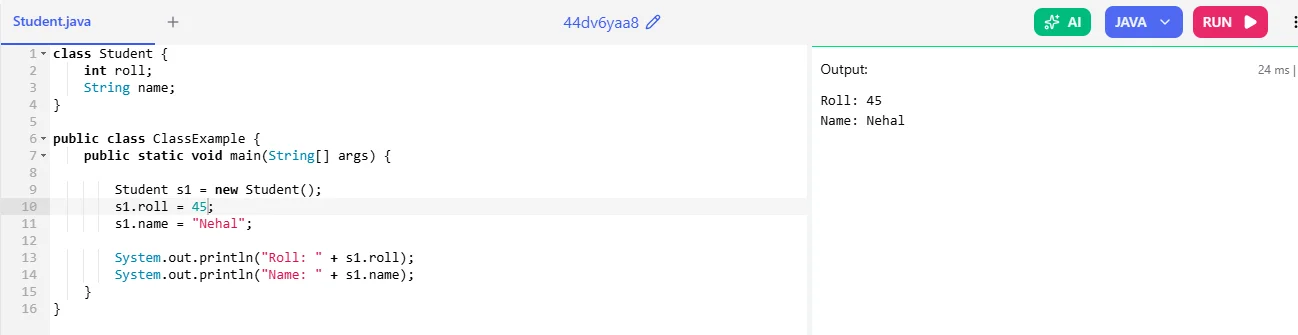
Non-Primitive Data Types in Java store references (memory addresses) to objects rather than storing actual values directly. These are also categorised into different types based on their characteristics. Here are some of the common ones:
String is a class in Java used to store text.
|

Array stores multiple values of the same type.
|

|
Read Also: What are Classes and Objects in Java
Primitive and non-primitive data types are the two main categories used to store data in Java programming. Understanding their difference helps you choose the correct type and write better code. Let me explain you this in brief:
| Parameters | Primitive Data Types | Non-Primitive |
| Meaning | Primitive data types store simple values like numbers, characters or true/false. | Non-primitive data types store more complex data like words, arrays or objects. |
| Examples | Examples include int, double, char and boolean. | Examples include String, arrays, classes and interfaces. |
| What is Stored | They store the actual value directly in memory. | They store the reference (address) of the object, not the actual value. |
| Size | Their size is fixed and depends on the type. | Their size is not fixed and can change. |
| Speed | They are generally faster because they store simple values | They are slightly slower because they store references to objects. |
| Default Value | They have default values such as 0, false or '\u0000'. | Their default value is null if not assigned. |
| Creation | They are already built into Java. | They are created by the programmer or provided by Java libraries. |
Type Casting in Java means changing a variable from one data type to another data type. It is mainly used to convert numbers from one type to another.
There are two types of type casting in Java:
It happens automatically when we convert a smaller data type into a larger data type.
|
It is done manually by the programmer when converting a larger data type into a smaller data type.
|
Read Also: What are Identifiers in Java (Variable Names)
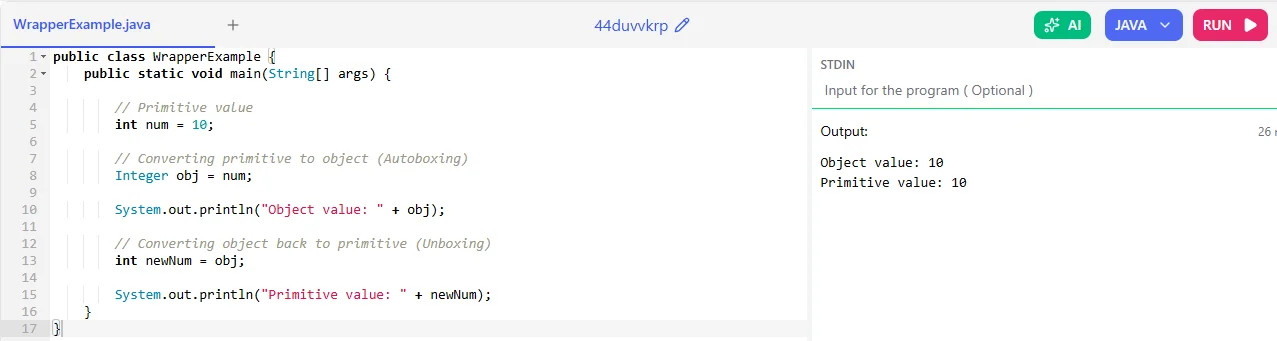
Wrapper classes in Java are special classes that convert primitive data types into objects. In Java, primitive types like int, double, and char are not objects. But sometimes, Java programs (especially Collections like ArrayList) require objects instead of primitive values. Wrapper classes solve this problem by “wrapping” a primitive value inside an object.
Let me explain you with the help of a code example:
|
Read Also: A Comprehensive Guide to Collections in Java
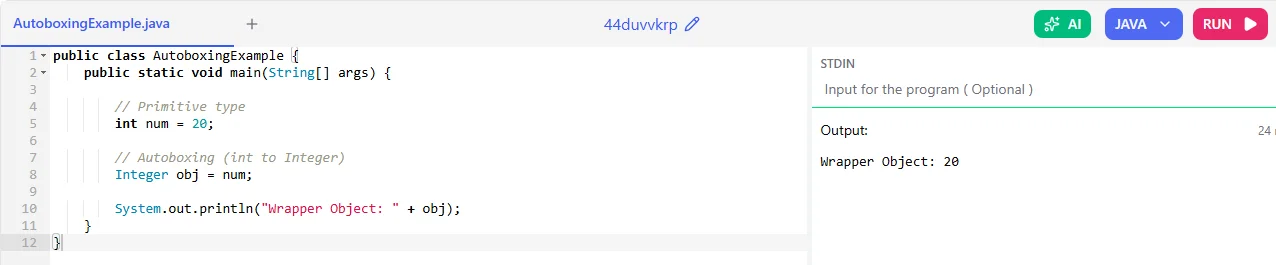
Autoboxing in Java is the automatic conversion of a primitive data type into its corresponding wrapper class object.
This feature was introduced in Java 5. It allows Java to automatically convert primitives like int, double etc, into objects like Integer, Double, without writing extra code.
Let me explain you with the help of a code example:
|
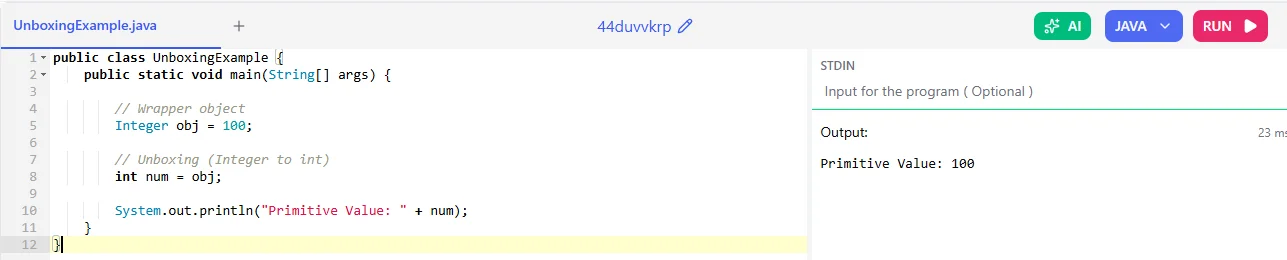
Unboxing in Java is the automatic conversion of a wrapper class object into its corresponding primitive data type.
It is the opposite of autoboxing. Java will automatically extract the primitive value from the wrapper object.
Let me explain you with the help of a code example:
|
As a beginner, it is common to make mistakes, but when you understand them then it will help you avoid errors, improve programs and write clean, correct Java code. Let me tell you some of them:
Sometimes we choose the wrong type for a value. For example:
WRONG
|
RIGHT
|
If we don’t cast properly then Java may give an error or lose data.
WRONG
|
RIGHT
|
When we divide two integers, Java gives an integer answer.
WRONG
|
We expect 2.5, but Java gives 2.
RIGHT
|
This error happens when we use a variable without giving it a value.
WRONG
|
RIGHT
|
Every data type has a limit. If we go beyond that limit, overflow happens.
|
|
The following are some best practices like choosing primitives,using constants, and leveraging wrapper classes helps write clean, efficient and error free programs:
Primitive types like int, double, boolean are faster and use less memory.
|
Use final for values that should not change.
|
Use Integer, Double, etc., when working with collections.
|
This guide has explained everything about data types in java along from basics to advanced. It explained how they help manage memory, improve performance and prevent errors. You should now practice this knowledge on real-world projects, starting from writing simple programs and applying the correct data types to strengthen your understanding.
Explore Our Trending Articles:
Java Project Ideas For Beginners and Advanced
Widening casting converts a smaller data type to a larger data type automatically and narrowing casting converts a larger data type to a smaller data type manually using explicit casting.
String is a non-primitive data type in Java. It is actually a class used to store text.
Primitive data types have default values like 0 for numbers and false for boolean. Reference types like String have default values of null.
int is a primitive type and stores only numbers. Integer is a wrapper class and can be used with collections like ArrayList.