DevOps is shaping the future of software delivery, and learning it today means stepping into a world where ideas move from code to production faster than ever. Imagine deploying updates several times a day instead of waiting weeks, fixing issues before users notice, and watching automation handle tasks you once did manually. This DevOps tutorial will guide you through that journey. Let’s begin!
DevOps is a modern software practice that brings development and operations together to deliver applications faster and more reliably. Traditional software delivery experienced delays due to separate workflows, but DevOps encourages collaboration, automation and continuous improvement. It focuses on reducing manual work by using automation pipelines, version control, containerization and continuous monitoring.
DevOps improves release speed, reduces deployment failures and helps teams respond quickly to changes. For example, a team using it can update an e-commerce application several times a day instead of waiting for long release cycles.
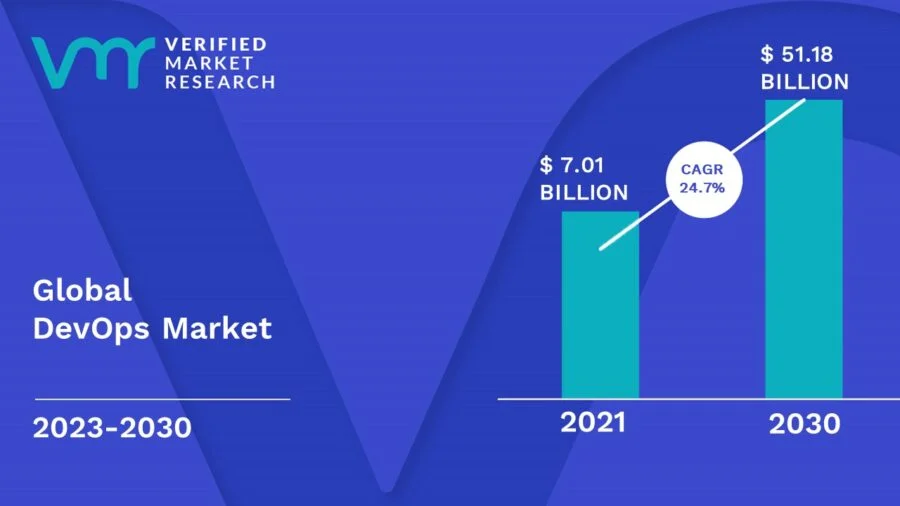
It is no wonder that DevOps is quickly gaining popularity and is evolving into a crucial competency for teams working on software development. The statistics that make DevOps a desirable career path are as follows:
Learning DevOps becomes valuable once its role in modern engineering is understood clearly. Companies today release software rapidly to stay competitive and require systems that support frequent updates without downtime. DevOps makes this possible through automation and pipeline control. There are more reasons too, like:
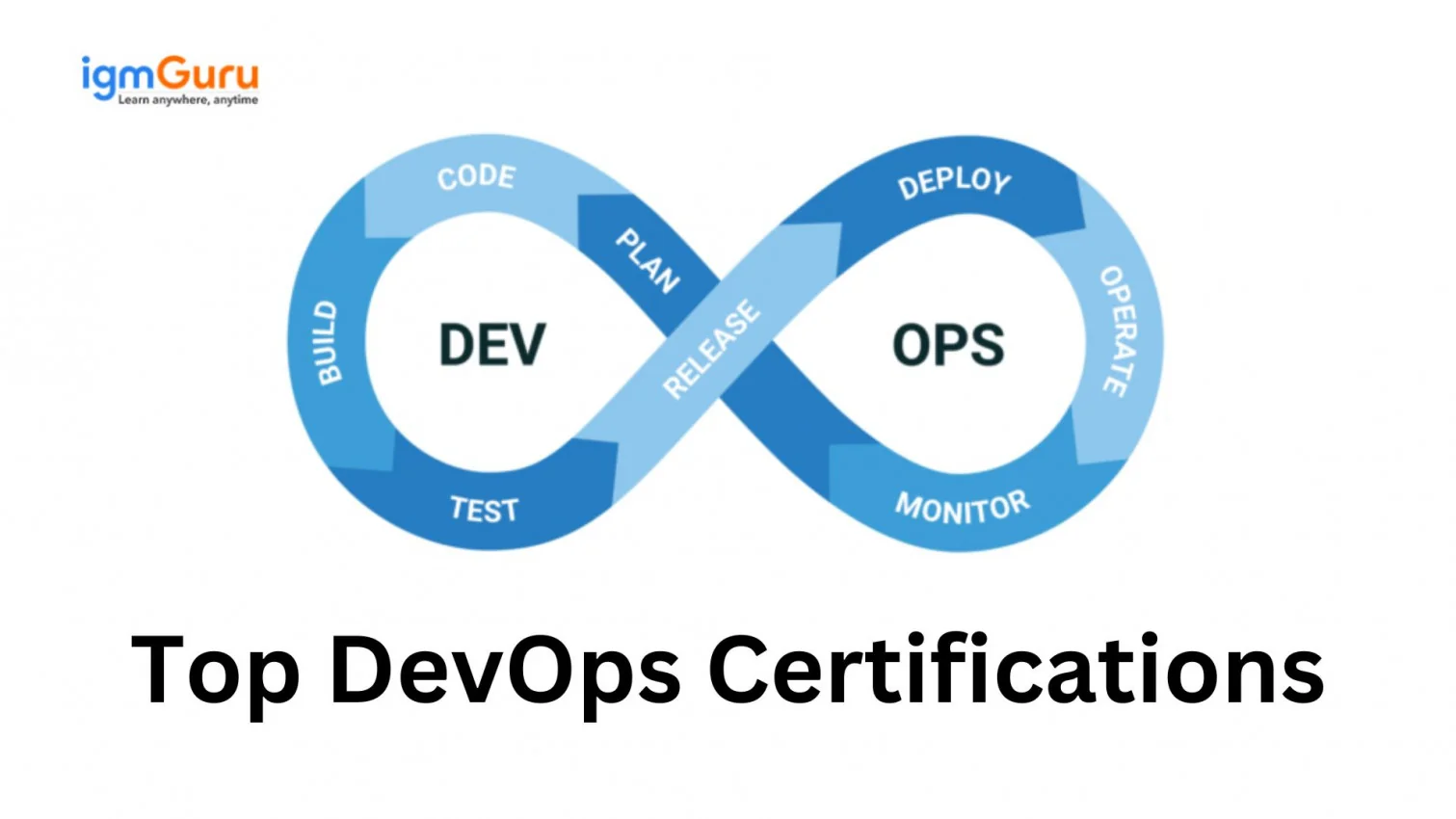
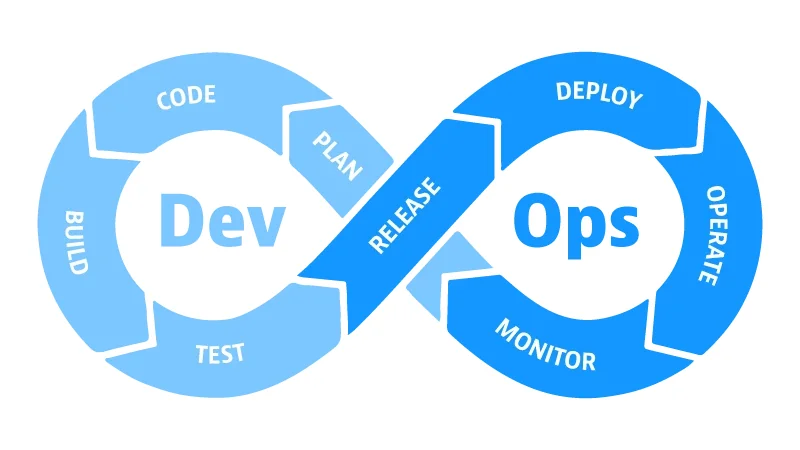
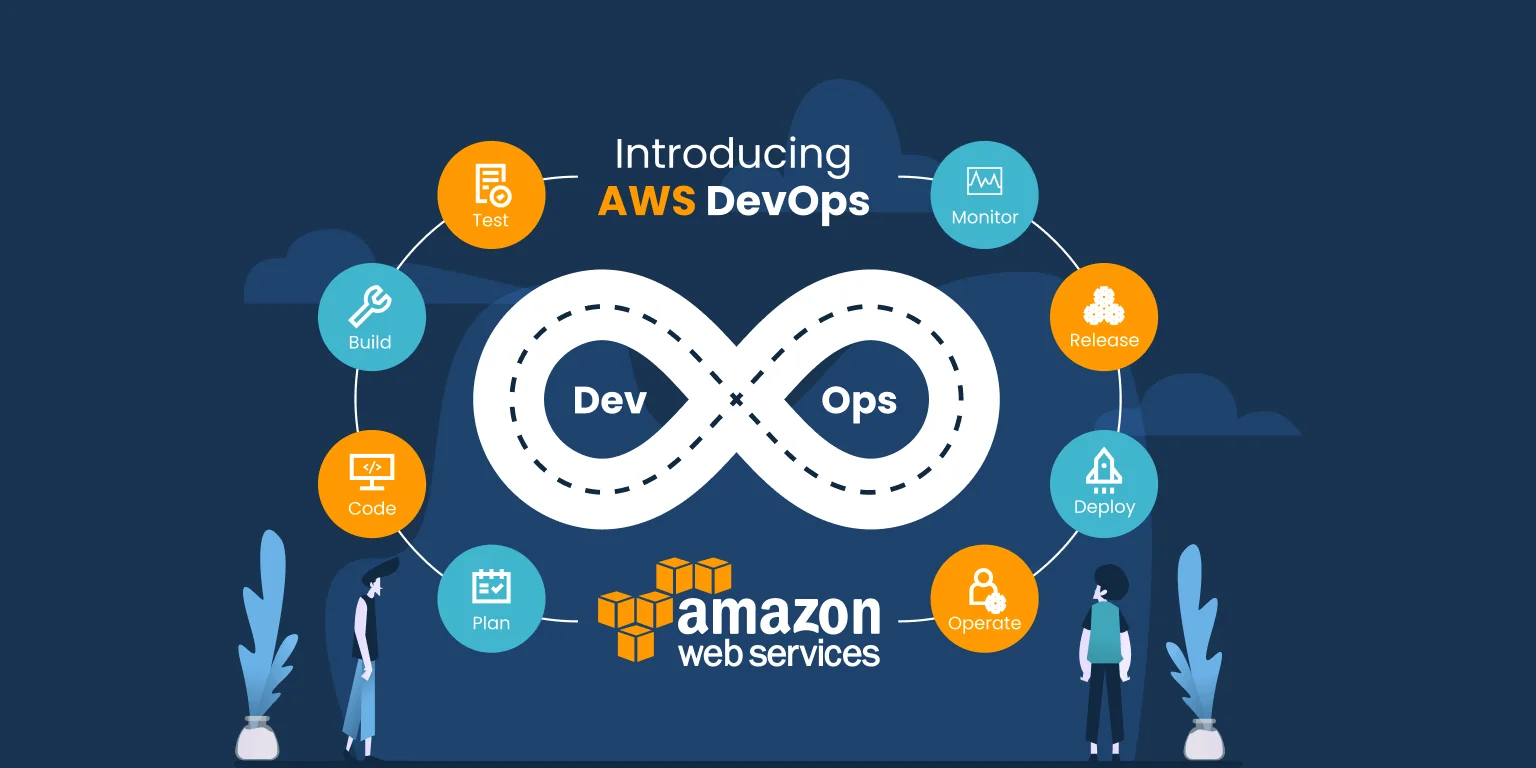
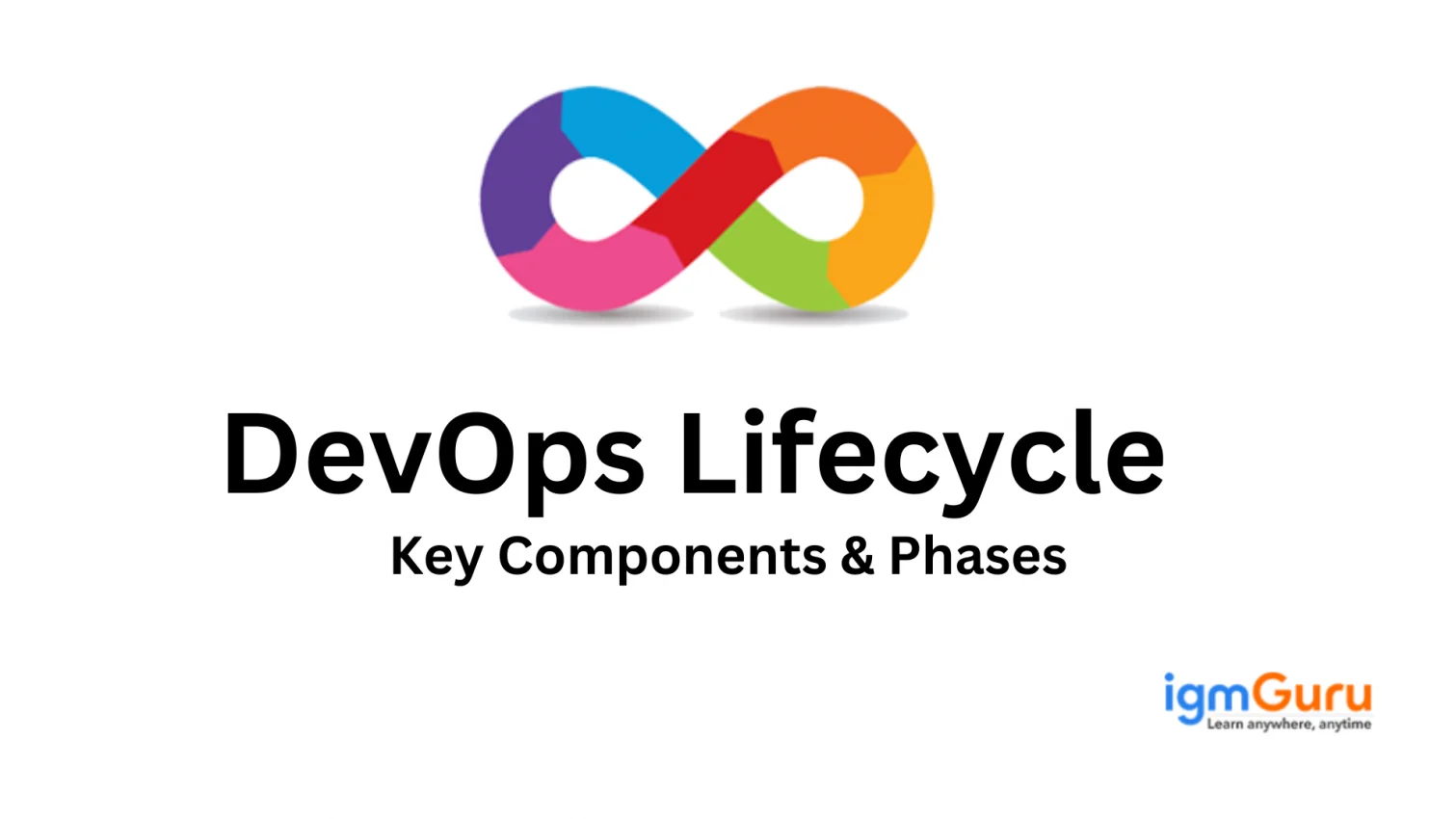
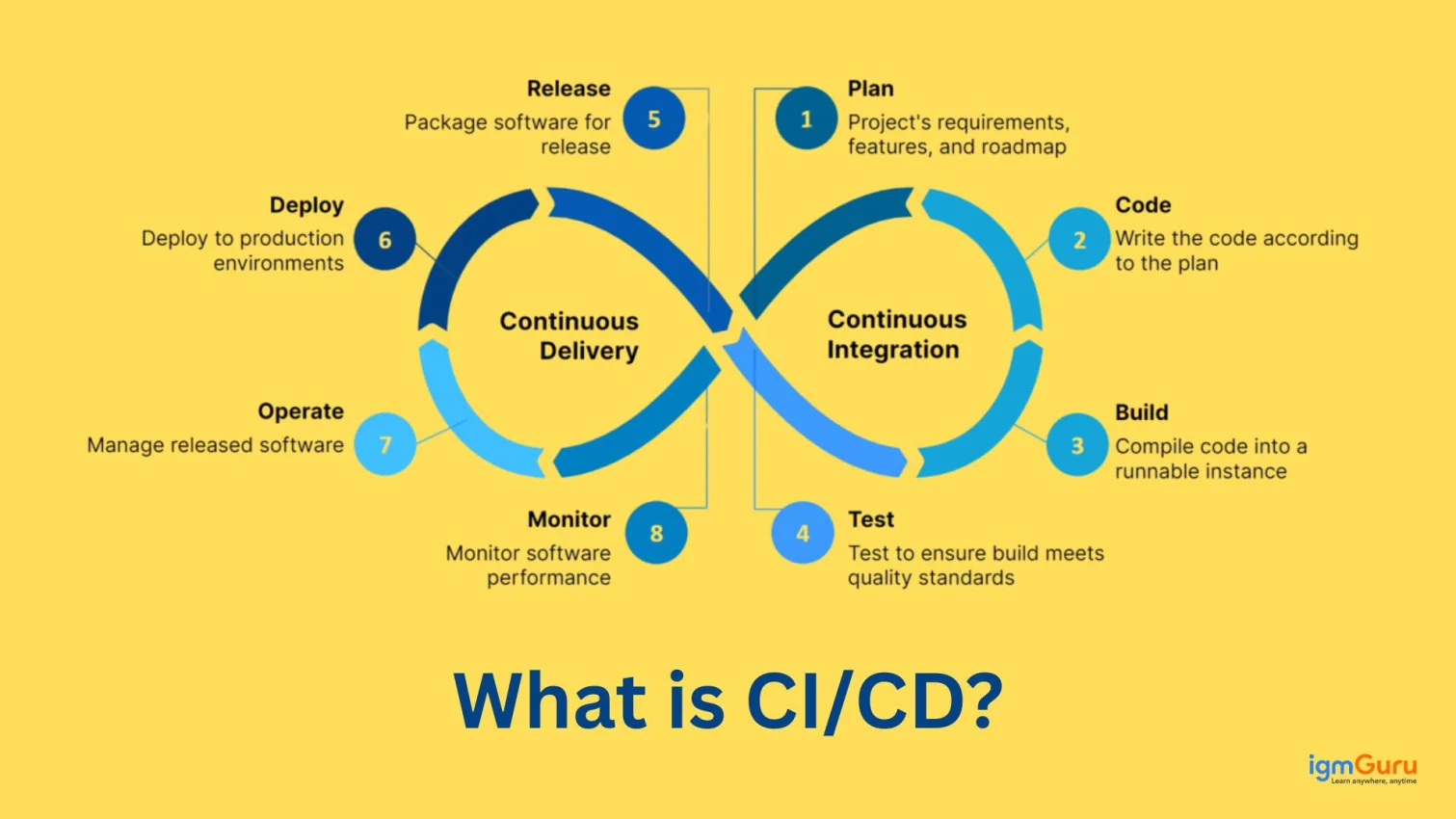
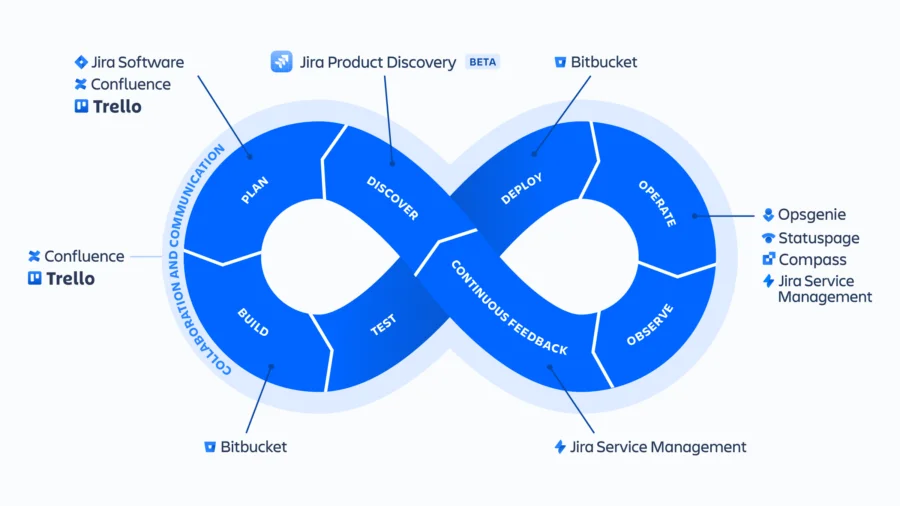
The DevOps lifecycle represents a continuous flow of activities that transform code from planning to deployment and improvement. Each stage plays a specific role in delivery, and together they create a pipeline where development and operations work as one. Understanding every stage builds clarity on how modern applications move from idea to running software without delay.
Code is planned, written and committed into a version control system. Teams break features into smaller tasks to avoid long release gaps, allowing rapid improvement with every commit. Changes recorded under Git help developers track progress, switch branches and collaborate instantly.
New code merges frequently into a shared repository, reducing conflicts and ensuring clean builds. Automated tools build and test every update to detect errors early. A pipeline triggers on each commit, preventing issues from piling up and enabling smoother delivery downstream.
Automated test suites validate application functionality on every build. This prevents broken changes from reaching production and saves time that manual testing would consume. Tools like Selenium and JUnit verify features quickly, resulting in stable code at all times.
Approved builds flow into production or staging environments automatically. Deployment scripts remove manual efforts and mistakes, making releases predictable and repeatable. Businesses deliver features faster because human involvement becomes minimal during rollout.
Applications are observed continuously for performance, errors and resource consumption. Monitoring collects logs and metrics that expose failures before they affect users. Tools like Prometheus and Grafana enable real-time visibility and keep systems healthy.
Insights from monitoring and user interaction guide future changes. Feedback loops help teams refine features and address problems instantly. This stage strengthens product quality by connecting development decisions with real-world usage.
DevSecOps integrates security into every step rather than adding it later. Code scanning, vulnerability testing and policy automation protect systems without slowing delivery. Teams build safer applications while maintaining DevOps speed.
With the lifecycle understood, the reader should now know what skills support DevOps implementation. Prerequisites ensure beginners have a comfortable starting point before entering hands-on work. This section bridges the lifecycle with the architecture section by preparing the learner to operate tools smoothly through commands, scripting and version control.
Helpful prerequisites include knowledge of Linux commands like cd, ls, mkdir and scripting skills for automation. Familiarity with Git helps handle repositories, merge branches and manage code versions.
| Command | Purpose |
| ls | List files in the current directory |
| mkdir project | Create a new folder named project |
| pwd | Show current working path |
| cd folder | Enter a directory named folder |
DevOps Architecture shows how components integrate to form a complete automated pipeline. This naturally follows prerequisites because without knowing basic tools, reading architecture becomes confusing. Here we see how each block fits to form delivery flow.
A sample DevOps architecture includes Git for storing code, a CI server like Jenkins for builds, Docker for container packaging and Kubernetes for deployment management.
For example, when code is pushed to GitHub, Jenkins automatically runs tests, builds a Docker image and sends it to a registry. Kubernetes later pulls that image for deployment.
| Component | Role in Pipeline |
| Source Repo | Stores and manages code |
| CI Server | Builds and tests code automatically |
| Docker | Packages applications into images |
| Registry | Stores Docker images for deployment |
| Kubernetes | Deploys and scales containers |
With architecture understood, it is now useful to see the DevOps tools that handle each function. Tools bring DevOps workflow to life and allow automations to run continuously. Listing them here prepares the reader for the practical implementation that follows, maintaining smooth topic progression.
| Stage | Tool |
| Code | Git |
| Build | Jenkins |
| Config | Ansible |
| Container | Docker |
| Orchestration | Kubernetes |
| Monitoring | Prometheus |
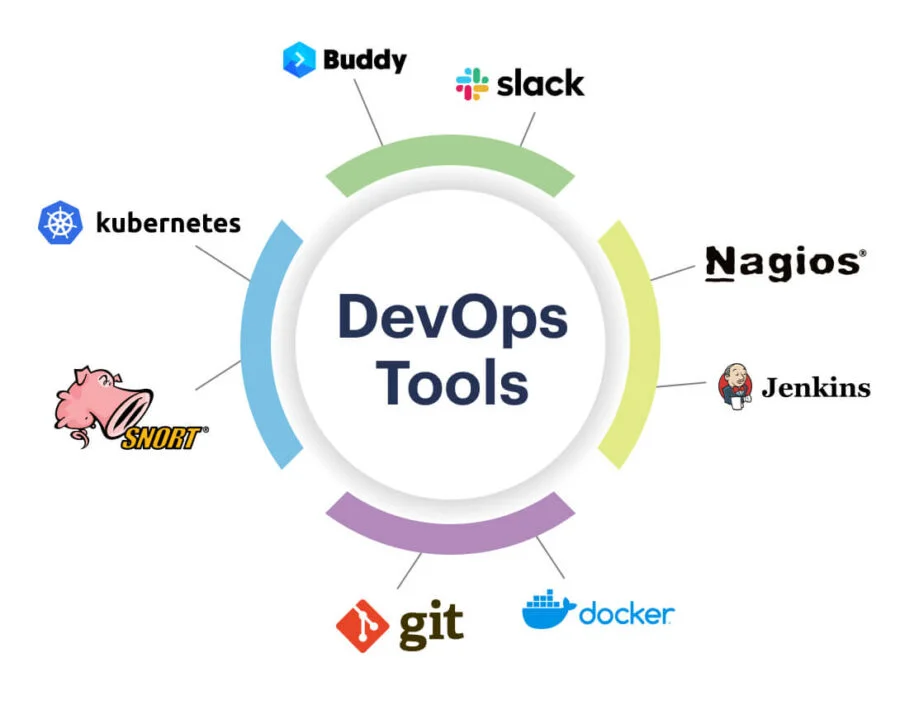
Understanding the key DevOps terminologies is essential for effectively managing and automating cloud infrastructure. These terms involve core services and practices that enable efficient deployment, scaling and monitoring of cloud applications.
Elastic Compute Cloud provides extensive computing capacity for cloud environments. It allows experts to launch virtual servers with various operating systems, configurations and storage options. EC2 is fundamental for deploying and scaling applications on demand that provide the flexibility to adapt to changing workloads.
RDS helps to simplify the setup, operation and scaling of relational databases in the cloud. It supports popular database engines like MySQL, PostgreSQL, Oracle and SQL Server that helps in automating tasks such as patching, backups and failover. This service enables DevOps teams to focus on application development rather than database administration.
Virtual Private Cloud enables professionals to create a logically isolated section of the cloud to launch resources in their virtual network. It also provides control over the virtual networking environment, including IP address ranges, subnets, route tables and network gateways. This service is crucial for creating secure and scalable network architectures.
Simple Storage Service provides object storage for a wide range of use cases, such as storing backups, media files and application data. It offers high durability, scalability and security. This makes it ideal for storing and retrieving any amount of data from anywhere on the web. This service is a cornerstone of cloud storage solutions.
Route53 is a Domain Name System (DNS) web service that translates domain names into IP addresses and enables users to access applications and resources. Route53 also supports traffic routing, health checking and domain registration. Therefore, it can be said to be a comprehensive DNS solution for cloud environments.
Identity and Access Management controls access to cloud resources to manage users and permissions. IAM can also define roles and policies that grant specific access to resources to ensure security and compliance. This service is essential for implementing the principle of least privilege and securing cloud environments.
CloudWatch provides monitoring and observability of cloud resources and applications. It collects metrics, logs and events to gain insights into system performance and health. It also supports alerting to get notifications when specific conditions are met. This service is crucial for proactive monitoring, troubleshooting and maintaining application availability.
Read Also - Data Science Tutorial For Beginners
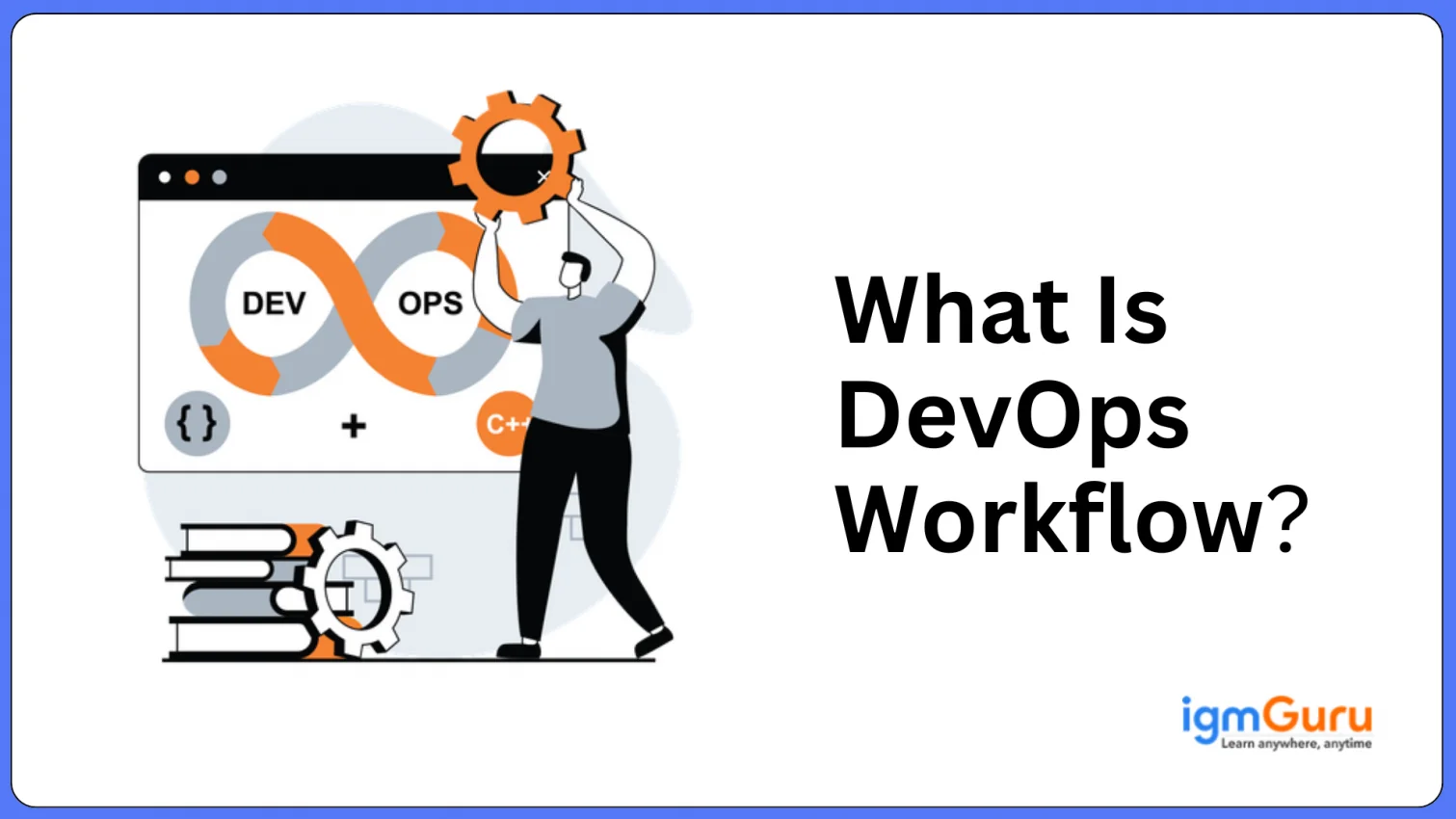
A practical workflow demonstrates how DevOps tools operate together to deliver an application efficiently. In this walkthrough, you will begin by setting up required tools, creating a repository, automating builds and tests, packaging the application into a container and finally preparing it for deployment. Each step mirrors real activities inside a continuous delivery pipeline.
Git manages code changes across teams, while Jenkins automates integration and builds. Install Git to handle repositories and Jenkins to trigger jobs whenever updates occur. This creates the foundation for continuous delivery, enabling every code push to start an automated workflow.
Start by writing a simple application such as an index.html file and commit it using Git. Push the code to a platform like GitHub or GitLab. Version control keeps history, supports branching and ensures team collaboration without overwriting changes.
Create a new Jenkins job, connect it to your Git repository and enable webhook triggers if supported. Jenkins detects new pushes automatically and begins building the project. This reduces wait time between commits and testing, helping errors surface early.
Jenkins executes the build process, compiles the application if needed and runs test scripts. Successful builds confirm code stability before deployment. Failed jobs alert developers instantly so fixes happen before the update moves to delivery stages.
Build a Dockerfile to containerize the application. Docker collects dependencies inside a single image that can run consistently across environments. This eliminates server differences and ensures your application behaves the same in testing, staging and production.
Example Dockerfile:
FROM nginx COPY index.html /usr/share/nginx/html |
Once the image builds successfully, tag it and push to Docker Hub or a private registry. This makes the image accessible to Kubernetes or other deploy systems later. A stored image ensures fast rollbacks, replication and scalability when moving to new environments.
A hands-on DevOps project gives a complete practical experience, from writing code to deploying it in a cloud-ready environment. Instead of a basic static site, this project will use a more industry-relevant application that millions of learners search for online. You will build a Node.js backend with a simple API, package it with Docker, automate CI using Jenkins, and deploy it to Kubernetes, where the service becomes accessible externally.
You will create a Node.js application that returns a message through an API route. The repository will live on GitHub. Jenkins will clone it, install dependencies and run automated tests on every push. Docker will then build an image and push it to Docker Hub. Kubernetes will pull the image and deploy it as a scalable service where multiple users can access it simultaneously.
Create a folder containing a file app.js and a package.json with an Express dependency. Push the code to GitHub. Version history helps track changes, and repository access allows Jenkins to automate future builds and deployments without manual triggering.
Example app.js
const express = require('express')
const app = express()

app.get('/', (req, res) => {
  res.send('DevOps Deployment Successful')
})

app.listen(3000, () => console.log('App running on port 3000'))
|
Example package.json
{
  "name": "devops-app",
  "version": "1.0.0",
  "main": "app.js",
  "dependencies": {
    "express": "^4.18.0"
  }
}
|
Jenkins will automatically pull code using a pipeline script and run npm install and tests. This ensures code remains stable at all times. You can configure Jenkins with a webhook or schedule periodic polling.
Example Jenkinsfile
pipeline {
  agent any
  stages {
    stage('Clone Repo') {
      steps { git 'https://github.com/user/devops-app.git' }
    }
    stage('Install Dependencies') {
      steps { sh 'npm install' }
    }
    stage('Test') {
      steps { sh 'npm test || echo "No tests added yet"' }
    }
    stage('Build Docker') {
      steps { sh 'docker build -t user/devops-app:1.0 .' }
    }
    stage('Push Image') {
      steps { sh 'docker push user/devops-app:1.0' }
    }
  }
}
|
Docker will package Node.js with dependencies so the app runs anywhere without changes. The image is tagged and pushed to a registry for Kubernetes to fetch during deployment.
Example Dockerfile
FROM node:18 WORKDIR /app COPY . . RUN npm install EXPOSE 3000 CMD ["node", "app.js"] |
Kubernetes will create pods using the Docker image and expose it publicly so users can access the application from a browser. You can test it locally using Minikube or deploy to cloud providers like AWS, GCP or Azure.
Example Kubernetes Deployment
kubectl create deployment devops-app --image=user/devops-app:1.0 kubectl scale deployment devops-app --replicas=3 kubectl expose deployment devops-app --type=NodePort --port=3000 |
When deployment completes, run the following command to get access URL:
minikube service devops-app |
You now have a real DevOps application running through GitHub, Jenkins, Docker and Kubernetes. Cloud hosting, scaling and monitoring can be added next if you want production-level reliability.
Once a project runs, it becomes important to refine workflows using proven practices. Best practices improve speed, reliability and collaboration. The guidelines below support companies in scaling DevOps pipelines.
After reviewing best practices, understanding where DevOps is used in real industries strengthens confidence. DevOps is used in microservices systems, streaming platforms, large ecommerce websites, SaaS deployments and mobile application backend systems.
For example, a streaming service may deploy updates several times per day using Kubernetes rolling updates without interrupting users. Such use cases show DevOps is mature and widely adopted.
DevOps interview questions help revise everything covered so far. This reinforces definitions, tools, architecture, and practical workflow.
Sample questions and answers
A. CI is the practice of integrating code frequently and testing it automatically, while CD deploys tested builds to production continuously.
Despite the fact that DevOps is a relatively new area, there are several career possibilities available for experts with the required qualifications. Some of the popular job roles for DevOps professionals are:
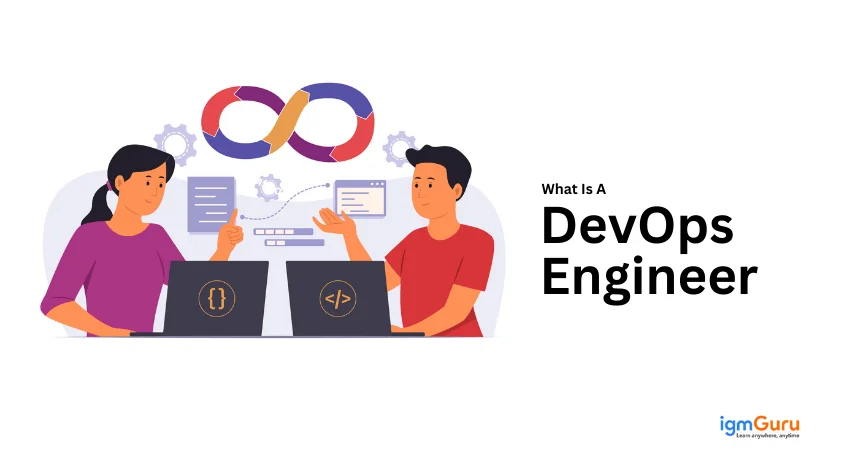
A DevOps engineer is in charge of managing and implementing DevOps procedures within a company.
A site reliability engineer is in charge of making sure that software applications are scalable, reliable, and available.
A software delivery process automation engineer is in charge of speedy and effective software deployment by automating the process.
In charge of overseeing the release procedure and making certain that the code is successfully pushed to production.
No doubt, DevOps engineers or professionals are earning a lot in terms of salary packages. You can read this DevOps engineer salary article, in which we have discussed in detail the salary package.
Related Article- Top 20 New Technology Trends To Look For
DevOps is becoming increasingly popular among companies of all sizes and across a wide range of industries. Here are a few instances of businesses that use DevOps:
Your employment possibilities will improve and your abilities and expertise will be validated with the aid of the best DevOps certifications and training resources available. Here are some popular DevOps certifications you can choose as on your interest:
This certification, which is provided by Amazon, attests to a person's proficiency in setting up, running, and administering applications on the AWS platform.
Professional Cloud DevOps Engineer: Google Cloud Certified - The Professional Cloud DevOps Engineer professional certification, made available by Google Cloud Platform (GCP), attests to a person's proficiency in executing DevOps practices while utilizing GCP tools and services.
The Cloud Native Computing Foundation (CNCF) offers this certification, which attests to a person's proficiency with Kubernetes-based containerized application management.
Enterprise-level software delivery automation specialist CloudBees offers a professional certification called Certified Jenkins Engineer.
Red Hat provides this certification, which attests to a person's proficiency in using Red Hat technology to implement DevOps approaches.
This DevOps tutorial covered everything from its definition to lifecycle, prerequisites, architecture, tools and hands-on workflows. Each section is explained step by step so beginners can absorb concepts without confusion. Further, you can move to the advanced topics like Helm, Terraform, GitOps, service mesh, and advanced security integration. With continued practice, you will get your dream job one day.
Answer: DevOps is a tool-neutral approach to software development, allowing for the use of any programming language.
Answer: No, DevOps can be deployed in businesses of any size, and both small and big businesses can profit from it.
Answer: A career in DevOps necessitates a variety of skills, including proficiency with automation technologies, programming languages, cloud computing, and containerization. With the right DevOps tutorial, you can learn basic and advanced DevOps.
Answer: You can study DevOps even if you've never worked in the software development industry. Having some programming experience, though, can be useful.
Answer: The intricacy of the concepts and the learner's past knowledge both influence how long it takes to master DevOps. To become adept in DevOps, however, can take anywhere from a few months to a year.
DevOps helps teams release software faster and more reliably. It improves automation, monitoring and overall productivity.
Explore Our Other Related Articles -
Course Schedule
| Course Name | Batch Type | Details |
| DevOps Training | Every Weekdays | View Details |
| DevOps Training | Every Weekend | View Details |