Learning a programming language like Java can be really tough without daily coding practice, which requires an environment. It can be complicated to install Java on a local environment for beginners. This is where an online Java compiler becomes extremely useful. It allows users to write, run, and test Java programs directly in the browser without installing anything.
A Java online compiler is a browser-based tool that lets users write, practice and run Java programs in a real-time environment. It is mostly useful for beginners and developers who just want to learn or test a bunch of code without any on-premise environment. This removes the need for installing JDK, setting environment variables, or using command-line tools.
Using an online Java compiler can be beneficial for many reasons. Here are some of the common ones:
Here are some of the robust features of this online Java compiler that make it a useful utility for you:
Read Also: Java Tutorial
This online Java compiler is designed to be a simple and easy-to-use utility. Anyone can use it, whether they can build programs or not. Here are the steps.
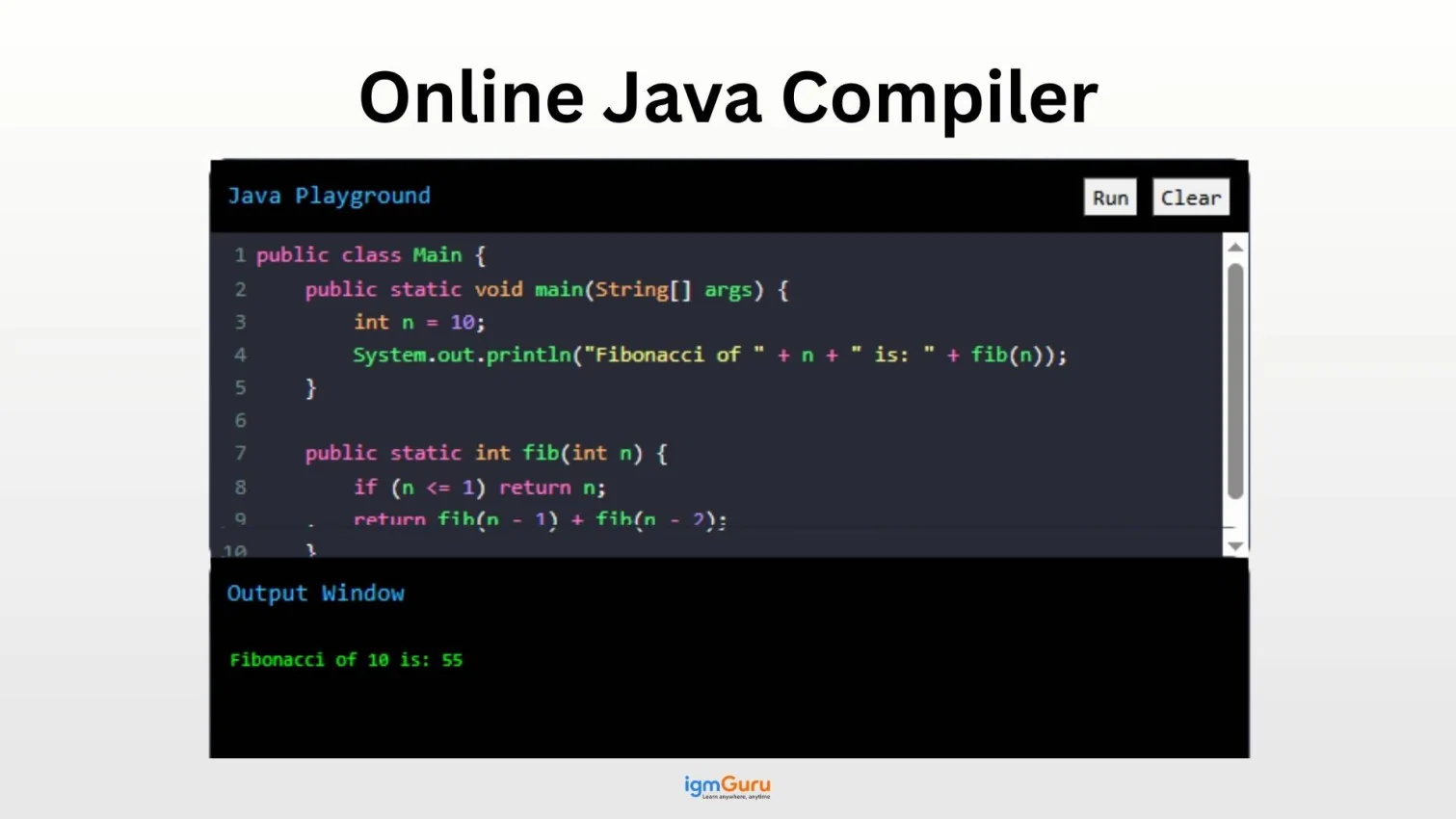
Start by writing or pasting your code in the editor. Here is an example of a Java program:
|
After completing the code in the Java playground, click on the run button. Once you click on the button, the compiler will start running the code. In case your code needs any additional input, you will see a new input box on your screen. Give you input there and click on the run button again.
Once you hit the run button, the code will be executed and result in an output in the Output box.
|
There is also a clear button that will help you clean the input box to start a new code.
Read Also: Java Interview Questions and Answers
An online compiler is a lightweight tool meant for quick testing and learning. A full IDE (Integrated Development Environment) like IntelliJ IDEA or Eclipse offers advanced features like project management, deep debugging and version control (Git) integration for large-scale software development.
You don’t need to install the Java Development Kit (JDK) or configure environment variables on your local machine to use this compiler.
Yes, this tool is 100% free to use. It is designed to help students and professional developers test Java code snippets quickly without any subscription fees or hidden costs.
Our online compiler stays up-to-date with the latest stable releases (e.g., Java 17 or Java 21). This ensures you can practice modern features like Records, Sealed Classes, and the latest Stream API enhancements.
Most online compilers support the standard Java API (java.lang, java.util, etc.). For security and performance reasons, adding custom external JAR files may be restricted. However, all core Java libraries are fully functional for standard programming tasks.
Yes! You can use the Scanner class or BufferedReader to take user input. When you run your program, an interactive terminal will open, allowing you to enter data in real-time.