I have been doing SEO as a digital marketing executive for a long time now. The one thing I can safely say is that SEO is not something you can do with your knowledge and ambition alone. There are many underlying factors that cannot be evaluated without the best SEO tools.
The right tools can help you monitor your website, analyze keywords and competitors, plan strategies, track rankings, audit backlinks, and understand what is actually happening in search. They also help you identify technical issues, server errors, slow page speed, indexing problems, broken links, spam, or ranking drops.
Whether you are a fresher, SEO professional, or business owner, knowing about the best SEO tools is the only thing that can help you stand out in the competition. The only problem here is that there are too many, and one can not choose the best without testing them.
Don't worry! I evaluated each tool across keyword research, rank tracking, technical auditing, backlink analysis, usability, data depth, pricing, and reporting. I tested the tools using the same set of SEO tasks and compared the results across these criteria. In this article, I will share my findings so you don't have to waste time doing the same.
Let's begin!
Also Read: What is SMM (Social Media Marketing)?
| SEO Tool | Why Use | Key Feature | Best For | Subscription Plan | Rating by G2 |
|---|---|---|---|---|---|
| Semrush | All-in-One SEO Suite | Keyword research, competitor analysis, site audit, rank tracking | Agencies, businesses, professional SEOs | Paid | 4.4/5 |
| Ahrefs | Backlink & Competitor Research | Industry-leading backlink database and keyword explorer | SEO specialists and link builders | Paid | 4.5/5 |
| Google Search Console | Search Performance Monitoring | Search queries, indexing, CTR, coverage reports | Every website owner | Free | 4.7/5 |
| Google Analytics 4 (GA4) | Website Analytics | User behavior and conversion tracking | Marketers and business owners | Free | 4.5/5 |
| Screaming Frog | Technical SEO | Website crawling and technical audits | Technical SEO professionals | Free/Paid | 4.7/5 |
| Surfer SEO | Content Optimization | NLP-based content recommendations | Bloggers and content marketers | Paid | 4.8/5 |
| SE Ranking | Affordable SEO Platform | Rank tracking, audits, competitor research | Freelancers and growing agencies | Paid | 4.7/5 |
| Moz Pro | SEO & Link Analysis | Domain Authority and keyword tracking | Beginners and small businesses | Paid | 4.3/5 |
| Ubersuggest | Budget SEO Tool | Keyword research and SEO audits | Beginners and startups | Free/Paid | 4.2/5 |
| Google Keyword Planner | Keyword Research | Search volume and keyword ideas | SEO and PPC professionals | Free | N/A |
| Google Trends | Content Research | Search trend and seasonal interest tracking | Content strategists | Free | 4.6/5 |
| PageSpeed Insights | Core Web Vitals Analysis | Performance and page speed reports | Website owners and developers | Free | N/A |
One of the best reasons to use SEO tools is to not make the same mistake many individuals often make. Most of the digital marketing or SEO professionals start by using manual research or free online resources. This practice takes a lot of time, and the results are also limited. If you do not want to expand your business, this practice will work. But they can not help you win the market competition and are also not applicable for large and complicated websites.
I have also done this, and it made me realize that making SEO decisions based on assumptions often results in wasted time and missed opportunities. Once I started using the best SEO tool, it helped me replace guesswork with data-driven decisions.
It allows you to identify valuable keywords, analyze competitors, monitor rankings, find technical issues, track backlinks, and understand how users interact with your website. This saves you time collecting information from different sources. You can access actionable insights in one place. Let's explore the tools you should use to avoid the same mistake.
Related Article: What is Social Media Optimization (SMO)?
The sections below will explain the best SEO tools you can use to enhance your skill set or improve your brand visibility.
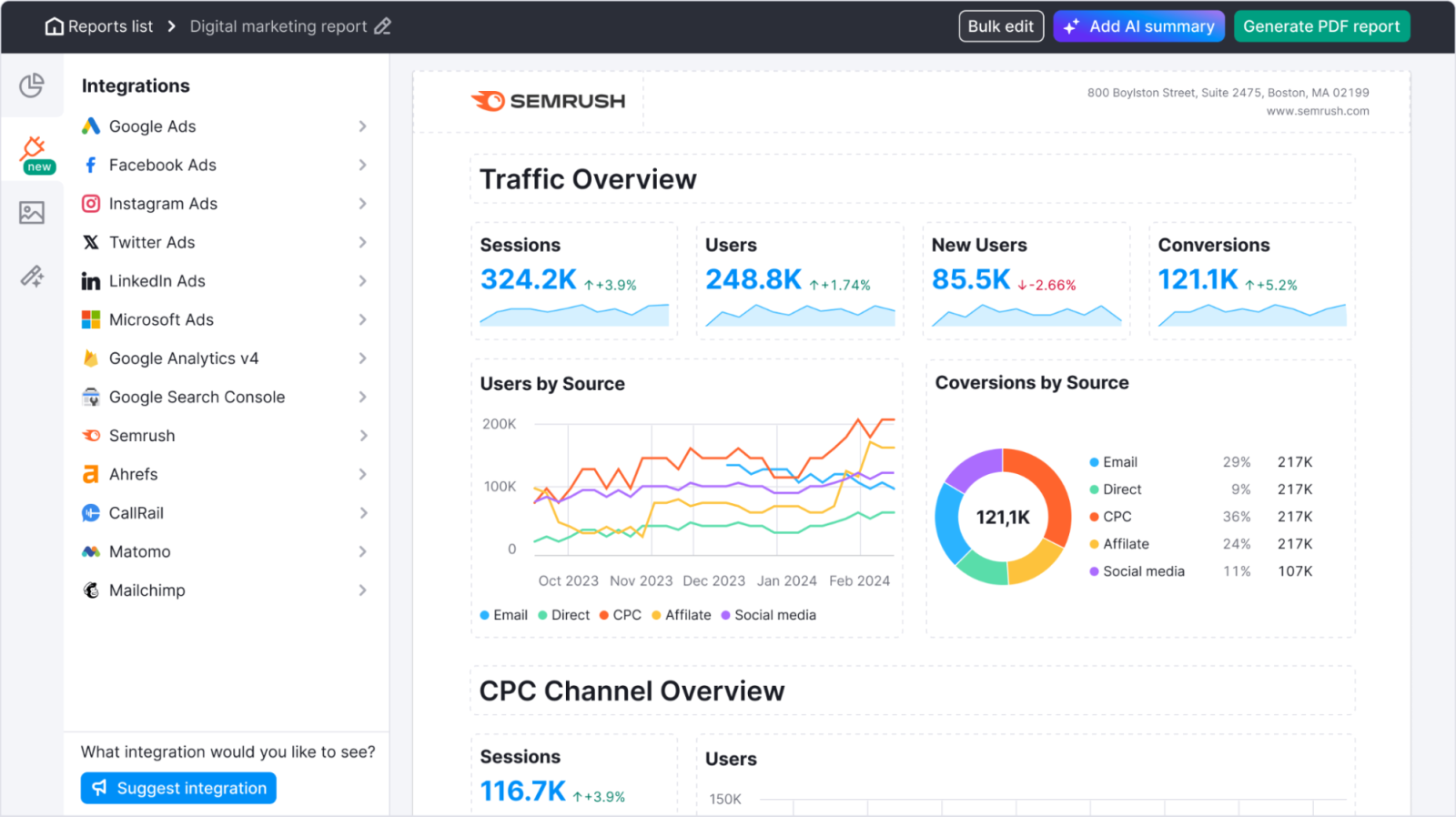
Semrush is the best all-in-one digital marketing platform that can help you in business growth in many ways. It helps you improve online visibility, track search rankings, research competitors and more. It is mostly used to perform SEO, manage paid advertising campaigns, and optimize content. It also brings many social media tools into a single dashboard.
I have used it to find trending keywords, track daily search rankings and perform deep website audits to fix technical errors. It has also revealed competitors' organic traffic sources, backlink profiles, and ad spend budget. By analyzing all this data, by yourself or any AI chatbot, you can easily optimize content, outrank rivals in Google search, and maximize marketing ROI. Think of it as a comprehensive toolkit for scaling traffic and growth.
| Plan | Monthly Price | Annual Price (Per Month) | Best For | Key Limits |
|---|---|---|---|---|
| Pro | $139.95 | $117.33 | Freelancers & Startups | 5 Projects, 500 Keywords |
| Guru | $249.95 | $208.33 | Agencies & Mid-Sized Businesses | 15 Projects, 1,500 Keywords, Content Tools |
| Business | $499.95 | $416.66 | Large Enterprise Teams | 40 Projects, 5,000 Keywords, API Access |
Also Read: Top 15 Benefits of Digital Marketing in 2026
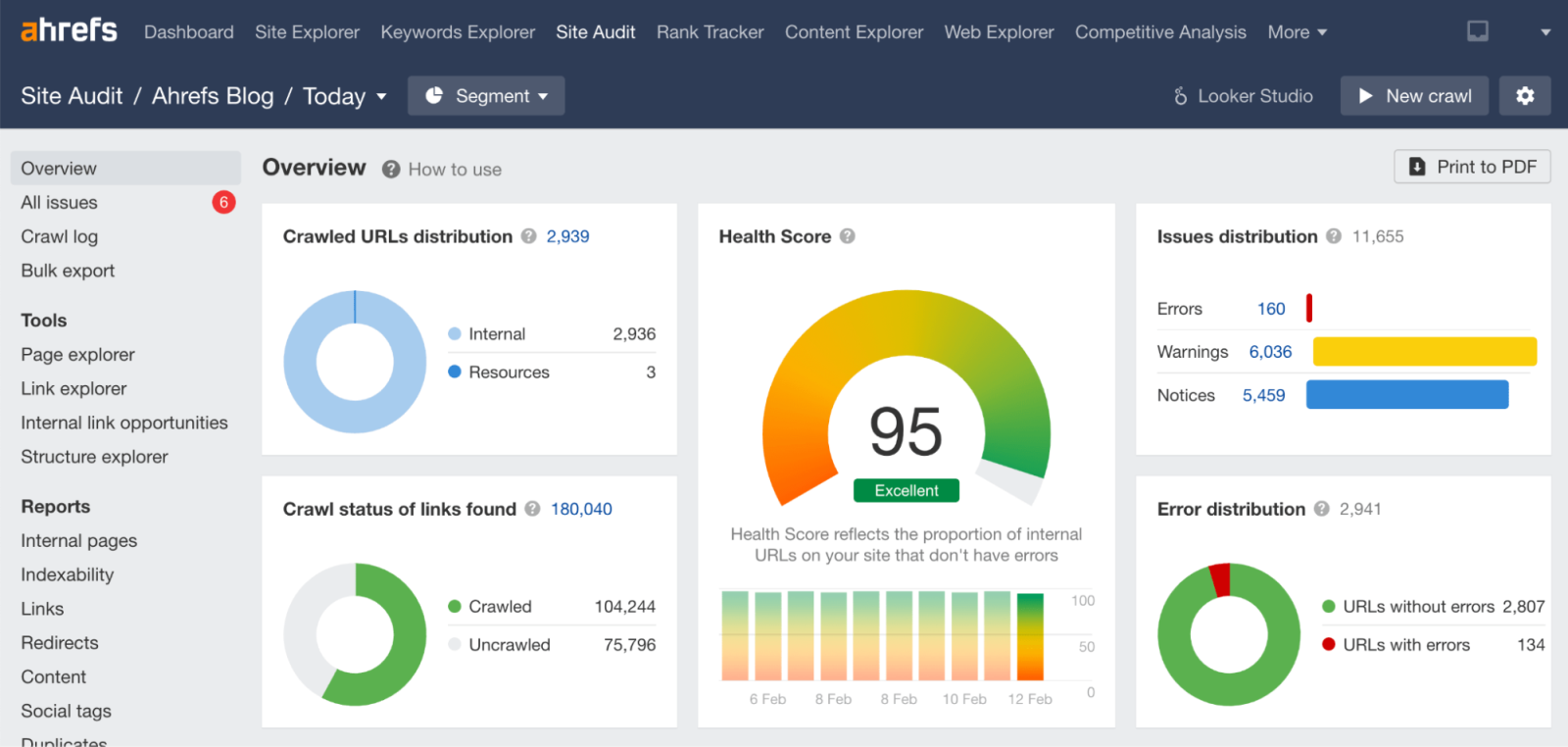
Ahrefs is one of the most powerful SEO platforms for backlink analysis, competitor research, keyword tracking and content discovery. It helps marketers understand how competitors generate traffic, acquire backlinks and rank for valuable keywords. The platform is widely recognized for its massive backlink database and accurate SEO insights.
I primarily use Ahrefs when I need to analyze competitor strategies and uncover link-building opportunities. It helps me identify high-performing pages, discover backlink sources and find keywords that competitors are ranking for. This information makes it easier to create better content, build stronger backlinks and improve overall search visibility. Think of it as a competitive intelligence platform built specifically for SEO professionals.
| Plan | Monthly Price | Annual Price (Per Month) | Best For | Key Limits |
|---|---|---|---|---|
| Lite | $129 | $108 | Freelancers & Small Businesses | 5 Projects, 750 Keywords |
| Standard | $249 | $208 | SEO Professionals | 20 Projects, 2,000 Keywords |
| Advanced | $449 | $374 | Growing Agencies | 50 Projects, 5,000 Keywords |
| Enterprise | $1,499 | Custom | Large Organizations | Advanced Reporting & API Access |
Read Also: Digital Marketing Trends for 2026
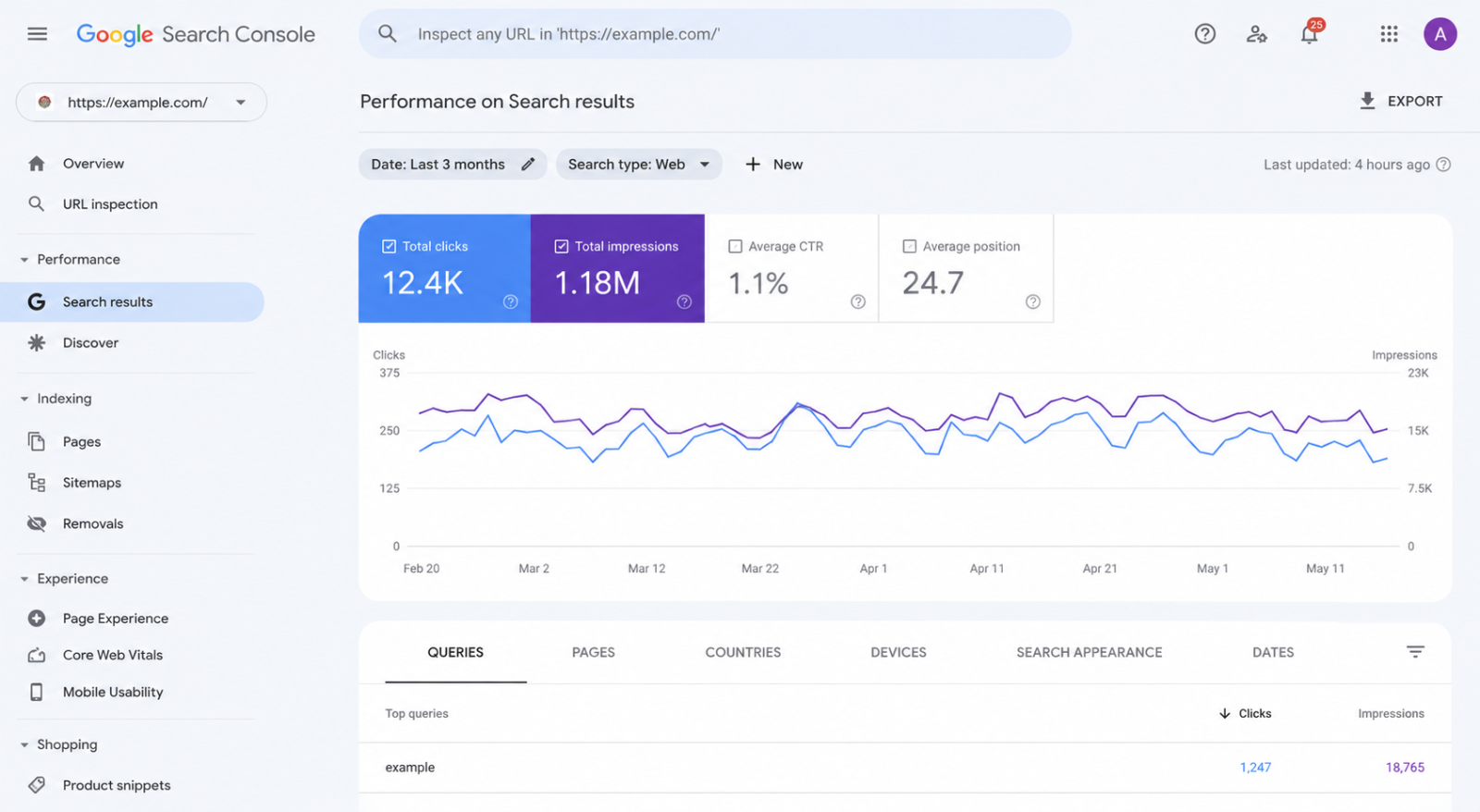
Google Search Console is a free SEO tool developed by Google that helps website owners monitor search performance, indexing status and technical SEO issues. It provides direct insights into how Google views your website, including rankings, impressions, clicks, indexing reports and Core Web Vitals data. I consider it one of the most reliable SEO tools available, as the information comes directly from Google Search.
I use Google Search Console almost every day to track keyword performance, monitor indexing issues and identify pages that are gaining or losing traffic. It has helped me discover new keyword opportunities, improve click-through rates, and resolve technical issues before they impact rankings. Whenever I notice a traffic drop, this is usually the first tool I check because it provides the most accurate search performance data.
Read Also: How To Become A Social Media Specialist?
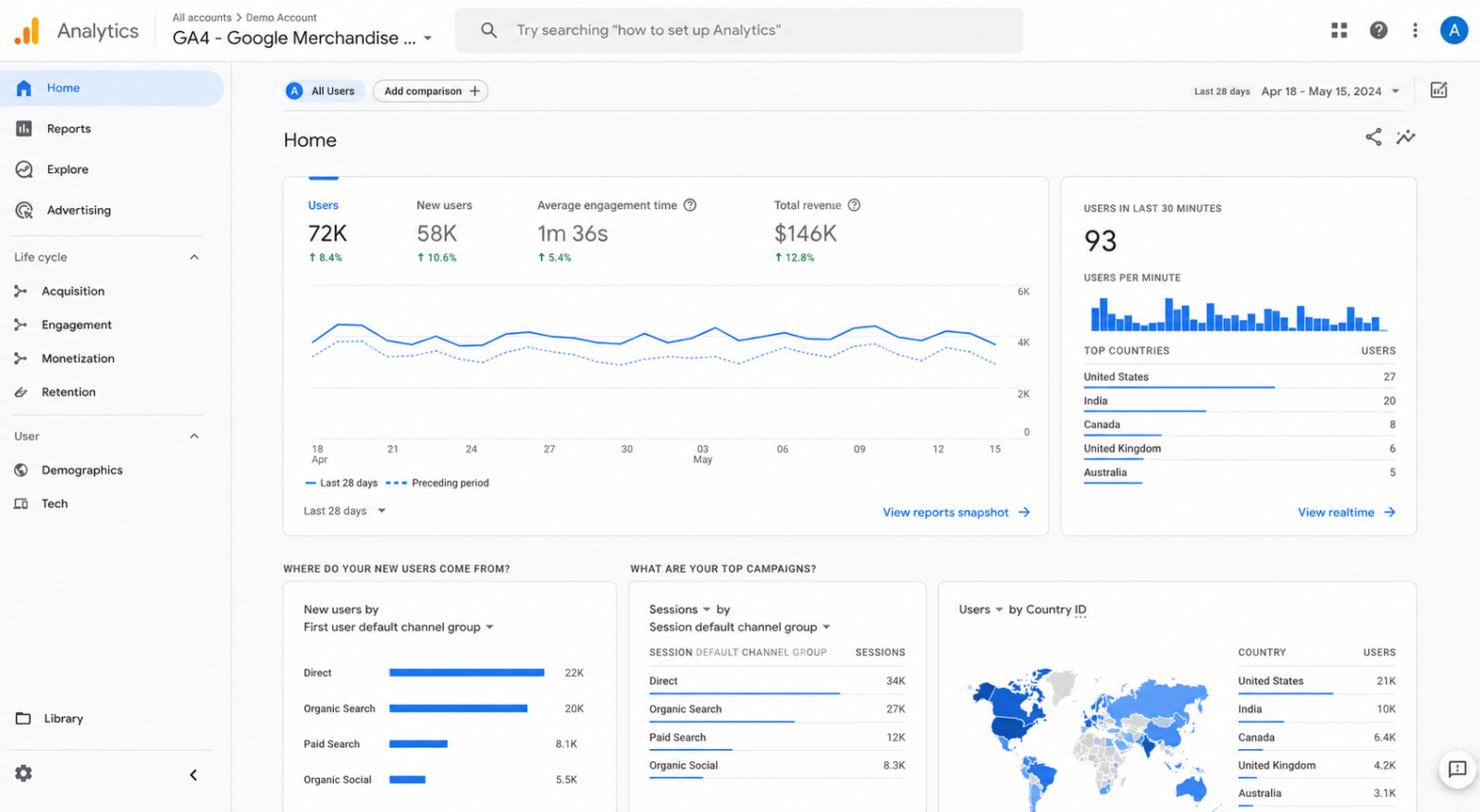
Google Analytics 4 (GA4) is Google's advanced analytics platform that helps businesses track user behavior, engagement, conversions and traffic sources. Unlike traditional SEO tools that focus on rankings and keywords, GA4 helps you understand what visitors do after they land on your website. It provides valuable insights into user journeys, audience demographics, events and conversion performance.
I frequently use GA4 alongside Google Search Console because rankings alone do not reveal how users interact with a website. It helps me identify pages with high engagement, measure conversion rates, and understand where visitors drop off.
It helps me combine SEO data with user behavior metrics for making decisions about content optimization, user experience improvements and overall marketing strategy. Think of it as the bridge between traffic generation and business results.
| Plan | Monthly Price | Annual Price (Per Month) | Best For | Key Limits |
|---|---|---|---|---|
| Google Analytics 4 | $0 | $0 | Individuals & Businesses | Standard Reporting Features |
| Analytics 360 | Custom | Custom | Large Enterprises | Advanced Reporting & Support |
Related Article: How To Become A Content Writer?
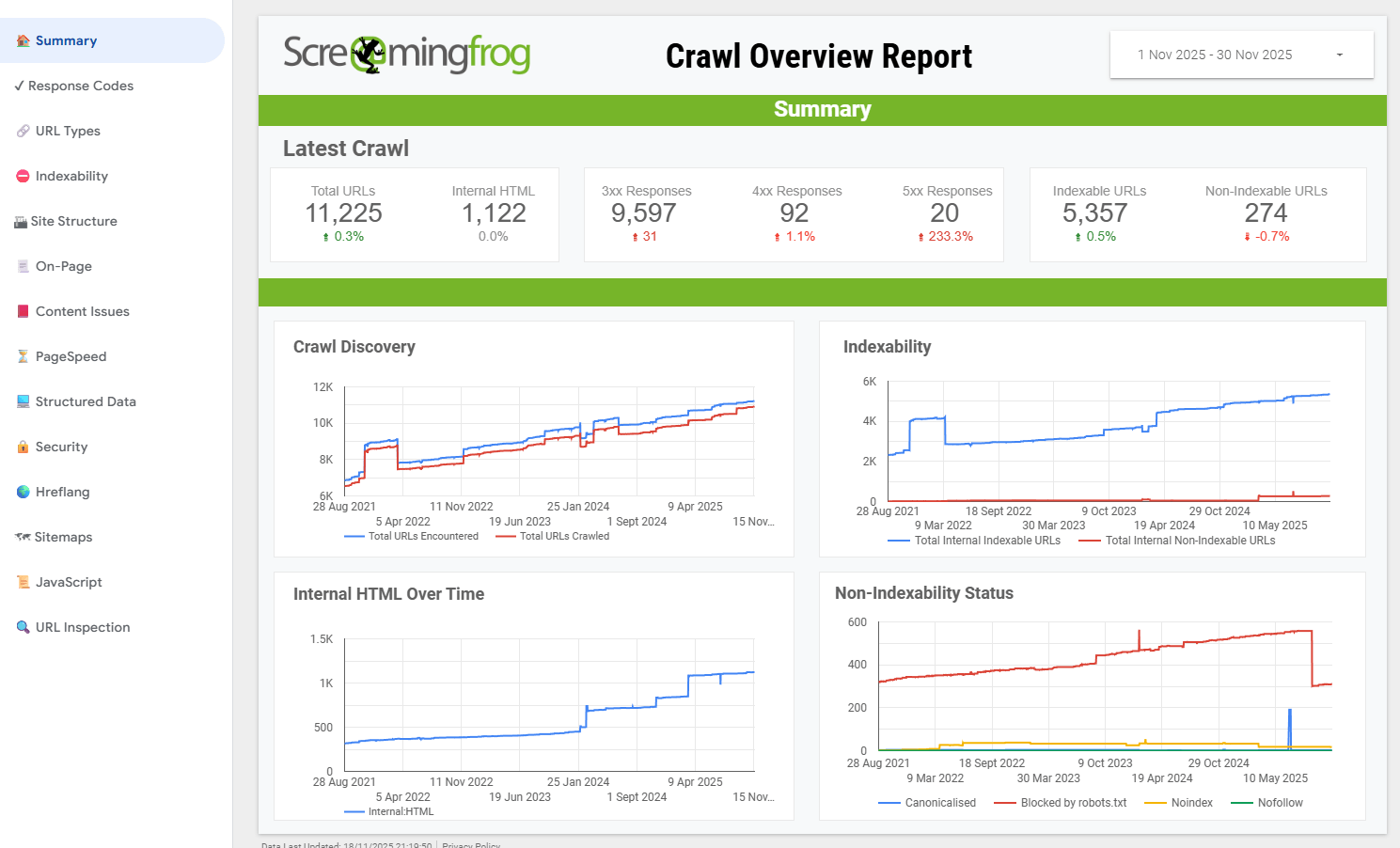
Screaming Frog is a technical SEO crawler that scans websites and identifies issues that may affect search engine rankings. It analyzes URLs, metadata, internal links, redirects, duplicate content, crawl errors and many other technical SEO elements. The tool is widely used by SEO professionals because it can audit thousands of pages quickly and provide detailed technical insights.
I use Screaming Frog whenever I need to perform a comprehensive website audit. It has helped me discover broken links, redirect chains, duplicate pages, missing metadata and indexability issues that would have been difficult to identify manually.
On larger websites, it significantly reduces the time required for technical analysis and helps prioritize fixes that can improve crawlability and search performance. Think of it as a technical SEO assistant that scans your entire website for hidden issues.
| Plan | Monthly Price | Annual Price (Per Month) | Best For | Key Limits |
|---|---|---|---|---|
| Free | $0 | $0 | Beginners & Small Websites | Crawl Limit of 500 URLs |
| Paid License | £259 Per Year | £21.58 | SEO Professionals & Agencies | Unlimited Crawling, Advanced Features |
Read Also: How to Become a Digital Marketing Specialist?
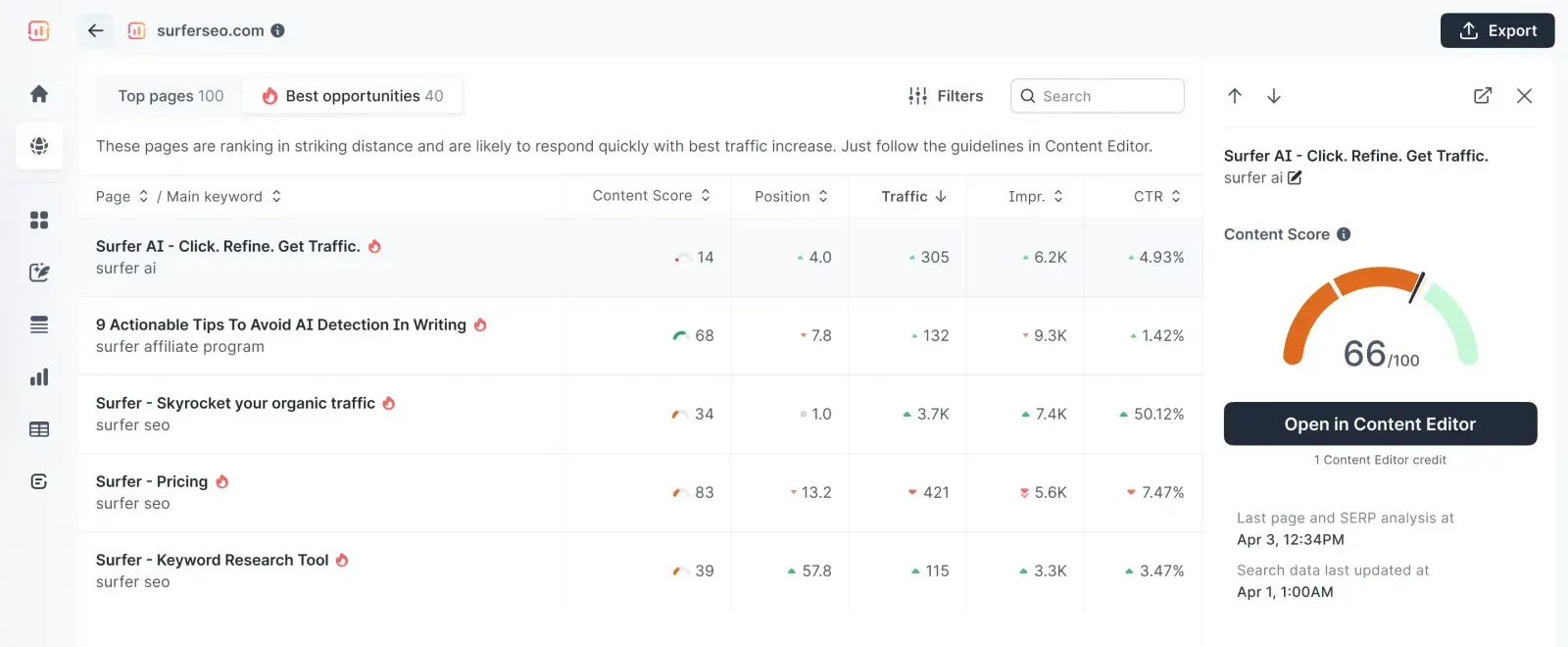
Surfer SEO is a content optimization platform designed to help writers and marketers create search-friendly content. It analyzes top-ranking pages for a target keyword and provides recommendations related to content structure, keyword usage, headings, readability and topical coverage. The goal is to help users create content that closely matches what search engines are rewarding for a particular search query.
I use Surfer SEO when working on competitive keywords where content quality and topical relevance can make a significant difference in rankings. It helps me compare my content against top-ranking pages and identify missing topics, keywords or optimization opportunities.
If you are using it, there is no need to guess what should be included in an article. You can rely on data-driven recommendations to create more comprehensive content. Think of it as a content optimization assistant that helps align your articles with search intent.
| Plan | Monthly Price | Annual Price (Per Month) | Best For | Key Limits |
|---|---|---|---|---|
| Essential | $99 | $79 | Freelancers & Bloggers | Basic Content Optimization |
| Scale | $219 | $175 | Content Teams & Agencies | Higher Usage Limits |
| Enterprise | Custom | Custom | Large Organizations | Custom Workflows & Support |
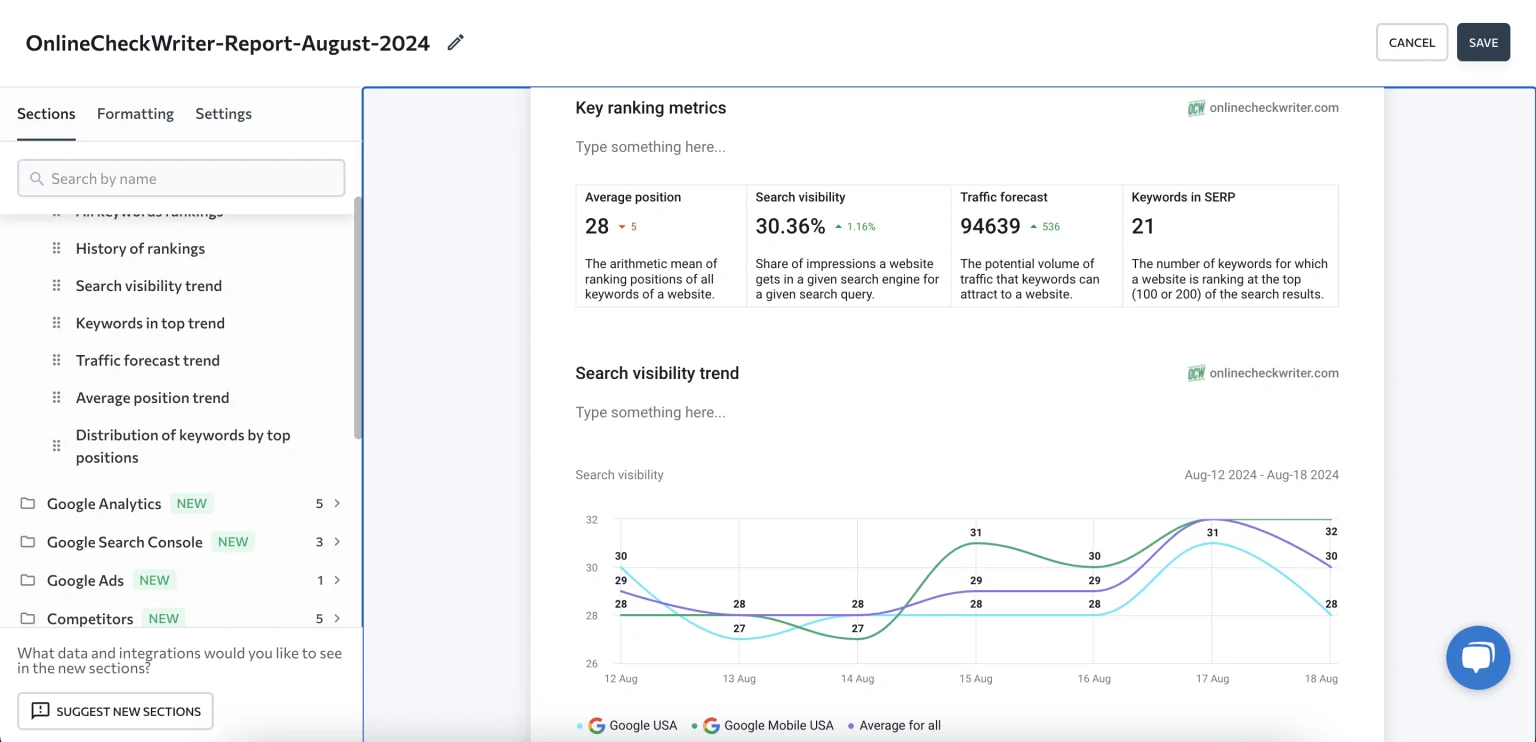
SE Ranking is another all-in-one SEO platform that combines keyword tracking, website audits, competitor analysis, backlink monitoring and reporting tools into a single dashboard. It offers many of the features found in premium SEO platforms while maintaining a more affordable pricing structure. This makes it a popular choice among freelancers, consultants and small agencies looking for reliable SEO data without a high monthly investment.
I have used SE Ranking on projects where budget was an important consideration but accurate SEO insights were still required. It provides dependable rank tracking, useful audit reports and competitor analysis tools that cover most day-to-day SEO tasks.
In many cases, it does not have the same depth as some enterprise platforms, but it delivers excellent value for businesses that want a complete SEO toolkit without paying premium prices. Think of it as a practical alternative to more expensive SEO software.
| Plan | Monthly Price | Annual Price (Per Month) | Best For | Key Limits |
|---|---|---|---|---|
| Essential | $65 | $52 | Freelancers & Small Websites | Basic SEO Features |
| Pro | $119 | $95 | Growing Businesses & Agencies | Increased Limits & Reporting |
| Business | $259 | $207 | Large Agencies & Teams | Advanced Features & API Access |
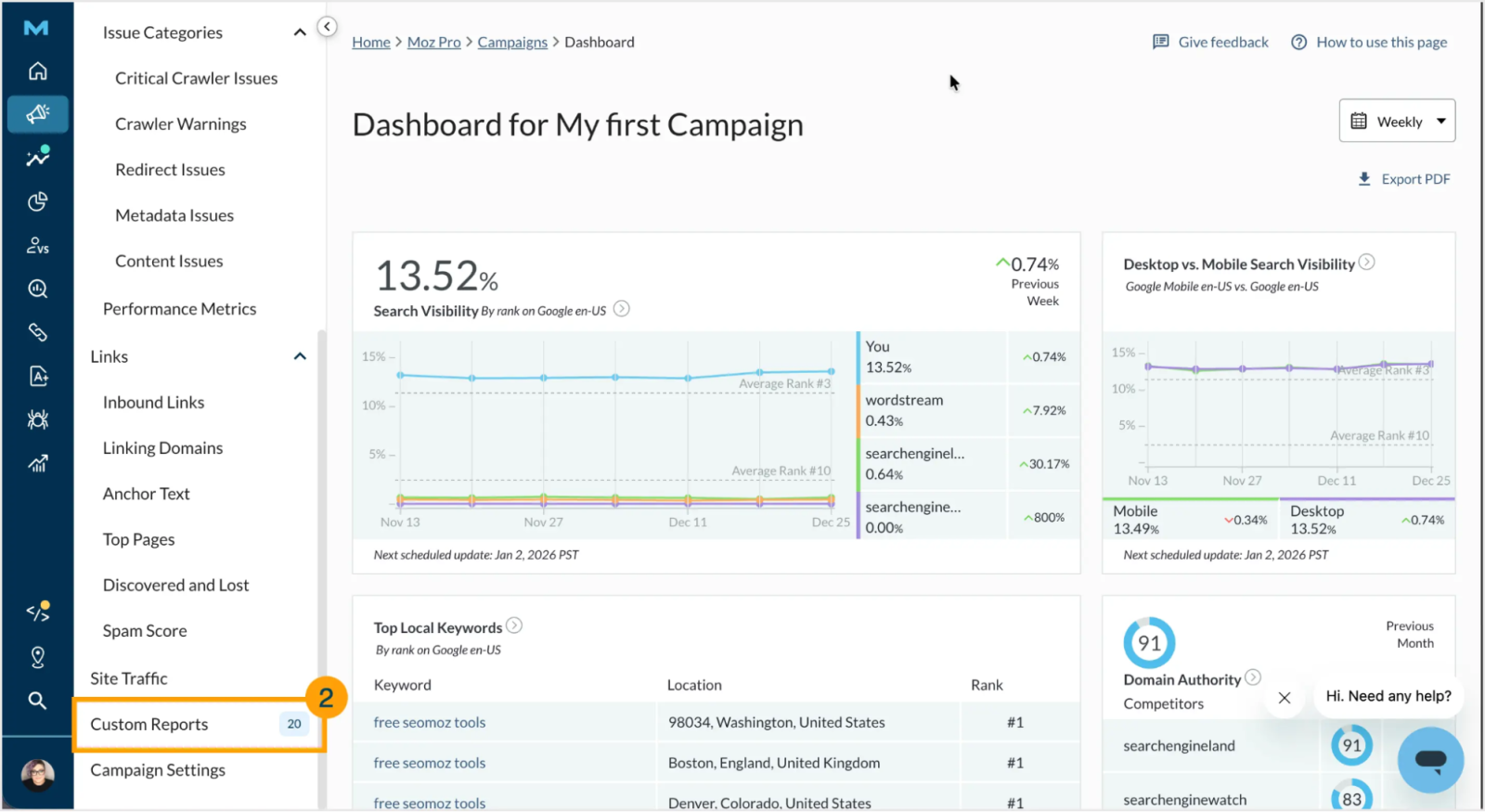
Moz Pro helps you improve search visibility through keyword research, rank tracking, site audits, backlink analysis and on-page optimization. It is widely known for introducing the Domain Authority (DA) metric, which has become one of the most recognized indicators for evaluating a website's authority and ranking potential.
I often recommend Moz Pro to beginners because its interface is easier to understand than many advanced SEO platforms. It provides valuable SEO insights without overwhelming users with excessive data and technical reports.
I have used it for keyword research, rank monitoring and website audits, especially on smaller projects where simplicity and ease of use were more important than enterprise-level features. Think of it as a beginner-friendly SEO platform that balances functionality with usability.
| Plan | Monthly Price | Annual Price (Per Month) | Best For | Key Limits |
|---|---|---|---|---|
| Starter | $49 | $39 | Beginners & Small Websites | Basic SEO Tracking |
| Standard | $99 | $79 | Small Businesses | Expanded Keyword & Audit Limits |
| Medium | $179 | $143 | Growing Marketing Teams | More Campaigns & Reports |
| Large | $299 | $239 | Agencies & Large Businesses | Advanced Tracking & Reporting |
Read Also: SEO Interview Questions and Answers
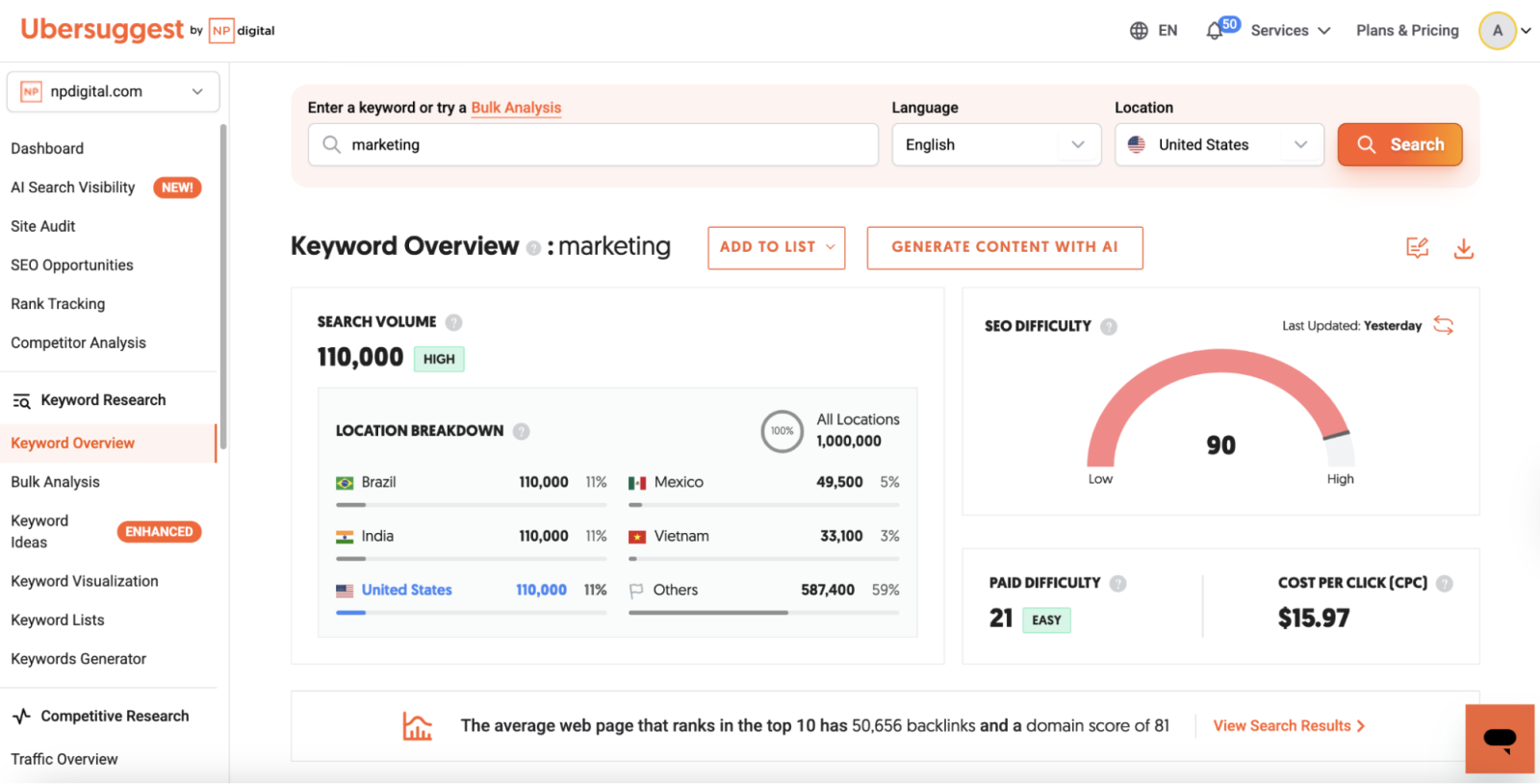
Ubersuggest is a beginner-friendly SEO platform that helps users perform keyword research, competitor analysis, backlink tracking and website audits. It presents SEO data in a simple and easy-to-understand format, which makes it an excellent choice for users who are new to search engine optimization. The tool was popularized by Neil Patel and is widely used by bloggers, freelancers, and small businesses.
I have used Ubersuggest for quick keyword research and basic SEO analysis when I needed actionable insights without navigating complicated dashboards. It helps identify keyword opportunities, analyze competitor performance and uncover content ideas within a few clicks.
We can not say that it is the best enterprise platform, but it still offers enough functionality for most beginners to start building an effective SEO strategy. Think of it as an entry-level SEO toolkit that simplifies the learning process.
| Plan | Monthly Price | Annual Price (Per Month) | Best For | Key Limits |
|---|---|---|---|---|
| Individual | $29 | $24 | Bloggers & Freelancers | Basic SEO Features |
| Business | $49 | $40 | Small Businesses | Higher Tracking Limits |
| Enterprise | $99 | $82 | Agencies & Marketing Teams | Expanded Reports & Projects |
Related Article: Digital Marketing Interview Questions and Answers
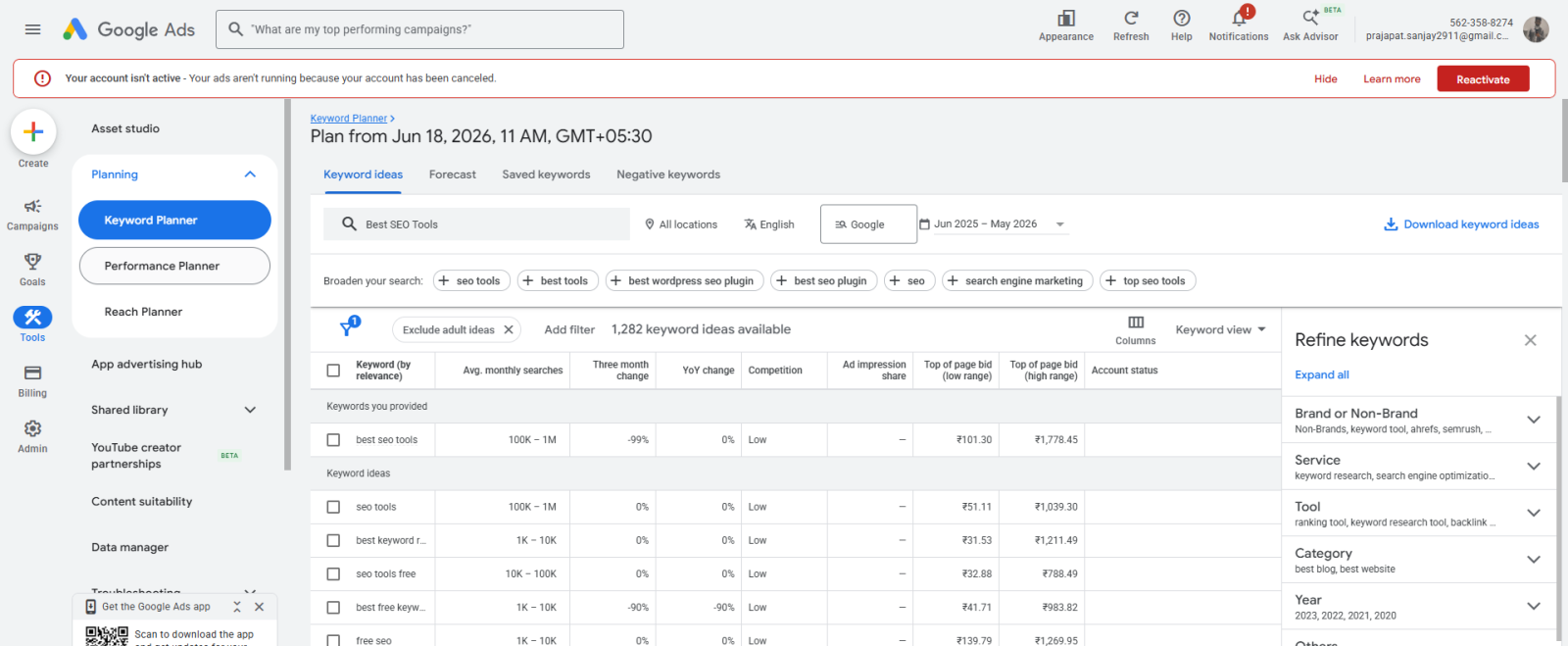
Google Keyword Planner is a free keyword research tool developed by Google that helps users discover keyword ideas, estimate search volumes and analyze keyword competition. Although it was originally created for Google Ads advertisers, it has become one of the most widely used tools for SEO keyword research. The reason is that the data comes directly from Google.
I regularly use Google Keyword Planner to validate keyword opportunities before creating new content. It helps me understand whether a keyword has enough search demand and identify related terms that can be targeted within the same article.
I also use it to compare keyword variations and uncover long-tail opportunities that may be easier to rank for. Think of it as a reliable source of keyword data that helps build a strong content strategy from the beginning.
Also Read: Gemini 3.5 Explained: What I Like and What I Don’t
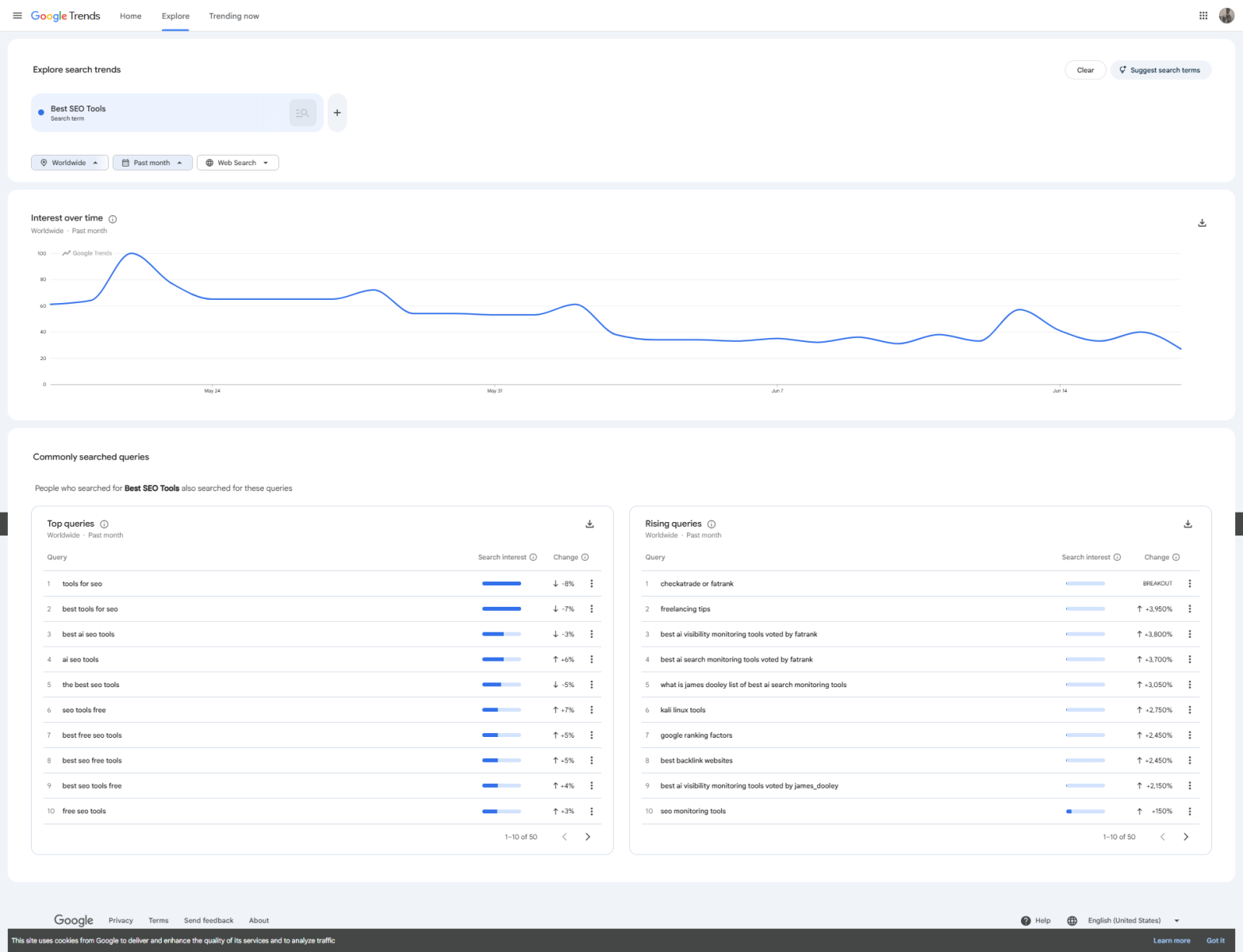
Google Trends is a free market research and keyword trend analysis tool developed by Google. It helps users understand how search interest changes over time, compare multiple search terms, and identify trending topics across different regions. Unlike traditional keyword research tools, Google Trends focuses on search popularity and momentum rather than exact search volumes.
I often use Google Trends during content planning as it helps me identify emerging topics before they become highly competitive. It has helped me discover seasonal trends, compare keyword variations and understand how user interest changes throughout the year.
This information allows me to publish content at the right time and target topics that are gaining momentum in search results. Think of it as an early-warning system for spotting SEO opportunities before your competitors do.
Read Also: Julius AI: AI Data Analysis Tool for Beginners
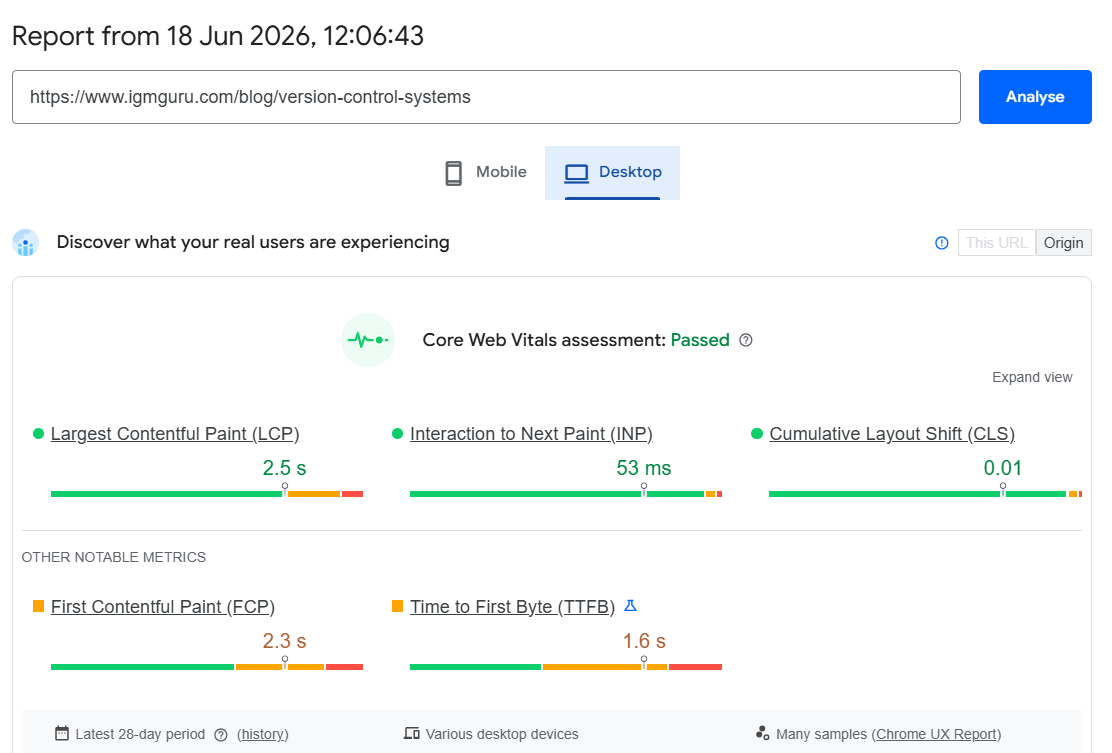
PageSpeed Insights is a free performance analysis tool developed by Google. It evaluates the speed, usability and overall user experience of a web page. It also measures Core Web Vitals, including Largest Contentful Paint (LCP), Interaction to Next Paint (INP), and Cumulative Layout Shift (CLS), while providing recommendations to improve website performance.
I use PageSpeed Insights whenever I want to identify performance issues that could impact user experience and search rankings. It has helped me discover slow-loading resources, render-blocking scripts, oversized images and other technical factors affecting page speed.
The tool also provides actionable recommendations that developers can implement to improve website performance. Think of it as a diagnostic tool that helps ensure your website meets Google's performance expectations.
Also Read: What is Claude Sonnet?
Choosing the best SEO tool is not as complicated as you are thinking. It is just about understanding your business goals, budget, and experience level. If you are clear on these points, this guide will be enough to help you choose. I have already explained each of them with their features, pros, and cons. You just have to pick the best one that suits your requirements. Here is a quick table that may help you decide:
| If You Need… | Recommended SEO Tool |
|---|---|
| The best all-in-one SEO platform | Semrush |
| Advanced backlink analysis | Ahrefs |
| Free search performance tracking | Google Search Console |
| User behavior and conversion insights | Google Analytics 4 |
| Technical SEO and site audits | Screaming Frog |
| Content optimization | Surfer SEO |
| Affordable all-in-one SEO software | SE Ranking |
| Beginner-friendly SEO platform | Moz Pro |
| Simple SEO tool with a low learning curve | Ubersuggest |
| Free keyword research | Google Keyword Planner |
| Trending topic and seasonal analysis | Google Trends |
| Core Web Vitals and page speed optimization | PageSpeed Insights |
Related Article: Best AI Visibility Tools
After testing more than 250 SEO tools, I can say that choosing only a few is not easy. There are several other tools that performed well during my testing but did not make it into the main list. I did not include them because the tools above offer a better overall combination of features, usability, pricing, and practical SEO value.
However, these tools are still worth knowing about, especially if you have a specific SEO requirement. Here are some of the tools that almost made the list:
| SEO Tool | Best For | Key Strength | Why It Almost Made the List? |
|---|---|---|---|
| Majestic | Backlink Analysis | Link intelligence and backlink data | Strong backlink-focused features, but more specialized than Ahrefs. |
| SpyFu | Competitor Research | Competitor keywords and PPC data | Useful competitive insights, especially for SEO and paid search research. |
| SEO PowerSuite | Desktop SEO Management | Rank tracking, backlink research, and site auditing | Offers a broad SEO toolkit, but the desktop-based workflow may not suit everyone. |
| Serpstat | All-in-One SEO | Keyword research and competitor analysis | Provides several useful SEO features at a competitive price. |
| WooRank | Website SEO Audits | Website analysis and SEO recommendations | Easy to understand and useful for quick website audits, but has less depth than the leading platforms. |
| Sitebulb | Technical SEO | Detailed website crawling and visual reports | Excellent for technical SEO professionals, but Screaming Frog offers a stronger overall fit for this list. |
| AnswerThePublic | Content Research | Question and topic discovery | Helpful for finding content ideas and search questions, but it is more focused than a complete SEO platform. |
| KeywordTool.io | Keyword Ideas | Long-tail keyword suggestions | Good for expanding keyword lists, but Google Keyword Planner provides a more direct source of search data. |
These tools are not bad choices at all. In fact, some of them can be better than the tools in the main list for specific SEO tasks. I simply kept the main list focused on tools that can provide the most practical value across different SEO requirements.
If you also use search engines often, you may have noticed that the SERP pages have changed in many ways. It is completely different from before, when we used to see 10 results on each page of the SERP.
Today, there are mini AI boxes at the top answering your queries, like Google AI Overview. There are also some other blocks like People Also Ask and forums that have taken up a lot of space on the first page of the SERP. Also, a growing share of searches now get answered directly inside AI chatbots like ChatGPT, Google AI Overviews, Perplexity, and Gemini.
This is quite a big problem for organizations still using traditional SEO practices. It needs to be addressed in time, or their brand may lose visibility. One of the best solutions here is to get cited in AI tools and overviews. This is where you need to upgrade your strategy or implement Generative Engine Optimization (GEO)practices.
Read Also: What is Google AI Studio?
The use of the best SEO tools to boost visibility has become a must-have practice in today’s evolving industry. It is the best way to keep up with search engine updates, competitor strategies, and user behavior. I have already explained the top 10+ SEO tools I have ever used. Each of them has different features, pros, and cons.
You just need to understand your requirements, compare each tool for them, and choose the best one accordingly. It will help you grow your business as a business owner and your career as a digital marketing or SEO professional. You can also explore our other related sources and training programs to get deeper insights.
Related Article: Geo vs SEO: What is the Difference
Google Search Console and Google Analytics are the best free tools for official performance tracking. For all-in-one competitive research, premium suites like Semrush and Ahrefs are the industry standards.
The four main types are On-Page SEO (content and keywords) and Off-Page SEO (backlinks and reputation). The others are Technical SEO (site speed and indexing) and Local SEO (Google Business Profile optimization).
Yes, ChatGPT can assist with SEO tasks like keyword brainstorming, content outlines, and writing meta tags. However, it cannot replace human strategy, factual verification, or direct implementation on your website.
You can learn the basic core concepts and terminology of SEO within 10 days. However, mastering SEO takes months of hands-on practice because search algorithms constantly evolve.