Think about the last time an app crashed on you right when you needed it most. Frustrating, right? Or imagine a payment glitch on an e-commerce site during a flash sale, or a banking app showing the wrong balance. These are not just bad user experiences; they are the result of untested or poorly tested software.
That is exactly why software testing basics matter. Every digital product you use today, from your food delivery app to your company's CRM, works reliably because someone tested it before it reached you.
If you are someone stepping into the tech world, a developer trying to write better code, or just a curious learner, this guide is for you. We will walk you through everything from what is software testing to how it works in the real world, the types of testing, the tools used, and who actually does all of this.
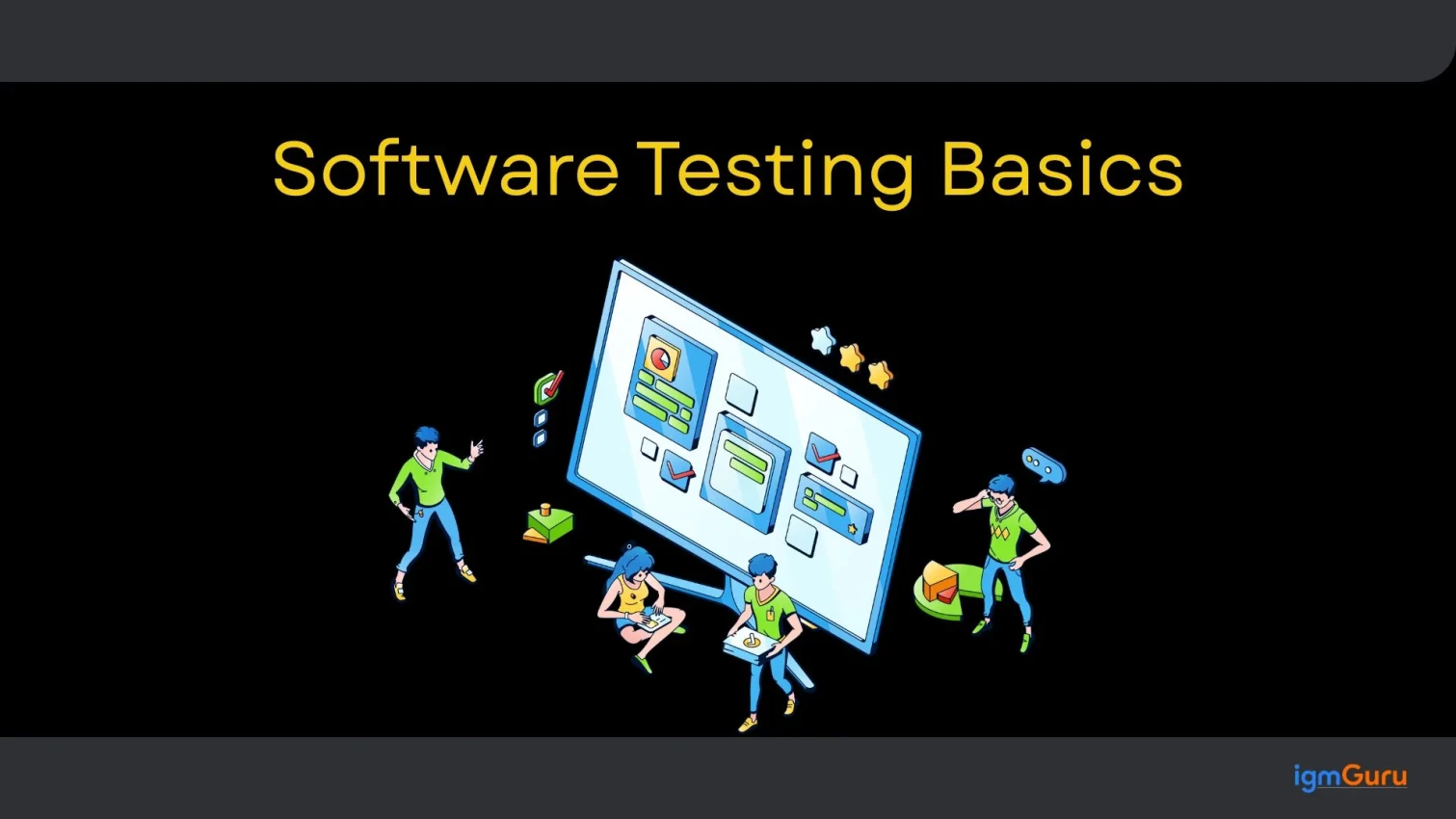
Software testing is the systematic process of evaluating, verifying, and validating a software product. It helps to ensure that software functions correctly, meets specified business requirements, and is completely free of critical defects before reaching real users. It involves running software under controlled conditions to find hidden bugs, security gaps, and performance bottlenecks.
In simple terms, it answers questions like:
Testing is not just about finding bugs. It is about ensuring quality, building trust with users, and preventing costly failures after launch.
Quick Definition: Software testing is a systematic activity that evaluates a software product to identify differences between expected and actual results.
Before diving into types and tools, it is important to understand the core principles that guide software testing basics. Learning a new thing should always start with knowing the basics.
No matter how thorough the testing is, it can never prove that software is 100% bug-free. It only reduces the probability of hidden defects. This is a fundamental truth every tester must accept.
You cannot test every single scenario, combination, and input. Instead, testers prioritize based on risk, importance, and usage patterns.
The earlier you find a bug, the cheaper it is to fix it. A bug found during development costs significantly less to resolve than one found after release. This is sometimes called the "shift-left" approach to testing.
In most software products, a large number of defects tend to be concentrated in a small number of modules. Testing efforts should be focused there.
If you run the same tests repeatedly, they will eventually stop finding new bugs. Test cases need to be reviewed and updated regularly to stay effective.
How you test a banking application is completely different from how you test a gaming app. The testing strategy must match the context and purpose of the software.
Software that is bug-free but does not meet user needs is still a failed product. Testing must align with real user requirements, not just technical specifications.
Related Article: Software Testing Interview Questions
As I mentioned above, different types of software require different types of software testing; there are multiple types based on the use and efficiency. Here is a clear breakdown to help you understand the most important ones.
Functional software testing is a type of quality assurance that validates whether an application behaves in accordance with specified business requirements and functional specifications. It answers the fundamental question: "Does this software feature do what it is supposed to do?" It involves the following types:
| Testing Type | Purpose / Use | Used By | Scope | Example |
|---|---|---|---|---|
| Unit Testing | Tests individual components, functions, or methods in isolation to ensure they work correctly. | Developers | Smallest unit of code | Testing a function that calculates a discount percentage. |
| Integration Testing | Verifies that different modules or components work together correctly. | Developers, QA Testers | Multiple connected modules | Checking whether the login module communicates properly with the user database. |
| System Testing | Tests the complete application to ensure it meets business and functional requirements. | QA Testers | Entire system | Testing an e-commerce website from product search to order placement. |
| Acceptance Testing (UAT) | Confirms that the software meets user requirements and is ready for deployment. | End Users, Clients, Business Stakeholders | End-to-end business processes | Users verify that a payroll system meets company needs before launch. |
| Regression Testing | Ensures that new updates, fixes, or features have not affected existing functionality. | QA Testers, Automation Engineers | Changed and existing features | Verifying that adding a new payment method does not break existing checkout functionality. |
| Smoke Testing | Performs a quick check to determine whether the application's critical features are working. | QA Testers, Developers | Critical functionality only | Verifying that the application launches, users can log in, and main pages load successfully. |
| Sanity Testing | Validates a specific feature or bug fix after a minor code change. | QA Testers | Specific affected area | Checking whether a fixed search filter now works correctly without testing the entire application. |
Non-functional testing is a type of quality assurance that validates how well a software application operates under specific conditions. While functional testing verifies if a feature works, non-functional testing evaluates its operational behavior, user experience, and structural integrity.
It answers the fundamental question: "How does the software perform under real-world pressures?" This testing approach focuses heavily on system parameters like speed, security, scalability, stability, and usability to ensure production readiness. It involves the following types:
| Testing Type | Purpose / Use | Used By | Scope | Example |
|---|---|---|---|---|
| Performance Testing | Evaluates the speed, responsiveness, and stability of the application under normal operating conditions. | QA Testers, Performance Engineers | Overall system performance | Measuring how quickly a website loads and responds to user requests. |
| Load Testing | Determines how the system performs when a large number of users or transactions access it simultaneously. | QA Testers, Performance Engineers | Expected user load | Testing an online shopping website with 10,000 concurrent users during a sale. |
| Stress Testing | Pushes the application beyond its expected capacity to identify breaking points and recovery behavior. | QA Testers, Performance Engineers | Extreme conditions | Simulating 100,000 users on a system designed for 20,000 users. |
| Security Testing | Identifies vulnerabilities, threats, and weaknesses that could compromise data or system security. | Security Testers, Ethical Hackers, QA Teams | Security controls and data protection | Testing for SQL injection, cross-site scripting (XSS), and unauthorized access. |
| Usability Testing | Assesses how easy, intuitive, and user-friendly the application is for end users. | UX Designers, QA Testers, End Users | User experience and interface | Observing users as they complete tasks on a mobile banking app. |
| Compatibility Testing | Verifies that the application works correctly across different browsers, devices, operating systems, and screen sizes. | QA Testers | Multiple platforms and environments | Testing a website on Chrome, Firefox, Safari, Android, and iPhone devices. |
| Scalability Testing | Determines whether the system can efficiently handle growth in users, data volume, and transactions. | QA Testers, Performance Engineers | Future growth and expansion | Evaluating whether a cloud application can support double the current user base without performance issues. |
Testing based on code access is kind of a box testing. It is one of the most practical and foundational frameworks in software engineering. It categorizes testing methodologies based entirely on how much of the underlying source code and internal system architecture is visible to the person running the test.
Instead of focusing on what you are testing, it defines the perspective and data visibility you have while executing those tests. It involves the following types:
| Testing Type | Purpose / Use | Used By | Knowledge of Source Code | Example |
|---|---|---|---|---|
| Black-Box Testing | Validates application functionality by checking inputs and outputs without examining the internal code. | QA Testers, End Users | No knowledge of source code required | Testing a login page by entering valid and invalid credentials and verifying the results. |
| White-Box Testing | Examines internal code structure, logic, paths, and conditions to ensure the code works as intended. | Developers, Software Engineers | Full knowledge of source code required | Testing every branch and condition within a password validation function. |
| Gray-Box Testing | Combines functional and structural testing by using partial knowledge of the system's internals. | QA Testers, Developers, Security Testers | Partial knowledge of source code or system design | Testing an application's API while understanding the database structure behind it. |
Related Article: DevOps Life Cycle
Knowing the types does not make you understand how software testing works. You need to understand the Software Testing Life Cycle (STLC) for ths. It is a defined set of phases that a testing team follows to ensure quality at every stage of software development. Here is how it works, step by step.
The testing team reviews the software requirements to understand what needs to be tested. This phase involves identifying testable and non-testable requirements.
A test plan is created that covers the scope of testing, objectives, resources needed, timelines, testing tools, and risk factors. The test manager usually leads this phase.
Testers write detailed test cases and test scripts. Test data is also prepared at this stage to cover different scenarios and edge cases.
The hardware, software, network configurations, and test tools are set up to mirror the production environment as closely as possible.
Testers execute the test cases, record the results, and log any defects they find. This is the most hands-on phase of the STLC.
All identified bugs are logged into a defect tracking system (like JIRA). Each defect is assigned a priority level, tracked through fixing, and re-tested after the fix.
After testing is complete, reports are generated, lessons learned are documented, and the testing team signs off on the quality of the product.
Also Explore: Manual Testing Interview Questions
As a beginner to this field, you might come across different key terms you don’t know while performing or understanding the STLC. Here are the most important ones you need to know.
| Term | Meaning |
|---|---|
| Bug / Defect | An error or flaw in the software that causes it to behave unexpectedly |
| Test Case | A set of conditions or inputs used to verify a specific feature or function |
| Test Plan | A document outlining the testing strategy, scope, resources, and schedule |
| Test Suite | A collection of related test cases |
| Test Script | A written set of instructions to test a specific feature |
| Test Environment | The hardware and software setup where testing is performed |
| Regression Testing | Re-testing to ensure that new changes have not broken existing features |
| QA (Quality Assurance) | The overall process of ensuring quality throughout development |
| UAT (User Acceptance Testing) | Testing done by end users to validate the product |
| CI/CD | Continuous Integration/Continuous Delivery, a pipeline for automated builds and testing |
| Defect Severity | The impact of a defect on the system's functionality |
| Defect Priority | How urgently a defect needs to be fixed |
Read Also: AI Testing Tools
To dive deeper, you need to understand that software testing is not something happen in a vacuum. It is always tied to a development model that decides what method to use, what the criteria to test are, and all the other important factors. Here are the most widely used ones.
The waterfall model is a framework that follows a strict linear and sequential approach. In this model, development flows downward through distinct phases, just like a physical waterfall, where each phase must be completely finished before the next one can begin.
The biggest disadvantage of this model is that there is no overlapping of phases. This means no backtracking to change previous work once a phase is closed. However, finding bugs late in the process can be expensive.
The V-Model is an advanced, disciplined evolution of the traditional Waterfall model. Instead of moving downward in a single straight line, the development process bends upward after the coding phase to form a V-shape.
Here, the testing is planned and designed in parallel with every corresponding development phase. For every phase on the left side of the "V" (Development), there is a matching testing phase directly opposite it on the right side (Testing).
Agile testing is a modern software testing practice that completely breaks away from the rigid phases of the Waterfall and the V-Model. Instead of treating testing as a separate step that happens after or parallel to design, Agile testing is fully integrated into the continuous development loop.
Its core philosophy is that testing is a continuous process, not a phase, and quality is a shared responsibility of the entire team (developers, testers, and product owners) from day one. This is the most popular model in modern software development.
The DevOps Testing or Continuous Testing model is the evolution of software quality assurance. It represents a massive cultural and technical shift that involves transforming testing from a delayed phase (like in Waterfall) or an iterative checkpoint (like in Agile) into an automated loop embedded directly into the software infrastructure.
Shift-Left Testing is an architectural strategy where testing activities are moved earlier ("left") in the project timeline. This means you don’t wait for code to be fully compiled and delivered to a Quality Assurance (QA) team at the end of a cycle; testing starts on day one during the requirements and design phases.
The term comes from looking at the traditional linear project timeline (Requirements ➔ Design ➔ Code ➔ Test ➔ Release). By pushing testing tasks toward the beginning, you literally shift them to the left of the timeline graph.
Related Article: Importance of Big Data in Software Testing
Now that the process, types, and modules are sorted, let’s move to the popular software testing tools. Choosing the right tools can make a huge difference in testing efficiency and accuracy. Here are the most popular ones used by professionals today.
| Tool | Category | Purpose / Use | Type | Best For |
|---|---|---|---|---|
| JIRA | Test Management | Tracks defects, manages test activities, and supports project management workflows. | Commercial | Agile project management and bug tracking |
| TestRail | Test Management | Organizes test cases, test runs, and test execution reports. | Commercial | Test case management and reporting |
| Zephyr | Test Management | Manages test cases directly within the JIRA ecosystem. | JIRA Plugin | Teams already using JIRA |
| Selenium | Automation Testing | Automates web browser testing across multiple browsers and platforms. | Open Source | Web application automation |
| Playwright | Automation Testing | Provides fast and reliable end-to-end testing for modern web applications. | Open Source | Cross-browser and end-to-end testing |
| Cypress | Automation Testing | Simplifies web application testing with fast execution and developer-friendly features. | Open Source | Front-end and JavaScript application testing |
| Appium | Automation Testing | Automates testing of Android and iOS mobile applications. | Open Source | Mobile app testing |
| JMeter | Performance Testing | Simulates user load to measure application performance and scalability. | Open Source | Load and performance testing |
| Gatling | Performance Testing | Performs high-performance load testing with detailed reports. | Open Source | Performance testing in Agile environments |
| k6 | Performance Testing | Executes performance tests and integrates easily with CI/CD pipelines. | Open Source | Modern DevOps and CI/CD workflows |
| Postman | API Testing | Creates, sends, and automates API requests for testing and development. | Freemium | Manual and automated API testing |
| REST Assured | API Testing | Automates REST API validation using Java code. | Open Source | API automation for Java projects |
| SoapUI | API Testing | Tests REST and SOAP web services with functional and load testing capabilities. | Open Source / Commercial | Web service testing |
| OWASP ZAP | Security Testing | Scans web applications for security vulnerabilities and risks. | Open Source | Security assessment and vulnerability scanning |
| Burp Suite | Security Testing | Provides advanced tools for web application security testing and penetration testing. | Community & Commercial | Professional security testing |
Software testing is not done for fun; there are multiple benefits to it. These benefits prove the significance of using the process. Here are some of the common ones:
1. Early Bug Detection: Catching defects early in development is far cheaper than fixing them post-release. Studies show that fixing a bug in production can cost up to 100 times more than fixing it during development.
2. Better Product Quality: Regular testing ensures the product meets quality standards and performs reliably across all conditions.
3. Improved Security: Security testing identifies vulnerabilities before attackers can exploit them, protecting both the business and its users.
4. Higher User Satisfaction: A well-tested product works smoothly, which directly leads to better user experience and retention.
5. Reduced Maintenance Costs: When bugs are caught early and fixed properly, the need for costly patches and emergency fixes after launch goes down significantly.
6. Faster Time to Market: Automated testing speeds up the release cycle by running thousands of tests in minutes, freeing up teams to focus on building new features.
7. Regulatory Compliance: In industries like healthcare and finance, testing ensures the software meets mandatory compliance standards like HIPAA and PCI DSS.
8. Business Credibility: Consistent, reliable software builds trust with customers and strengthens the brand's reputation in the market.
Also Explore: A Complete Guide to Python Testing
This princess is not just one person's job. Different roles contribute to the quality of a product, which means you can choose any to start or advance your career. Here are some of the most popular ones:
The most common testing role. QA Engineers design test strategies, write test cases, execute tests, and report defects. They work closely with developers throughout the development cycle.
SDETs are more technical than traditional QA engineers. They write automation frameworks, build testing tools, and integrate tests into CI/CD pipelines.
Responsible for planning, coordinating, and overseeing the entire testing effort. They define the test strategy and ensure testing timelines are met.
Developers write unit tests and are increasingly involved in integration and end-to-end testing, especially in Agile and DevOps environments.
They contribute to UAT by verifying that the software aligns with business requirements and real-world workflows.
During beta testing and user acceptance testing, actual end users provide feedback on the product's functionality and usability.
Read Also: Selenium Tutorial
This is one of the most common questions in software testing basics. The honest answer? Both have their place, and knowing when to use each is what separates good testers from great ones.
Manual testing means a human tester executes test cases without any automation tools. The tester interacts with the software just like a real user would.
Automated testing uses scripts and tools to run test cases automatically. Once written, the same tests can be run thousands of times without human effort.
I would suggest you use a combination of both. Most of the professionals also do the same. The catch is that you have to know your requirement, timeline, and the efficiency you need to meet. The choice will be clear for you.
Software testing is not just a step in the development process; it is what stands between a good product and a broken one. Therefore, knowing the STLC, types, working, models, and benefits of software testing is essential for both beginners and experienced professionals. The key is to keep learning, stay hands-on with tools like Selenium and JIRA, and understand that great software is never an accident.
Additional Resources:-
Every beginner should understand the basics of what software testing is, the different types of testing (functional vs. non-functional, manual vs. automated), the Software Testing Life Cycle, common defect terminology, and how to write a basic test case.
Software testing is the process of checking whether a software application works correctly, meets user requirements, and is free from critical bugs, before it reaches the end user.
Software testing is a specific activity within QA. Quality Assurance is a broader process that covers the entire development lifecycle to ensure quality at every stage. Testing is one part of that larger QA process.
Absolutely. With the rise of Agile, DevOps, and AI-powered testing, the demand for skilled QA engineers and SDETs is growing rapidly. It is a strong career path with diverse opportunities across industries.
For manual testing, start with JIRA for defect tracking and TestRail for test case management. For automation, Selenium with Python or Java is the most beginner-friendly starting point. Postman is excellent for API testing.
With consistent effort, you can grasp the fundamentals of software testing within 4 to 8 weeks. Getting job-ready with hands-on tool experience typically takes 3 to 6 months, depending on your learning pace.