
Testing plays a crucial role in the software development lifecycle. Its primary goal is to ensure that a web application works as expected, remains free from critical bugs, and meets customer requirements. Traditionally, this involved manually executing the same test cases repeatedly, which is time-consuming and prone to human error. To overcome these challenges, automation testing is used, and this is where Selenium comes into the picture. In this article, I will explain what Selenium is, why it is used, and how it helps modern testing teams build reliable web applications.
Let's get started.
Selenium is a widely used open-source automation testing tool that is designed specifically for testing web applications. It allows testers, QAs or developers to automate browser actions and validate web application behavior across multiple browsers such as Chrome, Firefox, Safari, and Edge. Selenium is limited to web testing and does not support desktop or mobile application testing directly. Despite this limitation, it remains extremely popular due to its flexibility, browser compatibility, language support, and strong community backing.
Selenium has evolved continuously since its creation in 2004, introducing major updates such as WebDriver, Grid, and W3C compliance. Each version improved browser automation, stability, and scalability, making Selenium a widely adopted tool in modern web testing. Here is the complete roadmap of Selenium upgrades.
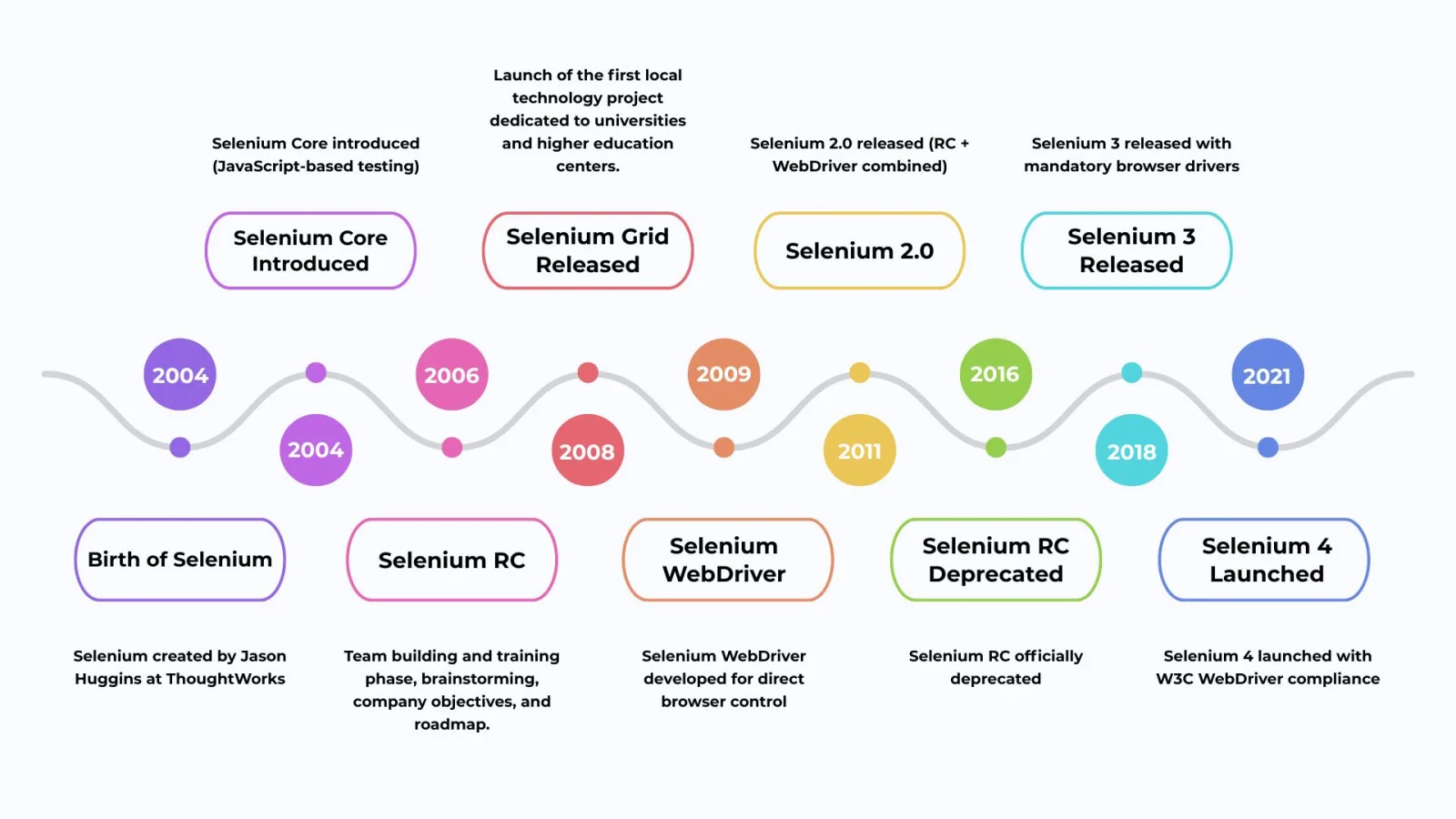
Explore igmGuru's Selenium course program to accelerate your testing skills.
Selenium works by automating real user interactions with a web browser to verify whether an application behaves as expected. Instead of manually testing each feature, testers create automated scripts that Selenium executes on the browser. Below is a simple step-by-step explanation of how Selenium performs a test.
The tester creates an automation script using a supported programming language, defining the actions and validations to be performed.
Selenium opens the specified browser such as Chrome or Firefox using the appropriate browser driver.
It identifies elements like buttons, text fields, or links using locators such as ID, name, or XPath.
Selenium simulates real user actions like clicking, typing text, or submitting forms.
Finally, Selenium checks whether the actual outcome matches the expected behavior and reports the result.
Who uses Selenium is a quite often asked question. Many professionals/QAs find this tool to be highly useful and here are some of them-
Software testers and QA specialists use its features for automating test cases, guaranteeing online apps' dependability and carrying out regression and functional testing.
Quality assurance teams rely on this tool for testing web apps throughout the lifecycle. Efficient test suites are developed & run to cover different topics like user interactions, performance, & data validation.
Developers carry out integration and unit testing for web apps. This helps in checking the expected behavior and functionality of the feature built.
It's an important aspect of CI/CD pipelines in all DevOps environments. This prevents regressions arising from new upgrades or releases.
Many people wonder why use Selenium for automation testing since there are many other tools too. Here are certain reasons that make this tool stand out:
It supports many browsers like Chrome, Safari, Internet Explorer, & Firefox. This makes web app functions seamless throughout different browsers and offers a consistent user experience.
It's easily integrable with many testing tools and frameworks like JUnit, Maven and TestNG. The testing capabilities are improved and help with CI/CD.
Many programming languages are supported, including C#, Java, Ruby, and Python. Testers can write test scripts in a language of their comfort. This improves the testing process's effectiveness and efficiency.
This open-source tool that is absolutely free to use. It also boasts an active and large community that provides support, shares resources and offers continuous improvement.
It's easily usable with cloud-oriented platforms for testing on real browsers and devices. The conclusion is more accurate results and improved coverage.
Related Article - Selenium Tutorial For Beginners
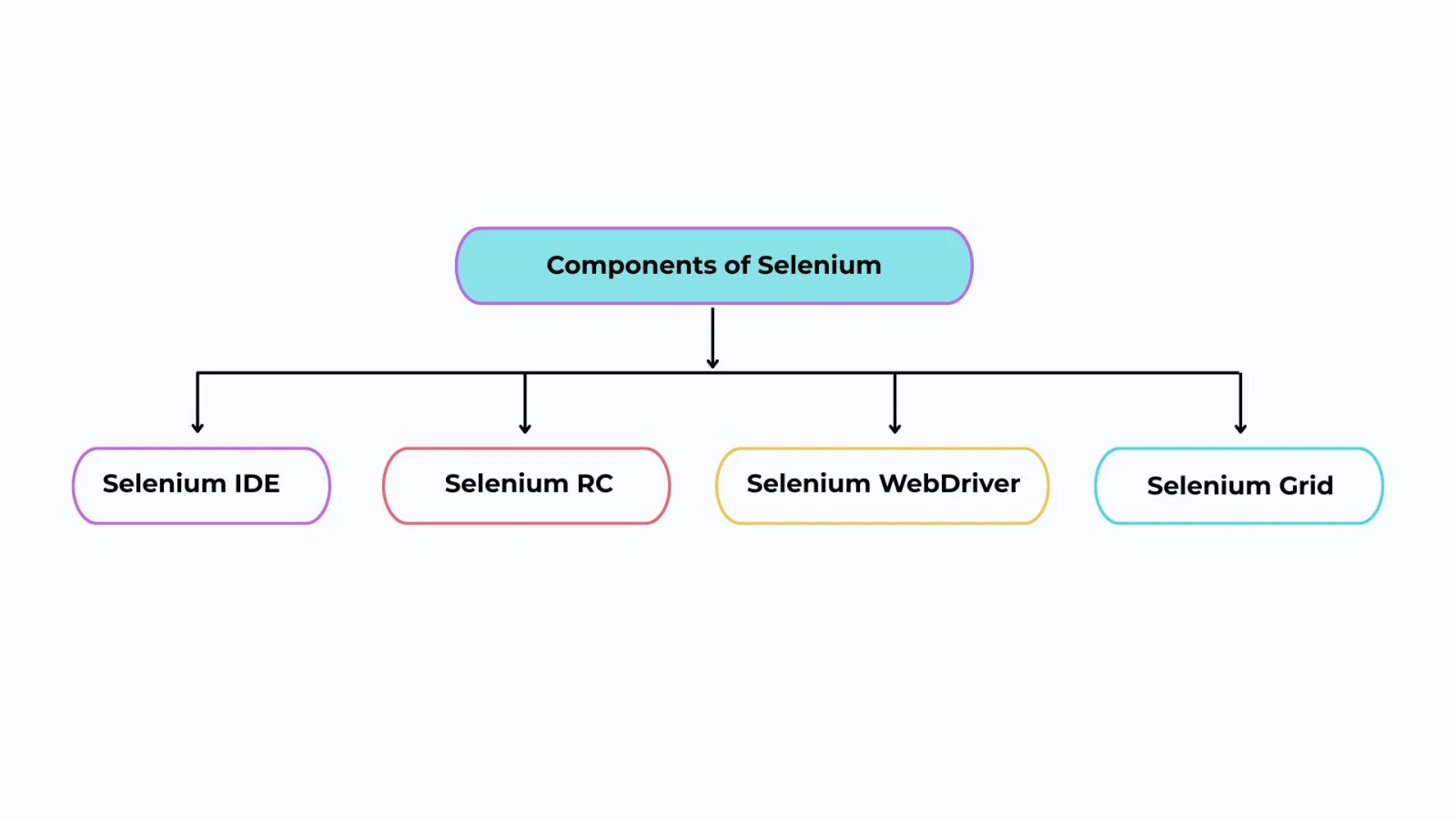
There are 4 key components of Selenium. These components play a big role in its increasing popularity.
It pertains to a Firefox add-on and helps testers in recording and playing back the recorded automated tests. It is quite easy to use and allows users to quickly create and run automated tests. Selenium IDE Chrome includes a built-in debugger that's used for troubleshooting tests. Installation of this add-on is important to use it on Firefox or Chrome.
Selenium Remote Control (RC) was one of the early components of Selenium and played an important role in its evolution. It allowed testers to write automated test scripts in multiple programming languages and execute them through a server that acted as a bridge between the test scripts and the browser. Selenium RC helped overcome browser security restrictions present in Selenium Core. However, due to its complex architecture and slower performance, it was later replaced by Selenium WebDriver and officially deprecated.
It's an open-source and popular tool. It automates web browser interaction and writes tests that can simulate user interactions with a web app. This tool is available for multiple programming languages like C#, Java, Perl, and Python. WebDriver also offers a flexible and powerful test automation framework. This framework helps in creating automated tests for any web application in a quite easy manner. There are many over-the-top features too. These encompass capturing tests' screenshots and automatically discovering a web page's elements.
It distributes the conducted tests across different machines or VMs. It tests in parallel on different devices to help scale a test automation quickly. It's certainly an important part of the complete testing suite that executes automated tests much faster.
The numerous benefits of Selenium automated testing have increased its usage globally. Many companies have begun to turn towards this tool and all for the right reasons. Let's understand a few of them-
Although Selenium is a powerful and widely used automation testing tool, it also has certain limitations that testers should be aware of before choosing it for a project.
Selenium is designed exclusively for web application testing. It cannot be used to automate desktop or mobile applications without integrating additional tools such as Appium or WinAppDriver.
Selenium requires a good understanding of programming languages, HTML, CSS, and XPath. For beginners with no coding background, writing and maintaining test scripts can be challenging.
Selenium does not provide native reporting, test case management, or result analysis features. Testers need to rely on third-party tools like TestNG, Allure, or Extent Reports.
Selenium cannot directly handle image-based testing or CAPTCHA validation. These require external tools or manual intervention, which limits full automation.
Frequent UI changes can break Selenium scripts, leading to higher maintenance efforts. Dynamic elements and changing locators often require regular script updates.
Selenium is not suitable for load or performance testing. Specialized tools like JMeter or LoadRunner are required for measuring application performance.
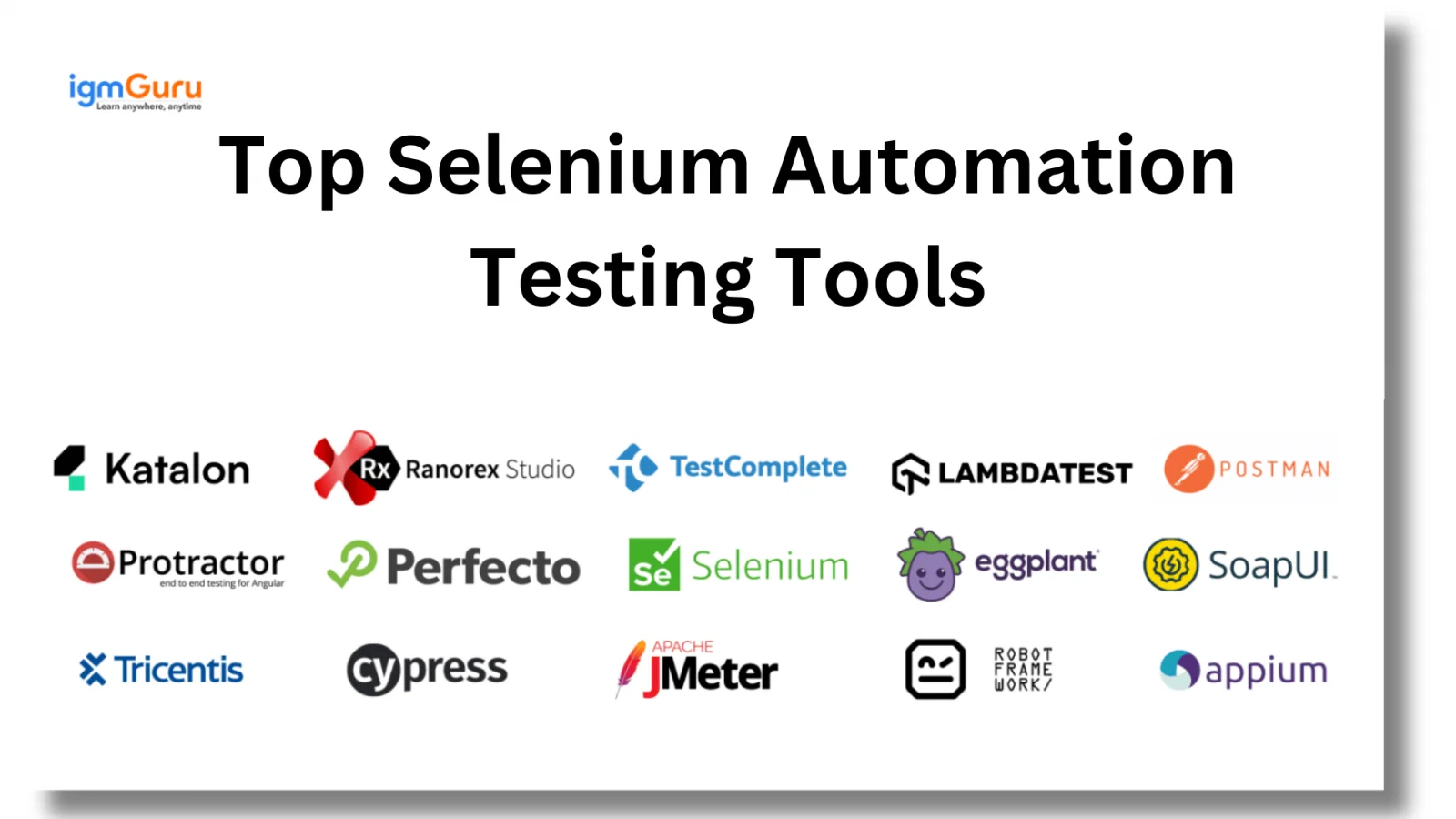
Let's understand more about Selenium automation testing tools. Knowledge of these tools is important to make a career around it.
Interaction with web browsers is made possible with this tool. The browser is directed in a way that is highly close to how a real user behaves. It also supports many programming languages and efficiently handles dynamic web elements.
Selenese is a group of commands in Selenium IDE that perform different operations. These include entering text, verifying page elements and even clicking a button. These commands make up the base of the test scripts.
This tool helps in the parallel execution of test scripts on various browsers. It's a distributed testing framework and helps in speeding up the testing process. Many different environments are covered in its test. It's especially useful for large projects that present the need for extensive testing.
It stands for Integrated Development Environment and is quite a simple tool. It's used extensively for recording as well as, playing back test scripts. Creating quick prototypes and testing scripts becomes easy and that too without any advanced programming knowledge.
WebDriver interacts seamlessly with various web browsers. It does so by employing browser-specific drivers such as GeckoDriver, EdgeDriver and ChromeDriver.
Here is a quick comparison of Selenium with other automation tools.
| Feature / Tool | Selenium | Cypress | Playwright | TestComplete |
| Open Source | Yes | Yes | Yes | No |
| Web Application Testing | Yes | Yes | Yes | Yes |
| Desktop App Testing | No | No | No | Yes |
| Mobile App Support | Via Appium | No | Limited | Yes |
| Programming Languages | Multiple | JavaScript only | Multiple | Multiple |
| Cross-Browser Testing | Strong | Limited | Strong | Strong |
| Community Support | Very Large | Growing | Growing | Limited |
| Best For | Flexible, enterprise-level automation | Modern frontend apps | Fast, reliable browser automation | End-to-end enterprise testing |
Selenium is widely used in real-world projects where applications change frequently and need reliable testing across browsers and releases.
E-commerce platforms like Amazon, Flipkart, or Shopify stores use Selenium to re-test core features such as login, cart, checkout, and payment after every update to ensure existing functionality remains unaffected.
SaaS applications like Salesforce, Zoho CRM, or HubSpot rely on Selenium to verify that dashboards, reports, and forms work consistently across Chrome, Firefox, Edge, and Safari.
Web applications such as banking portals, insurance websites, or online learning platforms use Selenium to validate workflows like user registration, form submission, password reset, and navigation between pages.
Product companies and startups integrate Selenium into CI/CD pipelines for applications like project management tools or content management systems, allowing automated tests to run automatically after each build or deployment.
Large-scale enterprise portals and government service websites use Selenium for smoke testing to quickly verify critical features such as homepage load, login access, and key links before releasing the application to users.
Understanding 'what is Selenium' benefits a tester's career heavily. Having extensive knowledge is needed to make it to the top here. Software testers, developers & many more professionals learn it thoroughly for the best outcomes. It's a brilliant tool that is getting recognized by many companies.
Explore These Trending Articles:
Using this tool for performing a test is called Selenium automation testing. Many tools are encompassed under this one tag.
It can be easy to learn with basic HTML knowledge.
Course Schedule
| Course Name | Batch Type | Details |
| Selenium Training | Every Weekday | View Details |
| Selenium Training | Every Weekend | View Details |