TensorFlow is one of the most popular deep learning frameworks, originally developed by Google in 2012 and open-sourced in 2015. Since then, it is being used to build, train and deploy machine learning models. Now, it has a variety of applications in natural language processing, image creation and computer vision tasks. Its strength lies in its flexible architecture that allows for efficient deployment across diverse platforms and devices.
Do you want to become a TensorFlow expert? This TensorFlow tutorial for beginners is the right guide for you. It includes everything one needs to get started with this impressive framework. It starts with a basic introduction and covers the architecture, installation process, key concepts and more. Let's get started with an introduction to TensorFlow.
TL;DR
This TensorFlow tutorial is for learning how to build, train, and deploy machine learning and deep learning models. It helps AI enthusiasts, data scientists, and machine learning practitioners understand TensorFlow installation, architecture, core concepts, model training, NLP, and computer vision applications. By learning TensorFlow, users can develop intelligent AI solutions and gain practical skills for modern machine learning projects.
TensorFlow is an open source library widely used in machine learning and deep learning tasks. It is often used in conjunction with the Python programming language, offering a versatile framework for building and deploying AI models.
It is also capable of combining the computational algebra of optimization techniques that provides easy calculation for many mathematical expressions. These capabilities are not the only reason behind the popularity of TensorFlow. It is because of the following features:
Explore igmGuru's AI and ML Certification Courses and choose the best one that meets your needs.
Before starting to learn TensorFlow, you should have a fundamental understanding of related fields. Here are the prerequisites and the sources you can use to complete them.
Let's understand how to install TensorFlow. The installation is the first step one should go for as it is essential to have an on-system environment to practice throughout the learning process. This framework is supported on a variety of operating systems including Windows, macOS and Linux.
Installing TensorFlow on Windows and macOS involves the following steps:
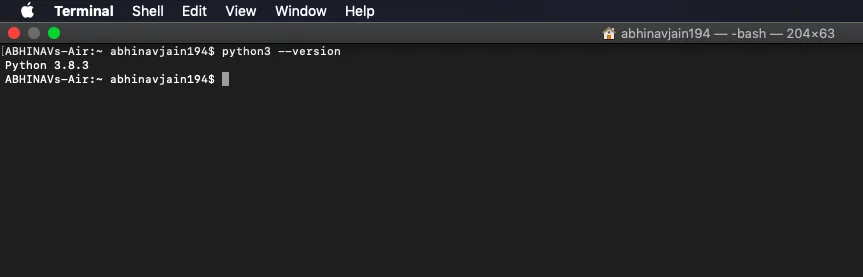
| $ python3 --version |
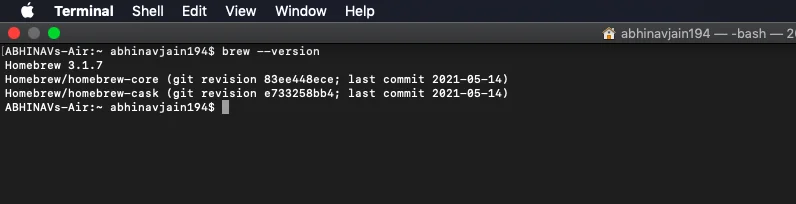
| $ brew --version |
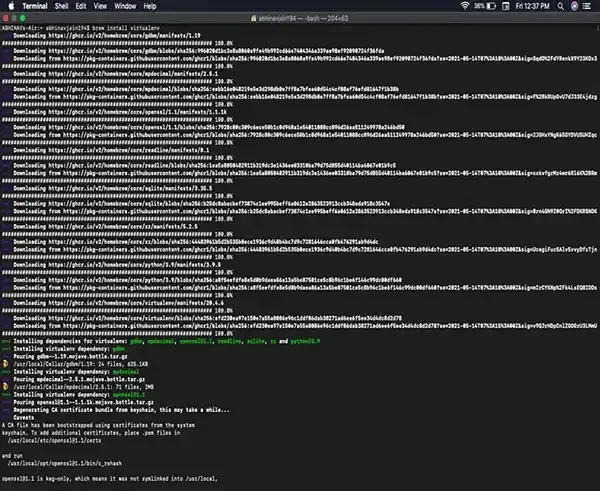
| $ pip install virtualenv |
| $ virtualenv --system-site-packages -p python3 ./pythonenv |
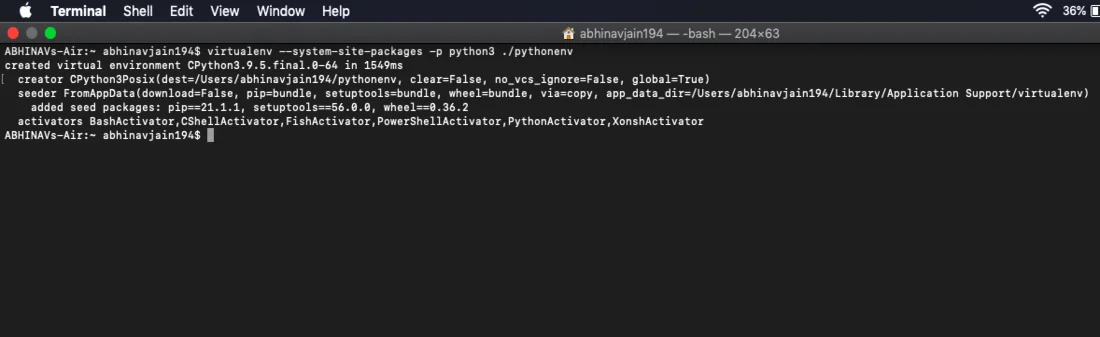
| $ cd ./pythonenv |
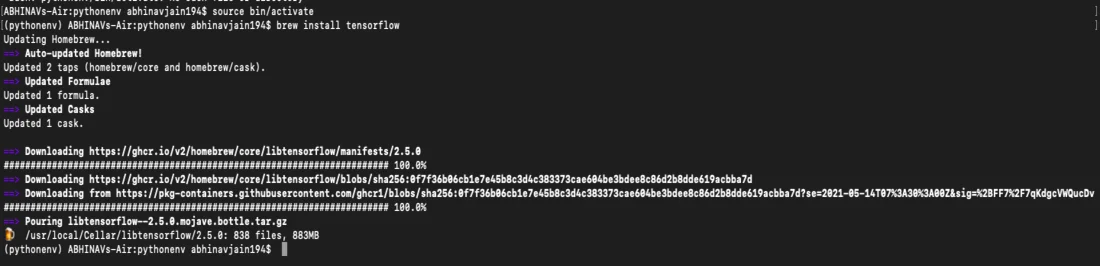
| source bin/activate |
| pip install tensorflow |
| $ python3 tfdemofile.py |
# importing tensorflow import tensorflow as tf # creating nodes in computation graph node1 = tf.constant(3, dtype = tf.int32) node2 = tf.constant(5, dtype = tf.int32) node3 = tf.add(node1, node2) # create tensorflow session object print(node3.numpy()) # evaluating node3 and printing the result print("Sum of node1 and node2 is:", sess.run(node3)) # closing the session sess.close() |
Installing TensorFlow on Linux involves the following steps:
| sudo apt install python3-venv python3-dev |
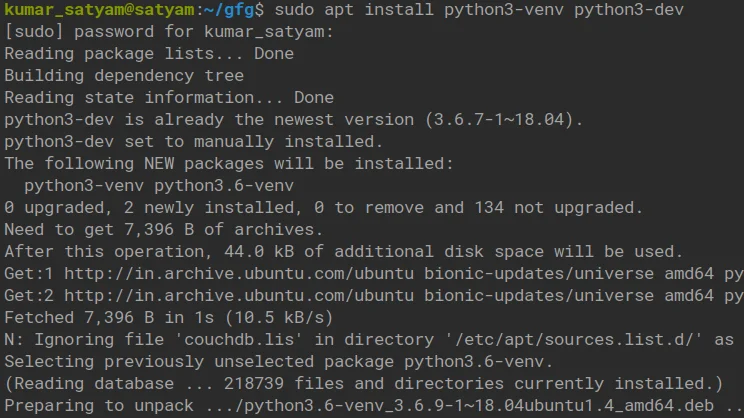
mkdir tensor cd tensor/ python3 -m venv <virtual_environment_name> |

| pip --version |

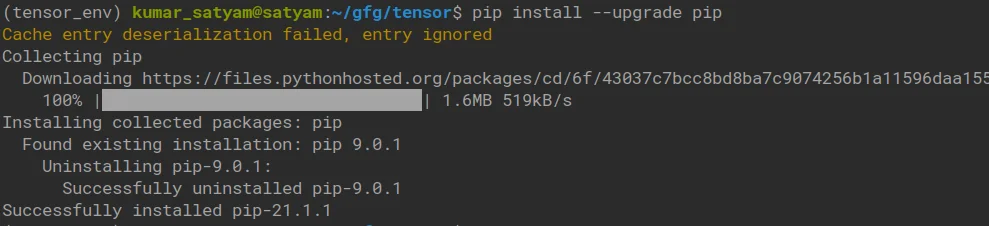
| pip install --upgrade pip |
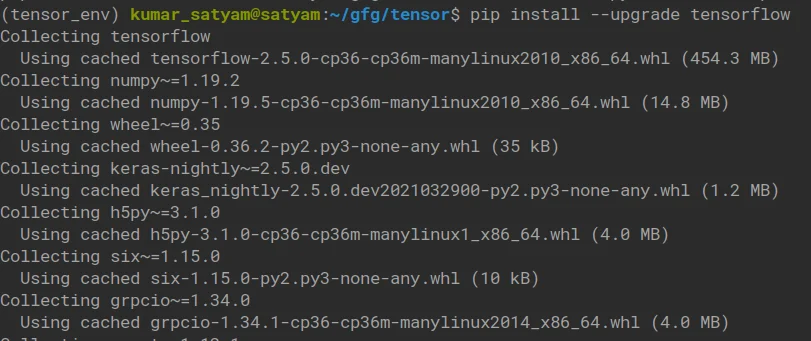
| pip install --upgrade tensorflow |
Check the installation:
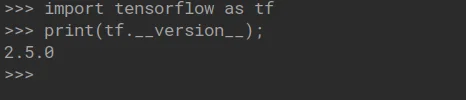
import tensorflow as tf print(tf._version_) |
Read Also: TensorFlow Interview Questions and Answers
The next step is to understand the architecture of TensorFlow. Its architecture consists of different components, each for a special purpose. The listed components (Servables, Loaders, etc.) are specific to TensorFlow Serving, not the core TensorFlow computation graph. Here is the list of components:
Loaders facilitate the process of importing data into a model for training or inference. They handle various data formats and sources, ensuring efficient data loading and preprocessing. This framework offers various built-in loaders and utilities to manage data loading effectively.
Servables are instances on the server that can be used to perform computations, such as lookups and inference. They are granular and flexible, ranging from a single lookup table or a single model to a tuple of inference models. Servables facilitate functionalities like streaming results, experimental APIs and asynchronous modes of operation.
Servable versions are distinct instances that let the system manage multiple versions of servables. There might be some chances where clients may inquire for a specific model. This is where servable streams come to help. They are sequences of servable versions ordered by version number. They allow gradual rollouts and experimentation.
Batcher serves the purpose of decreasing the implementation cost of inference, especially when using hardware accelerators like GPU. However, batching is not only tied to inference, but also heavily used in training (e.g., training on mini-batches). The library has a variety of applications including classification, discovering, perception, understanding, prediction and creation. Developers use these elements in a variety of tasks including voice recognition, text recognition, video detection and many more.
Related Article- Deep Learning With TensorFlow
This section includes the core concepts of TensorFlow. Understanding them will help you to teach you building, training and deploying ML models effectively. This includes grasping the fundamental building blocks like tensors, variables, graphs and functions, as well as key concepts such as bitwise and numerical operations.
Tensors are the most fundamental building blocks responsible for representing data. Think of it as a multi-dimensional array or a matrix but with an unknown number of dimensions. It can hold a number of data types, including integers, floats and strings. Tensors include a variety of properties like shape, axis, rank, and size.
Variables represent modifiable tensors that hold state across multiple executions of a graph. Unlike regular tensors whose values are immutable, variables can be updated using operations like assign, assign_add and others. This mutable characteristic makes them suitable for storing model parameters that are adjusted during training.
The tf.Variable() constructor is used to create a variable. It requires an initial value which can be a Tensor or a convertible Python object. The shape and data type of the variable are inferred from this initial value, although they can be explicitly specified.
import tensorflow as tf # Creating variables initial_value = tf.constant([1, 2, 3], dtype=tf.float32) my_variable = tf.Variable(initial_value) #Alternative way to create variables my_variable_2 = tf.Variable(tf.zeros(shape=(2,3))) print(my_variable) print(my_variable_2) |
Automatic differentiation is one of the basic techniques used in machine learning, especially when using a framework like TensorFlow. It can improve the efficiency of function gradient computation, making it a great choice for optimization techniques like gradient descent. Automatic differentiation enables gradient computation, which is essential for backpropagation in training.
This framework provides the tf.GradientTape API for automatic differentiation. Operations performed within the context of a tf.GradientTape are recorded, allowing TensorFlow to compute gradients with respect to specified inputs. Here is an example of using AD where tape.watch(x) ensures that changes to x are tracked. Next, the tape.gradient(y, x) call computes the derivative of y with respect to x.
import tensorflow as tf x = tf.constant(3.0) with tf.GradientTape() as tape: tape.watch(x) # Explicitly watch the tensor y = x**2 dy_dx = tape.gradient(y, x) print(dy_dx.numpy()) # Output: 6.0 |
This framework uses computational graphs to represent the mathematical computations. It is referred to as a directed graph comprising nodes to represent operations and edges that represent the flow of data between the operations. These graphs offer flexibility and allow execution in different environments without a Python interpreter. This enables optimizations for improved performance. tf.function allows exporting computation graphs for deployment, but actual execution without Python depends on conversion/export formats like TensorFlow Lite, SavedModel or TensorFlow.js.
Bitwise operations manipulate data at the level of individual bits. This framework provides functions to perform these operations on tensors, which are multi-dimensional arrays. Here's an overview of common bitwise operations available in this framework:
There are a robust set of numerical operations available in this framework. They are the backbone of its computational capabilities. These operations execute on tensors, which are the fundamental data structures. Therefore, it excels in managing a wide range of numerical operations, including mathematical transformations and element-wise operations.
TensorFlow has a vital role in model building and training. This process involves various steps and stages including collecting data, creating a model, adding layers to the model, compiling the model, training the model and using the model. Let's understand these steps:
Here is a simple code example:
# Import TensorFlow import tensorflow as tf # Define a simple model model = tf.keras.Sequential([ tf.keras.layers.Dense(128, activation='relu', input_shape=(10,)), # Example input shape tf.keras.layers.Dense(10, activation='softmax') # Output layer ]) # Compile the model model.compile(optimizer='adam', loss='sparse_categorical_crossentropy', metrics=['accuracy']) # Train the model # (replace with your actual data) model.fit(X_train, y_train, epochs=10) # Evaluate the model # (replace with your actual data) test_loss, test_acc = model.evaluate(X_test, y_test) print('Test accuracy:', test_acc) |
TensorFlow facilitates tasks like text classification, translation and sentiment analysis, empowering natural language processing. It is used along with NLP-specific libraries like TensorFlow Text or HuggingFace Transformers for better results. You may have experienced this technology in your day-to-day life like voice recognition systems, voice typing and more. It has all become possible with machine learning and deep learning.
TensorFlow also facilitates tasks like image classification, object detection, segmentation and video analysis. It becomes possible using techniques like convolutional neural networks and transfer learning. It also provides pre-trained models via tf.keras.applications and supports object detection via the TensorFlow Model Garden. These functionalities have made it possible to locate, understand and trace an object with the help of an image or a video.
In this TensorFlow tutorial, we have learned the installation process, architecture, components, core concepts and various functionalities of TensorFlow. This knowledge is enough to get started with this programming framework. But the continuous advancement of technology demands in-depth knowledge and efficient skills. Therefore, it is recommended to use some additional resources like online courses and training programs for further knowledge.
TensorFlow is indeed a powerful Python framework, but has some limitations too. Its static computation graph can make debugging more complex and the lack of strong symbolic loop support can hinder development for certain tasks.
| Component | CPU-Only | GPU-Accelerated |
| OS | Win/Linux/macOS 64-bit | Win/Linux 64-bit |
| Python | 3.8 - 3.11 | 3.8 - 3.11 |
| RAM | 4-8 GB | 8-16 GB or more |
| GPU | Not needed | NVIDIA GPU with CUDA Compute 3.5+ |
| CUDA/cuDNN | Not required | CUDA 11.8, cuDNN 8.6 |
| Disk Space | \~1-2 GB | 5+ GB |
It is a robust framework for numerical computation and can be used for any predictive or statistical analytics workloads.
TensorFlow is mainly used for building machine learning and deep learning models, including neural networks for image, speech and text processing.
Yes, beginners can start with the basics and slowly move to advanced deep learning projects with regular practice.
Course Schedule
| Course Name | Batch Type | Details |
| TensorFlow Training | Every Weekday | View Details |
| TensorFlow Training | Every Weekend | View Details |