Jira feels heavy, overwhelming, or simply not the right match for your workflow? Well, you’re not alone. Many teams start with Jira only to realize later that they need something faster, simpler, more flexible, or more affordable. The good news? You have plenty of brilliant alternatives to Jira.
In this guide, we’ll explore the top Jira alternatives that offer a smoother user experience, cleaner UI, powerful automations, and pricing that actually makes sense. Whether you’re a startup, a growing agile team, or an enterprise scaling up project management, there’s a tool here designed to fit your style, not the other way around.
Let’s discover the tools that could replace Jira and help your projects run lighter and smarter.
Enroll in igmGuru's Jira training program to boost your career growth.
Why explore Jira alternatives? The answer is simple, for specific features, requirements, or cost reduction. Jira is undoubtedly one of the best tools in the industry today, but ot also lacks in various areas. Imagine somebody gives you a spaceship instead of a bicycle that you needed to roam around. It is the same situation.
Alternatives are important to find the right tool that fits your needs and is not high maintenance. You just understand your needs and find a Jira alternative with the same specifications. Don't know how? Don't worry, as this guide has everything you need to look for. Let's begin with a quick look at Jira Alternatives.
This table gives a quick overview of the tools. The ratings shown are averages compiled from trusted review sites such as G2, Capterra, and Gartner Peer Insights. A detailed explanation of each tool is provided right after the table.
| Tools | Best For | Key Features | Pricing (Starts From) | Avg. Rating (out of 5) |
| ClickUp | All-in-one project & task management | Customizable workflows, docs, chat, time tracking | Free plan, Paid from $7/user/mo | 4.7 |
| Asana | Team collaboration & task tracking | Kanban boards, timelines, integrations | Free plan, Paid from $10.99/user/mo | 4.5 |
| Monday.com | Visual project management | Dashboards, automation, CRM | Paid from $9/user/mo | 4.6 |
| Zendesk | Customer support & ticketing | Ticket management, helpdesk, automation | Paid from $19/agent/mo | 4.3 |
| Notion | Notes, docs & lightweight project mgmt | Wikis, databases, task boards | Free plan, Paid from $8/user/mo | 4.7 |
| Taskade | Remote team collaboration | Mind maps, outlines, chat, task tracking | Free plan, Paid from $5/user/mo | 4.6 |
| Wrike | Enterprise project management | Gantt charts, reporting, integrations | Paid from $9.80/user/mo | 4.2 |
| ProofHub | Simple project mgmt for teams | Discussions, proofing, time tracking | Flat $45/mo (no per-user cost) | 4.5 |
| Bugzilla | Bug & issue tracking | Advanced search, reporting, notifications | Free (open-source) | 4.1 |
| Smartsheet | Spreadsheet-style project mgmt | Grid, Gantt, automation, integrations | Paid from $7/user/mo | 4.4 |
| Assembla | Code projects & issue tracking | Git/SVN hosting, bug tracking | Paid from $12/user/mo | 4.1 |
| GitLab | DevOps lifecycle & issue tracking | Git repo hosting, CI/CD, bug tracking | Free plan, Paid from $19/user/mo | 4.6 |
| Hygger | Agile project mgmt | Kanban, backlog, sprint planning | Paid from $7/user/mo | 4.5 |
| Bitrix24 | All-in-one business suite | CRM, project mgmt, communication tools | Free plan, Paid from $49/mo (flat for teams) | 4.2 |
| Backlog (Nulab) | Software dev project mgmt | Bug tracking, Git/SVN, wikis | Free plan, Paid from $35/mo (flat for teams) | 4.5 |
Read Also: How to Use Jira For Project Management
Welcome to what you were looking for and I will help you find the right match by revealing the top 15 Jira alternatives to you.
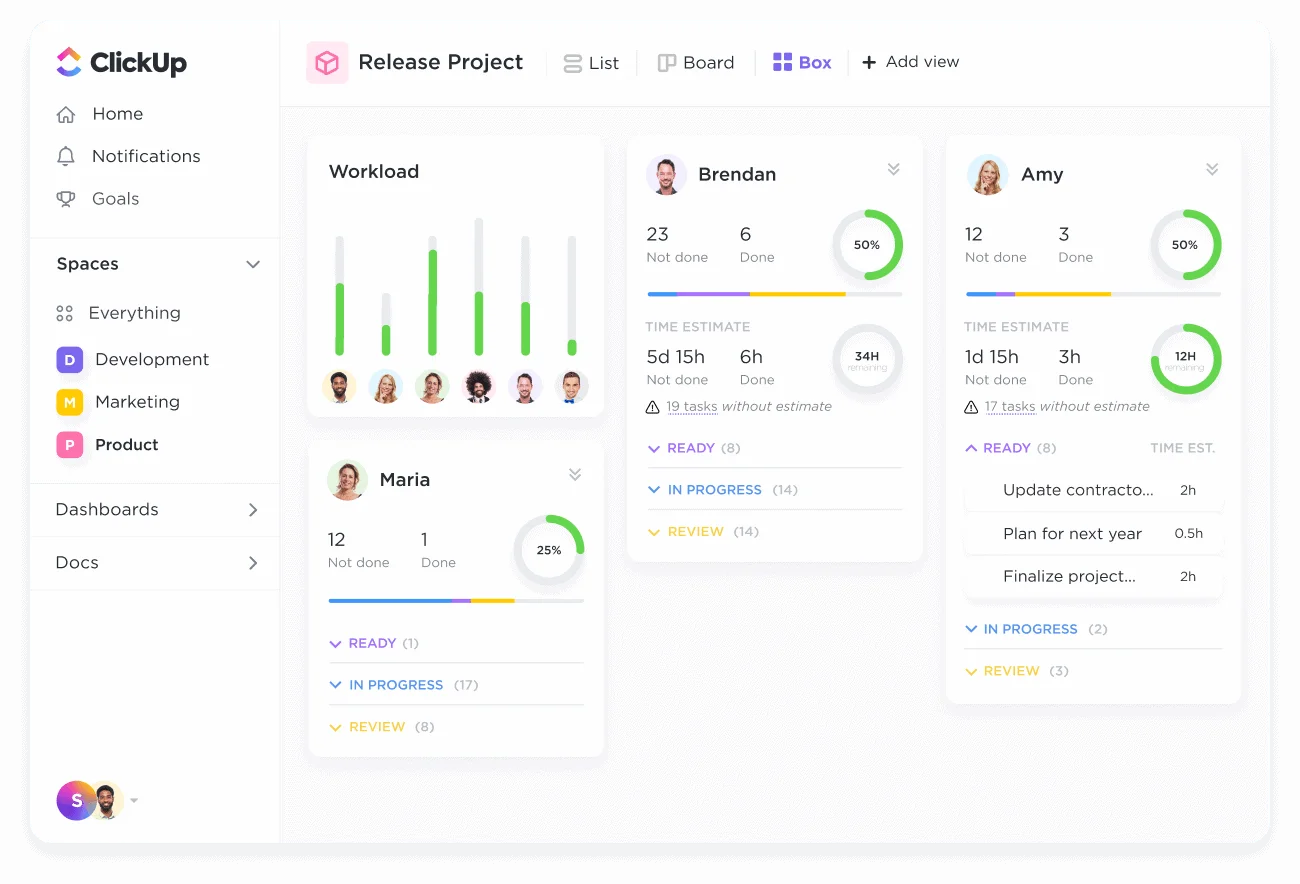
Our first alternative is an all-in-one project management platform where you can perform a number of tasks without juggling between different applications. You can chat with your team, plan tasks, track documents, set goals and manage time, all in one place. ClickUp gives you endless customization and 15+ views so you can work your way while remaining productive.
I have compiled the best features of ClickUp down below-
ClickUp is best for different teams across an organization for smart AI-driven project management.
Take a look at the different plans available for ClickUp's pricing.
| PLANS | BEST FOR | WHAT IT OFFERS |
| Free Plan | Personal Use | Kanban boards, sprint management, calendar view, 60 MB storage, Unlimited tasks and more. |
| Unlimited ($7 per user per month) | Small teams | Access to a number of unlimited sources like storage, custom fields, integrations, and more. |
| Business ($12 per user per month) | Mid-sized teams | Private whiteboards, workload management, Google SSO and more. |
| Enterprise | Large teams | Live onboarding training, enterprise API, white labeling, conditional logic and more. |
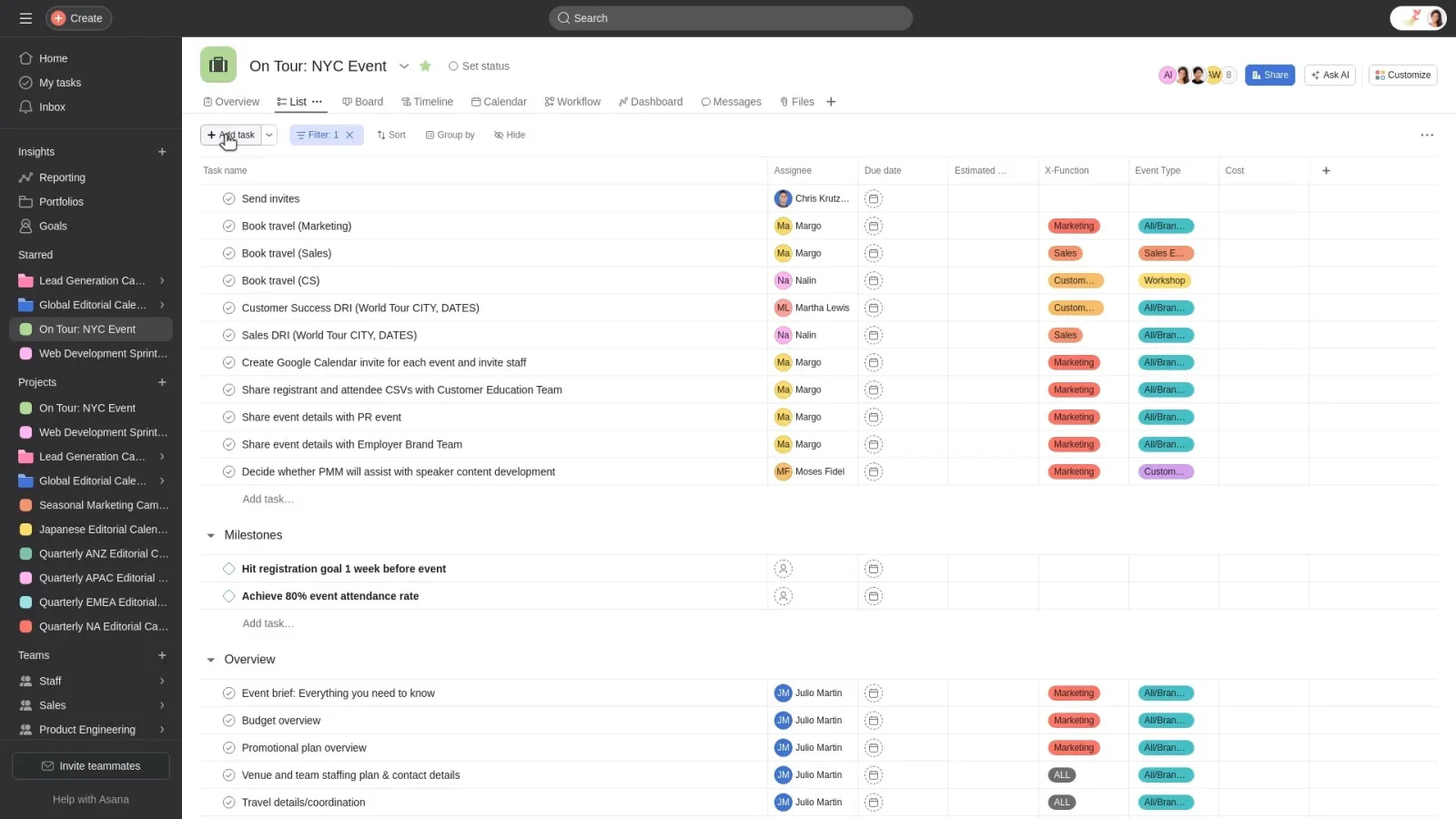
Let me introduce you to Asana to transform your scattered tasks into clear workflows. Every idea has a place and every task has a timeline in this platform. Asala will keep everything aligned for you, anything from launching a campaign to remembering who's bringing the food for the office party. Where Click Up transforms work into an ecosystem, Asana organizes it.
Let me help you understand this platform better by highlighting its main features.
Asana is great for teams across marketing, IT, operations and leadership. It is an ideal option for minimalist project management.
This is what Asana's pricing looks like-
| PLANS | COST | BEST FOR |
| Personal | Absolutely free | Personal use or small teams |
| Starter | $10.99 | Growing teams |
| Advanced | $24.99 | For companies wanting to track goals and manage a portfolio of work. |
| Enterprise | Contact Sales | For companies that need to manage and automate complicated tasks across many departments. |
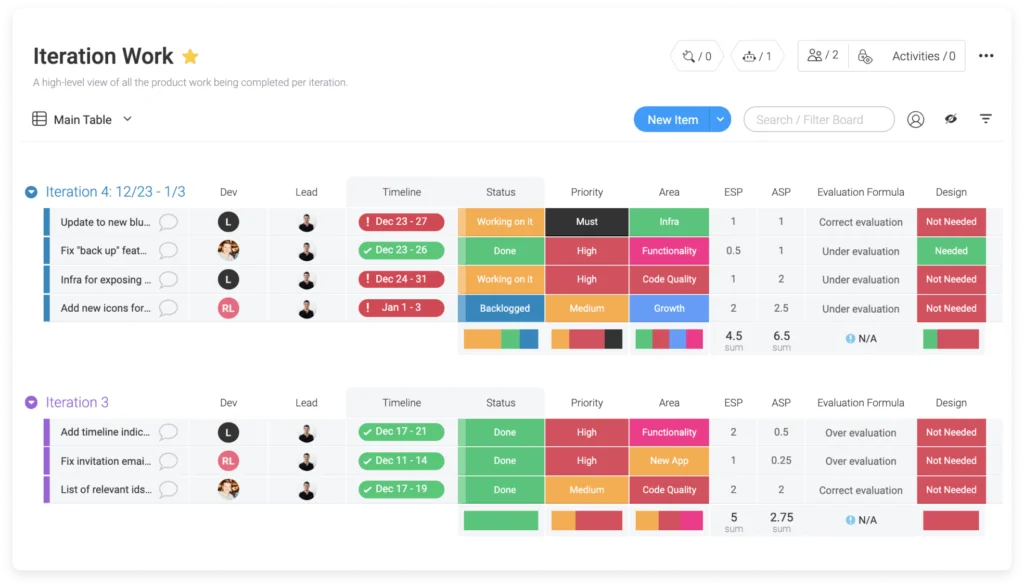
Monday.com brings a colourful touch to your projects, tasks and goals. Everything will come into a single visual platform and you will not need to juggle between sources. Teams do not need to spend unnecessary time on managing work, as it will automate boring tasks. You can customize workflows, give tasks and track progress. This is an alternative you must go for if you want to simplify your complicated projects.
Look at some of monday.com's features to decide if it's for you-
Anyone from marketing, sales, IT, HR or operations can go for this amazing platform. It is great for workflow automation with a strong focus on usability.
Check out the pricing of monday.com to see if it's for you -
| PLANS | COSTS | BEST FOR |
| Free | $0 | Individuals |
| Basic | $9 | Managing team's work |
| Standard | $12 | Collaboration across teams |
| Pro | $19 | Streamlining complicated workflows |
| Enterprise | Contact Sales | Exclusive features for an organization |
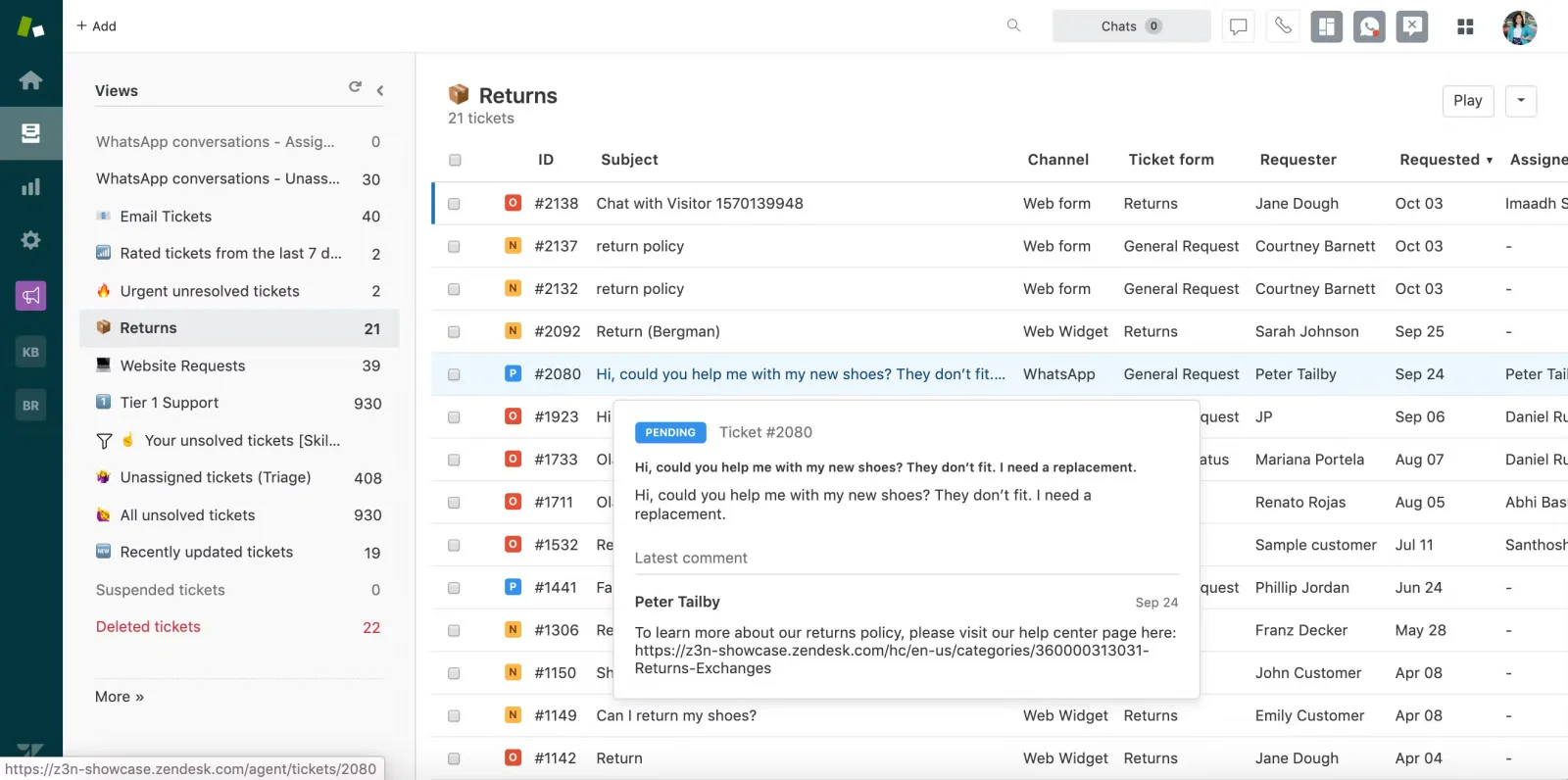
Zendesk can be pictured as a customer support command center where every query, cheer or complaint lands in one organized point. It is mainly used to serve, support and interact with customers and manage all these interactions in one place. This software can turn all customer inquiries into manageable tickets so all the issues are in check and resolved.
Let's discuss some top features of Zendesk-
It is mostly used by customer support for customer service, combined with project management.
Check out Zendesk's pricing down below-
| PLANS | ANNUAL SUBSCRIPTION (PER MONTH/AGENT) | MONTHLY SUBSCRIPTION (PER MONTH/AGENT) |
| Support Team | $19 | US$25 |
| Suite Team | $55 | US$69 |
| Suite Professional | $115 | US$149 |
| Suite Enterprise | $169 | US$219 |
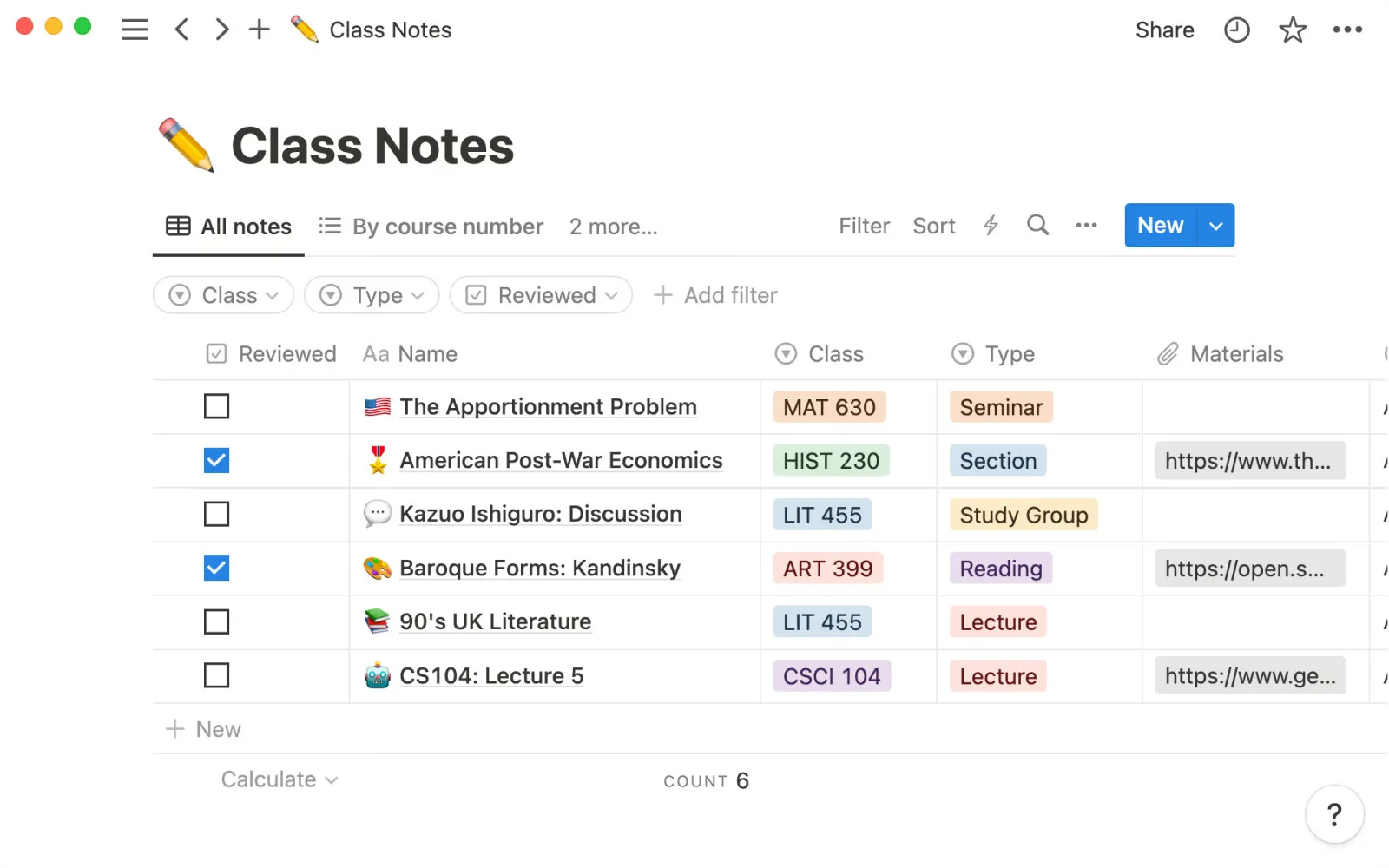
Notion is for you if you are someone like me who's always looking for diaries and journals to organize it all. If you no longer have space to keep all your notebooks and journals, try this platform. Its single blank canvas can turn into a journal, project dashboard, knowledge library and what not. Notion allows you to make your own workflow, be it writing a novel or managing a startup.
Let's take a look at what Notion has to offer -
Anyone can use Notion, especially product managers or professionals involved in design would love it. This platform is a great choice for content workflow management.
Here is Notion's pricing -
| PLANS | COSTS | BEST FOR |
| Free | $0 | Individuals for organize their daily lives and projects. |
| Plus | $10 | For teamwork between small teams and professionals |
| Business | $20 | For growing businesses |
| Enterprise | Contact Sales | For organizations |
Read Also- Top 25 JIRA Interview Questions and Answers
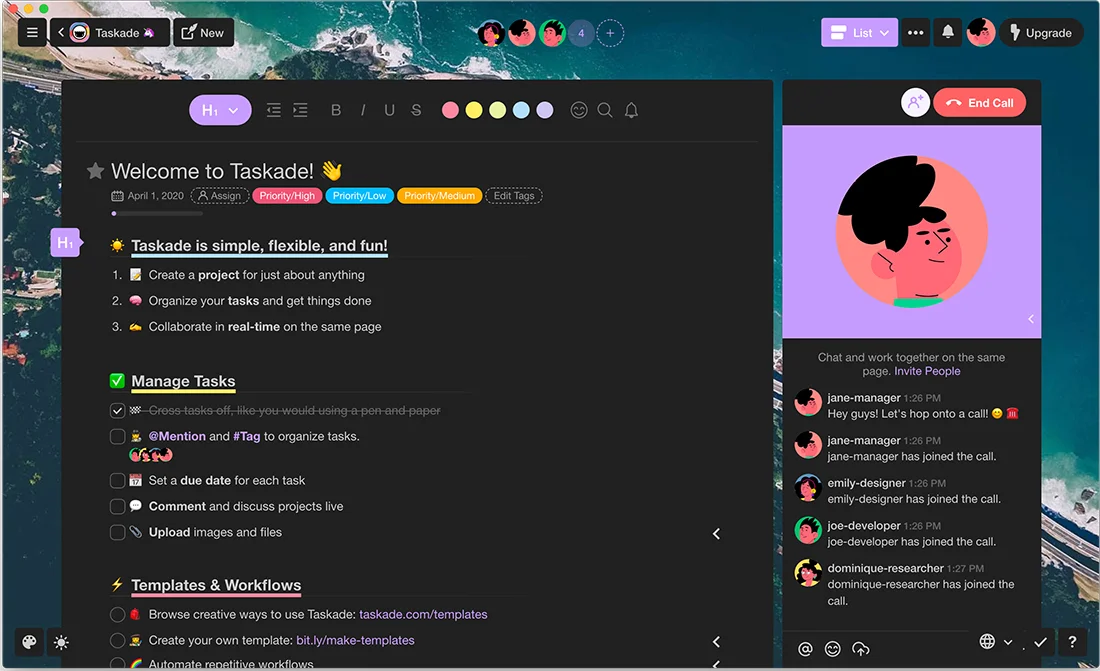
Taskade is an amazing choice for you to bring productivity and collaboration. Automate a number of tasks like drafting emails, user persona research, scheduling and brainstorming content with customizable AI agents. This platform is inclined towards general productivity combining tasks, notes and communication. It simplifies workflows but it might not be for you if you need detailed reporting and advanced tracking.
Here's what Taskade brings to the table -
Professionals from marketing and project management teams can enjoy Taskcade's benefits for creating a live workspace for video collaborations and tasks.
Here is the pricing of Taskade -
| PLANS | PRICING | WHAT IT OFFERS |
| Free | $0 | To get started with Taskcade |
| Pro | $10 | Unlimited AI agents, automations and more. |
| Team | $50 | Unlimited workspaces, advanced team permissions and more. |
| Enterprise | Custom | Custom AI models, integrations and more. |
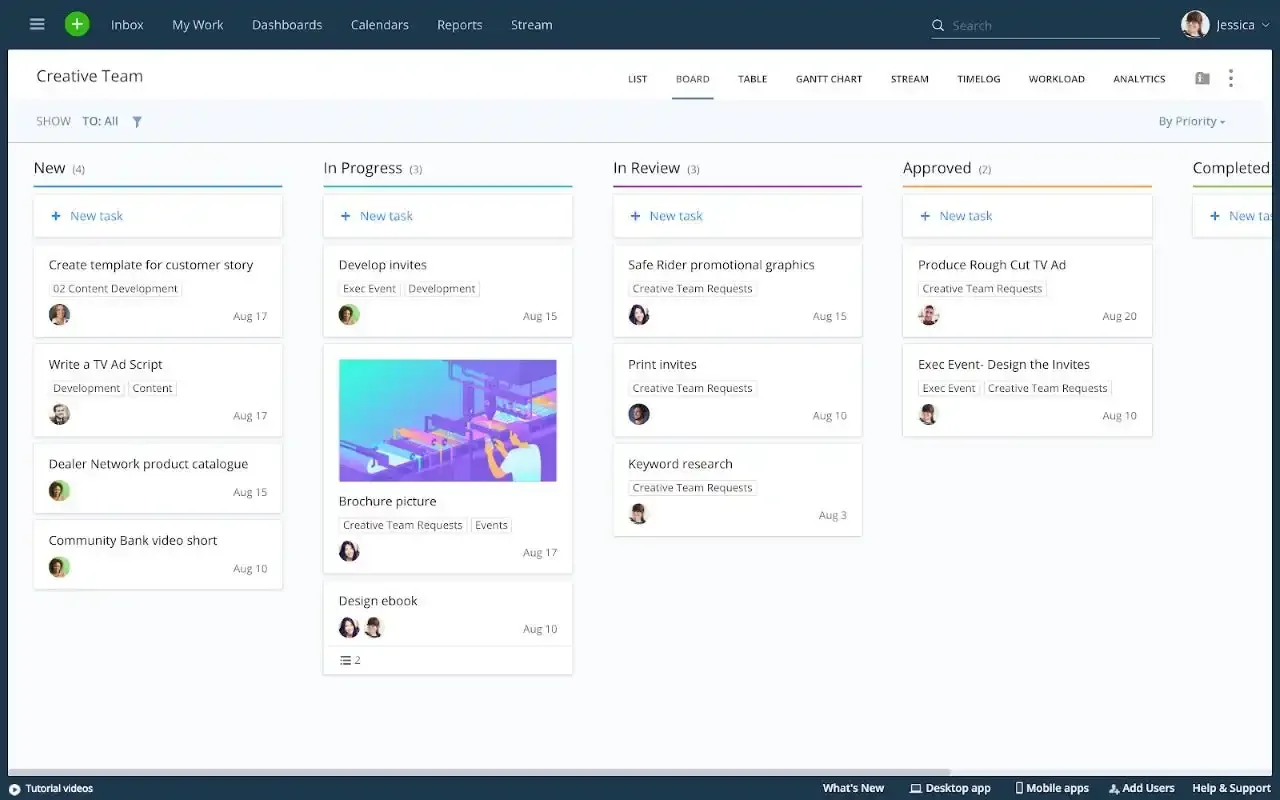
What differs Wrike from Jira lies in its detailed reporting abilities and task system. You would not need any third-party tools as this platform has built-in time tracking. This general project management software would align timelines, synchronize tasks and give a clear picture to stakeholders.
This is what Wrike has to offer -
Professionals from marketing, design, PMO teams can use Wrike for complicated project management needs.
Take a look at Wrike's pricing -
| PLANS | COSTS | BEST FOR |
| Free | $0 | For teams to begin with Wrike |
| Team | $10 | Small teams |
| Business | $25 | All teams across an organization |
| Enterprise | Contact Sales | For large teams |
| Pinnacle | Contact Sales | For teams with complicated requirements |
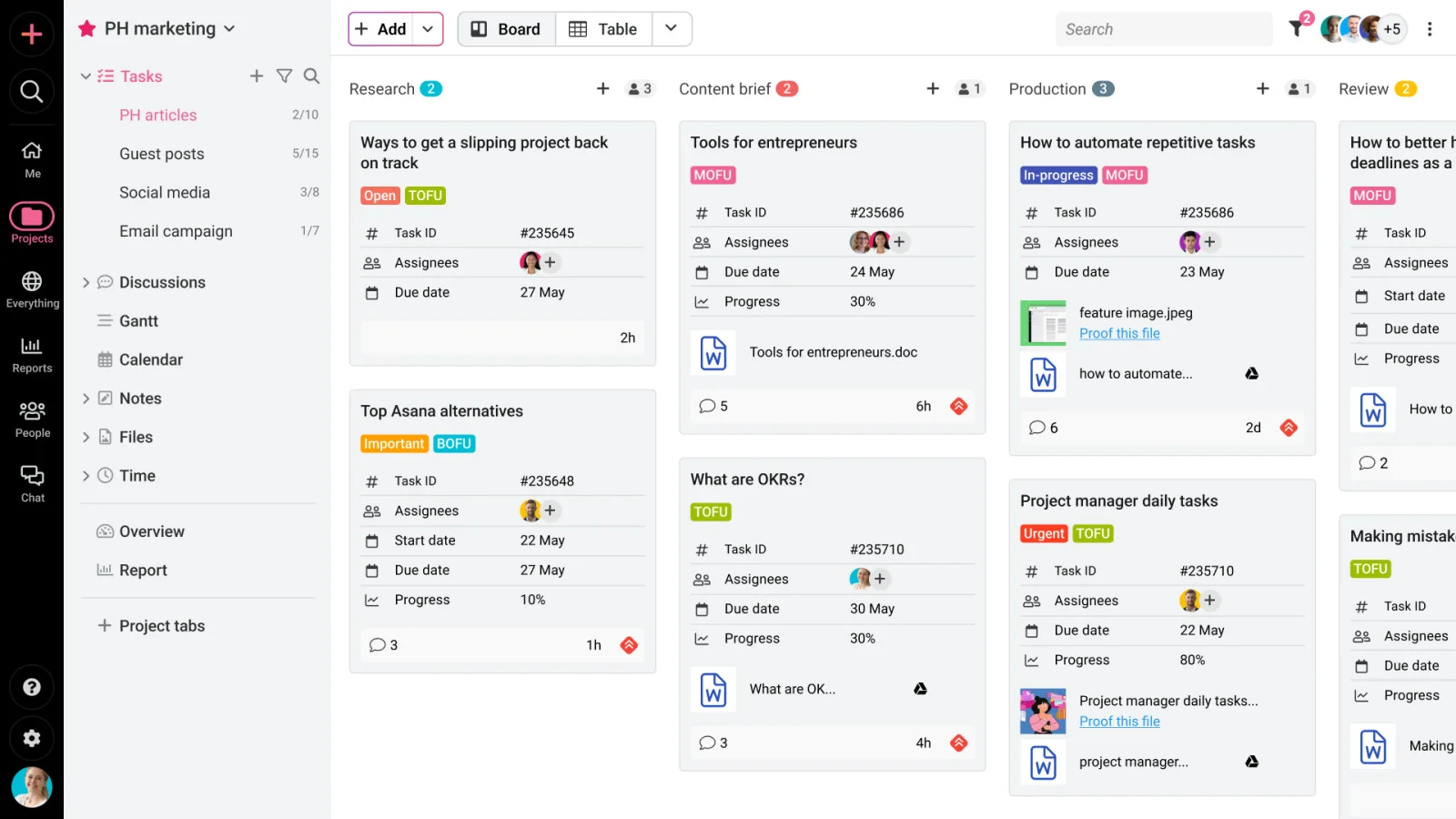
Proofhub one is a complete project management and team collaboration software for you to deliver projects on time. Teams get the clarity to prioritize what matters and the visibility to stay organized without having to micro-manage everything. Proofhub will replace all the messy tools with one unified place for everyone, from creators to clients, to get on the same page.
Here are the main features of ProofHub -
Teams across product development, creative, design and sales can use ProofHub for all sorts of project planning needs.
Take a look at ProofHub's pricing down below-
| PLANS | COSTS | WHAT IT OFFERS |
| Essential Plan | $45/month billed annually | Up to 40 projects, unlimited users, 15 GB storage |
| Ultimate Control Plan | $89/month billed annually | Unlimited projects, unlimited users, 100 GB storage |
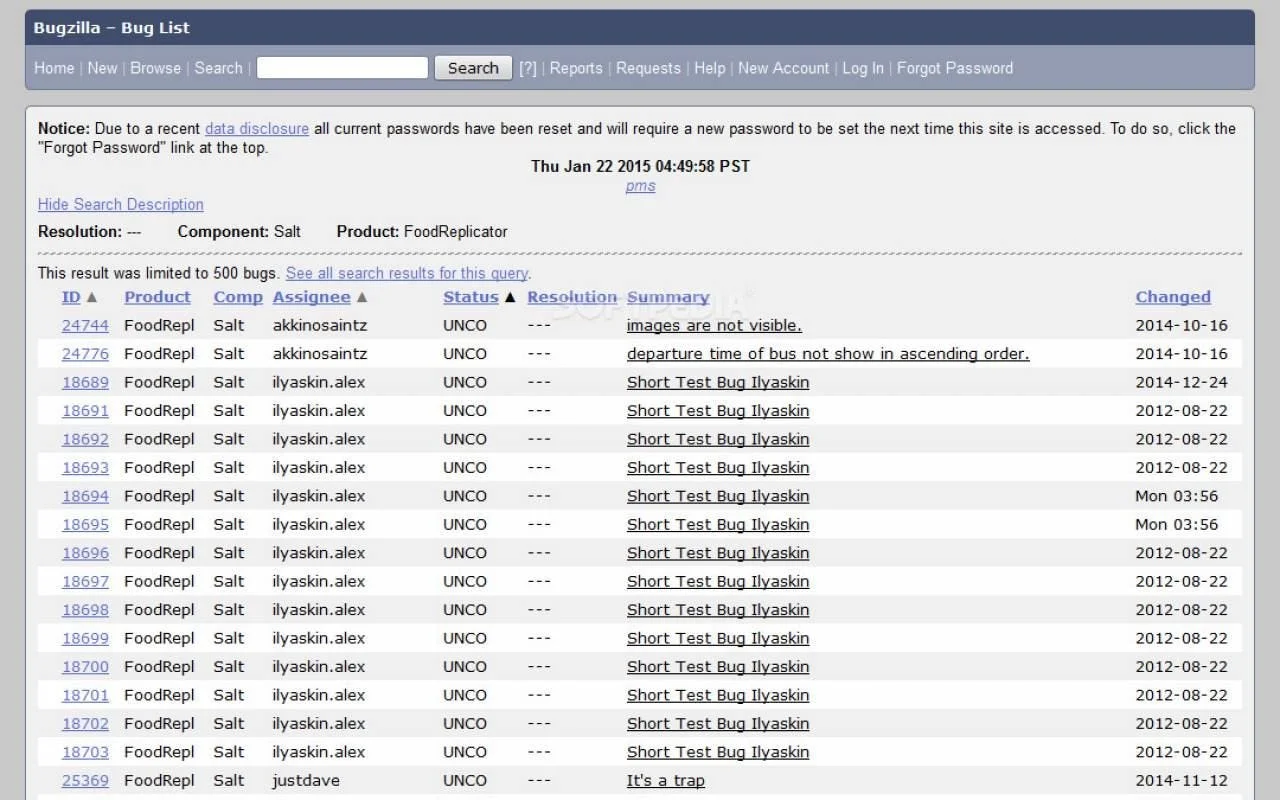
This issue management and bug tracking system created by Mozilla is accessible for everyone. It is mainly a great option for software development teams to handle other issues along with tracking and managing bugs throughout a project's lifecycle. Bugzilla will bring out any bugs or hidden issues before they cause damage in your projects.
Take a look at what Bugzilla brings to the table -
Bugzilla is mostly used by software teams for managing software builds with bug tracking capabilities.
Bugzilla is one of the most unique among the top 15 Jira alternatives when it comes to pricing. It is absolutely free for everyone to download and use under the Mozilla Public License.
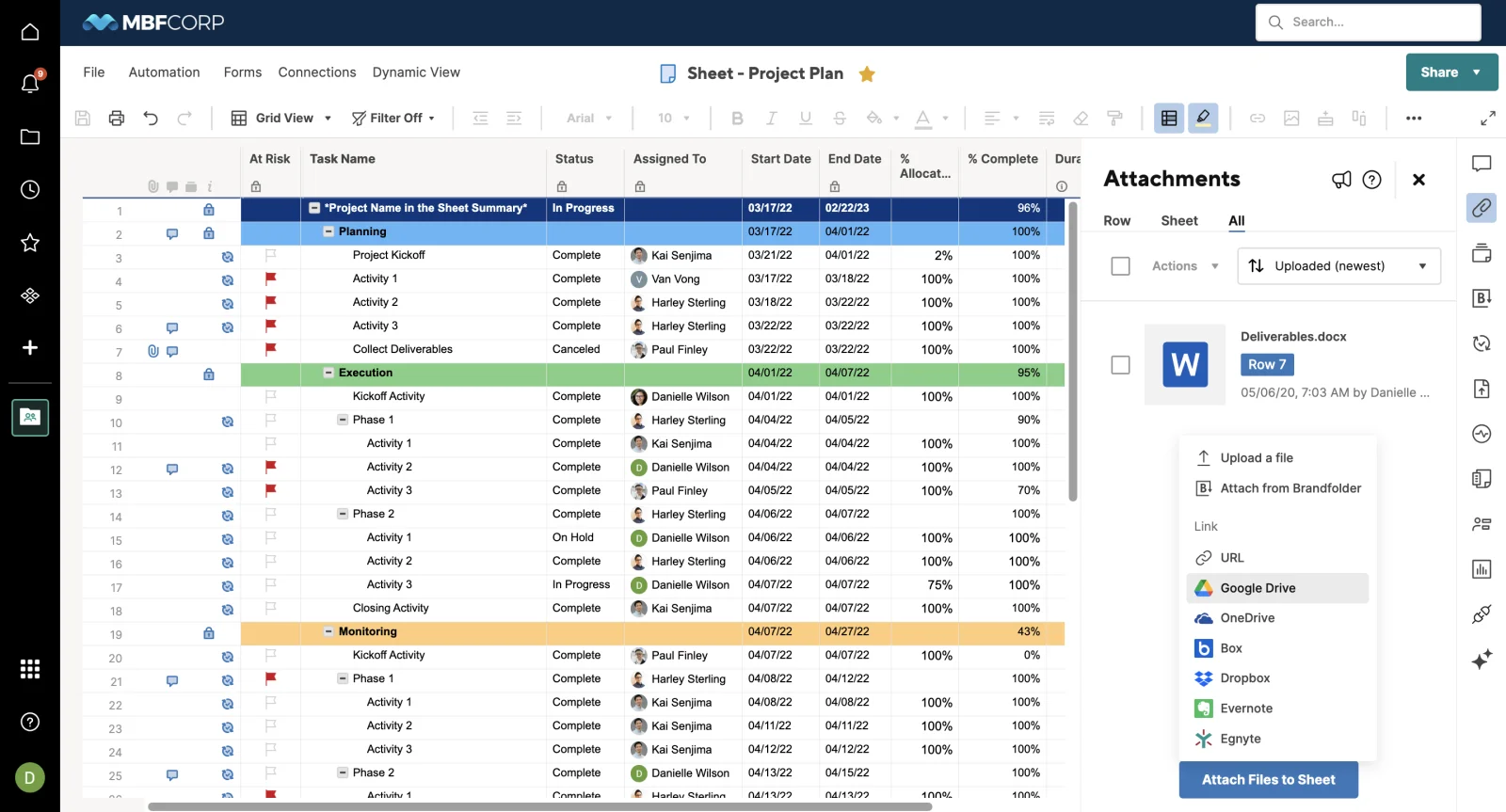
Smartsheet is a cloud-based work management platform that blends spreadsheets with the magic of project management tools. It is capable of handling complicated calculations such as project costs. This one is a practical option for sectors where transparency and data management matter. It may not be for you or your team if a lighter tool is what you require.
Let's discuss the features of Smartsheet -
Professionals from various teams across departments of project management, strategic planning, IT operations, and marketing can use Smartsheet for project management in an Excel-like surface.
View the pricing of Smartsheet down below-
| PLANS | COSTS | WHAT IT OFFERS |
| Pro | $9 | Unlimited viewers, upto 10 members |
| Business | $19 | Unlimited guests and viewers, 3+ members |
| Enterprise | Custom Pricing | 10+ members |
| Advanced work management | Custom Pricing | Contact sales |
Read Also- Jira Tutorial: Learn Agile With Jira Software From Scratch
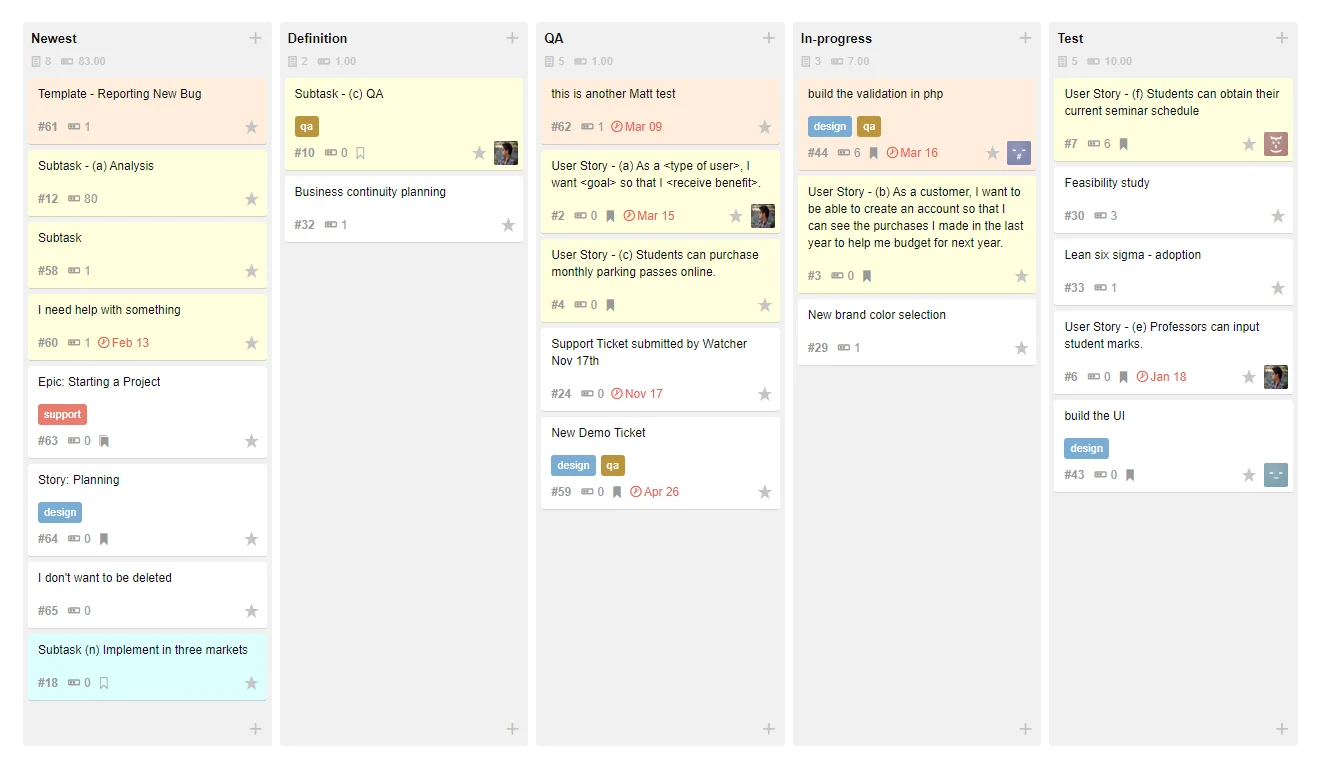
Assembla is the mission control center for software teams occupied in building the future. This cloud-based platform finely combines project management with SCM (source code management). It gives you the tools to code, collaborate and get tasks done. It allows your teams to review, improve and ship code all in one platform.
Here are some Assembla's features -
A great option for project management and software teams for integrating source code with project management.
Here is the pricing of Assembla-
| PLANS | COSTS | BEST FOR | WHAT IT OFFERS |
| Spaces | $5.39 / user per month | Technical project management | 1 Repo per project, unlimited projects and more. |
| Repos | $10.35 / user per month | Source code management | Unlimited Repos, 1 project only and more. |
| Spaces + Repos | $15.74 / user per month | The best of both workflows | Unlimited repos, unlimited projects and more. |
| Assembla dedicated cloud | Custom | Companies that want their own private hosting and control | Contact Sales |
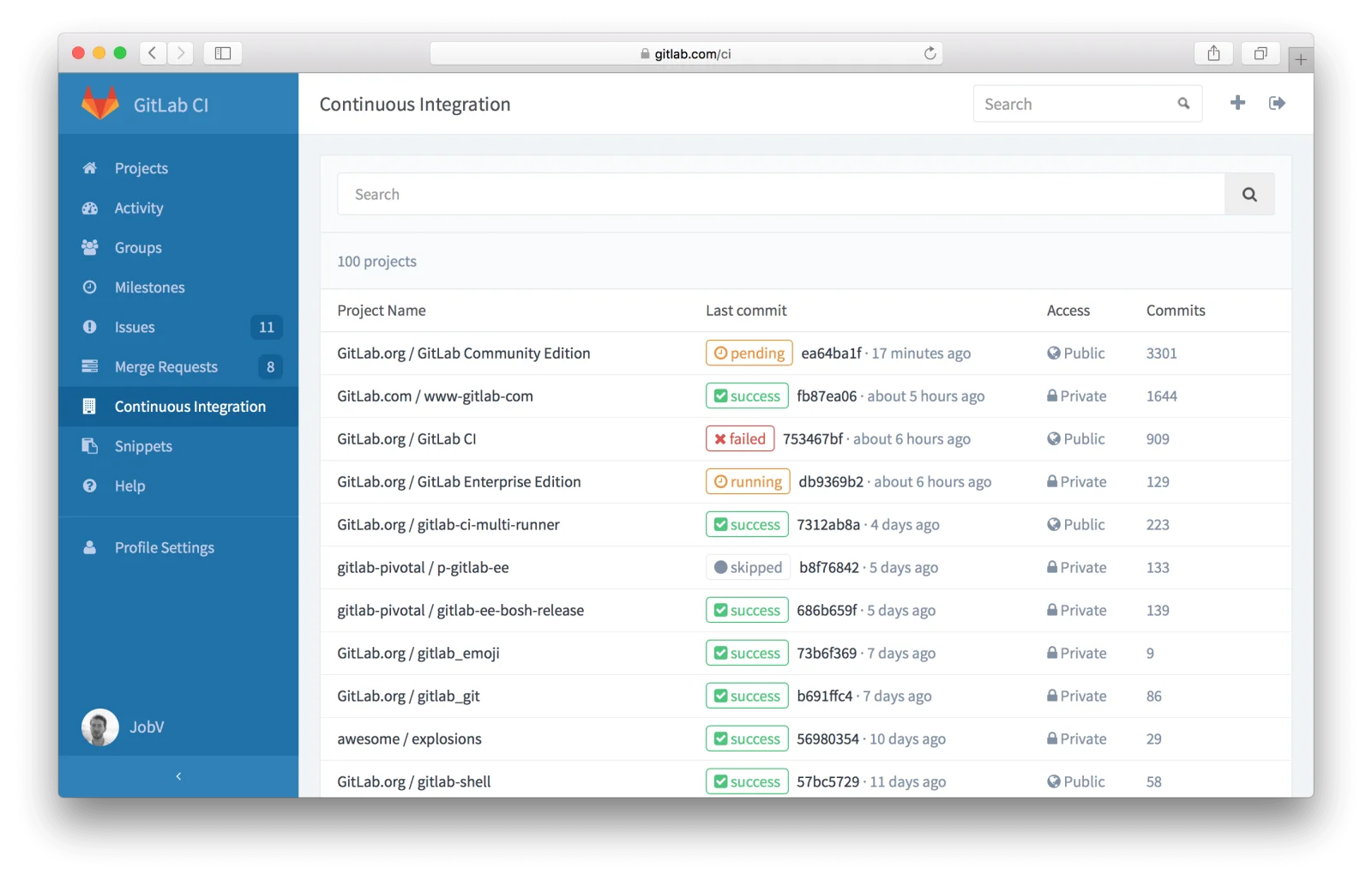
GitLab is an AI-powered DevSecOps platform that helps companies handle all stages of software creation, like planning, coding, testing, releasing, and keeping an eye on things, all in one place. With over 30 million folks using it and being used in more than half of the Fortune 100, GitLab is a go-to solution for startups and big businesses.
Here are the main features of Gitlab -
GitLab is for anyone who develops software and wants to work more safely, such as developers from DevOps teams. It is best for writing, testing and delivering software by combining deployment tools.
GitLab has a few pricing plans. There's a Free option, then Premium at $29 per user monthly (when paid yearly), and finally Ultimate at $99 per user monthly (billed annually).
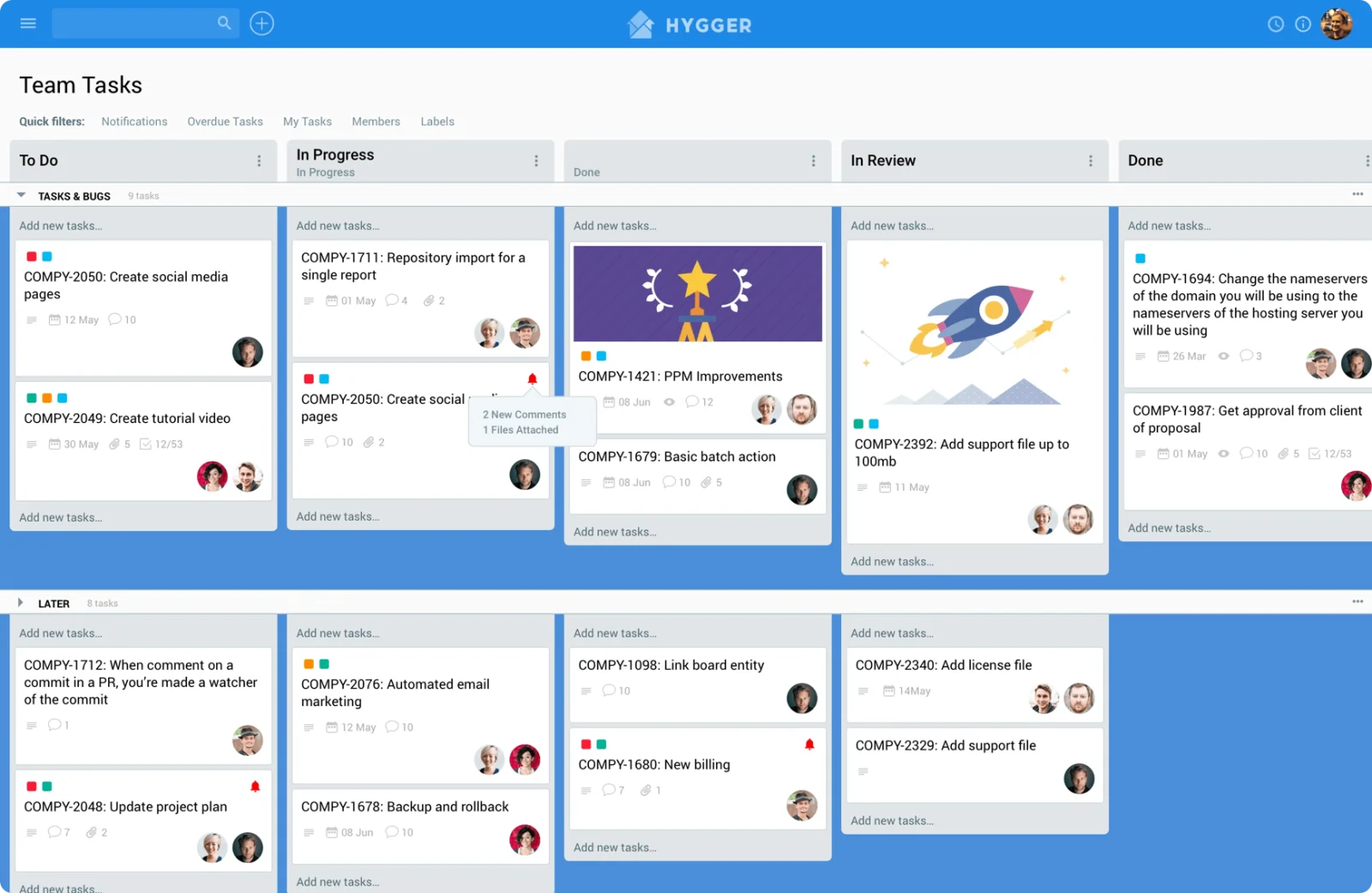
Hygger is one of the best agile project management tools that comes with Gantt charts and Kanban boards. It has more important yet simpler features as compared to Jira's complicated customization. This tool is your team's strategic brain that guides you through timelines, roadmaps, agile boards and clear prioritization. It supports sprint planning with burndown charts, story points and velocity metrics. It might be too simple for your complicated workflows.
Here are some of the best features of Hygger
It is mainly used by Scrum and Kanban teams for prioritizing and handling agile projects.
| PLANS | COSTS | WHAT IT OFFERS |
| Free | $0 | Unlimited users, projects, boards and more. |
| Standard | $7 | Unlimited storage, integration and more. |
| Enterprise | $14 | Unlimited API access, premium support and more. |
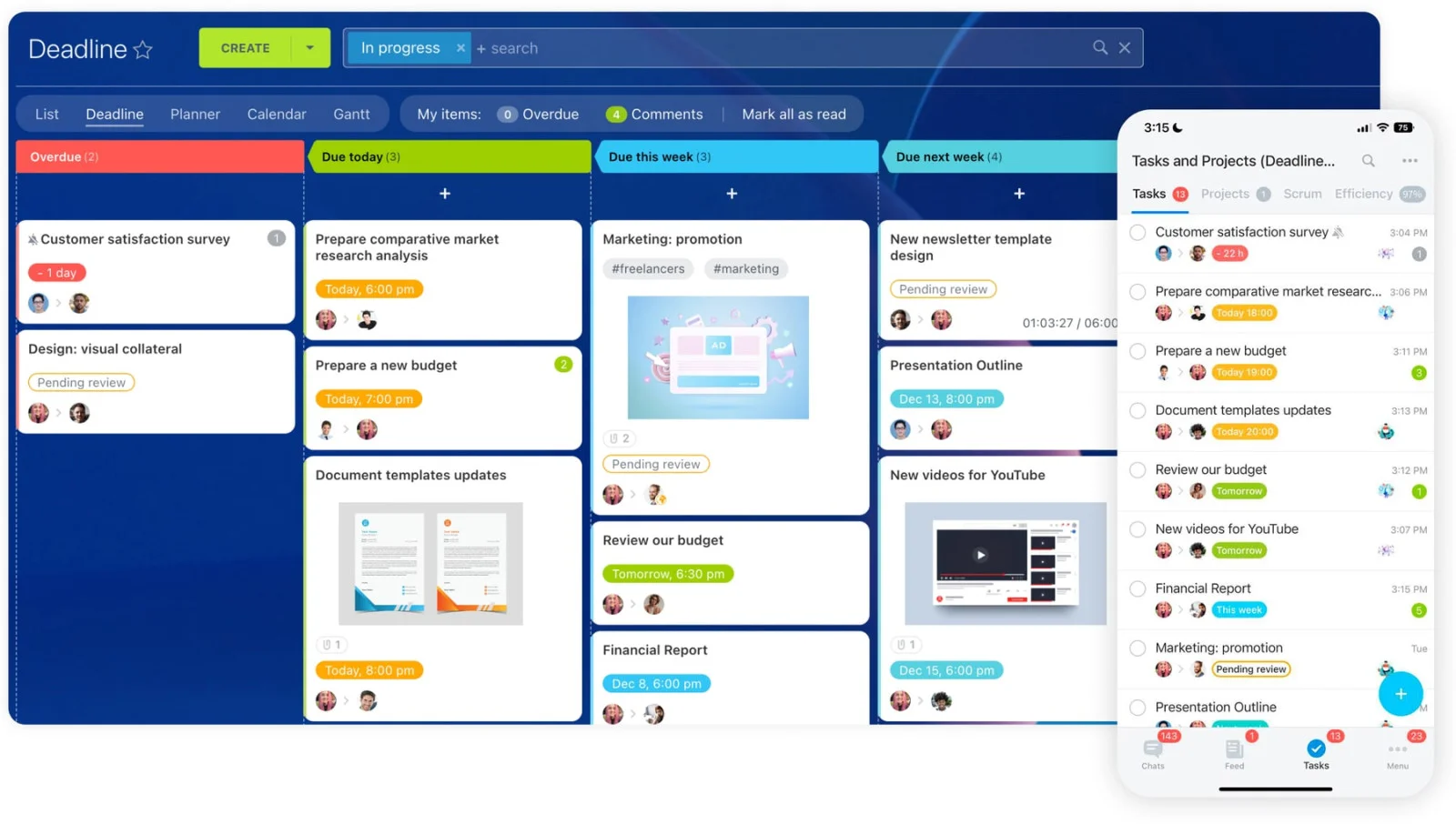
Bitrix24 is all for communication and collaboration as it would keep your team connected. It allows businesses to manage tasks, communicate, track sales and store files in one place. It does not matter if your team is in the office or working remotely. It gives you attendance, chat, video calls, CRM and even website building for the teams to keep in touch with what's going on.
Here are the key features of Bitrix24 -
Teams across project management, marketing, HR and customer service can use this platform for project management with social collaboration features and communication.
| PLANS | COSTS | NUMBER OF USERS |
| Basic | INR 1,590 | 5 users |
| Standard | INR 3,244 | 50 users |
| Professional | INR 6,494 | 100 users |
| Enterprise | INR 12,994 | 250 users |
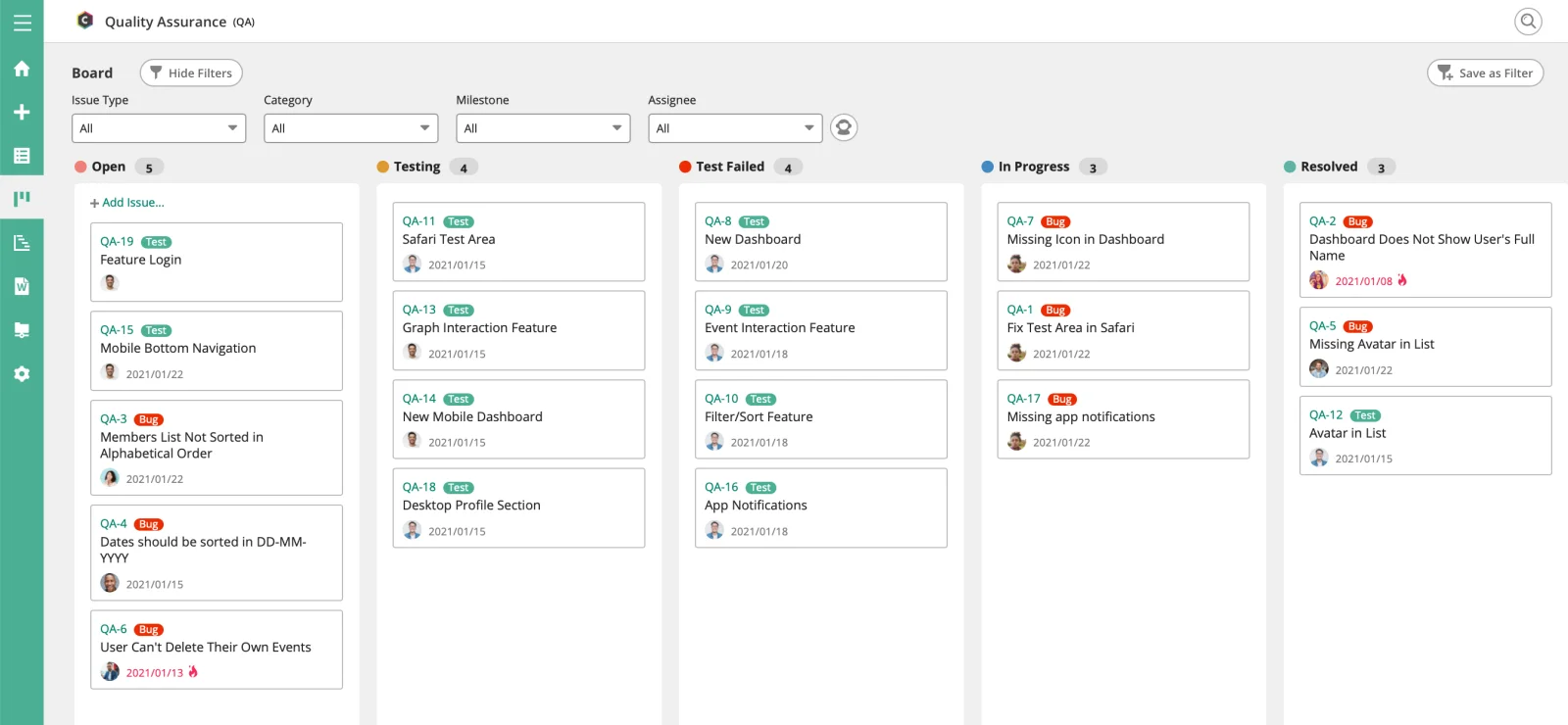
Backlog by Nulab is a complete project management and collaboration tool built for developers and teams. It combines task management, bug tracking, and version control (Git & SVN) into one platform. With features like Kanban boards, Gantt charts, wikis, and team communication tools, Backlog helps teams stay organized, track progress, and collaborate more effectively from planning to delivery.
Let's go through some important Backlog by Nulab features -
The table below shows the pricing of Backlog by Nulab -
| PLANS | COSTS | BEST FOR |
| Free | $0 | Small teams |
| Starter | $35 | Growing teams |
| Standard | $100 | Mid-sized companies |
| Premium | $175 | Large companies |
| Enterprise | Contact Sales | Advanced security and control |
Now you may have understood that choosing the right project management tool isn’t just about features. It’s about finding something that fits your team’s style, speed, and scale. There are a lot of Jira alternatives available in the market and this guide has listed most of them.
The tools we discussed open up new possibilities, from visual task tracking to automation, collaboration, and seamless integrations. Try a few, experiment with free trials, and go for the one that feels right. The ideal tool is the one your team actually enjoys using.
You may want a Jira alternative if you find Jira too complex, expensive, or heavy for everyday project tracking. Many alternatives offer simpler UI and faster setup, which can boost team adoption and productivity.
Tools like Trello, ClickUp, and Asana are great for smaller teams due to their user-friendly interface, flexible workflows, and budget-friendly plans.
Yes. Most modern project management tools now support Agile boards, sprint planning, burndown charts, automation, and development integrations—similar to Jira.
It depends on the platform. Many tools offer direct Jira import options or migration assistants. However, for large projects or custom workflows, a planned and staged migration is recommended.
ClickUp and Monday.com provide strong automation capabilities that help reduce manual work by automatically updating statuses, assigning tasks and sending notifications.
Course Schedule
| Course Name | Batch Type | Details |
| Jira Course | Every Weekday | View Details |
| Jira Course | Every Weekend | View Details |