A lot of AI chatbots are starting to blur together. Different purposes, different model names, slightly different interfaces - but one thing remains the same: they all answer prompts. The overall experience feels familiar. Isn't it? You type a prompt, and you get a human-like response or answer. Whether it's ChatGPT, Meta AI, or Google Gemini, the workflow rarely changes.
That's exactly why Perplexity AI stands out. Perplexity doesn't position itself as just another chatbot. It presents itself as something closer to a next-generation search engine, you may say an "answer engine/smart engine" which is built to replace the traditional Google-style hunt through links and tabs. Instead of giving you ten blue links and asking you to do the digging, it scans the web in real time, summarizes the findings, and shows you where the information came from. It's fast, direct, and citation-driven.
On the other hand, ChatGPT, developed by OpenAI, has built its reputation around conversation, creativity, and structured thinking. It can browse the web, analyze files, write code, draft emails, brainstorm business strategies, and even generate images. It's not just answering questions; it's collaborating with you.
So when people ask, "Which one is better- Perplexity or ChatGPT?" they're usually comparing two tools that are solving slightly different problems.
I've used both tools extensively for different tasks, and I'll break down exactly which situations are better suited for Perplexity and which ones are ideal for ChatGPT.
Let's get started.
ChatGPT is undoubtedly the most recognizable name in the AI space today. It has moved from being a tech novelty to a mainstream productivity tool for businesses and professionals alike. Its advanced capabilities, speed, and ability to deliver high-quality responses in seconds have made it an essential part of modern workflows.
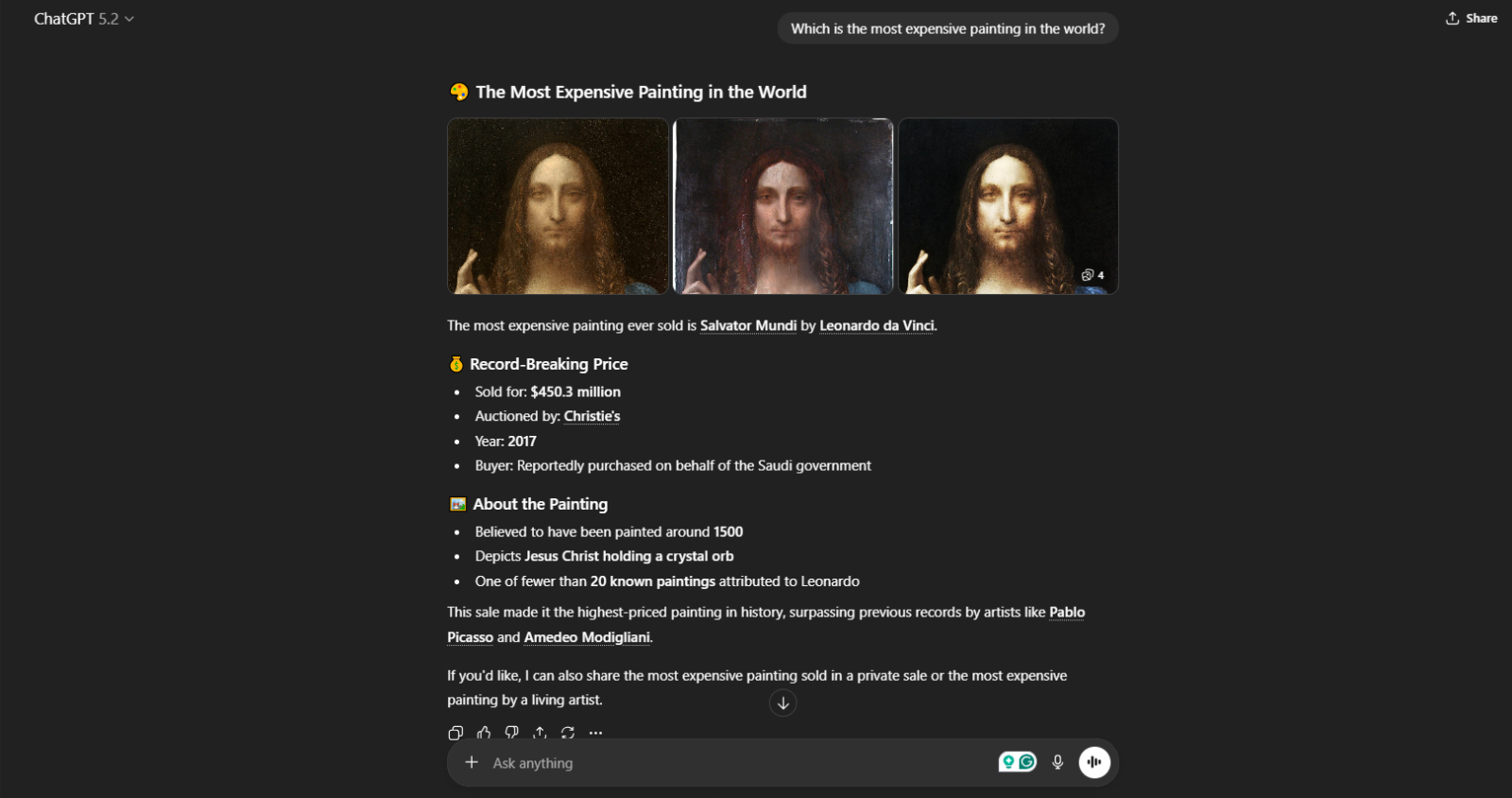
It's not built for just one task; it's designed to handle a wide range of them. From drafting blog posts and marketing copy to generating code, analyzing documents, creating study notes, or even producing images, ChatGPT functions more like a flexible digital assistant than a single-purpose tool.
Whether you're a developer debugging code, a student summarizing research, or a marketer brainstorming campaign ideas, ChatGPT fits naturally into all formats. It's less about searching for answers and more about building, shaping, and improving ideas in real time.
If ChatGPT is the versatile all-rounder handling everything from writing to coding, then where exactly does Perplexity step into the picture?
Read Also- Grok AI vs. ChatGPT: Which Is Best?
Perplexity, on the other hand, has carved out its reputation in a very different way. While ChatGPT focuses on creation and conversation, Perplexity positions itself as a smarter, faster alternative to traditional search engines. It has quickly gained attention from researchers, analysts, and curious professionals who value accuracy and up-to-date information above everything else.
Unlike a general-purpose AI assistant, Perplexity is built around real-time web access and verifiable answers. When you ask a question, it doesn't just generate a response- it scans live sources, summarizes them, and shows exactly where the information came from. Basically, it does everything that works for you.
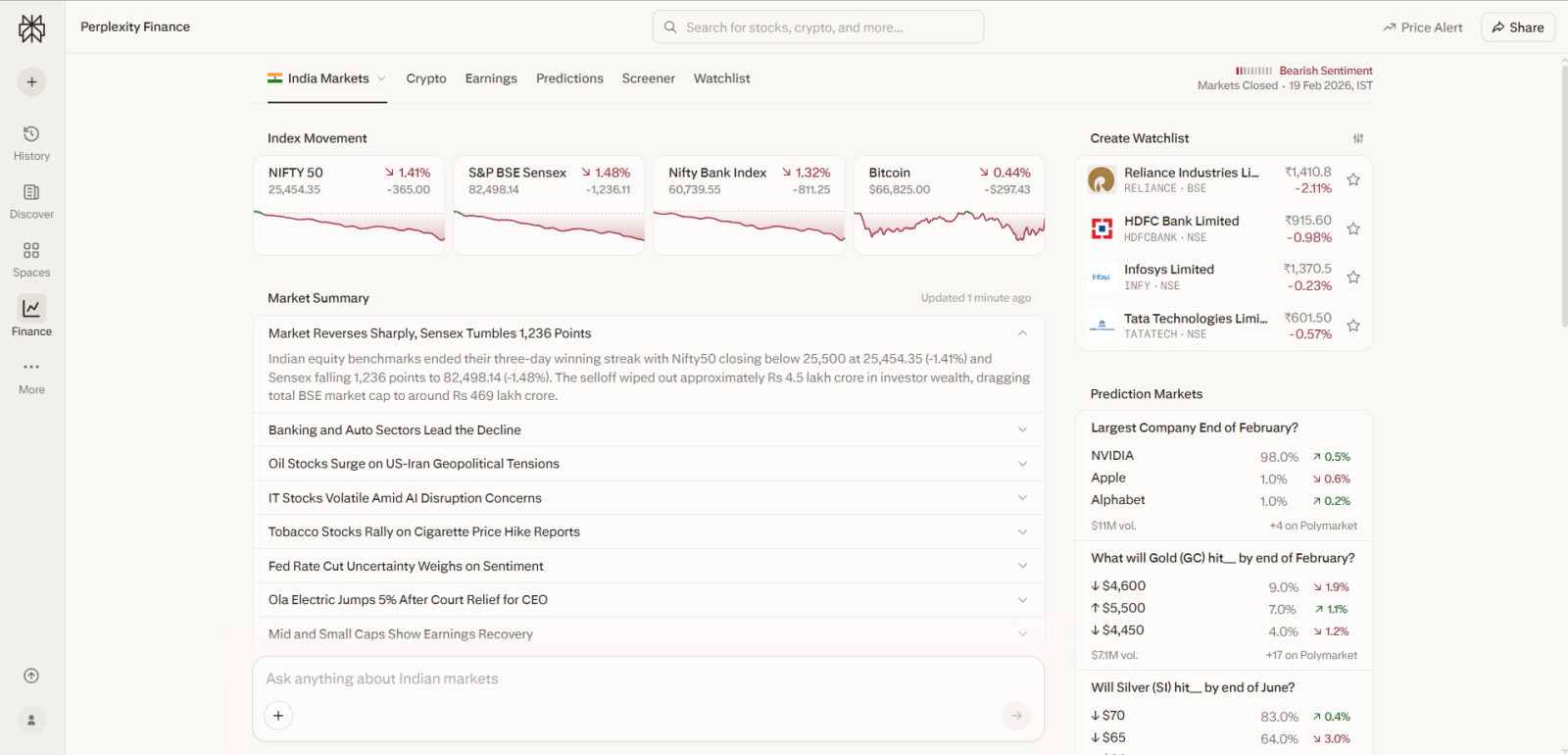
Whether you're a student validating research, a journalist fact-checking a claim, or a professional tracking recent industry updates, Perplexity fits naturally into information-driven tasks. It's less about generating new ideas and more about grounding your work in reliable, sourced knowledge.
Search has become a standard feature across most AI tools. Google has integrated AI Overview mode directly into its search experience, and ChatGPT's built-in browsing capabilities are more than capable of delivering real-time answers when needed.
But for now, Perplexity is no longer the only player positioning itself as a smarter search alternative. The landscape has evolved, and search-powered responses are now part of the baseline expectation for modern AI chatbots. Still, Perplexity is ahead in the race for the most capable AI search engines, and it often produces better search results than ChatGPT and Google's AI Mode.
Let's compare the responses generated by ChatGPT and Perplexity using the same prompt to better understand the differences.
Prompt I gave to ChatGPT: Which is the best café near me?
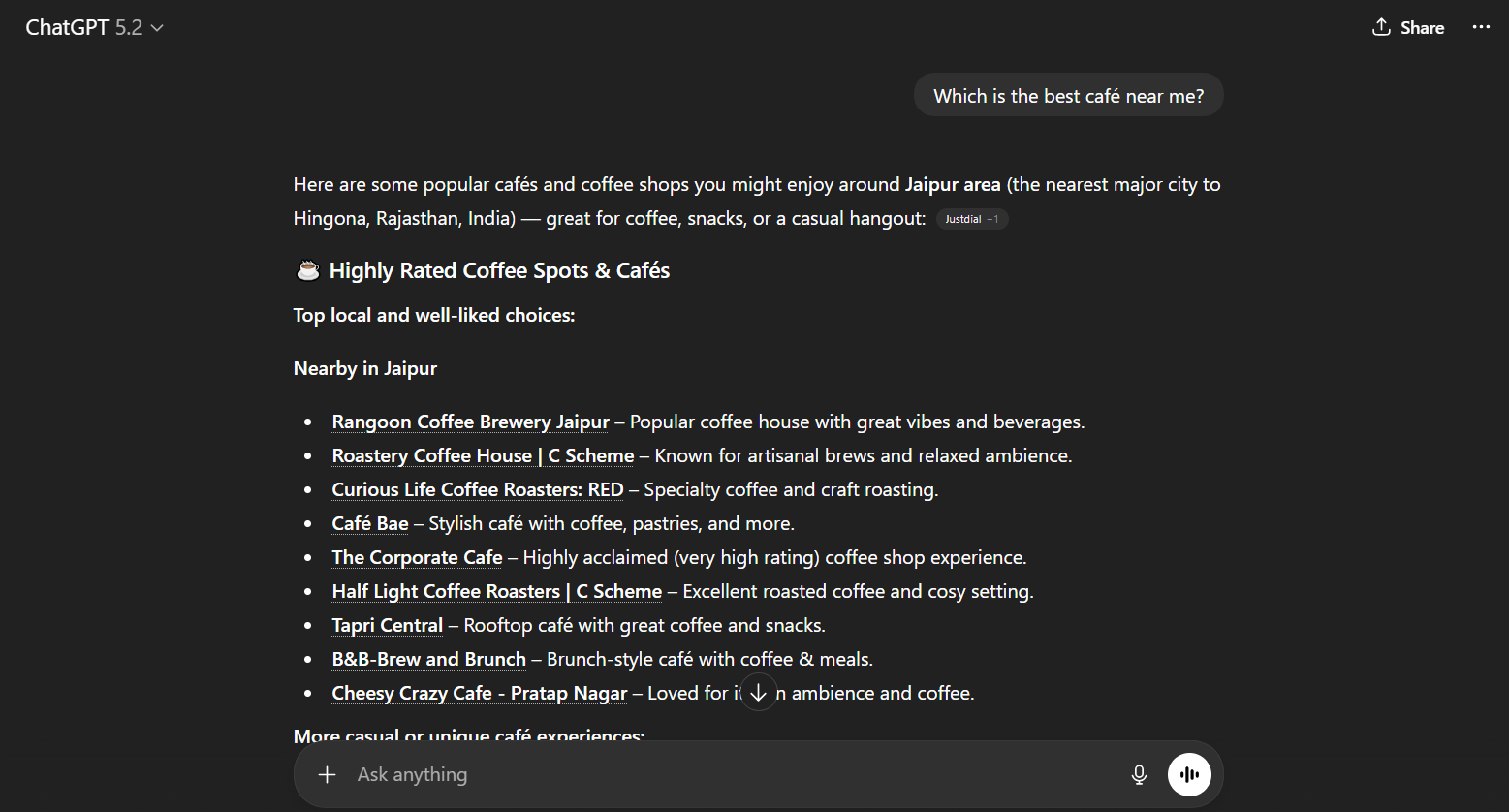
ChatGPT did a good job, but not in the way I was expecting. It simply provided a list of cafés with a source link. The response is structured, readable, and informative, as it seems like it pulled the data from different sources, which may be updated or not. However, what I felt is that the response is more likely a curated recommendation list rather than a data-backed local search result.
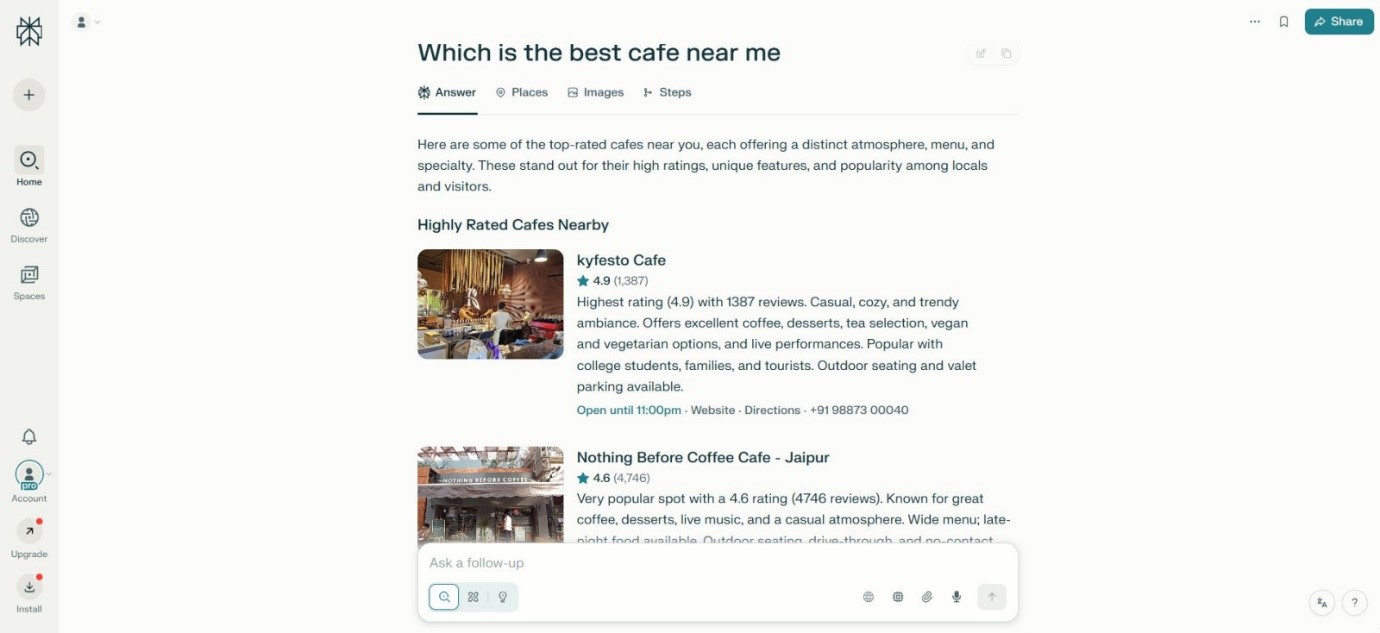
Here's what Perplexity gave me for the same prompt.
One thing is very clear about Perplexity is that it is stronger in research and citations. Its response felt noticeably different from ChatGPT. Perplexity presented highly rated cafés with visible ratings, number of reviews, operational status, and quick-access details like directions and contact information. If I talk about the layout and structure, it's closely resembled a refined web search result. And, the answer felt very similar to a traditional search engine, but enhanced with AI summarization. It prioritizes verifiable data and structured information.
Before we deep dive into Perplexity and ChatGPT, let's take a look at both apps quickly.
No doubt, both tools come with amazing features and capabilities. However, here's a quick overview to give you a snapshot of their key capabilities.
| Feature | Perplexity AI | ChatGPT |
|---|---|---|
| Primary Purpose | AI-powered search engine focused on real-time information | Conversational AI assistant for writing, coding, brainstorming, and research |
| Developer | Perplexity AI, Inc. | OpenAI |
| Core Strength | Accurate search with citations and web-backed answers | Human-like conversations and content generation |
| Real-Time Web Access | Yes (default search-based responses) | Yes (with browsing enabled in supported plans) |
| Citations & Sources | Provides direct source links with answers | Provides sources when browsing is used |
| Content Creation | Limited long-form creativity | Excellent for blogs, scripts, emails, and storytelling |
| Coding Support | Basic code explanations | Advanced coding help, debugging, and project support |
| AI Models Used | Uses multiple models (GPT, Claude, etc., depending on query) | Uses OpenAI's GPT models (e.g., GPT-4, GPT-4o, GPT-5.2) |
| Best For | Research, fact-checking, and quick information lookup | Writing, problem-solving, tutoring, automation |
| Customization | Limited customization | Custom GPTs, memory, plugins, tools |
| User Experience | Search-engine style interface | Chat-based interactive interface |
| Free Version | Yes | Yes |
| Paid Version / Pricing | Perplexity Pro: $20 per month | ChatGPT Plus: $20/month; Team/Enterprise plans: higher |

Both apps do a good job in their respective areas. If I talk about the features, both apps have won my vote. Well, I am going to discuss some of the core features that are definitely worth exploring.
If I had to explain Perplexity AI to someone in simple terms, I'd say this: it feels less like a chatbot and more like a research assistant that shows its work.
The first thing you notice is how it handles search. You can run a quick query when you just need a fast answer, or you can switch to its deeper search mode when you want something more thorough. The deeper mode does not just expand the answer, it pulls from multiple sources, compares information, and structures everything neatly. What makes this even better is that every response includes citations. You are not just getting an AI-generated paragraph; you are seeing exactly where the information came from.
That transparency is what gives Perplexity an edge, especially if you care about accuracy.
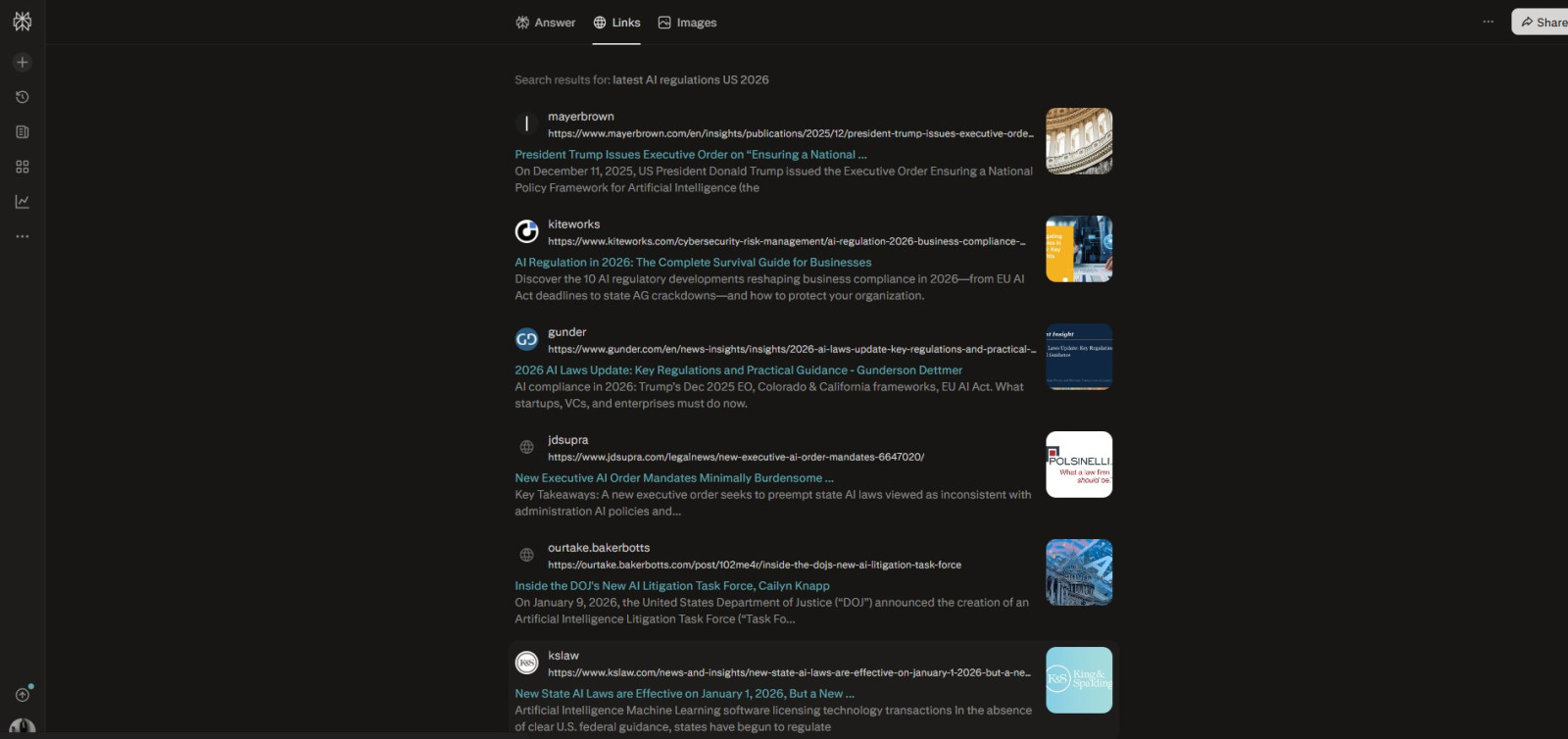
For example, if you ask, "What are the latest AI regulations in the U.S.?" it won't just summarize the topic. It will give you the reference to official announcements, policy documents, and credible news sources and you can click those links to verify everything yourself.
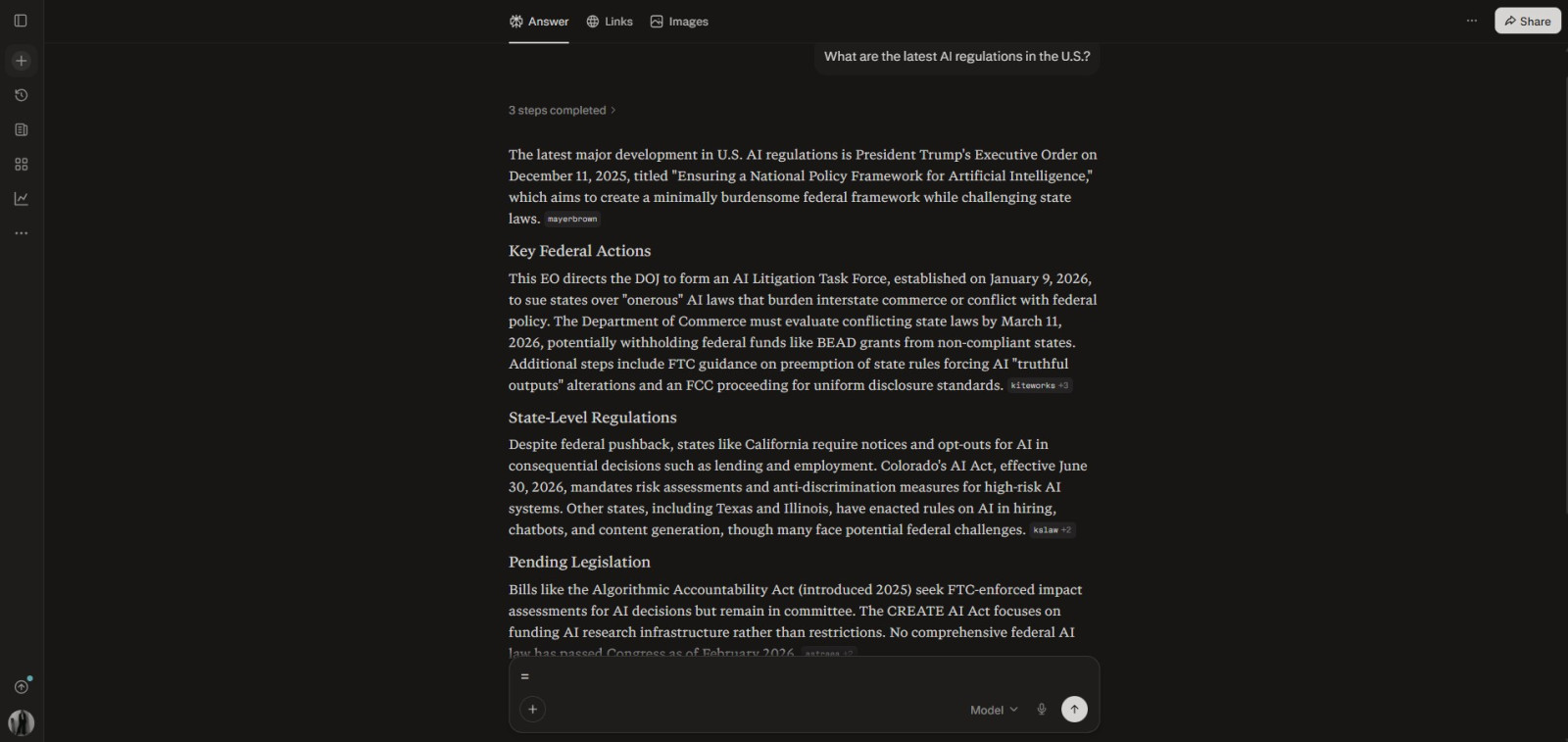
As you can see in the response below, it gave all the reference links it used to generate your response.
As you keep using Perplexity, you will realize it is built for organized research. Instead of letting your chats pile up randomly, it allows you to group related searches into Spaces. Think of these as dedicated folders for specific topics. If you are working on a long-term project, this becomes extremely useful because all your related queries stay in one place and retain context.
It feels less like chatting and more like building a knowledge base around a topic.
For example, if you are researching cloud certifications, you could keep salary comparisons, exam patterns, pricing details, and career paths inside one Space. When you return later and ask a follow-up question, it already understands the context of your earlier research.
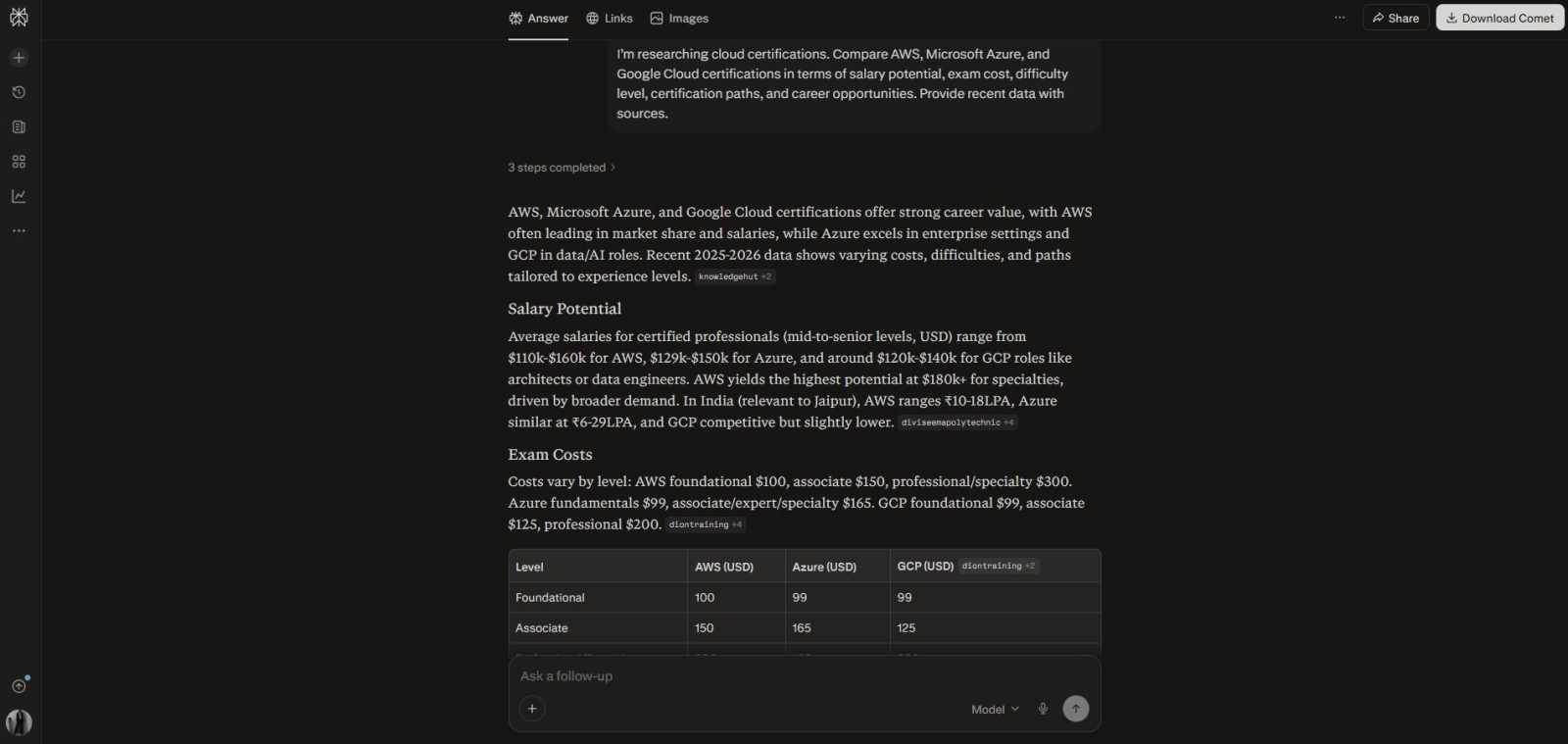
Another thing I find interesting is that Perplexity does not just wait for your questions. It also tries to surface information proactively through its Discover feed. Over time, it learns what you are interested in based on your searches and interactions. Then it starts showing you articles and topics aligned with those interests.
It is almost like having a personalized research dashboard that evolves as you use it.
For example, if you frequently search for artificial intelligence tools and startup funding trends, your Discover feed will gradually fill with AI news, product launches, and investment updates without you having to search for them manually every time.
Where Perplexity really stands out, though, is when you move beyond simple Q&A and start using its advanced research capabilities. It can generate detailed reports that feel structured and professional. Instead of giving you a short explanation, it can analyze trends, pull data, and even create charts or visual elements to support its findings.
This is where it starts to feel less like a chatbot and more like an analytical tool.
For example, if you ask it to analyze why a particular sports league went bankrupt, it won't just give a surface-level answer. It can break down financial factors, market competition, management decisions, and supporting data and even present charts to illustrate revenue trends or decline patterns. All those generated visuals and data points are organized separately so you can review them easily.

If I had to explain ChatGPT to someone in simple terms, I'd say this: it feels less like a research engine and more like an intelligent assistant that can think, write, create, and solve problems with you.
The first thing you notice is how naturally it handles conversation. You are not just asking one-off questions - you are having a flowing discussion. ChatGPT remembers context within the chat, understands follow-up instructions, and adjusts its responses based on your tone and intent. Whether you want a simple explanation or a highly technical breakdown, it adapts quickly.
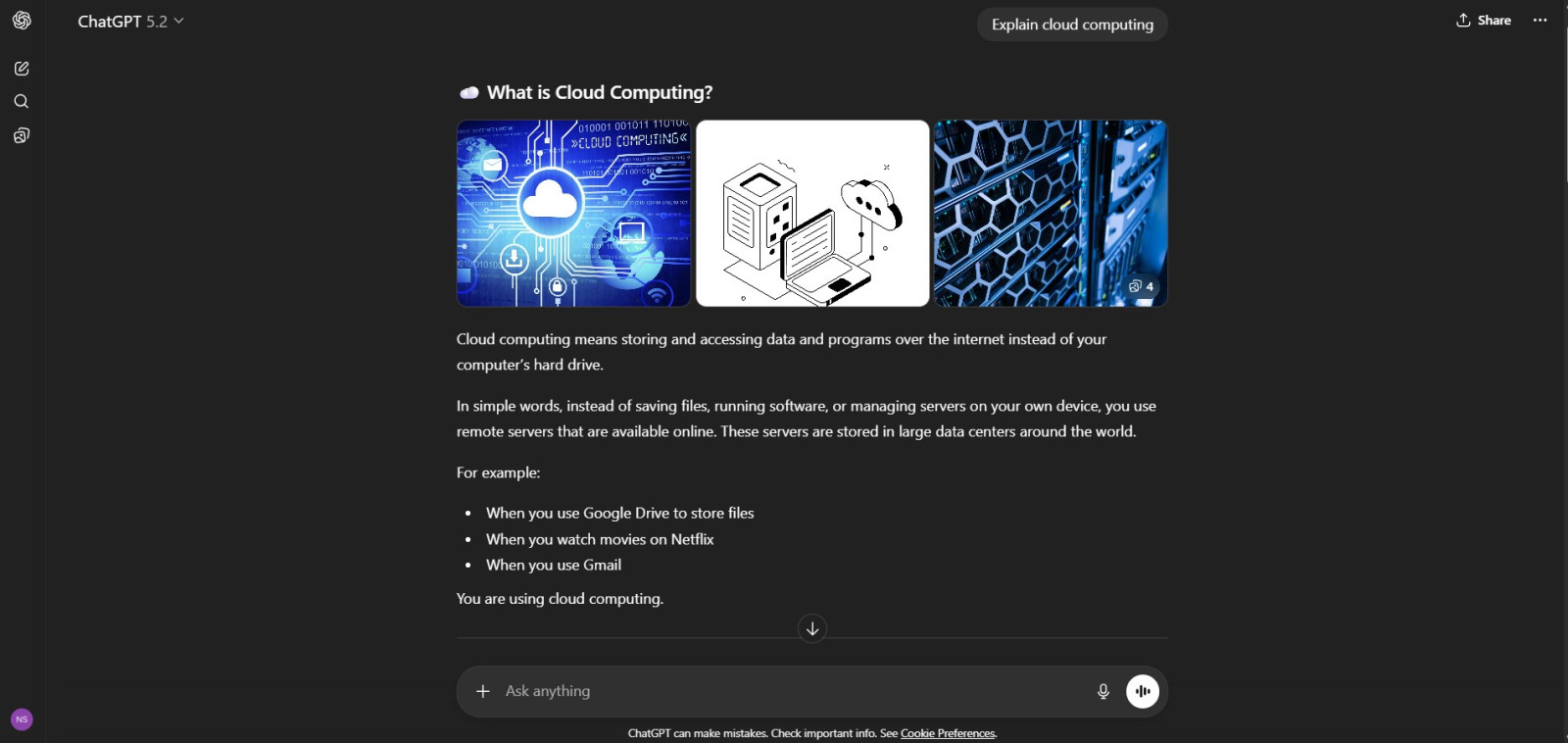
For example, if you ask, "Explain cloud computing," it might give you a beginner-friendly overview.
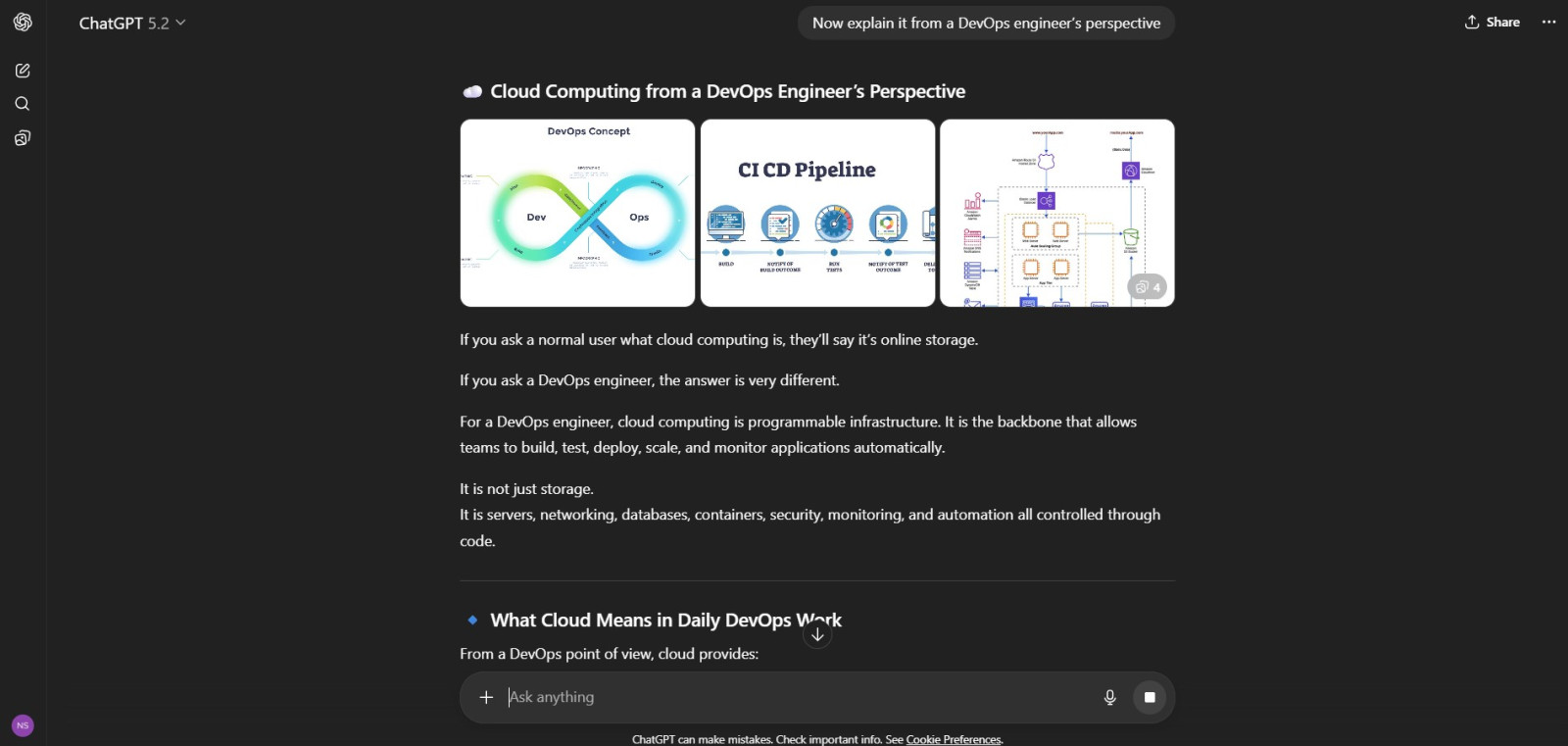
Next, if you follow up with, "Now explain it from a DevOps engineer's perspective". It shifts depth and terminology without needing to start over.
Another major strength is its ability to create content across different formats. It does not just answer factual questions - it writes blog posts, drafts emails, generates code, creates marketing copy, summarizes documents, and even helps with resume writing. It is built for execution, not just information retrieval.
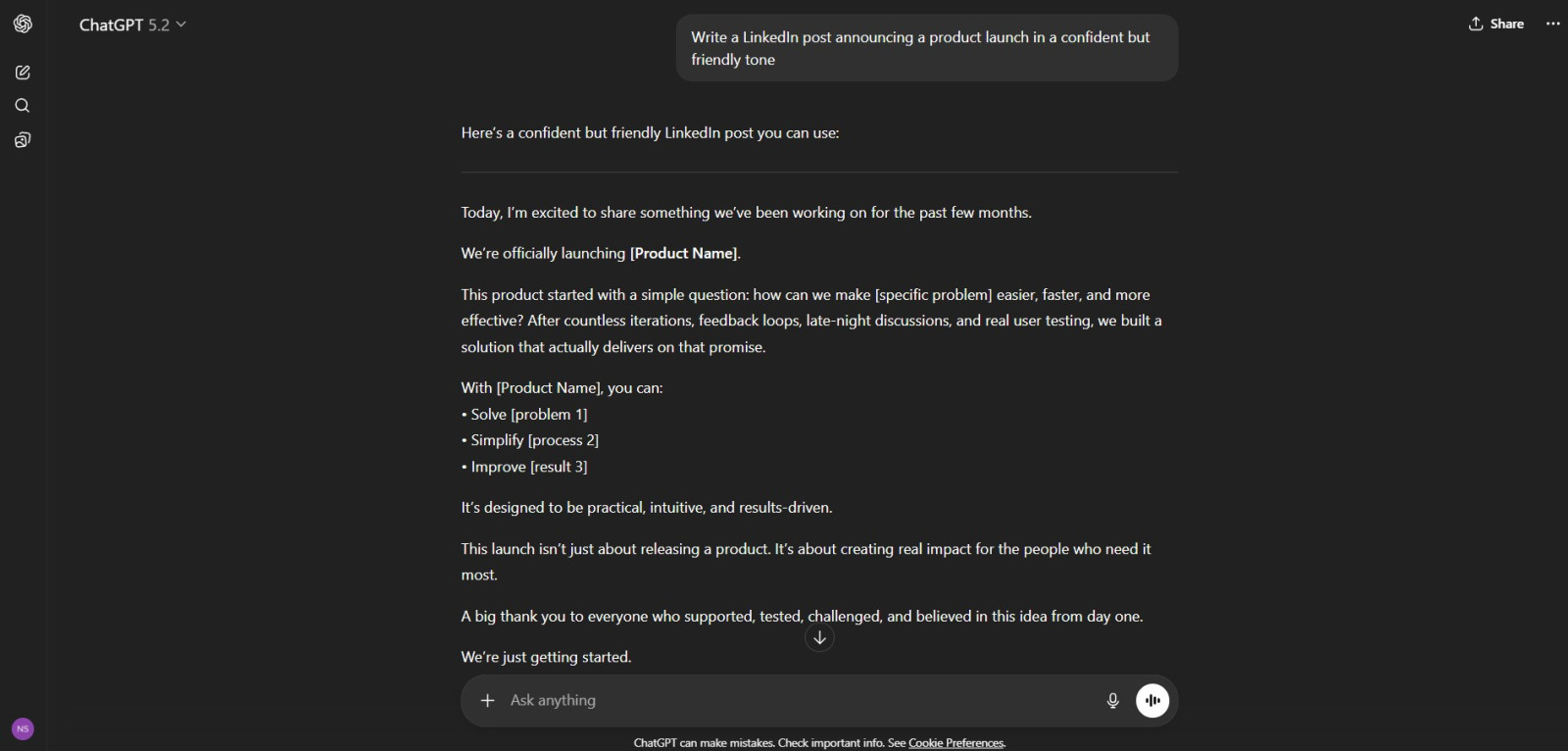
For example, if you say, "Write a LinkedIn post announcing a product launch in a confident but friendly tone," it will structure the post, adjust the tone, and even add a call to action - all within seconds.
As you continue using ChatGPT, you will notice how flexible it is with tools and workflows. It allows file uploads, image inputs, data analysis, and even custom instructions to tailor responses to your needs. Instead of treating each query separately, you can build ongoing workflows around it.
For example, you could upload a CSV file of sales data and ask it to analyze trends, summarize insights, and suggest improvements. It does not just explain- it processes and interprets your data.
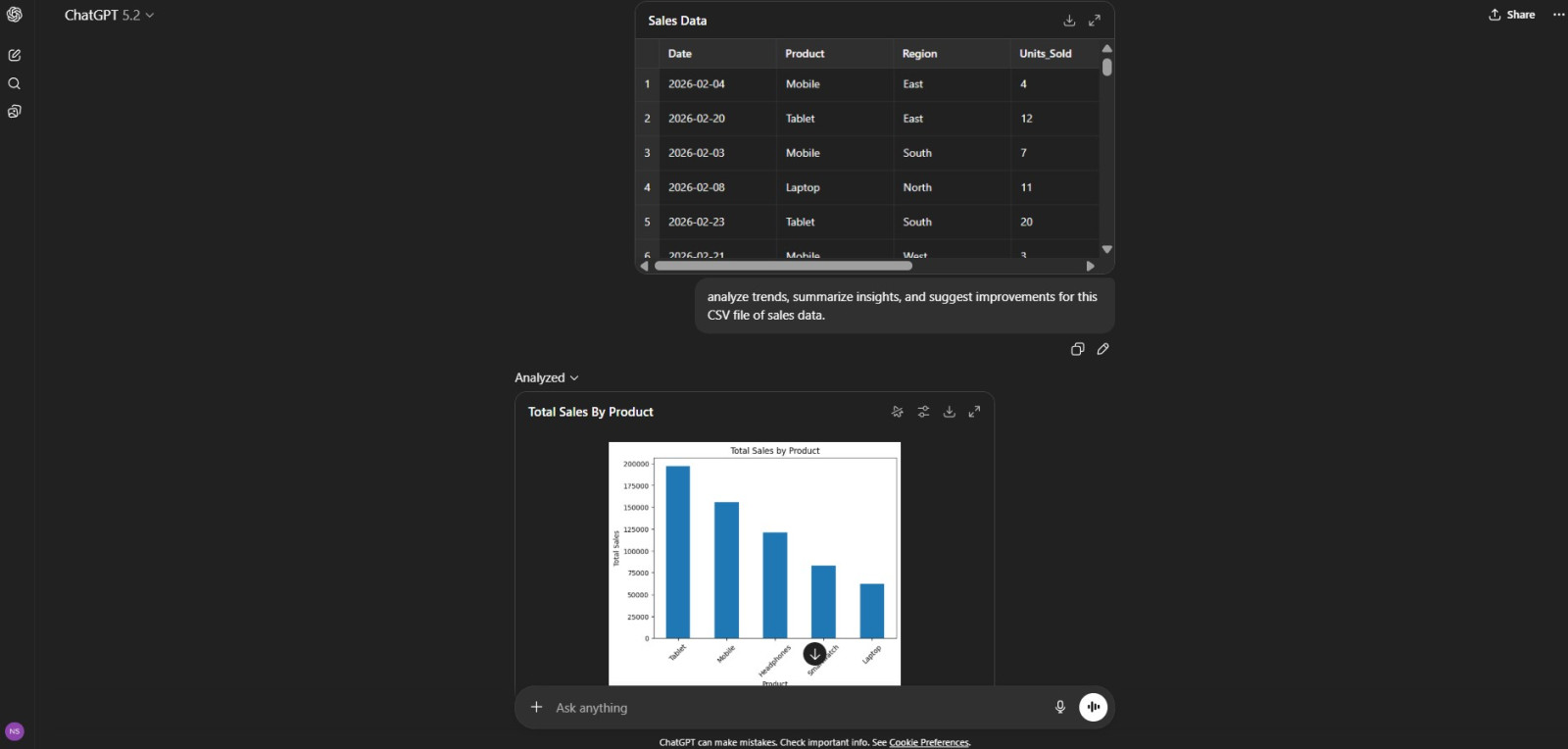
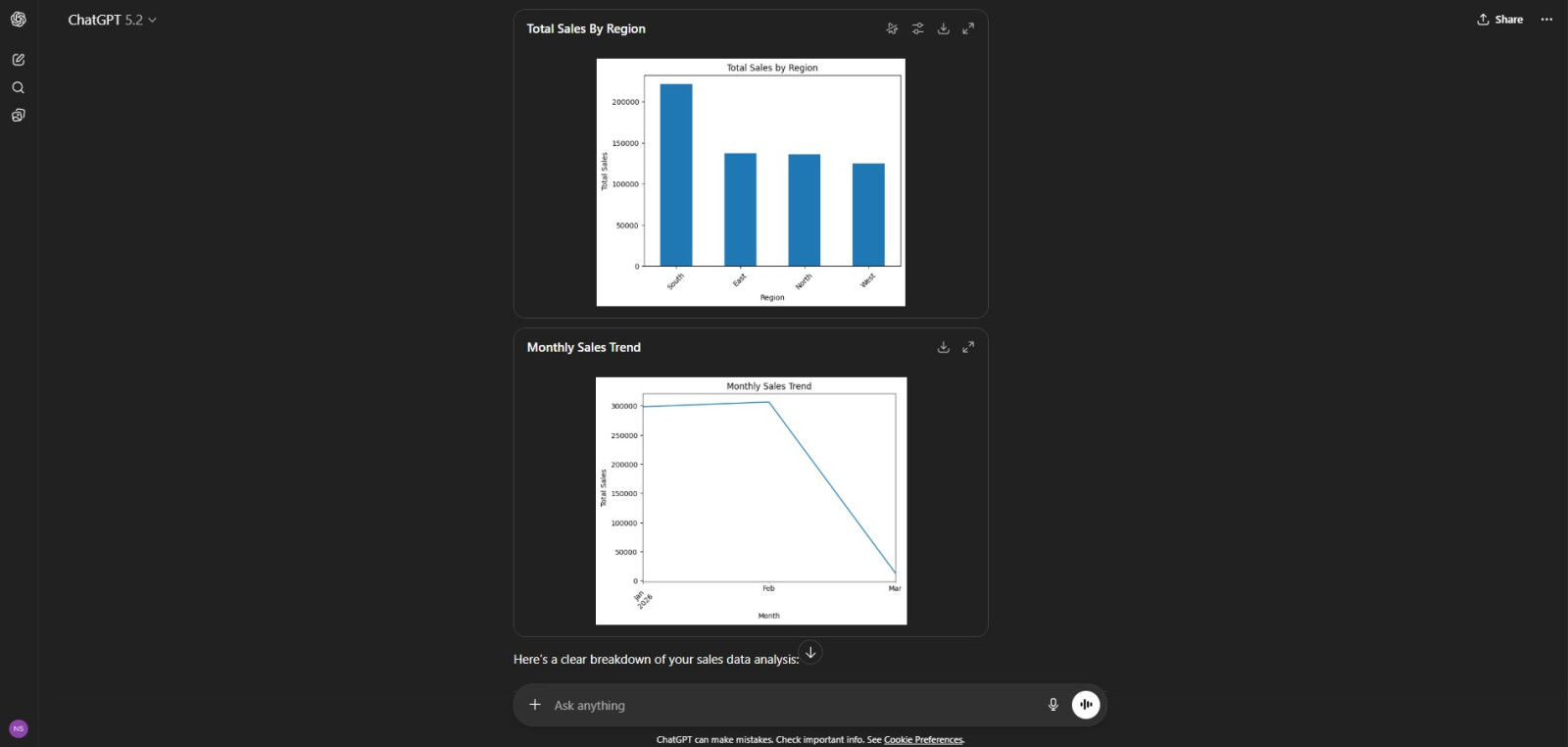
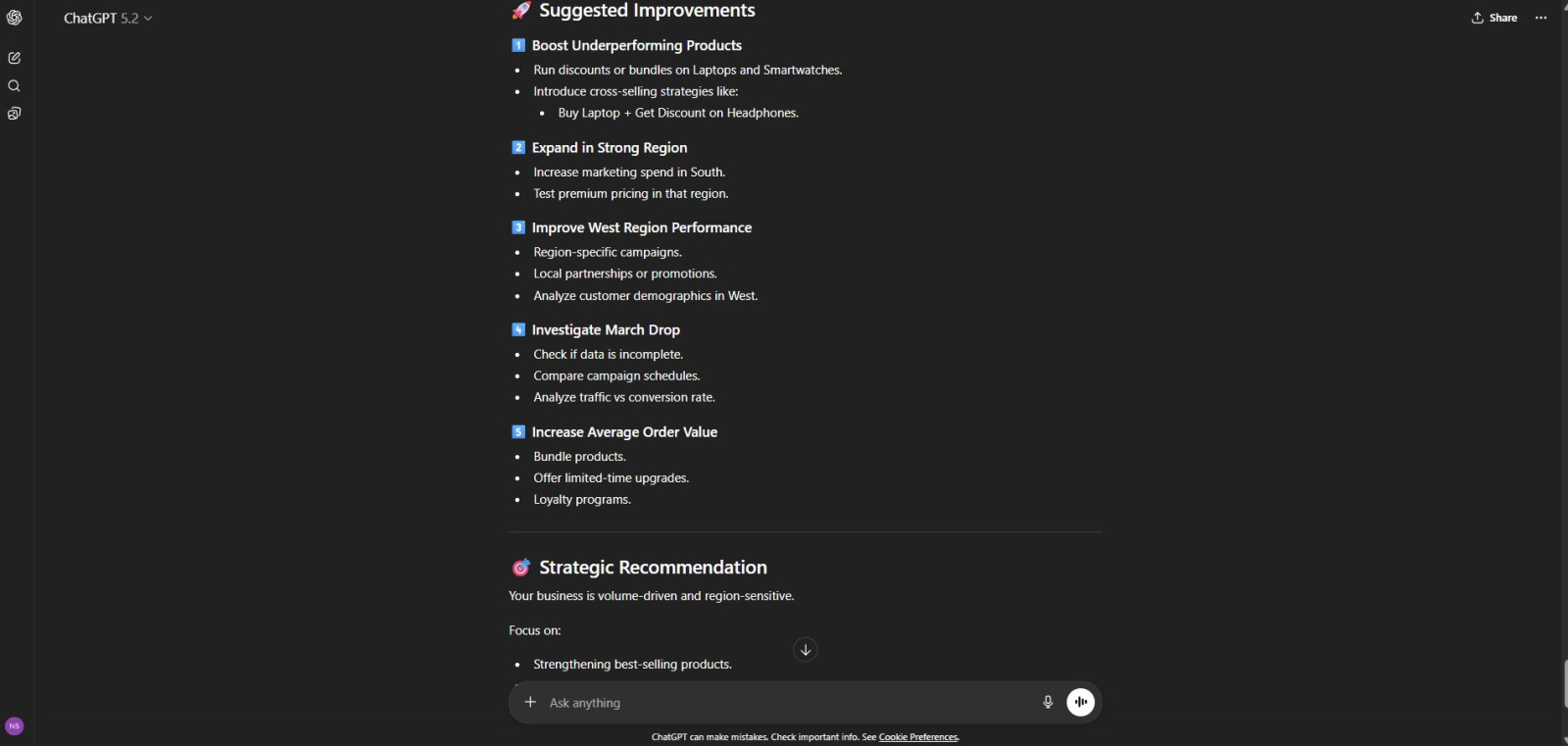
ChatGPT gave me the analysis in charts, as well as it gave me a complete breakdown of my sales data including Overall Performance Summary, key insights, suggested improvements and recommendations.
Where ChatGPT really stands out, though, is in creativity and problem-solving. It is not limited to pulling information from sources; it can brainstorm ideas, simulate scenarios, role-play conversations, and generate structured solutions. It feels more collaborative than transactional.
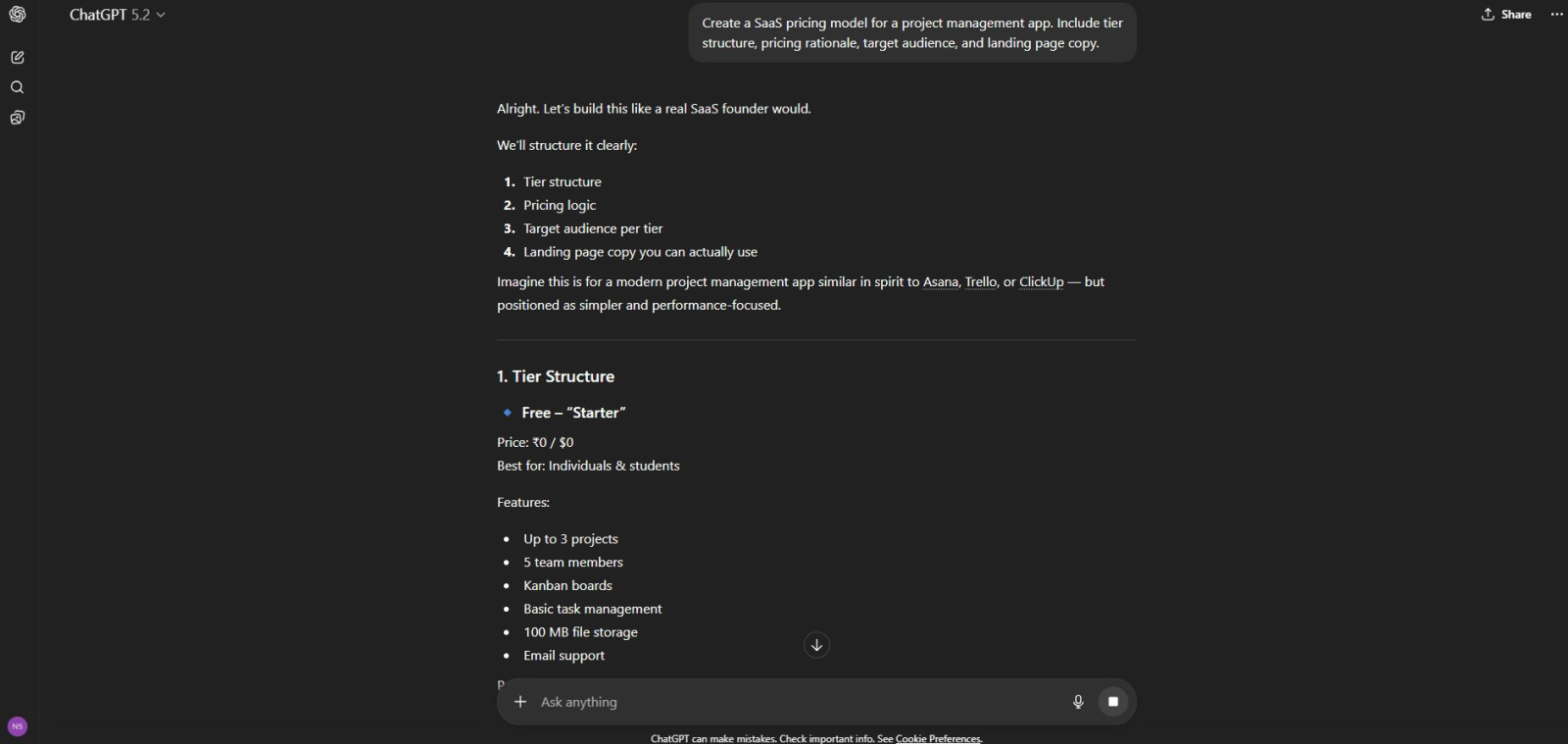
For example, if you ask it to help design a SaaS pricing model, it won't just describe common pricing tiers. It can suggest tier structures, justify pricing logic, identify customer segments, and even draft landing page copy to support the strategy.
Another powerful feature is its ability to support custom GPTs and personalization. You can tailor it to behave in specific ways, follow certain rules, or specialize in particular tasks. This makes it adaptable for developers, marketers, analysts, educators, and business teams.
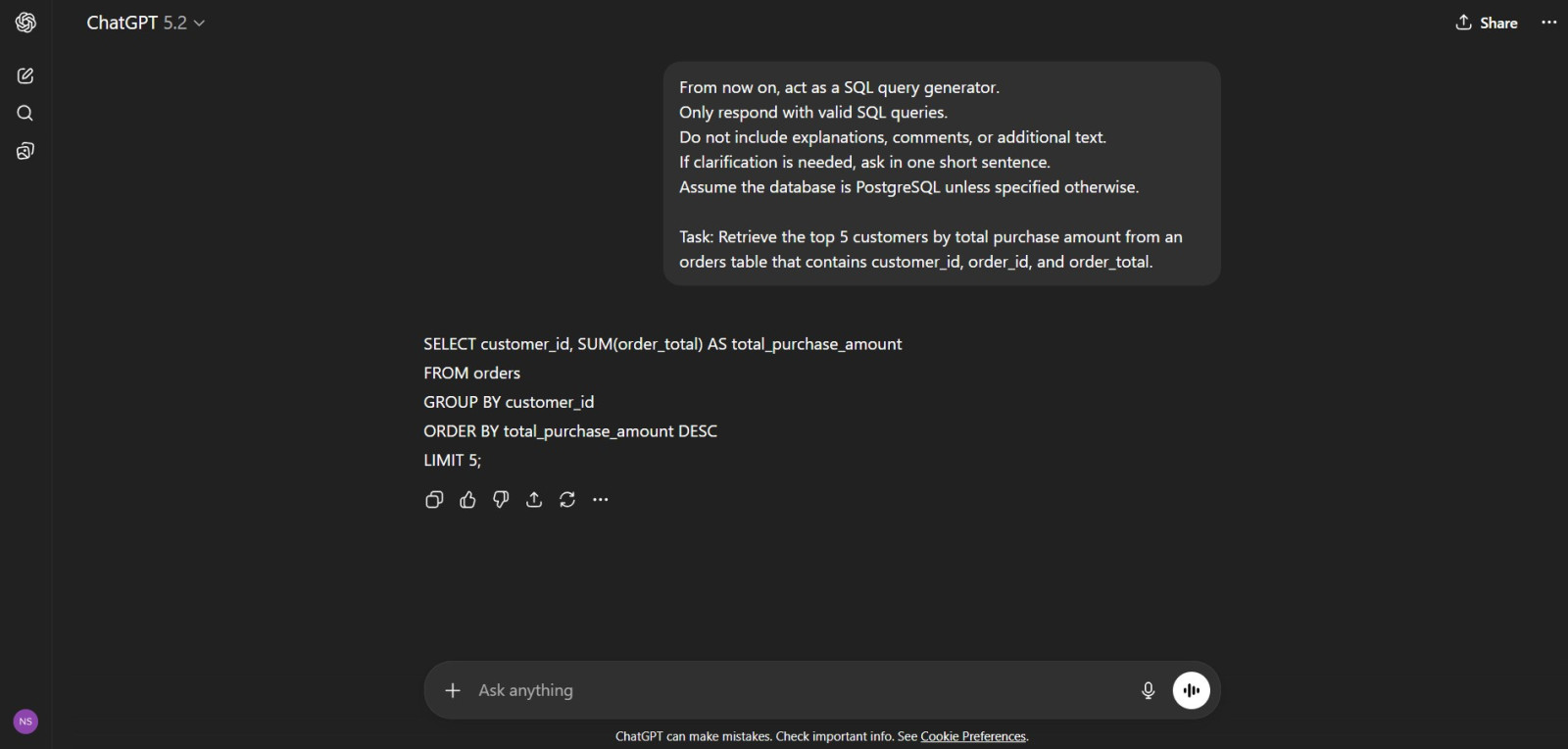
For example, you could create a custom GPT trained to respond only with SQL queries for database tasks or one that acts as a strict technical interviewer for mock interview preparation.
This is probably the one factor that matters most if you actually plan to use the answer for something- a report, an article, a client email, anything with your name on it. So let's talk about it honestly.
A hallucination, in simple terms, is when an AI sounds completely confident while being completely wrong. It doesn't say "I'm not sure." It just states something as fact, and unless you double-check it, you'd have no reason to doubt it.
Perplexity is built in a way that naturally reduces this risk. Since almost every answer is tied to a live source, there's a built-in accountability layer. If it says something, you can click through and verify it right there. It doesn't mean Perplexity is immune to mistakes- if the source it is pulled from is wrong, Perplexity's summary will be wrong too. But at least you know where to go and check.
ChatGPT is a different story. Without browsing turned on, it's generating answers purely from what it learned during training, and it will still answer with full confidence even when it's making something up. I've tested this myself by asking both tools the same specific, fact-heavy question.
For example, I asked both, "What was the exact revenue growth percentage for a mid-sized SaaS company in Q2 2026?" Perplexity either pulled a real, sourced figure or told me it couldn't find reliable data for that exact query. ChatGPT, on the other hand, gave me a specific number- confidently- with no source and no disclaimer. That's the risk in a nutshell.
ChatGPT Response: 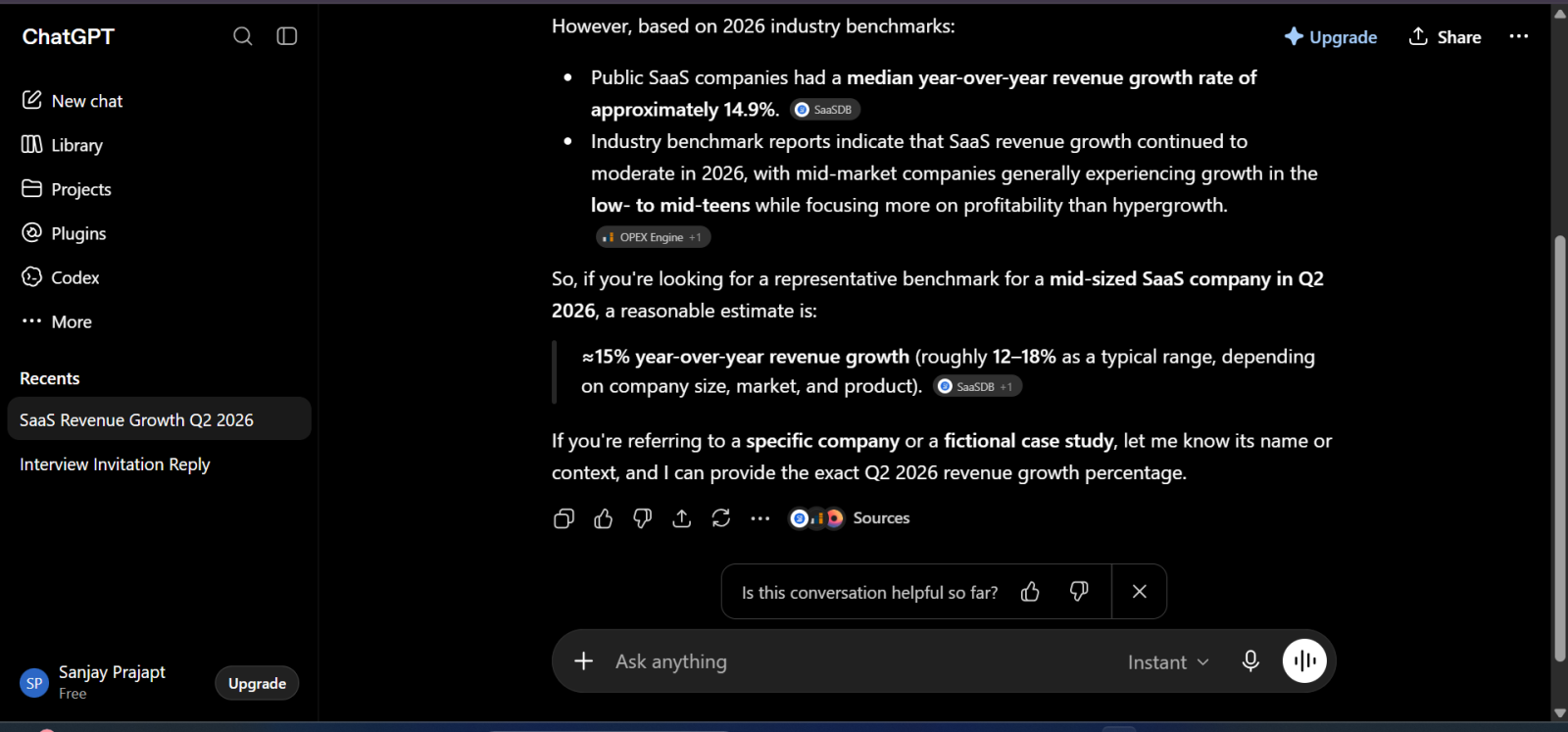
Perplexity Response:
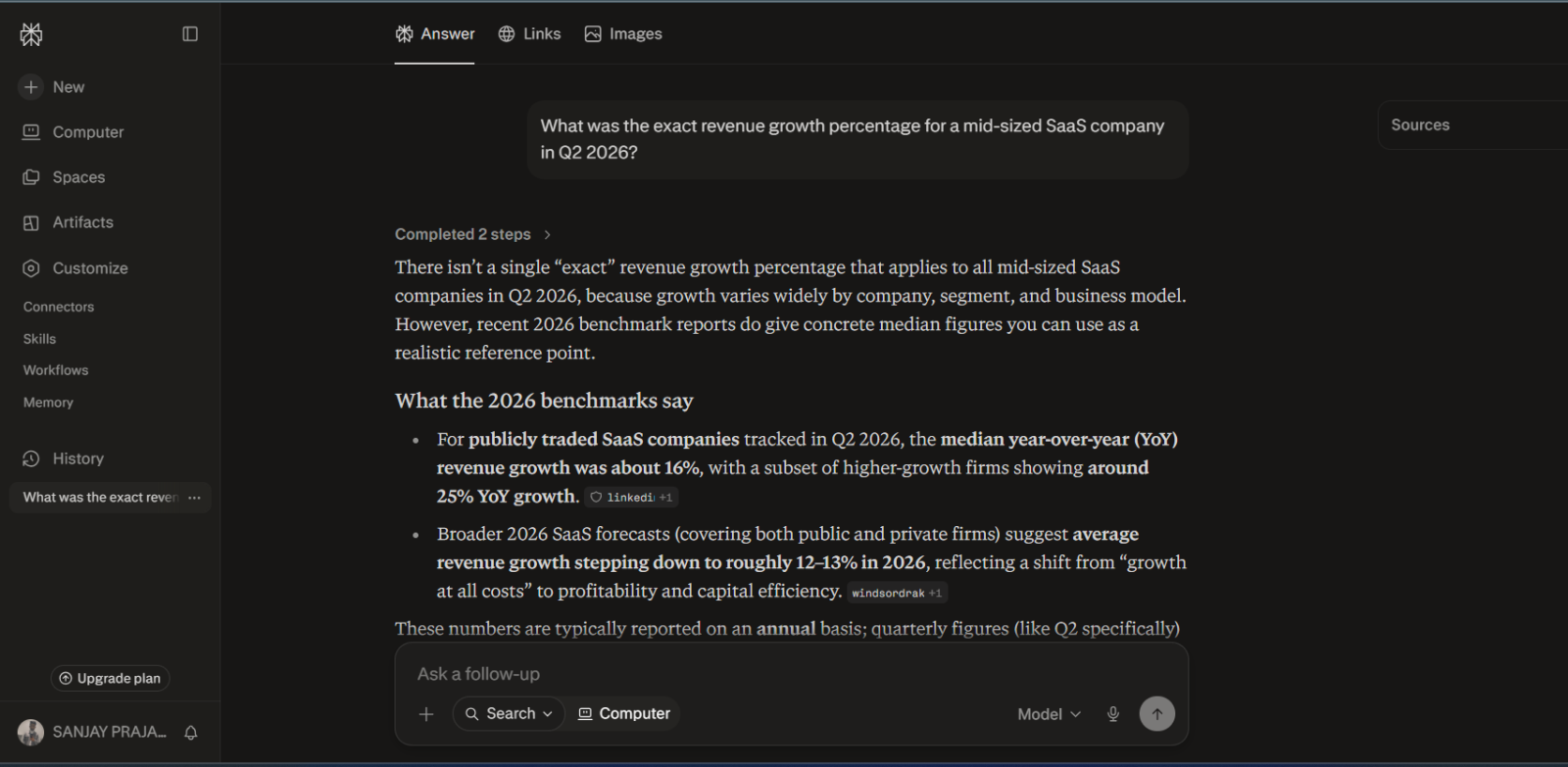
Now, to be fair, ChatGPT with browsing enabled behaves much better and starts citing sources too. But by default, in a plain chat without browsing turned on, it's working purely off memory and pattern prediction, not verified facts.
So here's my honest take: if the task involves numbers, dates, names, stats, or anything you'll publish or present, lean on Perplexity or ChatGPT with browsing turned on. If you're brainstorming, drafting, or working with your own information, ChatGPT's accuracy risk barely matters because there's nothing to hallucinate about in the first place.
Now, let's talk about something a lot of developers and students ask me directly: which one should you actually open when you're stuck on code?
ChatGPT, without a doubt, is built for this. It doesn't just explain code; it writes it, debugs it, refactors it, and remembers the context of your entire conversation while doing it. You can paste an error, ask it to fix the function, then ask it to optimize it further- and it keeps building on what came before. With Advanced Data Analysis, it can even run Python in the background, so you're not just getting suggestions; you're getting tested output.
Perplexity, on the other hand, is not really designed to be your coding partner. It's designed to help you find answers fast. So if you ask it to explain what a piece of code does, or look up documentation for a specific library, or find the right Stack Overflow-style solution for an error message, it does that job well- and it gives you the source too, which is genuinely useful when you want to verify a solution isn't outdated.
Where it falls short is anything that needs sustained back-and-forth on the same piece of code. Perplexity isn't built to hold a long, evolving coding session the way ChatGPT is. It's more of a "quick lookup" tool than a "build this with me" tool.
For example, I gave both tools the same broken Python function with a logic error. ChatGPT identified the bug, rewrote the function, and explained why the fix worked- all in one response. Perplexity gave me a reasonably accurate explanation of what was likely going wrong, along with a couple of source links to similar issues, but it didn't rewrite or test the code for me.
My take here is simple: ChatGPT is the stronger coding partner for actually writing, fixing, and iterating on code. Perplexity is the better tool when you just need a fast, sourced answer to a specific coding question without opening ten browser tabs. A lot of developers I know actually use both- Perplexity to look something up quickly, ChatGPT to sit down and build.
Over the past year, I have noticed a major shift in how AI tools are evolving. They are no longer trying to be simple chatbots that answer questions and wait for the next prompt. Instead, they are moving toward what the industry calls Agentic AI - AI systems capable of planning, reasoning, using tools, gathering information, and completing multi-step tasks with minimal human guidance.
This is where the comparison between Perplexity and ChatGPT becomes particularly interesting. Both companies are investing heavily in this next generation of AI, but they are approaching it from very different directions.
Perplexity is evolving into a highly capable research agent. When I ask it to investigate a topic, compare sources, validate claims, or gather information from across the web, it performs surprisingly well. It does not simply provide an answer; it actively searches, analyzes multiple sources, cites references, and presents findings in a structured format. In many situations, it feels like working with a digital research analyst rather than a traditional chatbot.
ChatGPT, however, is pushing toward a broader vision of agentic AI. It is not limited to information gathering. It can research a topic, create content, analyze uploaded files, write code, generate images, organize workflows, and assist with decision-making within the same conversation. Instead of functioning as a specialized research agent, it behaves more like a general-purpose digital assistant capable of handling an entire project from start to finish.
For example, if I ask both tools to help launch a new blog, Perplexity excels at finding market data, competitor analysis, keyword trends, and supporting research. ChatGPT can certainly perform research as well, but it goes further by creating the content strategy, generating article outlines, drafting posts, building social media campaigns, and suggesting automation workflows. In other words, one focuses on discovering information while the other focuses on turning information into action.
Looking ahead, I believe the future of agentic AI will require both capabilities. AI systems must be able to find accurate information, verify sources, reason through problems, and execute complex tasks autonomously. At present, Perplexity appears to have an advantage in autonomous research and source-backed exploration, while ChatGPT leads in multi-step task execution, workflow automation, creativity, and tool integration.
If the question is which platform is currently leading the agentic AI race, my answer is simple: Perplexity is the stronger research agent, while ChatGPT is the stronger general-purpose AI agent. The gap between them is narrowing rapidly, and future versions of both platforms will likely become even more autonomous, capable, and task-oriented than what we see today.
These tools are amazing, but they also have some limitations. As an AI professional, I must let you know about their potential downsides. Ignoring these risks can lead to serious mistakes.
As our tests showed, Perplexity is built for facts, not flair. It struggles with tasks that require originality, humor, or specific emotional tones. Its writing style can be dry and academic.
This is a subtle but important risk. Perplexity is only as good as the information it can find on the internet. If the top-ranking web pages on a topic are biased, inaccurate, or outdated, Perplexity's summary will reflect those errors. It is a powerful summarizer, not a truth detector. You still need to use your own judgment and check the sources.
This is the biggest risk with ChatGPT and all LLMs. A hallucination is when the AI confidently makes up facts, figures, names, and sources. It can invent a historical event, create a fake scientific study, or cite a court case that never happened. Because it sounds so confident, it's easy to believe. You must never, ever trust a factual claim from ChatGPT without verifying it from an independent, reliable source.
As mentioned, the free version is stuck in the past. Using it for any topic that requires current information is a recipe for getting wrong answers.
The AI was trained on text from the internet, which is filled with human biases. Sometimes, these biases can subtly creep into its responses, reinforcing stereotypes related to gender, nationality, or professions.
Read Also- Gemini Vs. ChatGPT: Which Is Better?
Let's talk about the pricing. Both tools use a "freemium" model. Their free versions are fantastic, but the paid plans unlock their true potential. Let's break down the pricing.
| Plan Type | Perplexity AI | ChatGPT |
| Free | Free with limited Pro Searches, real-time web search, citations, and basic file uploads. | Free with limited access to GPT-5, web search, file uploads, image generation, and usage caps. |
| Entry-Level Paid Plan | — | ChatGPT Go – $8/month (available in select countries), offering higher usage limits than the free plan. |
| Standard Individual Plan | Perplexity Pro – $20/month | ChatGPT Plus – $20/month |
| Premium Individual Plan | Perplexity Max – $200/month | ChatGPT Pro – $200/month |
| Team Plan | Enterprise Pro – $40 per user/month (or $400 annually per user) | ChatGPT Team – $30 per user/month (or $25 per user/month billed annually) |
| Enterprise Plan | Custom pricing with enterprise-grade security, administration, and deployment. | Custom pricing with enterprise-grade security, compliance, and administrative controls. |
| Best For | Researchers, analysts, journalists, students, and professionals who rely on real-time, source-backed information. | Writers, developers, marketers, educators, business teams, and users seeking an all-in-one AI productivity assistant. |

By now, the answer should be clear. It is not an "either/or" choice. It is about choosing the right tool for the right job.
You should choose Perplexity when your task involves REALITY.
If you are a student writing a research paper, a journalist fact-checking a story, a lawyer looking up statutes, or a professional preparing a data-driven report, Perplexity is your best friend. Choose it whenever you need answers that are factual, current, and backed by verifiable evidence. Any task that begins with "What is the truth about..." should start with Perplexity.
You should choose ChatGPT when your task involves CREATIVITY.
If you are a marketer brainstorming ad copy, a developer writing code, a novelist overcoming writer's block, or a manager drafting a sensitive email, ChatGPT is your go-to partner. Choose it whenever you need to generate new text, explore ideas, summarize your own notes, or structure your thoughts. Any task that begins with "Help me create..." should start with ChatGPT.
Related Article: GPT-6 Astra Guide
There is no single winner because they are not in the same race. I cannot state one is better than the other because when we use these together, they complement each other. My final verdict is the restatement of my core analogy: Perplexity can be your AI research librarian and ChatGPT can be your AI creative partner.
One can find and verify the knowledge and the other can help you shape that knowledge into something new. When I personally need to know something, I ask questions. When I need to create something new, I ask ChatGPT.
The journey into AI tools does not have to be confusing. The real choice between Perplexity and ChatGPT is simply about understanding your goal. In simple words, if you are searching for anything or gathering knowledge, go for Perplexity AI. Or if you want to create something new, go for ChatGPT.
My strongest advice is to try both of these tools right away. Open both of the tools. Use Perplexity for your next ten Google searches. Use ChatGPT to help you write your next five emails. You can experience everything by yourself and you will quickly see how these amazing tools can fit into your life and work. They can make you more knowledgeable, productive, and creative.
No, they are tools to assist you, not replace you. As a calculator did not replace mathematicians, it made them faster. These AI tools will enhance your skills. The people who learn how to use these tools effectively will have a major advantage over those who do not.
You must assume that any conversation you have can be reviewed or used for training data. Both companies have privacy settings you can adjust, but you should never input sensitive personal information like your Aadhaar or PAN card number, bank details, or confidential company data into the public versions of these tools.
Both tools are excellent at handling multiple languages. ChatGPT has a strong ability to translate and generate text in many world languages, including Hindi, Bengali, Tamil, and many others.
There is no single better choice between Perplexity or ChatGPT. They are built for different jobs. Perplexity functions as an AI-powered search engine that excels at real-time fact-finding and citing web sources. ChatGPT operates as a general-purpose conversational assistant best suited for creative writing, coding, and logical reasoning.