Data visualization and analysis are two integral parts of making the most of data for organizations. Using the right tools is essential to ensure these aspects are carried out fruitfully. Two such tools that are leaders in this area are Grafana vs Splunk. But which one is better?
This blog is a comprehensive take on Grafana vs Splunk. It's apt for learners who are looking for the right skills to add to their resume. Companies must also pick one tool and move ahead with it, and this blog gives a clear distinction to make that process easier. The comparison has been made on various bases that are key to their respective popularity.
Grafana is an open-source and robust data monitoring and visualization tool. It enables users to create interactive charts and dashboards. Users can monitor and visualize data from plenty of different data sources with Grafana. These data sources include time series databases (DBs) like InfluxDB and QuestDB.
One of the top features that has led to Grafana's popularity is its real-time data display capability. This one capability has rendered it a top preference among leading professionals and companies for monitoring infrastructure and systems. It has an extremely lightweight backend supported by 30+ commercial and open-source data sources.
It's a popular choice among monitoring and DevOps engineers on a global level. It seamlessly integrates with the company's existing workflows to help explore logs, explore metrics, evaluate data points and visualize data. And all this happens in real-time! Thus, it's a brilliant all-in-one analytics and visualization solution.
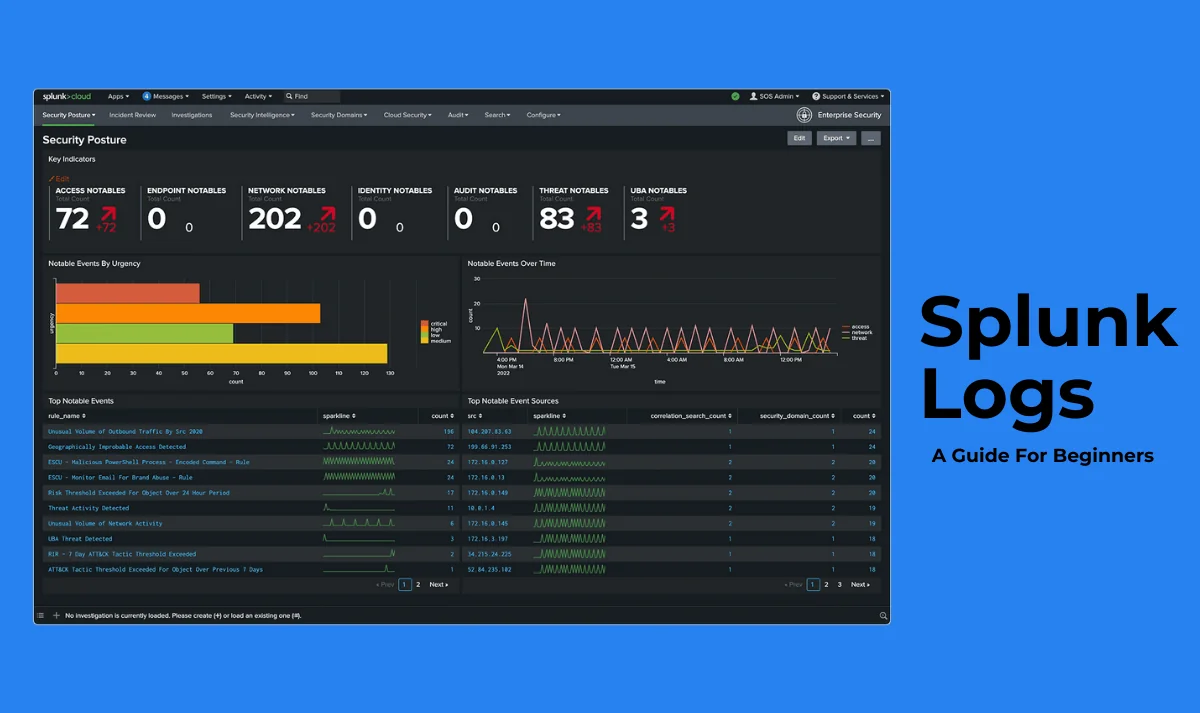
Splunk is a widely popular log analysis platform. It is apt for collecting, analyzing and indexing data from a variety of sources. These sources include network devices, messaging systems, databases, and much more. Splunk has the capability to automatically normalize and extract fields from any data source. This renders Splunk a preferred tool for identifying and troubleshooting patterns in data.
It has three main components, namely the forwarder, the indexer and the search head. This tool allows analyzing gigantic amounts of data in real-time. Highly informative dashboards are created quickly with pre-built visualizations. Splunk is directing its focus towards artificial intelligence and machine learning. This is possible because of its features like time-series forecasting, predictive analytics, and outlier detection.
Here is a side-by-side comparison on Grafana vs Splunk for a better understanding. These two have various differences in spite of being leading tools in similar fields.
Grafana has various pre-built dashboards and visualizations. Additionally, it gives the ability to even create custom visualizations. Splunk offers various data dashboarding and visualization options. These include interactive heatmaps, geospatial visualizations and dashboards.
Grafana has many different data analysis and query tools. These include aggregation, pivoting and filtering. Splunk has an extremely powerful language, which is useful for analyzing humongous amounts of data.
Grafana is open source and thus, free to use for anyone who's utilizing it for personal use. For commercial use, however, licenses are available. Splunk provides a paid subscription model that has distinct pricing tiers. The end price depends on the number of data sources and users.
Grafana supports multiple data sources. These include Elasticsearch, InfluxDB, Graphite and Prometheus. Splunk too supports many data sources like events, metrics and logs.
With Grafana, alerts are created by users in various data conditions. They receive notifications on Slack, webhooks or email. With Splunk, there is a comprehensive notification and alerting system. These are used to let the user know of any potential issues.
It is mainly used for the visualization of data that is stored in time series DBs. It is mainly used for indexing, visualizing, searching, alerting, and analyzing almost all kinds of data.
It can be hosted in-house. Alternatively, paid cloud options are also available with SAAS offerings. Splunk offers both cloud hosting and in-house hosting options.
Grafana is not apt for small-scale data analysis and visualizations. Also, it is not a great fit for non-time series data analysis. Companies that need sovereignty should not go for Grafana. Organizations that usually deal with small amounts of data should not go for Splunk. It is a paid tool, hence organizations with little budget should go for something else.
It supports batch processing, historic data processing and real-time streaming. It handles different data types like machine-generated data, security logs and business metrics.
It scales horizontally. Grafana supports clustering for high fault tolerance and availability. Splunk has potential to scale both horizontally and vertically to deal with gigantic amounts of data.
It offers high availability via replication and clustering. It offers high availability options such as disaster recovery and clustering.
In Grafana, extensive SDKs and APIs are offered to developers. This helps in building custom plugins and integrations.
In Splunk, Many APIs and other developer tools are offered to developers. This helps them in building custom integrations and applications.
Grafana is a highly reliable tool with a huge and active community. Splunk is popular for being a stable and robust platform.
Explore our Grafana tutorial to learn more about it in details.
Here is a quick overview of the features both tools have.
| Feature | Grafana | Splunk |
| Primary Use Case | Visualizing time-series data from various sources | Monitoring, searching, and analyzing machine-generated data |
| Data Source Support | Supports a wide range of data sources like Prometheus, MySQL, Elasticsearch | Works mainly with logs, metrics, and event data ingested directly into Splunk's ecosystem |
| User Interface | Intuitive dashboard builder with rich visualization options | Advanced interface with powerful search and reporting features |
| Alerting & Notifications | Built-in alerting with custom rules and multiple notification channels | Highly customizable alerts with workflow automation |
| Deployment Options | Open-source and cloud-hosted versions (Grafana Cloud) | On-premises, cloud, and hybrid deployments available |
| Ease of Setup | Relatively easy to set up, especially with the open-source stack | Requires more initial configuration and resource allocation |
| Search Capabilities | Basic query languages (e.g., PromQL, SQL) depending on data source | Powerful Splunk Processing Language (SPL) for complex querying |
| Customization & Extensibility | High via plugins and custom panels | Extensive via add-ons, APIs, and the Splunkbase ecosystem |
| Security Features | Role-based access control, LDAP integration, and more in paid versions | Strong enterprise-grade security, encryption, and compliance support |
| Pricing Model | Free open-source tier, with paid plans for cloud and enterprise features | Commercial licensing based on data ingestion and retention |
| Community & Support | Large open-source community with active forums and plugin contributions | Strong enterprise support, with training, documentation, and a large user community |
| Integration with DevOps Tools | Excellent integration with tools like Prometheus, Loki, and Jaeger | Native support for CI/CD pipelines, DevOps tools, and third-party integrations |
| Best For | Real-time dashboards for metrics and performance monitoring | Deep log analysis, compliance auditing, and security monitoring |
Choosing between Grafana and Splunk isn't just about features, it's also about finding a pricing model that fits your team's needs and budget. This cost comparison breaks down what each tool offers at different pricing levels to help you make a smart, value-driven decision.
| Pricing Factor | Grafana | Splunk |
| Free Tier | Yes - Grafana OSS (Open Source) available with limited features | Yes - Free tier with 500 MB/day data ingestion limit and 7-day data retention |
| Cloud Pricing | Starts at $29/month (Cloud Pro) for 3 users, 10K series | Starts at $15/month/GB of data ingested (Splunk Cloud Platform) |
| Enterprise Plan | Custom pricing (Grafana Enterprise) for advanced features and SLAs | Custom pricing (Splunk Enterprise) based on data volume and infrastructure needs |
| Pricing Model | Based on number of users, dashboards, and data sources | Based on data ingestion volume and retention period |
| Self-Hosted Option | Yes - Grafana OSS is completely free to host and customize | Yes - Splunk Enterprise (self-managed) available, but license costs apply |
| Alerting & Monitoring | Included in Pro & Advanced plans | Included in all paid plans |
| Add-ons & Plugins | Mostly free via Grafana plugins marketplace | Some paid add-ons available on Splunkbase |
| Support Availability | Paid support with Enterprise and Advanced plans | Paid enterprise support and training services |
| Billing Frequency | Monthly or Annual | Mostly Annual, with flexible terms for enterprise deals |
| Typical Use Cost (Mid-Size) | ~ $100-$300/month for mid-sized teams using Grafana Cloud | ~$2,000+/month depending on ingestion (~5-10GB/day), retention, and users |
Data is becoming the core of almost all business success and that means working smartly with it. Grafana and Splunk are two popular data analysis and visualization tools that are leaders in their respective spheres. Once an organization begins using either of these, there is no going back because each has its own unique set of perks. This Grafana vs Splunk comparison is great for anyone who's looking for a good tool. This comparative list will help professionals as well as organizations in picking the right one.
Grafana focuses on visualization, while Splunk excels in log management and analytics.
Grafana is ideal for real-time monitoring; Splunk offers deeper log analysis capabilities.
Yes, Grafana can visualize data while Splunk handles log collection and indexing.
Grafana is open-source and free, while Splunk can be costly depending on data volume.
Course Schedule
| Course Name | Batch Type | Details |
| Big Data Courses | Every Weekday | View Details |
| Big Data Courses | Every Weekend | View Details |