Load balancing has become an integral practice in many areas, including websites, e-commerce platforms, and online gaming services. It gives them high availability, fault tolerance and scalability across different networks. Google Cloud Platform (GCP) also has load-balancing solutions for different requirements. This article is a complete guide on how to create a GCP load balancer.
Let us start with a basic introduction to the load balancer. GCP load balancer is a component that can scale systems horizontally. Horizontal scaling adds some extra servers or machines to the existing infrastructure in order to cope with the new demands. It is very useful in handling peak demands.
The load balancer works between the client and the server. It transfers client requests to the server by using different algorithms. This means the system does not have to manage all the load by itself. This way, the system works accurately, which reduces the chances of fault instances.

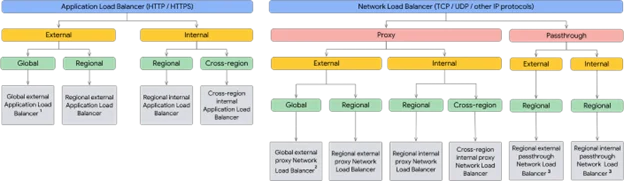
It is important to choose the accurate GCP load balancer as there are many of them. The choice of the best among them depends on the traffic you are dealing with. Each of them is best at managing different types of traffic. The chart given below shows the modes of different load balancers.
Source – https://cloud.google.com/load-balancing/docs/choosing-load-balancer
It is a fully distributed global load balancer that runs at the seventh application layer. This load balancer is capable of routing HTTP and HTTPS traffic across different backend services. It gives many advanced features like SSL termination, URL mapping and content-based routing.
TCP/UDP load balancing is another global load balancer. It is efficient to distribute TCP and UDP traffic on different backend instances or services. There is no need to change the original IP address of the client with this load balancer. It is best for applications that require the fourth transport layer load balancing.
Internal load balancing distributes the internal TCP and UDP traffic on backend instances or services in a virtual private cloud (VPC) network. It is suitable for creating applications with high availability and scalability.
Network load balancing is a regional pass-through load balancer. It distributes TCP or UDP traffic across many virtual machine (VM) instances in a particular region. It can receive traffic from many sources, including online clients, Google Cloud VMs and Cloud NAT.
Read Also: Top 30 GCP Interview Questions and Answers
Implementing a GCP load balancer requires creating VM templates and instance groups. This means we first need to create both of these elements. Let’s get started.
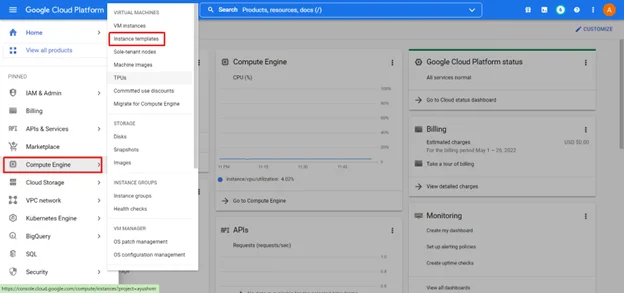
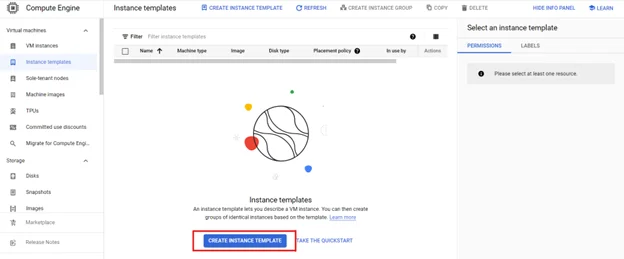
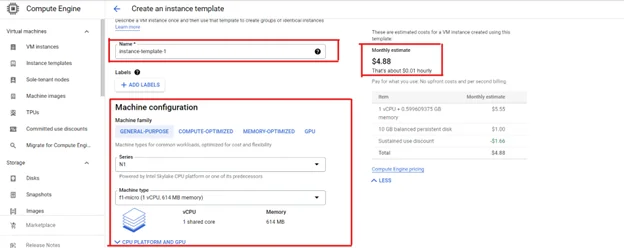
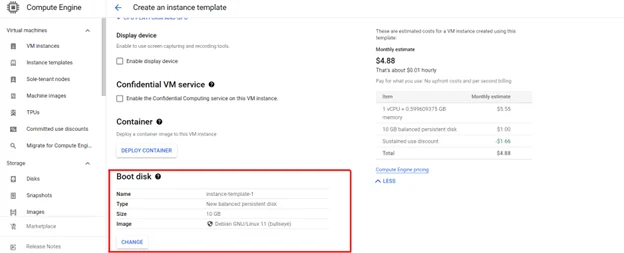
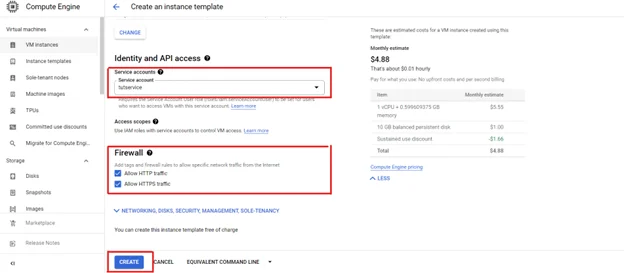
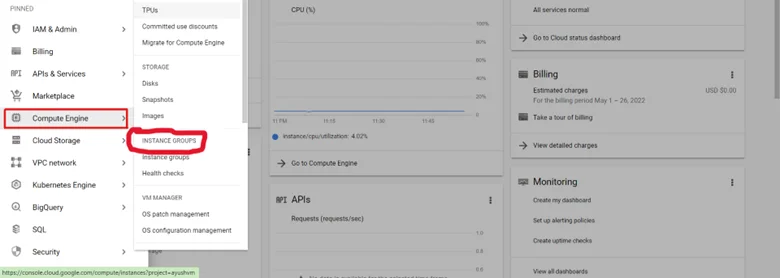
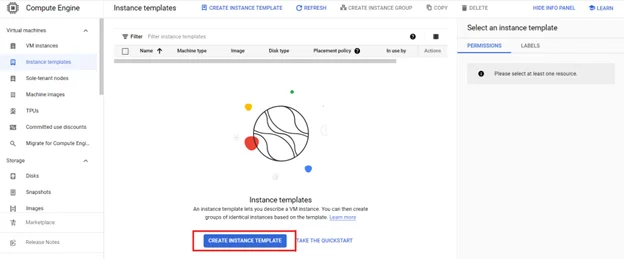
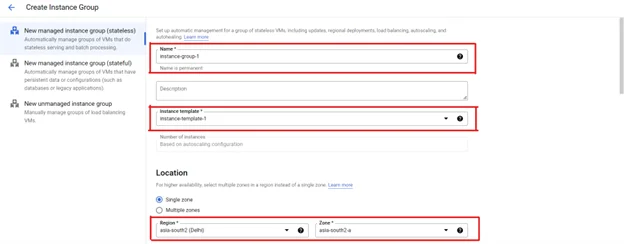

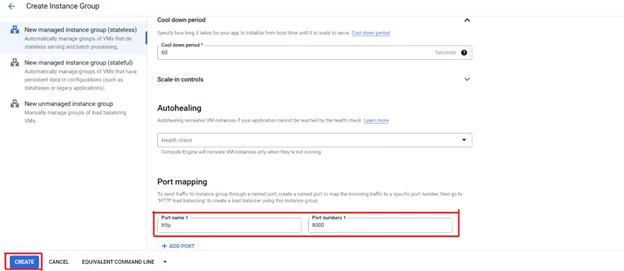

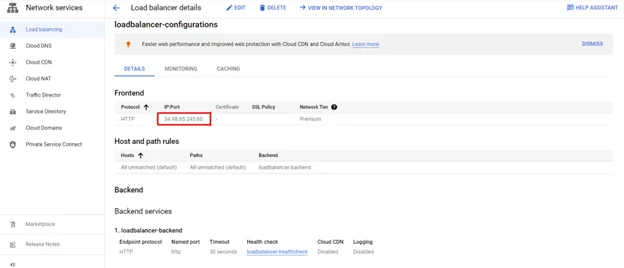
There are three types of load balancers we can create including HTTP(s), TCP and UDP. We are choosing HTTP(s) as it is best in dividing load across different servers.
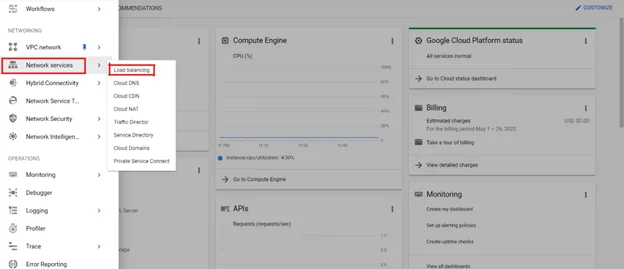
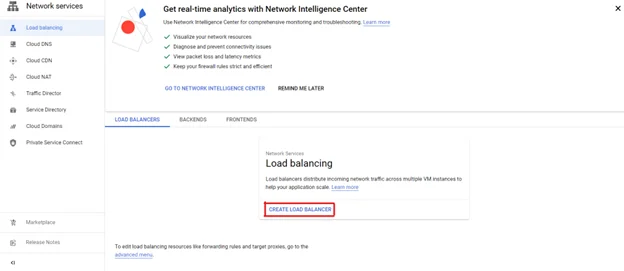
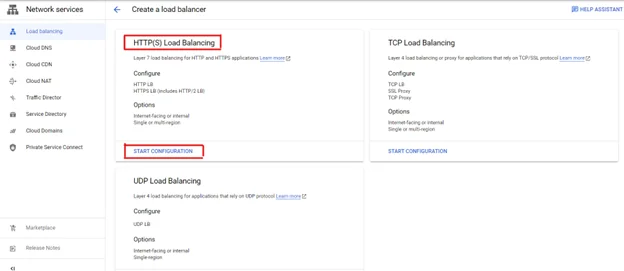
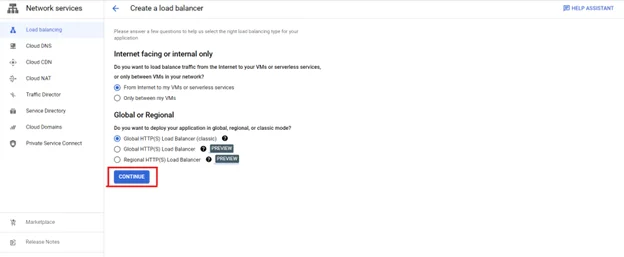
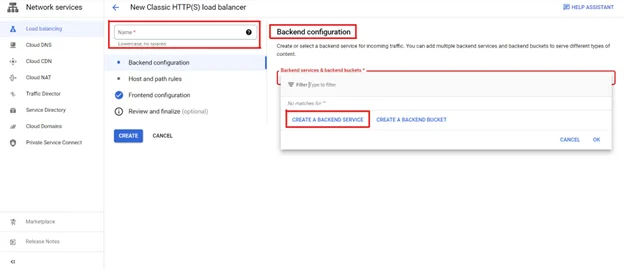
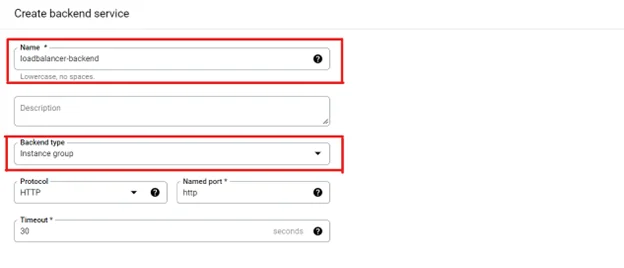
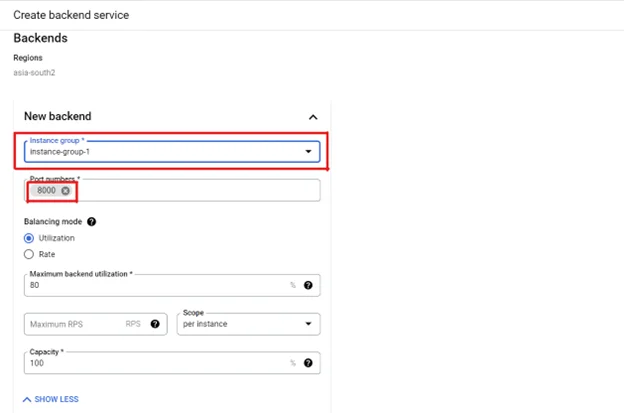
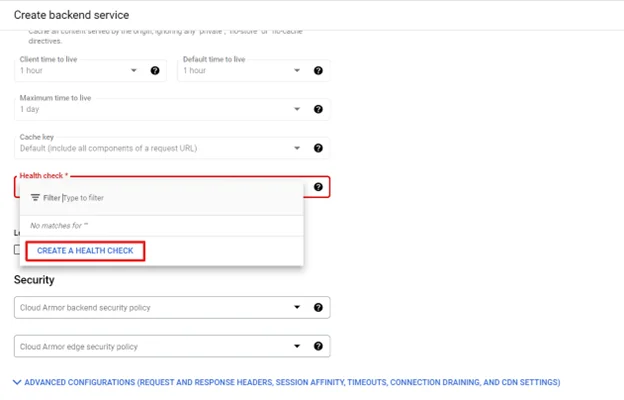
The health check evaluates whether the instance is functioning properly. It keeps sending requests to the instance from time to time to check its responses.
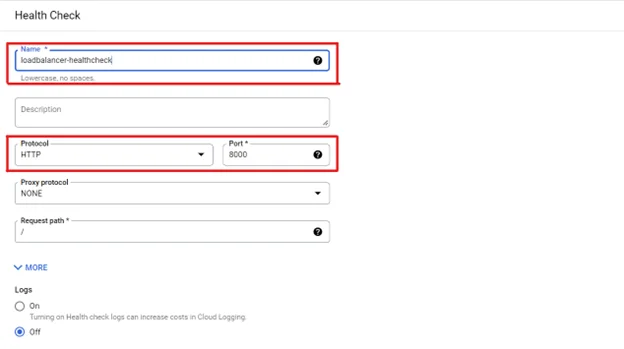
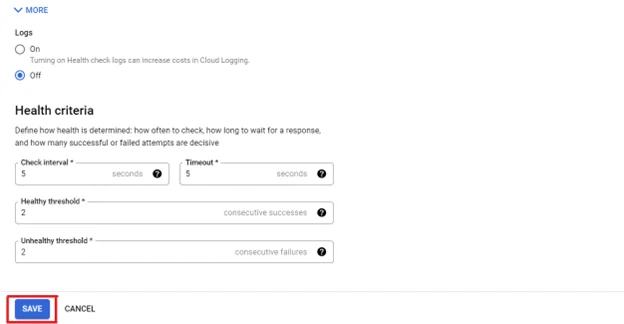
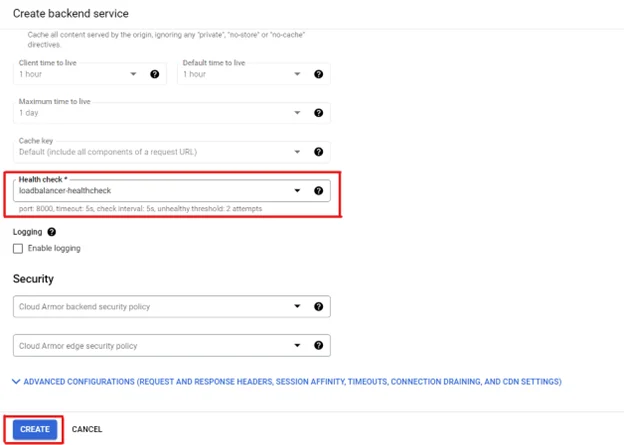
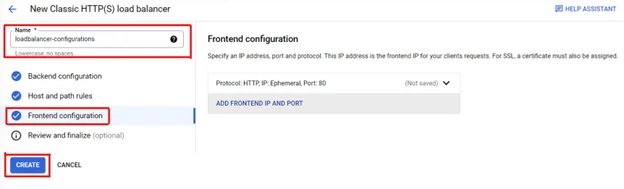
Read Also: How To Become A GCP Data Engineer- A Guide For Beginners

GCP load balancer is one of the best functions of its cloud services. Using it in a project can seamlessly scatter the traffic among different servers. Companies can build and execute secure, efficient, and scalable cloud hosting architectures with this component. To use all these features, get started with this component through this blog post.
Load balancers have a major role in enhancing the performance of an application. It reduces network latency and increases response time for cloud applications. They can perform tasks like load distribution with a few clicks.
Both of these distribute the load, but on different elements. A load balancer distributes traffic across servers within a specific data center. GSLb directs traffic across different data centers.
It is indeed implemented as a virtual appliance, but it is not a VM. It requires a VM to perform its tasks.
A GCP Load Balancer should be used when an application handles high traffic and requires scalability, high availability and fault tolerance.
A global load balancer distributes traffic across multiple regions using a single IP address.