Midjourney AI has changed how people create visual material, including marketers and businesses. In a matter of seconds, text input is converted into striking, professional-grade image content without the need for any graphic design training. Now that Midjourney v7 comes with its own web interface (you no longer need to use Discord), creating fantastic visuals is easier than ever. It doesn’t matter if you are a blogger looking for images, a marketer looking for advertisements, or a company trying to establish a brand – use Midjourney AI solutions for your benefit.
This tool is not about drawing anything, but about describing what you want (giving a prompt). It is based on a simple concept: You write what you want to see and the AI turns your words into images.
Today, MidJourney is being used in many aspects. As bloggers use it for visuals, digital marketers use it for creatives, businesses use it for branding, etc.
If you are completely new to MidJourney, this article will help you understand everything step by step, including what MidJourney is, how it works, and how to use it. Let's begin.
Midjourney is an AI tool that turns written text into images. You don't draw anything or need any design skills. You simply describe what you want, and Midjourney creates it for you. You can think of it like: You type a scene into a chat box. Then the AI imagines it and visualizes it as an image.
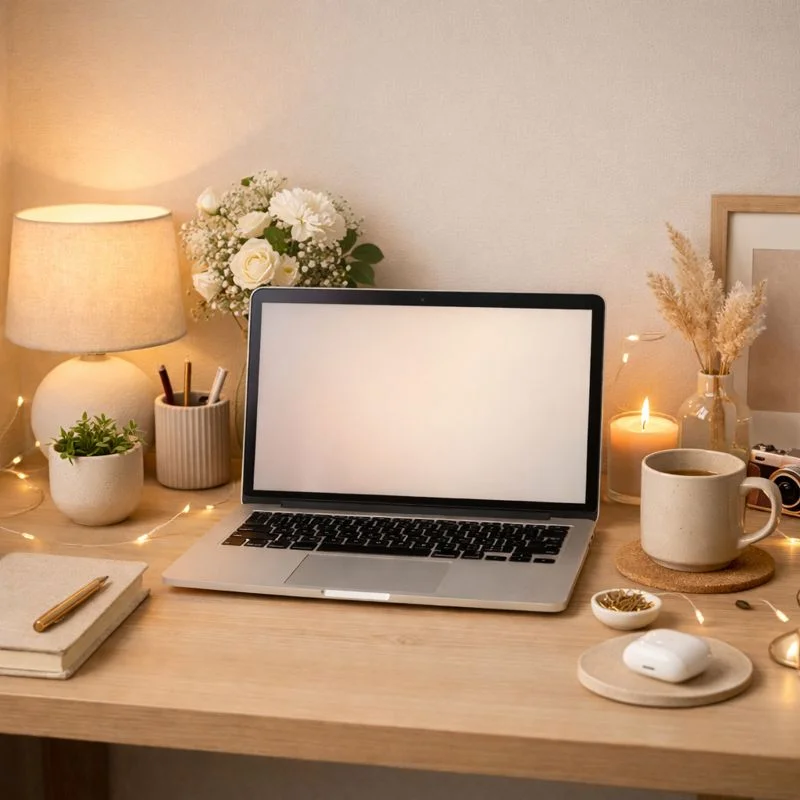
For instance, I gave it a simple prompt- "a minimal workspace with a laptop, soft lighting, aesthetic vibe." Within seconds, Midjourney gave me an image based on that description.
What makes it special is that these images are not copied from anywhere. They are freshly created by the AI, which is also based on how it understands your words, style, colors and details. In short, Midjourney is a creative AI tool that helps anyone generate high-quality visuals just by using text.
Midjourney became popular because it removed the hardest part of design and that is the skill barrier. Now, you no longer need to learn Photoshop or no need to hire a designer for visuals. You just need to explain your idea clearly.
Here are some important factors that made so many people use it.
1. Quality: The quality is genuinely impressive. The images look artistic, polished, and often better than stock photos. This is especially useful if you want visuals that feel unique and not overused.
2. Time Saving: It saves a lot of time. What used to take hours now takes minutes. That is a huge difference for bloggers, marketers, and creators.
3. Flexible: It works for almost everyone. Students, content creators, small businesses, freelancers, and even complete beginners can use it.
Midjourney is even famous for creative freedom. That means you are not limited to templates. You can experiment with styles, moods, lighting, art forms, and concepts until you get exactly what you want. The combination of simplicity, quality, and creativity is what made Midjourney explode in popularity.
Read Also: Best AI Tools For Coding
There are just a few basic things you need before you can start creating images. Once that's done, the actual usage becomes very smooth. Let's go step by step.
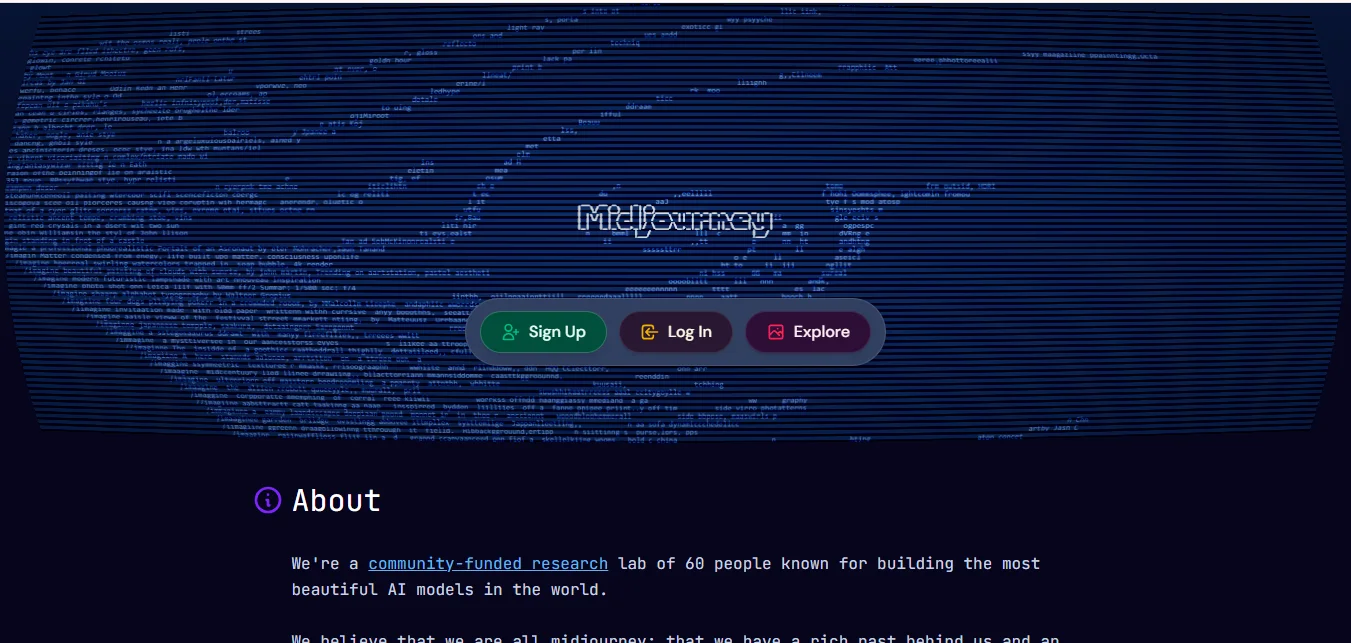
You need a Discord Account or a Google Account. Midjourney works entirely inside Discord, not on a regular website. If you already use Discord, you're good to go. If not, signing up takes only a few minutes or you can directly sign up with the help of google account.
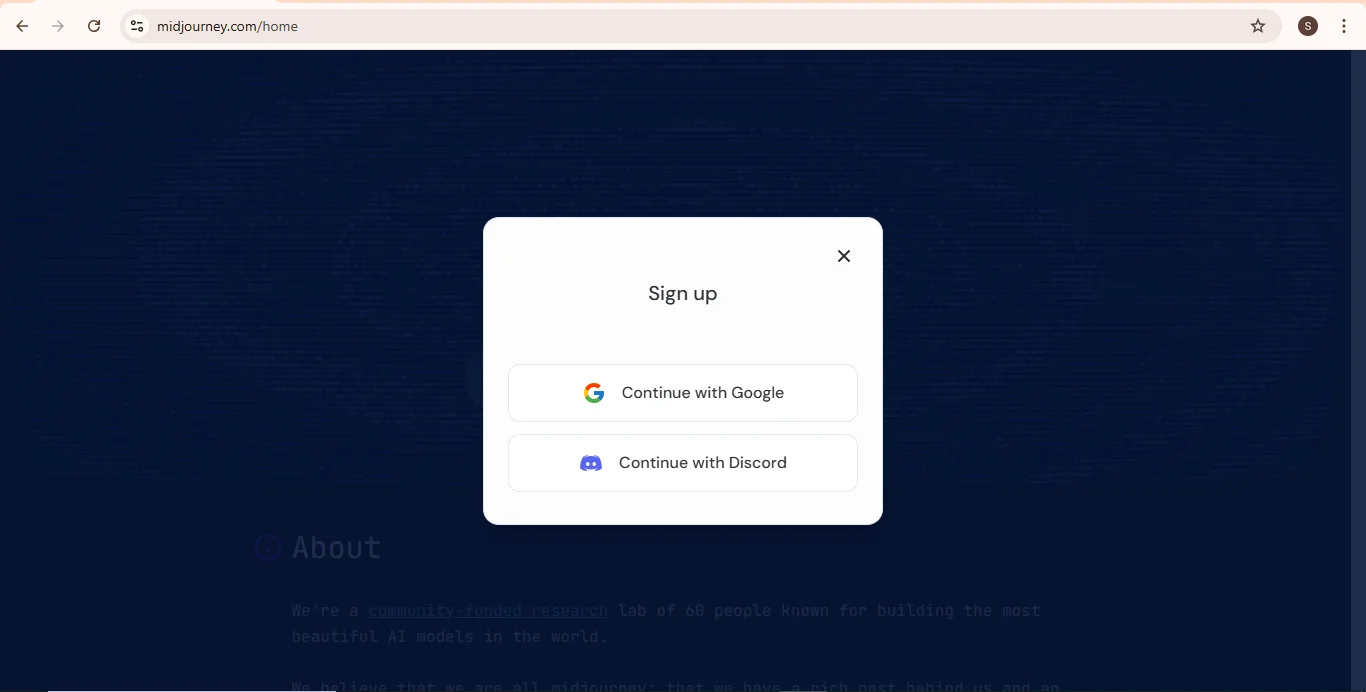
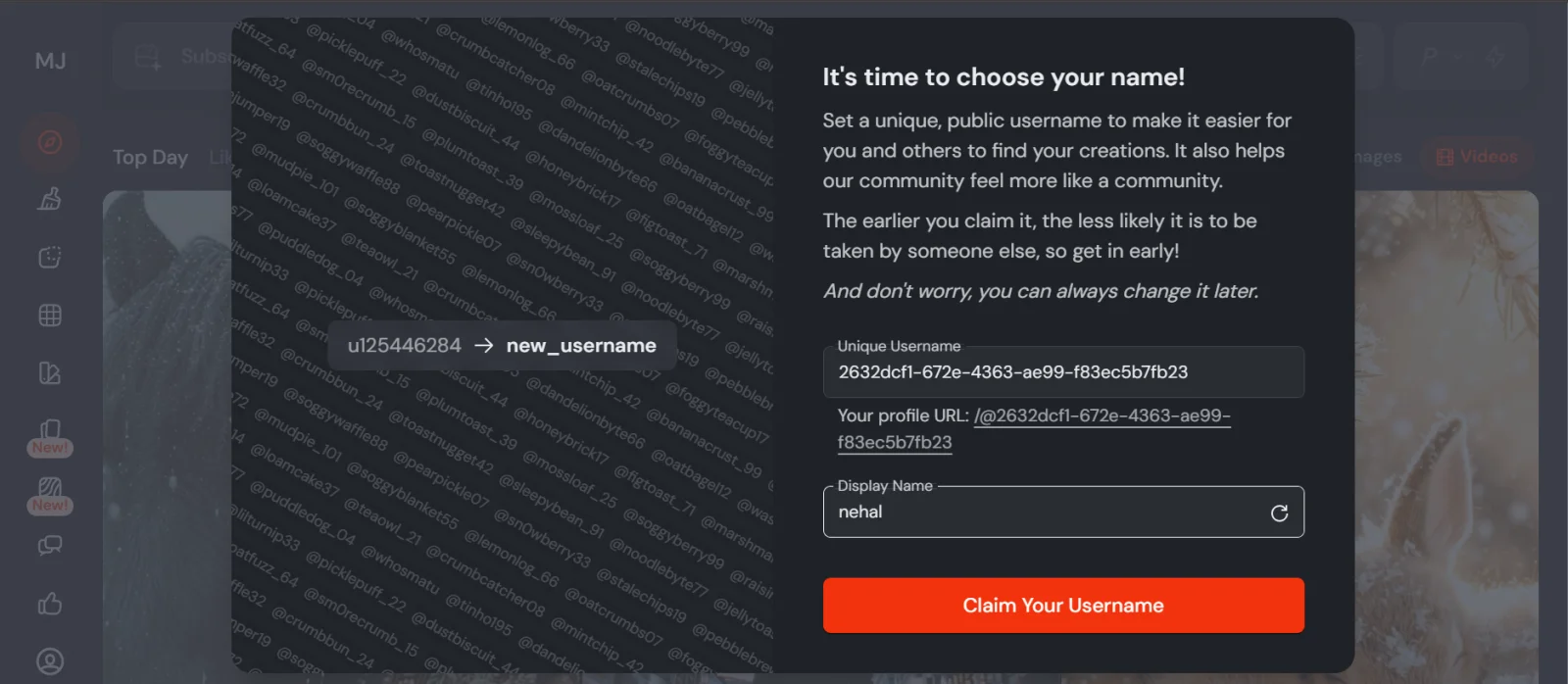
After signing up with your Google Account or Discord, you can choose your display name and claim your username.
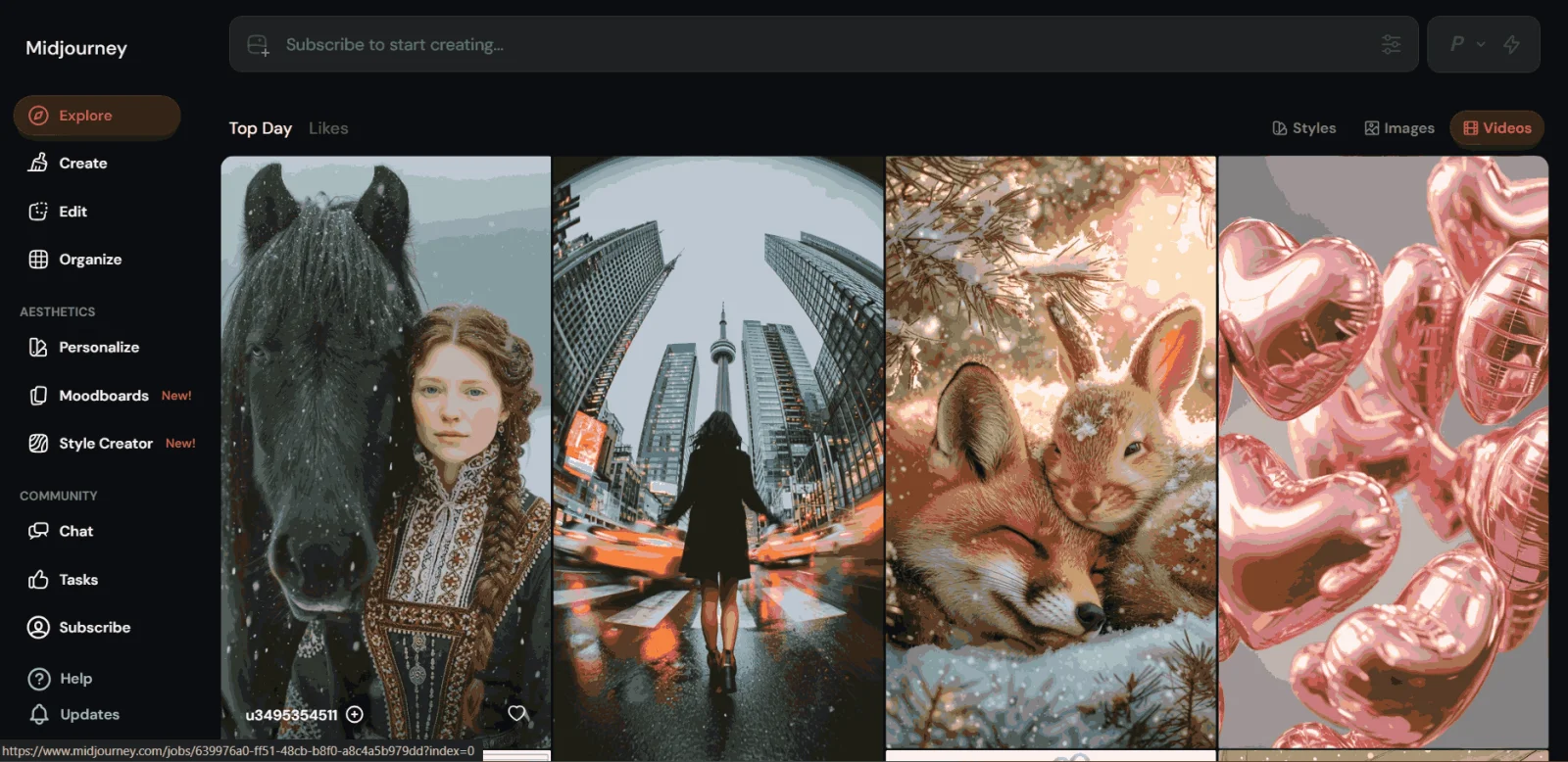
After this step, you can start working on the MidJourney. Here is the home page, which you can see below, that will appear on your screen after you successfully sign up.
You need basic clarity of what you want to create. You don't need technical knowledge. Just the ability to describe things in words. For example, objects, moods, styles, colors, or settings.
Midjourney is a paid tool. Earlier, it offered free trials but now you need a subscription to generate images. The plans are straightforward and we will cover them later in the article.
Read Also: Top 45 Artificial Intelligence Interview Questions
Once you're inside Midjourney and ready, the process is very simple. You just follow these simple steps to start:
While Midjourney started on Discord, most users in 2026 now use the Midjourney.com web interface.

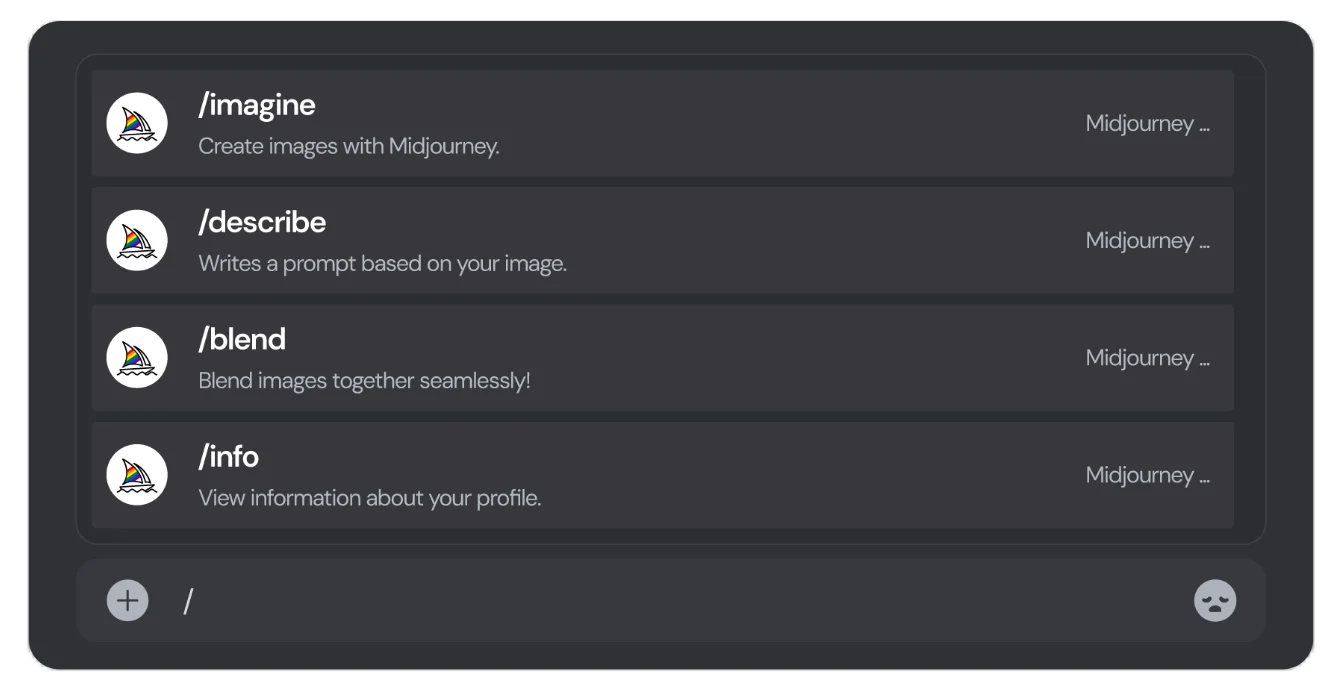
The best way to professional workflow in v7 is Draft Mode. By adding --draft to your prompt, you can generate images 10x faster at half the GPU cost.
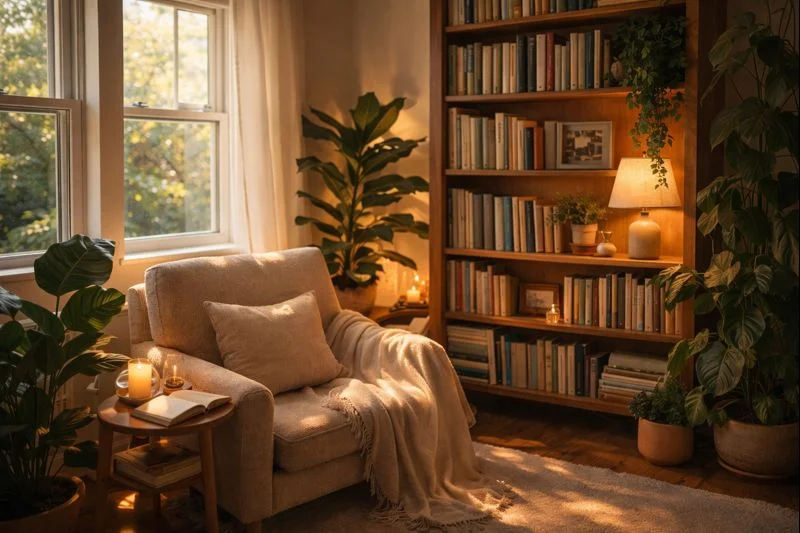
For instance, I added --draft and put a prompt "a cozy reading corner by a window, wooden bookshelf, indoor plants, warm sunlight, soft shadows, realistic photography style."
Midjourney understands normal language very well. When I started, I kept my prompts simple. As you use it more, you naturally begin adding more detail. While writing your prompt, you can include the following things: subject, environment, colours, mood, style, lighting, etc. Once your prompt is ready, hit Enter and you will see the image it generated for you.
Midjourney v7 is the first model to have Personalization built in. Once you have liked or ranked a few images on the site, the AI learns your "vibe" and works accordingly. Just Add --p to the end of any prompt. In result, instead of generic AI art, the tool will prioritize the colors, lighting, and styles it knows you prefer, giving you a unique branded look every time.
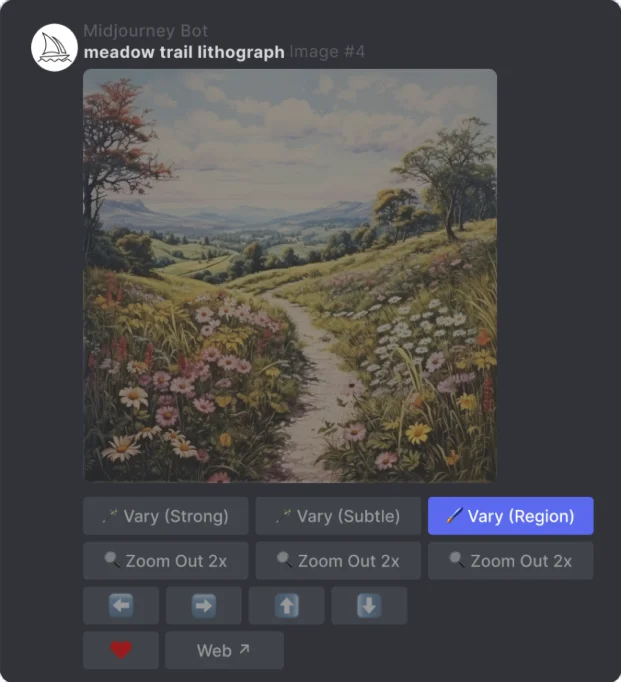
Below the image grid, you will see buttons. These buttons are what help you refine your image.
If you like one image but want small changes, use variations. If you love one image and want it in high quality, upscale it. This back-and-forth process is where most of the creativity happens.
Next, we will move into tips for better results, where I will share what actually improves image quality, how to write stronger prompts, and the common mistakes beginners usually make.
This section is where most people actually start seeing a big improvement in their images. These are things I learned only after using Midjourney multiple times, making mistakes, and fixing them.
Always mention what the main focus of the image is. For example, a person, an object, a place, or a scene. If the subject is unclear, the output will be confusing too.
You need to mention where the subject exists, like indoor, outdoor, city, nature, studio, beach, room, cafe, etc. This helps Midjourney build context.
Words like calm, dramatic, cozy, cinematic, vibrant, and minimal guide the emotional tone of the image.
Lighting changes everything. Soft light, warm sunlight, neon lights, low light, and studio lighting all give very different results.
Start by writing a simple prompt. Then add details slowly after seeing the results. This gives you more control.
Here are some effective prompt examples through which you can learn and can also try them once.
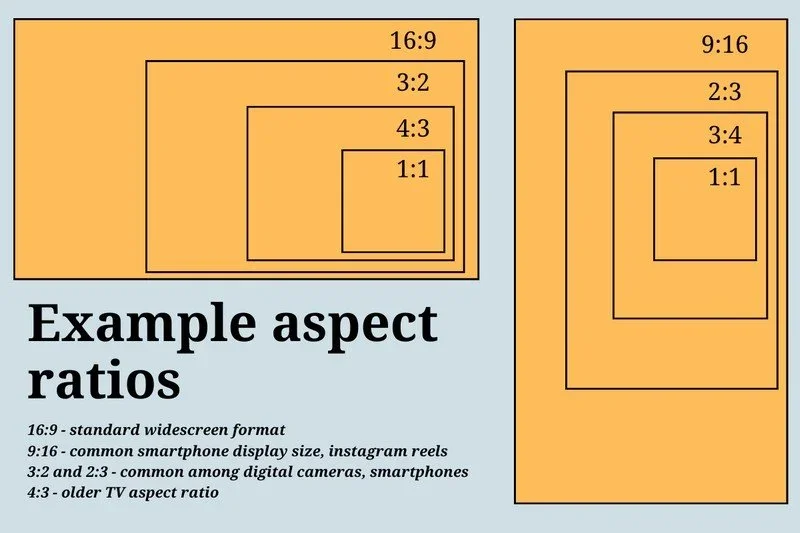
You can use these parameters to control image shape. For example, you can use --ar 1:1 (square), --ar 2:3 (portrait), --ar 16:9 (landscape), --ar 3:2, --ar 9:16, etc. It is very useful for blogs, Instagram, YouTube thumbnails, banners, wallpapers, posters, mobile wallpapers, etc.
You can influence how artistic or realistic the image looks. This helps match your brand or content style. You can use --stylize / --s → controls artistic feeling (0–1000), --quality / --q → controls detail & texture level (0.25 / 0.5 / 1 / 2), --style raw → very literal & realistic look (especially useful in v6.1 and v7), etc.
Midjourney has different versions. Trying different versions can change image sharpness, realism, and creativity. You choose with --v or --version.
These settings control how different/experimental/surprising the 4 images will be.
--chaos / --c 0–100
If you write prompts like "make something nice", then it won't work up to your expectations. The AI needs a proper direction.
If you give it too many subjects, it will confuse the output. Focus on one main idea at a time.
Midjourney works best through iteration. You need to focus on refinement. Refinement is one of the main parts of the process.
Tiny words like lighting, mood, or style can completely change the image. Therefore, while giving the prompt don't skip them.
The best results come from trial and error. If you stick to one prompt style, you will limit your creativity. Therefore, keep experimenting with different prompts.
Midjourney offers a lot of features. Once you know they exist, you can control the final image a lot. Let's go through them one by one.
For instance, I created an image from it and kept tweaking the prompt until it became how I wanted.
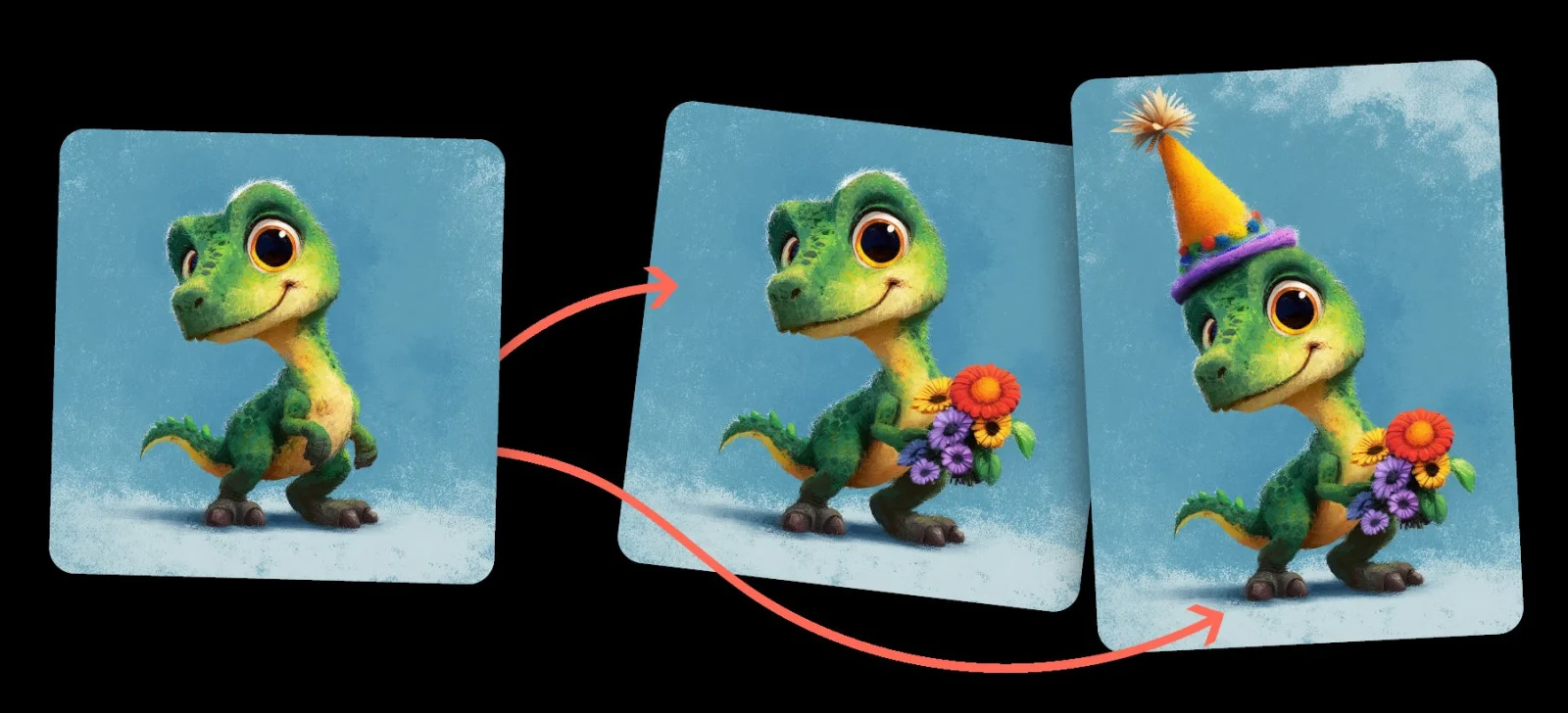
This is one of the newer and more exciting additions recently done by Midjourney. It now allows you to convert generated images into short video-like animations.
The image subtly moves and gives you a cinematic or dynamic feel. It is not a full video creation yet. You can think of it like you added motion to a still image.
This feature is especially useful for social media posts, reels, shorts, storytelling visuals, creative presentations, etc.
By default, images created in Midjourney are public. Others can see them in shared channels or galleries. If you are working on personal projects, client work, or brand visuals, privacy will definitely matter to you. For that, Midjourney offers private creation options with certain paid plans. This means your prompts and images stay visible only to you.
Next, we'll look at real-world use cases, so you can clearly see where Midjourney fits best depending on whether you are a creator, blogger, marketer, or business owner.
Read Also: Generative AI Tutorial
One thing that I have realized after using Midjourney for different purposes is that it's not limited to just one type of user. The same tool works very differently depending on who is using it and why.
Here's where Midjourney actually makes the biggest impact.
For creators and artists, Midjourney works like a powerful creative partner. It helps with so many things like concept art, visual ideation, experimenting with styles, breaking creative blocks, exploring new art directions.
Instead of starting with a blank canvas, you start with ideas. You can generate multiple interpretations of the same concept and refine them step by step.
For instance, I gave it a prompt as an artist- "surreal artwork of a floating city in the clouds, dreamy mood, soft colors, imaginative art style." The image I received was flawless.
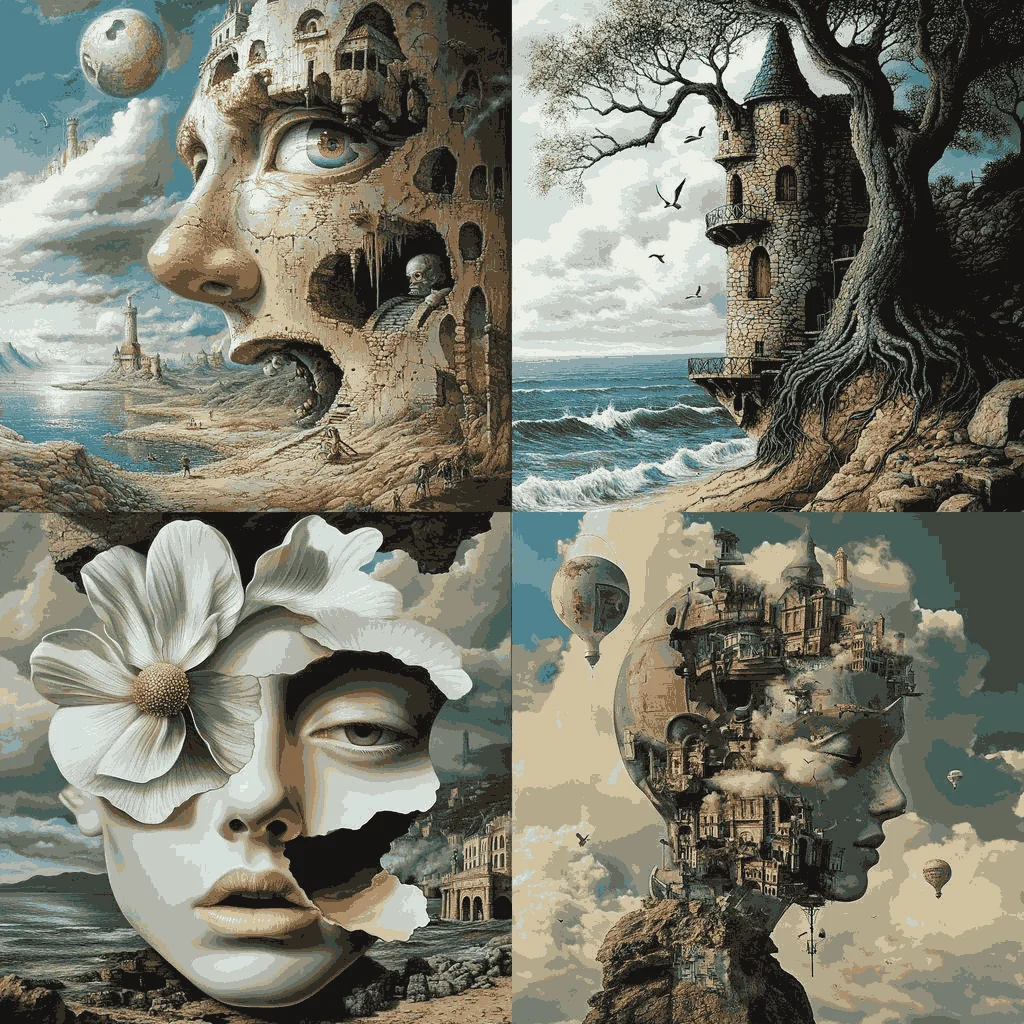
Bloggers and digital marketers constantly need visuals, featured images, social media creatives, campaign visuals, ad concepts and many more. With the help of Midjourney, you don't have to rely on overused stock photos.
You can create a lot of things with Midjourney like blog cover images that actually match your content, social media visuals aligned with your brand tone, campaign creatives without design dependency, etc.
For instance, I gave it this prompt to fulfil my digital marketing purpose- "high-end commercial poster, dramatic cinematic lighting, glowing neon lines, dark moody background, ultra realistic 3D render, sharp details, depth of field, studio lighting, octane render, 8k, hyper detailed, add igmGuru's logo and email Id. Poster's main aim- Step by Step Guide To Using Midjourney for Marketing." Within seconds, I received this stunning poster.
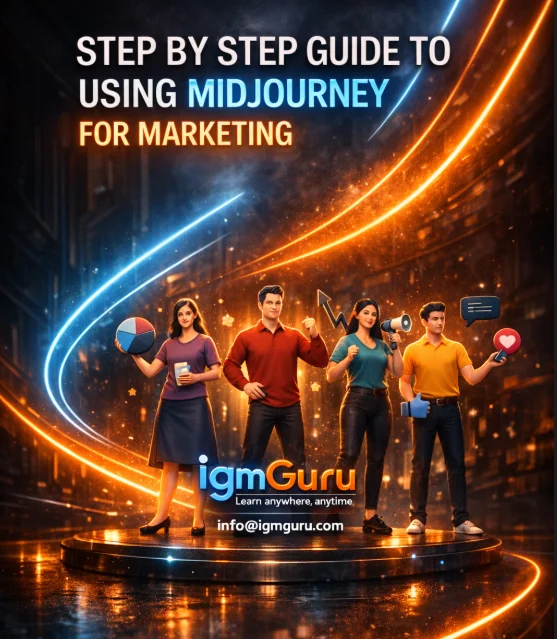
For businesses, Midjourney is a strong support tool for visual branding. It helps with brand concept visuals, product mockups, promotional creatives, website, landing page imagery, and much more. Small businesses and startups especially benefit from this.
You don't always need a full design team for early-stage visuals.
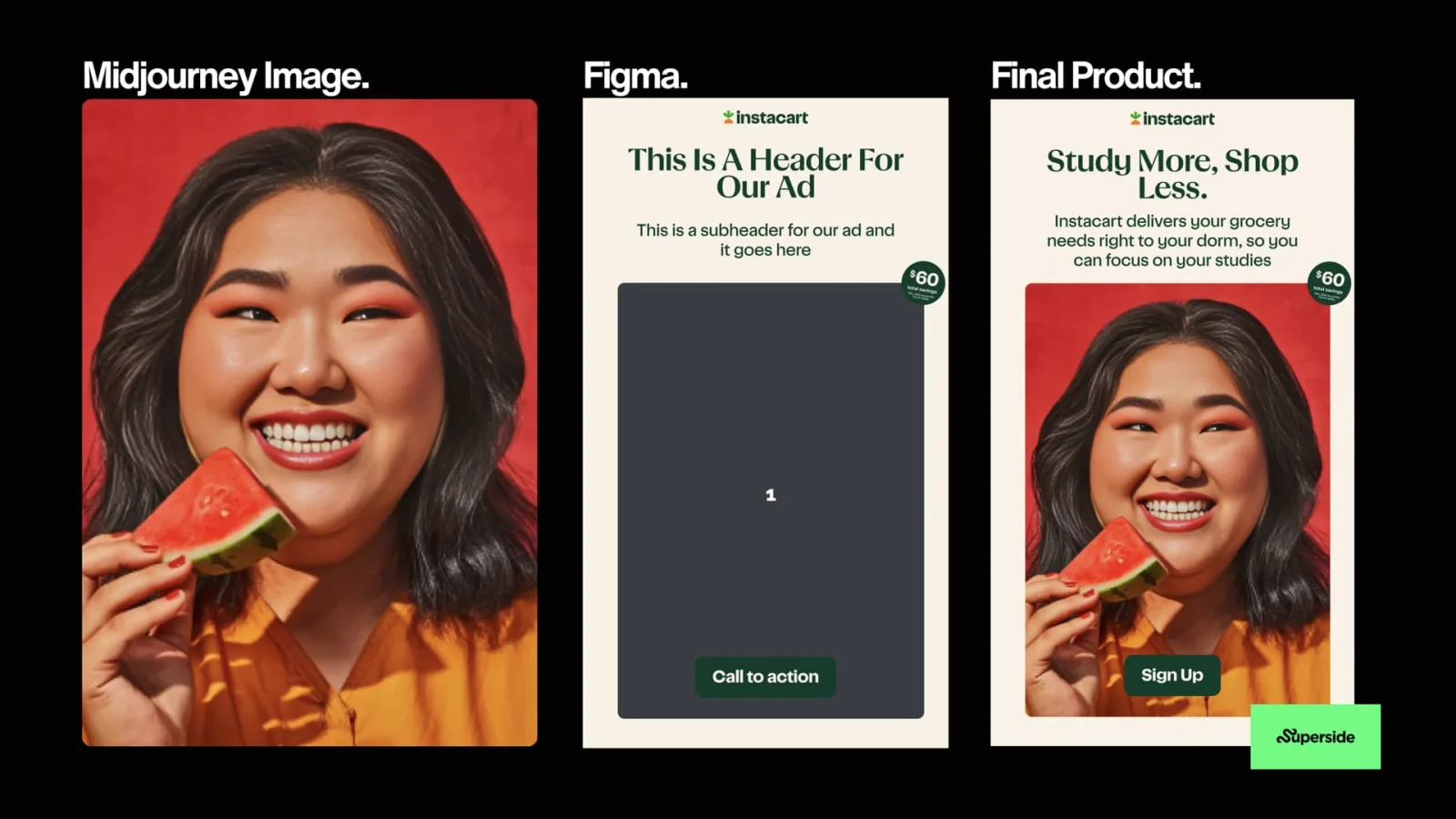
If it is used correctly, it becomes a smart way to experiment visually without a heavy investment. For instance, I gave it a prompt- "Ultra-realistic studio portrait of a smiling woman holding a slice of watermelon near her face, medium close-up, joyful expression with visible teeth, natural smooth skin, warm peach makeup, shoulder-length dark hair, orange top, solid red background, soft diffused studio lighting, shallow depth of field, sharp focus, editorial food photography, cinematic color grading, DSLR photo, 8k realism" And I got this.
Midjourney v7 was released in early 2025. It was a major upgrade from v6. While v6 focused on artistic detail, v7 is built for faster results, more realistic images, and better consistency for personal or brand use. Here's a proper comparison on V7 and V6 for your better understanding.
| Feature | Midjourney v6 / v6.1 | Midjourney v7 (Current) |
|---|---|---|
| Architecture | Standard diffusion model | Completely new and much faster system |
| Generation Speed | Around 30–60 seconds | Draft mode is about 10x faster (3–5 seconds) |
| Primary Interface | Mostly Discord-based | Web-first with a dedicated Create page |
| Personalization | Manual setup using parameters | On by default, learns your style automatically |
| Consistency | Character reference (--cref) | Omni reference (--oref) with better accuracy |
| Video Capability | Basic 2-second motion clips | High-quality videos from 5 to 60 seconds |
| Photorealism | Cinematic and stylized | Highly realistic skin and textures |
| Input Method | Text commands only | More natural input with text and voice |
You might be wondering: Is Midjourney the best option? How does it compare to alternatives? Here's an honest comparison of Midjourney AI against other popular tools:
| Feature | Midjourney AI | DALL-E 3 | Runway | Stable Diffusion |
| Ease of Use | Very easy | Easy | Good | Complex |
| Image Quality | Outstanding | Outstanding | Very good | Good |
| Speed | Very fast | Medium | Medium | Fast |
| Cost | $8–96/month | Pay-per-use | $9.99/month | Free (self-hosted) |
| Best For | Creators & marketers | General use | Video + images | Tech-savvy users |
| Learning Curve | Beginner-friendly | Easy | Moderate | Steep |
| Commercial Use | Yes | Yes | Yes | Yes |
| Community | Large | Large | Growing | Active |
While many AI image generators are available today, Midjourney AI stands out for its exceptional image quality, faster generation speed, personalization features, and creative outputs, making it a preferred choice for creators and businesses.
The artificial intelligence system generates very creative and distinct photographs. If you make content for social media platforms, Midjourney is incomparable in this regard.
By using the Draft function, Midjourney AI can create 4 images in 3-5 seconds. In comparison to this, other image-making programs take 15-30 seconds per image.
Its community-based gallery is huge. You can see how other people created their pictures, get to know their prompts, and apply them. In this way, the acquisition of skills will be much faster.
Midjourney AI learns your style preferences. The more you use it, the better it understands your aesthetic. Other tools don't have this feature yet.
For businesses, Midjourney's Omni Reference (--oref) ensures your branding looks consistent across multiple images. Perfect for social media campaigns.
NOTE: For most users (creators, marketers, small businesses), Midjourney AI is the best choice. It has the best balance of ease-of-use, image quality, speed, and community support.
Midjourney Pricing and Plans
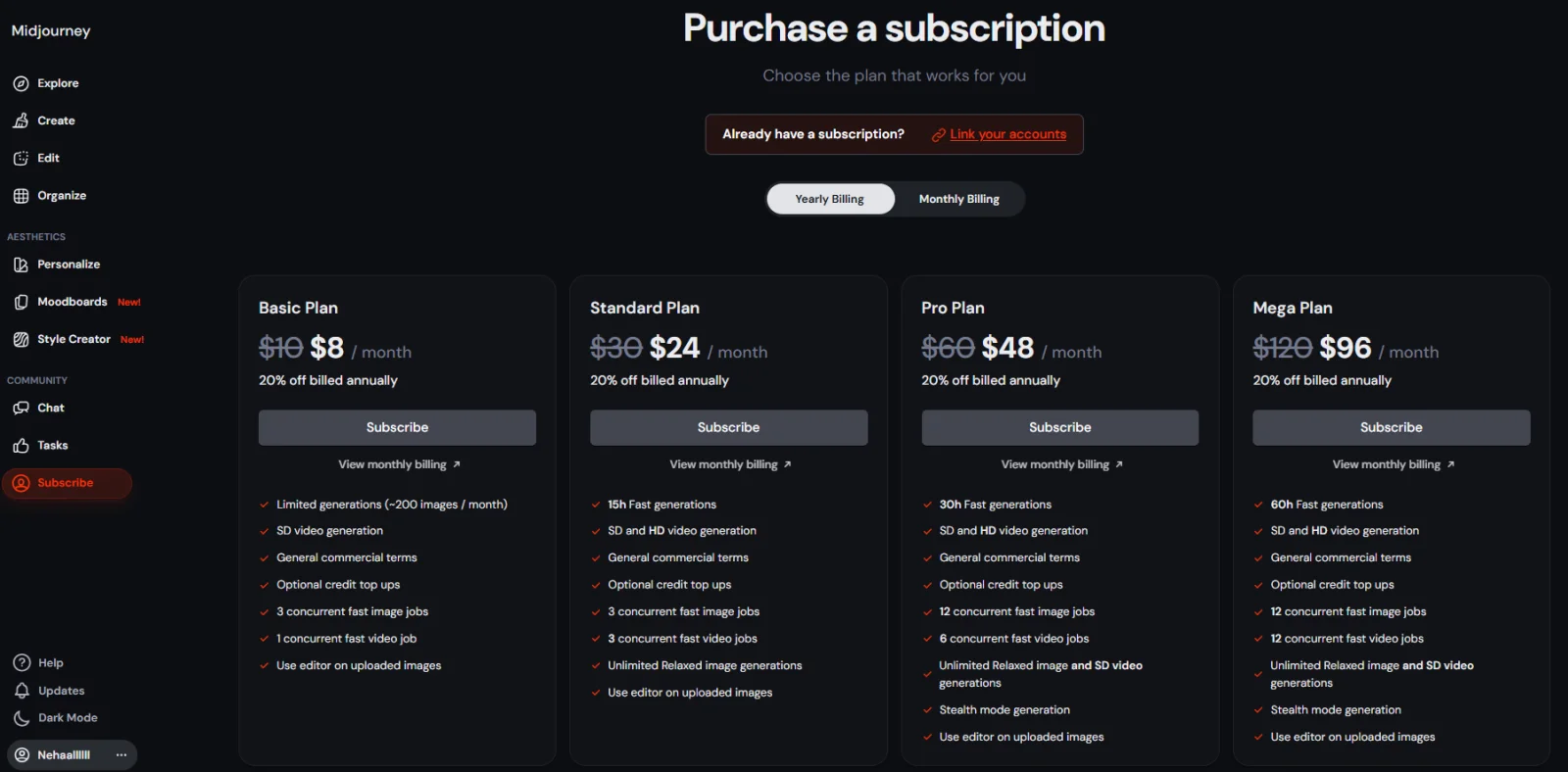
Before you start using Midjourney seriously, it is very important to understand its pricing. Midjourney is a paid tool and each plan is designed for a different type of user. Here is a clear breakdown to help you decide without confusion.
| Plan Name | Price (Monthly) | Best For | Key Highlights |
| Basic Plan | $8 / month (billed annually) | Beginners, casual users | It helps you in 200 images per month, v7 Access, SD image & video generation, commercial use allowed, limited fast jobs |
| Standard Plan | $24 / month (billed annually) | Regular creators | 15 hours fast generations, SD & HD video and unlimited relaxed image generations. |
| Pro Plan | $48 / month (billed annually) | Professionals & marketers | 30 hours fast generations, stealth mode, higher concurrency and unlimited relaxed images. |
| Mega Plan | $96 / month (billed annually) | Teams & heavy users | 30 hours fast generations, higher concurrency, stealth mode (Private) and unlimited relaxed images. |
Midjourney is based on a simple core idea: "You describe an idea and then the AI turns it into visuals." What makes it powerful is the technology and how accessible it is. You do not need to learn any advanced tools before using them. You just need clarity in your words and to know how to write a good prompt.
If you're a beginner, then start slow. Try with simple prompts. Over time, you will notice your results improving without any extra effort. It will easily become part of your creative workflow, whether you are a creator, blogger, marketer, or business owner. It saves your time, sparks ideas and helps you in creating visuals that actually match your vision. And now, you are more than ready to start working on Midjourney.
Explore Our Trending Articles:
Yes, you can use Midjourney images for commercial purposes, but only if you are on a paid plan. This includes using images for blogs, social media, marketing campaigns, websites, and branding. Always make sure to check the latest terms before client or brand usage.
Midjourney uses Discord because it allows real-time interaction, command-based inputs, and community sharing in one place. Discord makes it easy to generate images, manage prompts, and see examples from other users also.
Midjourney is known for its artistic quality and aesthetic output. This is one of the reasons that many users prefer it over other tools. Different AI image generators have their own strengths. Midjourney stands out for creative visuals, concept art, and unique styles. The best tool depends on what kind of images you want to create.
Yes, absolutely. Midjourney is designed for both beginners and professionals. You don't need graphic design skills or experience with tools like Photoshop. If you can describe an idea in words, Midjourney can turn it into an image. Beginners can start with simple prompts and gradually learn advanced features as they become more comfortable with the platform
Course Schedule
| Course Name | Batch Type | Details |
| MidJourney Training | Every Weekday | View Details |
| MidJourney Training | Every Weekend | View Details |