It is the first day at your workplace and everything is naturally set up for you. Your laptop is already arranged, accounts are active and the training schedule is neatly lined up. There is no need for endless emails, waiting for HR or anything to work out. This kind of magic is powered by the workflow in ServiceNow.
It is a visual, automated sequence of tasks that connect people, systems and processes. I have created this blog to help you understand that workflows are not just about learning a feature. Follow this guide to walk through what is workflow in ServiceNow, its importance, best practices, use cases to use the platform to create smarter workflows.
TL;DR
Workflow in ServiceNow is a visual flowchart-based automation system that streamlines and coordinates business processes by connecting people, systems, and tasks. This article explains its key components, features, benefits, workflow stages, common use cases, best practices, how to create workflows using Flow Designer, and the differences between ServiceNow Workflow and Flow Designer. It belongs to the ServiceNow, IT Service Management (ITSM), and Workflow Automation category.
Workflow in ServiceNow is a visual flowchart based system for automating and coordinating business processes. It covers repetitive tasks like ticket routing, notifications approval, updating records, etc. This helps organizations in reducing manual effort and human errors. The system is built around a drag and drop graphical interface which allows designers to arrange and connect workflow activities in a sequence.
These flows may include sophisticated logic constructs like loops, conditional branches, scripted actions, timers and decision based transitions. ServiceNow workflows change the Now platform by allowing integrations and bringing process intelligence through analytics.
Here are the key components of ServiceNow Workflows -
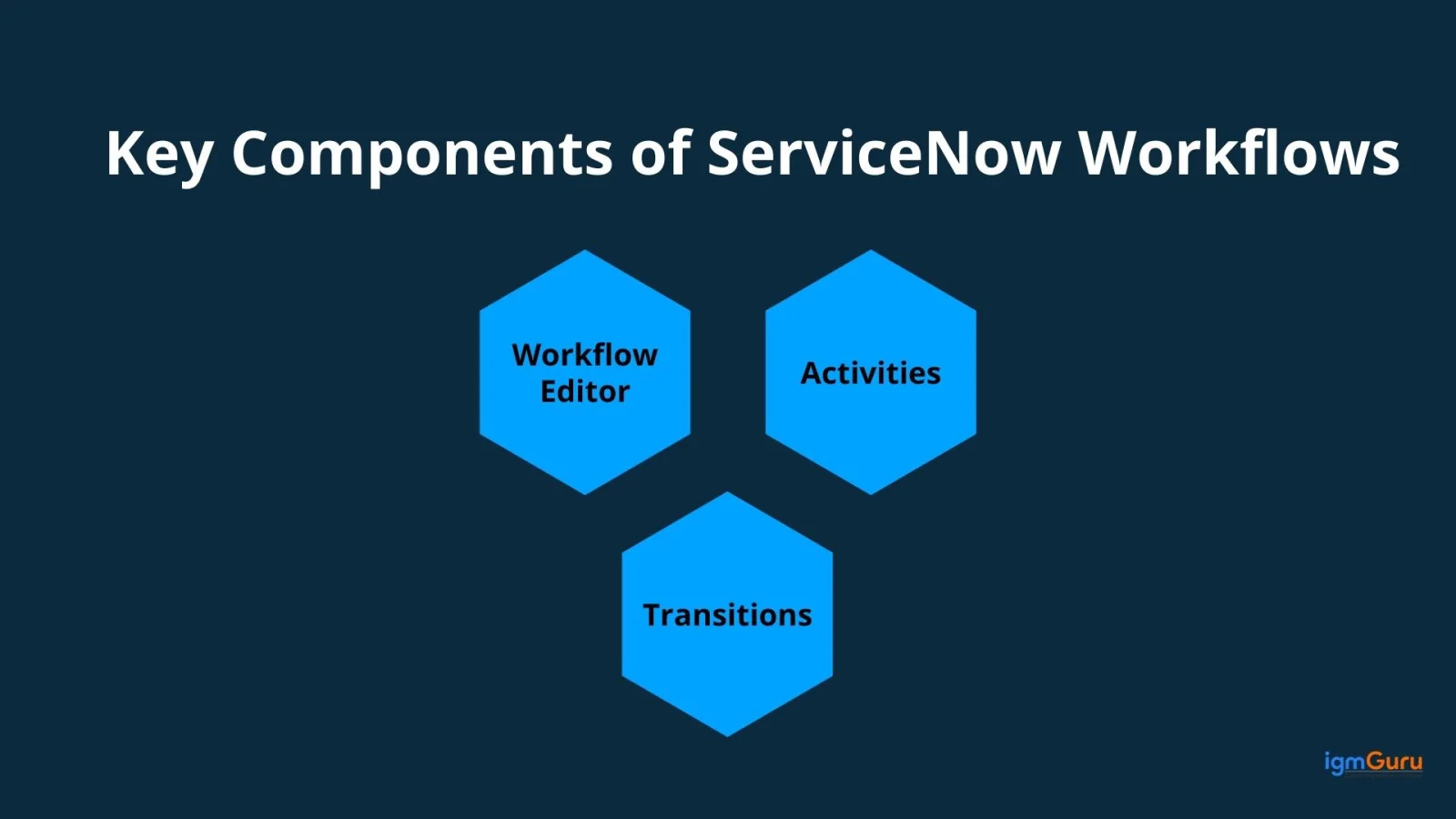
The Editor is the classic graphical interface for designing workflows within ServiceNow. It allows users to visually arrange and connect activities to work through processes.
Activities are the building blocks of workflows. Each activity carries out specific tasks like running a script, sending a notification, requesting approvals and manipulating records.
Transitions define the flow between activities and decide which path the workflow follows next based on outcomes or conditions. This allows for branching logic and conditional routes.
I have listed a number of factors to make you understand why workflow in ServiceNow plays an important role for businesses.
It drives regulation by minimizing manual efforts. It also lowers operational costs and improves service quality. Improved customer and employee experiences result in long term ROI.
ServiceNow Workflow Automation uses AI driven classification backed by historical data and contextual insights. This is done to automatically direct requests to the most suitable teams. This smart routing minimizes manual triage, speeds up response times and frees IT staff to focus on strategic performance.
ServiceNow's AI assisted automation powered by features like Text-to-Code and Now Assist for Code. These features help developers write and refine scripts. It boosts development by using context aware suggestions, natural-language-to-code, autocompletions. It streamlines the development process across workflows and scripting.
ServiceNow uses AI powered analytics which is a part of its AIOps and Predictive Intelligence functionalities. This is to spot warning signs and surface anomalies before incidents escalate. It allows preemptive intervention that reduces downtime by analyzing historical incident data and system patterns.
ServiceNow leverages AI driven insights to monitor team workload in real time and redistribute tasks dynamically. This allows resources to be optimally aligned, get rid of blocks and improve overall productivity.
Read Also- Servicenow Tutorial For Beginners
Stages let users easily know the status and progress of their tickets. These stages are useful building blocks when you are making a workflow. You need at least one block in each stage. The stages are determined by user access levels in the workflow and what actions they can take.
ServiceNow Workflow shows you how far along a field update is. The system changes the Stage field in the workflow setting to show this process. It is important to note that what you see in the field depends on which table the workflow uses. If the field has a list of options, these options represent the stage values. It uses an icon to mark the workflow's progress if it's a workflow field.
Once you have set up stages for your workflow, you can link them to individual activities. This results in the stage field in workflows based on the Requested Item table which will automatically update which cannot be changed manually. The status of your workflow activities determines the overall state of the workflow as it applies to the Requested Item Table.
Let us now go through some important features of ServiceNow Workflow.
ServiceNow gives you a visual editor where you can design workflows using a simple drag and drop interface. This makes it easy for both technical and non technical users to automate processes without deep coding knowledge.
The platform has a library of reusable activities like sending notifications, requesting approvals, updating records or running scripts. These pre-built blocks speed up workflow creation and lessen development time.
Workflows can branch into different paths using conditions, loops, timers, and decision points. This ensures that processes adapt dynamically depending on the situation, for example, routing approvals to different managers based on cost thresholds.
Workflow timers let you delay actions or schedule processes to run at specific times. This is especially useful for reminders, escalations, or time sensitive approvals.
Every workflow version is stored, tracked, and auditable. This allows administrators to roll back to a previous version if needed and ensures transparency in how processes evolve.
Built-in error handling ensures that if a workflow fails at any step, fallback actions or notifications can be triggered. This minimizes downtime and ensures smoother process continuity.
ServiceNow workflows aren't limited to IT, they can be applied in HR, finance, customer service, security operations. This makes it a versatile tool for enterprise-wide digital transformation.
Read Also- Salesforce vs Servicenow- A Detailed Comparison
Let's discuss some real-world and common use cases of workflow in ServiceNow across different industries.
It takes care of setting up equipment, approvals, access and other tasks automatically. Some companies have seen setup times drop for employees by setting things up on their first day.
It handles employee needs, for example, HR enquiries related to leave requests, benefits, etc. It is automatically routed to the right personnel, tracked through a case system and resolved quickly.
It is useful for cases involving an employee getting a promotion or moving to a new role. HR can set up workflows that naturally take care of the related tasks. This includes things like changing system access, updating payroll and assigning new training.
Contracts move through review cycles, audit logs capture requests and IP management tasks are automated through request based workflows.
It takes care of space planning, work order requests and even visitor/event workflows with reported resolution.
It makes incident, problem and change management easier along with taking care of service requests. For example, one big business needs workflows to sort, group and assign incidents. This cut down the time it took to fix problems by 30% and made users more satisfied. Workflow based escalations and automatic alerts played their role in this.
It automates case creation, routing to appropriate agents and sending tailored responses. A cybersecurity firm (Gemalto) revamped its CSM with the help of workflows to improve response times.
It makes IT changes easier by automating approvals, scheduling, impact checks and communication. Workflows help lower risks and keep changes in line with policies.
It handles incidents from start to finish which includes logging, sorting, assigning, escalating and closing. This results in quicker fixes, less work and satisfied users.
It automates multi level approvals for requests like expense reimbursements, policy exceptions, procurement and access rights. This will get rid of blocks and ensure a transparent audit trail.
Read Also- Top Servicenow Interview Questions And Answers
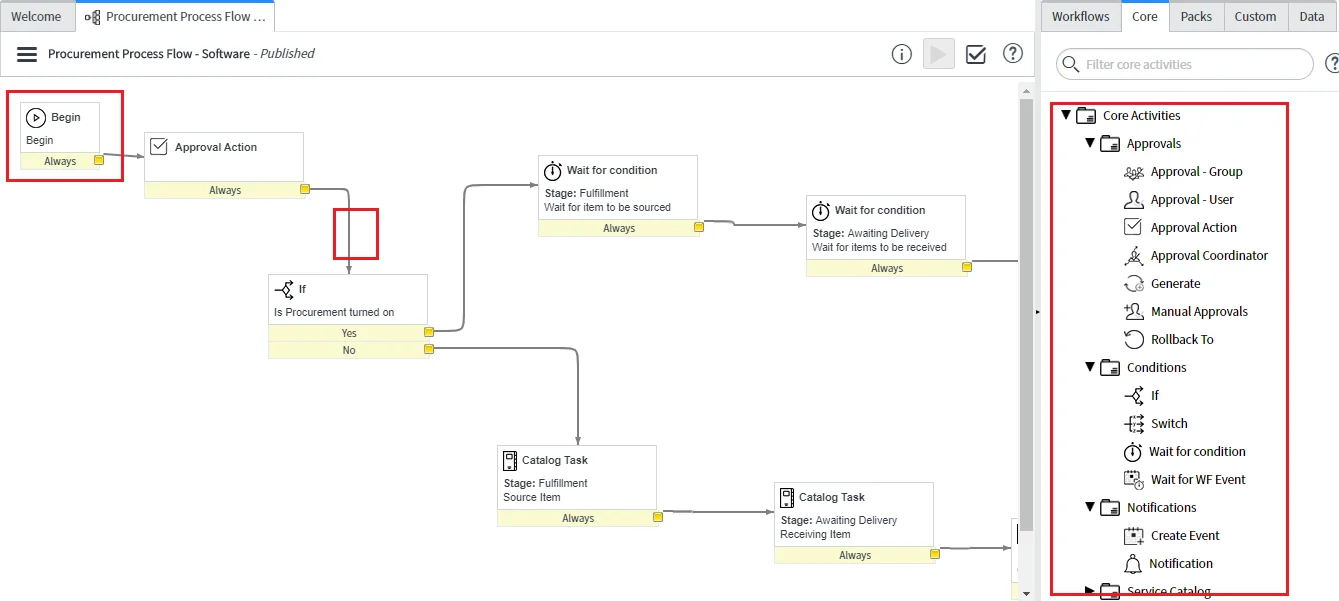
First begin by searching for Flow Designer in the application menu. The next step is to click New> Flow to form a new workflow. Set up a trigger to start your workflow, add actions as steps, use data pills to move data between those steps. Test the workflow to see if there are any errors and then turn it on to make it work.
Log into your ServiceNow instance and look up 'Flow Designer' in the application navigator.
Tap on the New button and choose Flow in the Flow designer. Give your flow a simple name and a short description so others know what it does.
You will need a trigger to get your workflow going. Just click the New button, pick the kind of trigger you want like Record updated or Record created. Set up the exact conditions that will kick off your flow.
Actions are the steps your workflow takes. Just click the plus sign to add one to your workflow. You can pick choices like sending emails, making records or assigning tasks.
Data pills let you move data between the different parts of your process. Just click the Data Pills icon to grab data from what you have already done and use it in the next steps.
The most important task is to test before you activate your flow. Choose the Test button to run your workflow and make sure all steps are implemented without mistakes.
The final step is to get the workflow live once you are satisfied with the testing. It will naturally run the specified trigger conditions anytime they are met.
Also Explore: What is a ServiceNow Developer Instance?
Here are the best practices for ServiceNow workflow design -
Read Also- How To Learn Servicenow? A Step-by-Step Guide
The given table displays an informative comparison of ServiceNow Workflow vs Flow Designer to help you choose the right tool for you.
| Aspect | ServiceNow Workflow | Flow Designer |
| Definition | A flowchart based tool used to automate processes | A modern and low code automation tool for building flows |
| Interface | Drag and Drop workflow editor with activities and transitions | Easy to use and simple interface with actions, subflows and spokes |
| Coding need | Needs scripting (JavaScript) | Low code/no code |
| Ease of use | Needs technical knowledge and less beginner friendly | Made for both technical and non technical users |
| Great for | Maintaining existing legacy workflows | Building new and maintainable automations |
| Reusability | Limited | High |
| Future Direction | Legacy, continued support but no major enhancements | Actively developed and chosen for new automation |
ServiceNow’s 2026 updates mark a historic shift from simple task-based automation to Agentic AI. The platform now uses autonomous AI specialists and digital teammates to independently execute, decide, and resolve end-to-end workflows without human intervention. it aims to act as the primary "action and governance layer" for enterprises. By combining workflows with AI agents, the company offers an orchestration system that connects scattered tech stacks without needing to replace core systems of record.
It is safe to conclude that workflows seem invisible but they are the true engine that keeps organizations running smoothly. Workflow in ServiceNow transforms how teams work together by automating routine processes, reducing errors and making sure the tasks reach the right people at the right time.
You do not need coding as most workflows can be created using the drag and drop interface. It is important to note that scripting may be needed for advanced logic.
The total time taken in creating a Servicenow Workflow can vary from a few hours to several days depending on different aspects. It depends on complexity, requirements and the version of ServiceNow.
It is possible to test, update, redeploy workflow to match changing business needs without affecting the entire system.
Yes, professionals with ServiceNow Workflow skills are in demand, especially in IT service management roles.
Workflow in ServiceNow is used to automate repetitive tasks and streamline business processes like incident management and approvals.
Course Schedule
| Course Name | Batch Type | Details |
| Servicenow Course | Every Weekday | View Details |
| Servicenow Course | Every Weekend | View Details |