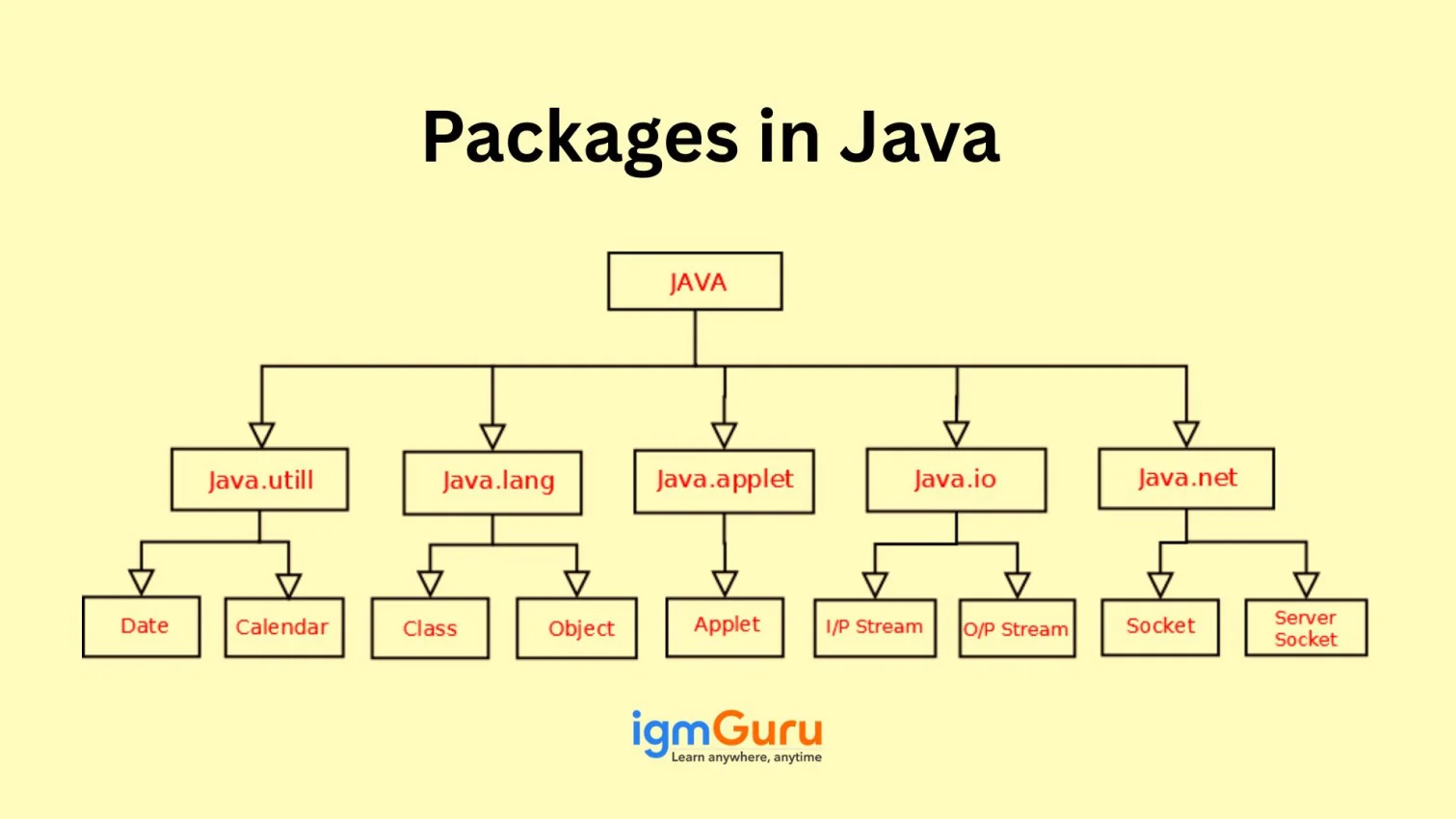
Java package is basically a mechanism used to group related classes, interfaces, enumerations, and sub-packages together. Think of it as a folder on your computer that keeps your files organized and prevents them from getting mixed up. They essentially act like folders on your computer, mapping directly to directory structures on your file system to make your codebase cleaner and easier to navigate.
You may have also heard them while learning Java programming or working on Java projects. It enables developers to easily share and scale code across complicated software projects. Do you know how they can help you or how to use them? This guide will explain to you everything you need to know before using them in your real-world projects. Let’s begin!
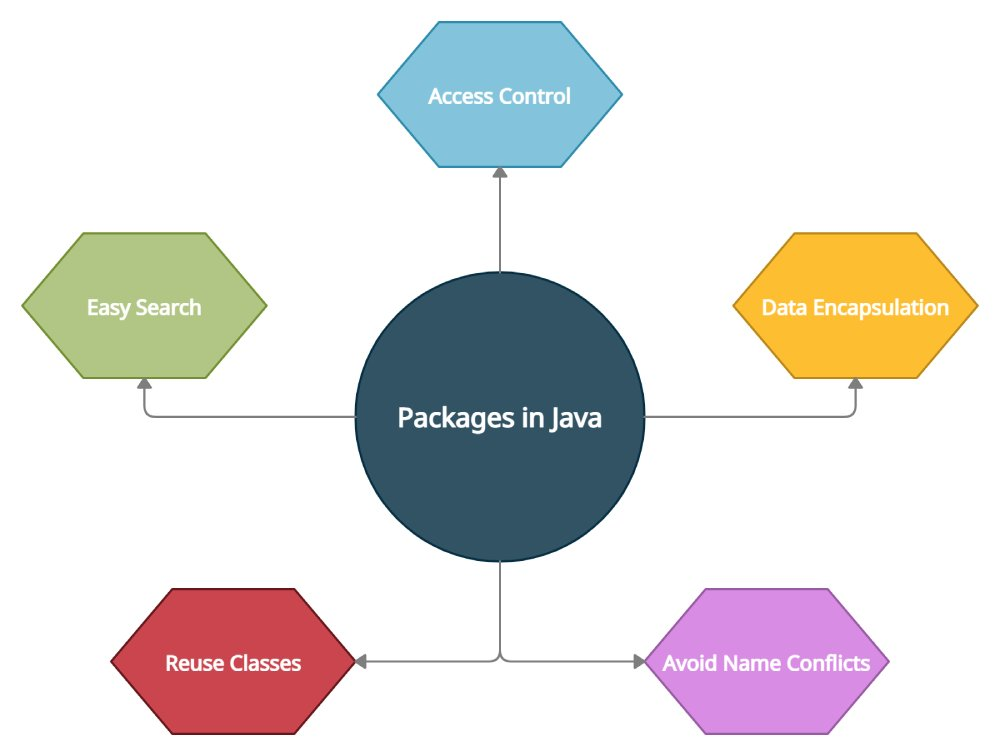
Package in Java is a mechanism used to group related classes, interfaces, and sub-packages together, much like folders on a computer organize files. They are essential for managing large projects by providing a unique namespace to avoid naming conflicts and controlling access through visibility modifiers.
A package in Java is a set of related classes that serves as a namespace, preventing naming conflicts and providing access control. It is similar to a folder in a file directory, where each package name corresponds to a directory structure. The use of these elements helps to write better and easier-to-manage code.
|
There are two types of packages available in Java that we will discuss in the further section. But before that, let's understand why and where to use these packages.
Packages in programming languages like Java are used for several key reasons, including organization, access control, namespace management and code reuse. They group related classes and interfaces that make code easier to manage, locate and reuse. Packages also help prevent naming conflicts and provide access modifiers to control visibility. Its overall benefits include:

There are a variety of applications of Java packages. Some of the most common are as following:
Related Article: Java Tutorial for Beginners
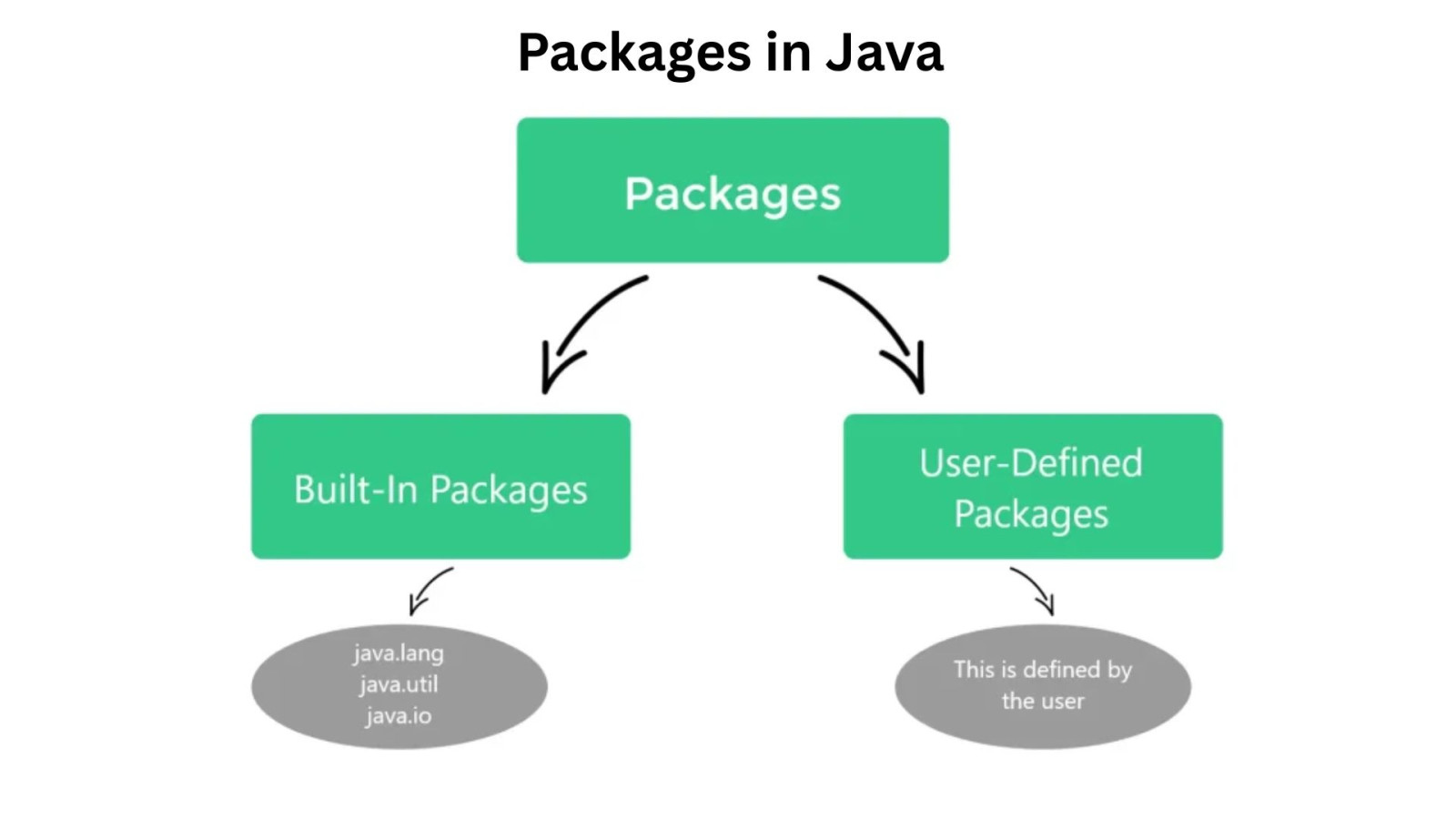
There are two main types of packages in Java, including:
Built-in package holds the classes that are part of the Java API. As their name suggests, they come by default when you install JDK (Java Development Kit). The following are some of the most important built-in packages in Java:
|
User-defined packages in Java are not readily available, as their name suggests. These are created by developers to define interfaces and classes according to the application requirements. It is defined using a unique syntax as shown below:
package packageName; |
You can see the package keyword in its syntax, it defines the package name. It is important to declare the package just before any import statements of a Java class. It is also important to ensure that all the classes are public so that you can access them from both inside and outside the package.
|
|
Related Article- How to Learn Java from Scratch
Let's take a real-world example to understand how to create and use Java packages. Creating a package involves choosing a name for the package. This name should include a statement along with their name at the top of the source files.
This source file should contain all the elements like classes, enumerations, interfaces and annotation types. If not using the statement all the elements will be automatically placed in the default package.
Let's create an online shopping system with different functionalities like managing products, handling orders and processing payments. Each of these can use a separate package through the following steps:
Use a reverse domain name convention for package names to ensure uniqueness like:
com.example.shop.product com.example.shop.order com.example.shop.payment |
On the file system, this structure translates to directories:
src/ |_____ com/ |______ example/ |________ shop/ |------------ product/ |------------ order/ |------------ payment/ |
package com.example.shop.product; public class Product { private String name; private double price; public Product(String name, double price) { this.name = name; this.price = price; } public String getName() { return name; } public double getPrice() { return price; } } |
package com.example.shop.order; import com.example.shop.product.Product; // Importing a class from another package import java.util.List; import java.util.ArrayList; public class Order { private int orderId; private List<Product> items; public Order(int orderId) { this.orderId = orderId; this.items = new ArrayList<>(); } public void addItem(Product product) { this.items.add(product); } public double getTotalAmount() { double total = 0; for (Product item : items) { total += item.getPrice(); } return total; } } |
package com.example.shop; // This class is in the base 'shop' package import com.example.shop.product.Product; import com.example.shop.order.Order; public class Main { public static void main(String[] args) { Product laptop = new Product("Laptop", 1200.00); Product mouse = new Product("Mouse", 25.00); Order customerOrder = new Order(101); customerOrder.addItem(laptop); customerOrder.addItem(mouse); System.out.println("Order ID: " + customerOrder.getOrderId()); System.out.println("Total amount: $" + customerOrder.getTotalAmount()); } } |
Use src directory or use an IDE (like IntelliJ, Eclipse, VS Code) or build tools (like Maven or Gradle) which handle package compilation automatically. From src directory:
javac com/example/shop/product/*.java com/example/shop/order/*.java com/example/shop/*.java java com.example.shop.Main |
This simple example demonstrates how packages help organize your code into logical units (product, order), making it more manageable and preventing class name collisions, just like putting your clothes in the "clothes" drawer and your books in the "books" shelf.
It is not necessary to create a Java package each time you want to use it. This programming language has an essential statement that is used to import an entire package. The above example is an instance of this statement. You can also use only particular interfaces and classes defined in the package.
Here is a general for of important statement in Java:
import package.name.ClassName; // To import a certain class only import package.name.* // To import the whole package |
Example: The use of import statements is optional in this programming language. Here is an example showing how to use a class/interface from a certain package.
import java.util.Date; class MyClass implements Date { // body } |
It is also possible to do the same via using a qualified name, which should contain its full package hierarchy.
class MyClass implements java.util.Date { //body } |
The organization of packages within a file system directly reflects their naming convention. A package's hierarchical structure is maintained through a corresponding directory tree, where subpackages are represented as nested subdirectories.
Relative to the source code's root, a package such as com.example.myapp would resolve to the path com/example/myapp/. Within these designated package directories, the compiled .class files associated with the package's classes are stored.
In this blog post, we have discussed all the aspects of packages in Java. Now you may have a concept clarity on types of packages, their pros and cons, and how and where to use them. It will help you build new skills to become a successful Java developer. It is also recommended to use some additional resources like tutorials or online courses for those who want to become an expert of this programming language.
Related Resources
If you do not declare a package for your classes using the package keyword, they will automatically be placed in the default package in case of small projects. If you are working on a large project, it can lead to naming conflicts and make code organization challenging.
You should import a specific class when you only need a few classes from a particular package. Conversely, importing an entire package is convenient when you anticipate using many classes from that package.
The directory structure on your file system directly mirrors your Java package names. For instance, a package named com.example.shop.product requires a corresponding directory path like com/example/shop/product/ relative to your source code's root.
No, packages do not impact application performance. They are used only to organize and manage code.
Yes, packages support access control in Java. They work with access modifiers to manage class and member visibility.