Have you ever run a Python program that suddenly crashed because of a tiny mistake? The reason might be anything, like zero, missing a file, or typing the wrong variable name? The question is how to avoid the crash? That’s where exception handling steps in. Python Exception Handling is the process of detecting and managing unexpected errors that occur while a program is running.
The Python programming language gives you tools like try, except, else and finally to handle those errors gracefully. In simple terms, it’s Python’s safety net that keeps your code from breaking mid-way. So, do not panic about these errors. Just explore this guide and learn the usages, best practices and the latest features of Python Exception Handling.
In Python, syntactically correct code may still fail at runtime—for example, dividing by zero, accessing attributes of None, or missing files. When this happens, Python raises an exception, which is a signal that the normal flow of execution cannot continue unless the exception is handled.
|
Here, the program didn’t crash due to bad syntax, but it failed at runtime. But why? Look, exceptions differ from syntax errors, and syntax errors prevent code from ever running. Hence, exceptions happen during execution.

Let’s understand the significance of Python Exception Handling. Imagine you are writing scripts or applications that interact with I/O, networks, user input, databases or other systems. This will require you to anticipate failure and design for graceful handling to avoid the crashing of tools in production. This can only be ensured by using Exception Handling. Now the question is how? Let’s start with the basics. Exception handling is one of the most demanded Python developer skills today.
The try, except, else and finally are the key building blocks of Python exception handling. Here is how you can use them:
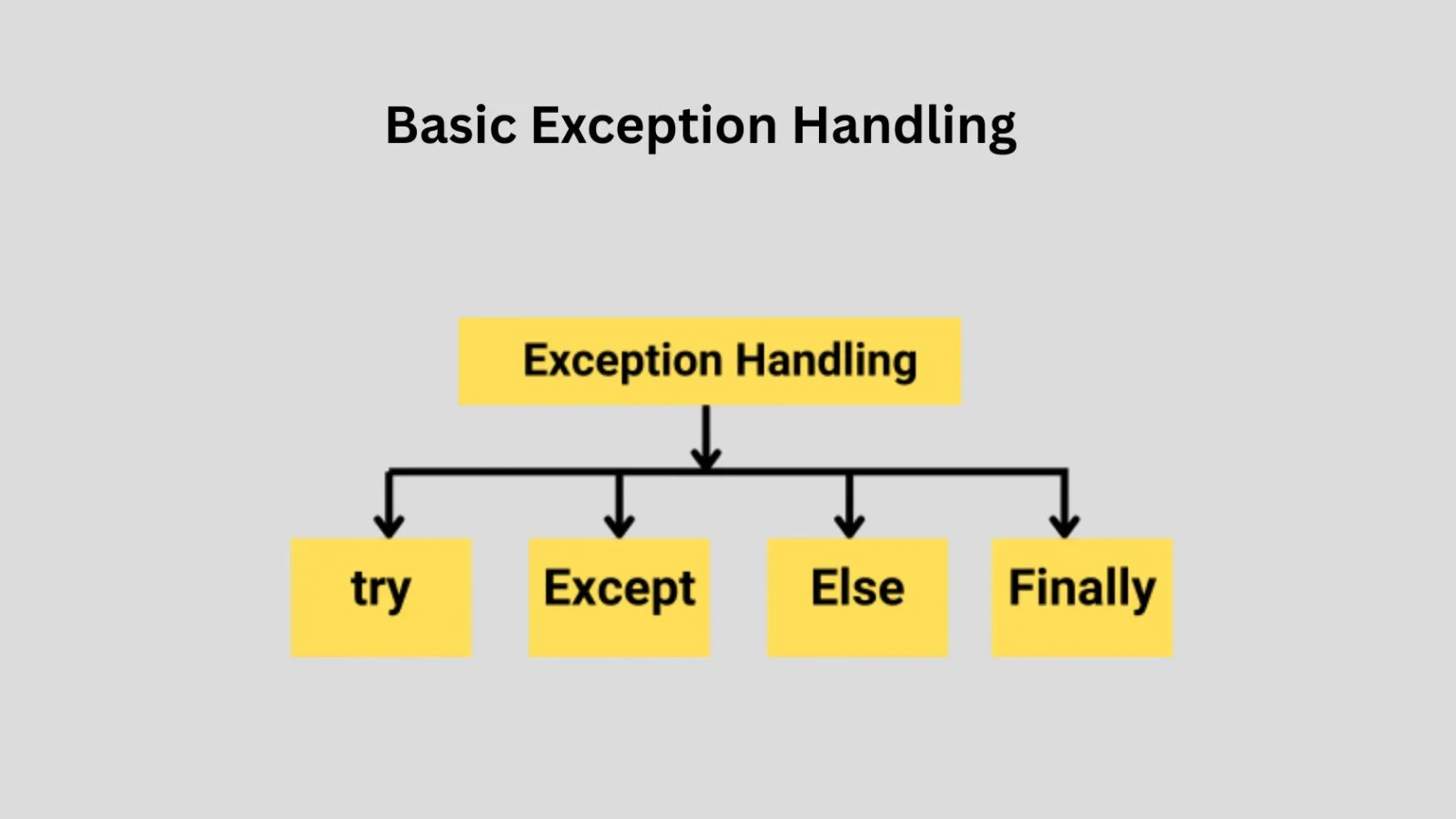
The try block lets you wrap code that might raise exceptions; the corresponding except block catches and handles them.
|
The else clause executes only when the try block does not raise an exception. This is useful to separate the normal flow from error-handling logic.
Regardless of whether an exception occurred or not, the finally block executes. You typically use this for cleanup (closing files, releasing locks, etc).
You can catch specific exception types, and optionally provide a generic fallback:
|
Be cautious: using a bare except: catches all exceptions (including KeyboardInterrupt, SystemExit), which is often not desired. Use except Exception: if you want to catch “normal” exceptions.
Related Article: Python Function
Now we will understand the Raising and Chaining Exceptions.
You can deliberately raise exceptions when a condition occurs in your code:
|
When you raise an exception manually, you signal the calling code to handle this scenario.
When you catch an exception and you want to propagate it (or preserve context), you can chain exceptions. In Python, you can do:
|
This sets __cause__ or __context__ so the traceback retains the original exception.
Why this matters: in layered applications (modules calling other modules), you may catch an error, log or wrap it, and then re-raise it so higher-level code still sees the original cause. Larger applications are organized using Python packages.
It’s often good practice to define your own exception types (subclassing Exception) so your API has clear semantics.
|
Then your modules can raise ConfigurationError, etc, rather than generic types.
Let’s work through realistic scenarios.
|
Here we handled two specific I/O exceptions, still cleaned up with finally, and optionally re-raised for higher-level handling. This example also demonstrates file handling in Python.
|
When you iterate over external data (user input, CSV, etc), handling per-item exceptions ensures one bad value doesn’t abort the whole loop.
|
In this example, you see the use case of cleanup (rollback, close), selective catching and propagation.
Let’s elevate your understanding by applying best practices that separate average code from professional-grade code. These tips are aimed at your audience of IT professionals and early career engineers.
Avoid except Exception: broadly catching everything unless you have a good reason. Masking exceptions makes debugging difficult.
Keep the "happy-path" code clean and separate error-path code (the except/else blocks). Use else to run logic only when no exceptions occur.
Resources like files, sockets or locks must be released. Use finally, context managers (with) and avoid leaving resources open.
Catching exceptions and doing nothing (empty except:) is dangerous. At minimum log the error, perhaps re-raise.
Production apps should log exceptions with full stack-trace details and metadata (user, request, context) so you can diagnose issues later.
Define domain-specific exceptions so clients of your code can write more specific handling logic.
If you catch only to add context or log, but then cannot fully handle the error, re-raise to allow higher-level code to decide.
When processing batches, catch exceptions, log/track failures, but continue to the next item unless the error is fatal.
Instead of relying only on finally blocks, use context managers with the with statement whenever resources such as files, database connections, or locks need to be managed. Context managers automatically perform cleanup even when exceptions occur.
Related Article: Python Testing
As you aim to stay current, it is important to be aware of the latest updates. The recent versions of Python bring significant enhancements to exception handling. Let’s highlight the key new features.
In Python 3.11, tracebacks now pinpoint not just the line but the precise sub-expression that caused the error. For example:
|
This improves debugging efficiency.
Starting in Python 3.11, exceptions have an add_note() method so you can attach custom notes:
|
When the exception is printed, the notes appear in the traceback. This is a powerful addition for diagnostics.
One of the major enhancements: Python 3.11 introduces ExceptionGroup (and BaseExceptionGroup) to represent multiple simultaneous exceptions, and the except* syntax to handle them. Example:
|
This feature is especially useful in concurrent/asynchronous code where multiple errors may propagate together. It allows grouping and filtering.
Though more peripherally relevant to exception handling, Python 3.11 brings performance improvements (~10–60% faster than Python 3.10) plus improvements in error-reporting generally.
In this article, we covered the spectrum of exception-handling in Python. It starts tarting from basic try/except constructs, through real-world examples and patterns, and culminates in the advanced features introduced in recent Python versions such as Python 3.11. You can further explore other Python concepts with our comprehensive guide. For a quick syntax reference, you can also use this Python cheat sheet.
Learn Other Python Concepts with Our Comprehensive Guides:
Every error in Python is an instance of a class derived from BaseException, which allows developers to handle both built-in and custom exceptions in a uniform way. We can say Python’s exception handling is more intuitive and object-oriented in comparison to other programming languages.
Yes, it can. While exception handling is crucial for building reliable systems, using too many try-except blocks in performance-critical loops can slightly impact execution speed.
Errors generally refer to syntax or compilation problems that prevent the code from running at all. Exceptions occur at runtime after the code has been parsed successfully.
Exception handling is widely used across industries and domains, including: