Have you ever bought a journal to organize all your thoughts into it? I hope it's a yes. Similarly, the digital world is overfilled with information that keeps on adding. NoteBookLM, a generative AI-based tool, is your digital space to not only store notes but to spark them into informative insights. It gives a corner of clarity for everyone who is running from piled-up information.
This blog, 'What is NotebookLM,' is the right place to begin making the most of that transformation. It is time to understand this amazing insight amplifier introduced by Google through its meaning, functions, features, limitations and how to put it into use to make the most of it. Let's turn structured from scattered.
TL;DR (Sort Summary)
- NotebookLM is Google’s AI-powered research and note-taking tool that turns your own sources into useful insights. You can upload documents, ask questions, and get source-based summaries instead of searching through everything yourself.
- Its most useful features include Audio Overviews, Video Overviews, Mind Maps, study guides, FAQs, timelines, and source-grounded chat, making large amounts of information easier to understand and review.
- NotebookLM is especially useful for studying, research, writing, and organizing complex information, with support for different source types and Google ecosystem integration.
Google's NotebookLM (Language Model) was formerly known as Project Tailwind, introduced as a research assistant and Gemini-powered note-taking tool for multiple purposes in July 2024. Its potential can be witnessed from the fact that it was first designed for students, but got recognition for its capabilities to be utilized for a broader purpose.
This free and AI-powered tool by Google helps you with research and writing. You can add different types of content to it, like PDFs, Google Docs, or website links, and it will organize everything into a notebook. The AI tool can then help you by summarizing the information, pulling out the main points, and answering questions based on what you've added. It's a helpful way to better understand complex topics and save time while studying or working.
Let's see how one can capture and organize their thoughts in a transformative way with NotebookLM.
The first step is to choose and upload your documents like text files, PDFs, web pages, YouTube videos, Google Docs and many more resources like these. A single user can upload up to 50 files, each containing about 500,000 words. I have taken one of my favourite novels in the PDF format to show you how NoteBookLM does its magic.
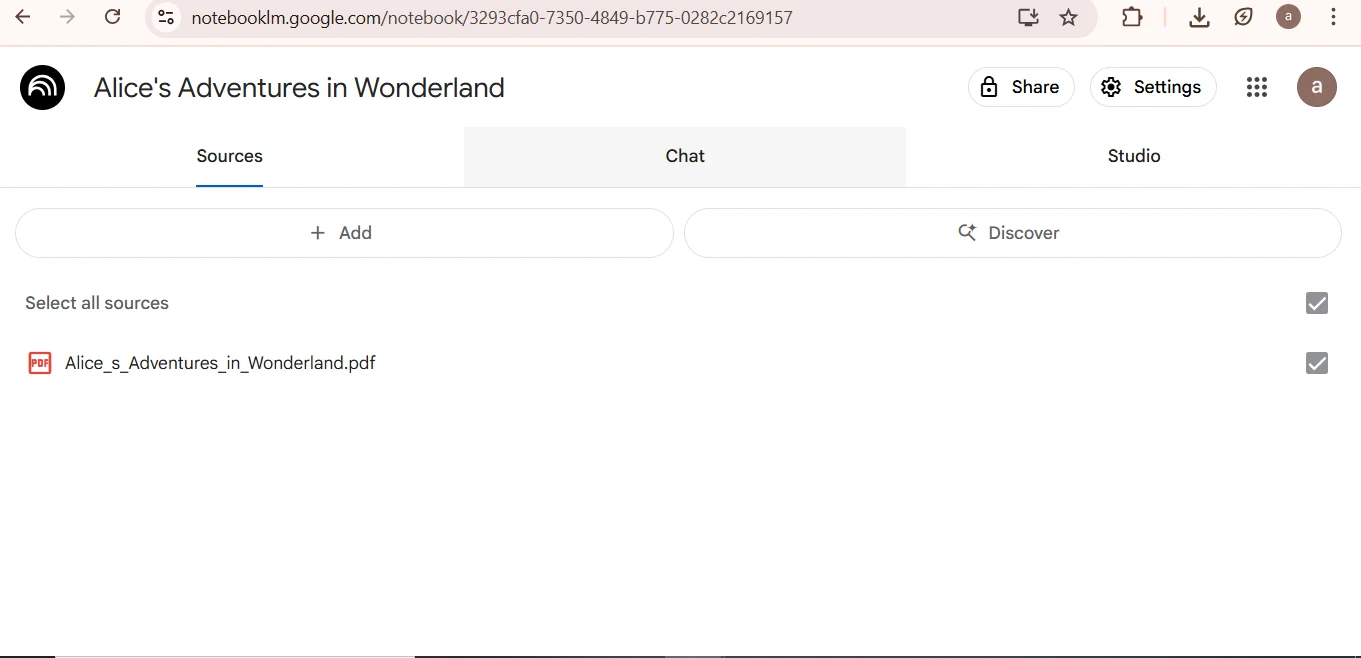
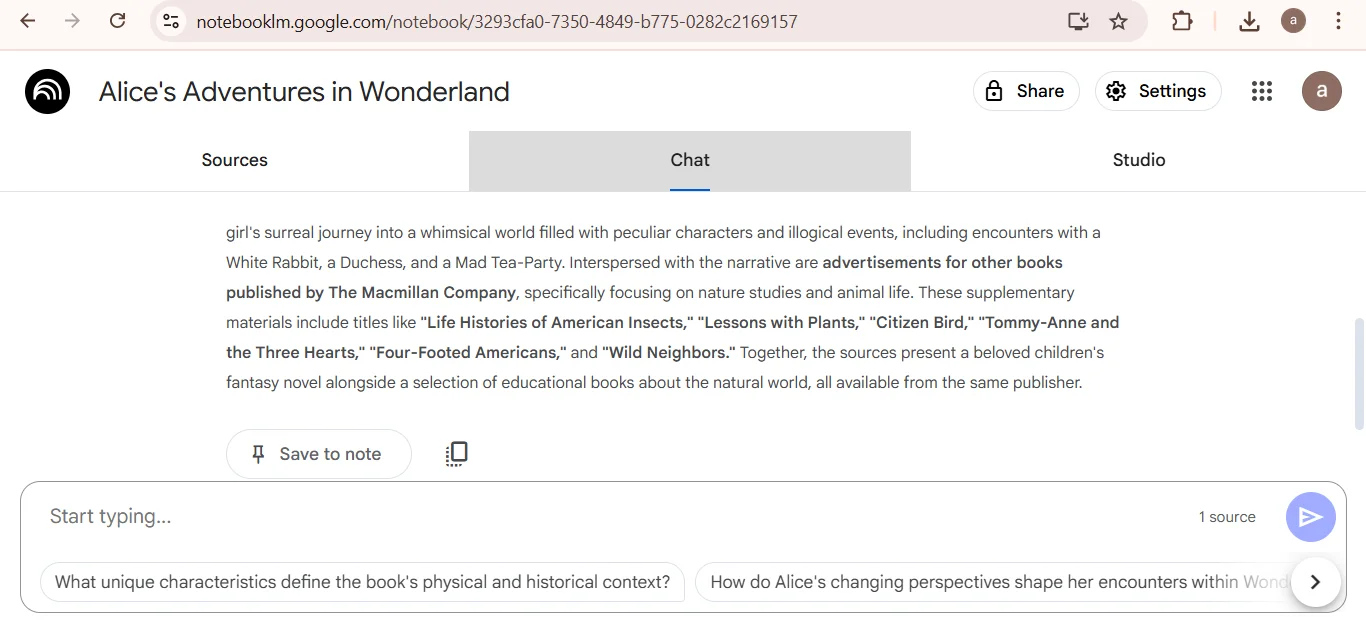
Click on the 'chat' option after uploading your document to get a crisp and informative summary. This tool generates intriguing summaries of the uploaded content after analyzing it, along with suggesting follow-up questions for comprehensive understanding.
Click on the 'Studio' option to explore the following features -
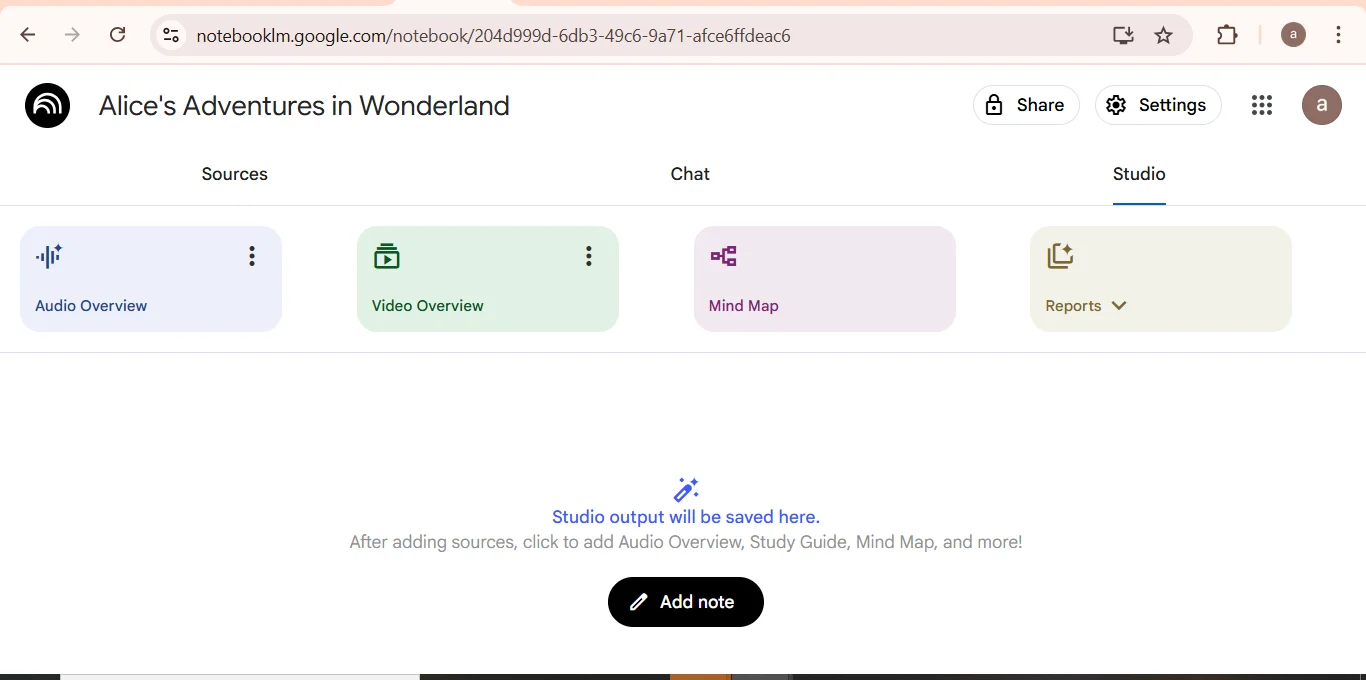
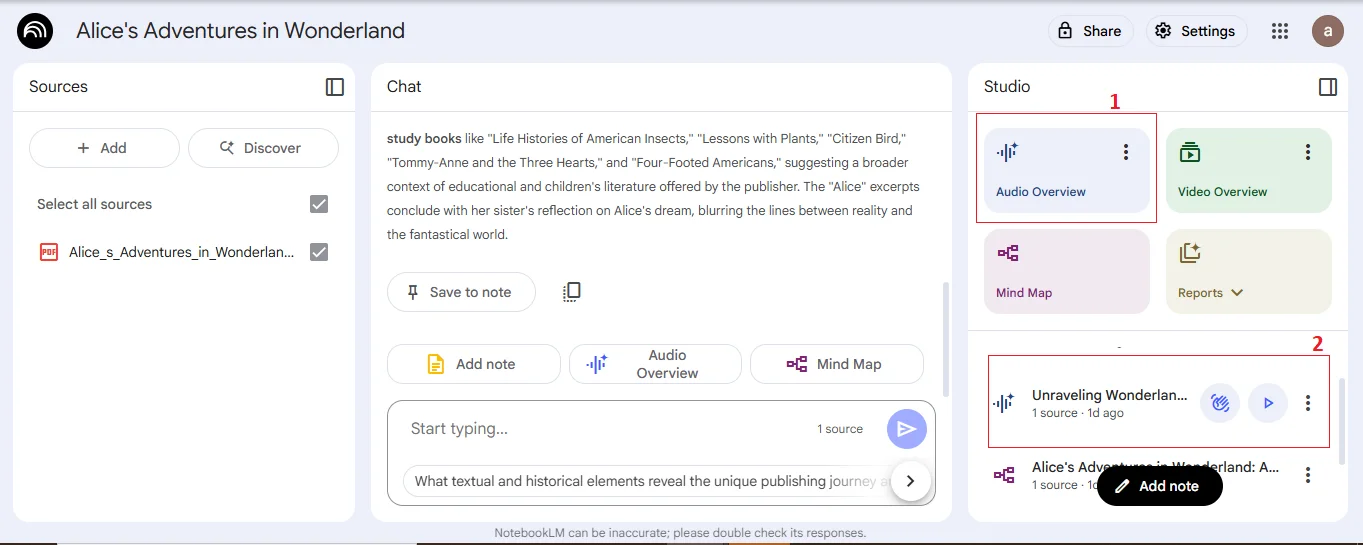
This feature delivers Podcast-style AI summaries of the given notes or sources. It supports interactive mode, so you can interact and ask real-time questions. I was able to generate a gripping audiobook to listen to while doing my regular activities. You can also share, rename, download or delete it. Do not forget to share your feedback by clicking on the thumbs down or thumbs up symbol.
Audio Overviews are also being worked on for non-English users. Only short summaries were available in other languages in the past, while the full version was limited to English. Now, users can get more detailed overviews in over 80 languages with the option to stick to shorter summaries.
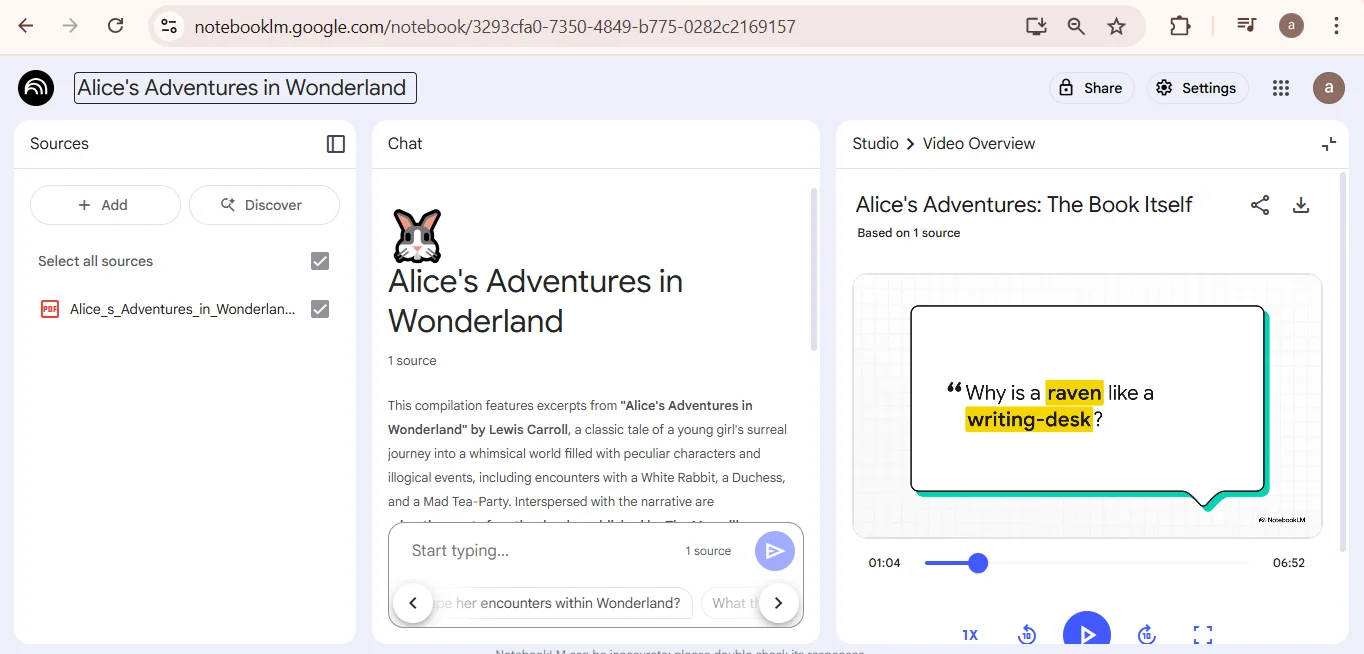
This option helps you convert documents or given sources into narrated slideshow-style videos with the help of Gemini AI. You can also customize topics, learning objectives and your target audience as well. These visuals highlight key points while integrating diagrams, images, quotes and data from your documents.
These Video Overviews feature support for about 80 languages, including Japanese, French, Spanish, German and more. I got a carefully curated video on my given topic, with the most important elements being highlighted in it through the slides.
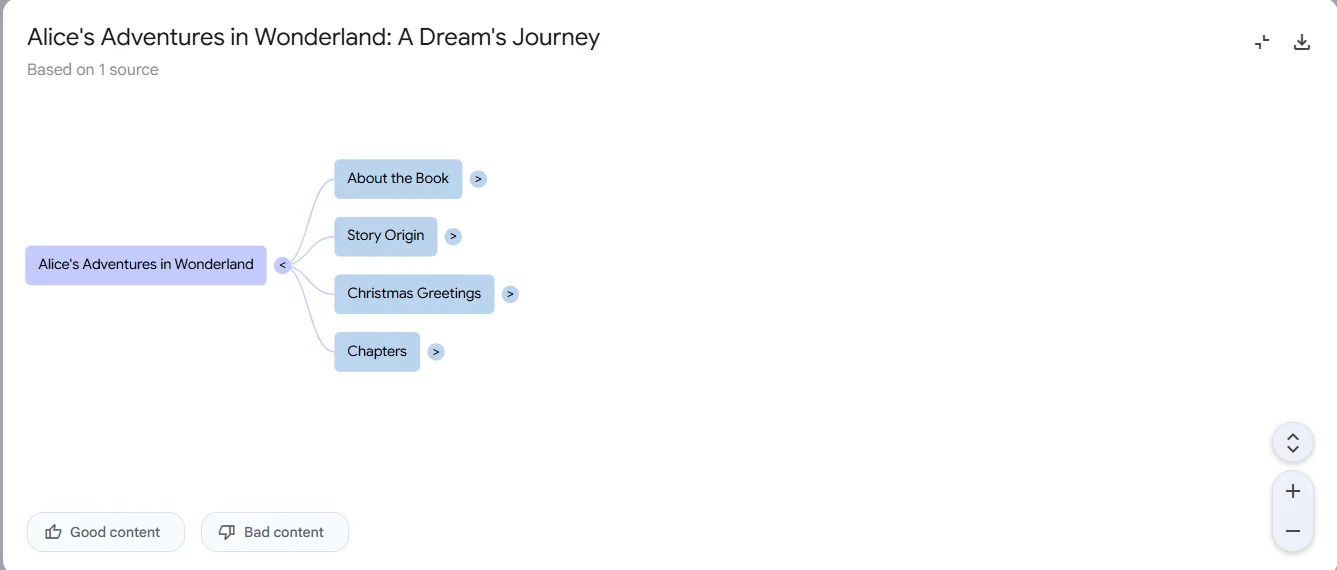
The third feature gives you an informative diagram that visualizes connections and associated ideas around the given topic. It reads the uploaded source and detects the important topics or subtopics. You get a mind-map displaying the concepts as connecting lines.
This is what I got for my topic's mind map. One of its best parts is that I can click on any node to expand the subtopics. It provided me with key quotes and brief summaries of my topic.
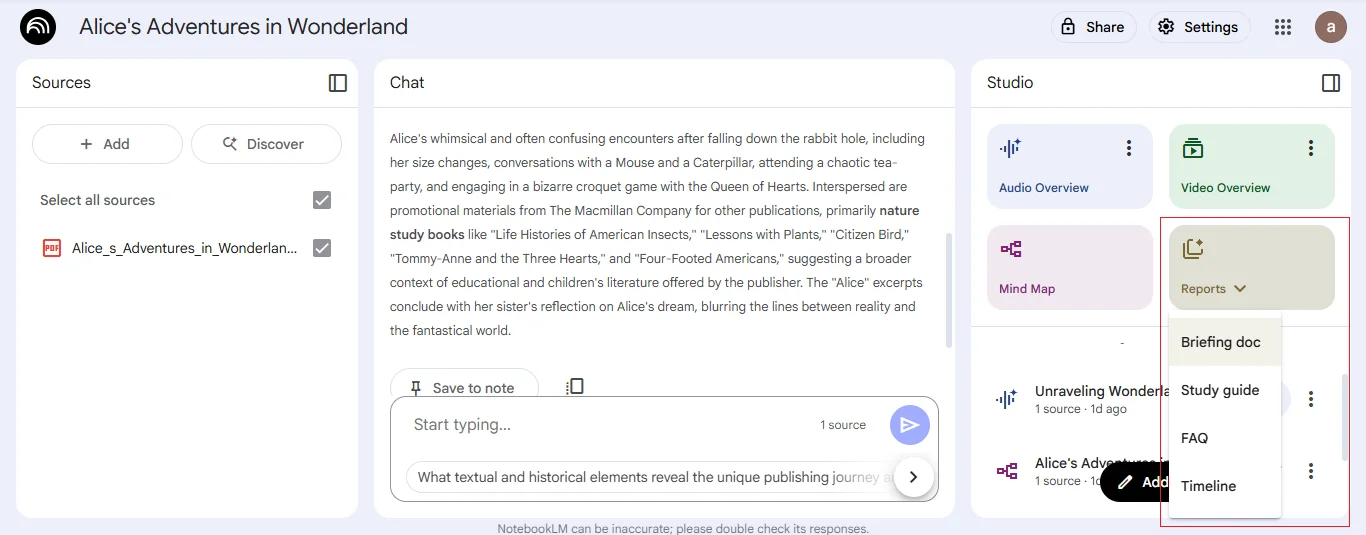
NotebookLM's this feature allows you to get structured writer outputs including -
i) Briefing document - Summarized information on a given topic.
ii) Study guide - Highlights major points in the content.
iii) FAQs - Brief questions and answers from the content.
iv) Timeline - This gives a summary of events based on historical records and guides in chronological order.
It's time to prepare you to begin your journey with NotebookLM to sort your scattered notes and thoughts.
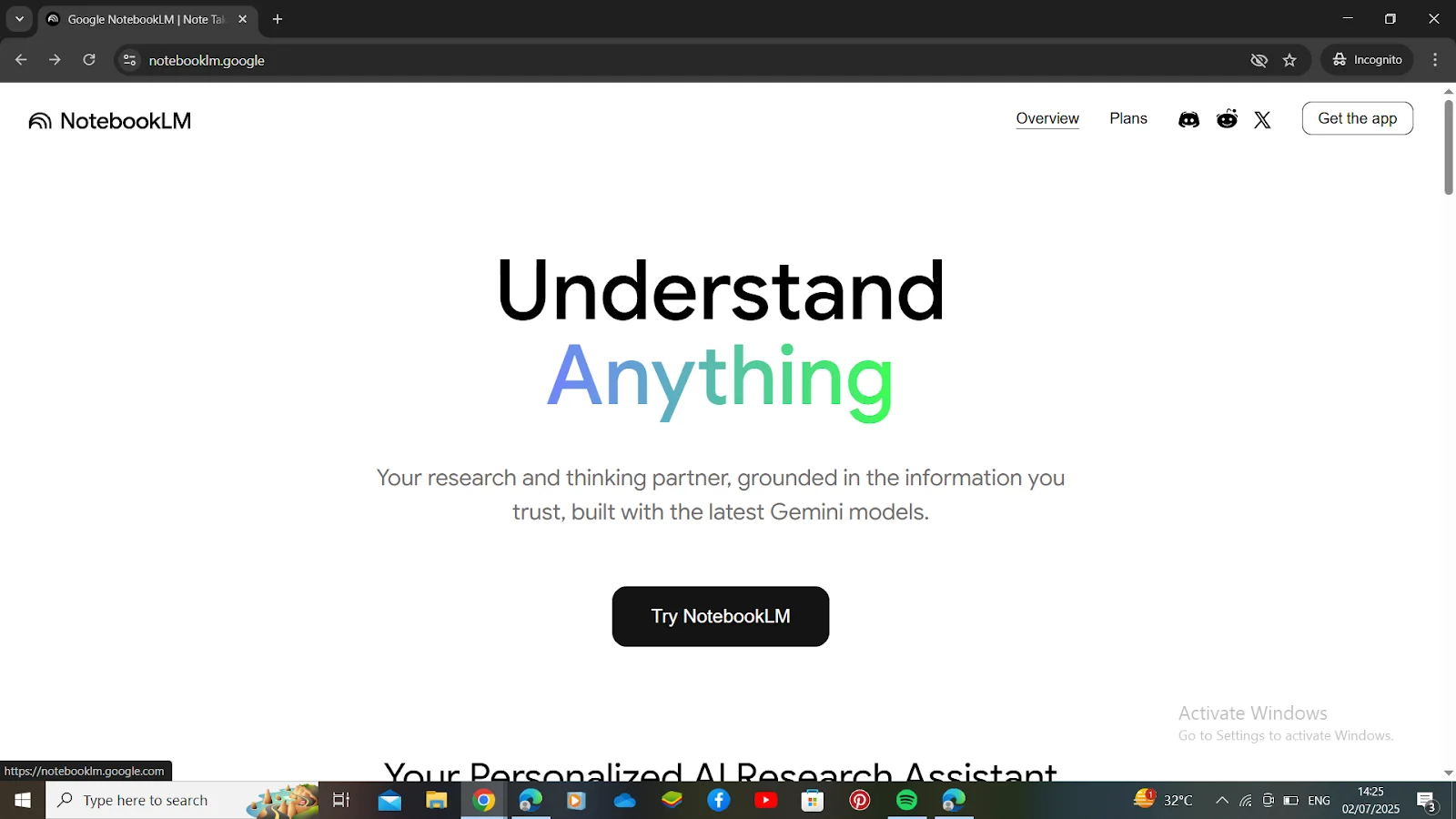
Visit the NotebookLM website, click on 'Try NotebookLM', and log in through your Google account to begin with.
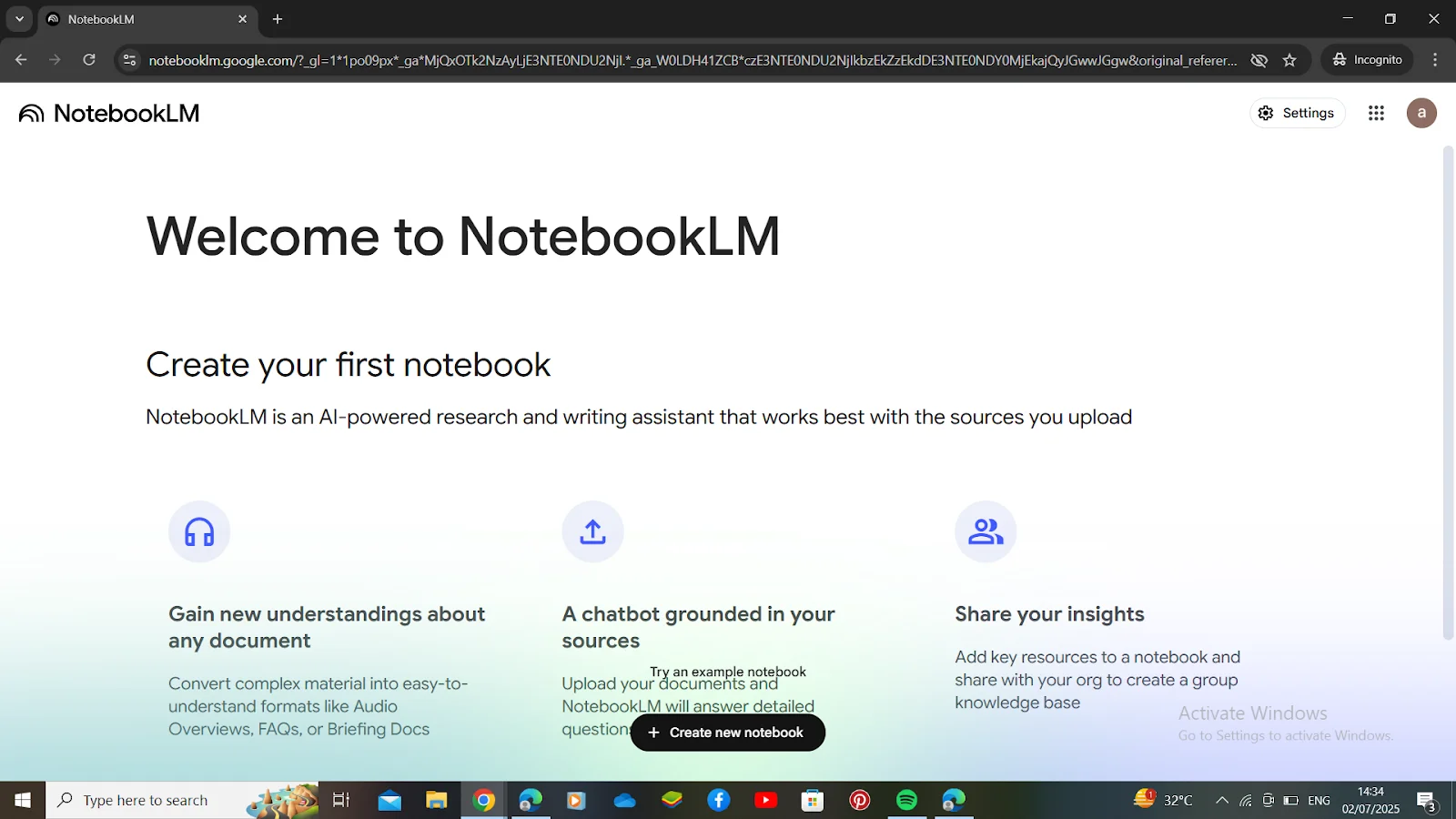
After signing in, it's time to begin with your first notebook by clicking on 'Create New Notebook'.
After following the second step, you will be led to uploading your document to initiate a notebook. Here are some different options to upload a doc -
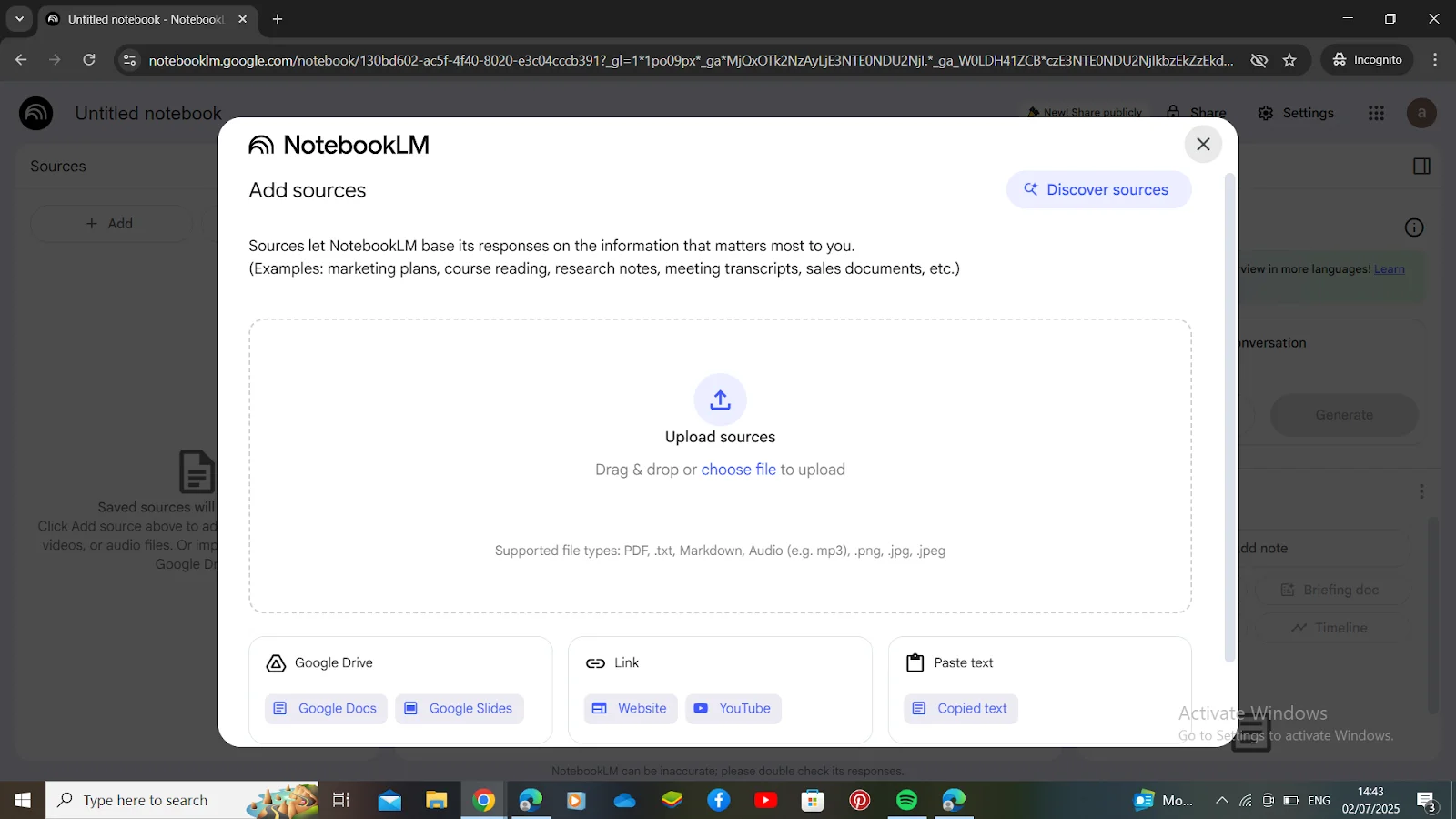
Once you successfully follow all three steps, allow this tool to do its magic.
Also Read- Generative AI Interview Questions
Here are the advantages of NoteBookLM to understand what it has to offer -
Each generated outcome consists of the links to the exact given source. This makes it easy to re-check facts and ensure the tool's transparency.
The simplified design of the platform makes it accessible for everyone to use it. One does not require strong technical expertise or advanced commands to learn how it works. All it takes is uploading the content and beginning to interact with it to get the desired outcome.
Google ensures that a user's private documents are not used to train its language models. Users can upload their proprietary or sensitive content without worrying about the content's security.
NotebookLM allows users to import their Google Docs without any extra steps as it connects directly to Google Drive. This ensures effective collaboration and referencing, allowing you to evaluate your documents or create content without quitting the Google ecosystem.
NotebookLM will fit just right into the workflow of users who are already in the Google groove with Docs, Gmail, and Drive. There is no need to interact with third-party integrations or extra sign-ups. It will work perfectly fine with your regular tools.
There are a few curbs of this tool to keep in mind while using it.
Related Article- Generative AI Tutorial
Here are some important features of NotebookLM.
Google NotebookLM's Audio Overview function helps you interact with uploaded material more easily and hands-free. This tool changes documents like reports, plans, and papers into a spoken podcast. It's great for people with busy schedules because it lets you quickly review key information while commuting, in meetings, or doing several things at once, all without needing to read long documents.
Imagine getting ready for a meeting about a long, detailed report on hybrid cloud use. Instead of reading all 50 pages, you can upload it to NotebookLM and make an Audio Overview. NotebookLM will then sum up the main points and pull out important pieces, like use plans and security steps.
You can adapt the audio summary to focus on main ideas, like security. This makes sure you get the exact insights you need in a short format.
Google NotebookLM centers on making a custom AI model from the content you give it. It starts with uploading and arranging your sources. Other AI tools use general web knowledge, but NotebookLM uses your uploaded items to form its replies.
If you're an IT leader handling a multi-cloud plan, you can upload different sources to check performance, costs, and security rules:
NotebookLM handles these sources and puts them into one notebook, so you can easily search documents for important points. You can ask, "What cost changes did the report show between AWS and Azure for storage?" or "What moving issues came up in the discussion?" This helps you get useful info directly, which makes it simpler to write suggestions or decide on your cloud plan.
NotebookLM helps you summarize uploaded content and make structured outlines, bullet points, FAQs, or even timelines. This is helpful for IT leaders who want to understand a lot of technical content fast or make useful summaries of detailed reports, white papers, or internal documents. Main things it does:
Say you are reading a detailed e-book on hybrid and multi-cloud strategies to get ready for a future cloud change project. If you use the 'Briefing Doc' option, NotebookLM will automatically shorten the e-book, taking out the main ideas, key results, and needed facts about hybrid cloud setup, connection plans, and multi-cloud security.
This lets you quickly understand the needed plans without reading the whole document, giving you the details you need to make smart choices for your cloud setup.
One of the best things about Google NotebookLM is that it answers plain language questions using the content you give it. Instead of looking through many documents, reports, or transcripts, you can just ask questions. NotebookLM gives you answers based on information from your sources.
This is helpful for IT heads who have to get information from many technical documents, research papers, or industry reports. If you are looking at security checks, performance numbers, or rules papers, this function saves time and makes sure you get correct answers with data to back them up.
For example, imagine you are an IT head improving your company's cloud security. You have added:
Instead of reading these documents yourself, you can ask NotebookLM questions such as:
NotebookLM checks the materials you added and gives answers with links to the exact parts or timestamps in your documents. This saves you the time of looking for the information yourself. It is good for preparing security updates, presentations, or making fast choices based on the newest information.
Google NotebookLM's Notes Integration lets tech leaders easily create and add custom content to the platform's knowledge system. Whether it's noting key points, giving context to reports, or arranging thoughts, the Notes feature lets users include their content in the system's overall understanding.
The function improves one's ability to control how the system deals with and refers to uploaded documents, so it is easier to get more fitting and custom results.
Say you're checking a long vendor report for a multi-cloud setup project and want to add personal comments or context for later. Using the Notes Integration feature, you can type thoughts right into the system. Later, when asking NotebookLM about the report, the notes will be part of the analysis, making sure personal observations match the output.
NotebookLM has evolved from just summarizing your documents into an active AI research assistant. Its Deep Research mode scans trusted online sources, extracts verified points, and builds structured output like summaries or reports - based on what you're trying to learn or create.
Suppose you're researching "Hybrid Cloud Security."
Deep Research gathers insights from credible sources, highlights breaches, best practices, and compliance suggestions. It will then convert that information into short reports with clear points.
How To Use
NotebookLM now allows more types of documents. Beyond PDFs and Google Docs, you can upload Sheets, Word files, scanned notes, and even images. This makes NotebookLM more versatile for corporate content, research, or structured datasets.
You're handling a product pricing sheet in Google Sheets.
Upload it and chat with NotebookLM:
"What pricing trend changes happened from Q2 to Q4?"
Earlier, NotebookLM answered questions plainly. Now you can share detailed instructions (up to 10,000 characters) to shape its tone, depth, writing style, or role. It behaves as your personalized assistant - for teaching, drafting outlines, reviewing content, planning projects, etc.
You want NotebookLM to act like a "technical reviewer."
You define:
"Review all cloud-related content at an intermediate level. Check compliance points and highlight missing risks."
NotebookLM's mobile version is now significantly useful. You can upload handwritten notes by taking pictures, receive document summaries, and even generate slide-style outputs. This is ideal for productivity while traveling.
You attend a meeting and take a photo of a whiteboard.
NotebookLM extracts key points and gives you an organized summary with action items.
NotebookLM is no longer limited to summaries.
You can convert your documents into visual learning formats. This is ideal for onboarding, training, teaching, and presentations.
You upload a cybersecurity report and ask:
"Generate a 6-slide deck explaining vulnerabilities and mitigations."
NotebookLM structures the content into clean slides.
Also Read- ChatGPT Agent: Ultimate Guide to OpenAI's AI Assistants
Let's discuss some use cases of NotebookLM.
HR departments are improving how they onboard employees by using NotebookLM to create training that is both active and catered to the individual. The system processes employee handbooks, company rules, and training documents to make detailed guides that change based on different ways people learn. By putting information into organized notebooks with clear learning steps, HR can make sure everyone gets the same basic knowledge. New workers can also look into particular subjects in great detail thanks to the platform's features, which leads to employees who are more involved and ready.
R&D groups are using NotebookLM to change how they handle and share technical facts in their companies. The platform is good at combining data from research papers, test results, and technical guides, making key summaries that keep the details that are important for science. Teams can make documents that grow with their research, letting them see important quotes, watch how projects grow, and make sure important ideas are saved and easy for everyone to get to.
Sales groups are getting better at their jobs by using NotebookLM to build and keep up-to-date sales playbooks that stay current with the markets. The platform examines product documents, customer stories, and competitor data to make detailed comparison charts and sales plans. By teaching NotebookLM specific industry words and customer issues, sales teams can quickly get to the information they need, learn how to handle problems, and gain ideas about the competition. This helps them react better to what customers want.
Market intelligence teams are transforming their research capabilities by using NotebookLM to process and synthesize vast amounts of market data. The platform can analyze multiple sources simultaneously, including market reports, competitor websites, and industry publications, to identify trends, opportunities, and potential threats. Teams can continuously update their competitive intelligence by adding new sources, allowing NotebookLM to automatically integrate fresh insights with existing analysis and generate comprehensive market perspectives.
Executive teams are utilizing NotebookLM to improve their strategic planning processes by leveraging its ability to analyze and synthesize complex business information. The platform processes strategic documents, market analyses, and performance reports to generate comprehensive insights that inform decision-making. By creating dedicated notebooks for different strategic initiatives, leaders can explore scenarios, track progress, and ensure all stakeholders have access to the latest strategic thinking and supporting data.
Business development teams are streamlining their proposal creation process by using NotebookLM to analyze past successful proposals, client requirements, and industry research. The platform's ability to identify relevant quotes and insights from source materials helps teams create more targeted and compelling proposals. Teams can maintain a database of successful proposals and client feedback, allowing NotebookLM to generate insights that improve win rates and client satisfaction.
Read Also- Cursor AI: The Ultimate Guide to the AI-First Code Editor
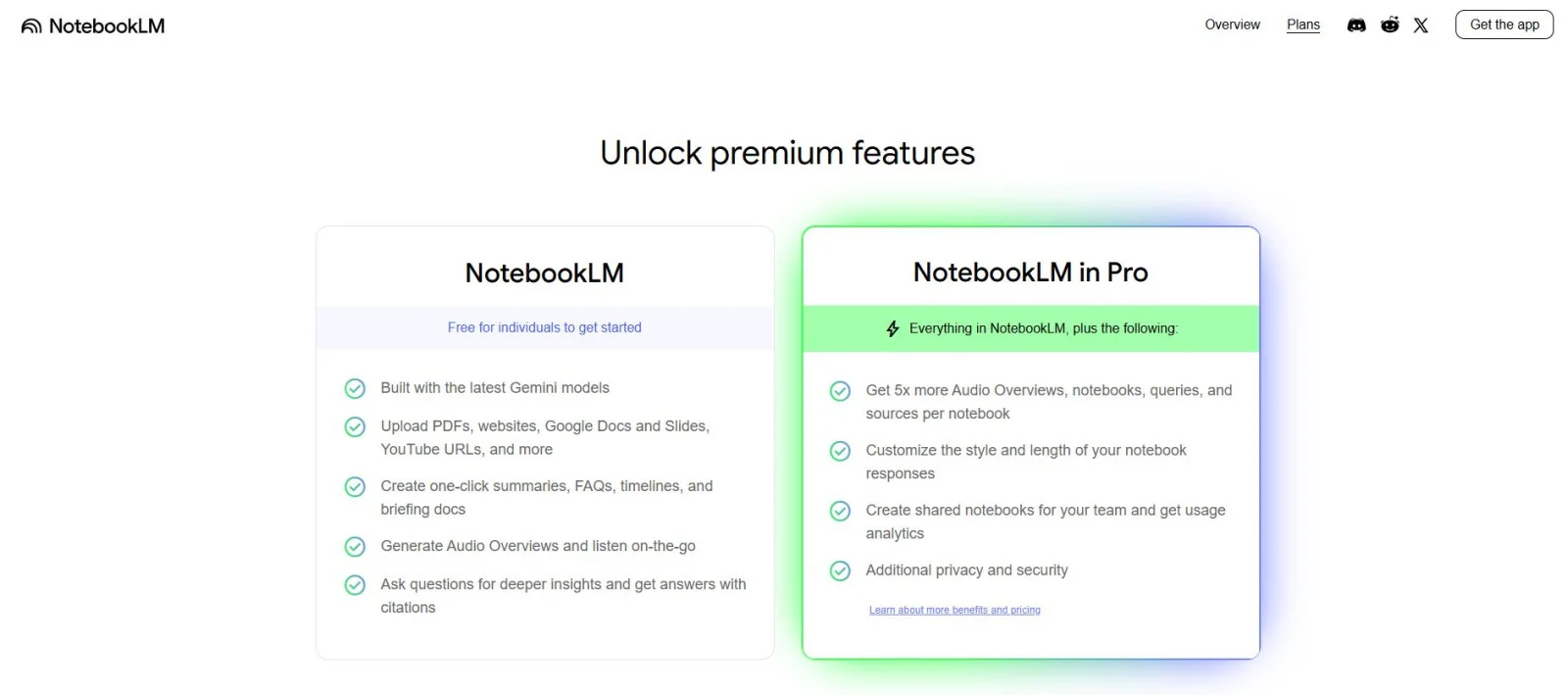
NotebookLM is absolutely free for now, while being accessible to everyone alike. There's a possibility of a Premium plan being introduced in the future. This future version will come up with more advanced features and higher usage limits. Here is a table displaying the current free version and what we might get from the upcoming premium version.
| Feature | Free Plan | Premium Plan (Expected) |
| Price | $0 (Free) | Estimated $10-$30/month |
| Access to AI Assistant | Yes | Yes (with advanced capabilities) |
| Source Upload Limit | Limited number of files/sources | Higher or unlimited file uploads |
| File Types Supported | PDFs, Google Docs, URLs | More formats (e.g., Word, Excel) |
| Notebook Storage | Limited | Extended storage for notebooks |
| Response Speed | Standard | Priority response speeds |
| Custom AI Tools | Basic summarization and Q&A | Enhanced tools like auto-citations, smart annotations |
| Team Collaboration | Not available | May support shared notebooks, teams |
| Customer Support | Community-based | Priority or live support |
So, in this guide, we have discussed many important things, such as what is NotebookLM, how it works, how to use it, and more. Basically, NotebookLM is a tool designed to help with studying, research, and writing. It provides features such as Study Guides, Briefing Docs, and Timelines to help people organize and grasp information. Interactive Q&A and Mind Maps are included to make learning more interesting. With Audio Overviews, people can listen to their material at any time.
Read Our Trending Articles
Yes, Google's NotebookLM is available for free, especially for those with access through Google Workspace.
When using audio generation, please note that the system permits a maximum of three AI-created audio summaries daily. Each uploaded source file has a size limit of 200MB. The word count for individual sources is limited to 500,000 words; this limit is in place to handle large documents.
NotebookLM is used for organizing, analyzing, and summarizing information from multiple sources using AI to help with research and writing.
Course Schedule
| Course Name | Batch Type | Details |
| NotebookLM Course | Every Weekday | View Details |
| NotebookLM Course | Every Weekend | View Details |