If you have ever worked with a real-world dataset, you know the pain. Your data has columns like "city," "product category," or "job title," and most machine learning algorithms do not know what to do with them. You end up spending hours encoding, transforming, and cleaning before you can even train a model.
CatBoost changes that completely.
In this guide, you will learn what CatBoost is, how it works under the hood, what makes it different from XGBoost and LightGBM, and how to implement it in Python. Whether you are just starting out or looking to sharpen your skills, this article has everything you need in one place.
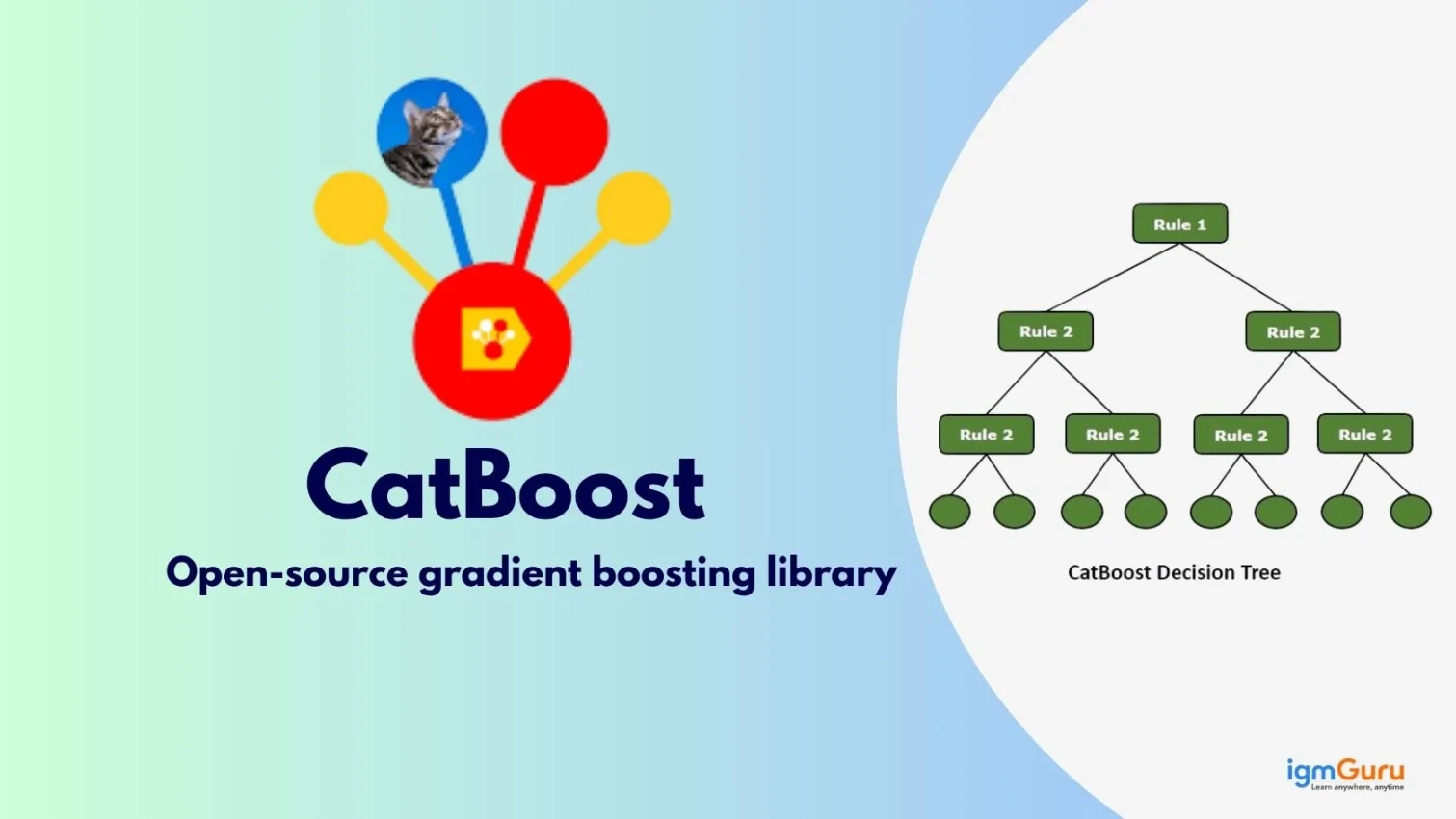
CatBoost is an open-source gradient boosting library developed by Yandex, the Russian technology and search engine company. Yandex originally built CatBoost to improve its own search ranking systems, but the library quickly proved useful for a wide range of machine learning tasks.
The name says it all. CatBoost is specifically designed to handle categorical features natively, without requiring you to manually encode them into numbers before training.
Most gradient boosting libraries, including XGBoost, require you to convert categorical columns into numerical values using techniques like one-hot encoding or label encoding. CatBoost handles all of that internally. You pass the raw data, tell the model which columns are categorical, and CatBoost takes care of the rest.
This saves time, reduces preprocessing errors, and often produces more accurate models, especially when your dataset has many categorical features.
Read Also: Machine Learning Tutorial
CatBoost is built on the gradient boosting framework. Gradient boosting works by training a sequence of decision trees, where each new tree is trained to correct the errors made by all previous trees. The final prediction is a weighted sum of all the trees in the ensemble.
CatBoost follows this same process but adds two important innovations that make it stand out.
Standard gradient boosting algorithms calculate gradients using the full training dataset. This can cause a problem called target leakage, where the model learns from its own predictions on the training data and overfits.
CatBoost solves this with ordered boosting. It creates multiple random permutations of the training data and uses only past observations from each permutation when building each tree. This means the model never "cheats" by looking at data it has not technically seen yet in that permutation. The result is a model that generalizes better to new data.
Categorical features are columns that contain text labels or categories, like "Male/Female," "Red/Blue/Green," or "New York/Delhi/Tokyo." Most models cannot use these directly.
CatBoost uses a technique called target statistics (also known as target encoding) to convert categorical features into numbers. It calculates a statistic based on the target variable for each category, but it does so carefully to avoid leakage. Combined with ordered boosting, this process preserves the useful signal in categorical data without letting the model overfit to it.
For high-cardinality features, which are columns with many unique values like user IDs or ZIP codes, CatBoost also applies one-hot encoding selectively. You can control this behavior with the one_hot_max_size parameter.
Most decision tree algorithms split nodes based on the best feature at each level. CatBoost uses symmetric trees, also called oblivious trees, where the same feature and split condition is applied to all nodes at the same depth.
This sounds like a limitation, but it is actually a strength. Symmetric trees are faster to build, require less memory, and reduce the risk of overfitting. They also make it easy to implement the model on CPUs efficiently.
CatBoost supports training on a GPU or multiple GPUs out of the box. For large datasets or complex models, GPU training can reduce training time dramatically. You just need to set task_type='GPU' when initializing the model.
Now that you understand how CatBoost works internally, here is a consolidated view of everything it brings to the table. These features are what make it a practical choice for real-world projects.
Read Also: Machine Learning Interview Questions and Answers
Running CatBoost takes less than a minute. It is available for Python and R, and the installation process is straightforward either way.
CatBoost is not included in Python's standard library, so you need to install it first.
For Python:
|
If you are working in a Jupyter notebook:
|
For R:
|
Let's walk through a complete example using the classic Iris dataset for classification. Then we will look at how to handle actual categorical features.
|
|
|
|
Output:
|
Here is how to use CatBoost when you have actual categorical columns in your dataset.
|
Notice that you do not need to encode "city" or "product." You just pass the column names to cat_features and CatBoost handles the rest.
Read Also: Top Machine Learning Frameworks to Use
CatBoost works for regression tasks too. You just swap CatBoostClassifier for CatBoostRegressor and use a regression metric.
|
Common regression use cases include house price prediction, stock market forecasting, and energy consumption estimation.
The default settings in CatBoost are actually quite good, which means you can get solid results without touching a single parameter. But when you want to push performance further, understanding these hyperparameters gives you real control over the model.
| Parameter | What It Does | Default |
| iterations | Number of trees in the ensemble | 1000 |
| learning_rate | How much each tree contributes | Auto |
| depth | Maximum depth of each tree (1-16) | 6 |
| l2_leaf_reg | L2 regularization to prevent overfitting | 3.0 |
| rsm | Fraction of features used per tree | 1.0 |
| one_hot_max_size | Max unique values for one-hot encoding | Auto |
| eval_metric | Metric to evaluate on validation set | Auto |
| early_stopping_rounds | Stop if no improvement after N rounds | None |
| task_type | Use 'CPU' or 'GPU' | 'CPU' |
Tip: Use early_stopping_rounds with a validation set to avoid training for too long. It stops training automatically when performance stops improving.
|
Understanding which features drive your model's predictions is important for both debugging and explainability. CatBoost makes this easy.
|
CatBoost also supports SHAP values, which give you a more detailed view of how each feature is affecting individual predictions.
|
CatBoost is not just a benchmark tool. It is actively used in production systems across industries where data is messy, categorical, and high-dimensional. Here are some of the most common places you will find it.
1. Search Engine Ranking: Yandex built CatBoost for this purpose and still uses it to rank search results based on user behavior and query signals.
2. Recommendation Systems: E-commerce platforms use CatBoost to generate "you might also like" suggestions based on user activity. It handles mixed data (user demographics + product categories) very well.
3. Financial Forecasting: Banks and fintech companies use CatBoost for credit scoring, fraud detection, and stock price prediction. Its ability to handle categorical data like transaction types and merchant categories is a big advantage here.
4. Healthcare: CatBoost is used to predict patient outcomes, classify diseases, and identify risk factors from patient records that often contain mixed numerical and categorical data.
5. Autonomous Vehicles: Research has shown CatBoost being used in self-driving car systems to model driving behavior from sensor and categorical environment data.
Read Also: Why Learn Python for AI and Machine Learning?
No library is perfect, and CatBoost has its own limitations. Knowing about them in advance will save you a lot of debugging time and help you make smarter decisions about when to use it.
CatBoost can be memory-intensive, especially with large datasets. To reduce memory consumption:
CatBoost with default parameters can be slower than LightGBM on some datasets because of its ordered boosting process. To speed up training:
Choosing between these three libraries is one of the most common questions in the gradient boosting space. Each one has real strengths, and the right choice depends on your data and your goals.
| Feature | CatBoost | XGBoost | LightGBM |
| Categorical features | Native support, no preprocessing needed | Requires encoding | Limited native support |
| Tree type | Symmetric (oblivious) | Depth-wise | Leaf-wise |
| Overfitting control | Ordered boosting | Regularization parameters | Regularization parameters |
| Missing values | Handled automatically | Handled automatically | Handled automatically |
| GPU support | Yes | Yes | Yes |
| Interpretability | SHAP, feature importance, tree visualizer | SHAP, feature importance | SHAP, feature importance |
| Best for | Datasets with many categorical features | Numerical datasets, versatile | Large datasets, speed |
Read Also: Top Data Science Interview Questions and Answers
Here is a quick summary of what CatBoost does well, all in one place, so you can refer back to it when deciding whether it is the right tool for your next project.
Being honest about the cons is as important as knowing the strengths. These limitations do not make CatBoost a bad choice, but they do matter depending on your use case.
CatBoost is one of the most practical gradient boosting libraries available today. It solves a real problem that most machine learning practitioners face every day: how to handle categorical data without spending hours on feature engineering.
Its combination of ordered boosting, native categorical support, and symmetric trees makes it a strong choice for classification, regression, and ranking tasks on real-world tabular datasets. It performs especially well when your data has a mix of numerical and categorical features, which is the case in most industry applications.
If you have only been using XGBoost so far, it is worth giving CatBoost a try on your next project. The minimal preprocessing requirement alone will save you time, and you might be surprised by how well it performs right out of the box.
CatBoost stands for Categorical Boosting. The name reflects its core strength, which is handling categorical data natively without requiring manual preprocessing.
CatBoost was developed by Yandex, the Russian technology company, and released as an open-source library. It was originally built to improve Yandex's search engine ranking systems.
Yes, CatBoost handles missing values automatically; it treats missing values as their own category and learns the best way to handle them during tree splitting. You do not need to impute missing values before training.
Yes, CatBoost supports GPU and multi-GPU training. You can enable it by setting task_type='GPU' in the model parameters.